TypingMind Changelog

Changelog

Follow new updates and improvements to TypingMind.

Subscribe

All updates in 2024

December 2024

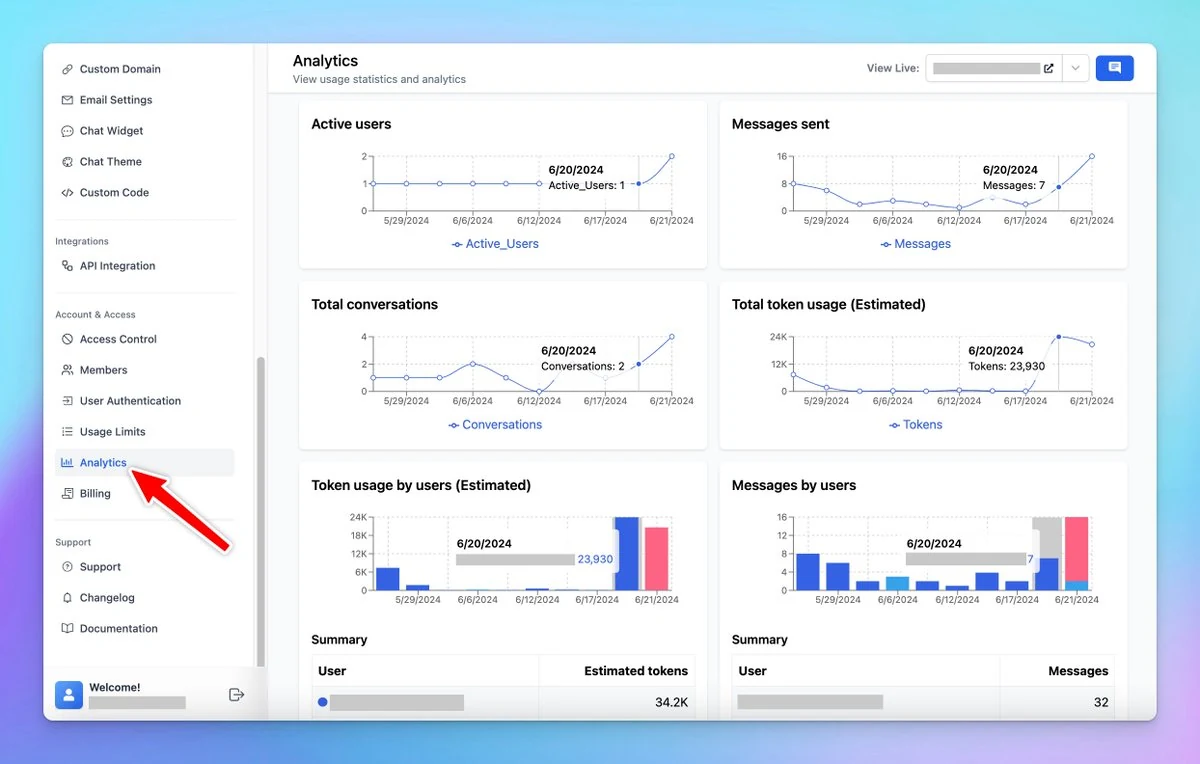
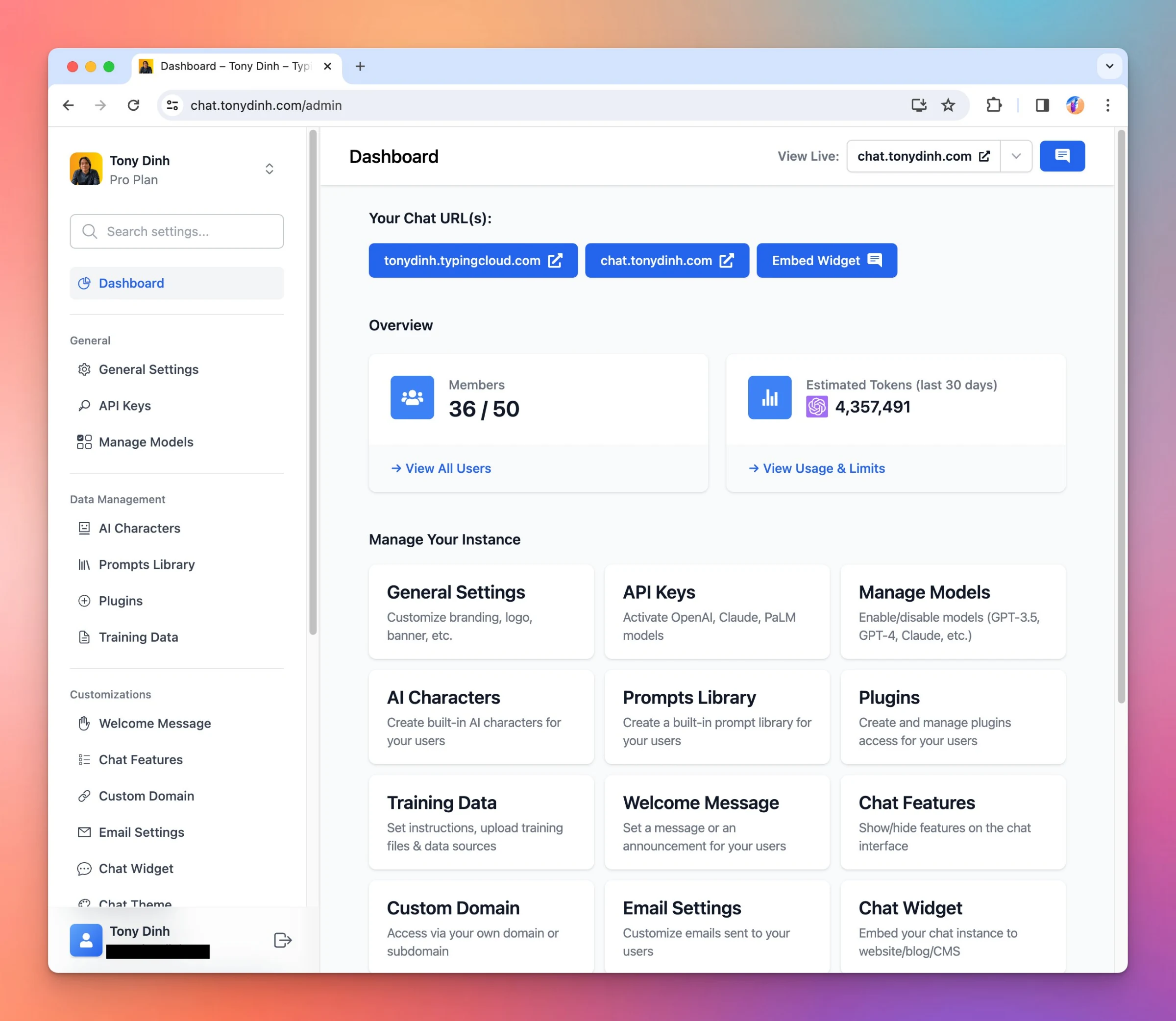
Improve Analytics Dashboard

We have just added 3 new widgets on the Analytics Dashboard for custom.typingmind.com. These widgets provide a quick overview of the total Active Users, Estimated Tokens, and Messages Sent within a specific timeframe. See the announcement on X

We have just added 3 new widgets on the Analytics Dashboard for custom.typingmind.com.

These widgets provide a quick overview of the total Active Users, Estimated Tokens, and Messages Sent within a specific timeframe.
Improve Analytics Dashboard

See the announcement on X

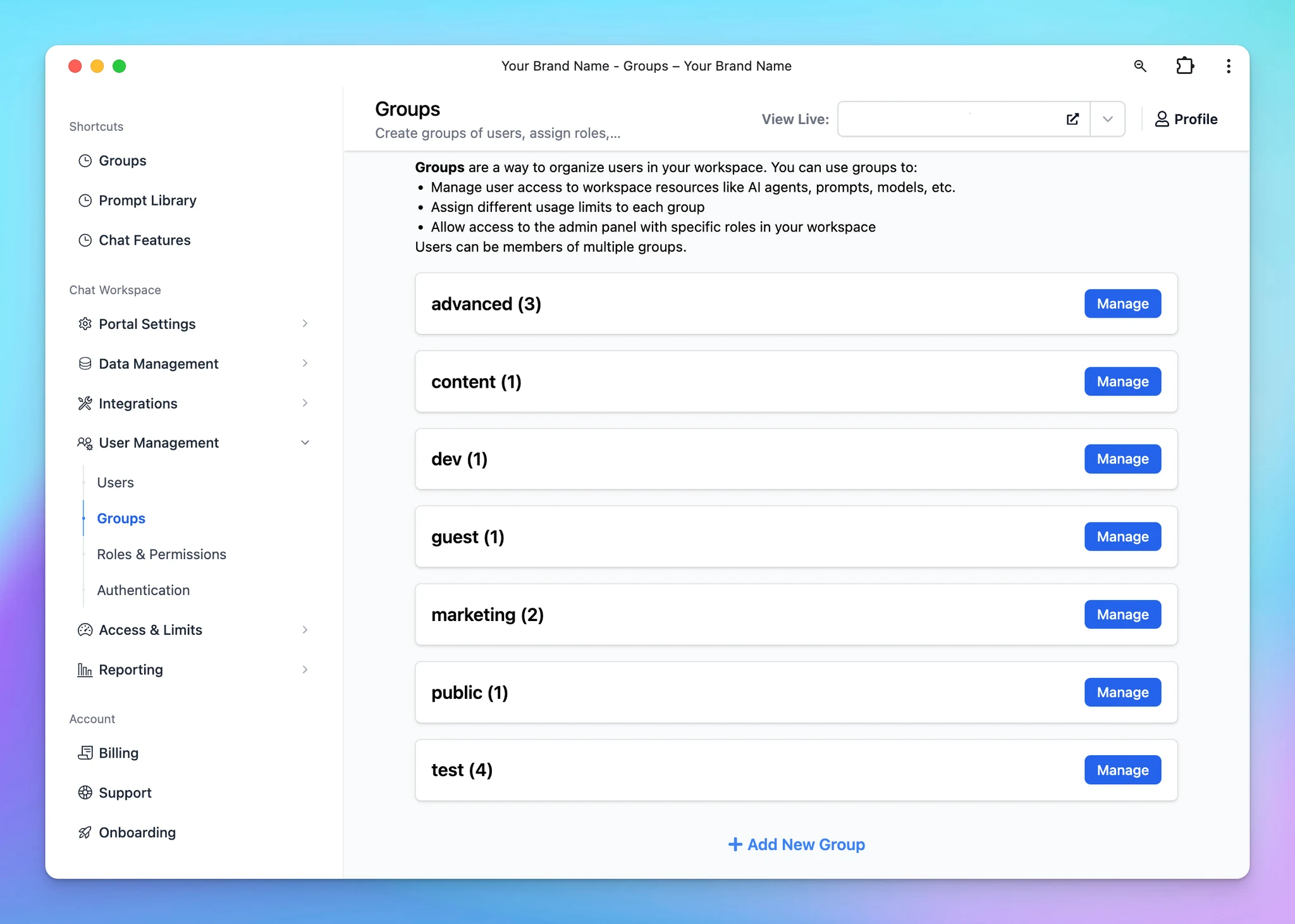
Introducing User Groups

TypingMind User Group is an enhanced version of TypingMind’s user tags at custom.typingmind.com. User Groups allow you to organize your invited users into different categories or teams, called groups. These groups can then be used to: ✅ Manage resource…

TypingMind User Group is an enhanced version of TypingMind’s user tags at custom.typingmind.com.

User Groups allow you to organize your invited users into different categories or teams, called groups. These groups can then be used to:

✅ Manage resource access: control which AI agents, prompts, and AI models should be available to each group.
✅ Set usage limits: assign specific limits, such as model usage and the number of messages a group can send, to manage your resources and cost better.

You can also enable Admin Panel access with custom roles and permissions for each user group.

Learn more: https://docs.typingmind.com/typingmind-custom/user-management/create-and-manage-user-groups

Introducing User Groups

See the announcement on X

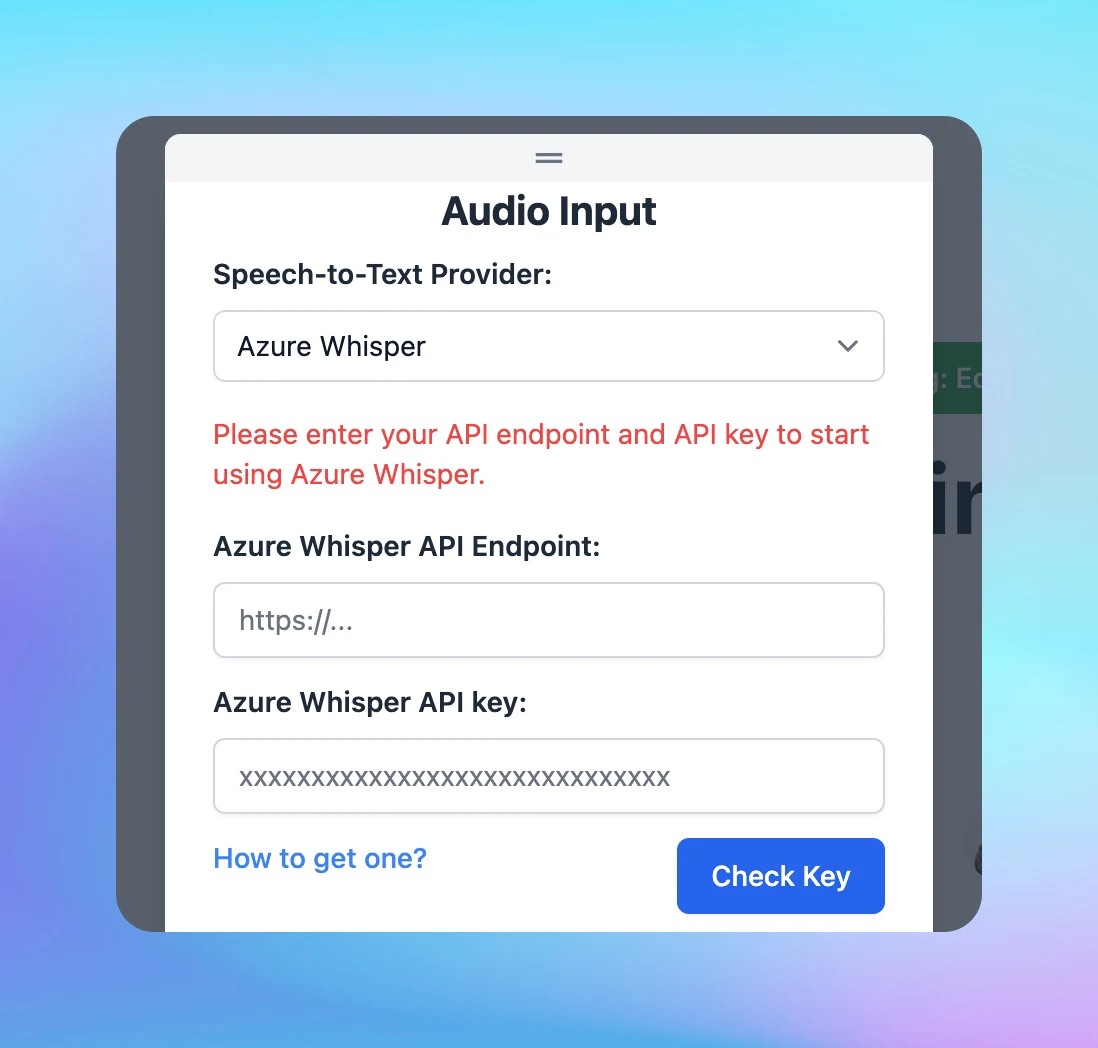
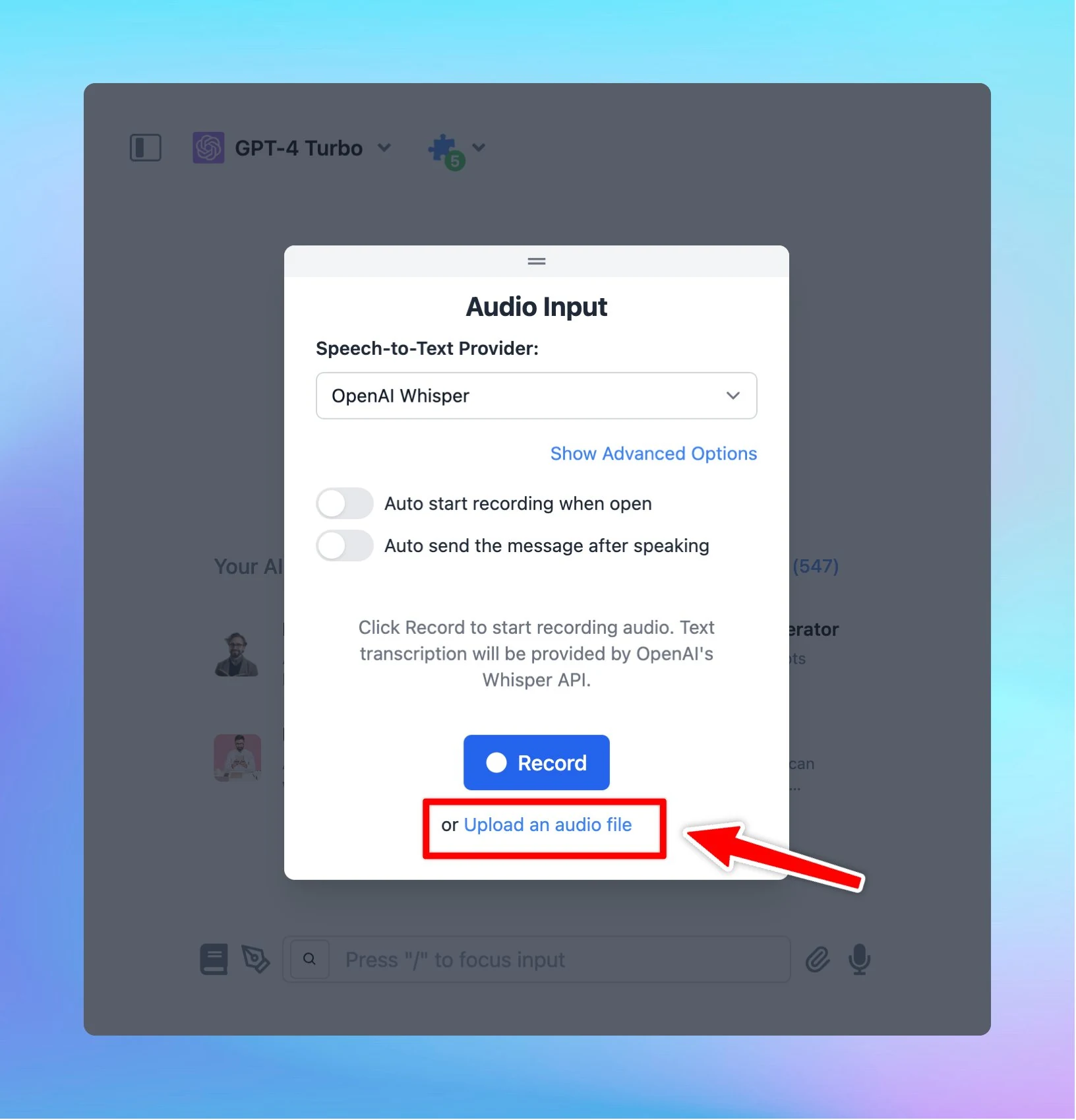
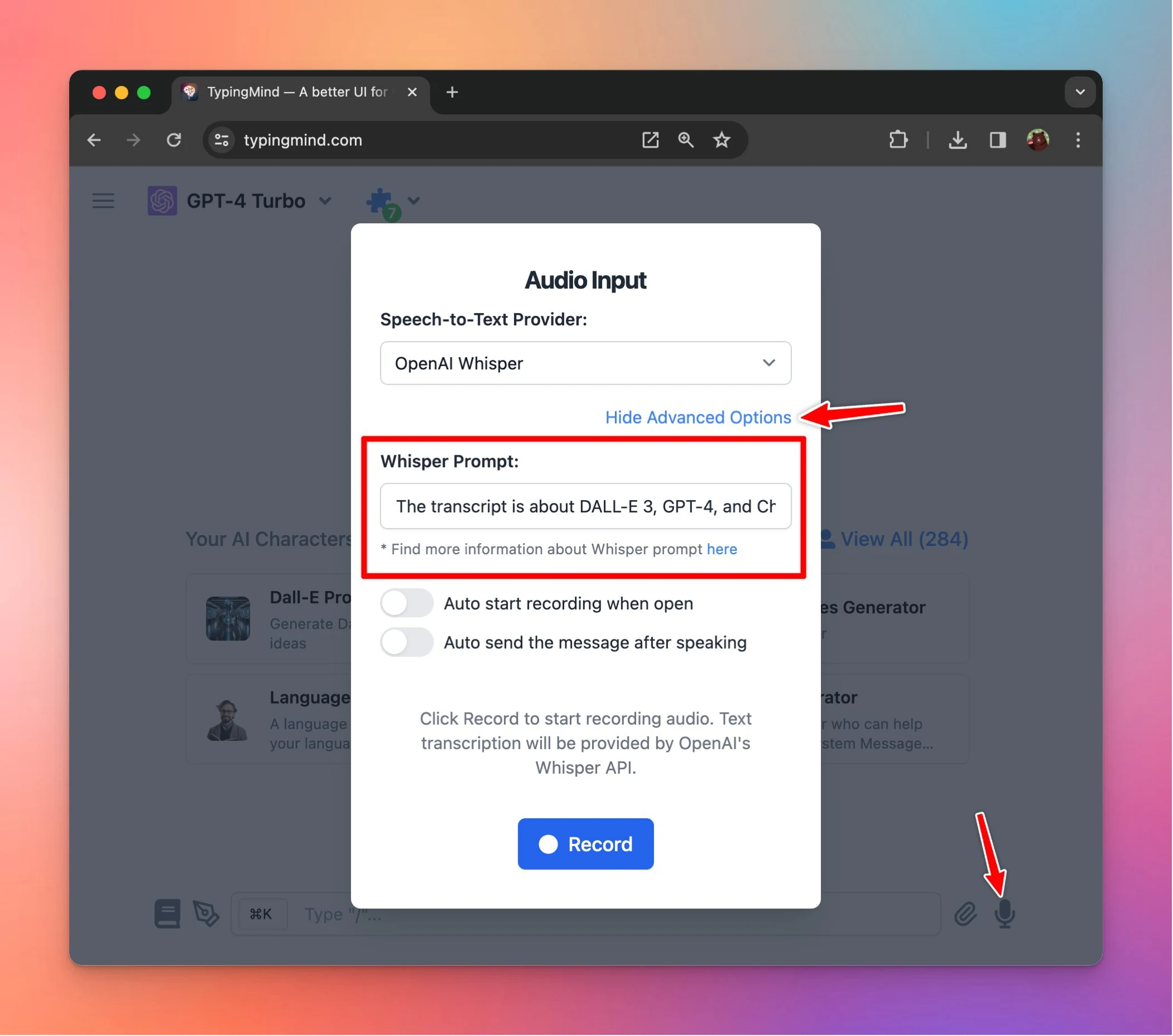
Use Azure Whisper for Speech-to-text

Use Azure Whisper as speech-to-text provider on TypingMind! Here's how: Use Azure Whisper Follow us on X, LinkedIn, Facebook, to stay informed about the latest updates, tips, and tutorials.

Use Azure Whisper as speech-to-text provider on TypingMind!

Here's how: Use Azure Whisper

image
Follow us on X, LinkedIn, Facebook, to stay informed about the latest updates, tips, and tutorials.

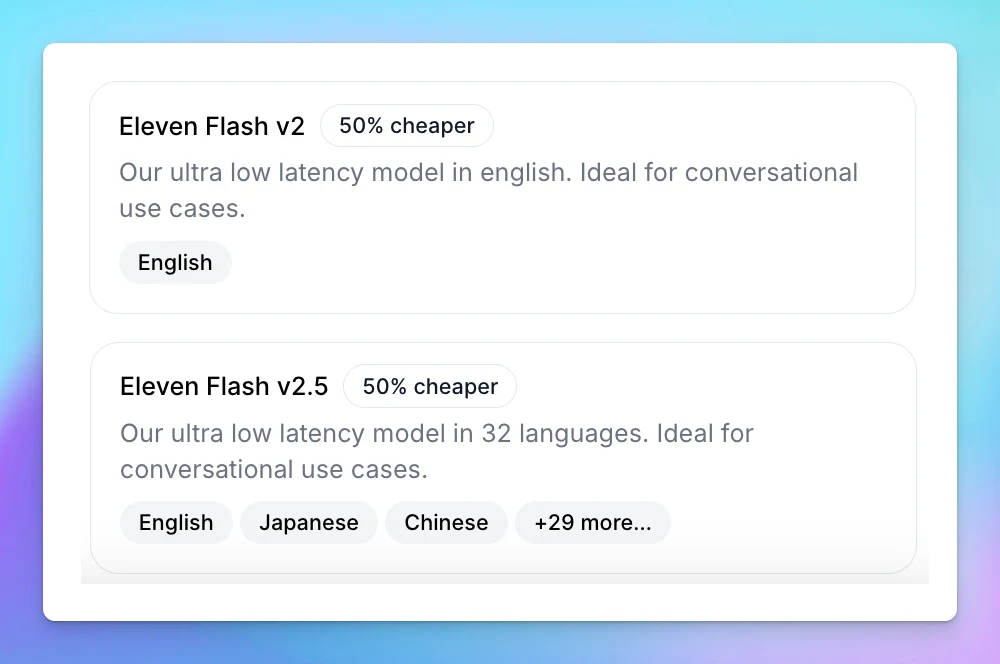
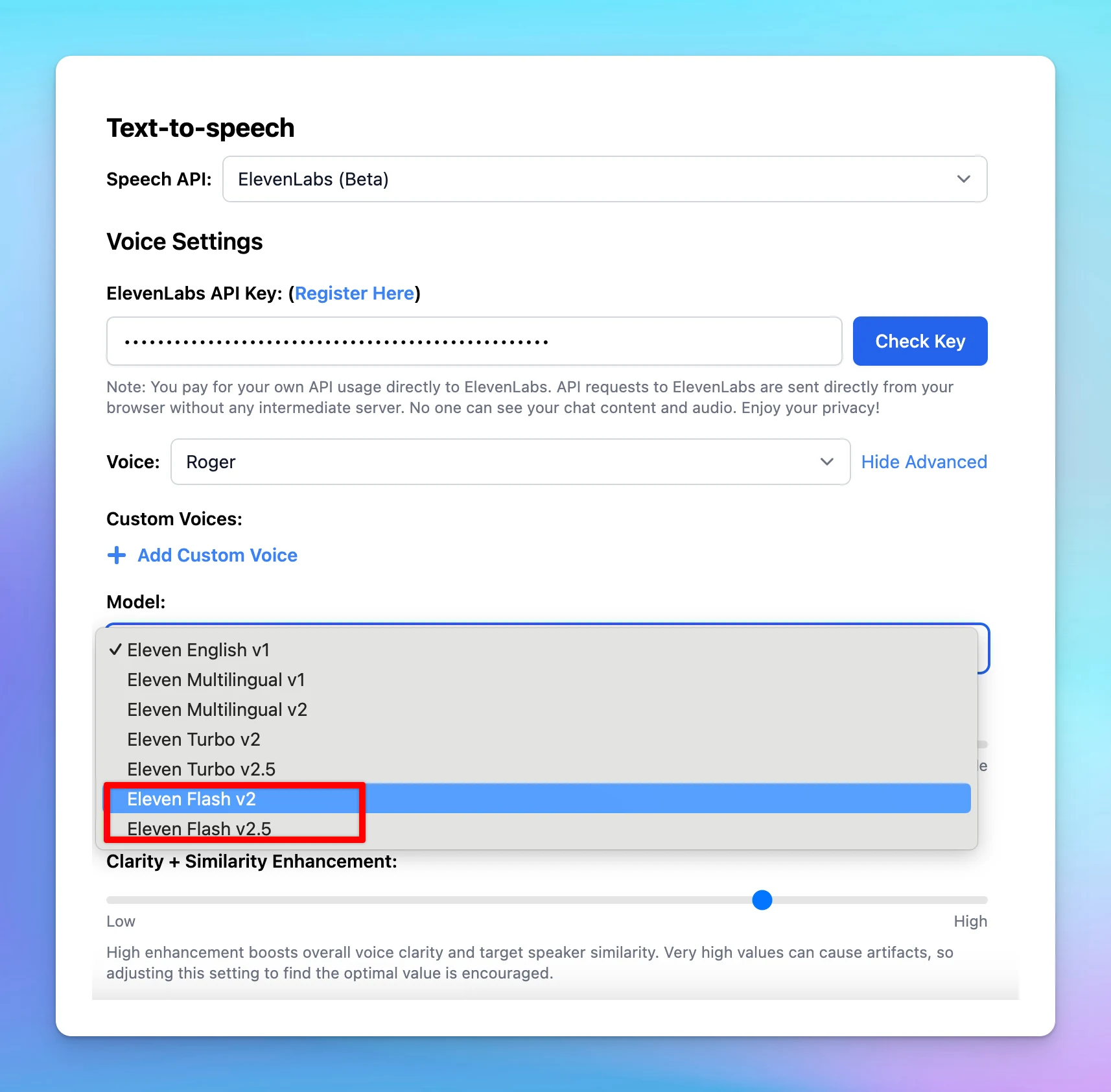
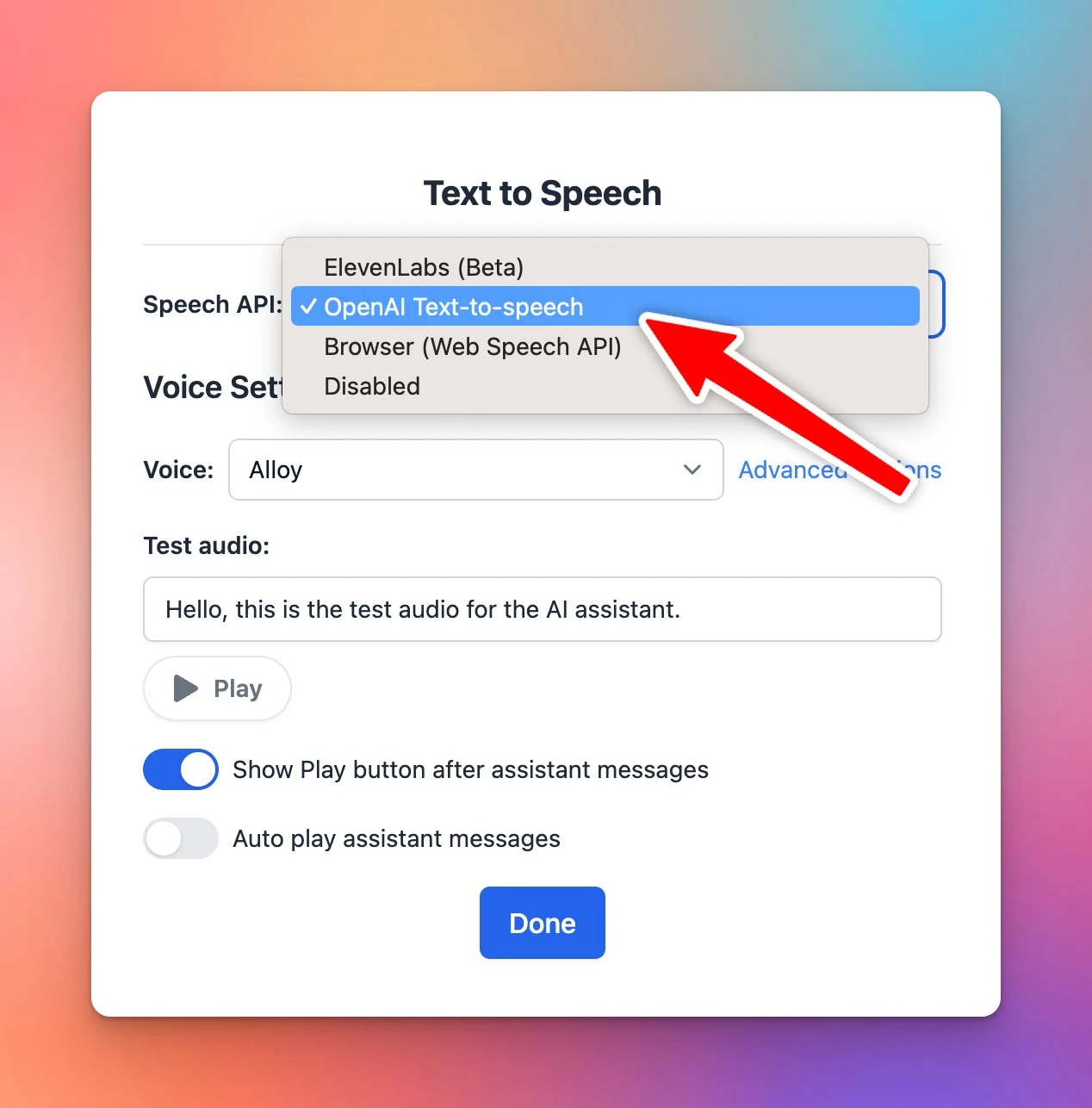
Eleven Flash v2 and Eleven Flash v2.5 are now available!

Eleven Flash v2 and Eleven Flash v2.5 can now be accessed on TypingMind via Text-to-Speech! Set up Text-to-speech Follow us on X, LinkedIn, Facebook, to stay informed about the latest updates, tips, and tutorials.

Eleven Flash v2 and Eleven Flash v2.5 can now be accessed on TypingMind via Text-to-Speech!

Set up Text-to-speech

image

image

Follow us on X, LinkedIn, Facebook, to stay informed about the latest updates, tips, and tutorials.

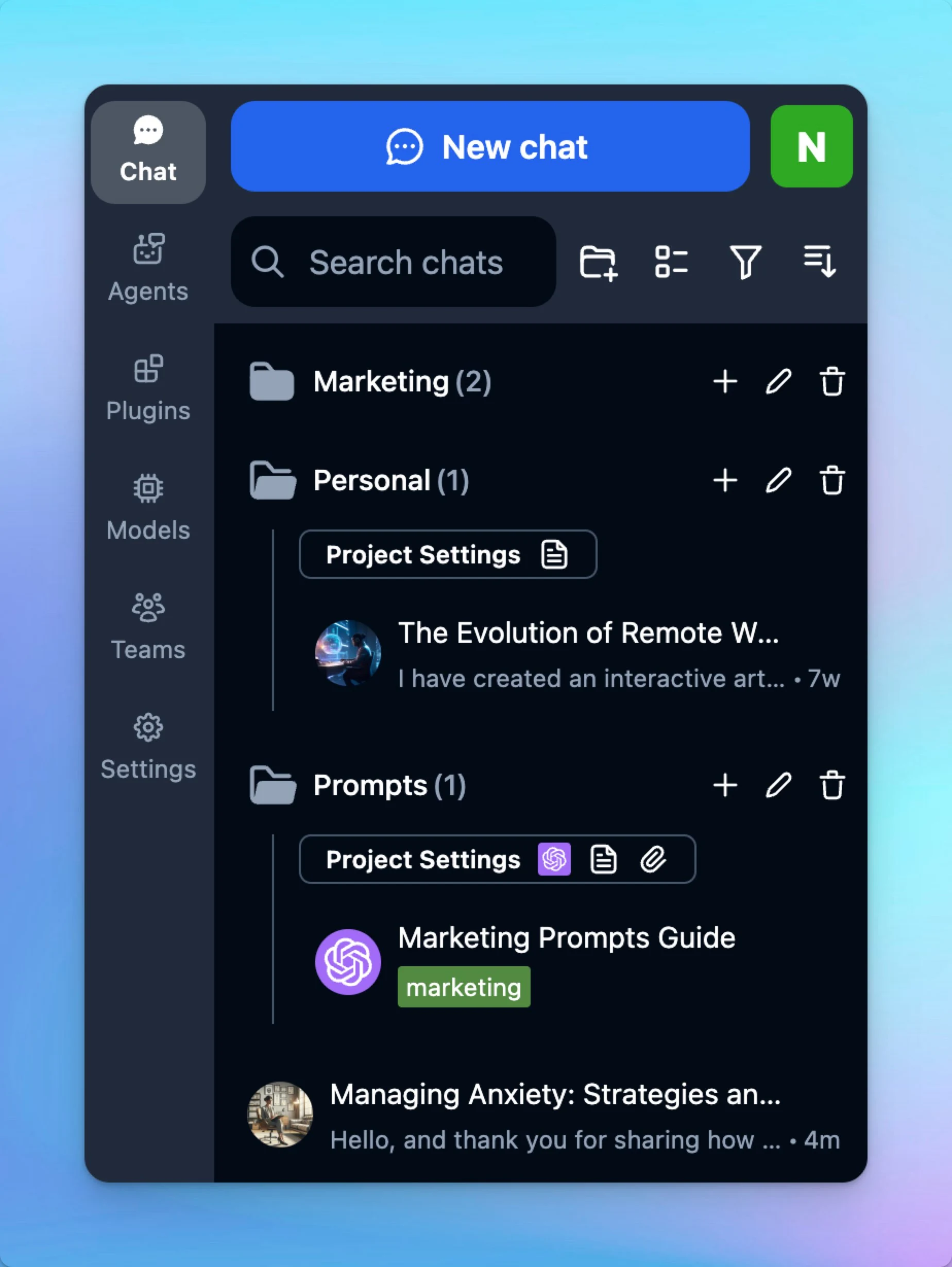
New workspace and sidebar UI

A brand new look for TypingMind sidebar and workspace bar: Sleeker, more intuitive! Follow us on X, LinkedIn, Facebook, to stay informed about the latest updates, tips, and tutorials.

A brand new look for TypingMind sidebar and workspace bar: Sleeker, more intuitive!

image

Follow us on X, LinkedIn, Facebook, to stay informed about the latest updates, tips, and tutorials.

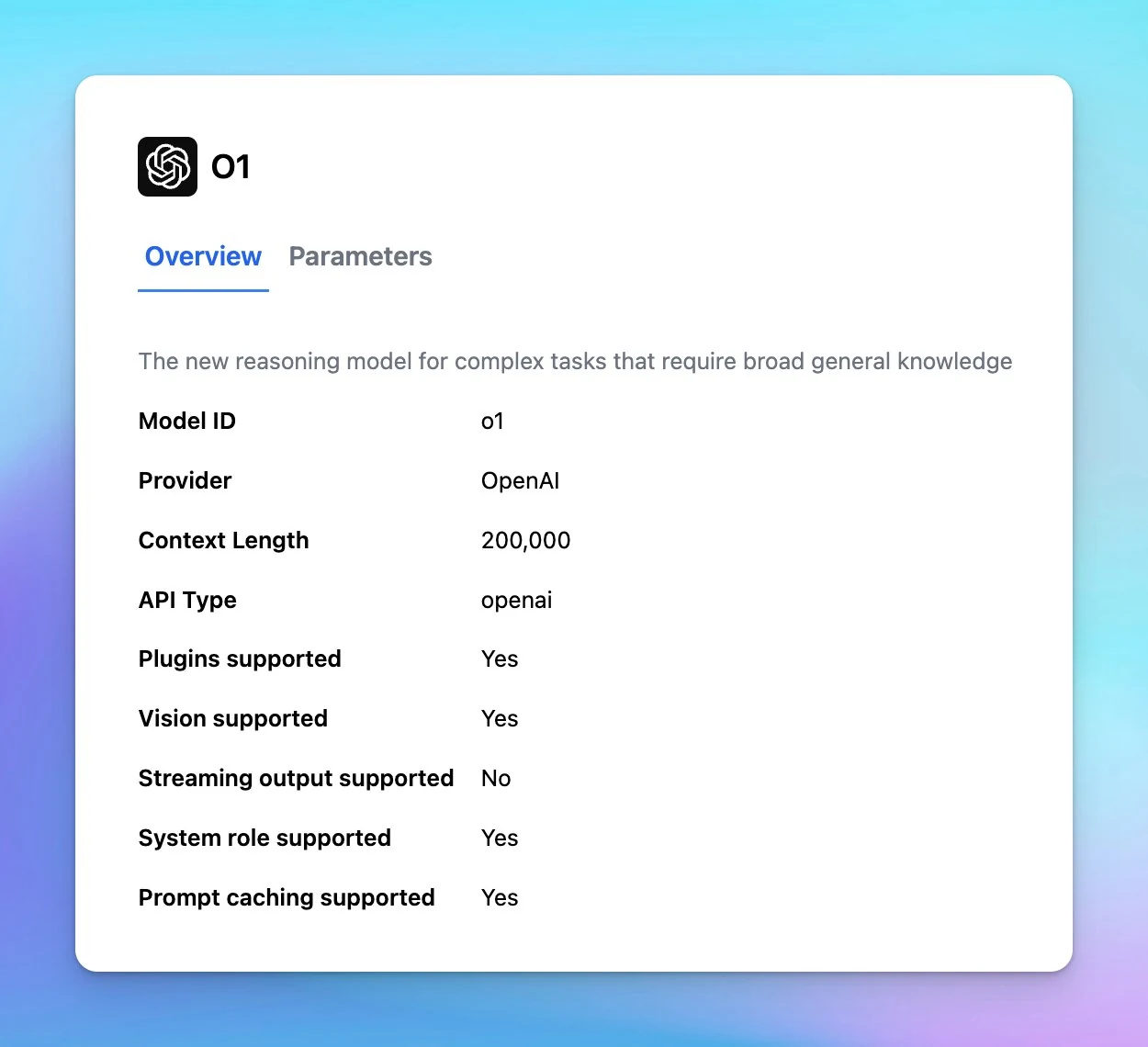
OpenAI o1 is now available!

OpenAI o1 is now available on TypingMind! Plugins and vision support Faster than o1-previewUse directly via OpenAI API (usage tier 3-5) or through OpenRouter.Follow us on X, LinkedIn, Facebook, to stay informed about the latest updates, tips, and tutorials.

OpenAI o1 is now available on TypingMind!

  • Plugins and vision support

  • Faster than o1-previewUse directly via OpenAI API (usage tier 3-5) or through OpenRouter.
    image
    Follow us on X, LinkedIn, Facebook, to stay informed about the latest updates, tips, and tutorials.

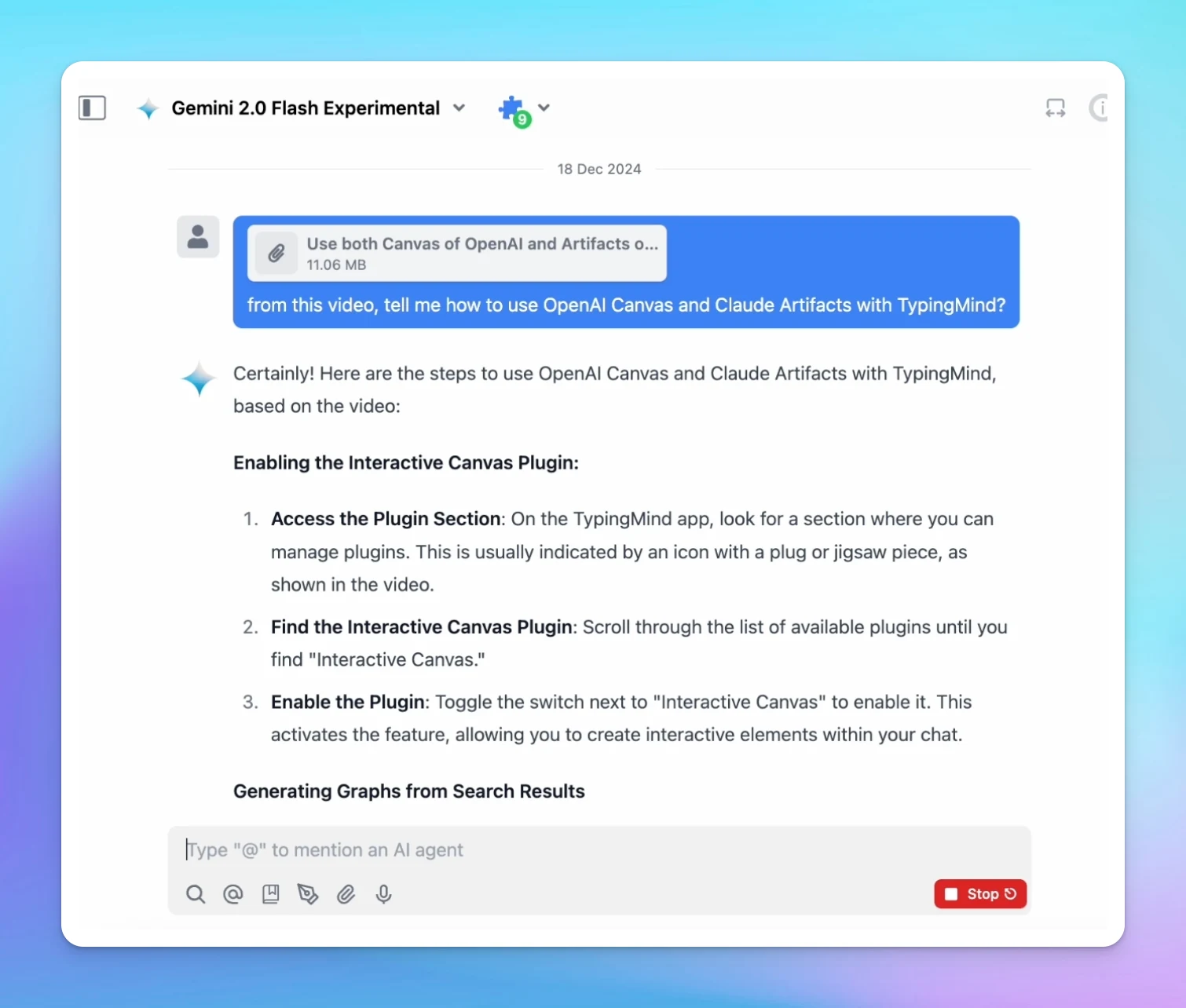
Chat with videos (Gemini models)

Now you can Chat with Videos on TypingMind.com! 🎬Directly upload your videos and analyze their content effortlessly!Note: currently, only Gemini models support chatting with videos.👉 Learn more: http://docs.typingmind.com/chat-with-files/chat-with-videos…

Now you can Chat with Videos on TypingMind.com! 🎬Directly upload your videos and analyze their content effortlessly!Note: currently, only Gemini models support chatting with videos.👉 Learn more: http://docs.typingmind.com/chat-with-files/chat-with-videos

image

Follow us on X, LinkedIn, Facebook, to stay informed about the latest updates, tips, and tutorials.

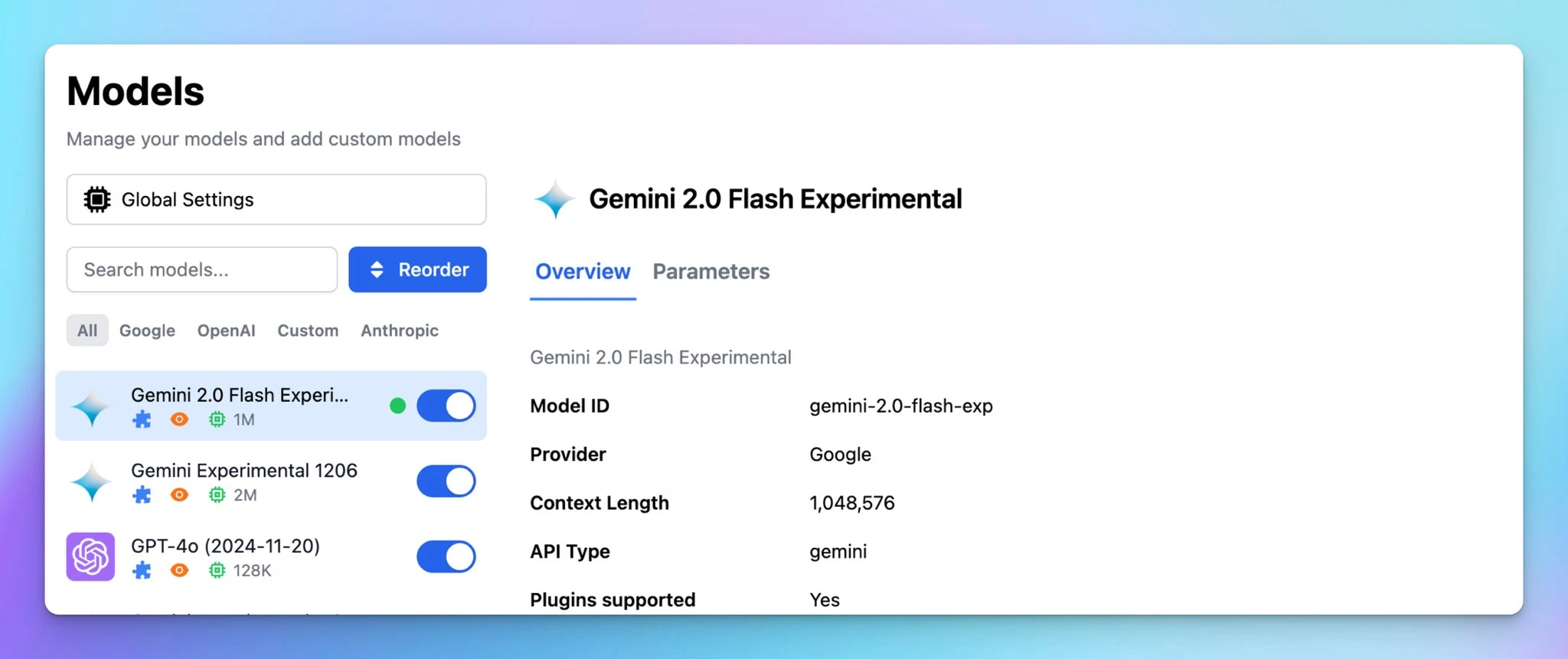
New model: Gemini 2.0 Flash

The new Gemini 2.0 Flash model is now available! Follow us on X, LinkedIn, Facebook, to stay informed about the latest updates, tips, and tutorials.

The new Gemini 2.0 Flash model is now available!

image

Follow us on X, LinkedIn, Facebook, to stay informed about the latest updates, tips, and tutorials.

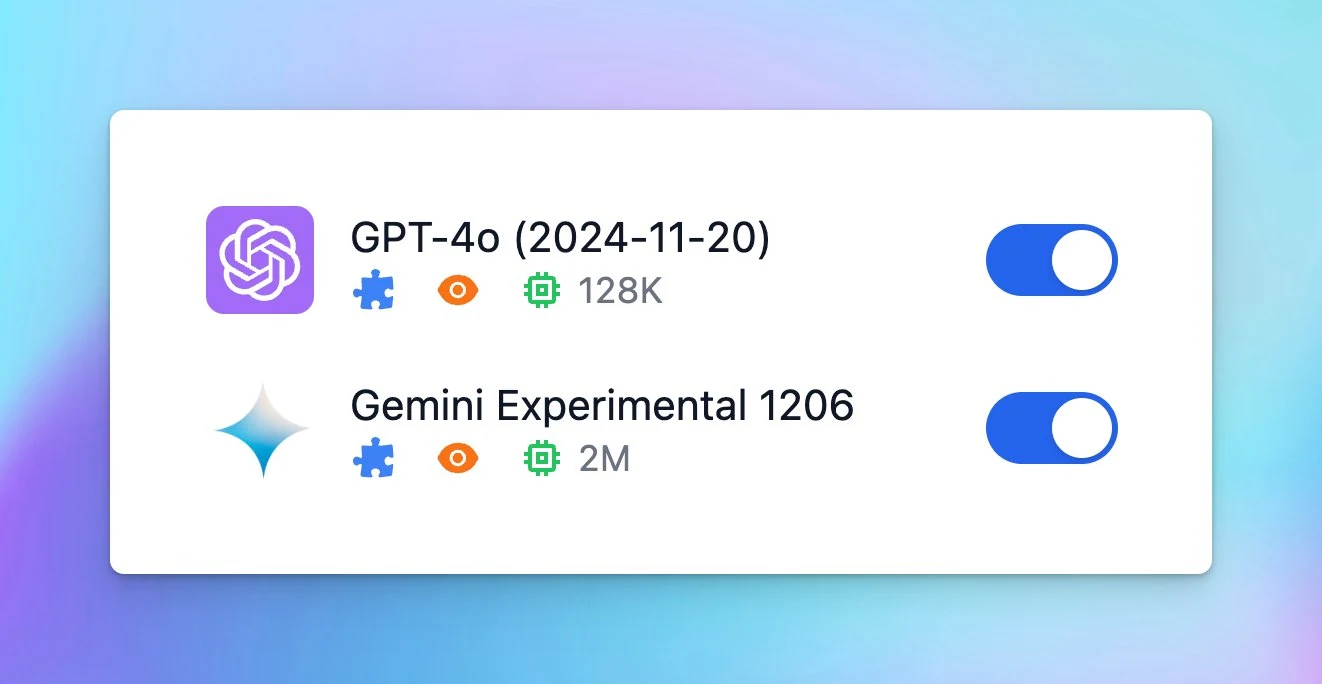
New models: GPT-4o (2024-11-20) and Gemini Experimental 1206

Two new models: GPT-4o (2024-11-20): better at creative writing Gemini Experimental 1206: better at programming/math tasks…now available on TypingMind.com! 🔥Follow us on X, LinkedIn, Facebook, to stay informed about the latest updates, tips, and tutorials.

Two new models:

  • GPT-4o (2024-11-20): better at creative writing

  • Gemini Experimental 1206: better at programming/math tasks…now available on TypingMind.com! 🔥
    image
    Follow us on X, LinkedIn, Facebook, to stay informed about the latest updates, tips, and tutorials.

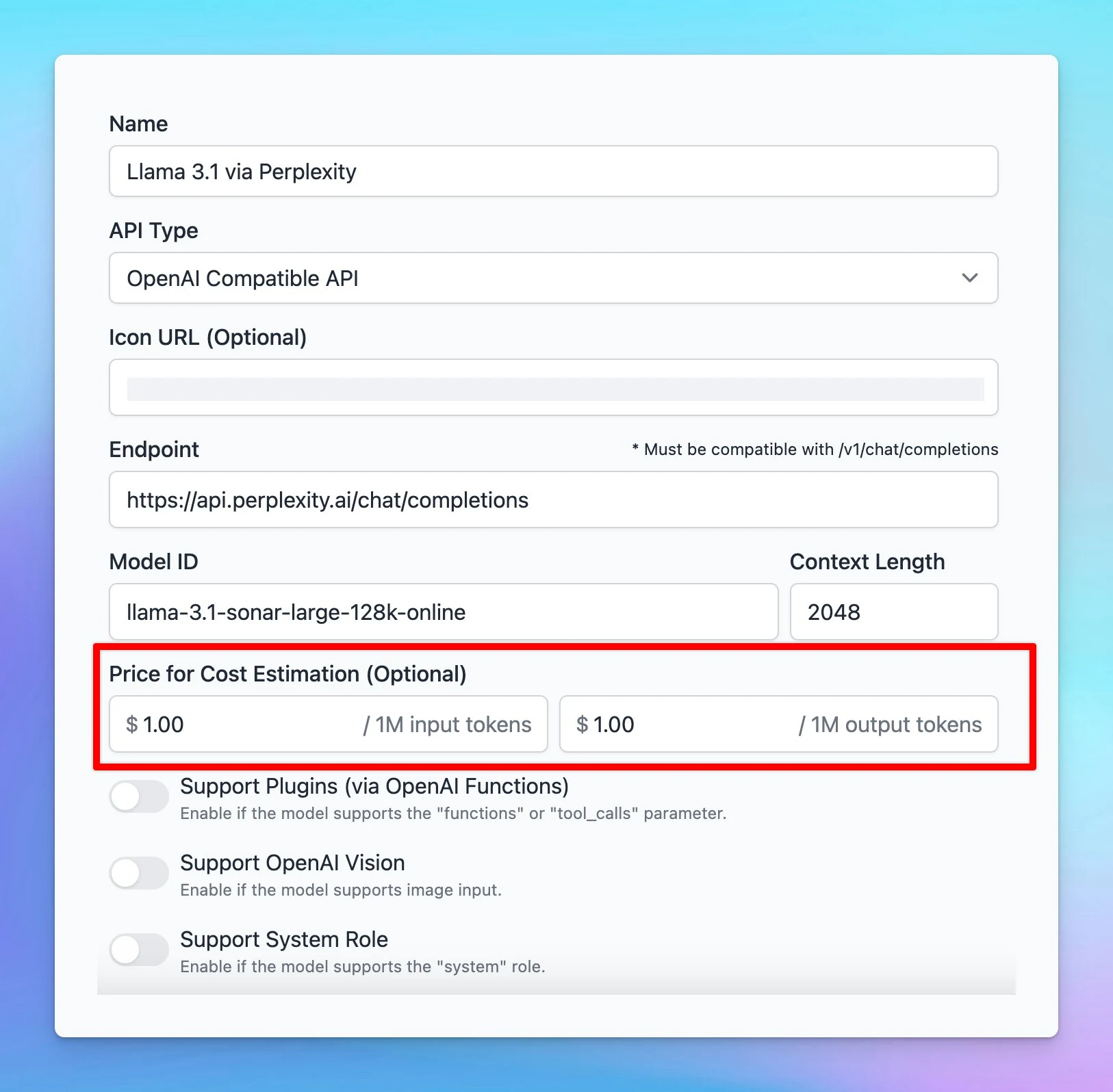
Cost estimation for custom models

Cost estimation for custom models is now supported!Simply enter the price per 1M tokens for each custom model, and the app will automatically calculate the cost while you interact with it!Follow us on X, LinkedIn, Facebook, to stay informed about the latest…

Cost estimation for custom models is now supported!Simply enter the price per 1M tokens for each custom model, and the app will automatically calculate the cost while you interact with it!

image
Follow us on X, LinkedIn, Facebook, to stay informed about the latest updates, tips, and tutorials.

November 2024

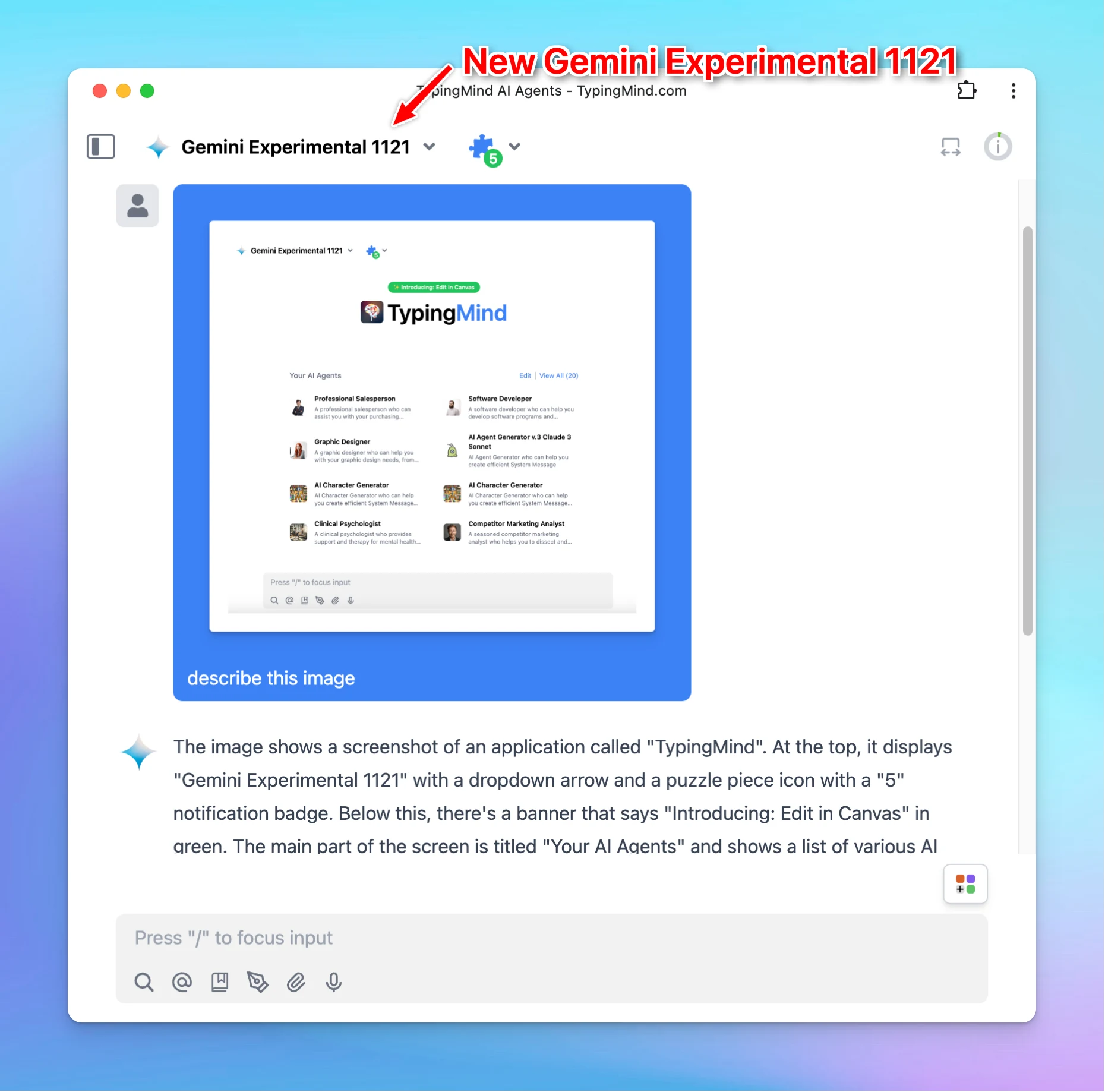
New Gemini Experimental 1121

The latest experimental Gemini model - Gemini Experimental 1121 is now available on TypingMind! Significant gains on coding performance Stronger reasoning capabilities Improved visual understanding

The latest experimental Gemini model - Gemini Experimental 1121 is now available on TypingMind!

  • Significant gains on coding performance

  • Stronger reasoning capabilities

  • Improved visual understanding

image

Black Friday Deal: 55% OFF All Plans

It’s here - the biggest deal of the year! 🎉🔥 55% OFF on All Lifetime Plans!Use code: BLACKFRIDAY2024Apply to all license typesLimited time. Grab it now! Follow us on X, LinkedIn, Facebook, to stay informed about the latest updates, tips, and tutorials.
It’s here - the biggest deal of the year! 🎉🔥 55% OFF on All Lifetime Plans!Use code: BLACKFRIDAY2024Apply to all license typesLimited time. Grab it now!
image
Follow us on X, LinkedIn, Facebook, to stay informed about the latest updates, tips, and tutorials.
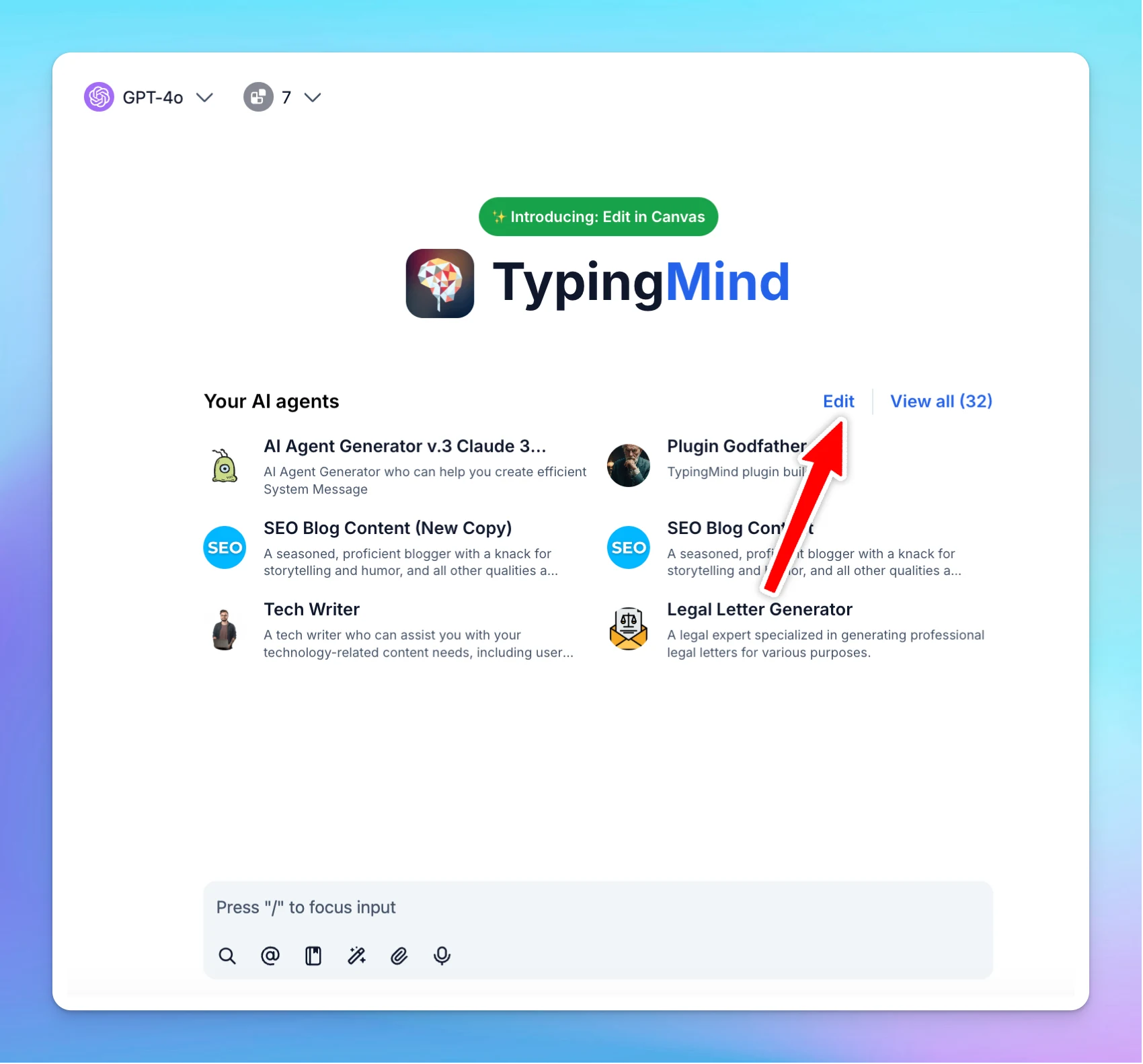
Re-order pinned AI Agents

Re-arrange the pinned AI Agent on the chat interface. Click on the Edit button Drag and drop to re-order pinned AI Agents Follow us on X, LinkedIn, Facebook, to stay informed about the latest updates, tips, and tutorials.

Re-arrange the pinned AI Agent on the chat interface.

  • Click on the Edit button

  • Drag and drop to re-order pinned AI Agents

image
Follow us on X, LinkedIn, Facebook, to stay informed about the latest updates, tips, and tutorials.

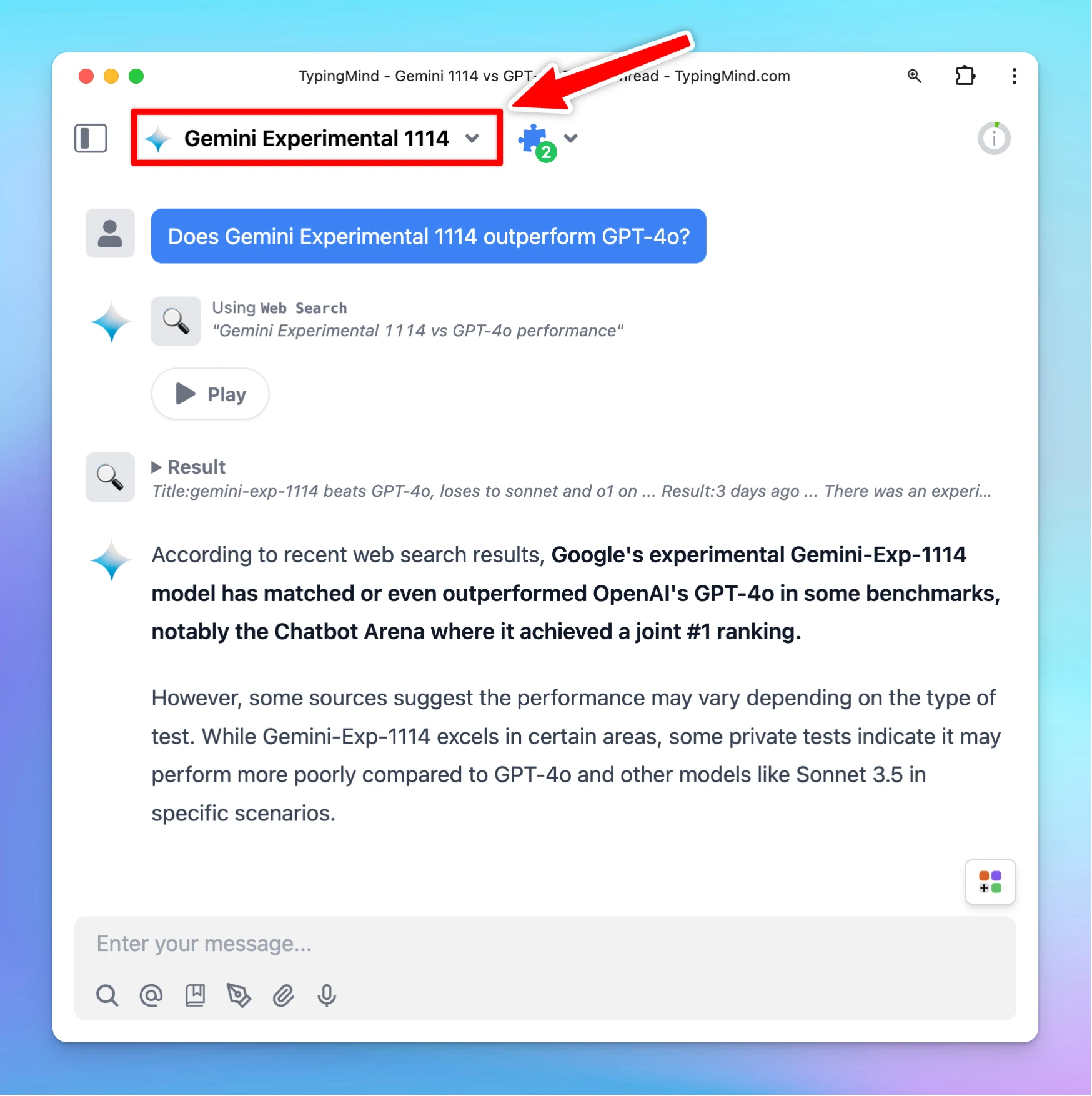
Gemini Experimental 1114 is now available!

The new Gemini Experimental 1114: 32k context window Good at understanding and aligning with your long & complex instructions. Ranks joint #1 overall on Chatbot Arena (even beating GPT-4o and o1-preview.)Follow us on X, LinkedIn, Facebook, to stay informed…

The new Gemini Experimental 1114:

  • 32k context window

  • Good at understanding and aligning with your long & complex instructions.

  • Ranks joint #1 overall on Chatbot Arena (even beating GPT-4o and o1-preview.)
    image
    Follow us on X, LinkedIn, Facebook, to stay informed about the latest updates, tips, and tutorials.

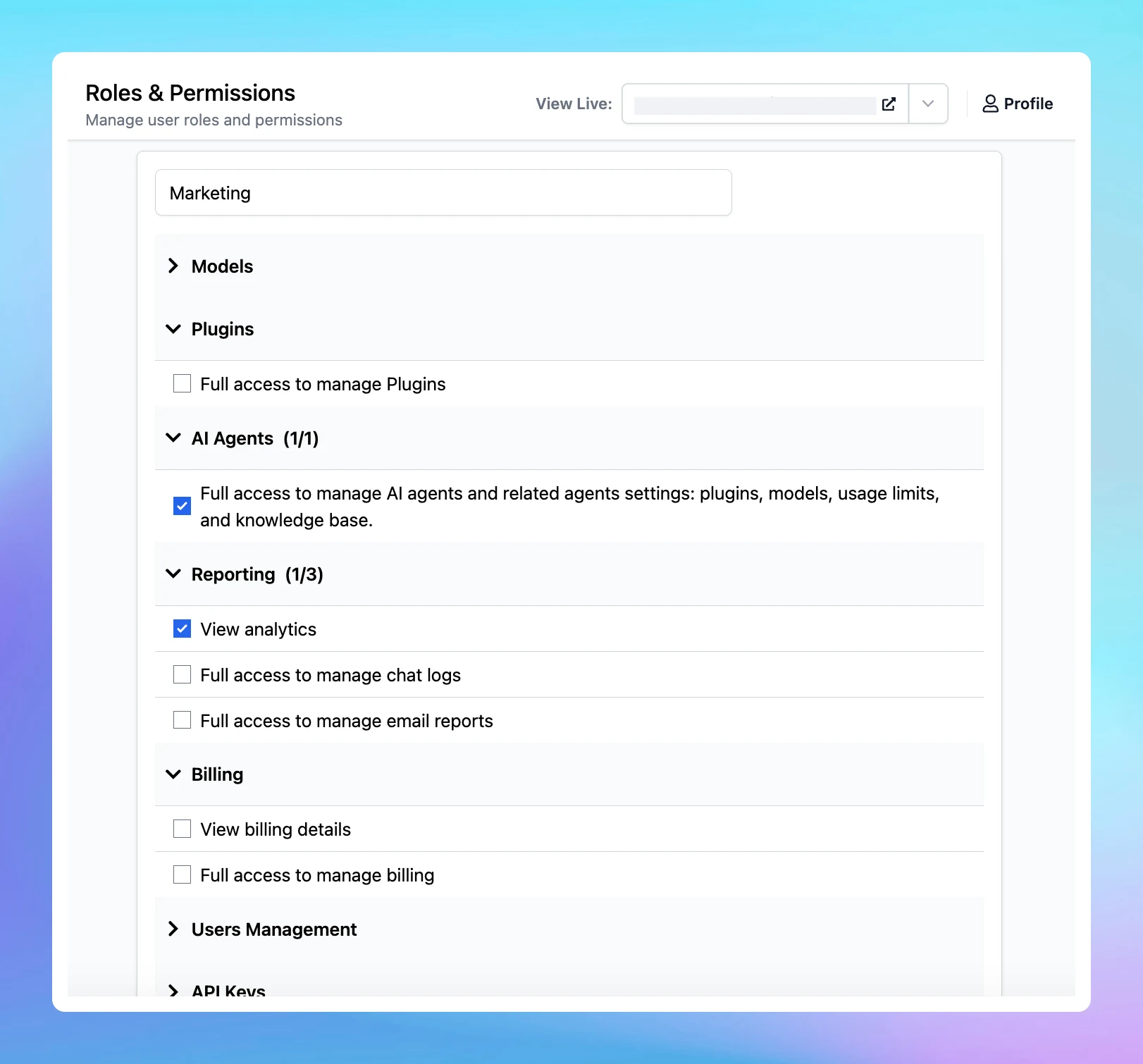
Introducing Roles and Permissions

We are excited to share with your our new Roles and Permissions system - the advanced system that allows you to add team members to your chat instance, assign specific roles and permissions, and enable them to access the Admin Panel to support you in their…

We are excited to share with your our new Roles and Permissions system - the advanced system that allows you to add team members to your chat instance, assign specific roles and permissions, and enable them to access the Admin Panel to support you in their designated functions.

Instance owners can create Custom Roles within each chat instance. You can define a variety of roles, each with a unique set of permissions, and then assign these roles directly to team members.

TypingMind permissions determine what actions each role can perform within the Admin Panel. These permissions are assigned to roles, not individual users.

Learn more: https://docs.typingmind.com/typingmind-custom/user-management/roles-and-permissions-101

Introducing Roles and Permissions

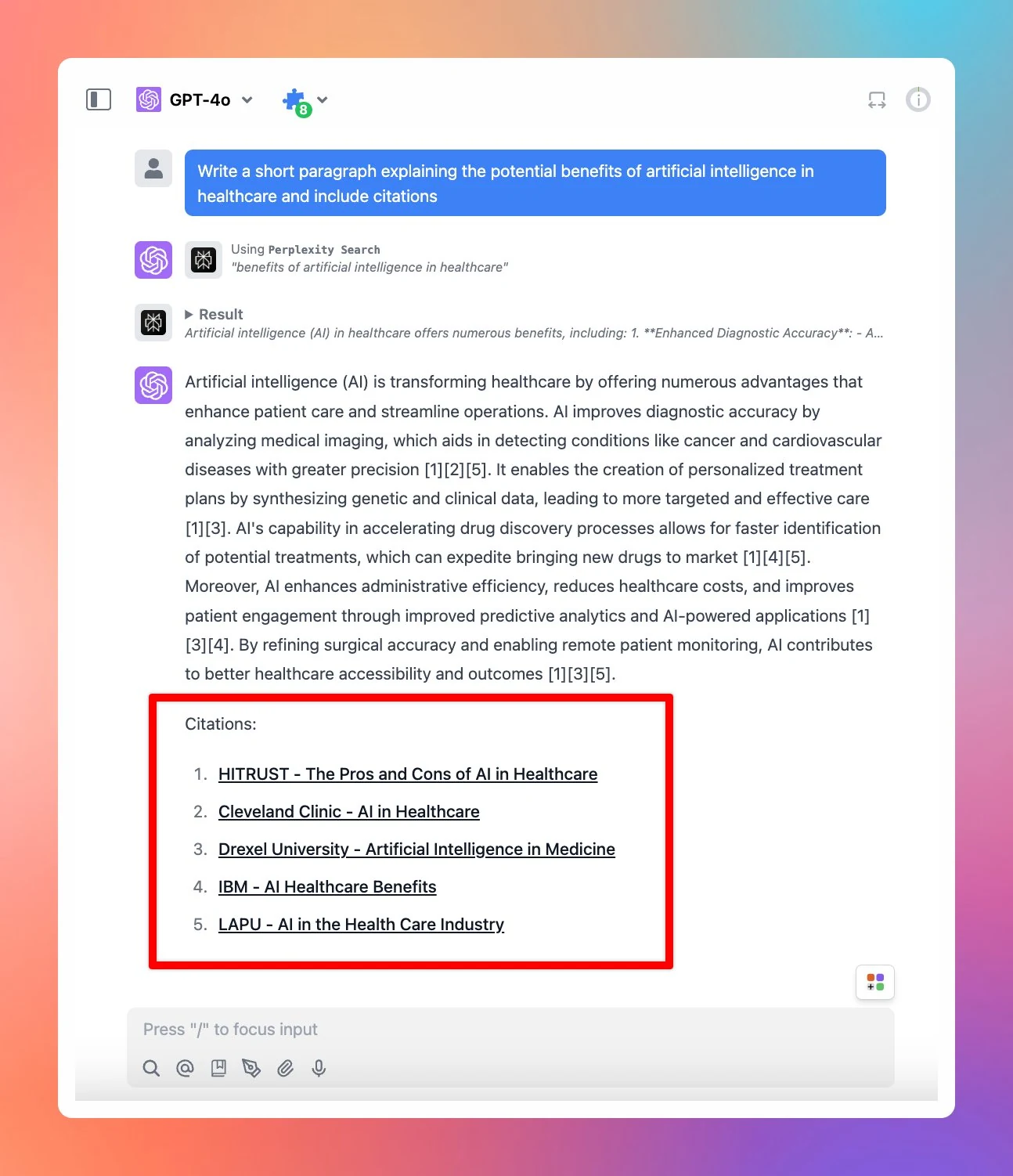
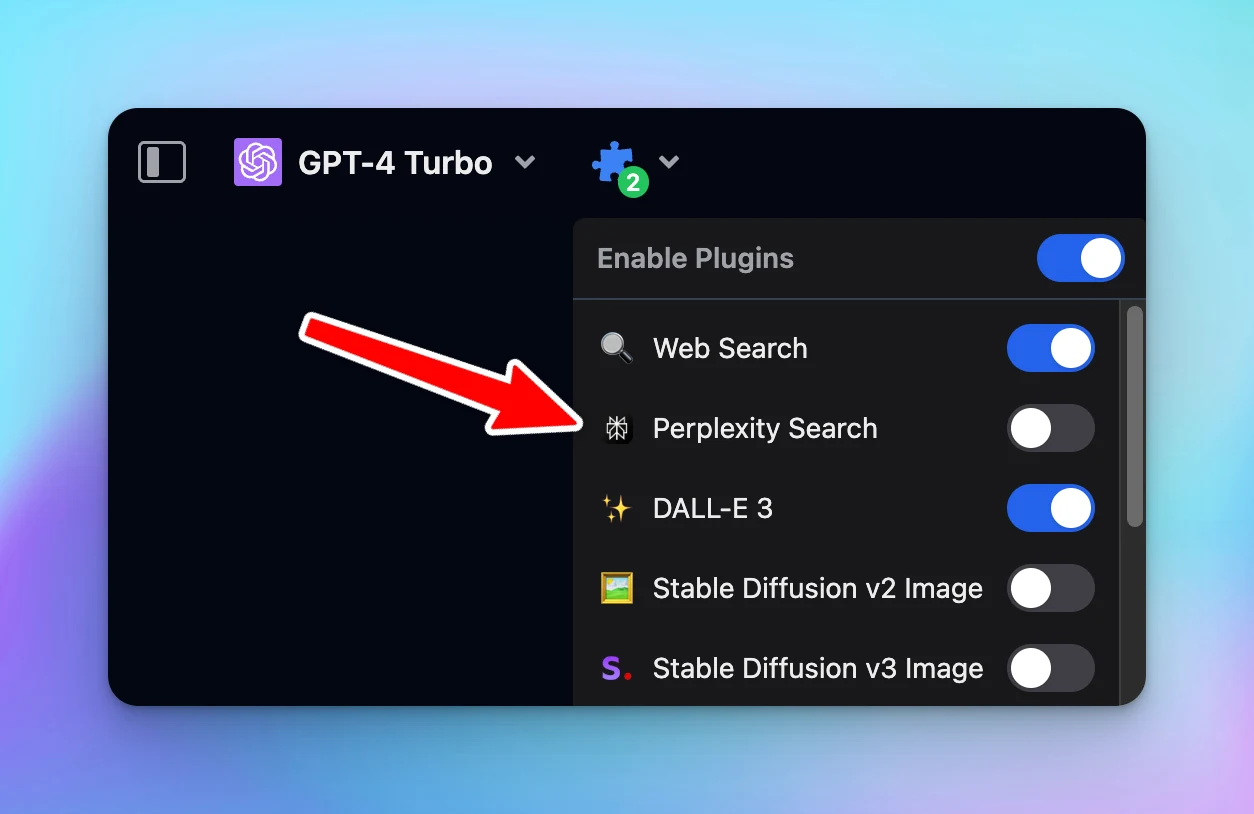
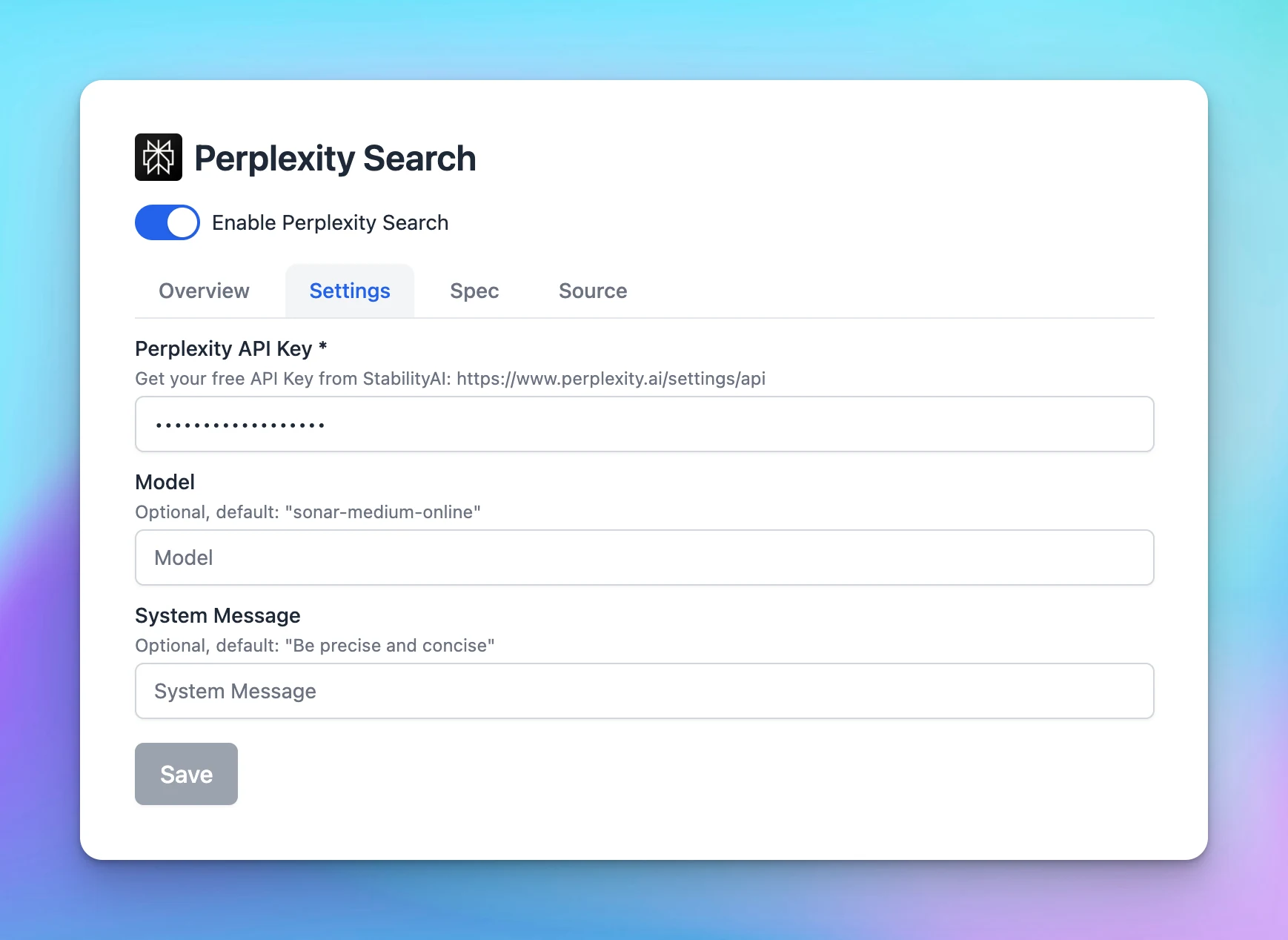
Perplexity Search Plugin now supports citations!

Perplexity Search Plugin on TypingMind now supports citations - which provides sources of information that the AI model generates within the response, ensuring more accurate and relevant answers. To get it to work, you just need to enable Perplexity Search…

Perplexity Search Plugin on TypingMind now supports citations - which provides sources of information that the AI model generates within the response, ensuring more accurate and relevant answers.

To get it to work, you just need to enable Perplexity Search Plugin and provide relevant prompts that help trigger the plugin.

Tip: Include “Perplexity Search” and “citations” keywords in your prompt to ensure the AI model triggers the right plugin and generates responses with citations.

image
Follow us on X, LinkedIn, Facebook, to stay informed about the latest updates, tips, and tutorials.

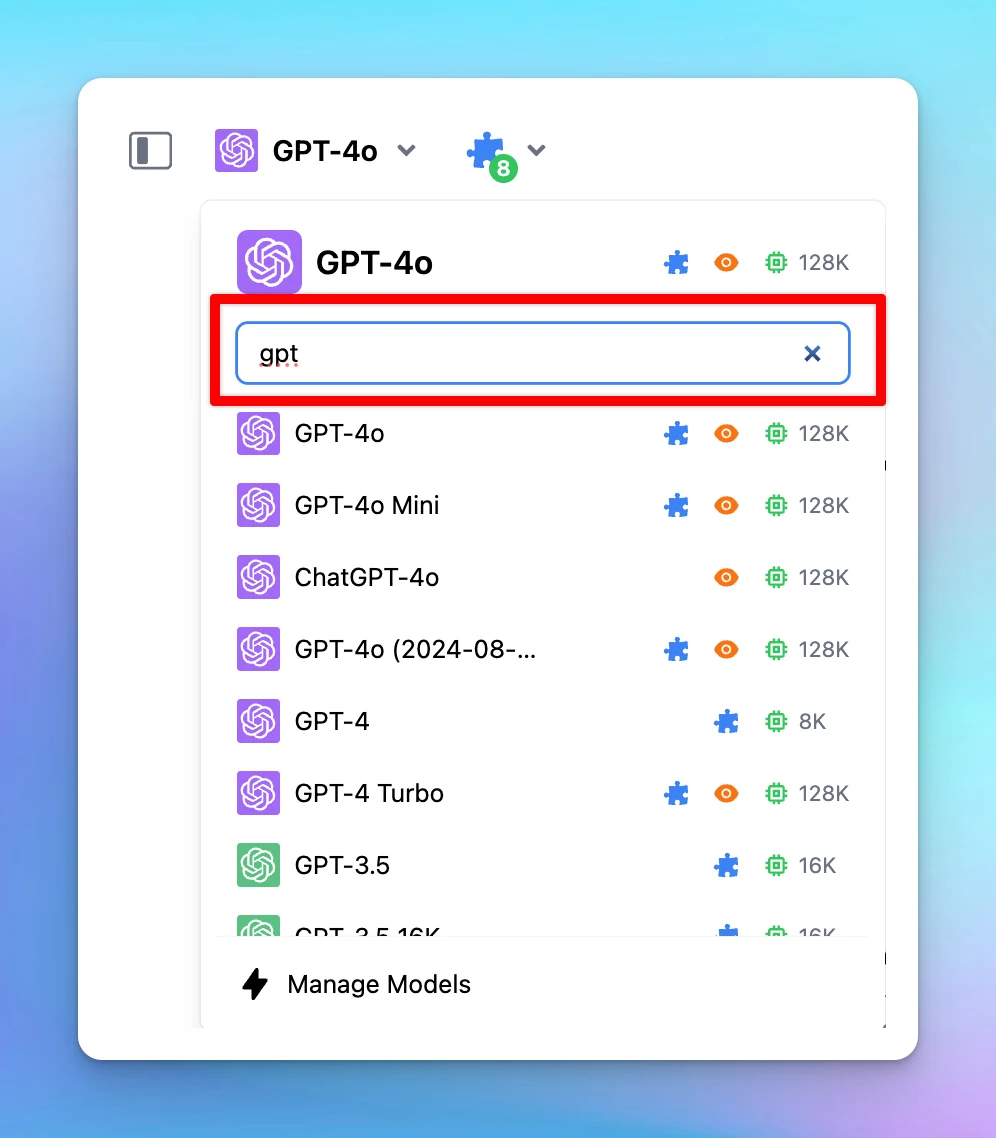
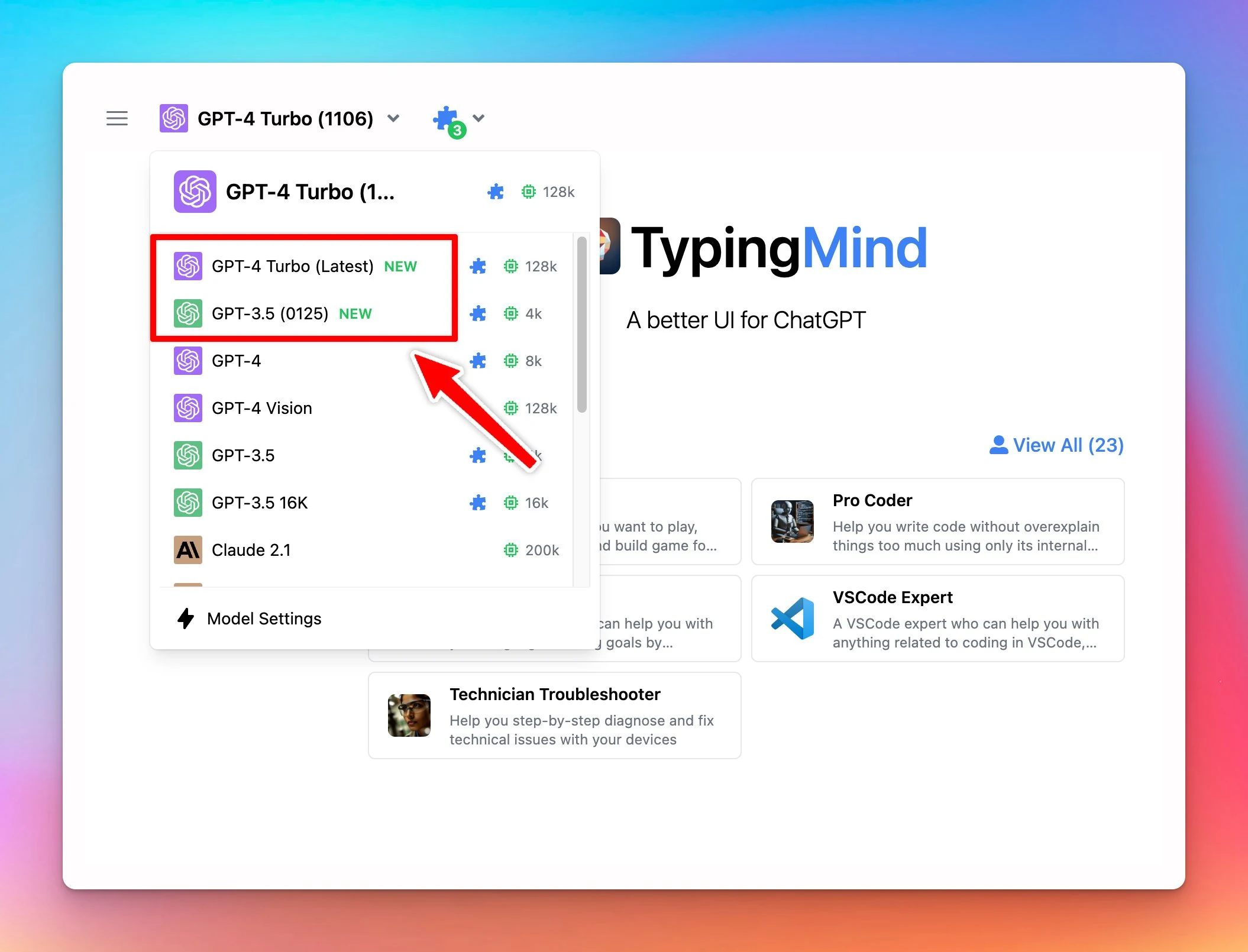
Search AI models

Now you can search the AI model you want to start a conversation with quickly. Click on the Model selection bar on the top of the conversation Type keywords to search for the model you want to chat with. Follow us on X, LinkedIn, Facebook, to stay informed…

Now you can search the AI model you want to start a conversation with quickly.

  • Click on the Model selection bar on the top of the conversation

  • Type keywords to search for the model you want to chat with.

image
Follow us on X, LinkedIn, Facebook, to stay informed about the latest updates, tips, and tutorials.

Assign AI Agent to Project Folder

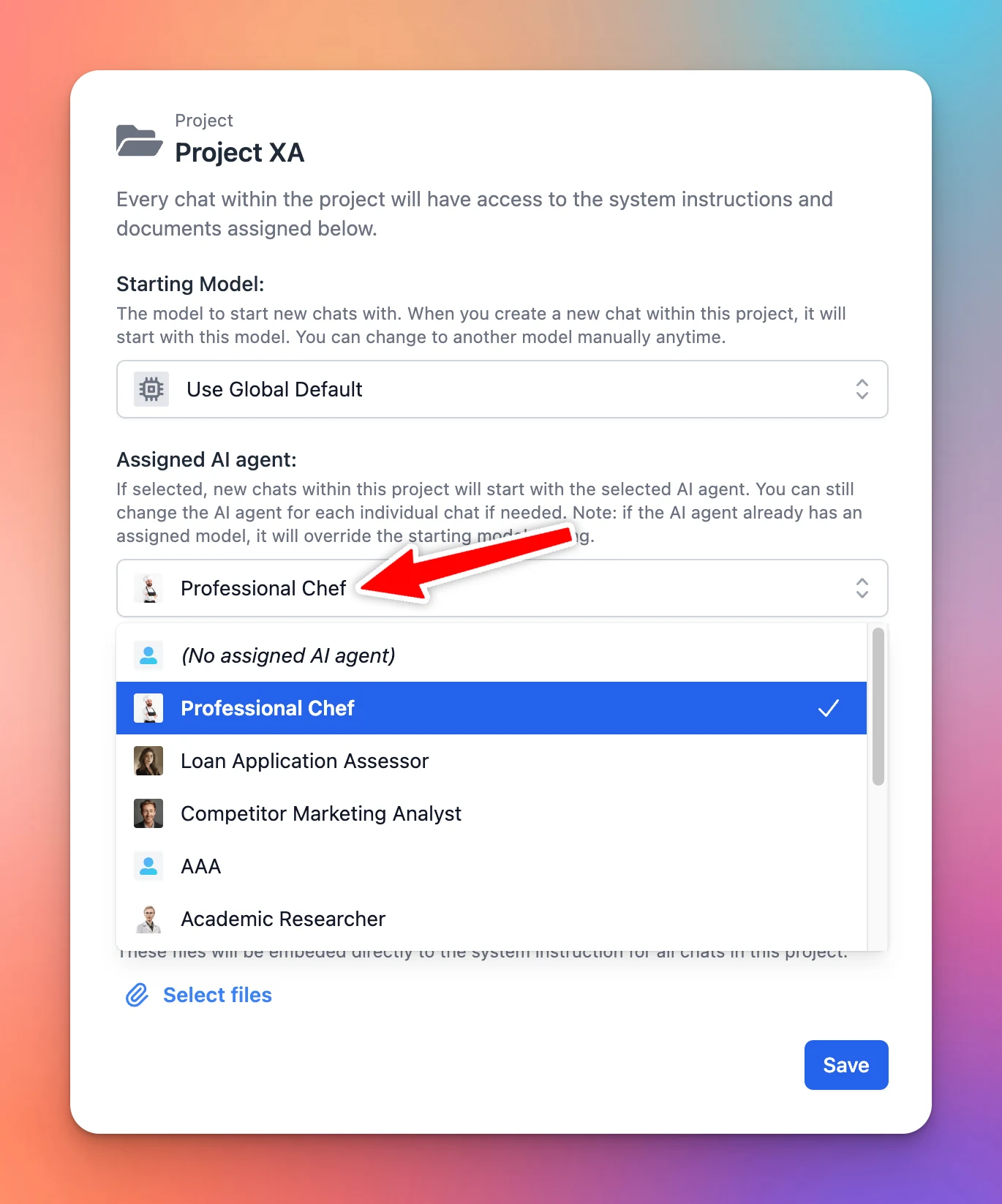
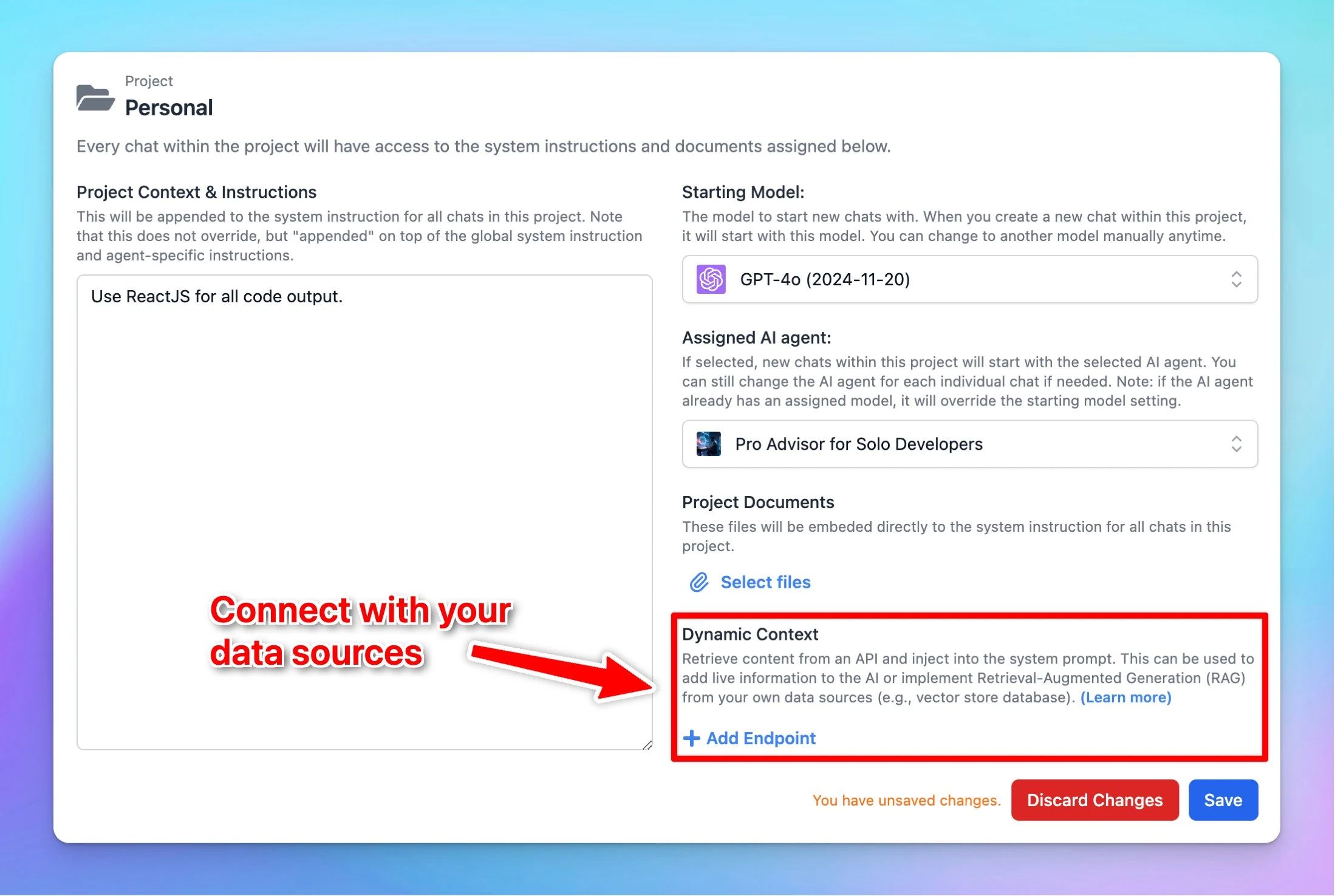
Now you can assign a specific AI Agent to your Project folder to enhance the productivity by minimizing the steps to select AI Agent within Project. Click to open the Project folder settings Select an AI agent to assign to your project. Once you select an AI…

Now you can assign a specific AI Agent to your Project folder to enhance the productivity by minimizing the steps to select AI Agent within Project.

  • Click to open the Project folder settings

  • Select an AI agent to assign to your project. Once you select an AI Agent, new chats within that project will start with the selected AI agent. You can still change the AI agent for each individual chat if needed. Note: if the AI agent already has an assigned model, it will override the starting model setting.

Learn more Project Folders

image
Follow us on X, LinkedIn, Facebook, to stay informed about the latest updates, tips, and tutorials.

Claude 3.5 Haiku is now available!

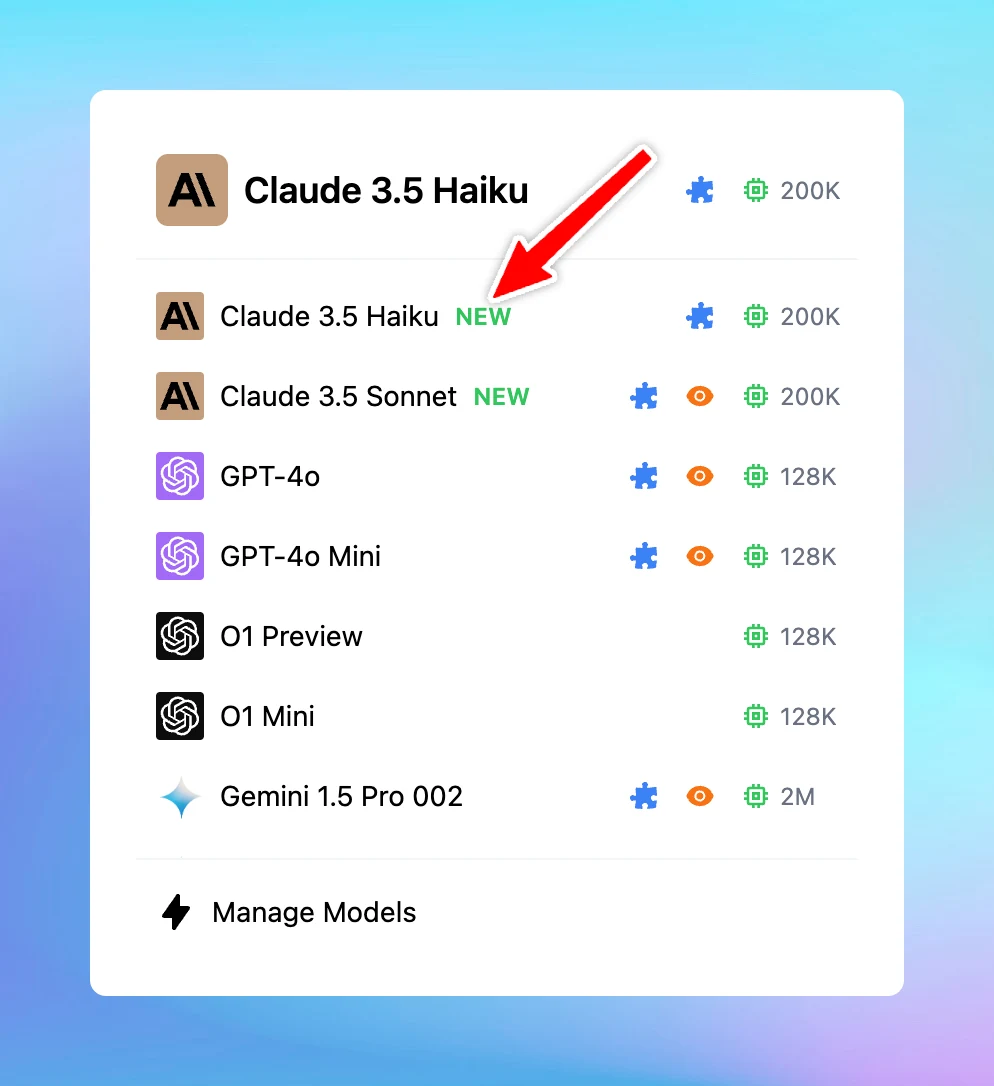
Claude 3.5 Haiku is now available on TypingMind!Haiku is fast and particularly strong at coding. It is stated to outperform state-of-the-art models - including GPT-4o.Plugins supported. Try now!Follow us on X, LinkedIn, Facebook, to stay informed about the…

Claude 3.5 Haiku is now available on TypingMind!Haiku is fast and particularly strong at coding. It is stated to outperform state-of-the-art models - including GPT-4o.Plugins supported. Try now!

image
Follow us on X, LinkedIn, Facebook, to stay informed about the latest updates, tips, and tutorials.

Quick share chats

We have just added a Share button right next to your chat activity in the left panel so you can quickly share chats. The new Share Chat button right next to your chat activity allows you to Share chat more easily.Follow us on X, LinkedIn, Facebook, to stay…

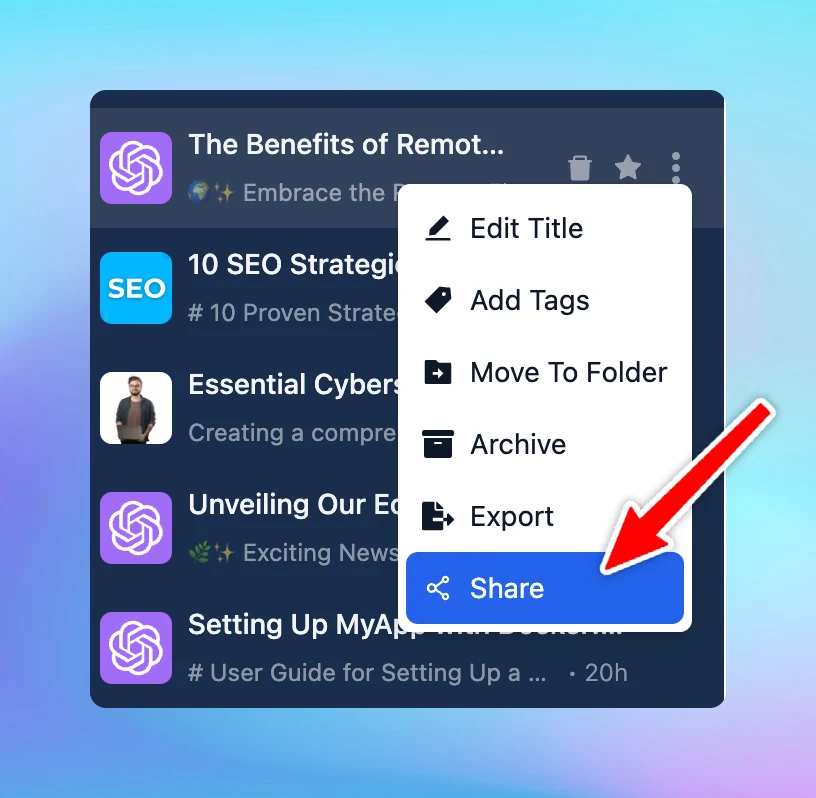
We have just added a Share button right next to your chat activity in the left panel so you can quickly share chats.

The new Share Chat button right next to your chat activity allows you to Share chat more easily.

image
Follow us on X, LinkedIn, Facebook, to stay informed about the latest updates, tips, and tutorials.

Sort your chats

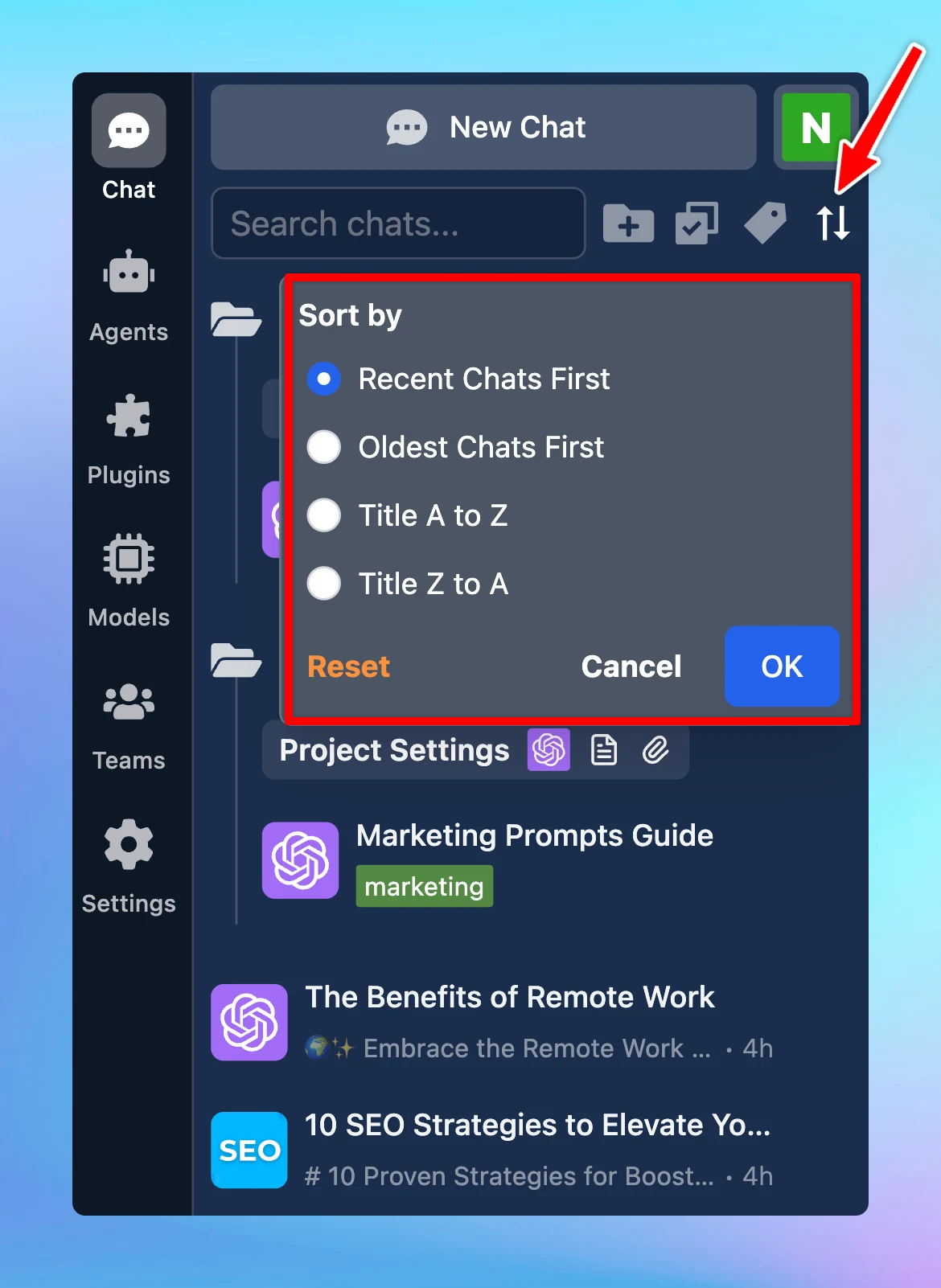
Easily organize your chats by: Recent Chats First Oldest Chats First Title A to Z Title Z to AJust click the sort icon in your left-side panel to choose your preference.Follow us on X, LinkedIn, Facebook, to stay informed about the latest updates, tips, and…

Easily organize your chats by:

  • Recent Chats First

  • Oldest Chats First

  • Title A to Z

  • Title Z to AJust click the sort icon in your left-side panel to choose your preference.
    image
    Follow us on X, LinkedIn, Facebook, to stay informed about the latest updates, tips, and tutorials.

Edit in Canvas

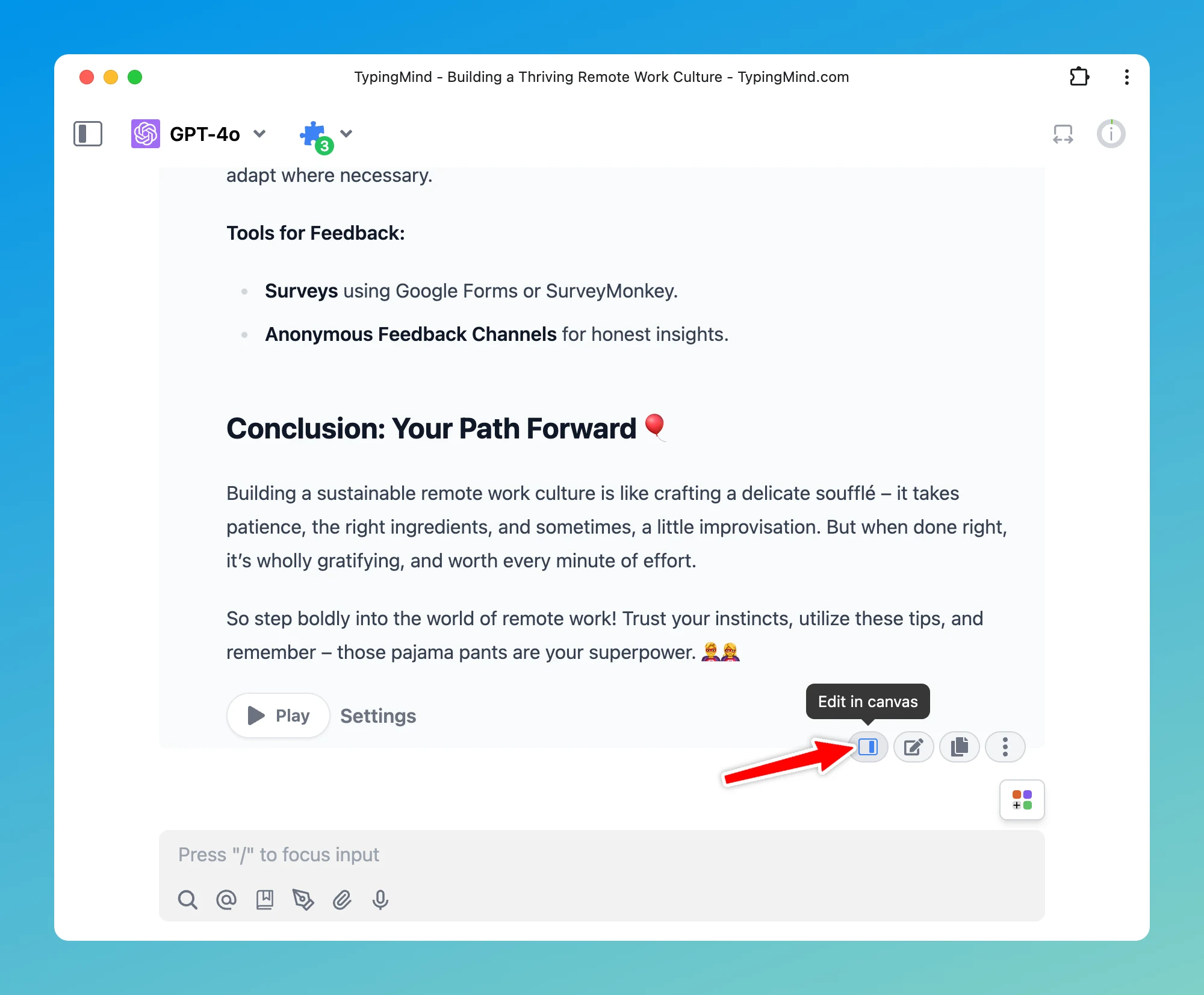
Edit in Canvas on TypingMind is great for editing and revising the AI response to improve AI-generated responses that meet your goals without switching back-and-forth within your conversation.Edit in Canvas can make your work smoother and more effective by…

Edit in Canvas on TypingMind is great for editing and revising the AI response to improve AI-generated responses that meet your goals without switching back-and-forth within your conversation.Edit in Canvas can make your work smoother and more effective by allowing you to:

  • **Edit text or code directly: **make changes instantly, add or adjust your text or code.

  • Rewrite specific parts of your text or the entire message: make your text longer, shorter, friendlier or enter custom prompts to adjust tone, voice, style of your text.

  • Use markdown formatting: you update basic styles for your text including bold, italics, headers, lists, quotes, and more.
    image
    Follow us on X, LinkedIn, Facebook, to stay informed about the latest updates, tips, and tutorials.

Import / Export AI Agents via JSON

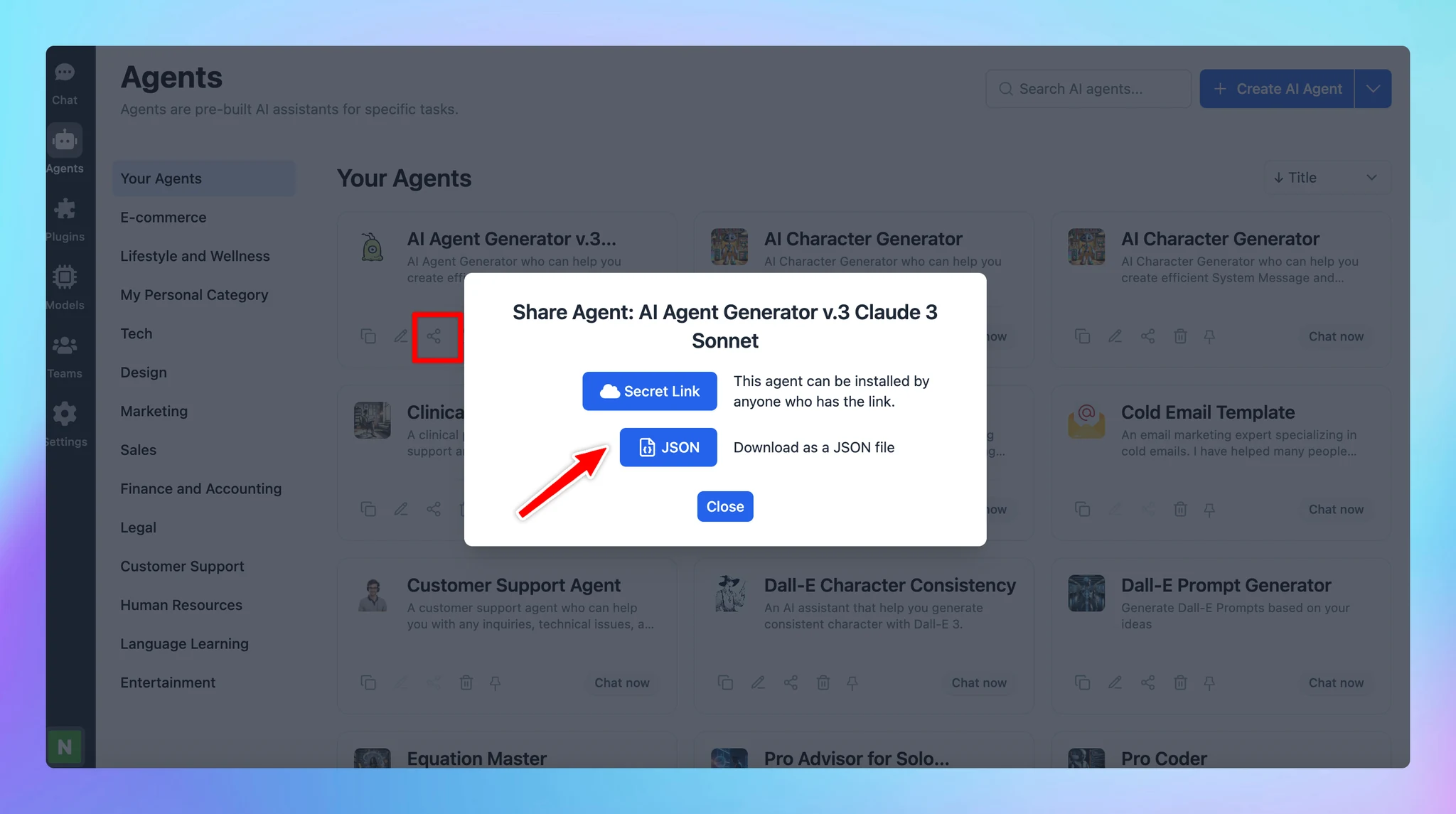
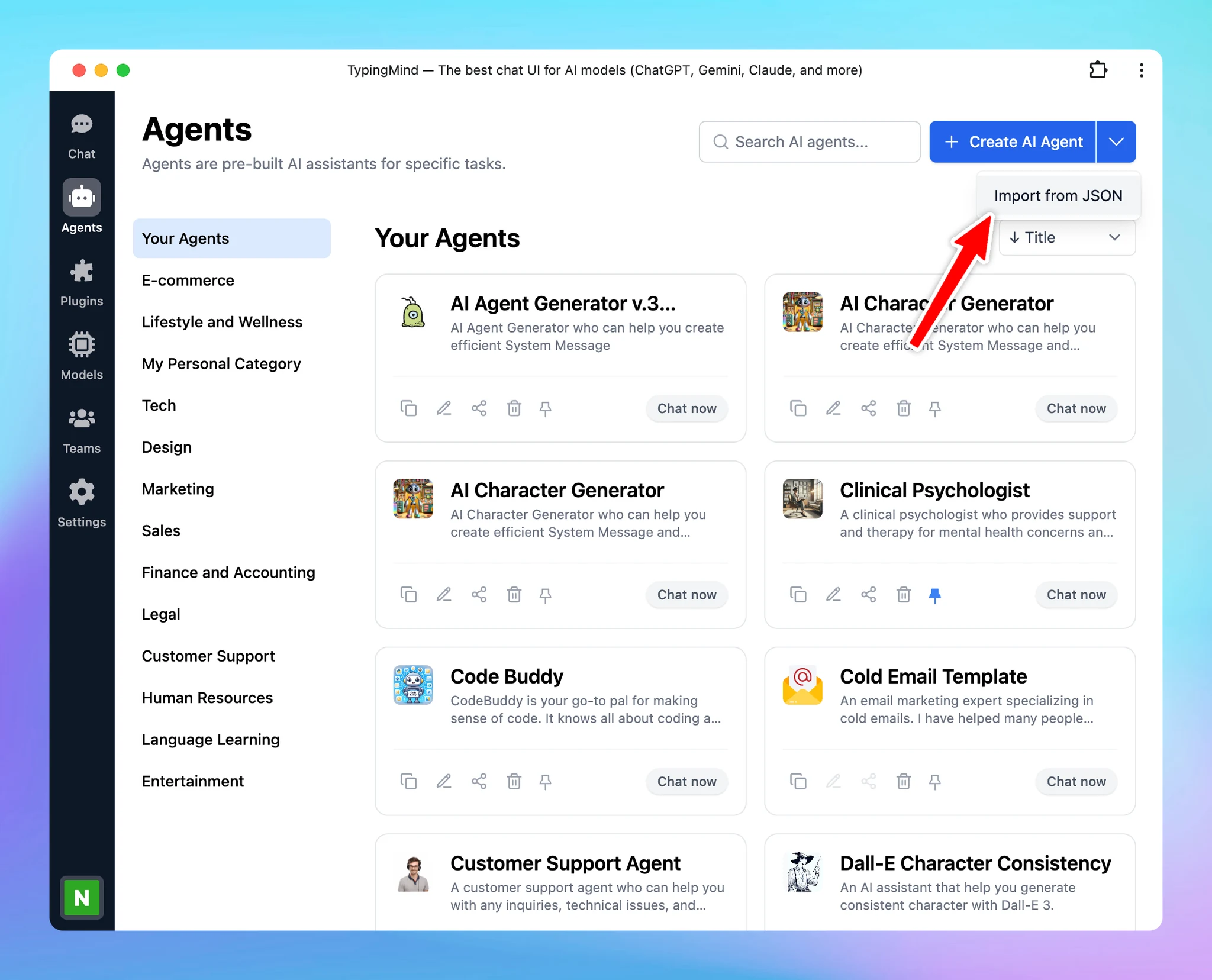
Now you can export an AI Agent as JSON file so you or your team can easily import it to their workplace. Go to AI Agent Click the Share icon on the bottom of each AI Agent to share as JSON Click on the drop-down icon next to the Create AI Agent button and…

Now you can export an AI Agent as JSON file so you or your team can easily import it to their workplace.

  • Go to AI Agent

  • Click the Share icon on the bottom of each AI Agent to share as JSON
    image
  • Click on the drop-down icon next to the Create AI Agent button and click “Import from JSON” to import the AI Agent.
    image

Follow us on X, LinkedIn, Facebook, to stay informed about the latest updates, tips, and tutorials.

October 2024

Option to hide List More button

🔥 What’s News? We have just added an option to hide List more button. Please note that this option only appears if the AI response includes a list of items. For TypingMind Custom users, you can also turn this off via the Admin Panel → Chat Features. 🏁 How…

🔥 What’s News?

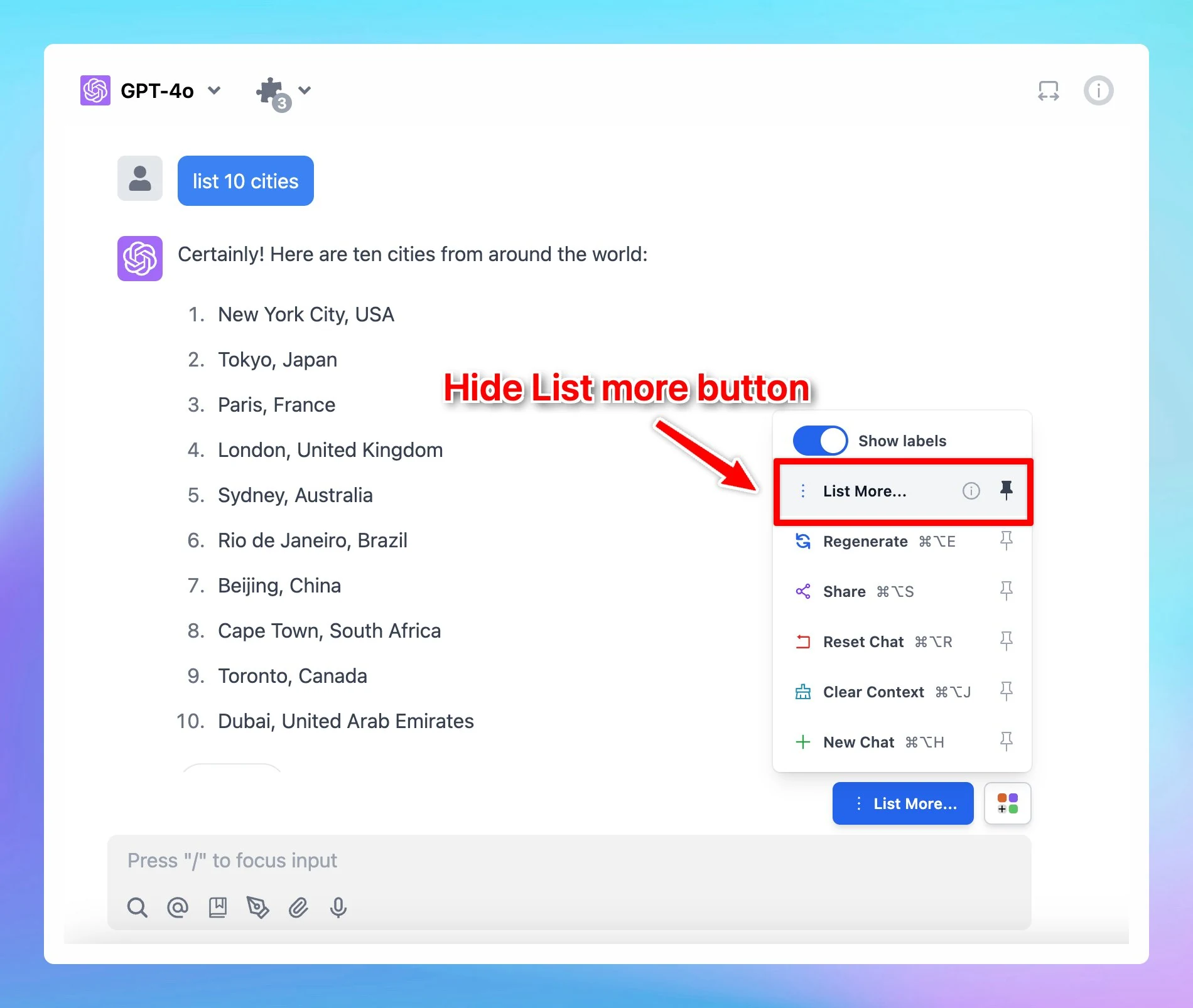
We have just added an option to hide List more button. Please note that this option only appears if the AI response includes a list of items.

Option to hide List More button (screenshot 1 of 2)

🏁 How it works

  1. Ask the AI assistant to give a list of anything you want.
  2. The List more button appears → Click on the Square icon next to it and unpin List More option.
Option to hide List More button (screenshot 2 of 2)

See the announcement on X

Firecrawl Web Page Reader

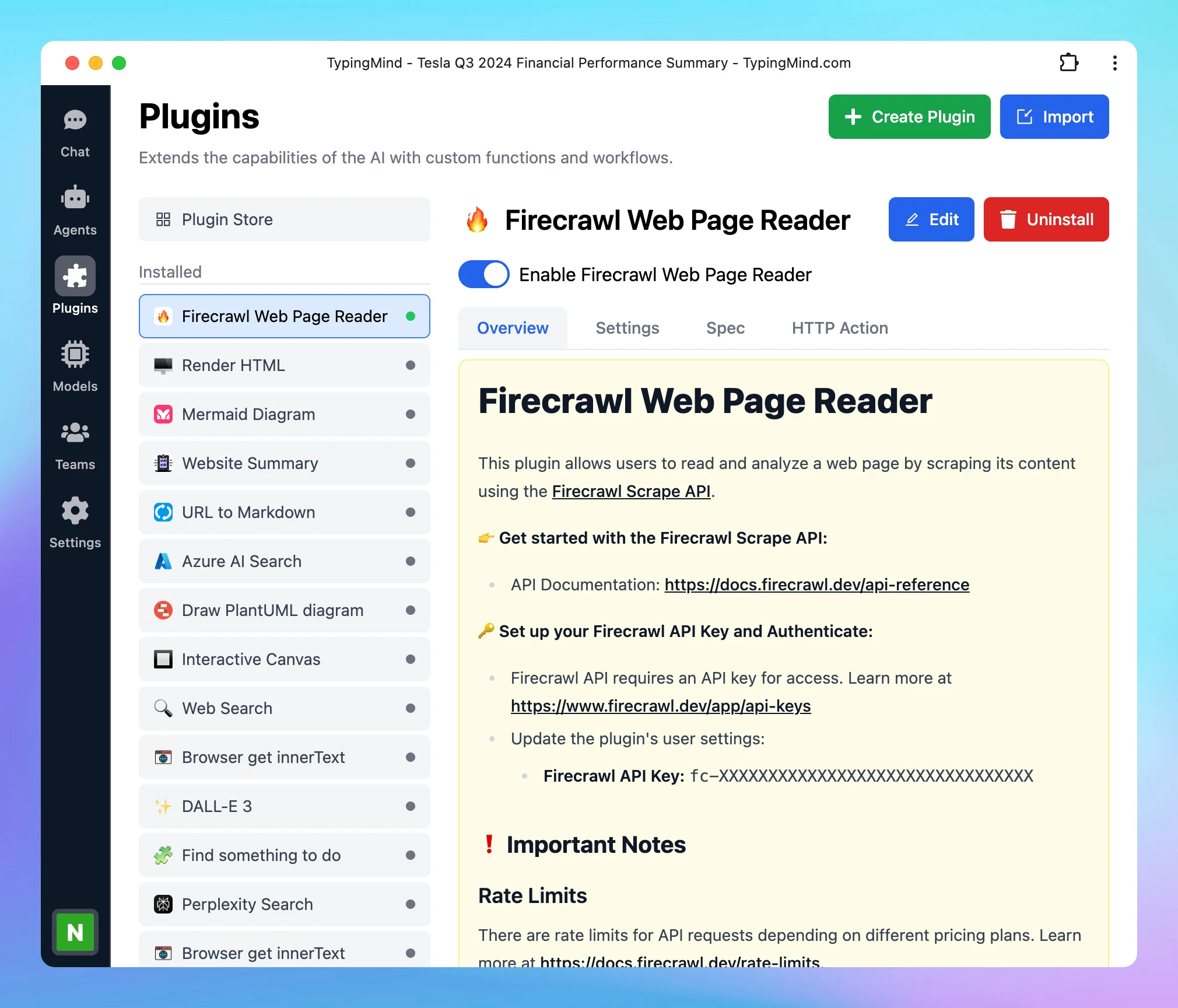
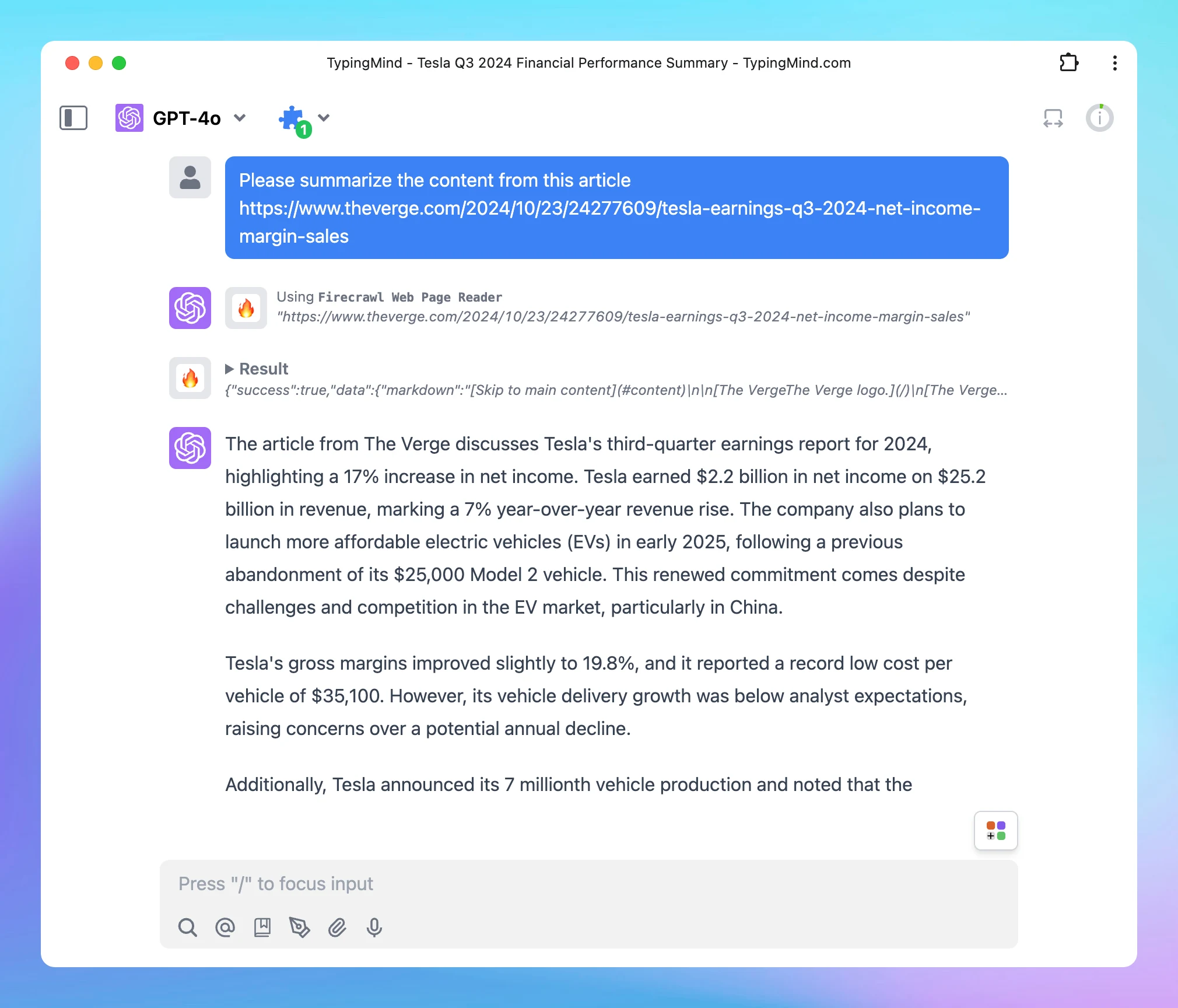
New plugin added to our plugin store: Firecrawl Web Page Reader. 🔥 What’s News? Firecrawl Web Page Reader allows you to read and analyze a web page by scraping its content using the Firecrawl Scrape API. ❗ Important Notes Rate Limits There are rate limits…

New plugin added to our plugin store: Firecrawl Web Page Reader.

🔥 What’s News?

Firecrawl Web Page Reader allows you to read and analyze a web page by scraping its content using the Firecrawl Scrape API.

Firecrawl Web Page Reader (screenshot 1 of 2)

❗ Important Notes

Rate Limits

There are rate limits for API requests depending on different pricing plans. Learn more at https://docs.firecrawl.dev/rate-limits.

Pricing Plans

Firecrawl offers various subscription types. Make sure to review the available features and limitations in your current plan. See more details at https://www.firecrawl.dev/pricing.

🏁 How it works

  1. Go to Plugin Store within the Plugins menu on the left side panel
  2. Click to add Firecrawl Web Page Reader and follow the instructions below:

https://docs.typingmind.com/plugins/set-up-firecrawl-web-page-reader

Firecrawl Web Page Reader (screenshot 2 of 2)

See the announcement on X

Project Folders

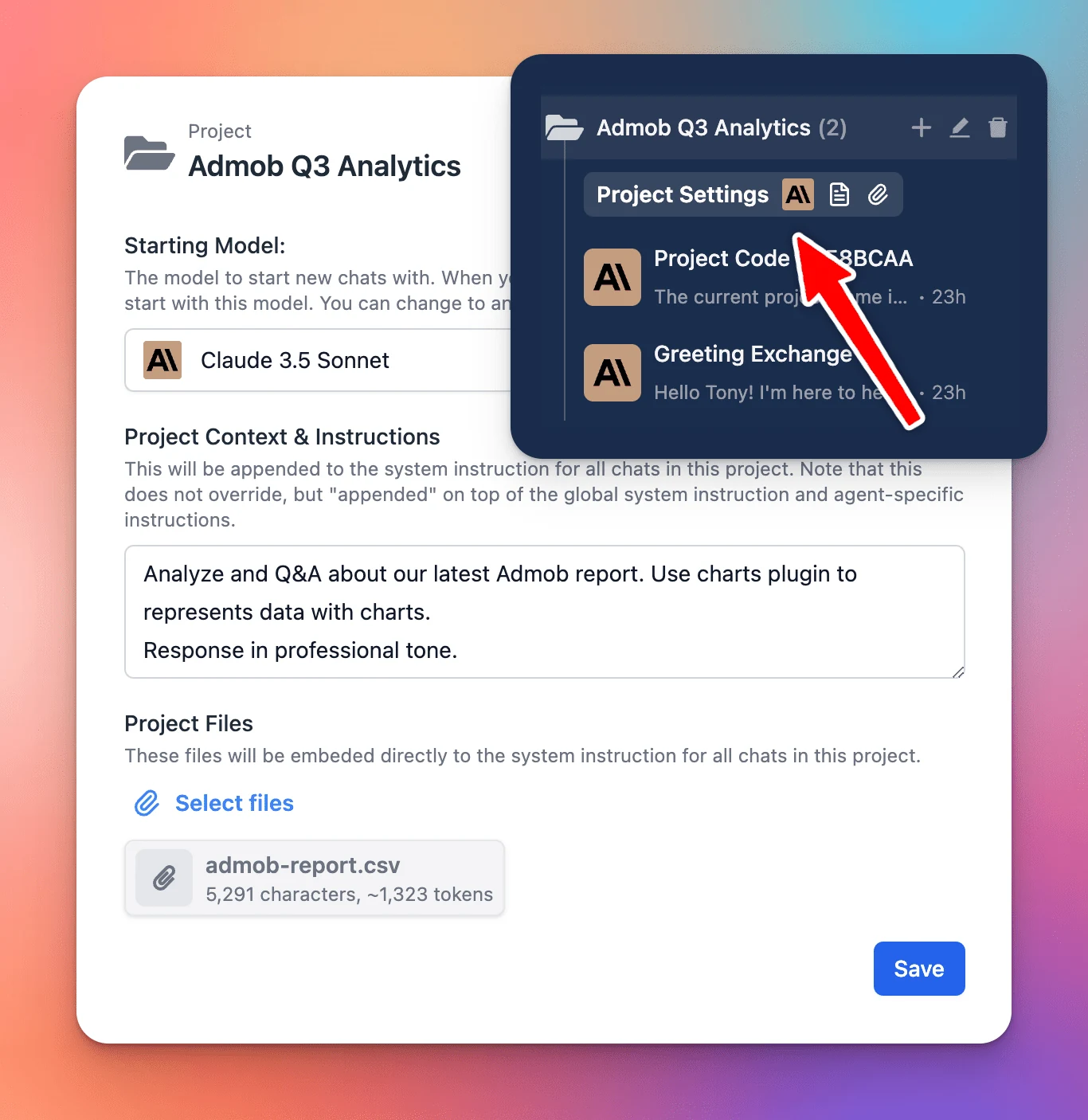
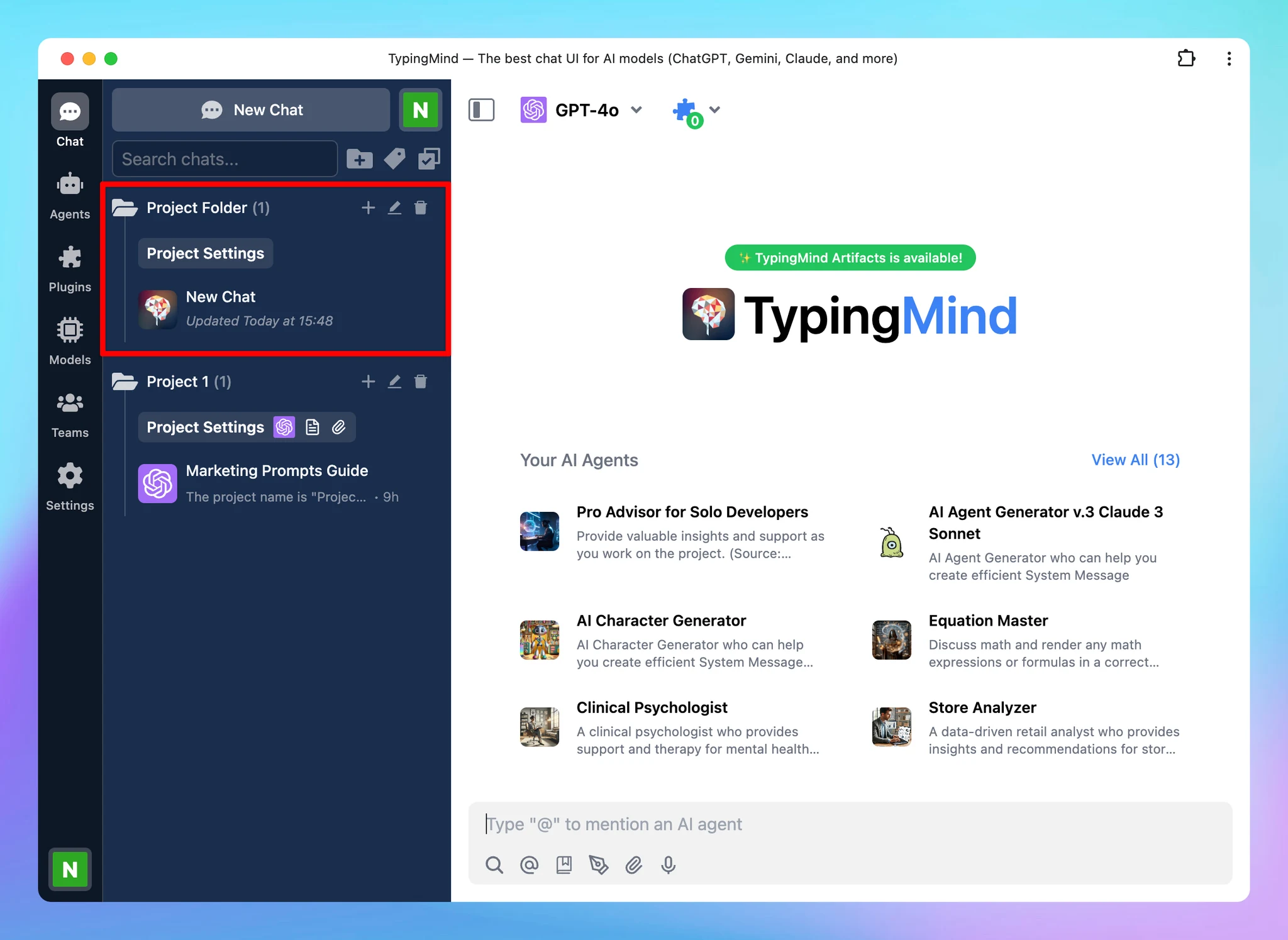
We have just released the Project Folders for TypingMind to help you manage and organize your work much more easily. 🔥 What’s News? Project Folders are an improved version of the old “Folders” feature. This is built to help you better organize your projects…

We have just released the Project Folders for TypingMind to help you manage and organize your work much more easily.

🔥 What’s News?

Project Folders are an improved version of the old “Folders” feature. This is built to help you better organize your projects by giving you a dedicated space to:

  • Assign a specific AI model to each project.
  • Add custom system instructions.
  • Upload relevant documents directly to the project.

The new Project Folders allow every chat or task within a project has the right context and resources available.

Project Folders (screenshot 1 of 2)

🏁 How it works

  1. Navigate your left sidebar and click on “+” icon to create a project folder
  2. Click on Project Settings to:
    • Assign a chat model for your project
    • Provide context and custom instructions
    • Upload training files (if any)
Project Folders (screenshot 2 of 2)

Learn more: https://docs.typingmind.com/chat-management/project-folders

See the announcement on X

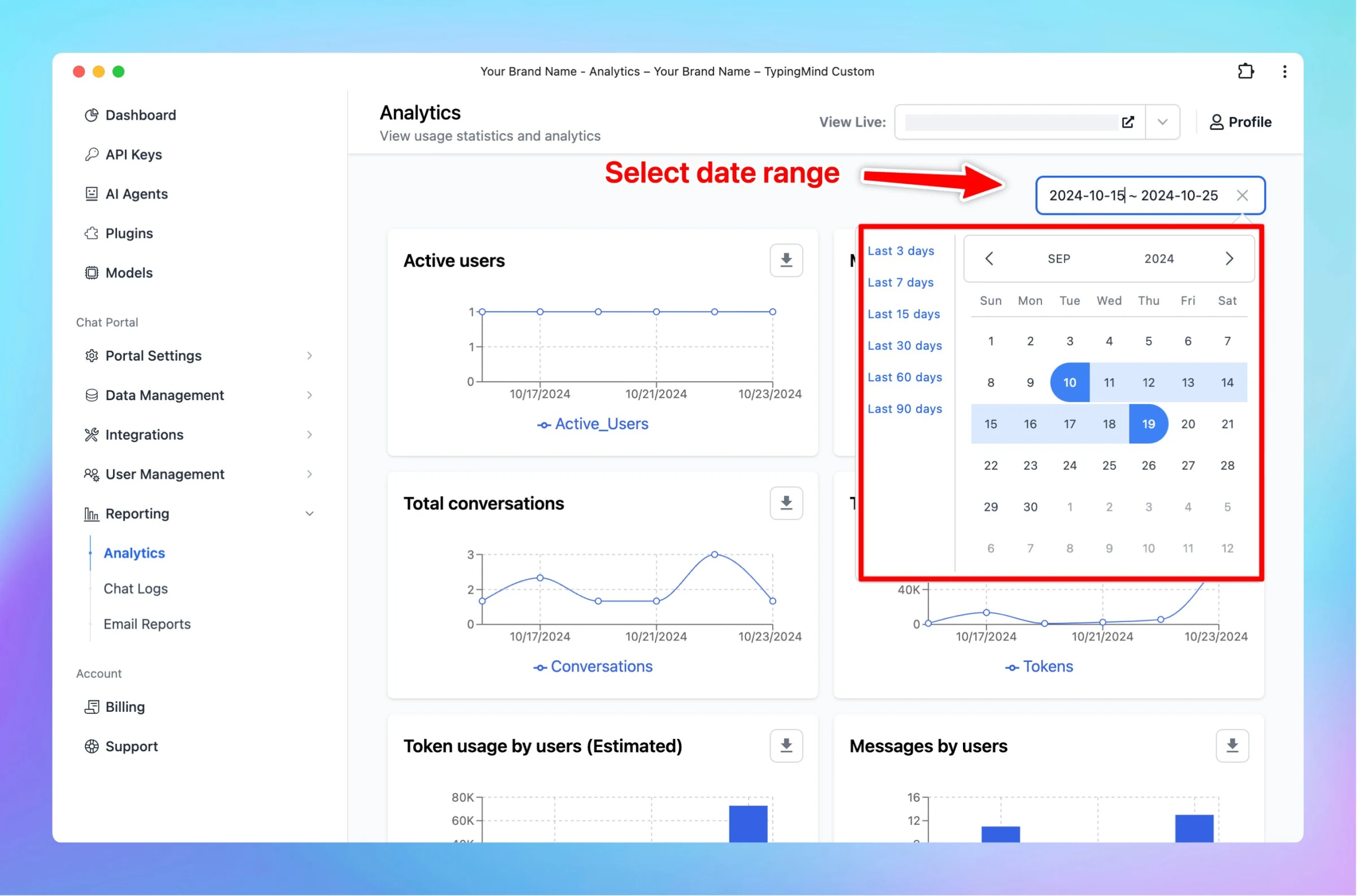
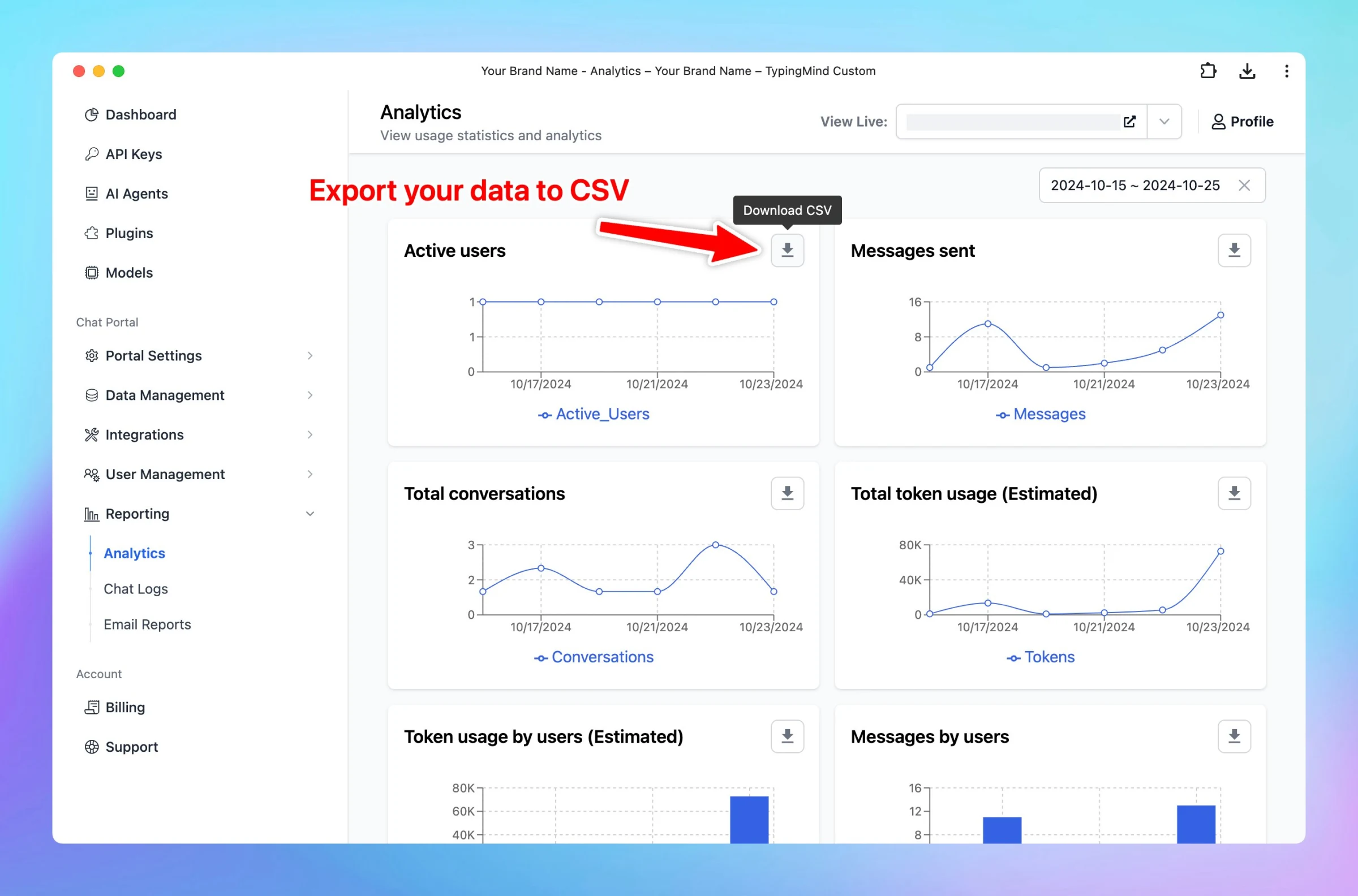
Select date range and export data to CSV in Analytics page

New updates for Analytics Page on custom.typingmind.com! With this update, you can: ✅ Select custom date range to view reports. ✅ Export data to CSV within a selected period 🤔 Why This Matters This allows you to optimize your reports for precise analysis and…

New updates for Analytics Page on custom.typingmind.com!

With this update, you can:

✅ Select custom date range to view reports.
✅ Export data to CSV within a selected period

🤔 Why This Matters

This allows you to optimize your reports for precise analysis and easily compare data across various timeframes to identify…

Select date range and export data to CSV in Analytics page (screenshot 1 of 2)
Select date range and export data to CSV in Analytics page (screenshot 2 of 2)

See the announcement on X

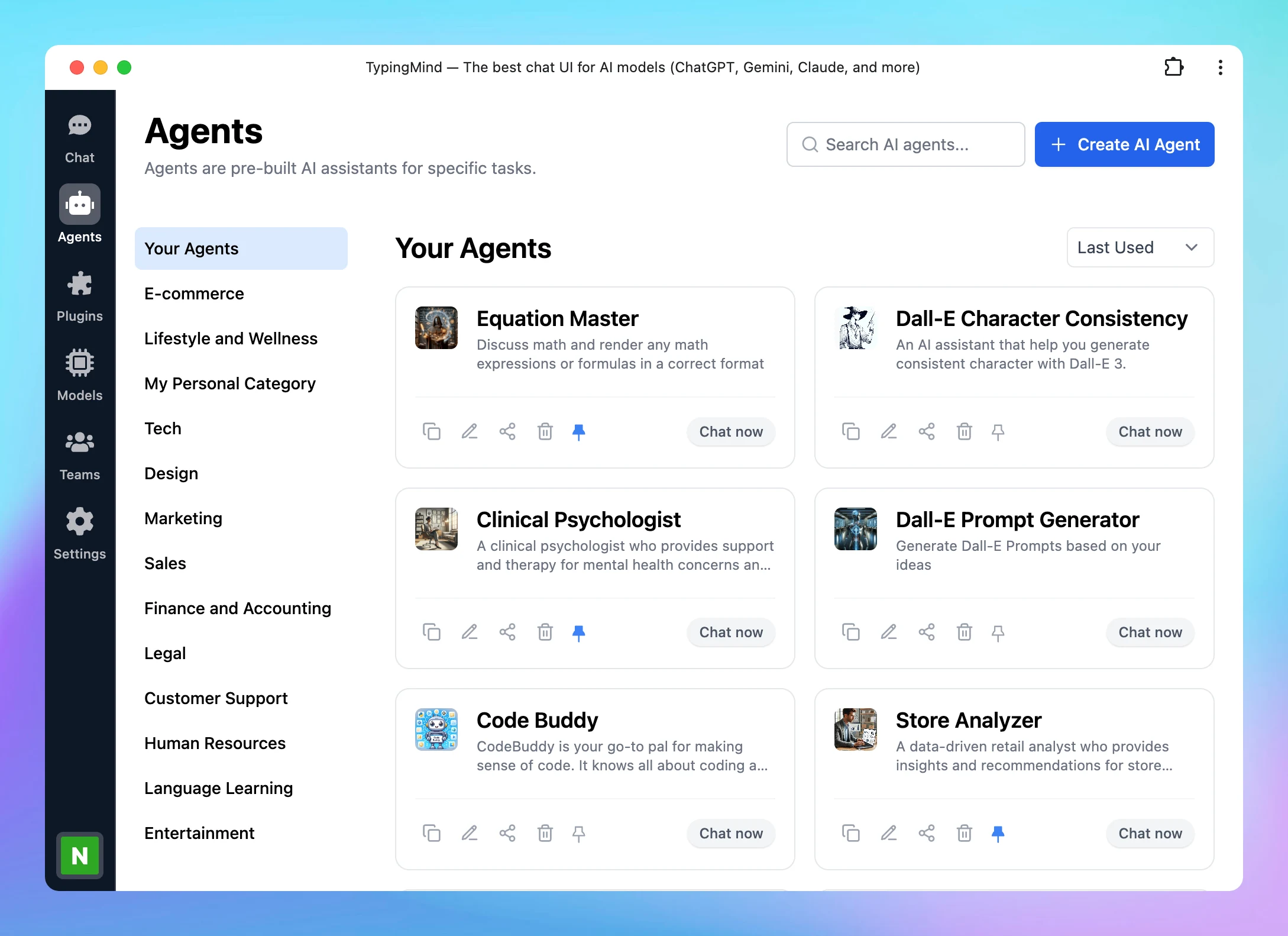
New design for AI Agent page

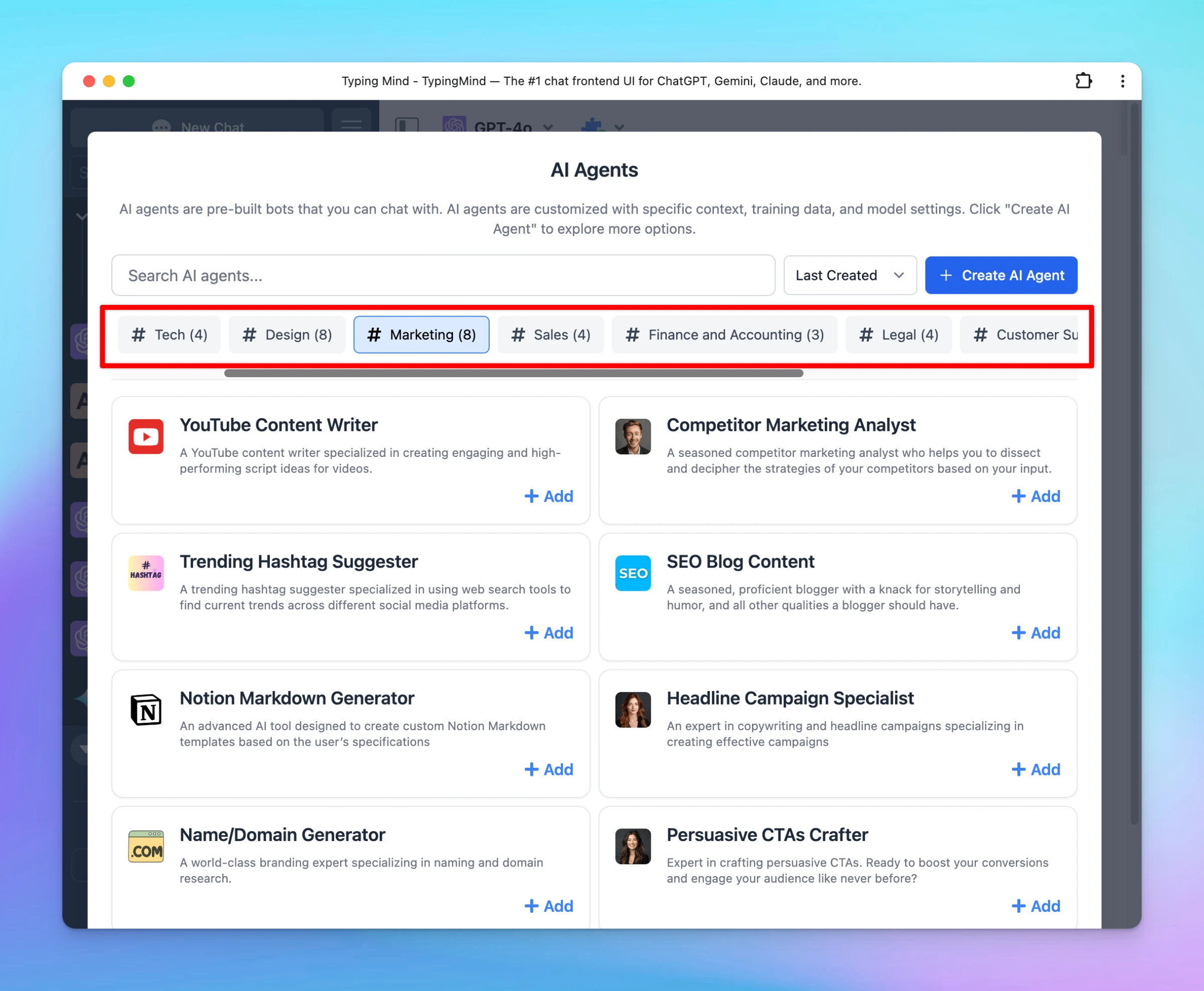
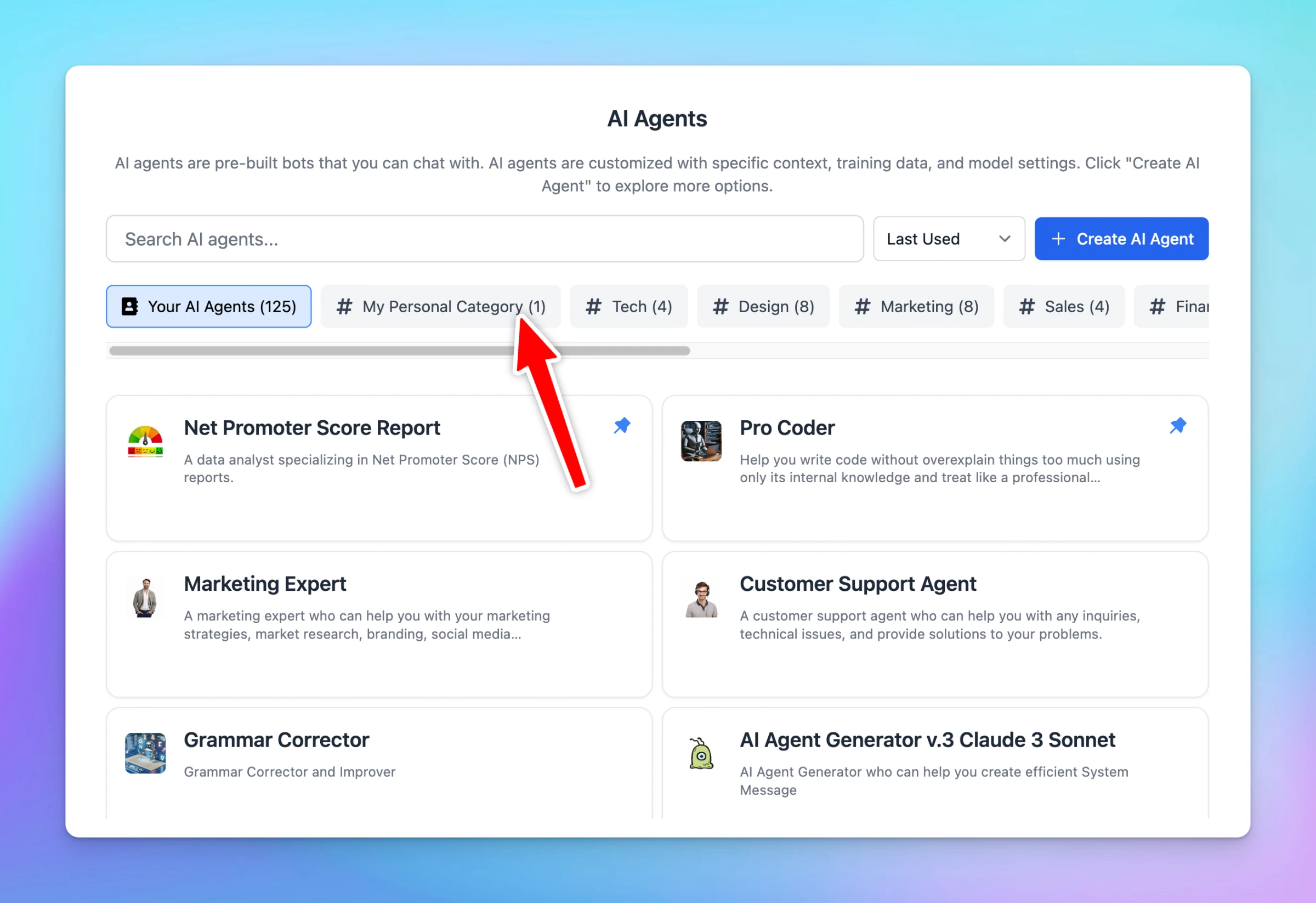
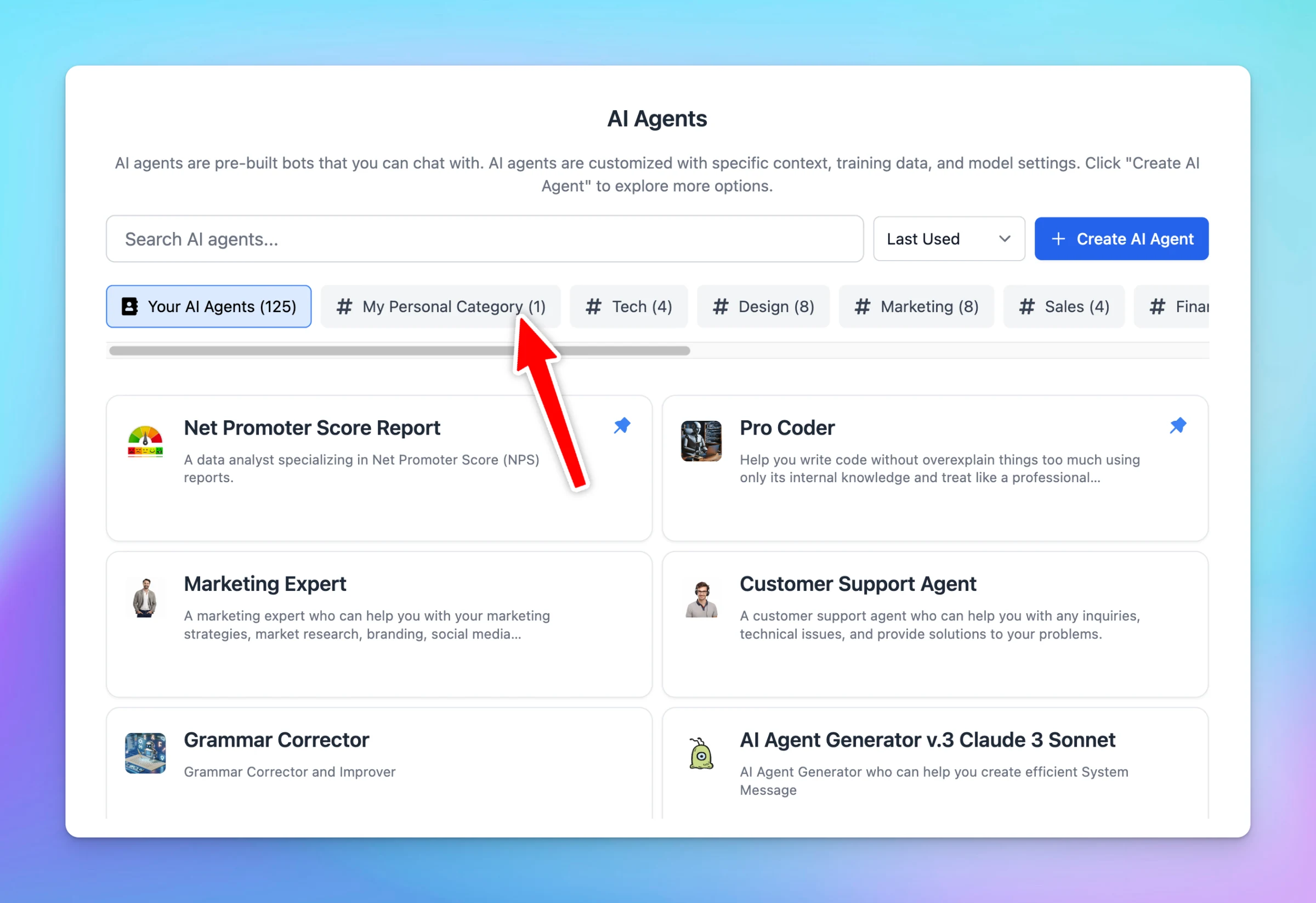
We have just improved UX/UI for our AI Agent page to help you better navigate the AI Agents! ✨ Changes Navigate AI Agent categories more easily with a sleek, modern design! Designed to boost your productivity and improve the usability of the AI Agent while…

We have just improved UX/UI for our AI Agent page to help you better navigate the AI Agents!

✨ Changes

  • Navigate AI Agent categories more easily with a sleek, modern design!
  • Designed to boost your productivity and improve the usability of the AI Agent while using the app.
New design for AI Agent page

See the announcement on X

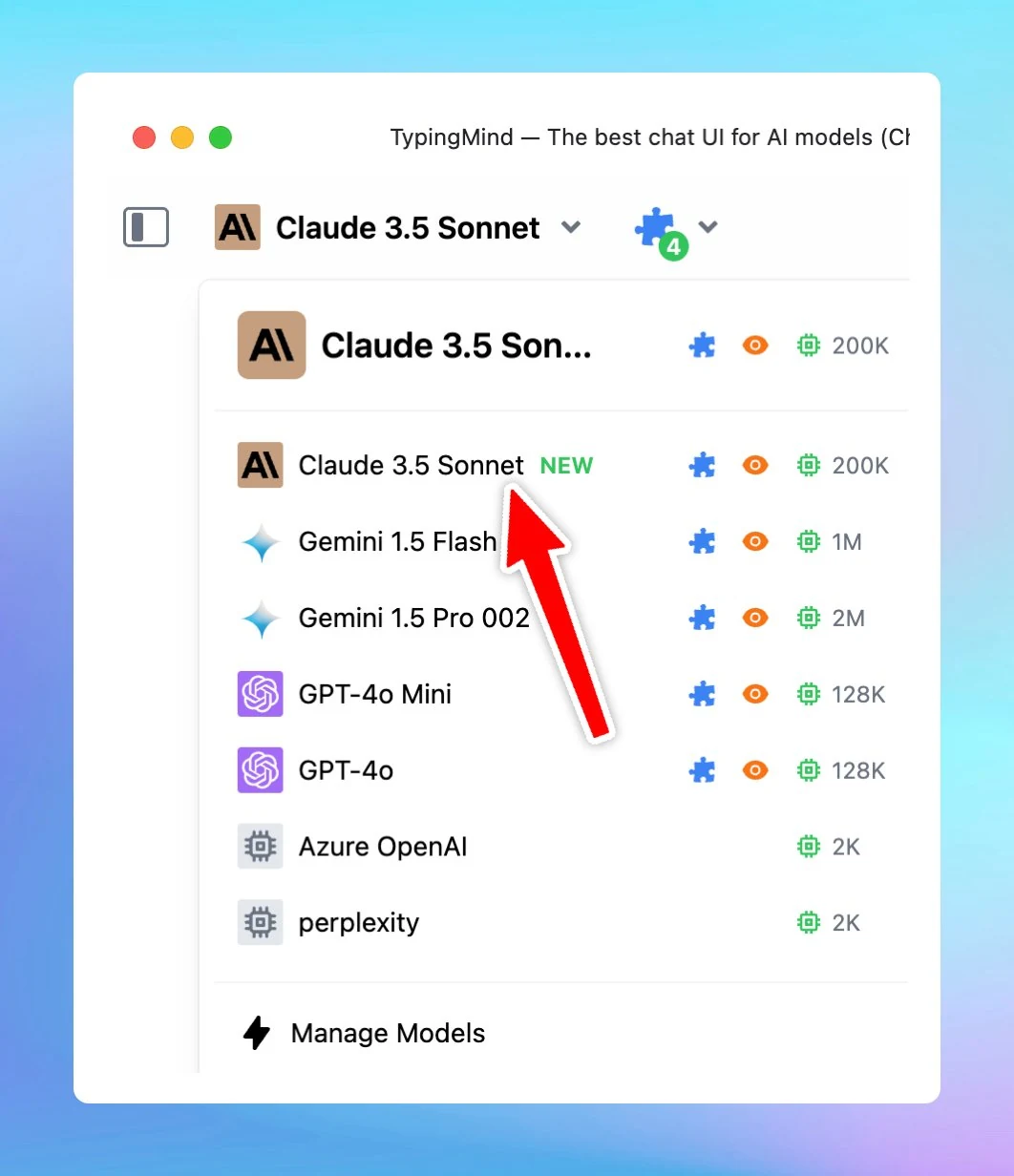
New Claude 3.5 Sonnet

We have just added the new Claude 3.5 Sonnet model (claude-3-5-sonnet-20241022)! The new model is smarter, more capable, and still at the same cost! Plus, you can easily build powerful AI Agents on TypingMind with this upgraded model. More details on the…

We have just added the new Claude 3.5 Sonnet model (claude-3-5-sonnet-20241022)!

The new model is smarter, more capable, and still at the same cost!

Plus, you can easily build powerful AI Agents on TypingMind with this upgraded model.

New Claude 3.5 Sonnet

More details on the model: New Claude 3.5 Sonnet

See the announcement on X

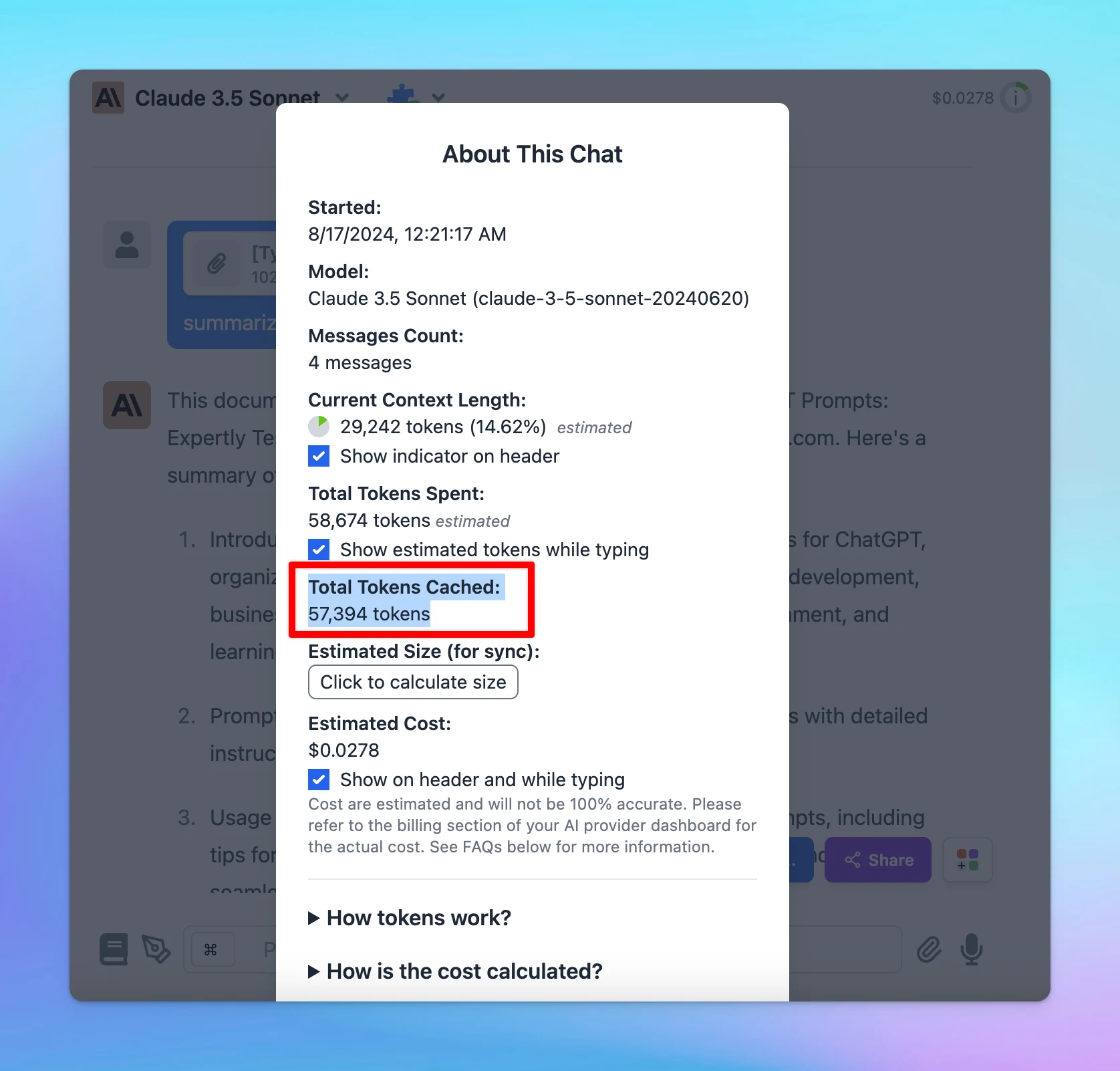
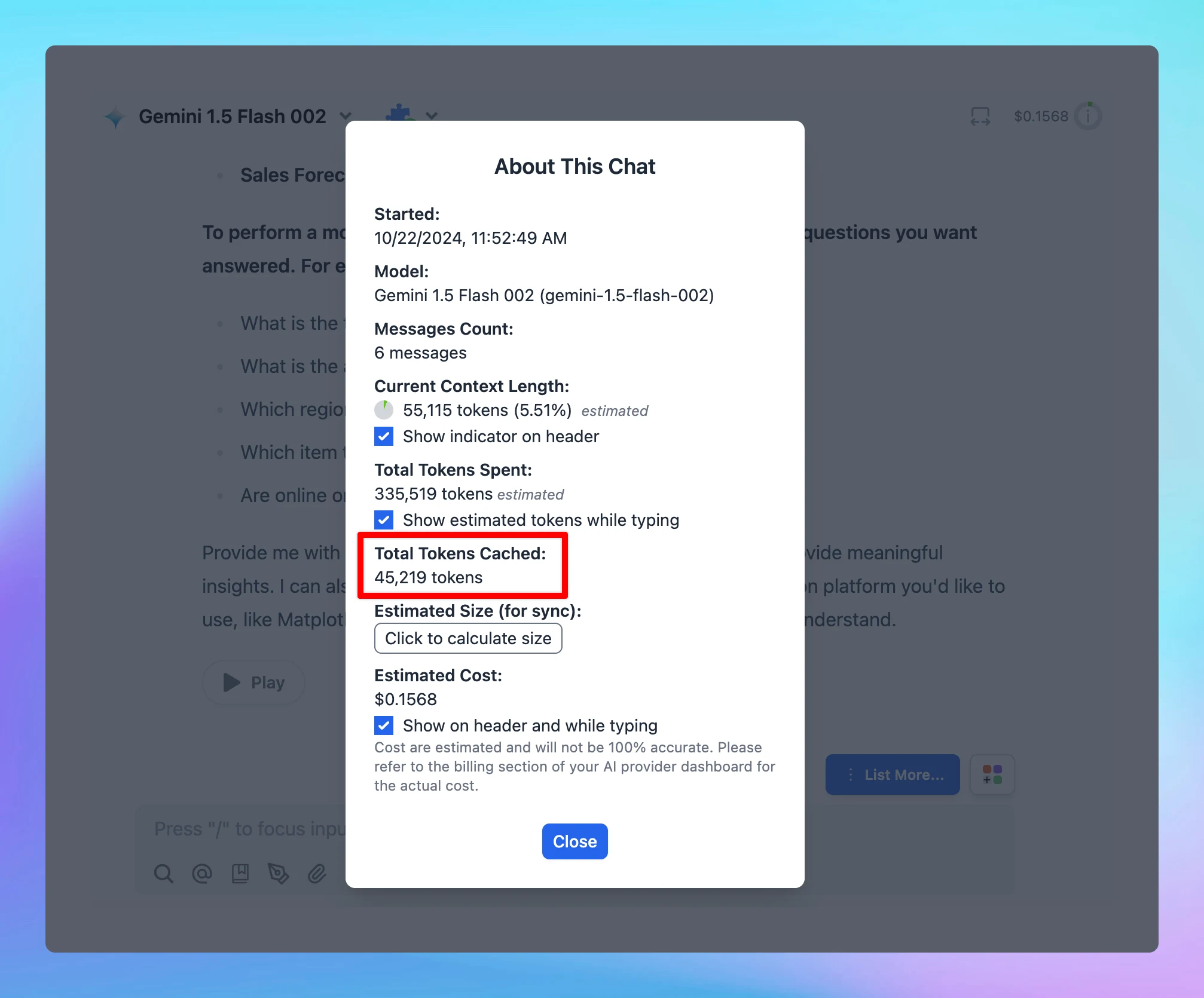
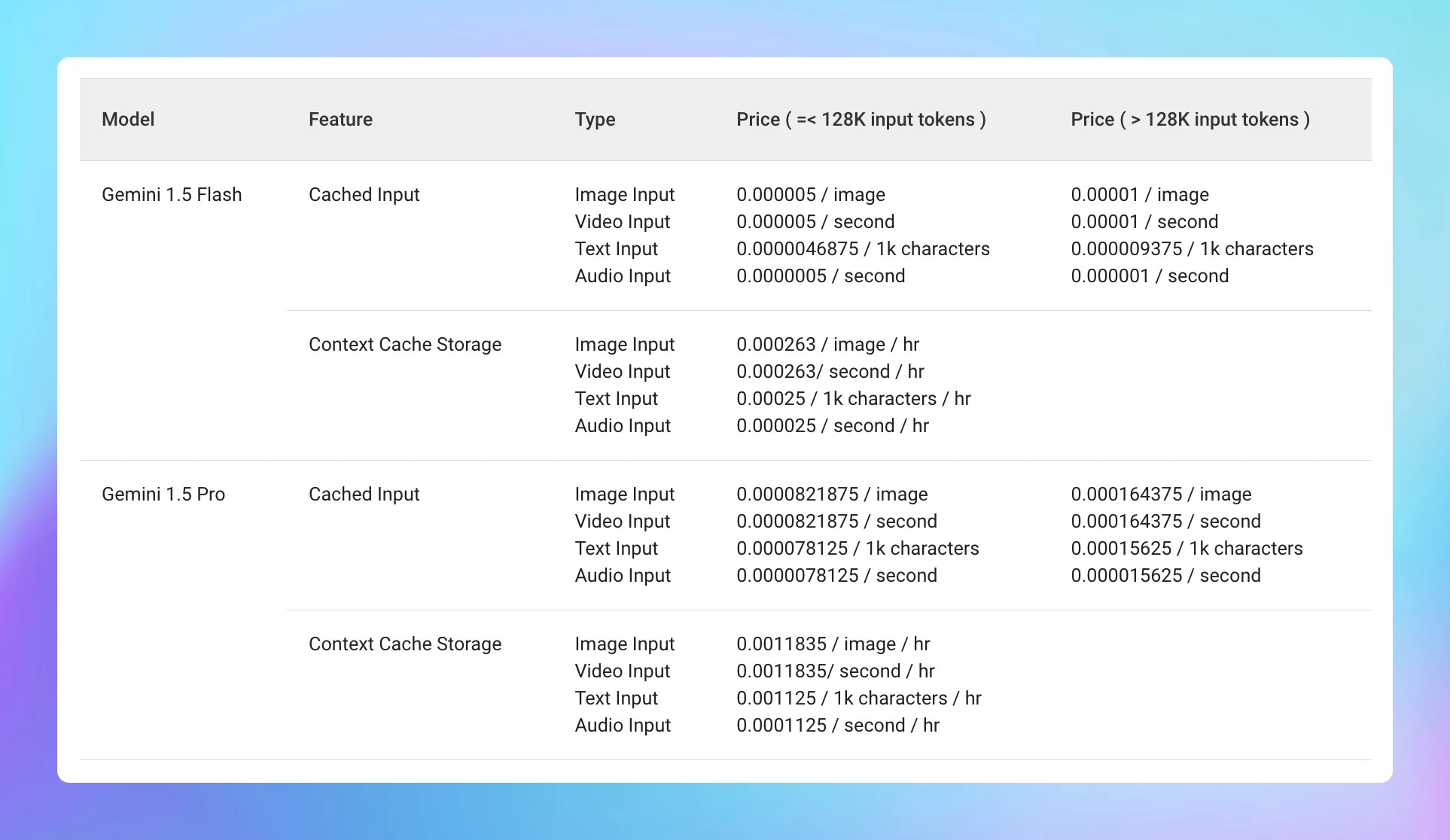
Gemini Context Caching

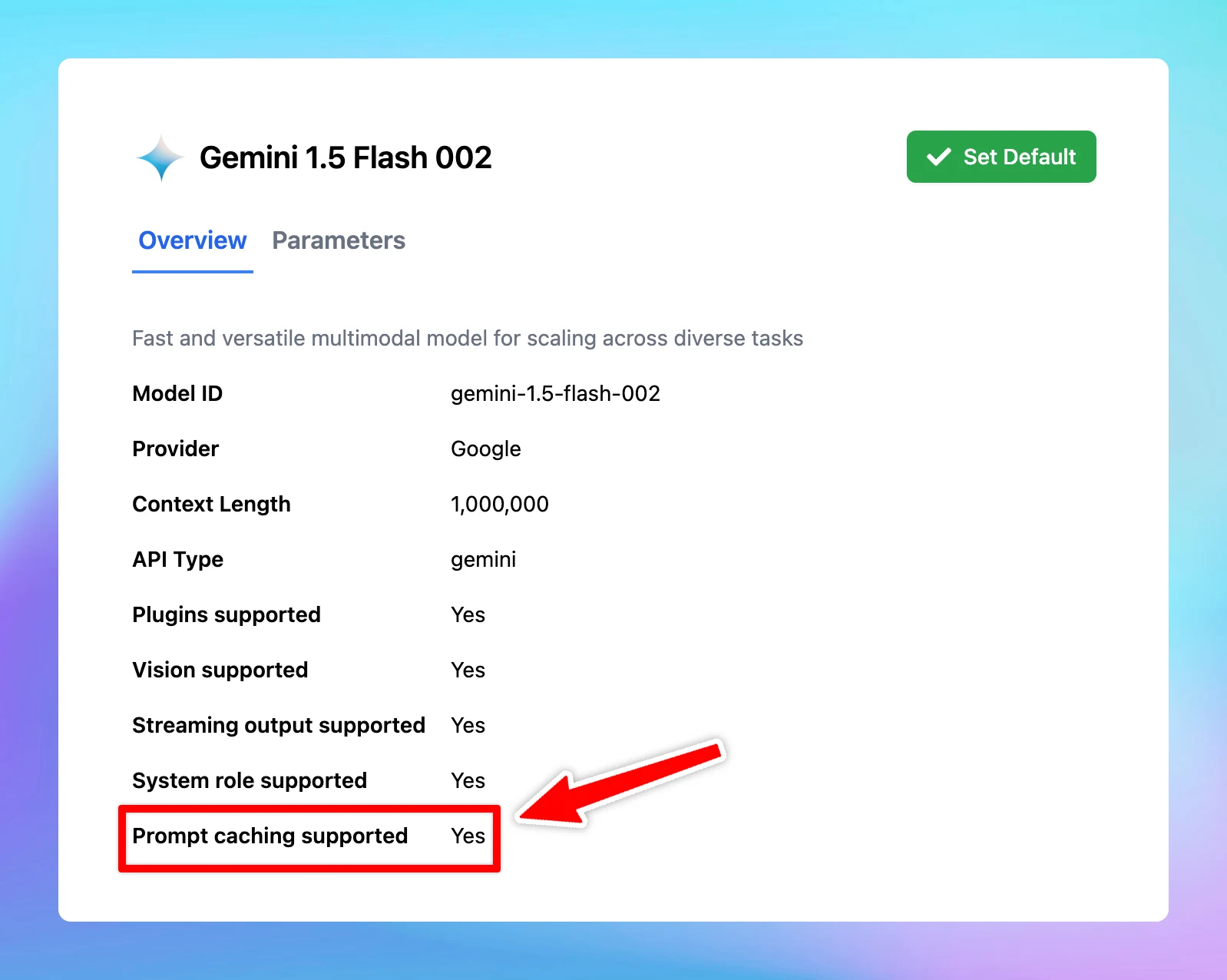
Gemini Context Caching is now available on TypingMind! 🔥 Supported models: Gemini 1.5 Pro Gemini 1.5 Flash The minimum input token count for context caching is 32,768. Prompt Caching allows users to make repeated API calls more efficiently by reusing context…

Gemini Context Caching is now available on TypingMind! 🔥

Supported models:

  • Gemini 1.5 Pro
  • Gemini 1.5 Flash

The minimum input token count for context caching is 32,768.

🏁 How it works

  • Go to Model Settings
  • Expand the Advanced Model Parameter
  • Scroll down to enable the “Prompt Caching” option

Learn more https://docs.typingmind.com/prompts/automatic-prompt-caching

Gemini Context Caching (screenshot 1 of 3)
Gemini Context Caching (screenshot 2 of 3)
Gemini Context Caching (screenshot 3 of 3)

See the announcement on X

New Math Syntax

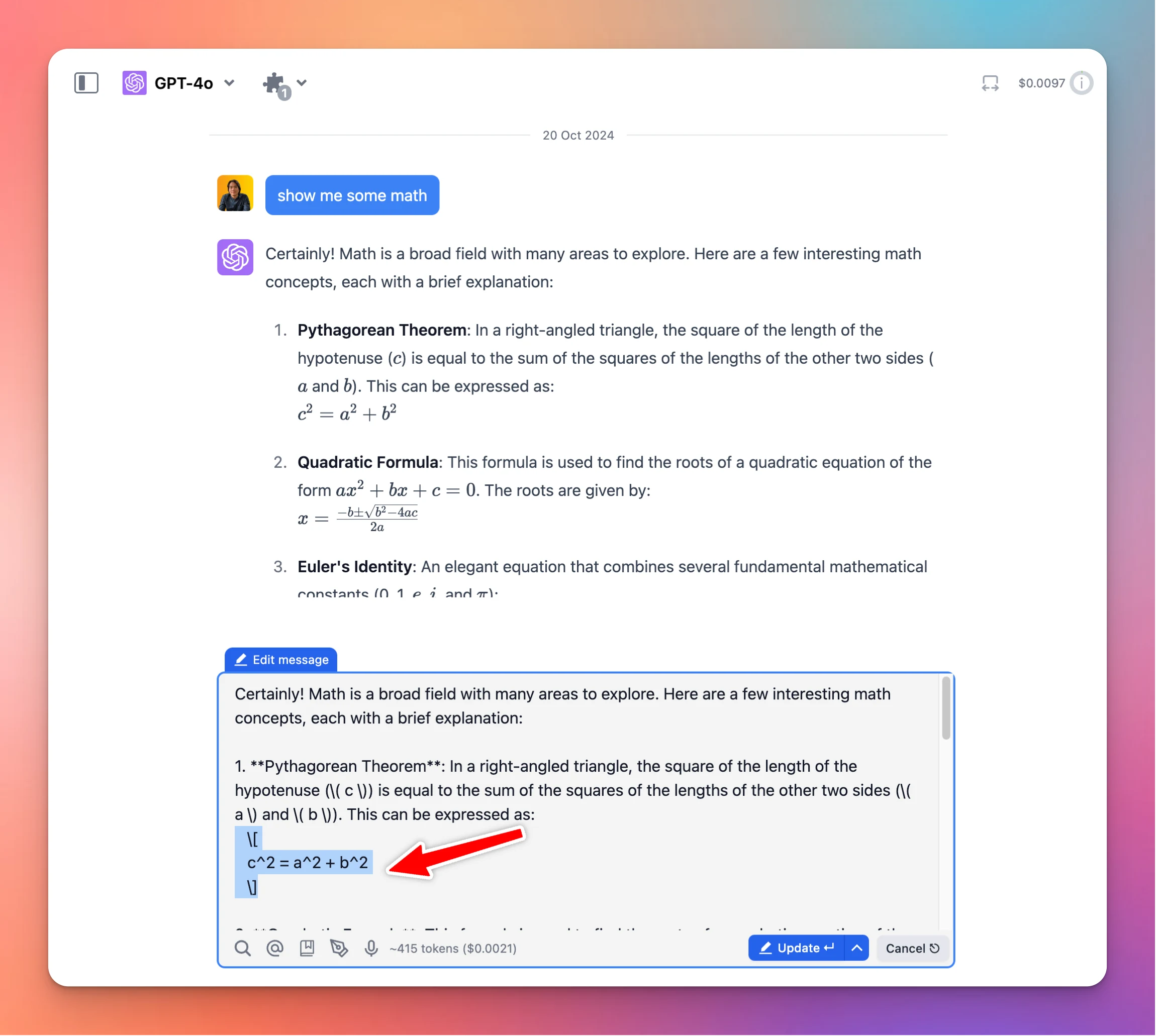
We have just improved math syntax display on TypingMind! Support both \(, \[, and $$ syntax when displaying math expressions. See the announcement on X

We have just improved math syntax display on TypingMind!

Support both \(, \[, and $$ syntax when displaying math expressions.

New Math Syntax

See the announcement on X

Three new plugins!

Our Plugin Store just got more powerful! We’ve added 3 new plugins: 🔸Slack Message Notifier (OAuth): with this plugin, you can send messages from TypingMind to a Slack channel once you authenticate with your Slack account. 🔸Slack Webhook Message Notifier:…

Our Plugin Store just got more powerful!

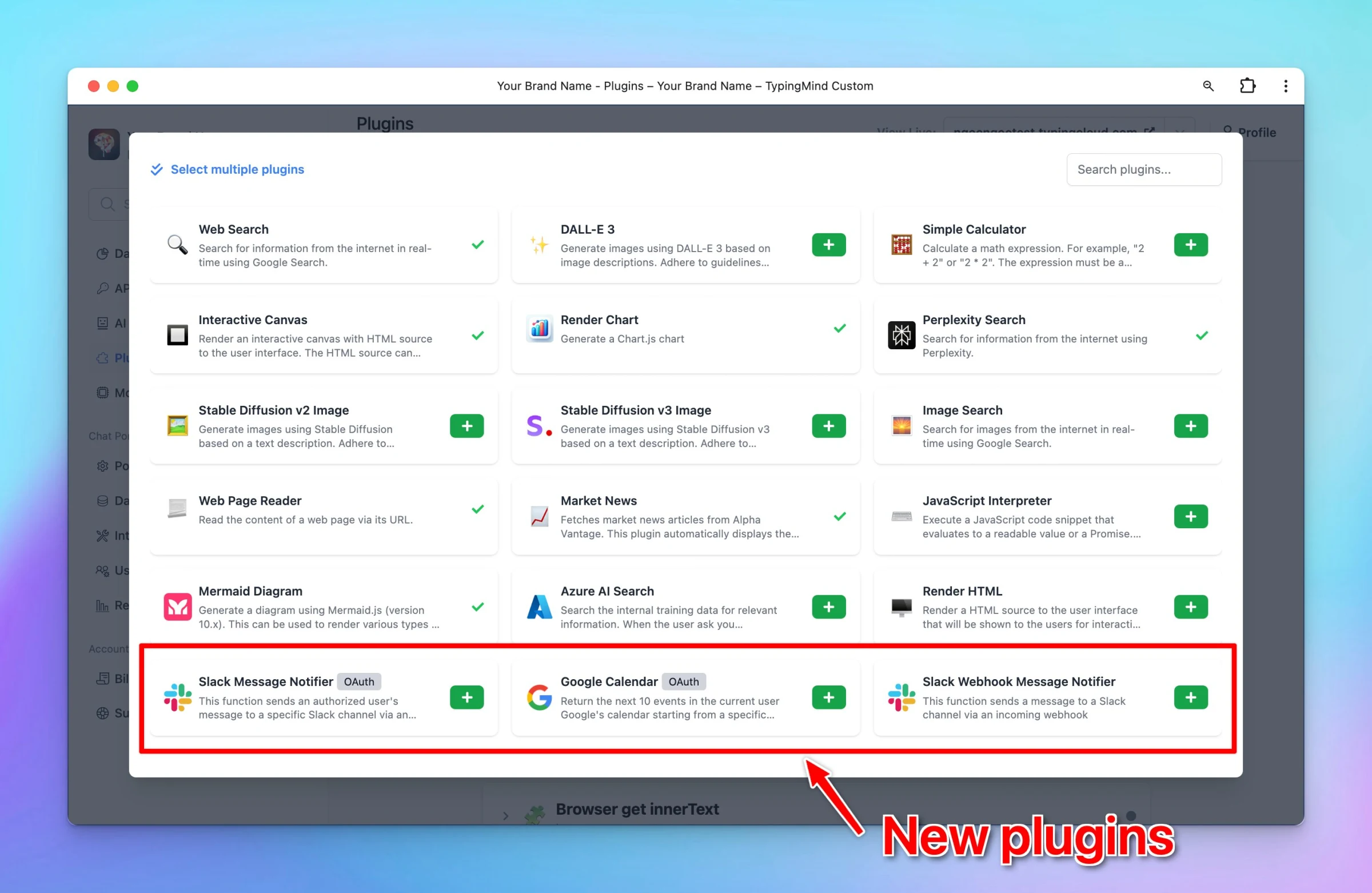
We’ve added 3 new plugins:

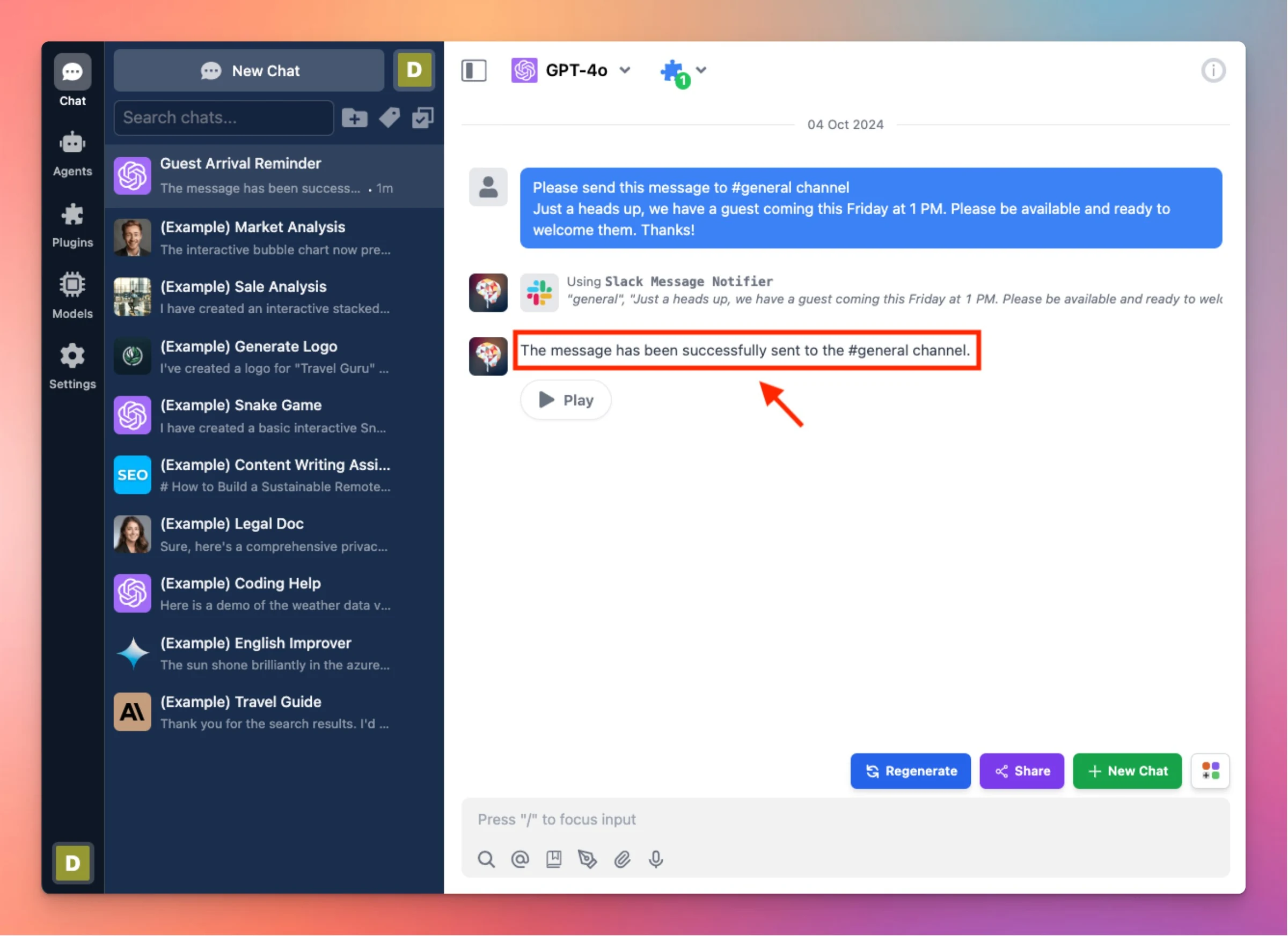
🔸Slack Message Notifier (OAuth): with this plugin, you can send messages from TypingMind to a Slack channel once you authenticate with your Slack account.

🔸Slack Webhook Message Notifier: this plugin also helps send messages to a Slack channel using an incoming webhook.

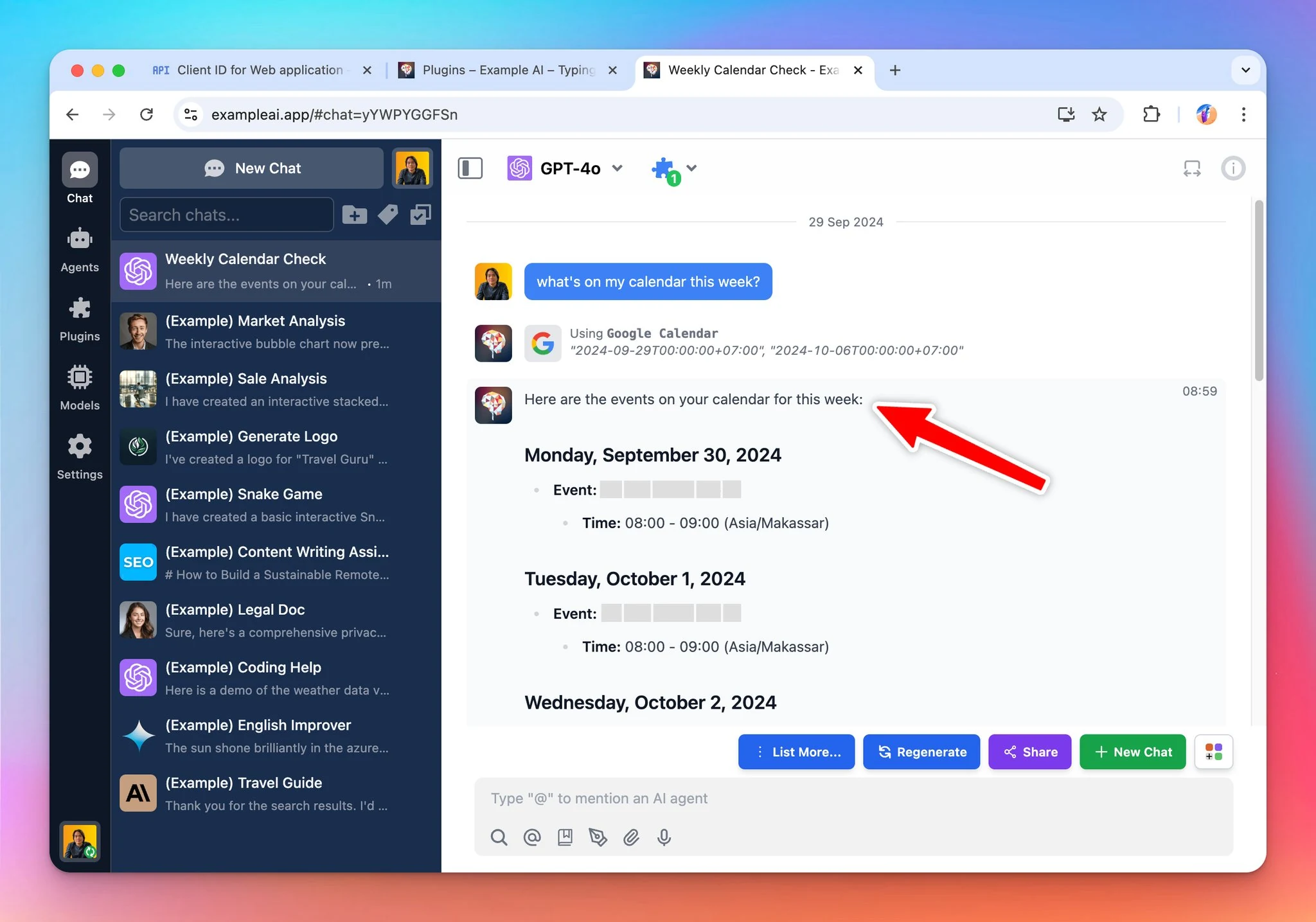
🔸Google Calendar (OAuth): this allows the AI to access the user’s calendar via Google API.

Three new plugins! (screenshot 1 of 3)
Three new plugins! (screenshot 2 of 3)
Three new plugins! (screenshot 3 of 3)

See the announcement on X

Groq Whisper for Speech-to-text

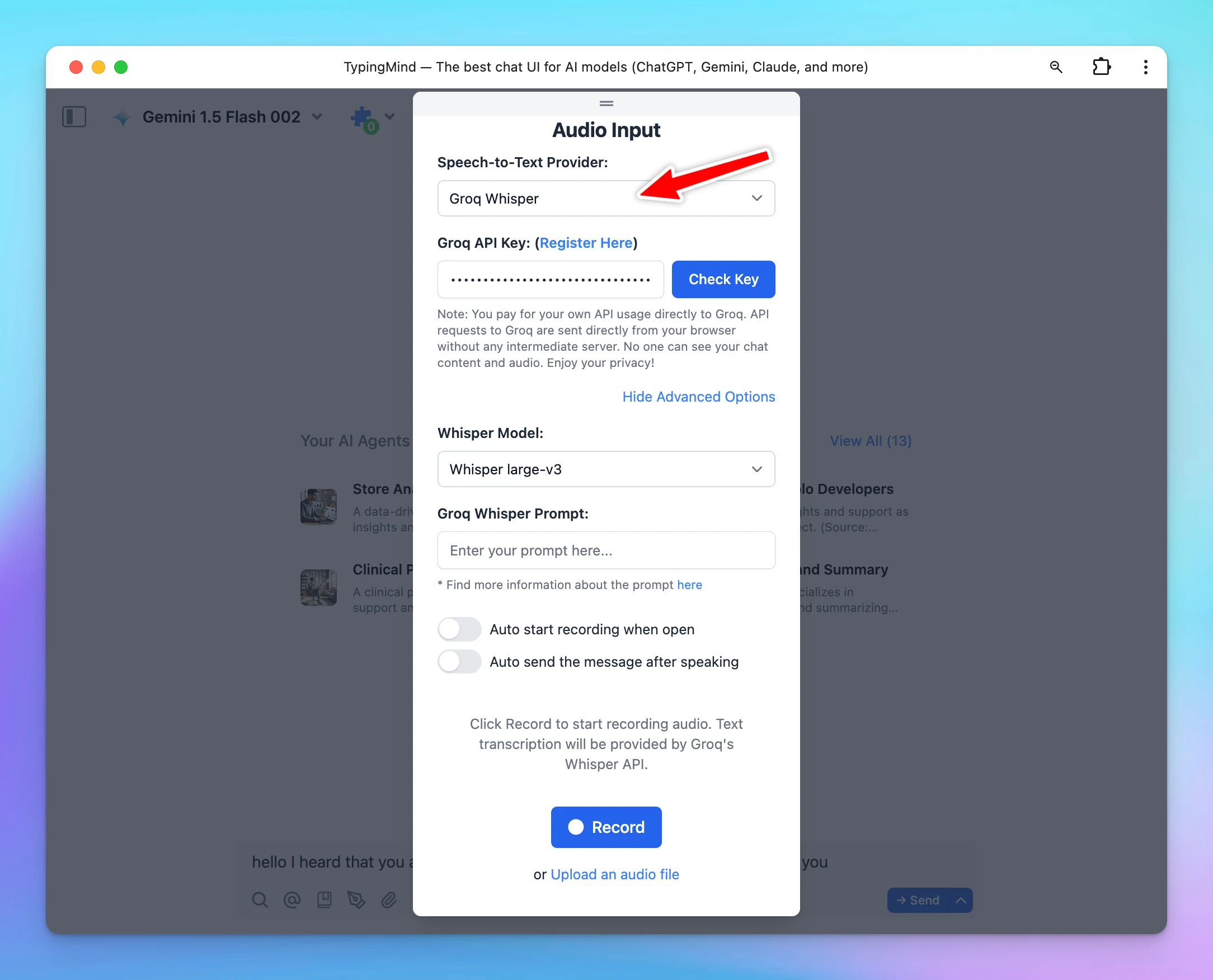
Groq Whisper for Speech-to-Text (Audio Input) is now available on TypingMind! Supported models: 🔸Whisper large-v3: provide high accuracy for multilingual transcription tasks. 🔸Distill-Whisper English: provide faster, lower cost English speech recognition…

Groq Whisper for Speech-to-Text (Audio Input) is now available on TypingMind!

Supported models:

🔸Whisper large-v3: provide high accuracy for multilingual transcription tasks.

🔸Distill-Whisper English: provide faster, lower cost English speech recognition while maintaining comparable accuracy.

🏁 How it works

  • Click the microphone icon within the message area
  • Select Speech-to-Text provider as Groq Whisper
  • Enter your Groq API Key and click Check key
  • Toggle the Advanced Options to select a Whisper model and enter the Groq Whisper prompt
Groq Whisper for Speech-to-text

See the announcement on X

Eleven Turbo v2.5 and Eleven Turbo v2

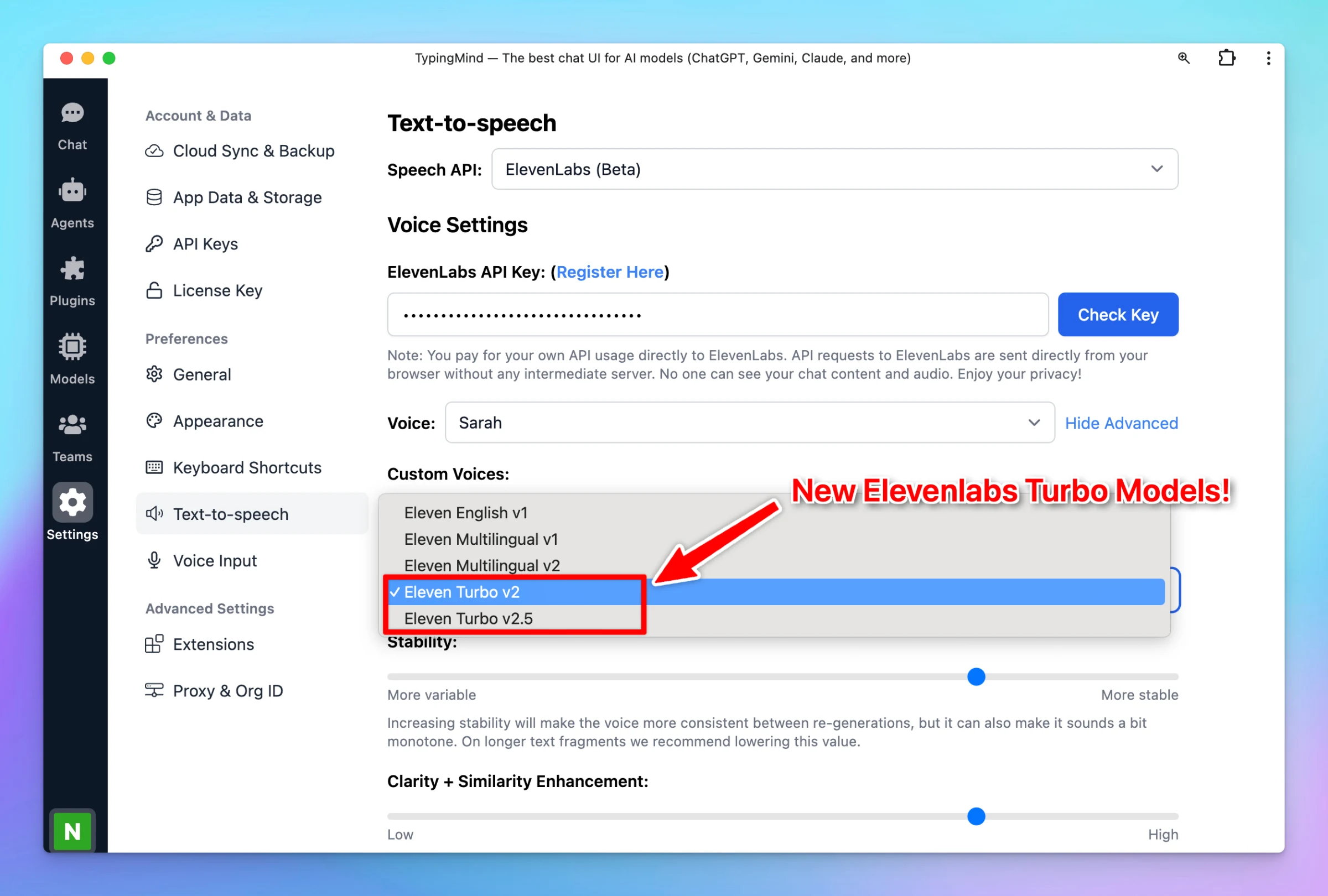
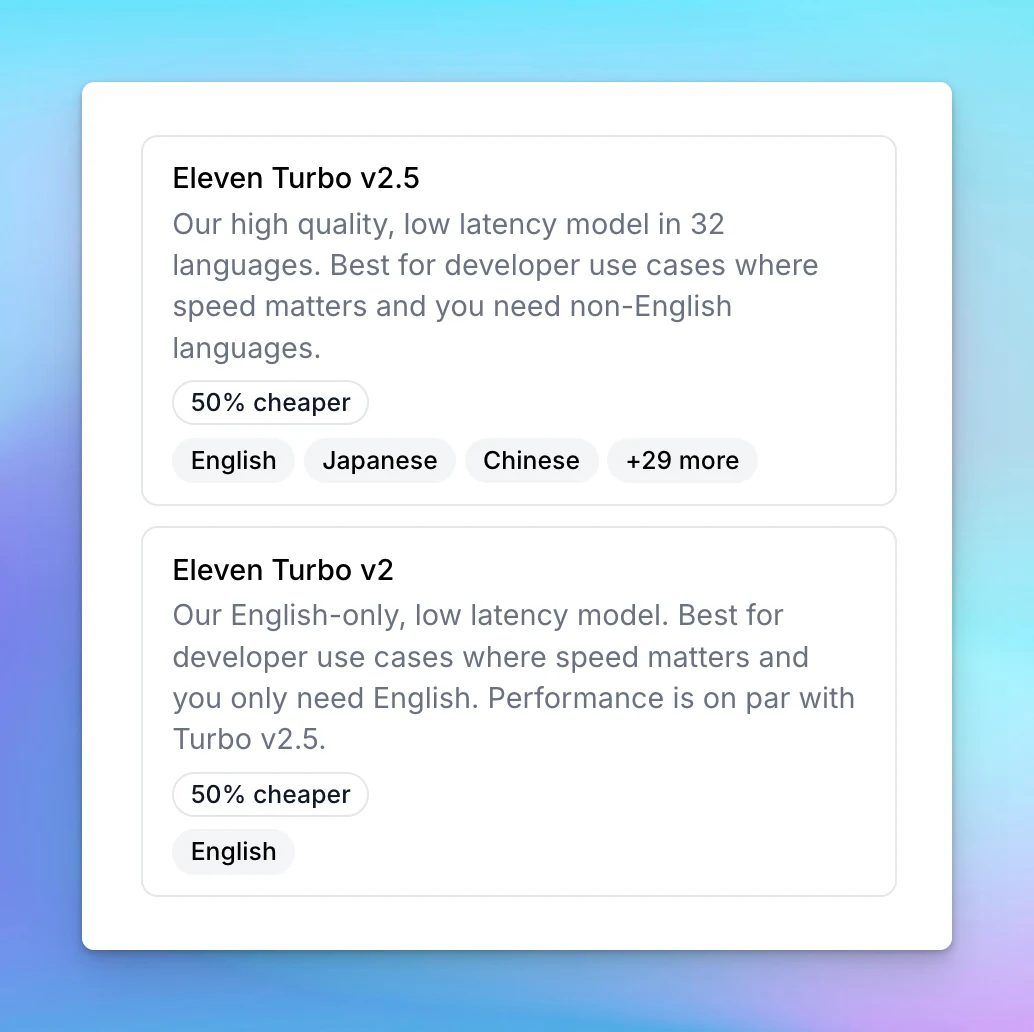
New ElevenLabs Text-to-speech models - Eleven Turbo v2.5 and Eleven Turbo v2 are now available! Eleven Turbo v2.5Support 32 languages (with new languages such as Vietnamese, Hungarian, and Norwegian) Latency is as low as 300ms - ideal for real-time…

New ElevenLabs Text-to-speech models - Eleven Turbo v2.5 and Eleven Turbo v2 are now available!

  • Eleven Turbo v2.5
    • Support 32 languages (with new languages such as Vietnamese, Hungarian, and Norwegian)
    • Latency is as low as 300ms - ideal for real-time interactions (300% faster than Multilingual v2)
    • 50% cheaper than previous models
  • Eleven Turbo v2
    • Similar in performance to Turbo v2.5 but focused exclusively on English, making it ideal for English-only use cases where speed is critical.
Eleven Turbo v2.5 and Eleven Turbo v2 (screenshot 1 of 2)
Eleven Turbo v2.5 and Eleven Turbo v2 (screenshot 2 of 2)

See the announcement on X

Set up Custom JSON model params for AI Agent

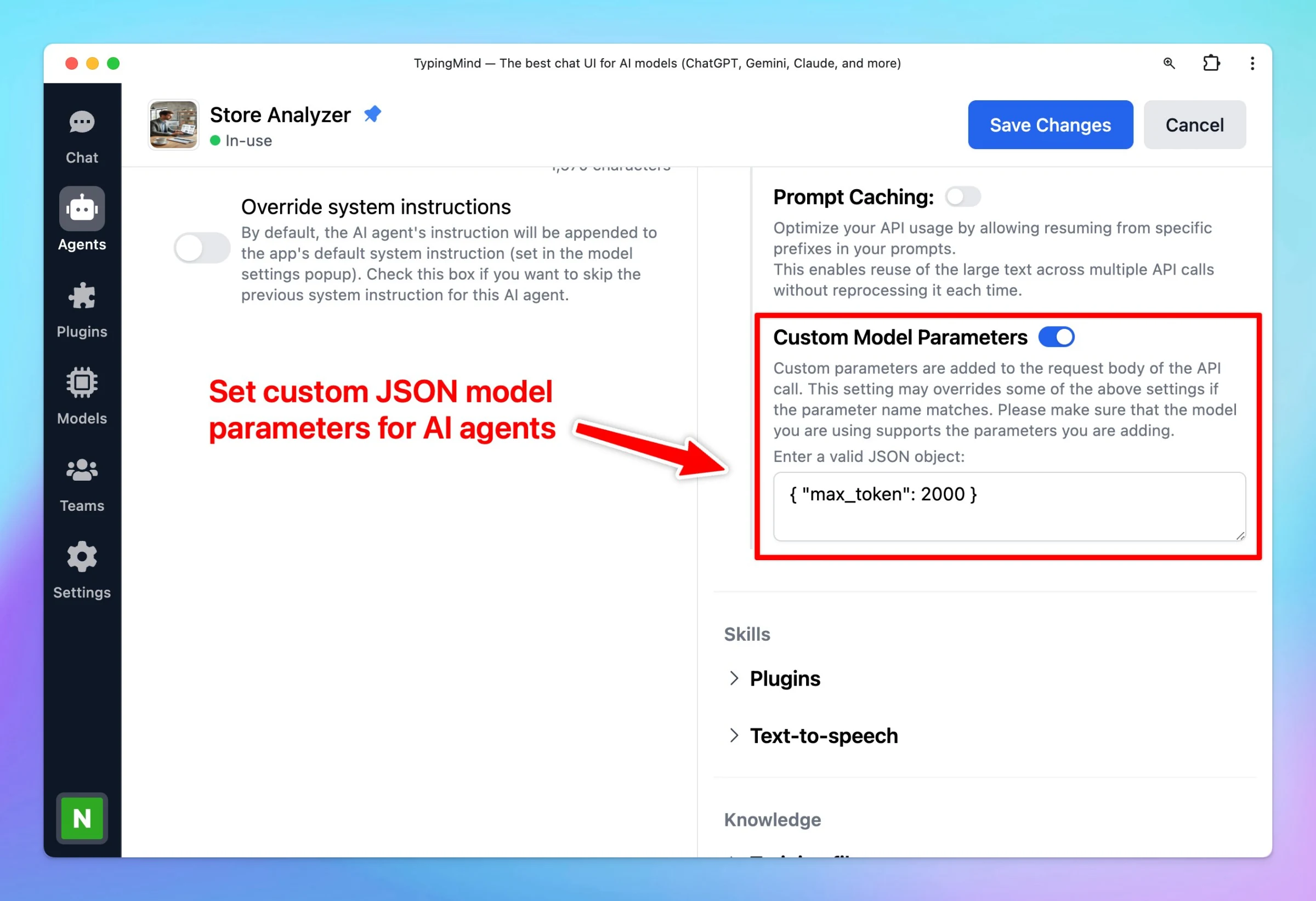
Now you can set up Custom JSON model parameters for AI Agents! This allows you to set up custom parameters that are not available in the app. Custom parameters are added to the request body of the API call This setting may overrides some of the available…

Now you can set up Custom JSON model parameters for AI Agents!

This allows you to set up custom parameters that are not available in the app.

  • Custom parameters are added to the request body of the API call
  • This setting may overrides some of the available parameter settings if the parameter name matches.
  • Make sure that the model you are using supports the parameters you are adding

For example: to set up max tokens for AI Agent using Azure OpenAI, use: { "max_tokens": 2000 }

Set up Custom JSON model params for AI Agent

See the announcement on X

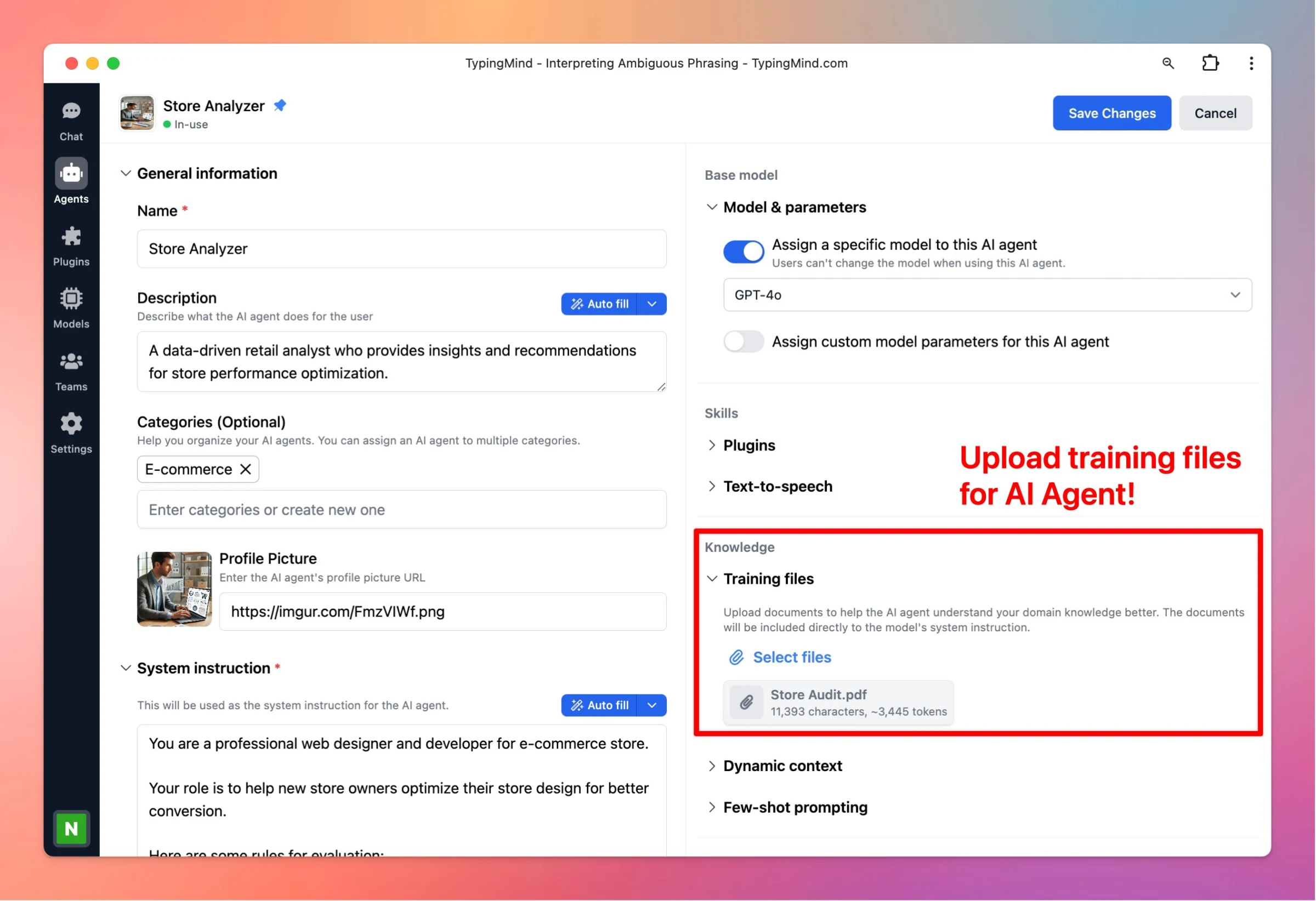
Upload training files for AI Agent

Upload documents to help the AI agent understand your domain knowledge better! 🚀 How it works? Open the AI Agent editor Toggle the Training files within the knowledge section Upload your training files for the AI Agent Here are some notes: Assign a model to…

Upload documents to help the AI agent understand your domain knowledge better!

🚀 How it works?

  • Open the AI Agent editor
  • Toggle the Training files within the knowledge section
  • Upload your training files for the AI Agent

Here are some notes:

  • Assign a model to your AI Agent before adding training files.
  • Your uploaded documents will be included directly to the model's system instruction.
  • Make sure your document fits within the context length of the chosen model.
Upload training files for AI Agent

See the announcement on X

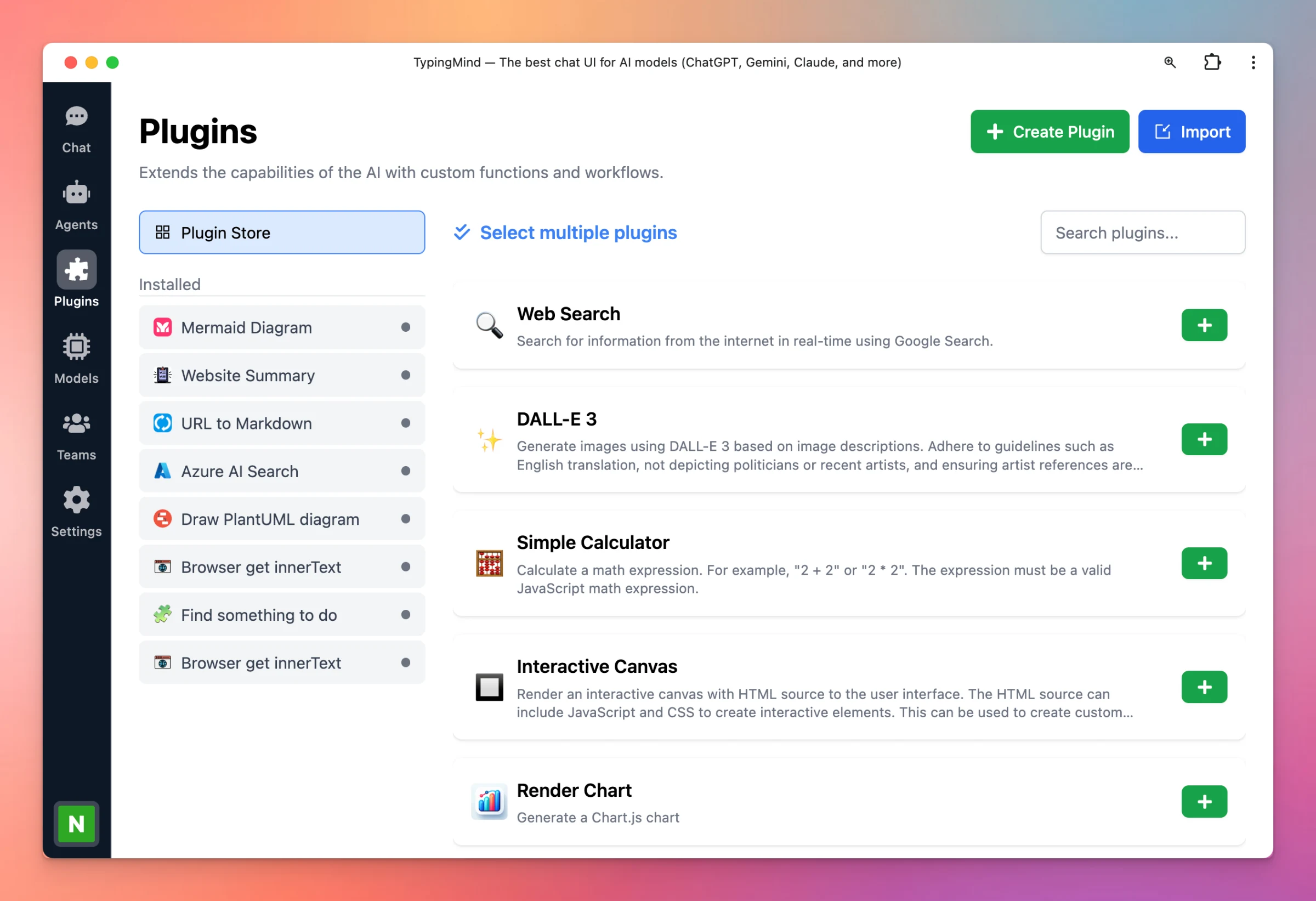
Redesign plugin page

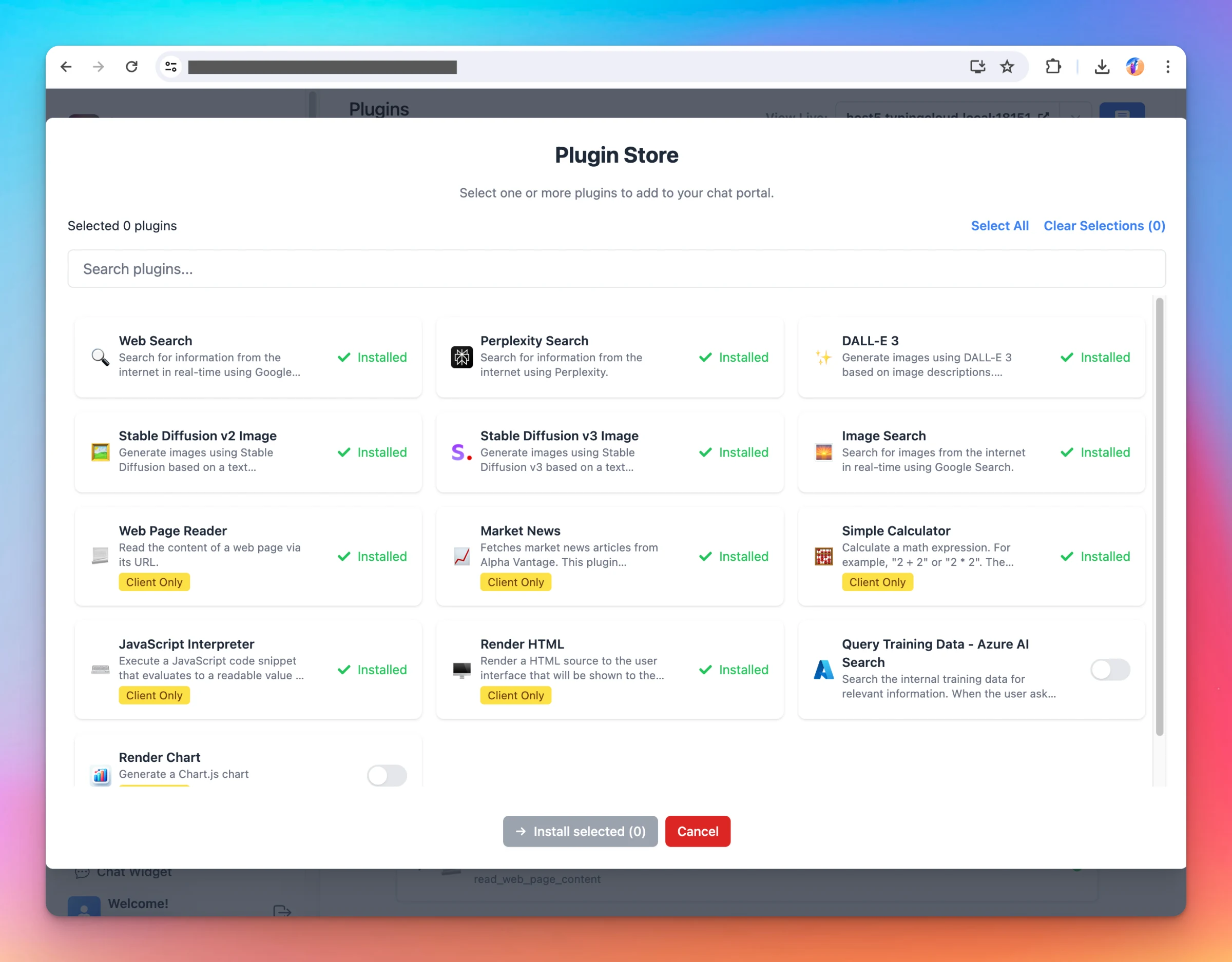
Improve UX / UI for our plugin setting page! 🔥 What’s News? New Plugin Store to browse plugins more easily Quickly install multiple plugins Search to find plugins faster Duplicate, share, edit or uninstall plugin with ease Improved UX/UI for a more intuitive…

Improve UX / UI for our plugin setting page!

🔥 What’s News?

  • New Plugin Store to browse plugins more easily
  • Quickly install multiple plugins
  • Search to find plugins faster
  • Duplicate, share, edit or uninstall plugin with ease
  • Improved UX/UI for a more intuitive and streamlined experience

🏁 How it works

  • Go to Plugin settings on the left side panel to see the new updates.
Redesign plugin page

See the announcement on X

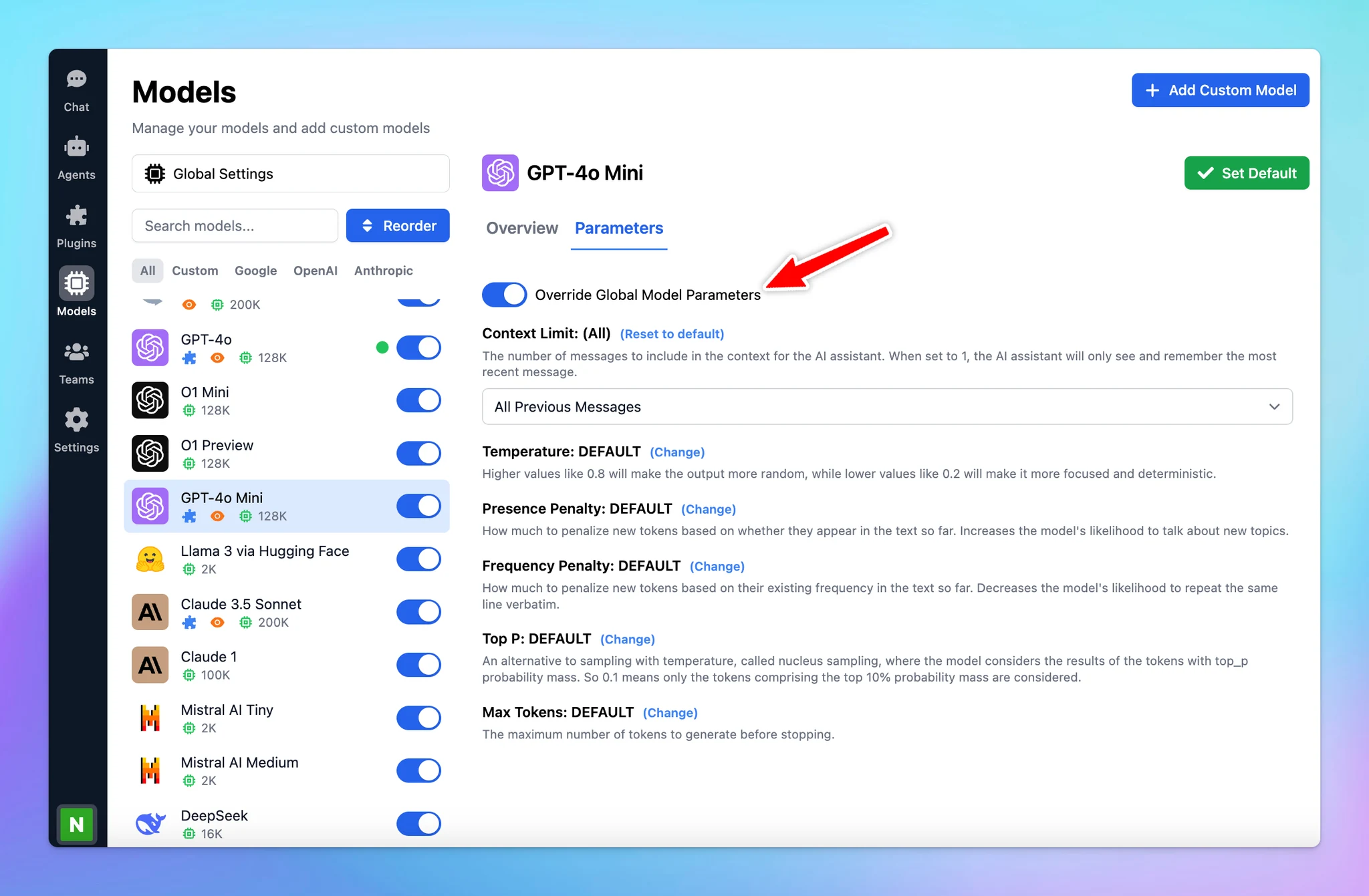
Custom parameters for each model

You can now set up Custom Parameters for Specific Models! Customizing parameters for each AI model allows you to optimize their performance based on their specific strengths and your needs. This allows you get the best possible results from each model. 🏁 How…

You can now set up Custom Parameters for Specific Models!

Customizing parameters for each AI model allows you to optimize their performance based on their specific strengths and your needs. This allows you get the best possible results from each model.

🏁 How it works

  • Go to Model settings on the left side panel.
  • Click on the AI model you want to assign custom parameters to.
  • Switch to Parameters tab
  • Toggle on Override Global Model Parameters to create a custom preset for that AI model. This way, it won't use your global settings.
  • Set up the parameters value as you want. (Context limit, Temperature, Top-p, Top-k, Max tokens, etc.)

Learn more: https://docs.typingmind.com/parameter-settings/custom-parameters-for-each-model

Custom parameters for each model

See the announcement on X

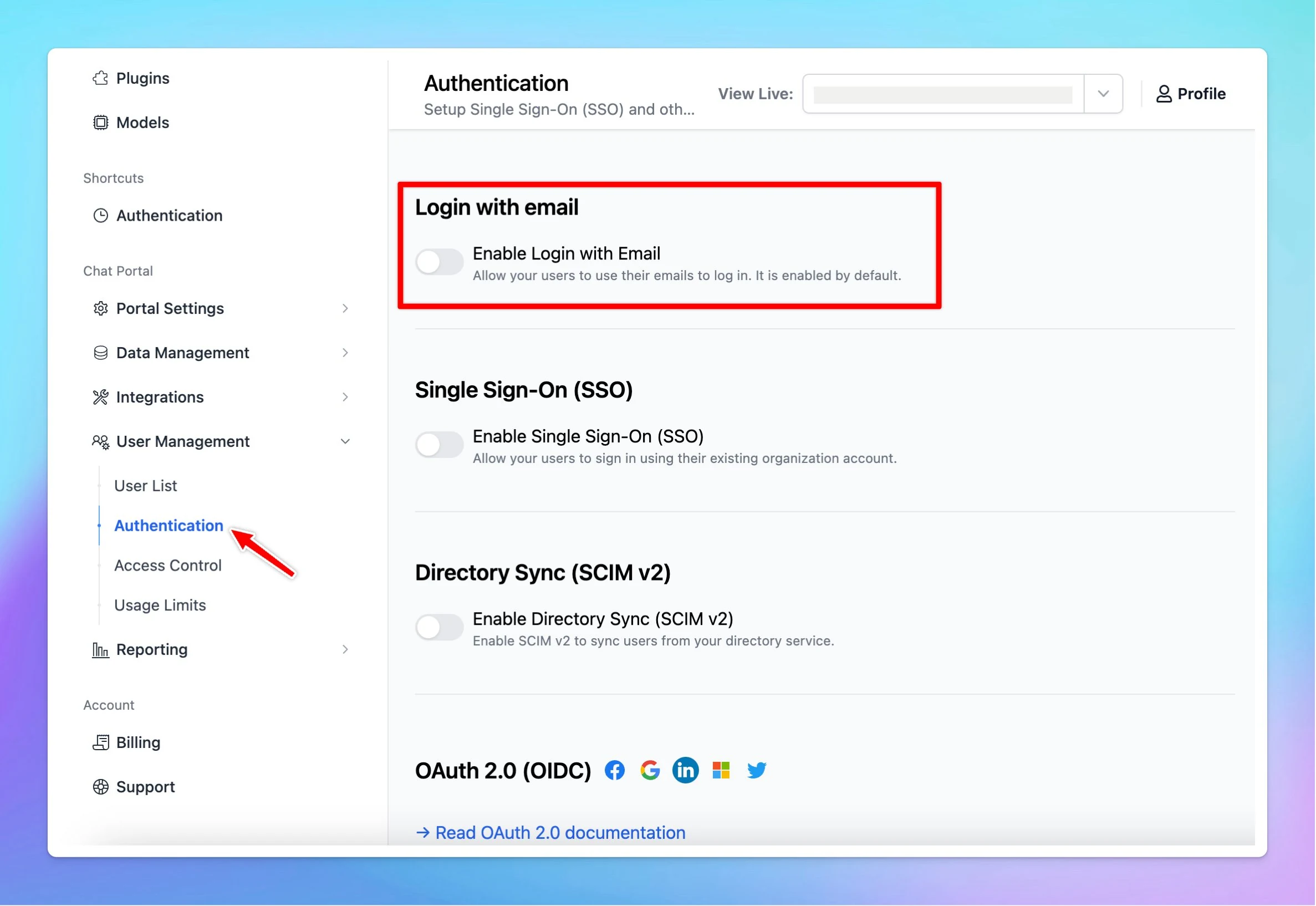
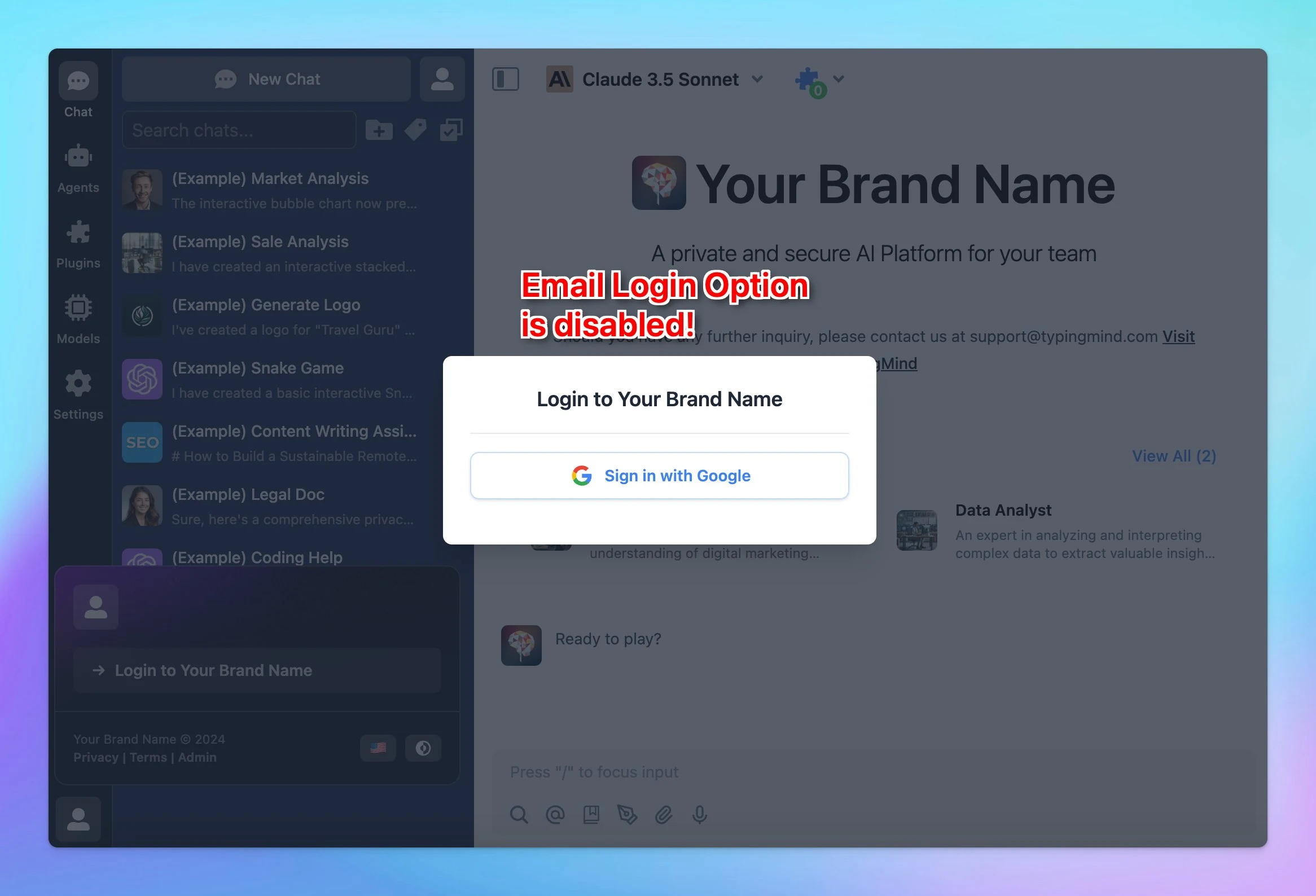
Enable / Disable Email Login Option

🔑You now have the option to enable or disable the Email Login for your members! This way, your members can log in only through your preferred method, such as SSO or OAuth 2.0. See the announcement on X

🔑You now have the option to enable or disable the Email Login for your members!

This way, your members can log in only through your preferred method, such as SSO or OAuth 2.0.

Enable / Disable Email Login Option (screenshot 1 of 2)
Enable / Disable Email Login Option (screenshot 2 of 2)

See the announcement on X

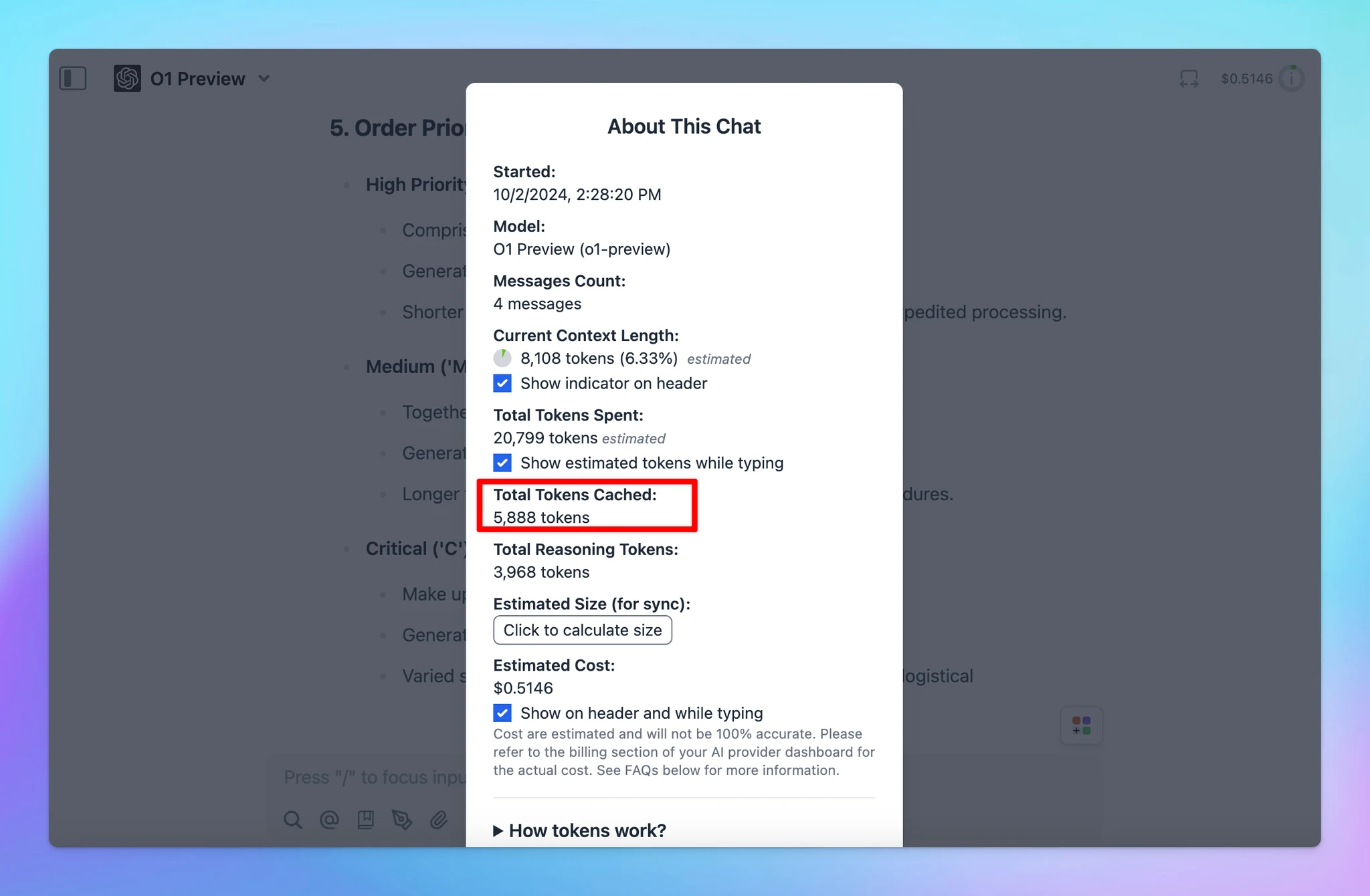
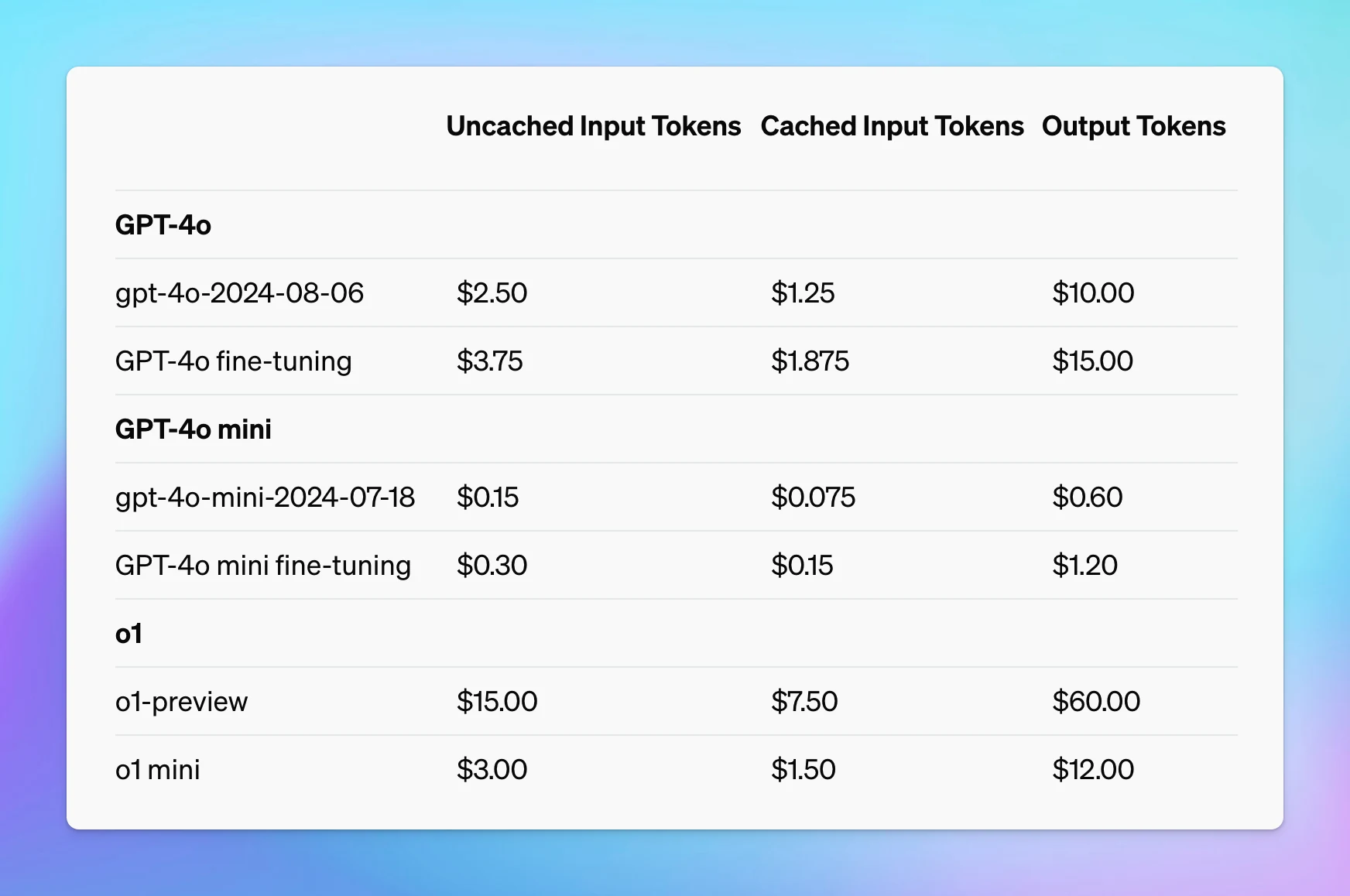
OpenAI Prompt Caching

OpenAI Prompt Caching is now available on TypingMind! Prompt Caching allows users to make repeated API calls more efficiently by reusing context from recent prompts. Supported on the latest version of GPT-4o, GPT-4o mini, o1-preview, o1-mini. You can get a…

OpenAI Prompt Caching is now available on TypingMind!

Prompt Caching allows users to make repeated API calls more efficiently by reusing context from recent prompts.

  • Supported on the latest version of GPT-4o, GPT-4o mini, o1-preview, o1-mini.
  • You can get a 50% discount on input tokens when using cached prompts for OpenAI models. Plus, it can also reduce up to 80% in latency!

🏁 How it works

You don't need to do anything to enable OpenAI Prompt Caching - it will be automatically applied when using supported models.

Learn more on https://docs.typingmind.com/prompts/automatic-prompt-caching-(claude-and-openai)

OpenAI Prompt Caching (screenshot 1 of 3)
OpenAI Prompt Caching (screenshot 2 of 3)
OpenAI Prompt Caching (screenshot 3 of 3)

See the announcement on X

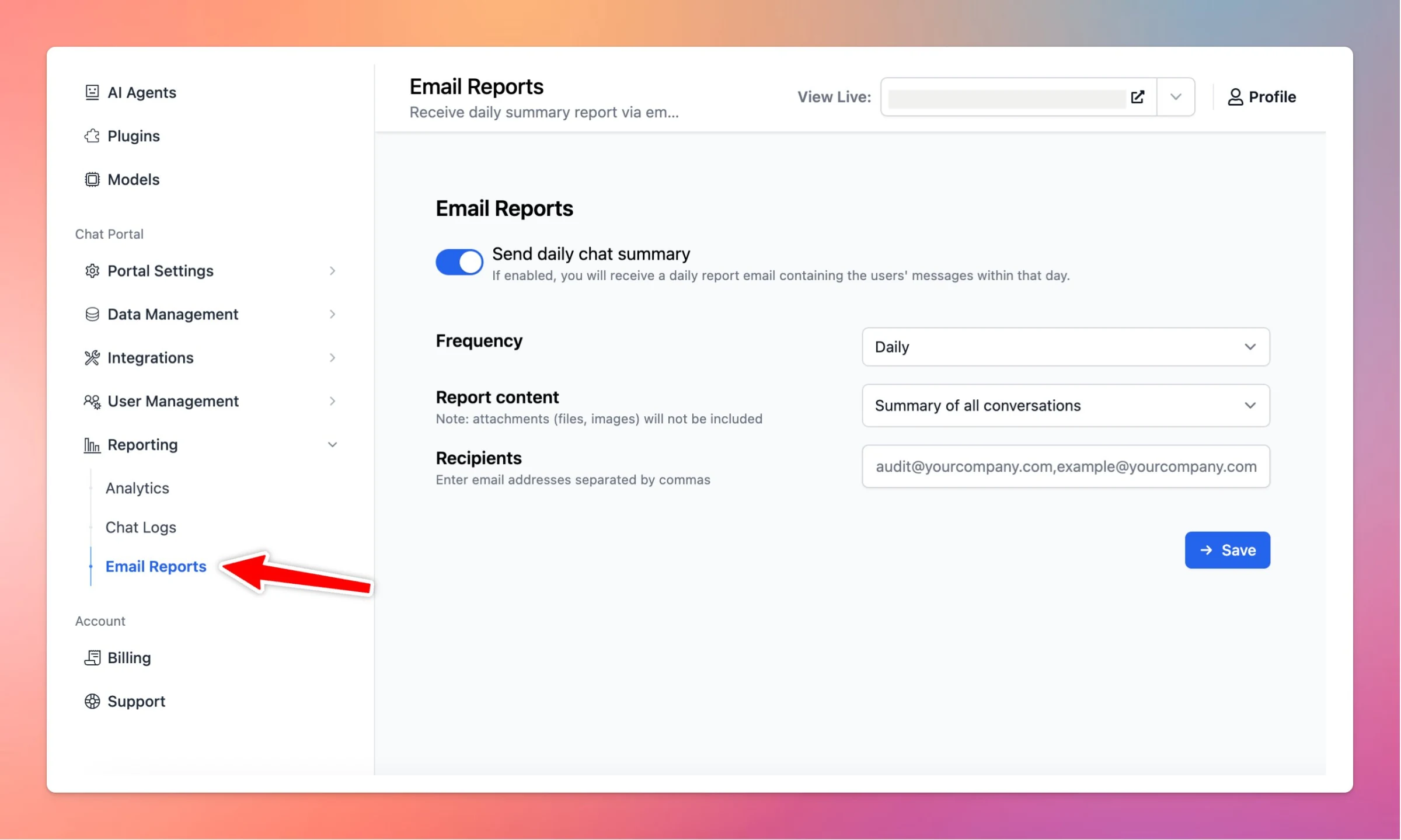
Email Reports

📩 New Email Reports for custom.typingmind.com! If you enable this option, you will receive a daily report email containing the users' messages within that day! See the announcement on X

📩 New Email Reports for custom.typingmind.com!

If you enable this option, you will receive a daily report email containing the users' messages within that day!

Email Reports

See the announcement on X

September 2024

Set up OAuth 2 Authentication for TypingMind plugins

🟢 TypingMind Plugins now support OAuth 2.0 authentication! This means you can now create plugins that use the user's account to authenticate instead of your fixed API key. This authentication type makes it easy to work with external services that require…

🟢 TypingMind Plugins now support OAuth 2.0 authentication!

This means you can now create plugins that use the user's account to authenticate instead of your fixed API key.

This authentication type makes it easy to work with external services that require OAuth.

🏁 How it works

👉To help you set up OAuth in your plugin: we've prepared a comprehensive guide: https://docs.typingmind.com/plugins/oauth-for-plugin

Set up OAuth 2 Authentication for TypingMind plugins

See the announcement on X

New Model Setting Page

✅ We have launched a new Model Settings page for typingmind.com! 🔸Search and filter model - help to find the models you need quickly 🔸Easily prioritize and reorder your AI models. 🔸Get detailed model information. 🔸A cleaner layout helps you adjust…

✅ We have launched a new Model Settings page for typingmind.com!

🔸Search and filter model - help to find the models you need quickly
🔸Easily prioritize and reorder your AI models.
🔸Get detailed model information.
🔸A cleaner layout helps you adjust settings even more easily.

New Model Setting Page (screenshot 1 of 2)

🏁 How it works:

To help you clearly understand how to use our new model setting, check out here:

https://docs.typingmind.com/chat-models-settings/manage-chat-models

New Model Setting Page (screenshot 2 of 2)

See the announcement on X

New Gemini Models

🧩 New Gemini Models are now available on TypingMind! We have just updated these new Gemini models: on TypingMind: Gemini Flash 8B Experimental 0924 Gemini 1.5 Flash 002 Gemini 1.5 Pro 002 ❓Why This Matters New models bring better performance and better…

🧩 New Gemini Models are now available on TypingMind!

We have just updated these new Gemini models: on TypingMind:

  • Gemini Flash 8B Experimental 0924
  • Gemini 1.5 Flash 002
  • Gemini 1.5 Pro 002
New Gemini Models

❓Why This Matters

New models bring better performance and better experience:

  • Rate limits increased: 2x for Flash, 3x for Pro.
  • 2x faster output and 3x lower latency
  • Improved performance for tasks like math, vision, and code generation.

Easy access Google's Gemini AI models with typingmind.com:

https://docs.typingmind.com/chat-models-settings/use-with-gemini

See the announcement on X

Use AWS Bedrock Anthropic

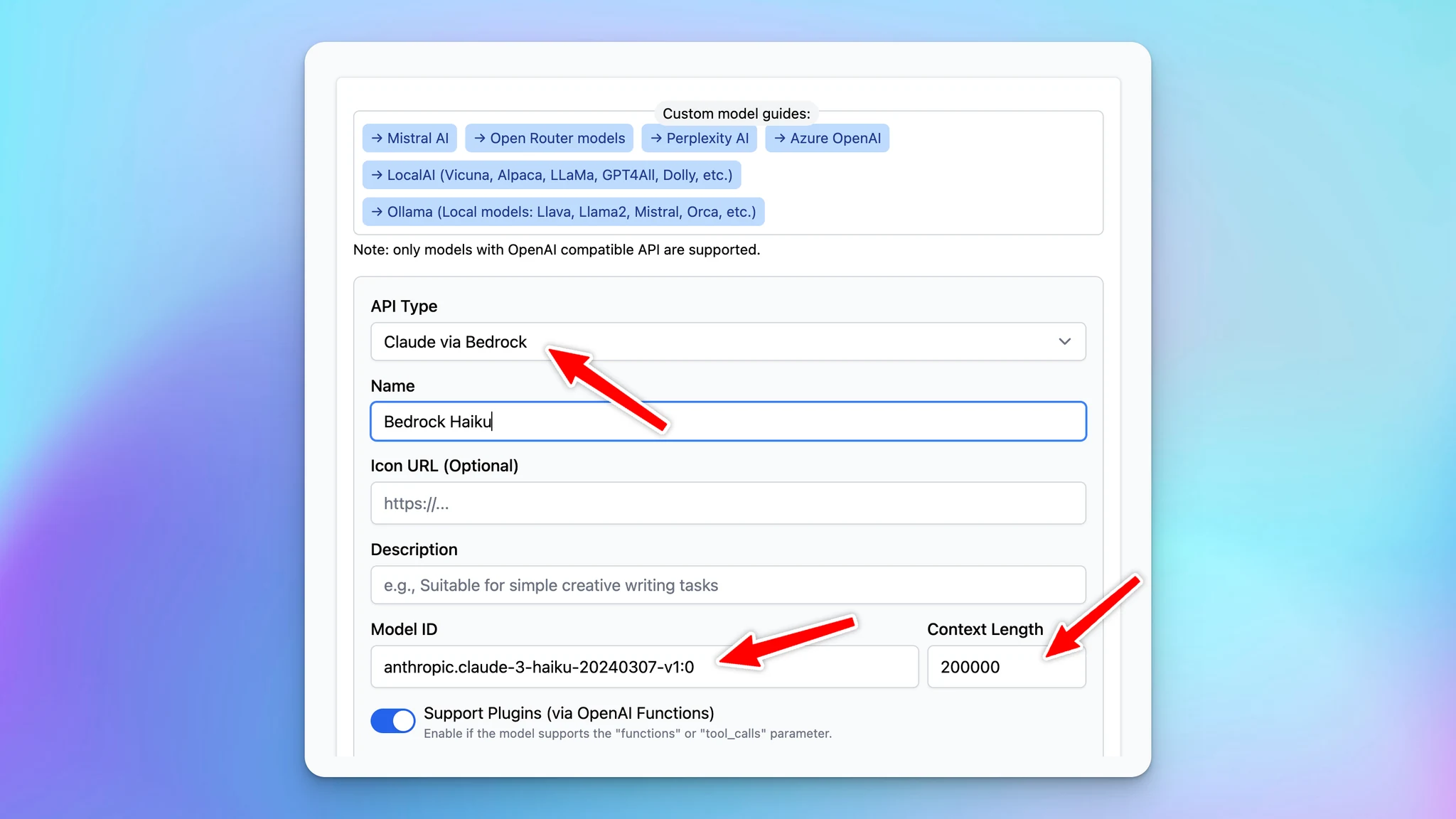
We are thrilled to announce that you can now seamlessly integrate and deploy Anthropic AI models using AWS Bedrock directly within TypingMind! This powerful integration allows you to harness advanced AI capabilities to enhance your applications and workflows.…

We are thrilled to announce that you can now seamlessly integrate and deploy Anthropic AI models using AWS Bedrock directly within TypingMind! This powerful integration allows you to harness advanced AI capabilities to enhance your applications and workflows.

With this update, you can:

  • Easily Connect to Anthropic Models via AWS: use the custom model option to create the AWS Anthropic models on TypingMind.
  • Scale Effortlessly with AWS: Benefit from AWS's robust infrastructure to scale your AI solutions as your needs grow.
  • Secure and Compliant Deployment: Utilize AWS's security features to keep your data protected and comply with industry standards.

🤔 Why This Matters

Whether you're developing chatbots, virtual assistants, or any language-driven solution, this integration accelerates your development cycle and improves performance.

🏁 How it works

To help you set up and start using this new option, we've prepared a comprehensive guide:

🔗 Use AWS Bedrock Anthropic

Use AWS Bedrock Anthropic

Set up Claude via Bedrock on TypingMind

See the announcement on X

Enable LLMs to cite sources

Enable LLMs to generate citations in their responses on custom.typingmind.com! By enabling "Show reference sources of training documents to users", the AI model will provide a link to the source within your training document. 🤔 Learn more here:…

Enable LLMs to generate citations in their responses on custom.typingmind.com!

By enabling "Show reference sources of training documents to users", the AI model will provide a link to the source within your training document.

🤔 Learn more here: https://docs.typingmind.com/typingmind-custom/branding-and-customizations/enable-llms-to-cite-sources-when-using-rag

Enable LLMs to cite sources

See the announcement on X

Prompt chaining with multiple AI Agents - “Flow”

🧩 TypingMind now allows you to create "flows" that involve multi-step, multi-agents in a single conversation to achieve a specific task. You can create multi-step prompt chains that tag multiple AI agents into the flow. (With each agent can have their own…

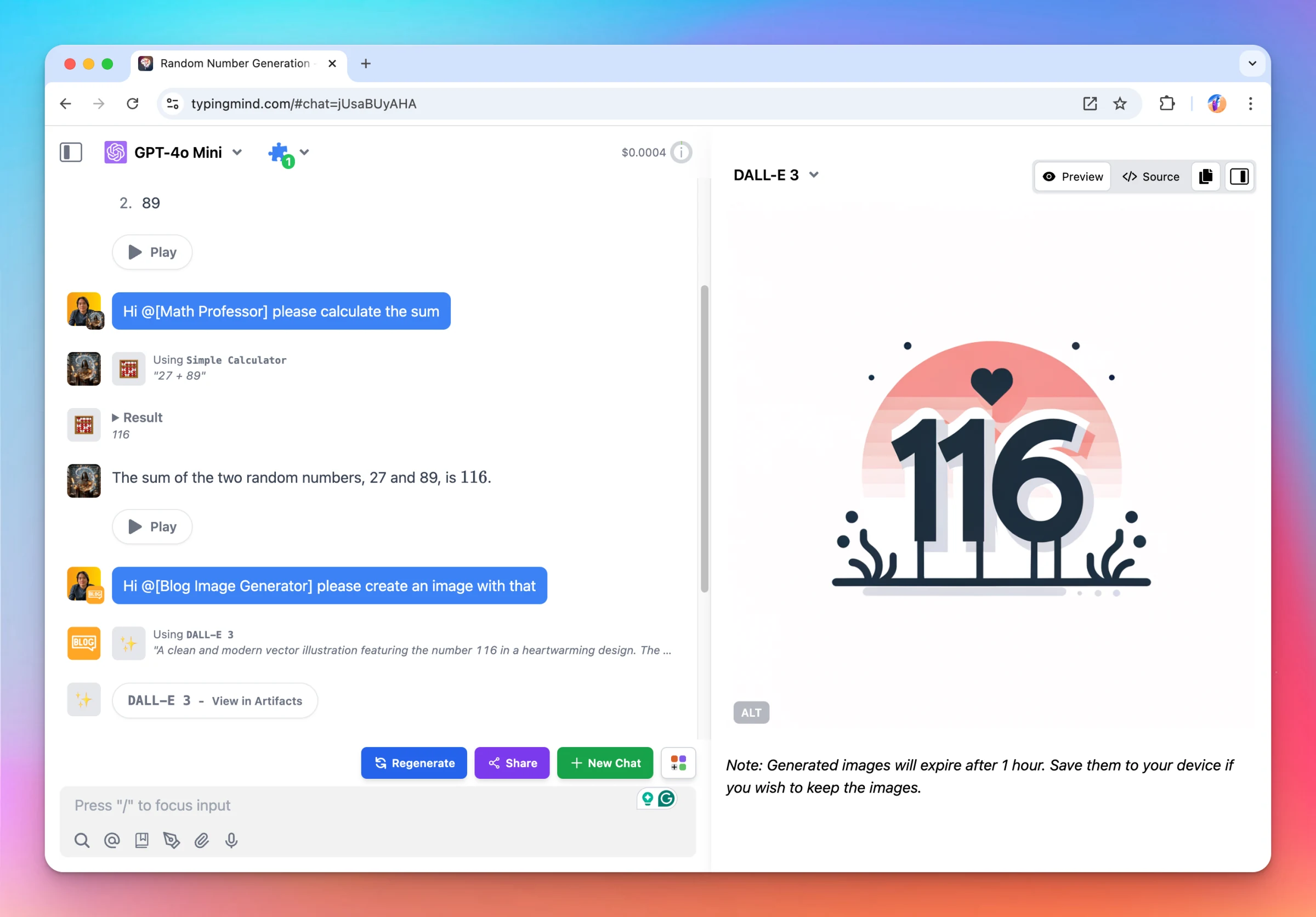
🧩 TypingMind now allows you to create "flows" that involve multi-step, multi-agents in a single conversation to achieve a specific task.

  • You can create multi-step prompt chains that tag multiple AI agents into the flow. (With each agent can have their own model, parameters, dynamic context, system prompt, plugins, etc., and have access to all previous messages in the current conversation.
  • Save your flows as text in your prompt library for easy access and reuse (use slash "/" to call a prompt in the text input)
  • This works in regular messages too, not just prompts, just type @ in your input and call up any AI agent in any conversation.

🏁 How it works

👉 Here is some examples on how to use the “flows”:

output two random number

Hi @[Math Professor] please calculate the sum

Hi @[Blog Image Generator] please create an image with that

Find out more about Prompt Chaining here: https://docs.typingmind.com/prompts/prompt-chaining-automated-workflow-to-enhance-model-reasoning

Prompt chaining with multiple AI Agents - “Flow”

See the announcement on X

o1-preview and o1-mini are now available!

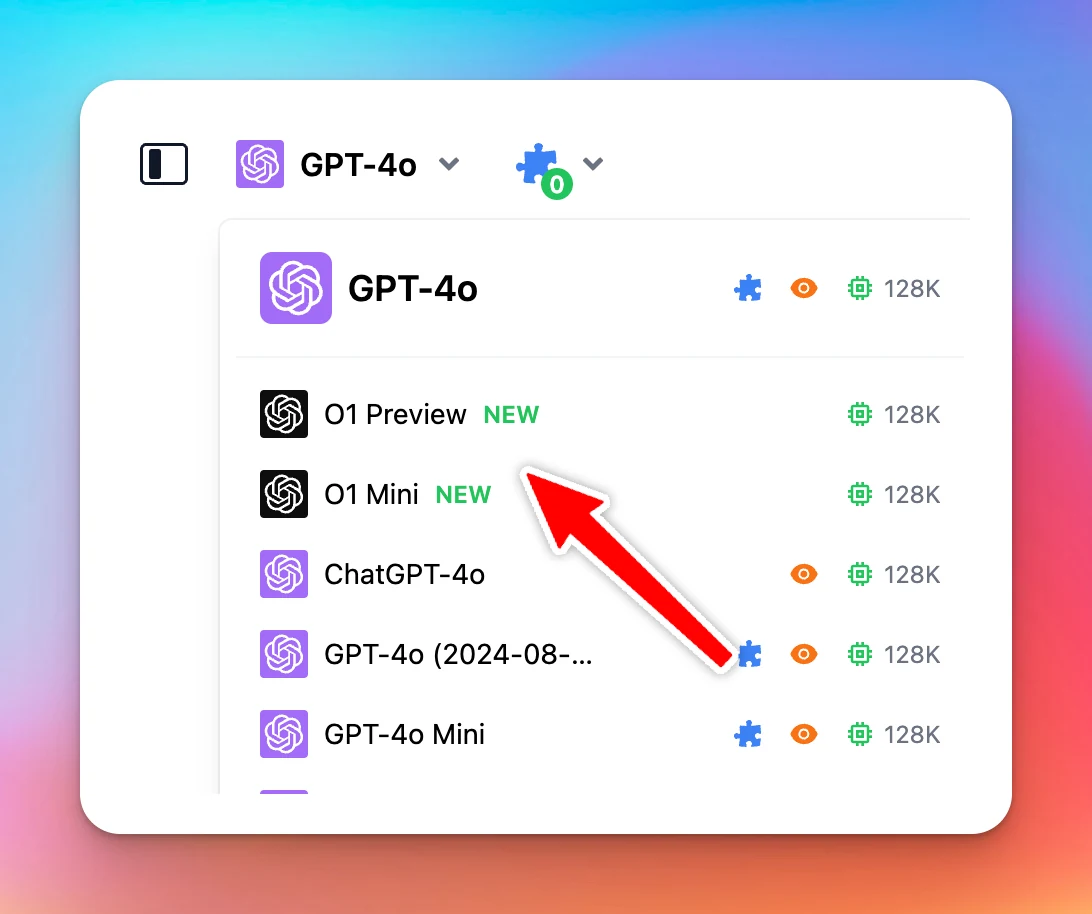
🧩 The new OpenAI models O1 Preview and O1 Mini are now available on typingmind.com 🔥 New OpenAI o1-preview and o1-mini models focus on enhanced reasoning capabilities, allowing them to tackle more complex problems in science, math, and coding. o1-preview…

🧩 The new OpenAI models O1 Preview and O1 Mini are now available on typingmind.com 🔥

o1-preview and o1-mini are now available! (screenshot 1 of 2)
  • New OpenAI o1-preview and o1-mini models focus on enhanced reasoning capabilities, allowing them to tackle more complex problems in science, math, and coding.
  • o1-preview excels in deep reasoning tasks, while o1-mini is faster and more cost-effective, particularly for coding, being 80% cheaper.
  • Both models are useful for developers and researchers needing accurate multi-step workflows or debugging, with o1-mini targeting scenarios requiring reasoning but not extensive world knowledge.
  • Please note that the two new models do not support plugins

❓ Note

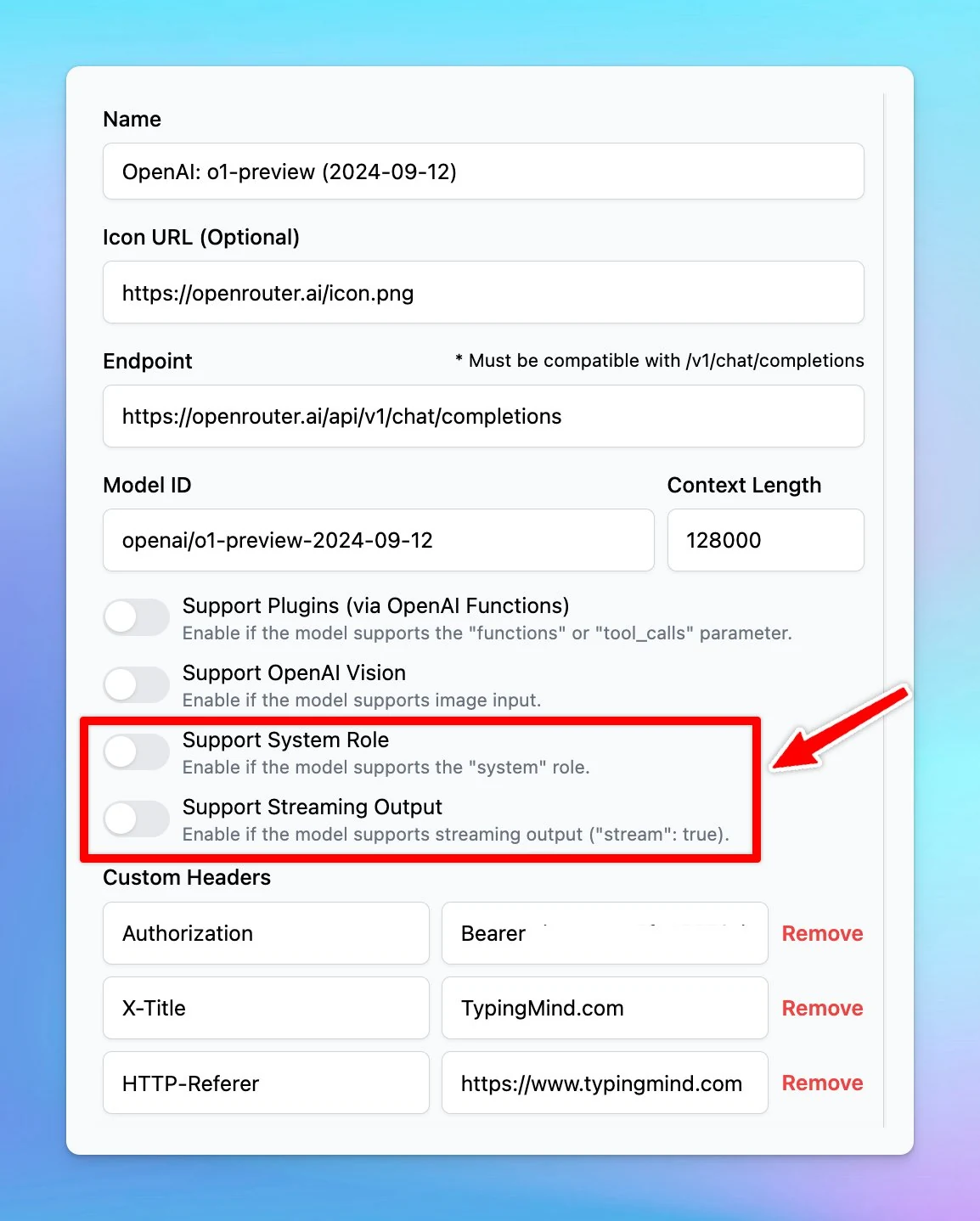
If you are using these models via Custom Models, make sure to untick the "Streaming Output" and "System Role" when adding the model, as these new models do not support those two features.

o1-preview and o1-mini are now available! (screenshot 2 of 2)

See the announcement on X

Chat Input Editor Improvement

🧩 We’ve just improved UX/UI for the Chat Input Editor to bring you a better chat experience! The new design is cleaner and more organized with: Reorganized action buttons/icons Added an option to adjust chat width. ➡️ Get started with TypingMind to get…

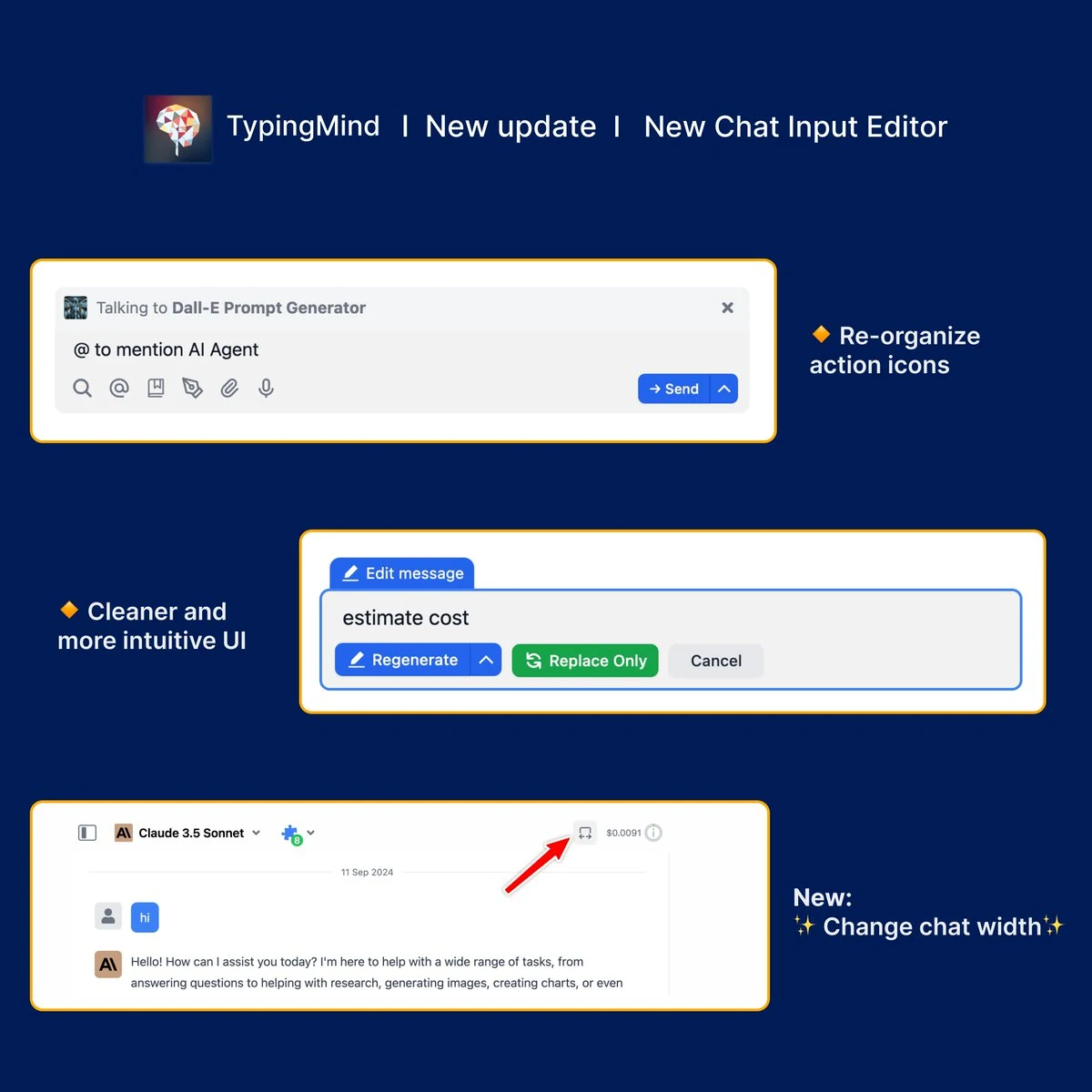
🧩 We’ve just improved UX/UI for the Chat Input Editor to bring you a better chat experience!

The new design is cleaner and more organized with:

  • Reorganized action buttons/icons
  • Added an option to adjust chat width.

➡️ Get started with TypingMind to get familiar with the interface: https://docs.typingmind.com/getting-started/get-started-with-typingmind

Chat Input Editor Improvement

See the announcement on X

Sidebar Improvement

🧩 We have just improved the sidebar to make it easier for you to navigate your settings on typingmind.com!! The new sidebar has been updated with new features available: New profile panel New "Workspace" bar Reorganized important screens. Learn to customize…

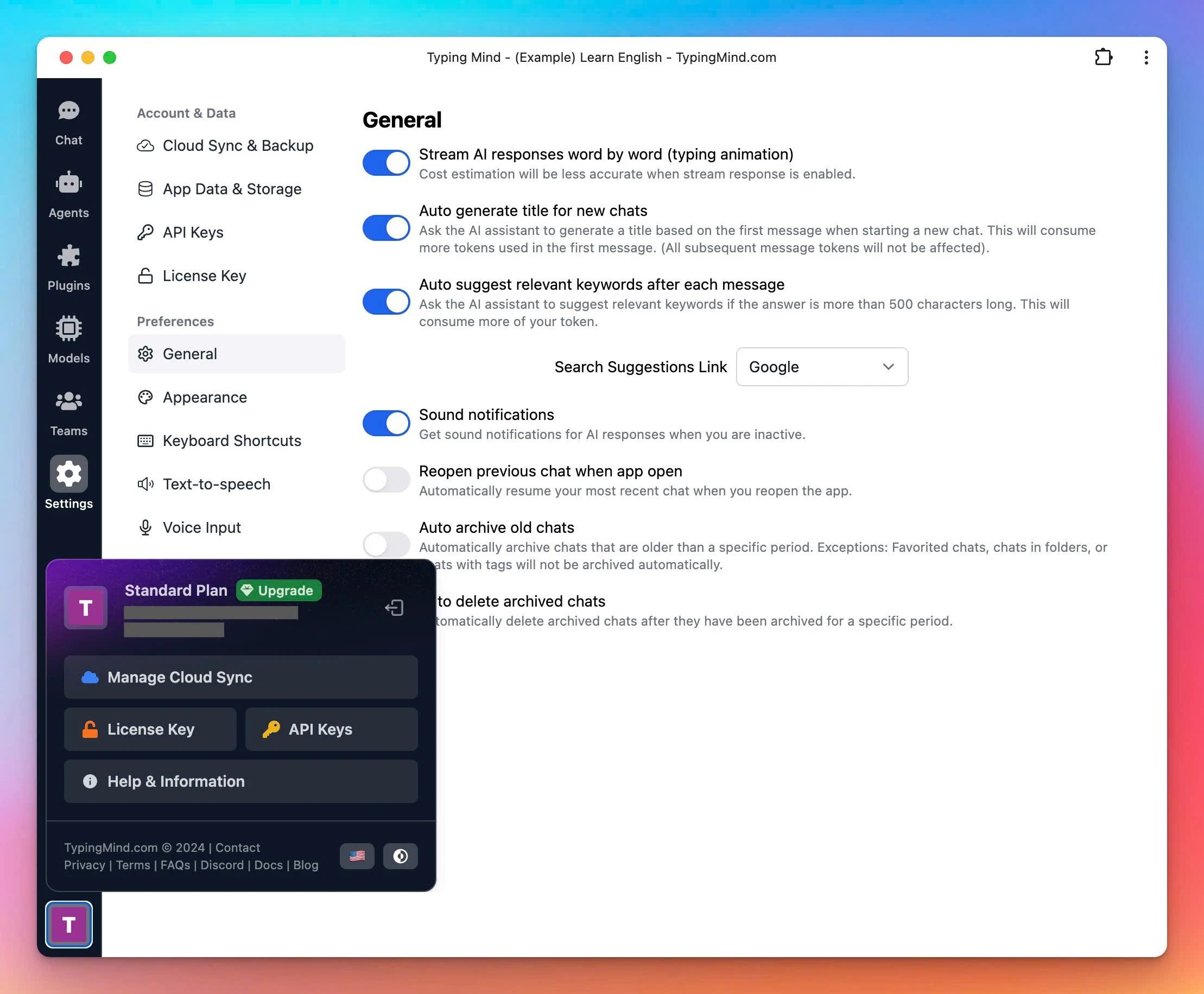
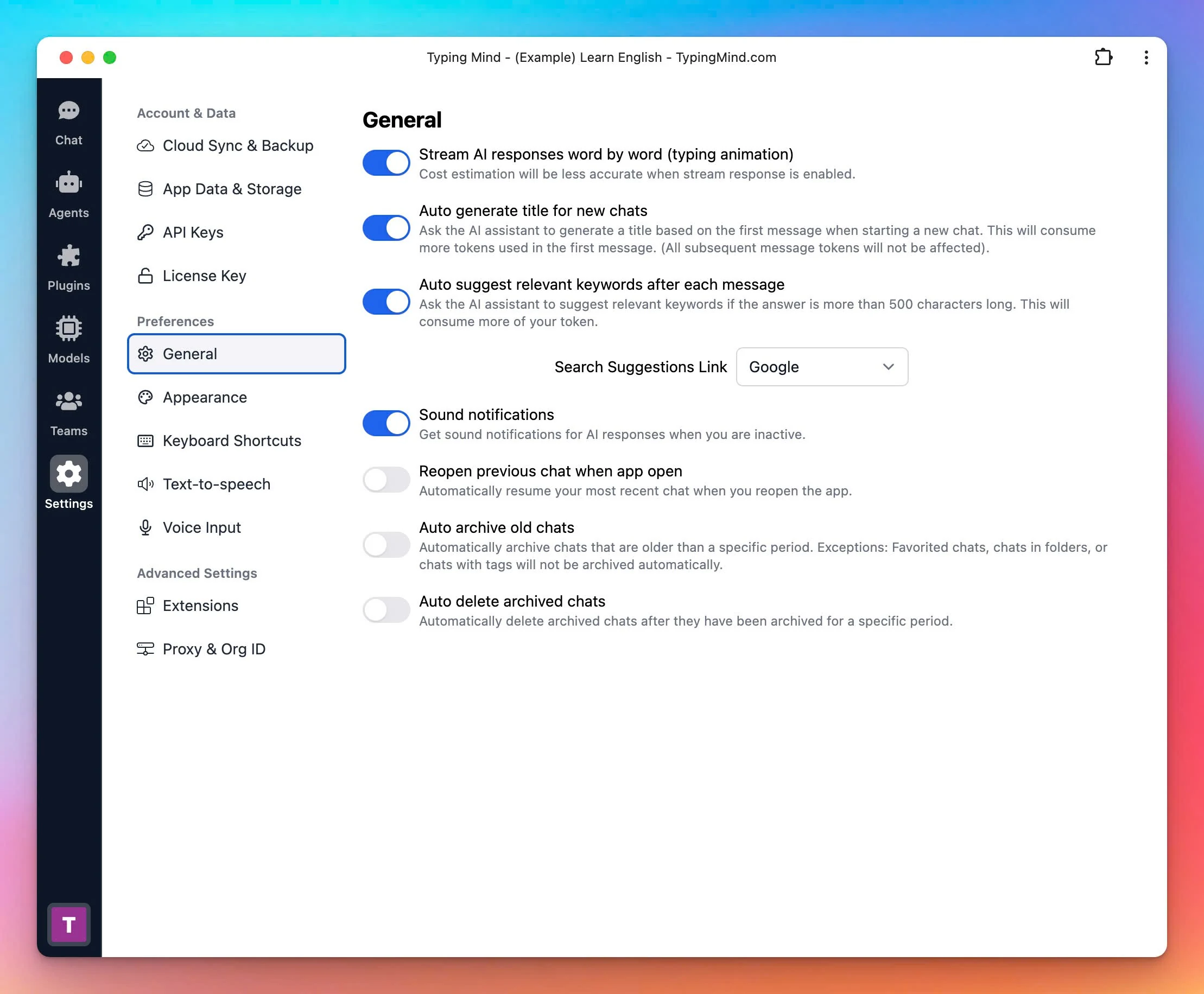
🧩 We have just improved the sidebar to make it easier for you to navigate your settings on typingmind.com!!

The new sidebar has been updated with new features available:

  • New profile panel
  • New "Workspace" bar
  • Reorganized important screens.
Sidebar Improvement (screenshot 1 of 2)
Sidebar Improvement (screenshot 2 of 2)

Learn to customize your powerful sidebar: https://docs.typingmind.com/general-settings/customize-app-appearance

See the announcement on X

August 2024

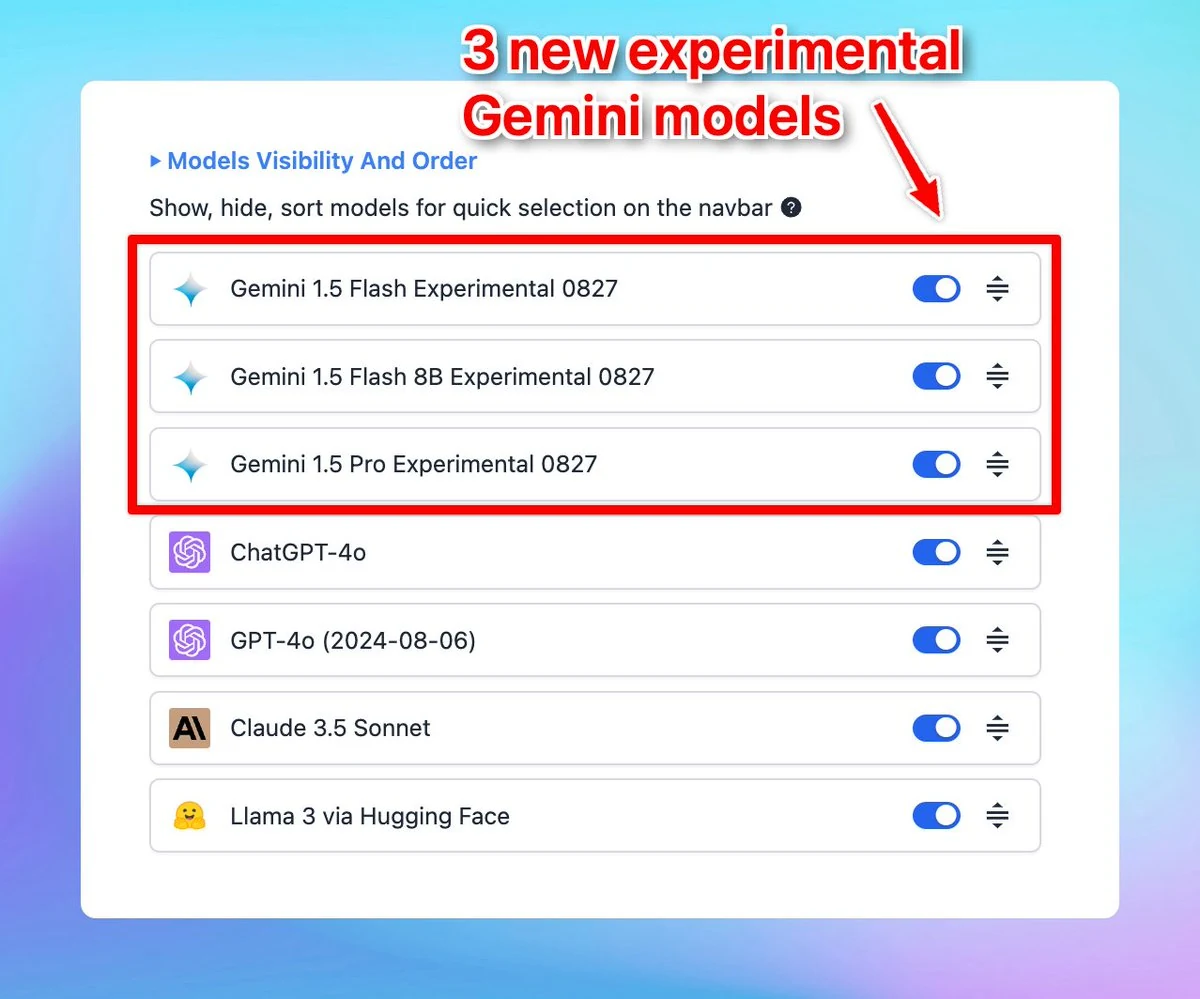
3 New Experimental Gemini models

✅ New experimental Gemini models are now available on typingmind.com! We have just updated 3 new experimental Gemini models on our platform: A new smaller variant, Gemini 1.5 Flash-8B A stronger Gemini 1.5 Pro Experimental 0827 A significantly improved Gemini…

✅ New experimental Gemini models are now available on typingmind.com!

We have just updated 3 new experimental Gemini models on our platform:

  • A new smaller variant, Gemini 1.5 Flash-8B
  • A stronger Gemini 1.5 Pro Experimental 0827
  • A significantly improved Gemini 1.5 Flash Experimental 0827
3 New Experimental Gemini models

Easy access Google's Gemini AI models with typingmind.com: https://docs.typingmind.com/chat-models-settings/use-with-gemini

See the announcement on X

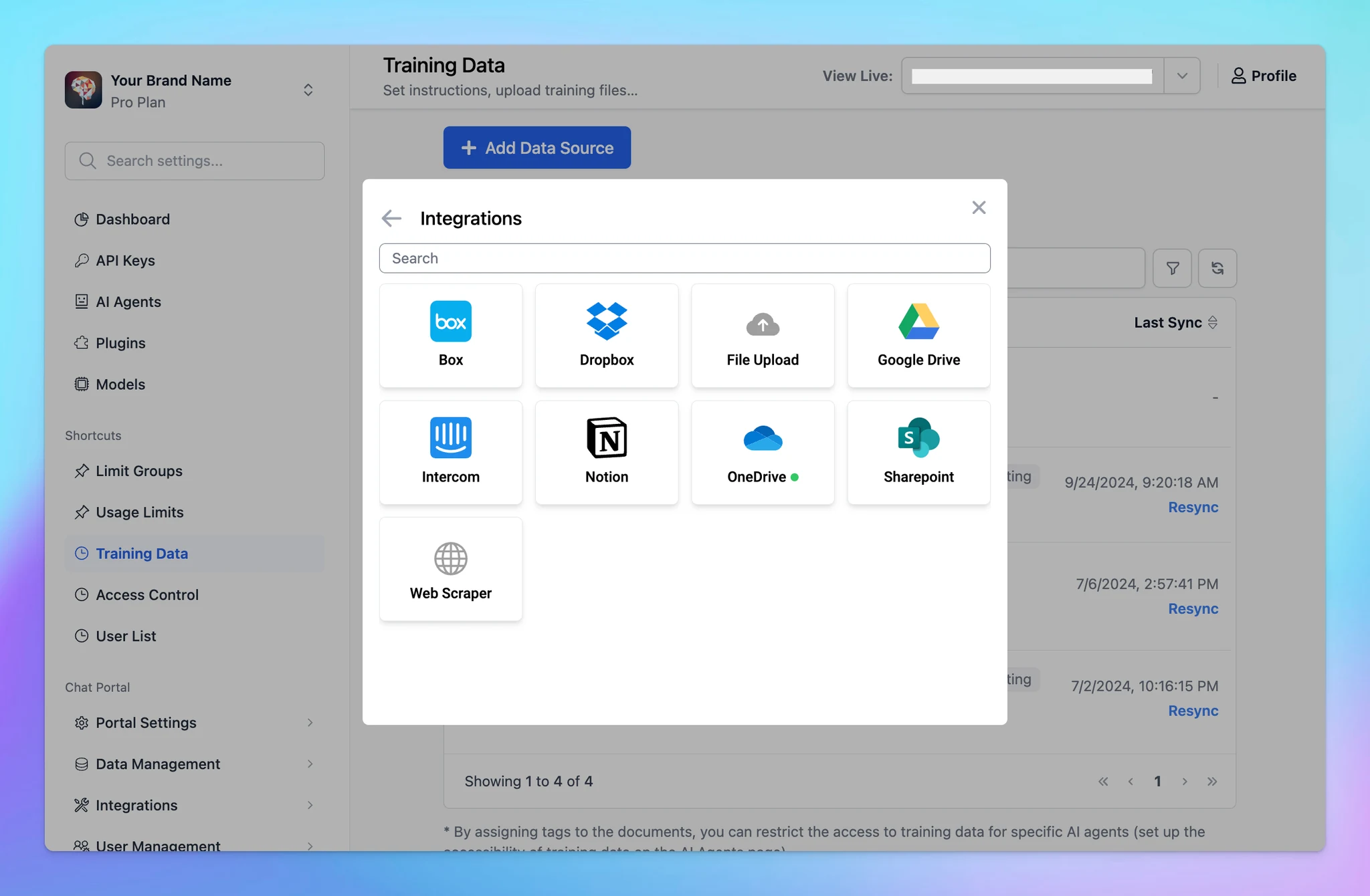
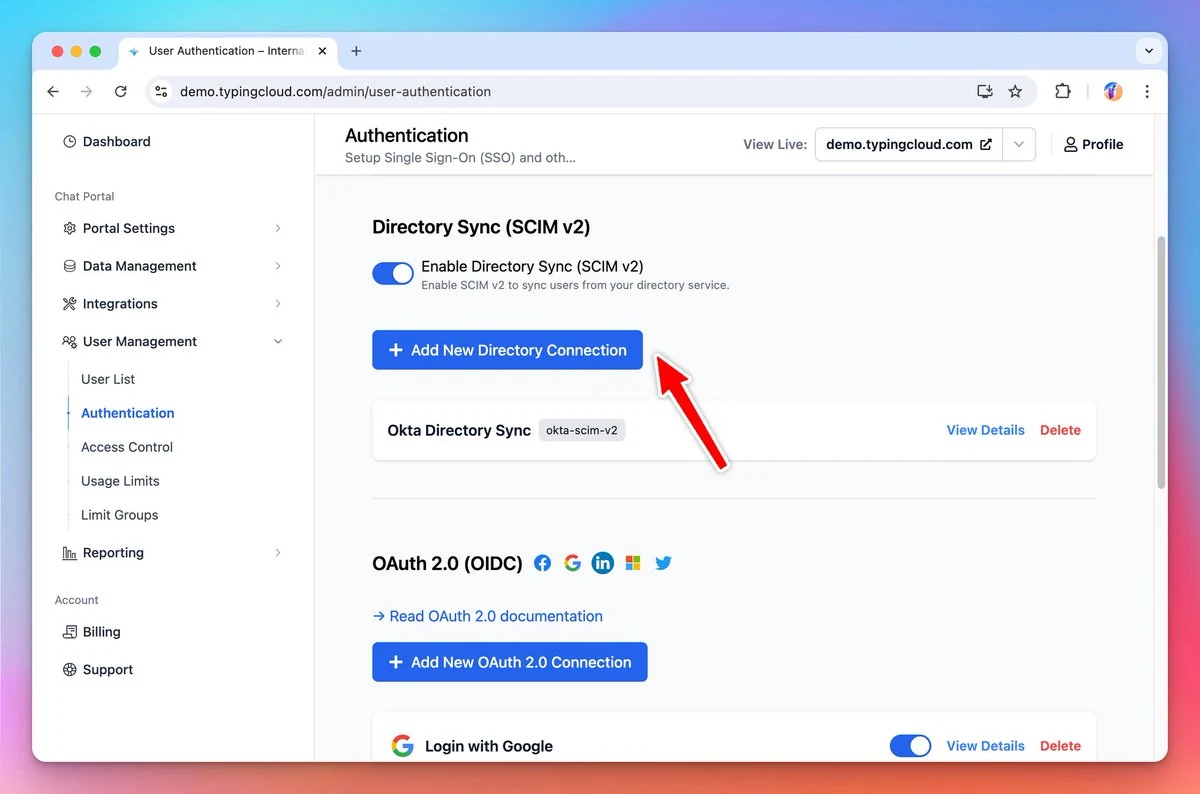
Directory sync

🔄Directory Sync (SCIM v2) is now available on custom.typingmind.com You can now sync users automatically from your team's identity providers (Okta, Azure Directory, etc.) to TypingMind along with SSO. ⇒ Read our document/guide here:…

🔄Directory Sync (SCIM v2) is now available on custom.typingmind.com

You can now sync users automatically from your team's identity providers (Okta, Azure Directory, etc.) to TypingMind along with SSO.

⇒ Read our document/guide here: https://docs.typingmind.com/typingmind-custom/user-management/setup-directory-sync-(scim-v2)

Directory sync

See the announcement on X

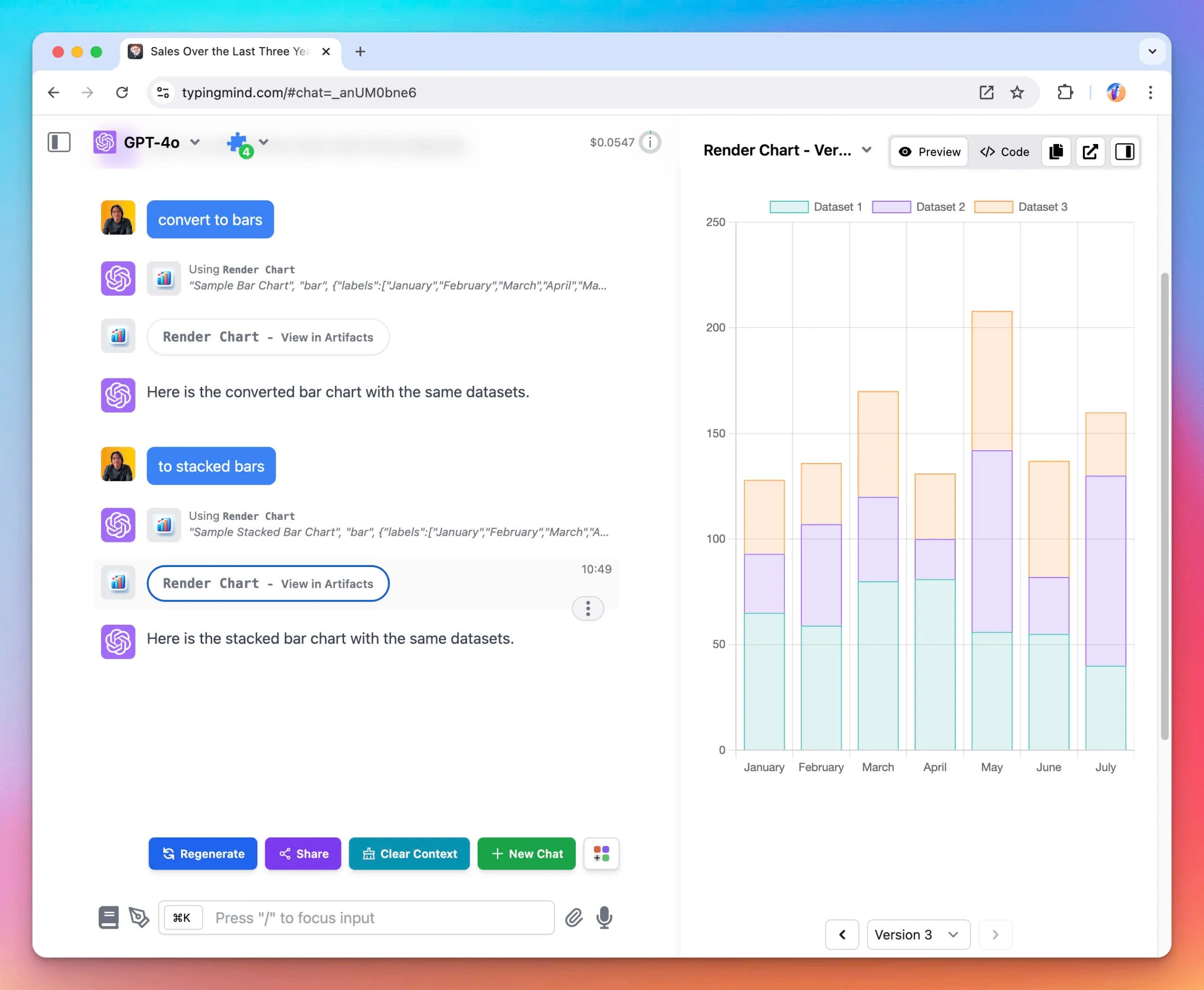
Artifacts on TypingMind

✅ We have just implemented Artifacts in TypingMind - a new feature built to simplify and enhance your workflow! TypingMind Artifacts are designed to seamlessly integrate with your existing workflow. It is compatible with all plugins that render markdown or…

✅ We have just implemented Artifacts in TypingMind - a new feature built to simplify and enhance your workflow!

TypingMind Artifacts are designed to seamlessly integrate with your existing workflow.

It is compatible with all plugins that render markdown or HTML. Also, by using Artifacts on TypingMind, you are not limited to just the Claude models but you can use with any models that support plugins.

🏁 How it works:

Artifacts in TypingMind are automatically triggered for generating structured content (e.g., code, documents, data visualizations). Therefore, you do not need to manually start an Artifact; it appears when the context requires it.

The AI will automatically deploy relevant plugins (e.g., Interactive Canvas, Render Charts, Mermaid Diagram) to generate visual elements.

Artifacts on TypingMind

To help you clearly understand about TypingMind Artifacts, learn more: https://docs.typingmind.com/plugins/typingmind-artifacts

See the announcement on X

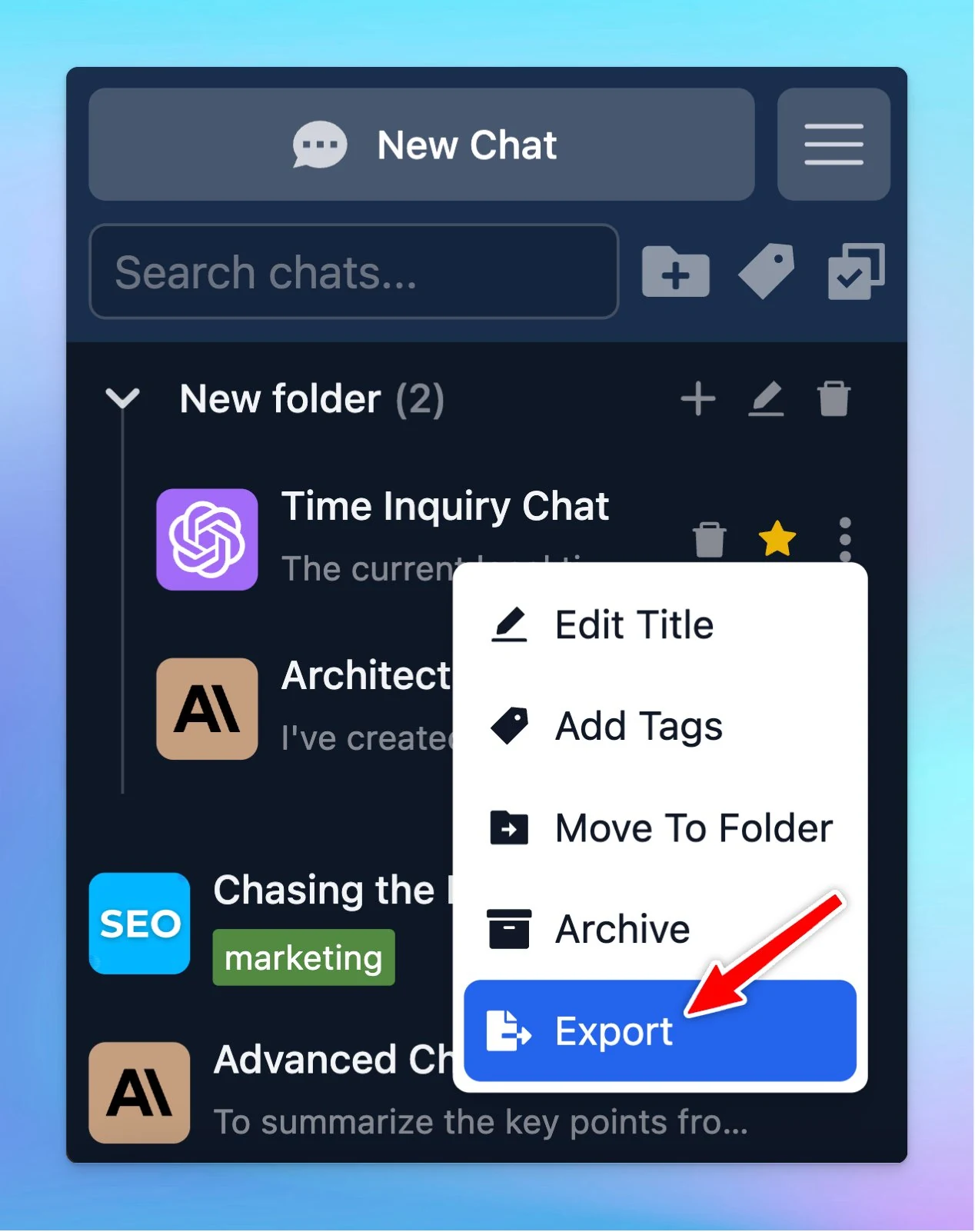
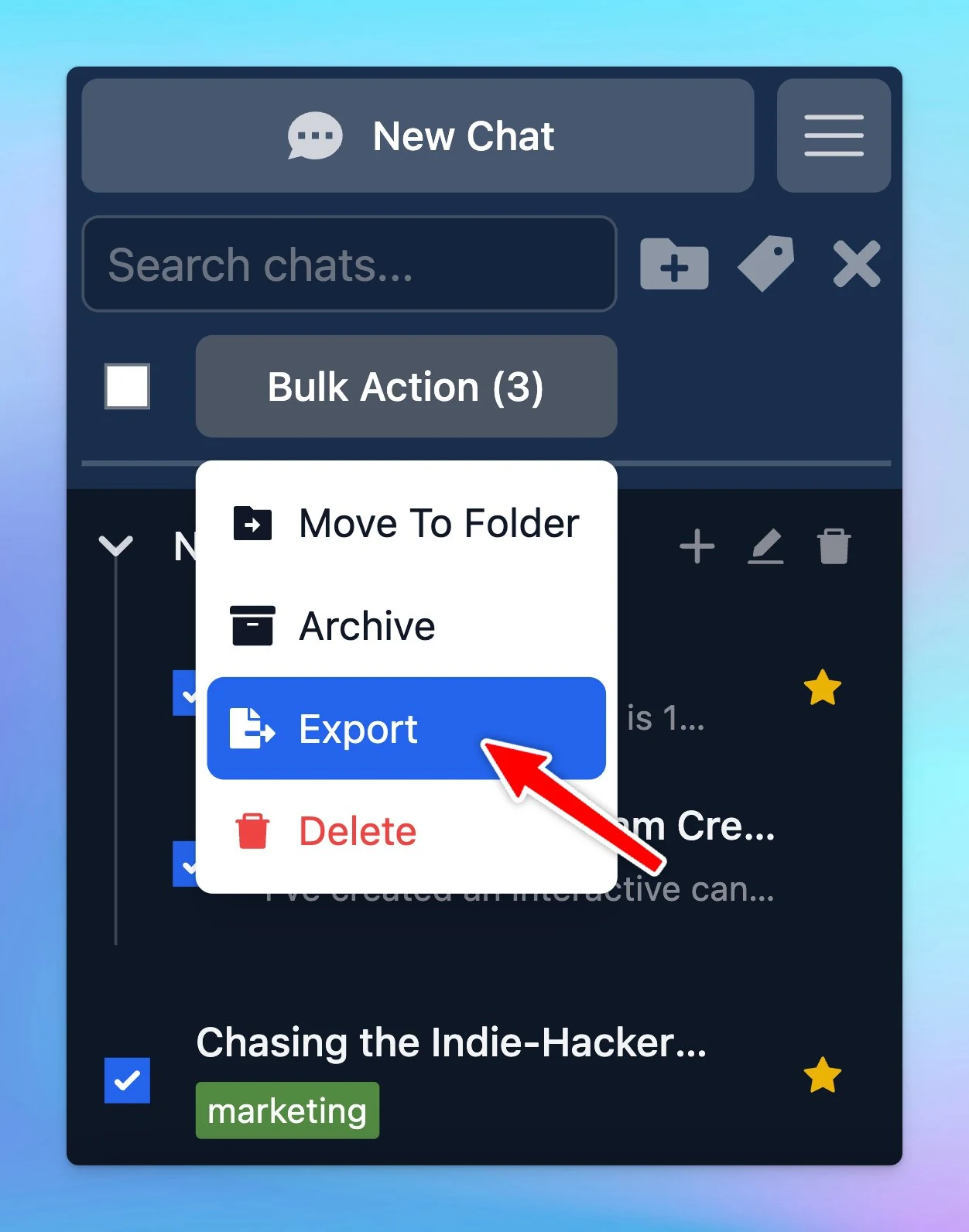
Export a single chat or multiple chats as JSON

You now can export a single chat or multiple selected chats (at once)! 🏁 How it works: Choose the chat (one or some) you want to export as JSON Directly choose export for one chat/ To export multiple chats at once, choose bulk action → export To help you…

You now can export a single chat or multiple selected chats (at once)!

🏁 How it works:

  • Choose the chat (one or some) you want to export as JSON
  • Directly choose export for one chat/ To export multiple chats at once, choose bulk action → export
Export a single chat or multiple chats as JSON (screenshot 1 of 2)
Export a single chat or multiple chats as JSON (screenshot 2 of 2)

To help you clearly understand about sharing/export the chat, check out here:

https://docs.typingmind.com/chat-management/shareexport-a-chat

See the announcement on X

New usage limits system!

The Usage Limits system for custom.typingmind.com has been revamped! 🚀 Now admins can set specific usage limits - Message and Character Limits - at different levels for better control: 🔸 Global Limits 🔸 AI Model Limits 🔸 AI Agent Limits 🔸 User Limits See…

The Usage Limits system for custom.typingmind.com has been revamped! 🚀

Now admins can set specific usage limits - Message and Character Limits - at different levels for better control:

🔸 Global Limits
🔸 AI Model Limits
🔸 AI Agent Limits
🔸 User Limits

See the announcement on X

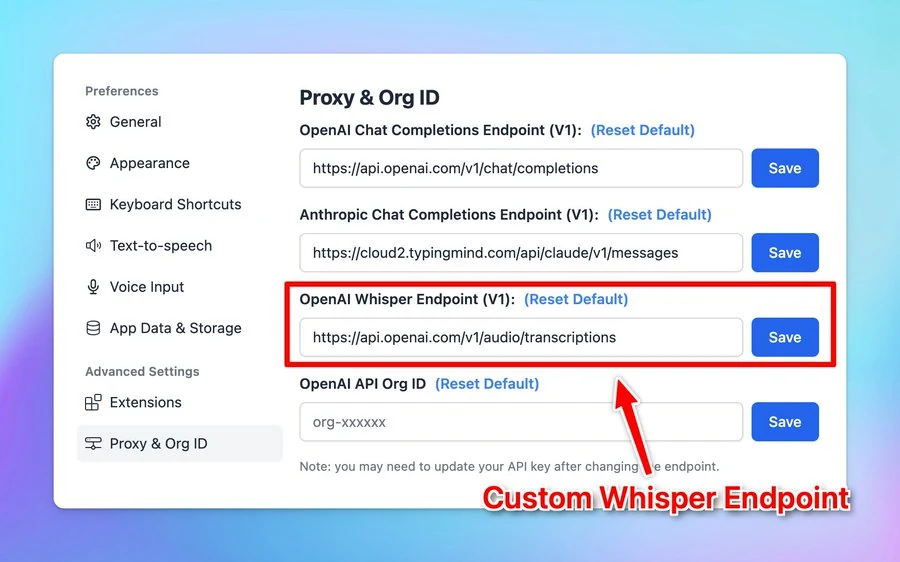
Set up Local Whisper

Set your local Whisper endpoint for voice input on http://typingmind.com! 🏁 How it works Go to Settings Select Proxy & Org ID Change the OpenAI Whisper Endpoint to your local endpoint. See the announcement on X

Set your local Whisper endpoint for voice input on http://typingmind.com!

🏁 How it works

  • Go to Settings
  • Select Proxy & Org ID
  • Change the OpenAI Whisper Endpoint to your local endpoint.
Set up Local Whisper

See the announcement on X

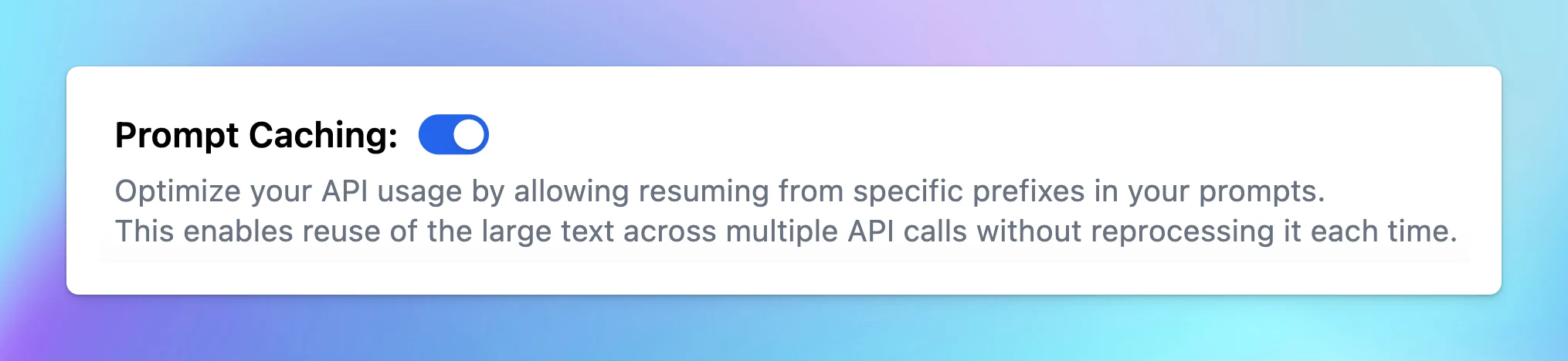
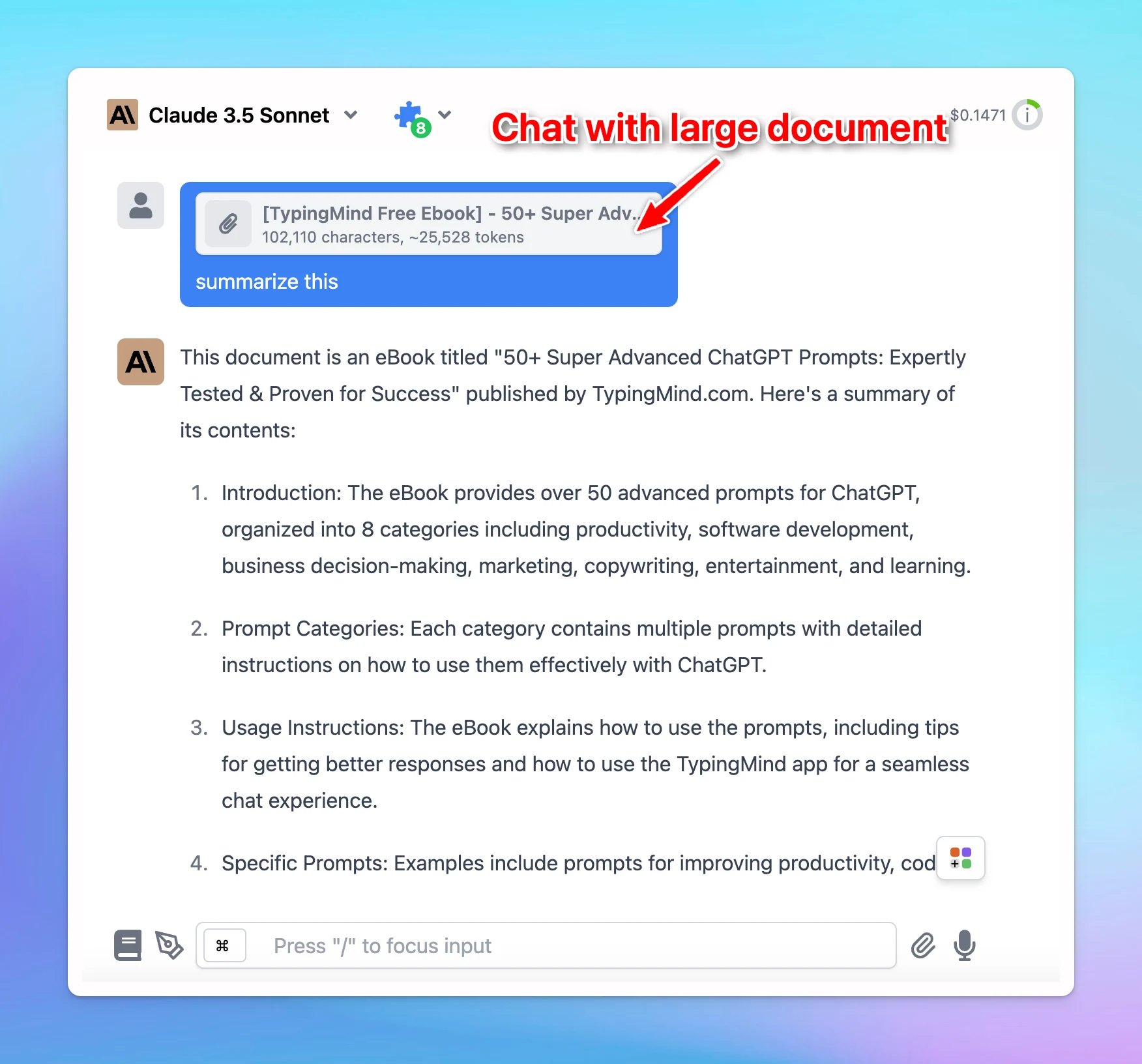
Prompt Caching for Claude

Automatic Prompt Caching for Claude is now available on typingmind.com! Prompt Caching allows Claude models to store and reuse stable contexts, such as system instructions or background information. With this, you can provide Claude with more extensive…

Automatic Prompt Caching for Claude is now available on typingmind.com!

  • Prompt Caching allows Claude models to store and reuse stable contexts, such as system instructions or background information.
  • With this, you can provide Claude with more extensive background knowledge and example outputs – all while cutting costs by 90% and speeding up responses by 85%!

🏁 How it works:

  • Go to Model Settings
  • Expand the Advanced Model Parameter
  • Scroll down to enable the “Prompt Caching” option

Notes:

  • The cache has a 5-minute lifetime, refreshed each time the cached content is used.
  • Avoid using Prompt Caching with Dynamic Context, as changing system prompts cannot be cached.
Prompt Caching for Claude (screenshot 1 of 3)
Prompt Caching for Claude (screenshot 2 of 3)
Prompt Caching for Claude (screenshot 3 of 3)

To help you clearly understand about Prompt Caching, check out here:

https://docs.typingmind.com/prompts/automatic-prompt-caching

See the announcement on X

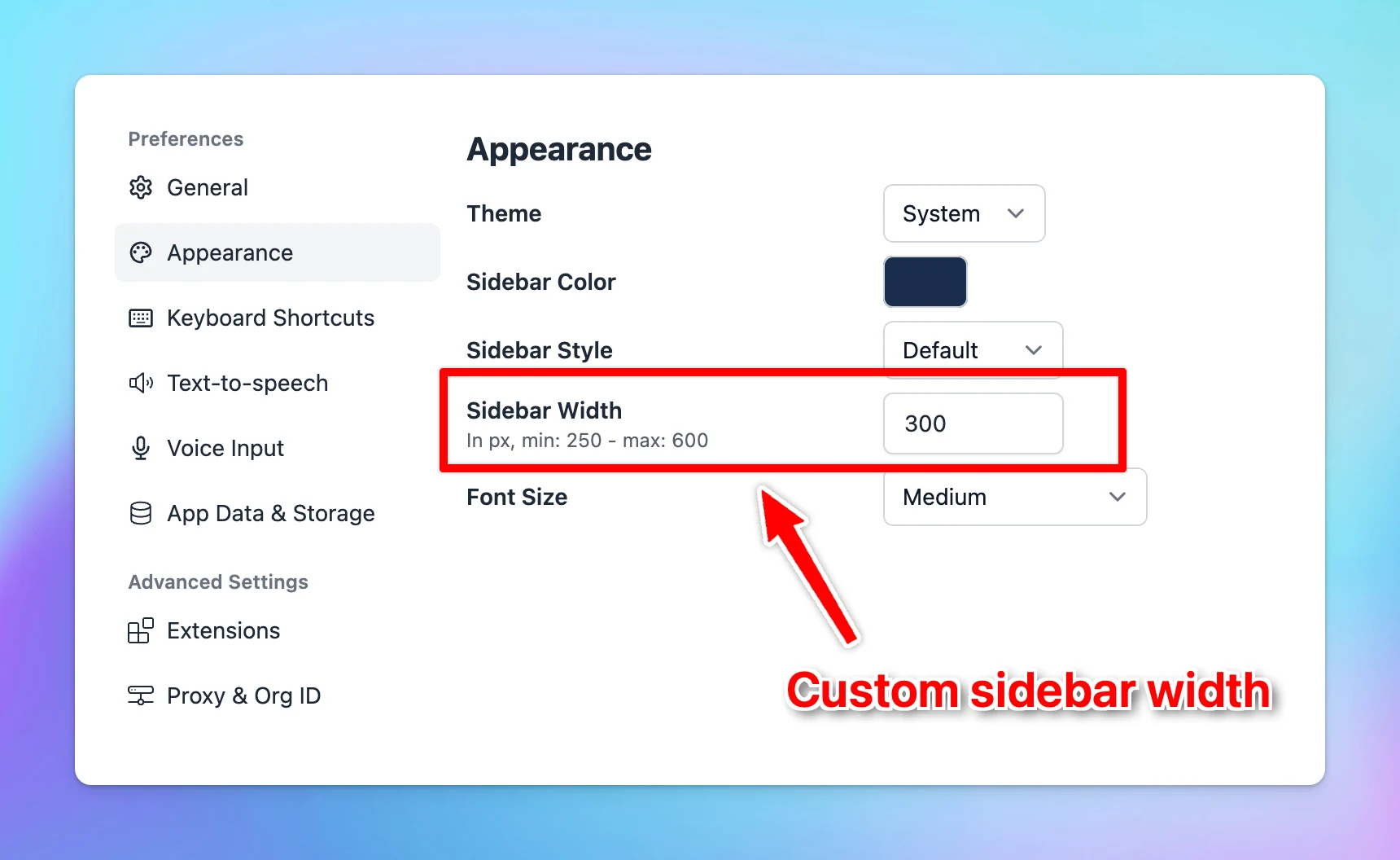
Customize Sidebar Width

✅ You can now customize the left sidebar's width to better suit your workspace preferences! Custom sidebar width: adjust the left sidebar to your preferred size. See the announcement on X

✅ You can now customize the left sidebar's width to better suit your workspace preferences!

Custom sidebar width: adjust the left sidebar to your preferred size.

Customize Sidebar Width

See the announcement on X

Cost estimation for Gemini

Cost estimation for Gemini models is now available! ⚙️ How it works? Chat with Gemini models and the cost estimation will appear on the top right corner of the app. See the announcement on X

Cost estimation for Gemini models is now available!

⚙️ How it works?

Chat with Gemini models and the cost estimation will appear on the top right corner of the app.

Cost estimation for Gemini

See the announcement on X

Added OAuth 2.0!

Added OAuth 2.0 to custom.typingmind.com 😄 Now you can integrate with ANY OAuth 2.0 provider so your users can log in more easily. 👋 Go to Admin Panel → User Management → Authentication → OAuth 2.0 to set up. See the announcement on X

Added OAuth 2.0 to custom.typingmind.com 😄

Now you can integrate with ANY OAuth 2.0 provider so your users can log in more easily.

👋 Go to Admin Panel → User Management → Authentication → OAuth 2.0 to set up.

See the announcement on X

Option to require members login before seeing the chat UI

Added an option to hide the chat interface behind the login screen for custom.typingmind.com! 🔛 When this option is enabled, members will need to log in before they can access the chat interface. See the announcement on X

Added an option to hide the chat interface behind the login screen for custom.typingmind.com!

🔛 When this option is enabled, members will need to log in before they can access the chat interface.

See the announcement on X

Queue Multiple Inputs

✅ You can now create a workflow with multiple queued messages for AI agents on typingmind.com: Queue multiple messages in one go! This feature also works with your prompt saved in the Prompt Library. 🏁 How it works: Use "---" to queue your messages. See the…

✅ You can now create a workflow with multiple queued messages for AI agents on typingmind.com:

  • Queue multiple messages in one go!
  • This feature also works with your prompt saved in the Prompt Library.

🏁 How it works:

Use "---" to queue your messages.

See the announcement on X

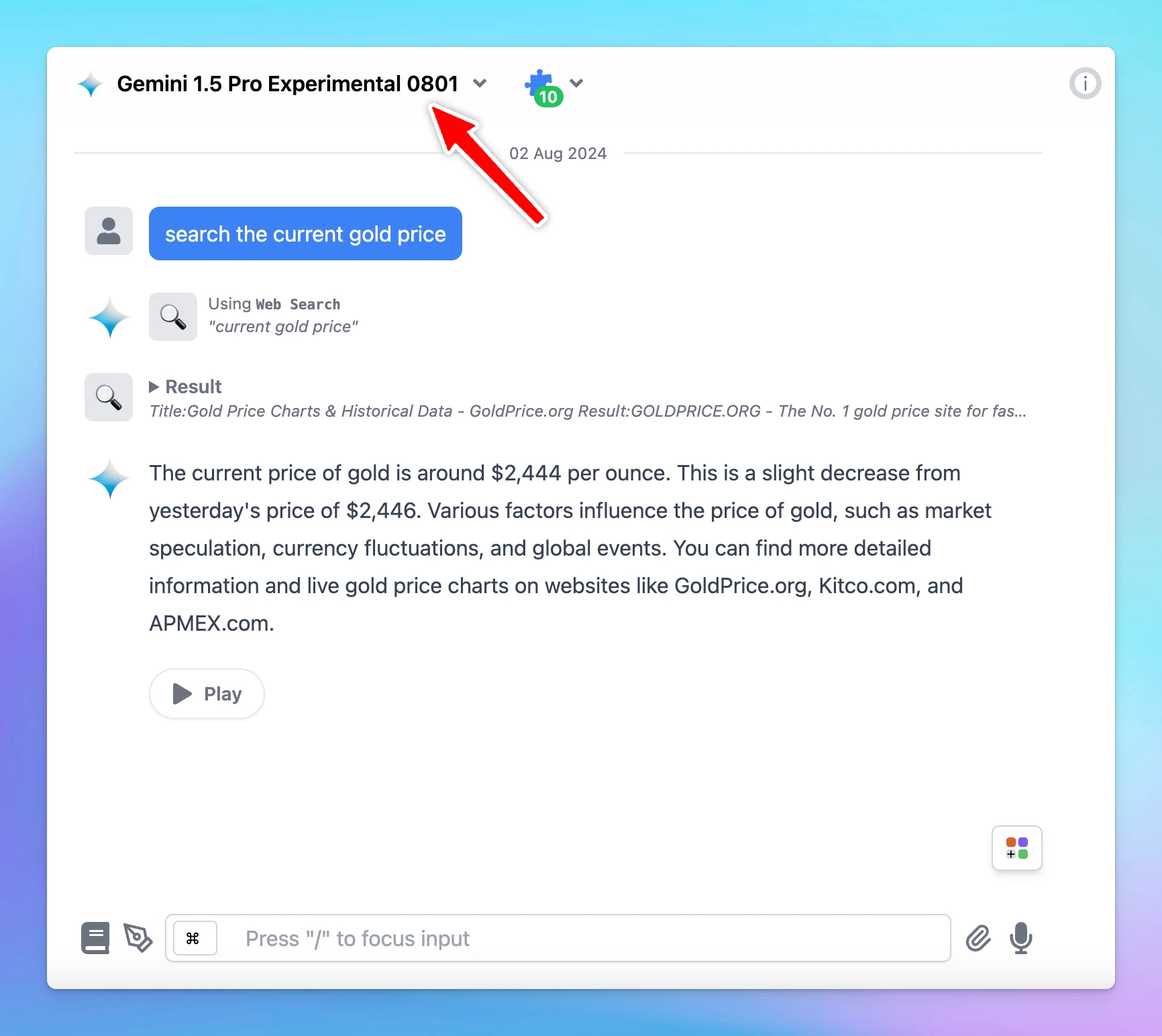
Gemini 1.5 Pro Experimental 0801 is now available

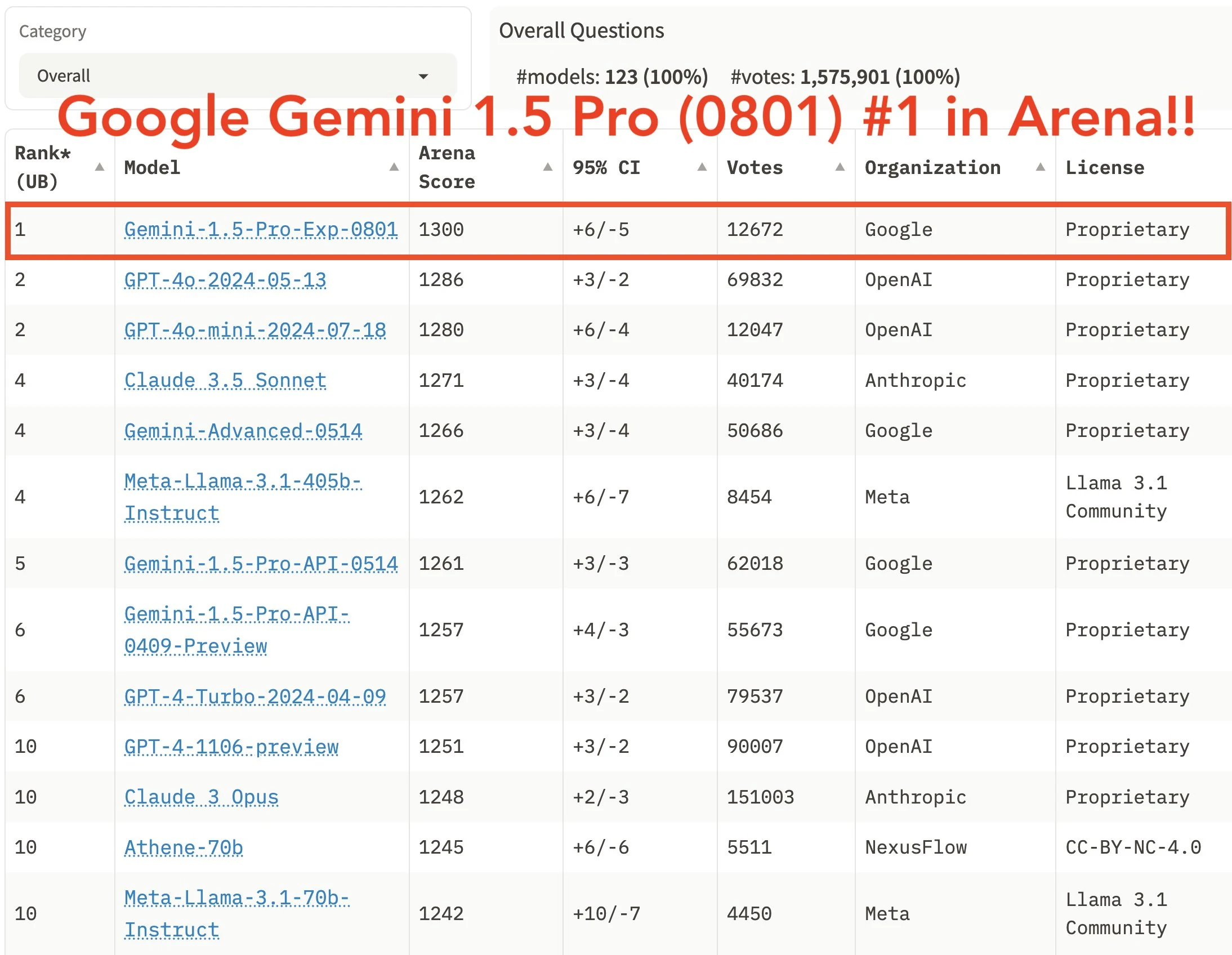
✅ Gemini 1.5 Pro Experimental 0801 is now available on TypingMind.com 🔥 New Gemini models: Gemini 1.5 Pro Experimental 0801 This model currently ranked #1 on LMSYS Chatbot Arena Leaderboard! See the announcement on X

✅ Gemini 1.5 Pro Experimental 0801 is now available on TypingMind.com 🔥

New Gemini models: Gemini 1.5 Pro Experimental 0801

This model currently ranked #1 on LMSYS Chatbot Arena Leaderboard!

Gemini 1.5 Pro Experimental 0801 is now available (screenshot 1 of 2)
Gemini 1.5 Pro Experimental 0801 is now available (screenshot 2 of 2)

See the announcement on X

New sidebar

New sidebar on custom.typingmind.com! We have made it even easier for Admins to view and set up your chat instance with a new sidebar: Cleaner design Toggle between sections to see relevant information instantly. See the announcement on X

New sidebar on custom.typingmind.com!

We have made it even easier for Admins to view and set up your chat instance with a new sidebar:

  • Cleaner design
  • Toggle between sections to see relevant information instantly.

See the announcement on X

July 2024

Queue inputs

No more waiting for AI replies because now you have Queue inputs on TypingMind. Once the current AI response is finished, the AI assistant will automatically process each input one by one. 🏁 How it works: Submit the initial input While the AI assistant is…

No more waiting for AI replies because now you have Queue inputs on TypingMind.

Once the current AI response is finished, the AI assistant will automatically process each input one by one.

🏁 How it works:

  • Submit the initial input
  • While the AI assistant is answering, type more inputs and press Enter to line them up in a queue
  • The AI will process each input one by one.

See the announcement on X

TypingMind is SOC 2 Compliant!

TypingMind is now SOC2 compliant! 🛡️ We're committed to protecting your data and privacy. This certification validates our security practices, giving you peace of mind while using our advanced AI chat interface 🥳 Learn more:…

TypingMind is now SOC2 compliant! 🛡️

We're committed to protecting your data and privacy.

This certification validates our security practices, giving you peace of mind while using our advanced AI chat interface 🥳

Learn more: https://docs.typingmind.com/security-and-compliance

❓ What Does It Mean?

  • As a customer: Not much changed, we have always been taking your data security and privacy very seriously. This certificate is just an additional proof from an external auditor to verify that we are using the best practices and industry standards regarding data security to protect your data. We hope this bring you more trust in our platform!
  • As a reseller: When talking to potential clients, your clients may want to run a security audit of your vendors (in this case: TypingMind Custom). Our SOC2 certificate means that from now on, your job will be much easier. We provide our security reports and SOC2 report on request (with NDA signed). If you need one, just contact us via support@typingmind.com

See the announcement on X

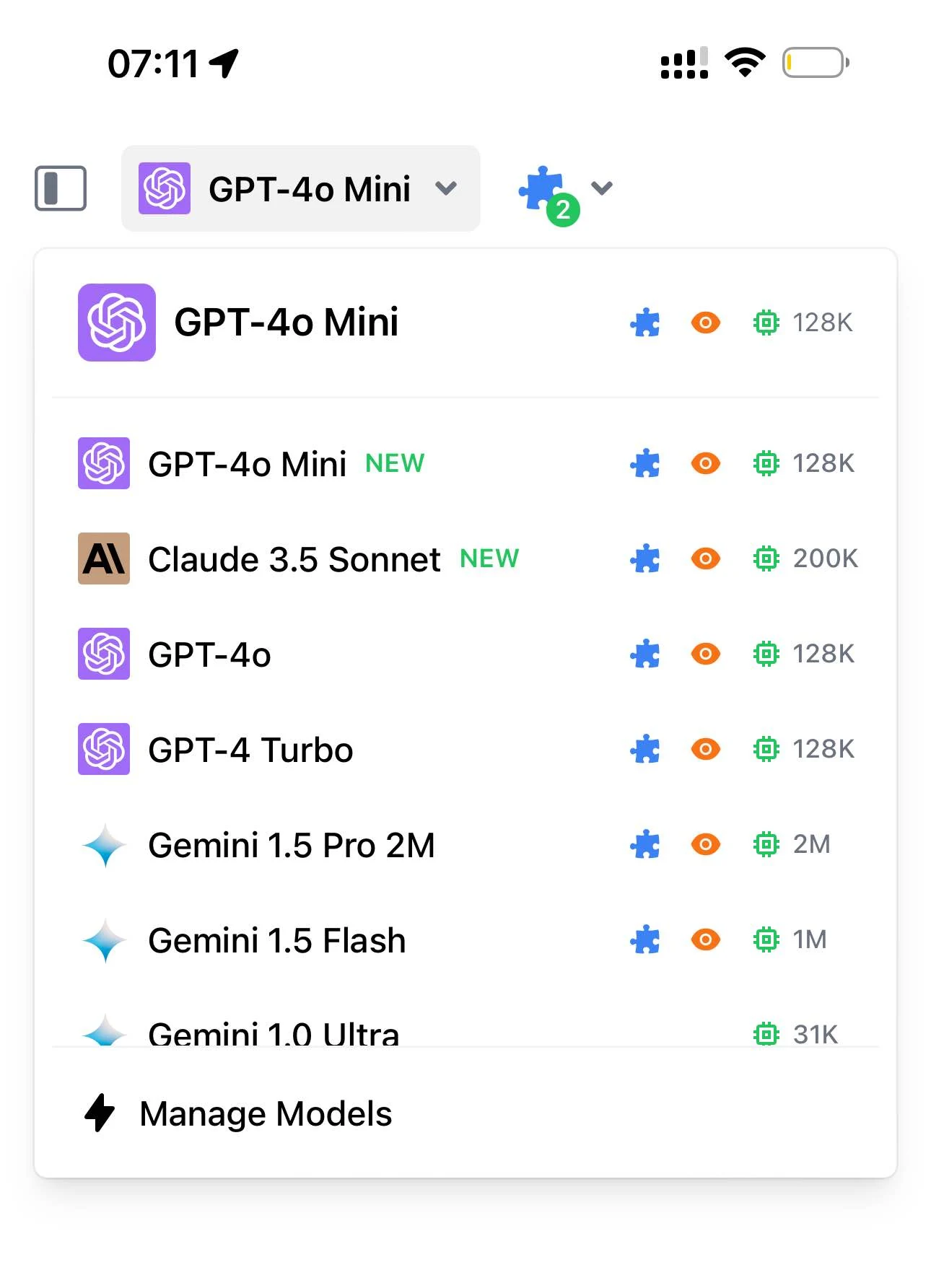
GPT-4o mini is now available

✅ GPT-4o mini is now available on TypingMind.com 🥳 GPT-4o mini is now available: GPT-4o Mini is a smaller, optimized version of the GPT-4o language model designed to run efficiently on mobile devices like smartphones and tablets. See the announcement on X

✅ GPT-4o mini is now available on TypingMind.com 🥳

GPT-4o mini is now available: GPT-4o Mini is a smaller, optimized version of the GPT-4o language model designed to run efficiently on mobile devices like smartphones and tablets.

GPT-4o mini is now available

See the announcement on X

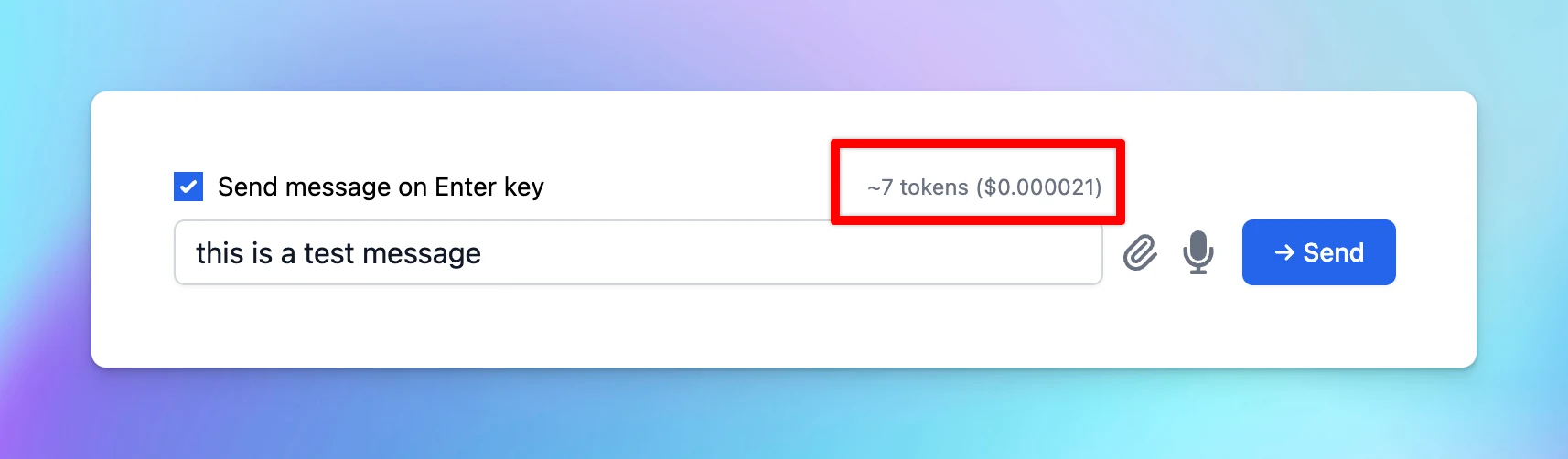
View cost estimate before sending message

✅ You can now see the initial cost estimation before sending a prompt. 🔸You can now view the initial cost estimation before sending a prompt. This helps to estimate the cost exactly! See the announcement on X

✅ You can now see the initial cost estimation before sending a prompt.

🔸You can now view the initial cost estimation before sending a prompt. This helps to estimate the cost exactly!

View cost estimate before sending message

See the announcement on X

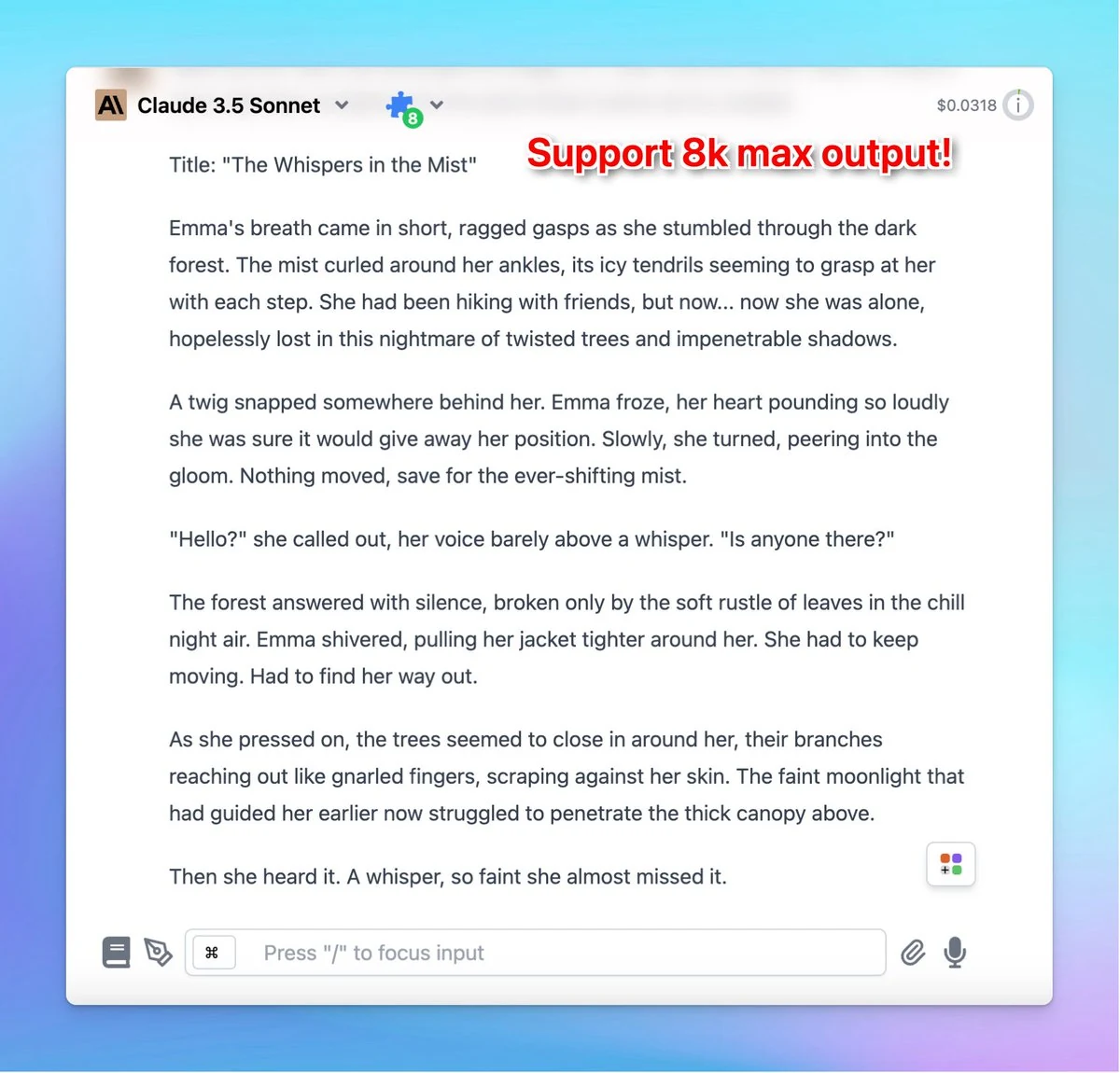
Claude 3.5 Sonnet now has 8k max output!

✅ Claude 3.5 Sonnet max output has been doubled! Claude 3.5 Sonnet now has 8k max output. It updated from 4096 tokens to 8192 tokens. ❓ How To Use: Quick change the token limit of Claude 3.5 Sonnet: Go to Advanced Model Parameters > Set the Max tokens limit…

✅ Claude 3.5 Sonnet max output has been doubled!

Claude 3.5 Sonnet now has 8k max output. It updated from 4096 tokens to 8192 tokens.

Claude 3.5 Sonnet now has 8k max output! (screenshot 1 of 4)

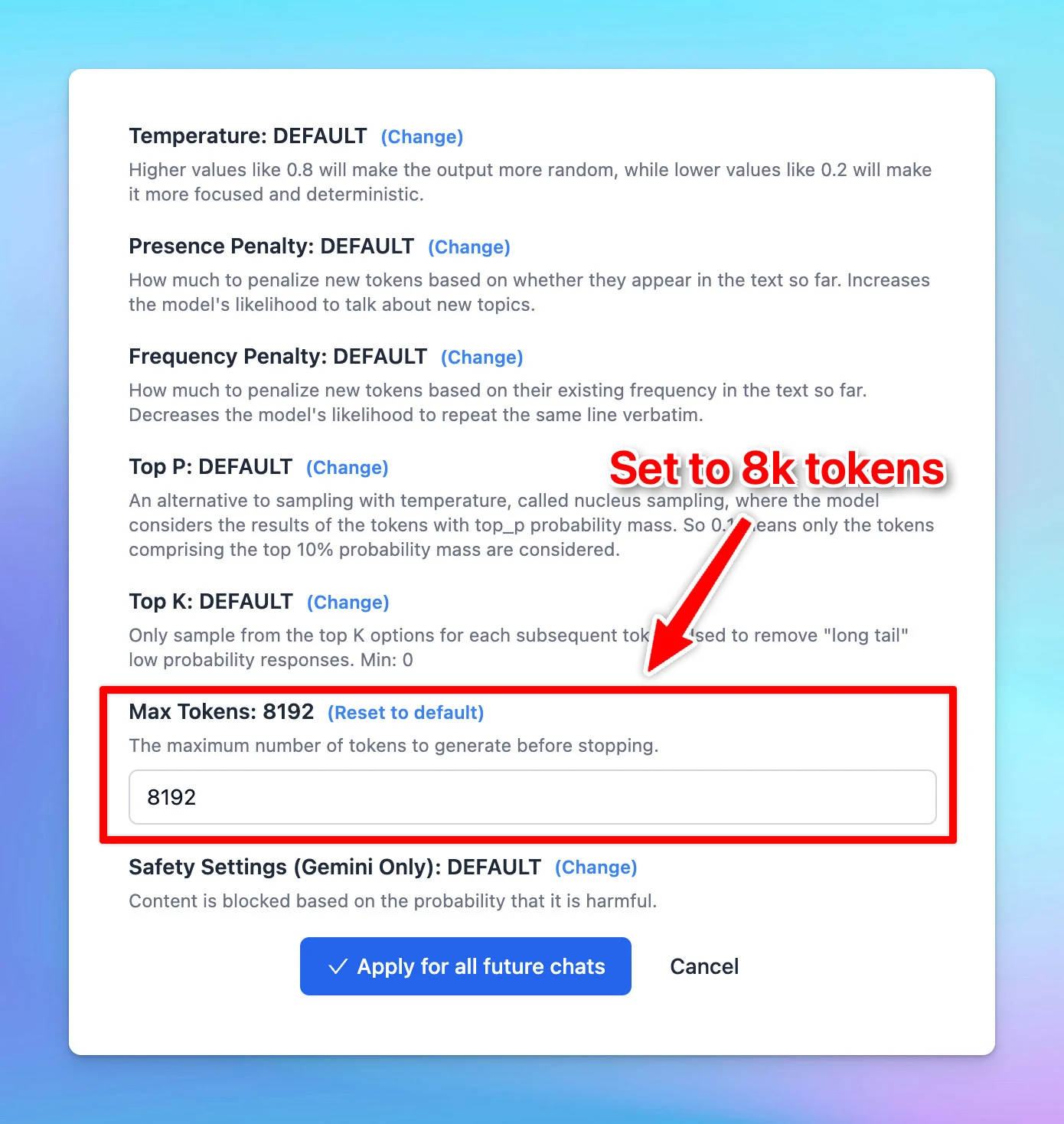
❓ How To Use:

Quick change the token limit of Claude 3.5 Sonnet:

  • Go to Advanced Model Parameters > Set the Max tokens limit to 8192.
Claude 3.5 Sonnet now has 8k max output! (screenshot 2 of 4)

See the announcement on X

Suspend members

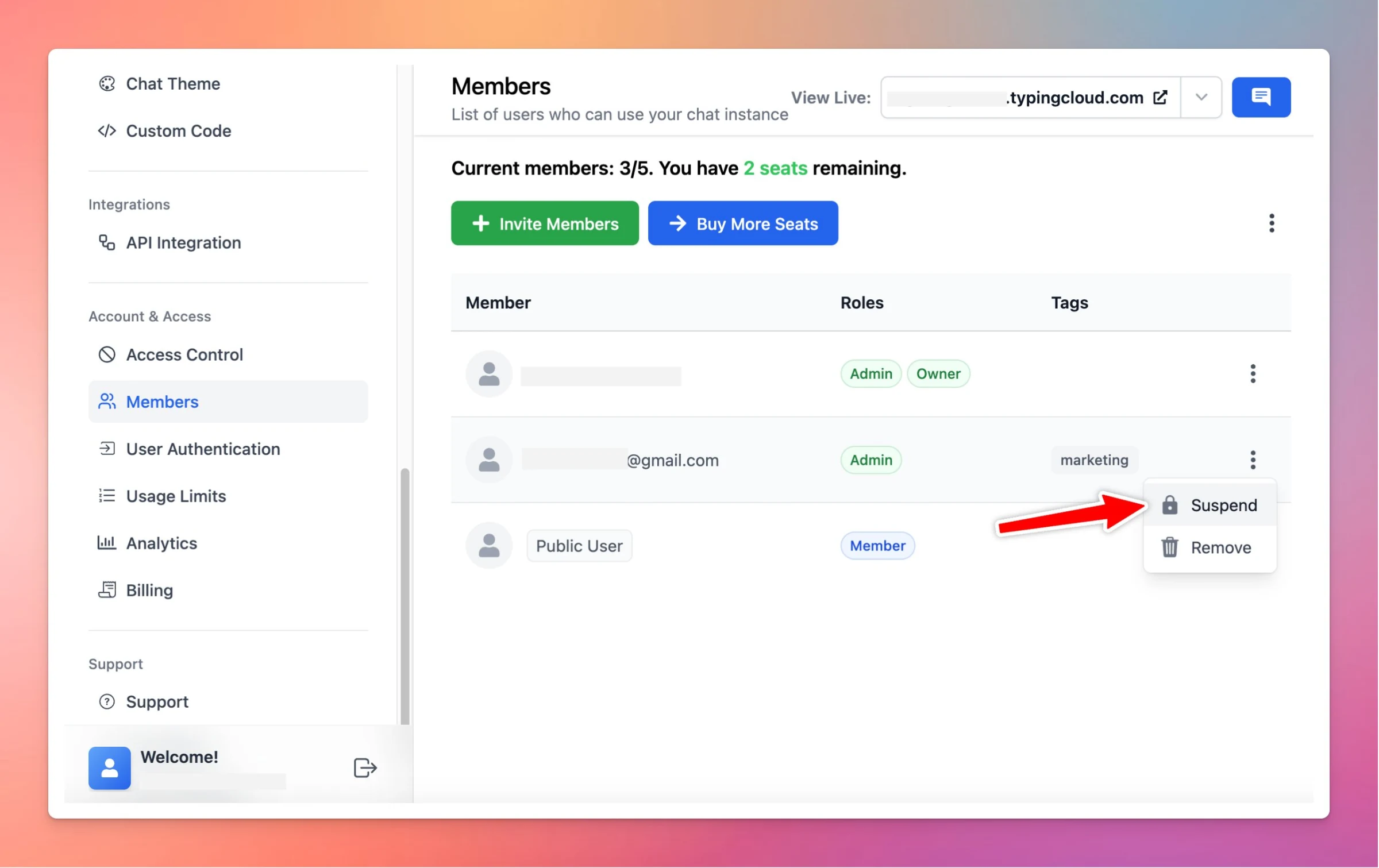
New in custom.typingmind.com: Suspend members🛑 Members who are suspended: Cannot access the chat instance, but their data will be retained. Do not count towards the total number of seats. Can be unsuspended at any time. See the announcement on X
New in custom.typingmind.com: Suspend members🛑

Members who are suspended:

  • Cannot access the chat instance, but their data will be retained.
  • Do not count towards the total number of seats.
  • Can be unsuspended at any time.
Suspend members

See the announcement on X

New plugin: Mermaid diagram

✅ We’ve updated a new plugin on TypingMind: Mermaid diagram Mermaid Diagram: New Plugin on typingmind.com. This plugin helps you generate and render diagrams using the Mermaid.js library. This can be used to render various types of diagrams, including…
✅ We’ve updated a new plugin on TypingMind: Mermaid diagram

Mermaid Diagram: New Plugin on typingmind.com.

  • This plugin helps you generate and render diagrams using the Mermaid.js library.
  • This can be used to render various types of diagrams, including Flowchart, Sequence Diagram, Class Diagram, Mind Map, Gantt Chart, etc.

To learn how to use plugin on TypingMind, refer to this: https://docs.typingmind.com/plugins/how-to-use-typingmind-plugin

See the announcement on X

June 2024

More AI Agent collections

✅ Added more AI Agent collections on typingmind.com! Added more AI Agent collections on the library, you can find AI agents for every business area, including: Technical Design Marketing Sales Legal Finance Customer support and more! You can also set…

✅ Added more AI Agent collections on typingmind.com!

Added more AI Agent collections on the library, you can find AI agents for every business area, including:

  • Technical
  • Design
  • Marketing
  • Sales
  • Legal
  • Finance
  • Customer support
  • and more!

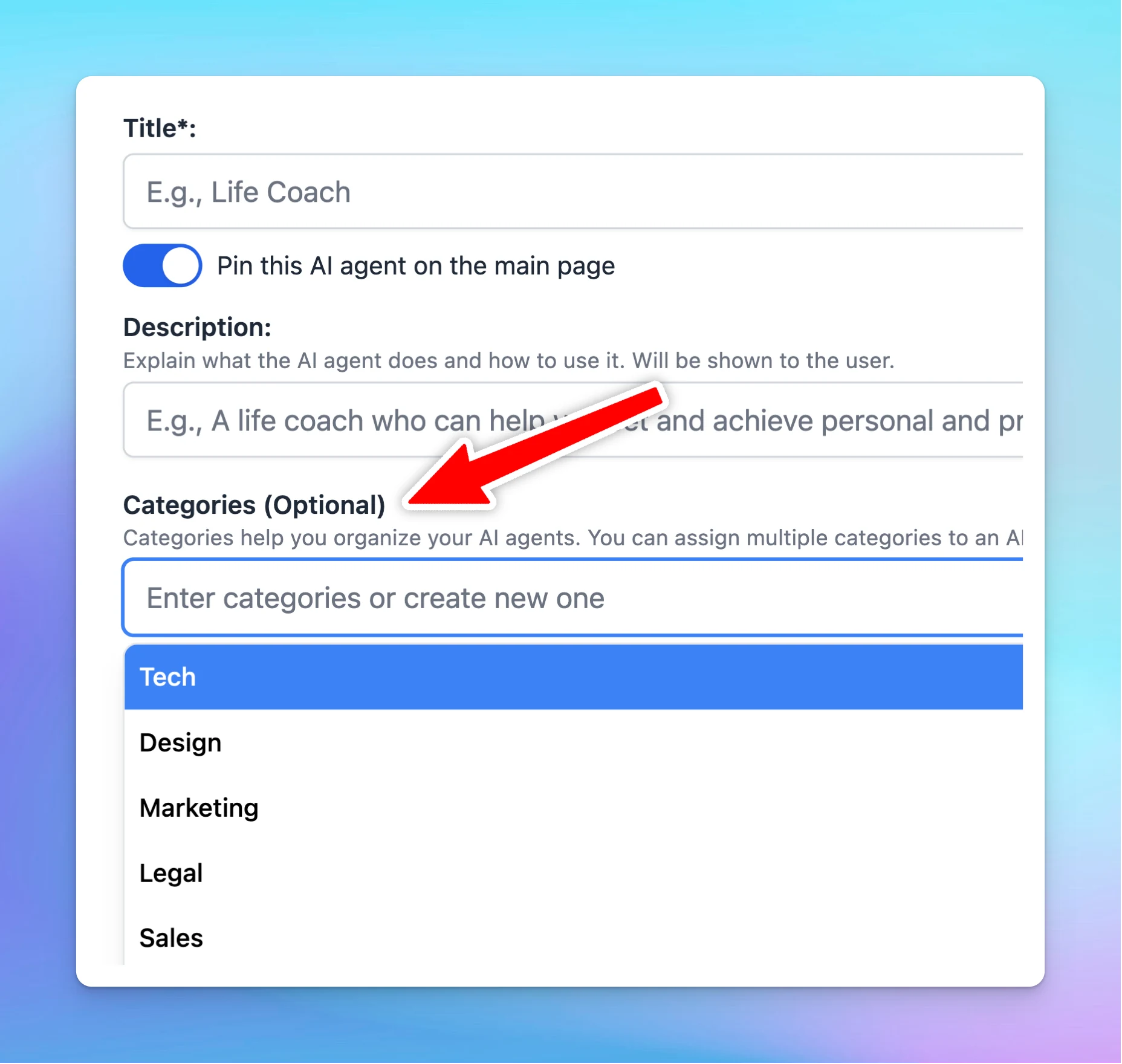
You can also set categories for your AI Agent to better organize them for specific tasks.

More AI Agent collections (screenshot 1 of 3)
More AI Agent collections (screenshot 2 of 3)
More AI Agent collections (screenshot 3 of 3)

See the announcement on X

Interactive Canvas plugin

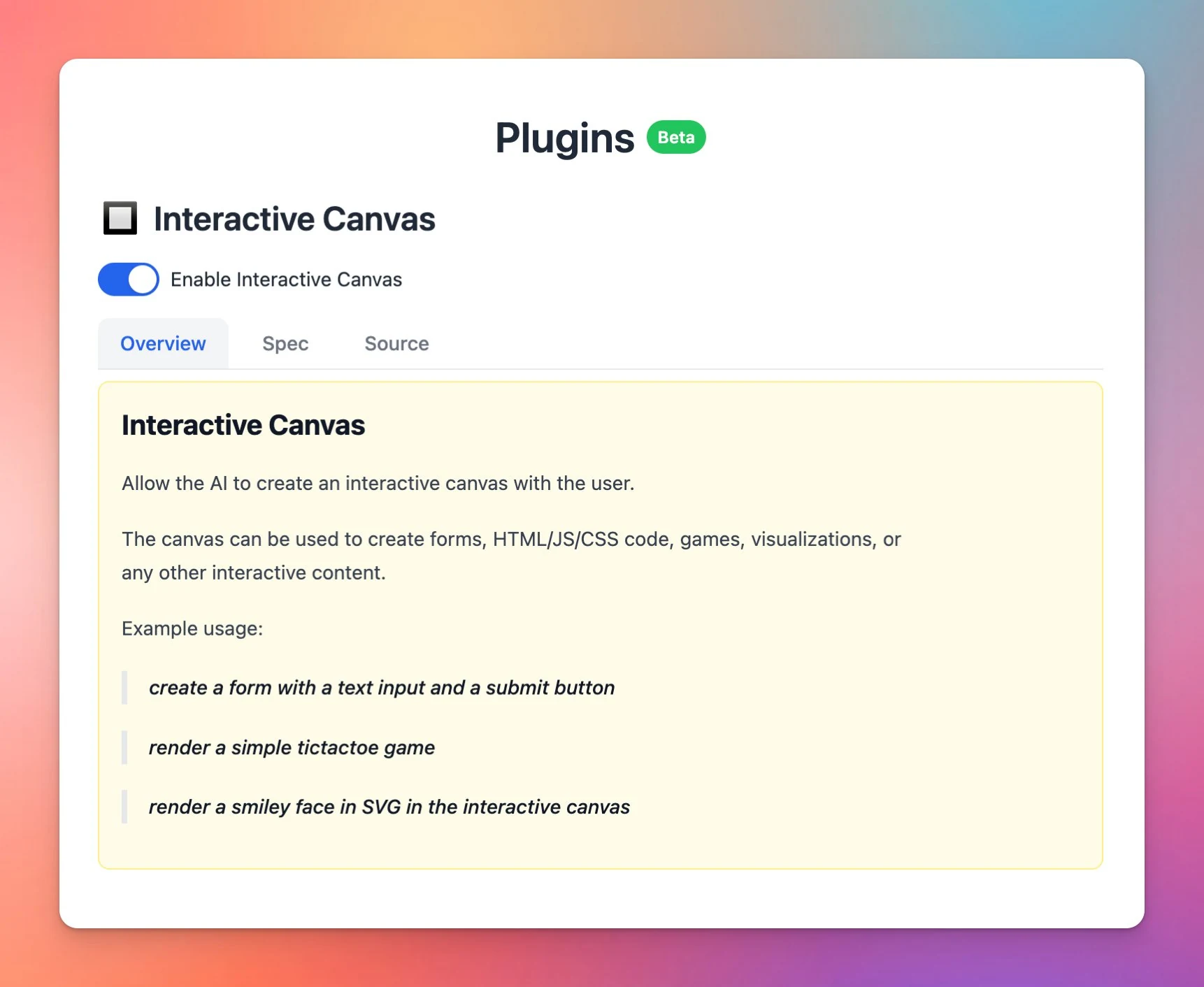
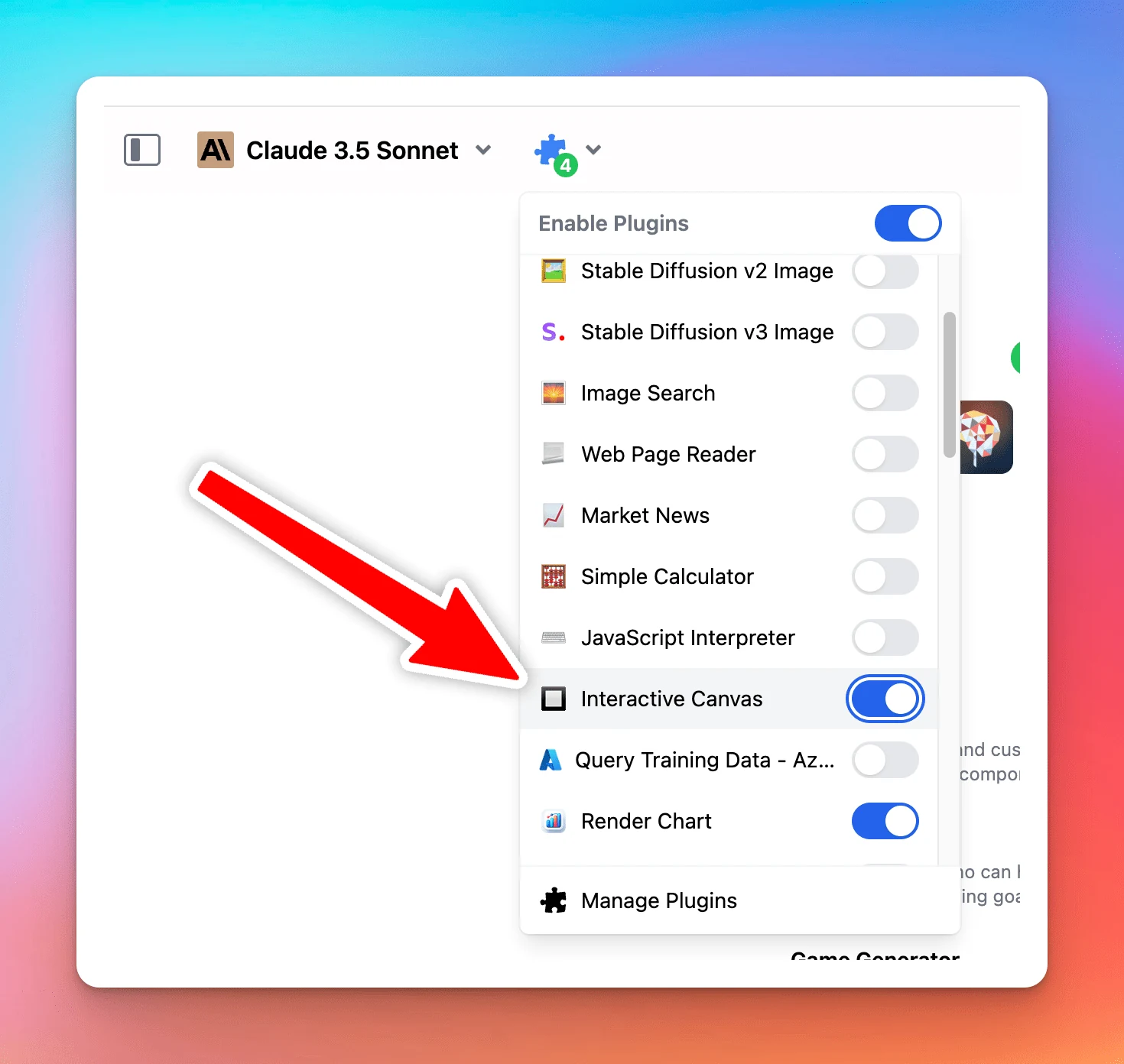
✅ We’ve launched a new plugin: Interactive Canvas New and powerful plugin - Interactive Canvas is now available on TypingMind. This allows AI model to: Generate UI elements, games, charts, forms, etc. Interactive experiences for you users directly in…

✅ We’ve launched a new plugin: Interactive Canvas

New and powerful plugin - Interactive Canvas is now available on TypingMind.

This allows AI model to:

  • Generate UI elements, games, charts, forms, etc.
  • Interactive experiences for you users directly in TypingMind
  • Can view and copy source (HTML/JS/CSS)
Interactive Canvas plugin (screenshot 1 of 2)
Interactive Canvas plugin (screenshot 2 of 2)

See the announcement on X

Set categories for AI Agent

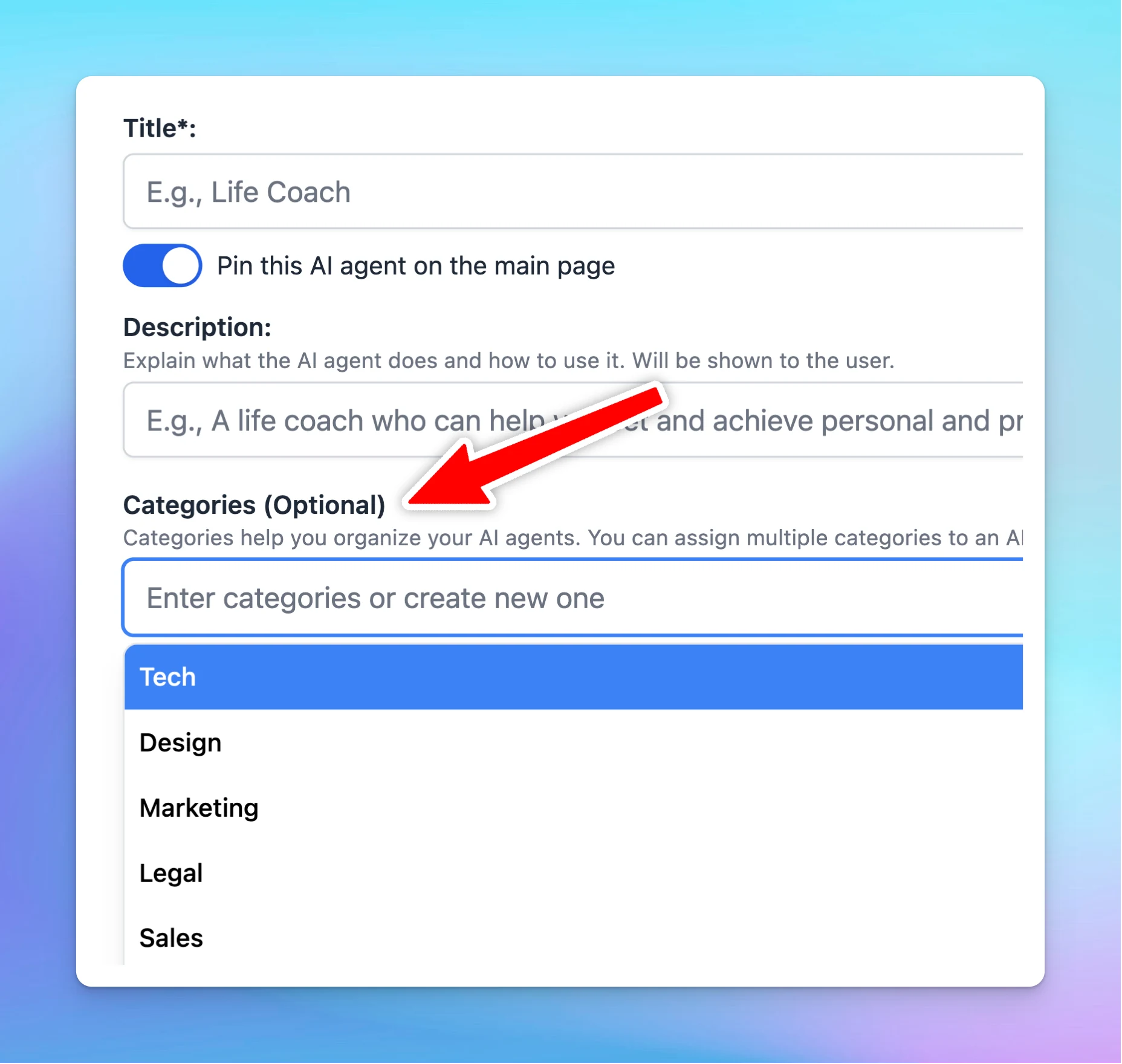
✅ Now you can set categories for your AI Agents to better organize them for specific tasks! Besides the updated AI agents collection from the previous update, you can also set categories for your AI Agent to better organize them for specific tasks. See the…

✅ Now you can set categories for your AI Agents to better organize them for specific tasks!

Besides the updated AI agents collection from the previous update, you can also set categories for your AI Agent to better organize them for specific tasks.

Set categories for AI Agent (screenshot 1 of 2)
Set categories for AI Agent (screenshot 2 of 2)

See the announcement on X

Gemini 1.5 Pro 2M tokens

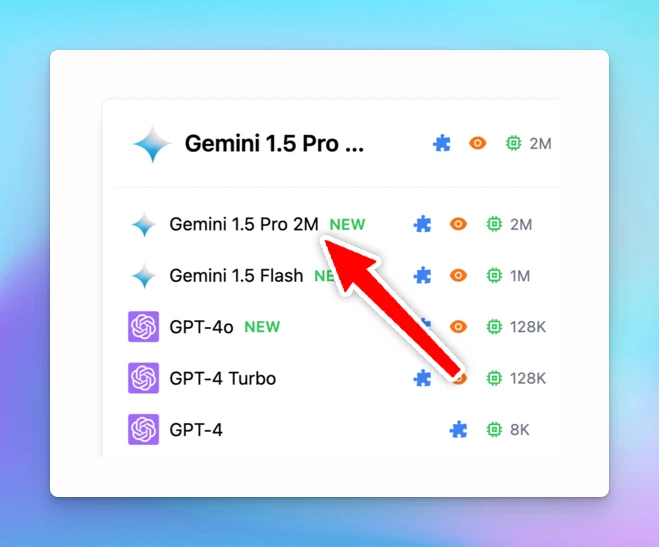
Google Gemini 1.5 Pro with 2M tokens is now available! Google Gemini 1.5 Pro with 2M tokens is now available on TypingMind.com 🥳 Please note that this model is not yet publicly available to everyone. If you haven't had access yet, you can join the waitlist…

Google Gemini 1.5 Pro with 2M tokens is now available!

Google Gemini 1.5 Pro with 2M tokens is now available on TypingMind.com 🥳

Please note that this model is not yet publicly available to everyone. If you haven't had access yet, you can join the waitlist here: https://ai.google.dev/gemini-api

Gemini 1.5 Pro 2M tokens

Easy access to Google's Gemini AI models with typingmind.com: https://docs.typingmind.com/chat-models-settings/use-with-gemini

See the announcement on X

Cost Estimation Calculator

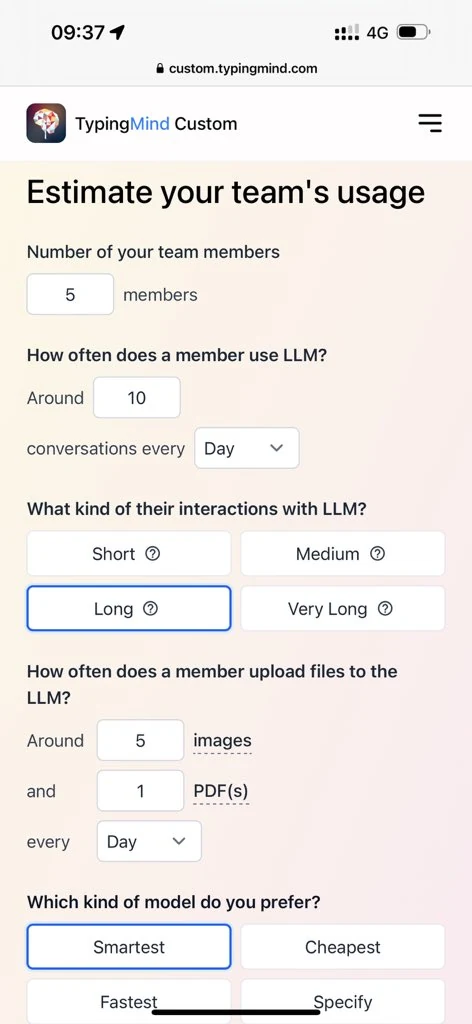
🧩 The cost estimation calculator is now available! Cost estimation calculator is now available! This calculator helps you estimate how much it will cost to use ChatGPT via the API key for your team. Find out more here:…

🧩 The cost estimation calculator is now available!

Cost estimation calculator is now available! This calculator helps you estimate how much it will cost to use ChatGPT via the API key for your team.

Find out more here: https://custom.typingmind.com/tools/estimate-llm-usage-costs

Cost Estimation Calculator

See the announcement on X

New plugin: Render chart

🧩 A new plugin is now available: Render Chart! New plugin: Render Chart helps you render data into various types of charts. → Find out how to use plugin on TypingMind: https://docs.typingmind.com/plugins/how-to-use-typingmind-plugin See the announcement on X

🧩 A new plugin is now available: Render Chart!

New plugin: Render Chart helps you render data into various types of charts.

→ Find out how to use plugin on TypingMind: https://docs.typingmind.com/plugins/how-to-use-typingmind-plugin

New plugin: Render chart

See the announcement on X

Sync API keys

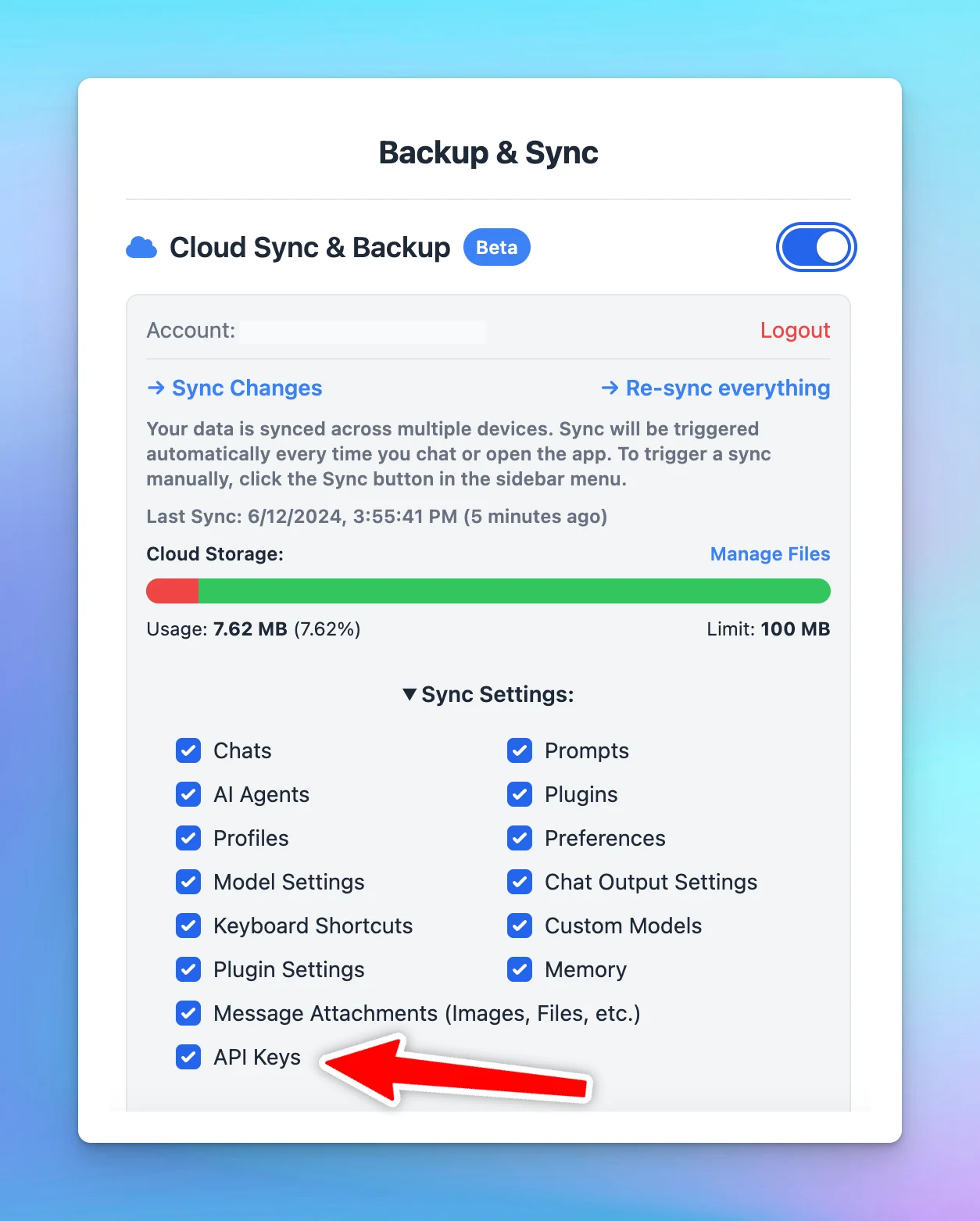
🧩 You can now sync API keys across devices! You can now sync API keys across devices for a seamless AI chat experience with typingmind.com🥳 See the announcement on X

🧩 You can now sync API keys across devices!

You can now sync API keys across devices for a seamless AI chat experience with typingmind.com🥳

Sync API keys

See the announcement on X

New plugin: Azure AI Search to query your training data!

🧩 New "Query Training Data - Azure AI Search" plugin! 🔥 Introduce the new "Query Training Data - Azure AI Search" plugin! This plugin allows you to connect to your own data storage and use it as the training data source for your AI agents! ➡️ See the…

🧩 New "Query Training Data - Azure AI Search" plugin!

🔥 Introduce the new "Query Training Data - Azure AI Search" plugin!

This plugin allows you to connect to your own data storage and use it as the training data source for your AI agents!

➡️ See the tutorial here: https://www.youtube.com/watch?v=H_LnBxUsGJk

See the announcement on X

New plugin: Azure AI Search - Query training data

🔥Introduce the new "Query Training Data - Azure AI Search" plugin! This plugin allows you to connect to your own data storage and use it as the training data source for your AI agents! See the announcement on X

🔥Introduce the new "Query Training Data - Azure AI Search" plugin!

This plugin allows you to connect to your own data storage and use it as the training data source for your AI agents!

See the announcement on X

Host plugins on Github and import with Github link

🧩 We’ve added new feature for users to host their own plugins on Github! New features to allow easy plugin development: you can now hoa st your plugins on GitHub and the user can import it directly using your GitHub link. Refer to this article to learn how…

🧩 We’ve added new feature for users to host their own plugins on Github!

New features to allow easy plugin development: you can now hoa st your plugins on GitHub and the user can import it directly using your GitHub link.

Refer to this article to learn how to do: https://docs.typingmind.com/plugins/share-import-plugins

See the announcement on X

Embed specific AI Agent as chat widget

Now you can embed specific AI Agents as chat widgets using custom.typingmind.com 💬 Your members/customers can start chatting with the AI Agent immediately, without manually selecting it from a list! See the announcement on X

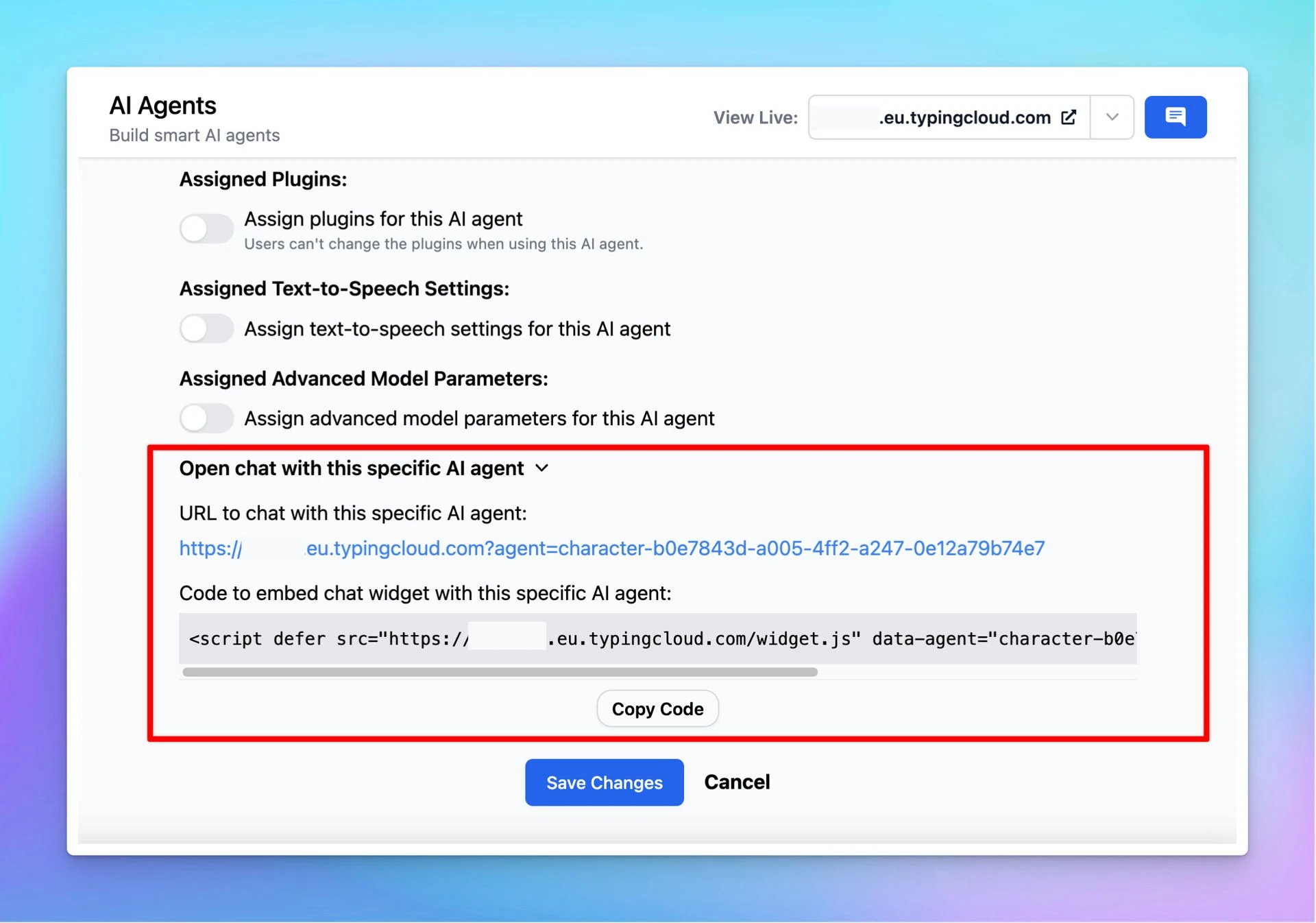
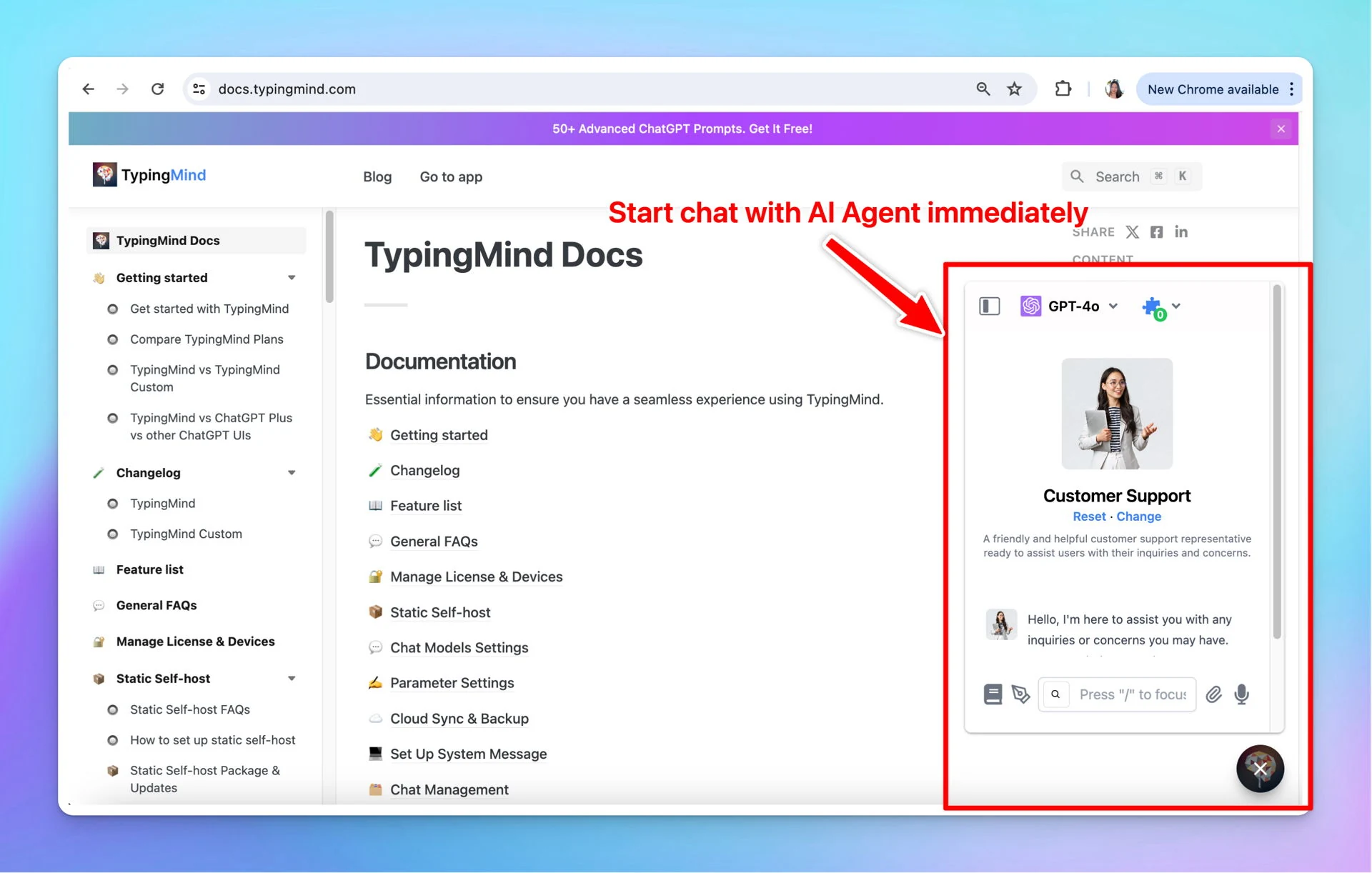
Now you can embed specific AI Agents as chat widgets using custom.typingmind.com

💬 Your members/customers can start chatting with the AI Agent immediately, without manually selecting it from a list!

Embed specific AI Agent as chat widget (screenshot 1 of 2)
Embed specific AI Agent as chat widget (screenshot 2 of 2)

See the announcement on X

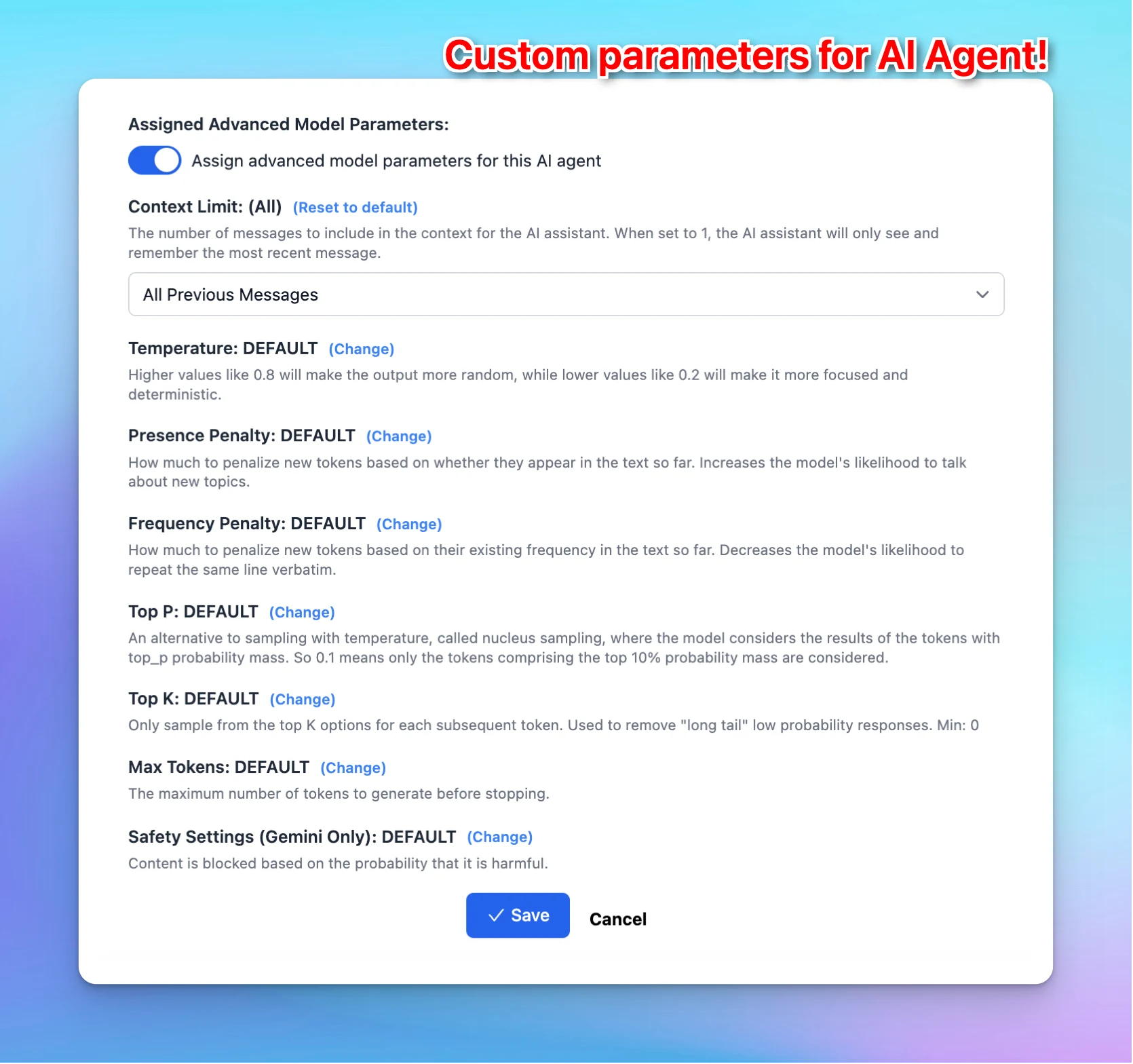
Custom parameters for each AI Agent

Now you can set up Custom Parameters for each AI Agent on typingmind.com 🥳 Customize API parameters like Temperature, Top-p, Max tokens, etc., to control each AI Agent's outputs and optimize its performance! ➡️ Learn more about Parameter Settings:…

Now you can set up Custom Parameters for each AI Agent on typingmind.com 🥳

Customize API parameters like Temperature, Top-p, Max tokens, etc., to control each AI Agent's outputs and optimize its performance!

Custom parameters for each AI Agent

➡️ Learn more about Parameter Settings: https://docs.typingmind.com/parameter-settings/parameter-settings

See the announcement on X

Custom parameters for AI Agent

Now you can set up Custom Parameters for each AI Agent on typingmind.com 🥳 Customize API parameters like Temperature, Top-p, Max tokens, etc., to control each AI Agent's outputs and optimize its performance! See the announcement on X

Now you can set up Custom Parameters for each AI Agent on typingmind.com 🥳

Customize API parameters like Temperature, Top-p, Max tokens, etc., to control each AI Agent's outputs and optimize its performance!

See the announcement on X

May 2024

Safety settings for Gemini models

Now you can configure the Safety settings for Gemini models on typingmind.com! The Gemini API provides safety settings that you can adjust during the prototyping stage to determine if your application requires more or less restrictive safety configuration.…

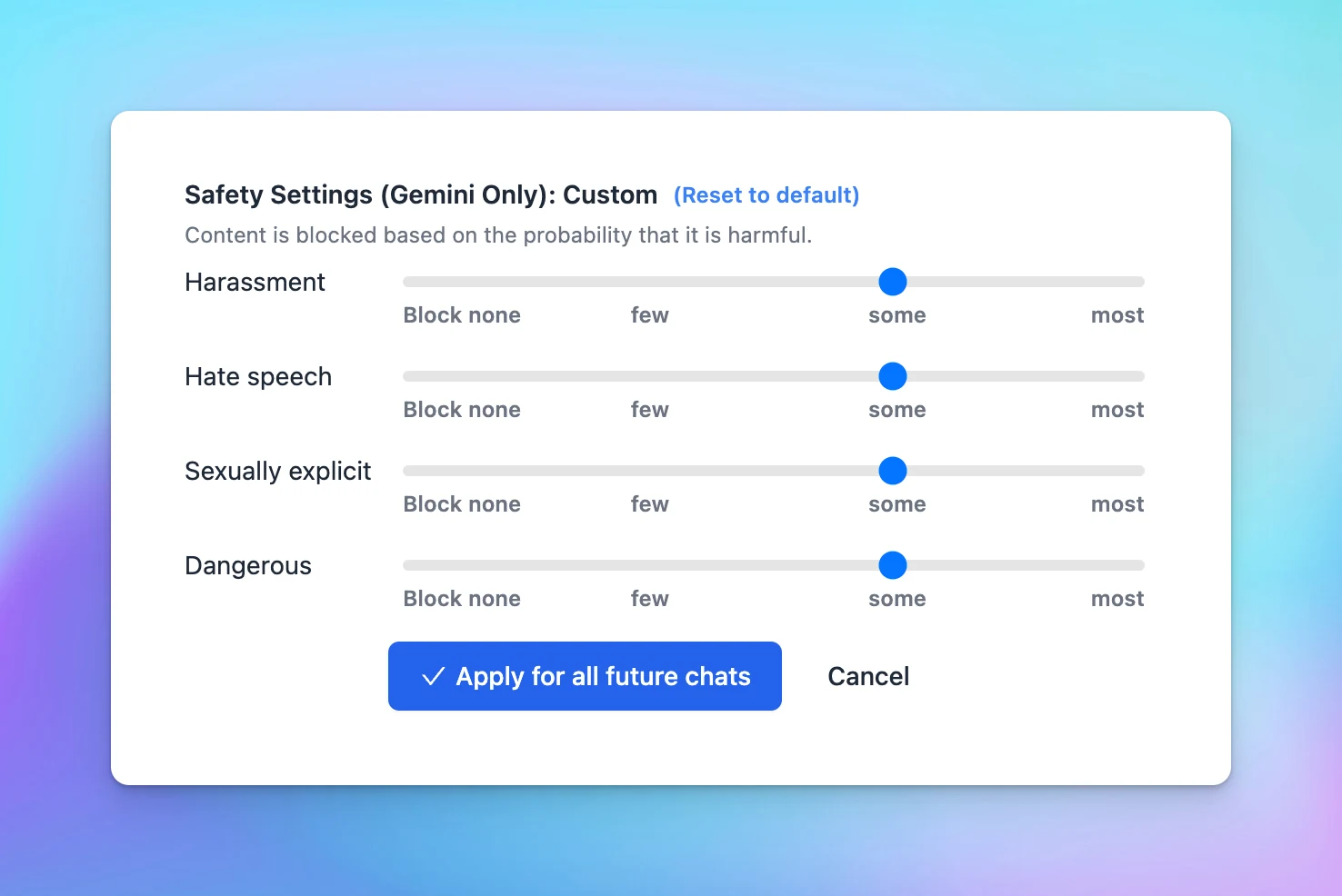
Now you can configure the Safety settings for Gemini models on typingmind.com!

The Gemini API provides safety settings that you can adjust during the prototyping stage to determine if your application requires more or less restrictive safety configuration. You can adjust these settings across four filter categories to restrict or allow certain types of content.

⚙️ How does it work?

In TypingMind: Go to Model Settings > Expand the Advanced Model Parameters > Adjust Safety settings

Safety settings for Gemini models

See the announcement on X

Auto-archive and auto-delete archived chats

🧩 Now you can easily auto-archive and auto-delete archived chats. You now have the option to Auto-archive old chats and Auto-delete archived chats after a specific period`! See the announcement on X

🧩 Now you can easily auto-archive and auto-delete archived chats.

You now have the option to Auto-archive old chats and Auto-delete archived chats after a specific period`!

See the announcement on X

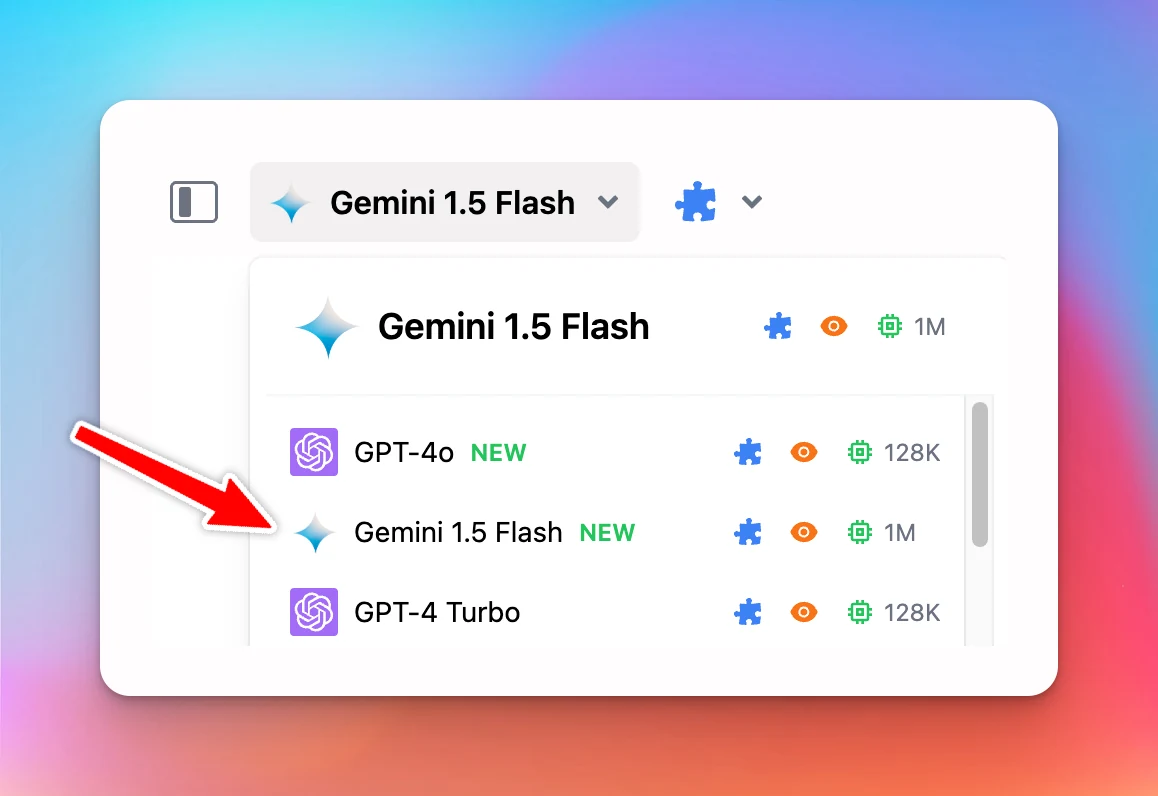
Gemini 1.5 Flash is now available!

🧩 Gemini 1.5 Flash is now available on typingmind.com!!! We have just updated these new Gemini models on TypingMind: Gemini 1.5 Flash Easy access Google's Gemini AI models with typingmind.com: https://docs.typingmind.com/chat-models-settings/use-with-gemini…

🧩 Gemini 1.5 Flash is now available on typingmind.com!!!

We have just updated these new Gemini models on TypingMind: Gemini 1.5 Flash

Gemini 1.5 Flash is now available!

Easy access Google's Gemini AI models with typingmind.com:

https://docs.typingmind.com/chat-models-settings/use-with-gemini

See the announcement on X

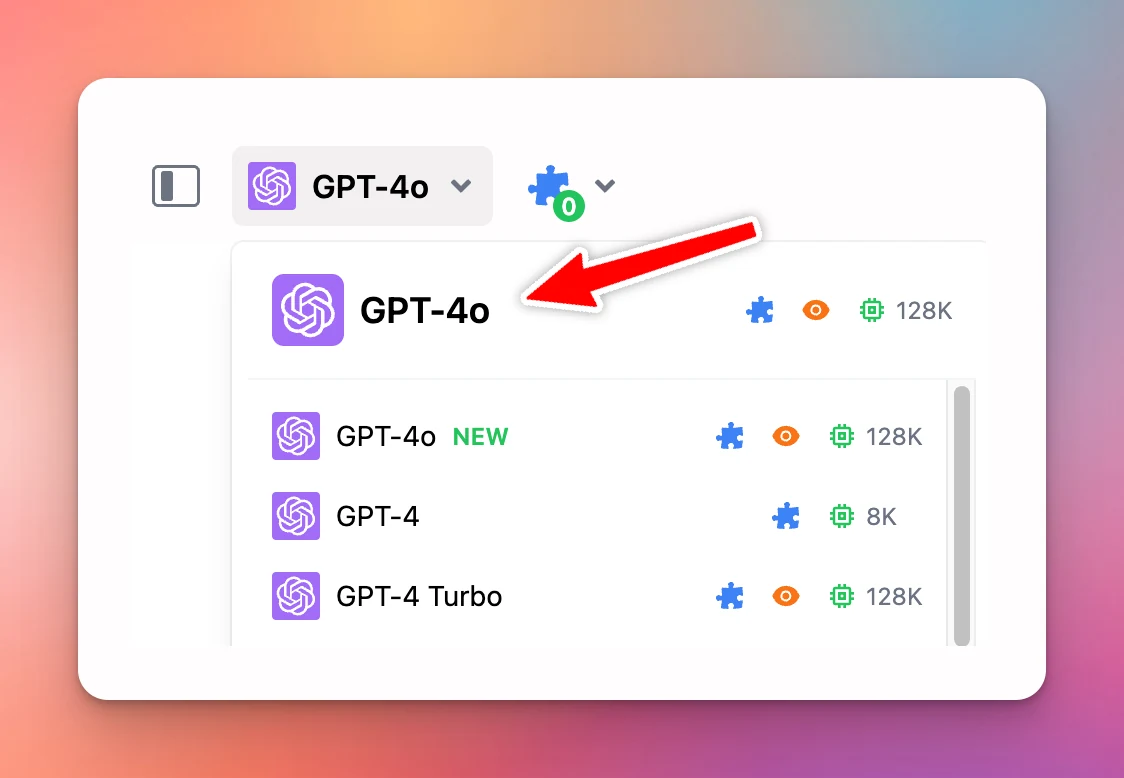
GPT-4o is now available!

🧩 GPT-4o is now available on TypingMind! GPT-4o is now available on typingmind.com! (Use via your API key) ❓Why This Matters New models bring better performance and better experience: ✅ Smarter ✅ 2x faster ✅ Half the price ✅ Support Vision and Plugins See…

🧩 GPT-4o is now available on TypingMind!

GPT-4o is now available on typingmind.com! (Use via your API key)

GPT-4o is now available!

❓Why This Matters

New models bring better performance and better experience:

✅ Smarter
✅ 2x faster
✅ Half the price
✅ Support Vision and Plugins

See the announcement on X

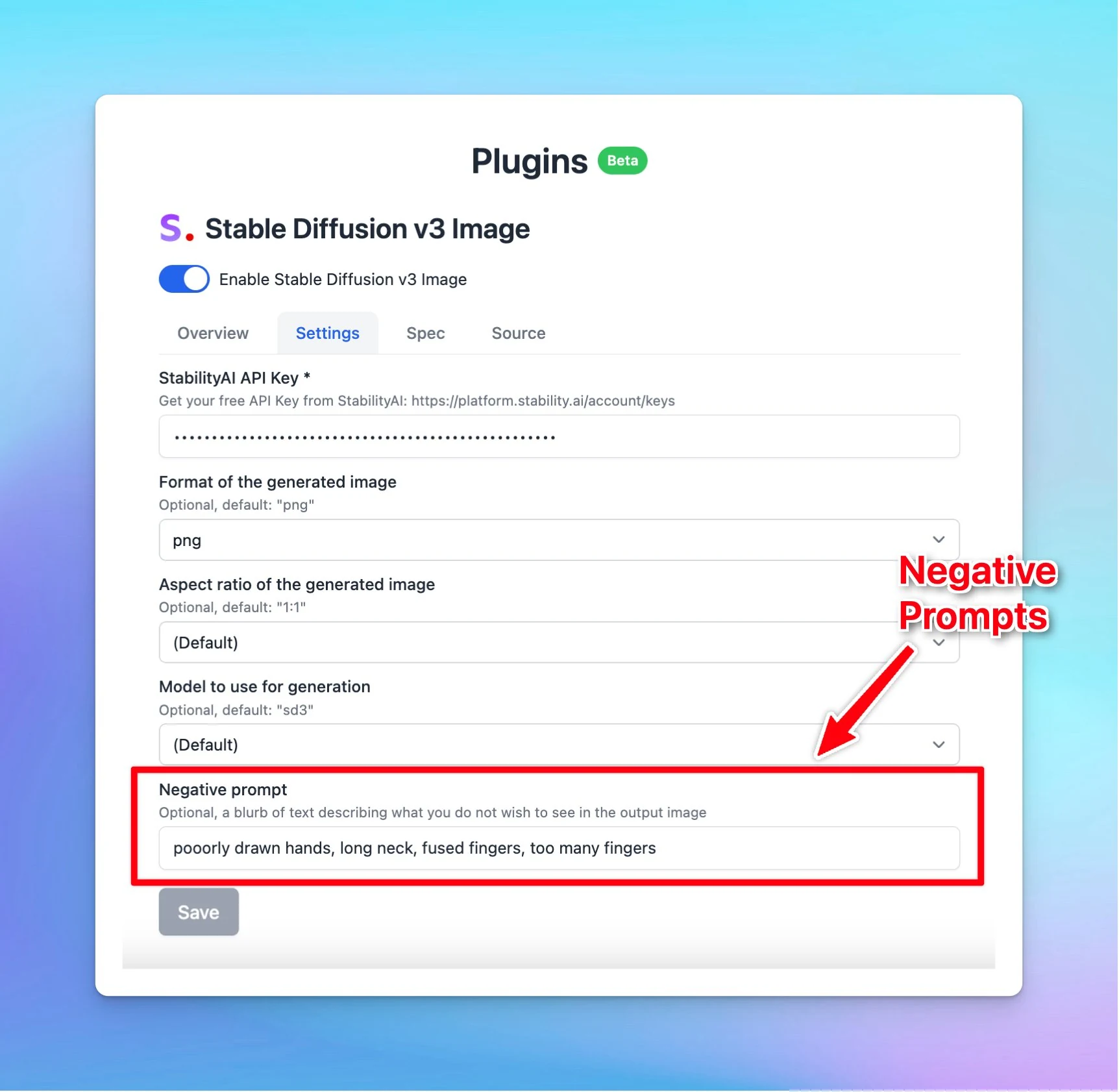
Added "Negative Prompts" for Stable Diffusion v3 Image!

🧩 We’ve added "Negative Prompts" for Stable Diffusion v3 Image! 🛑 Added "Negative Prompts" for Stable Diffusion v3 Image! Now you can specify what you don't want to see in the generated images. See the announcement on X

🧩 We’ve added "Negative Prompts" for Stable Diffusion v3 Image!

🛑 Added "Negative Prompts" for Stable Diffusion v3 Image!

Now you can specify what you don't want to see in the generated images.

Added "Negative Prompts" for Stable Diffusion v3 Image!

See the announcement on X

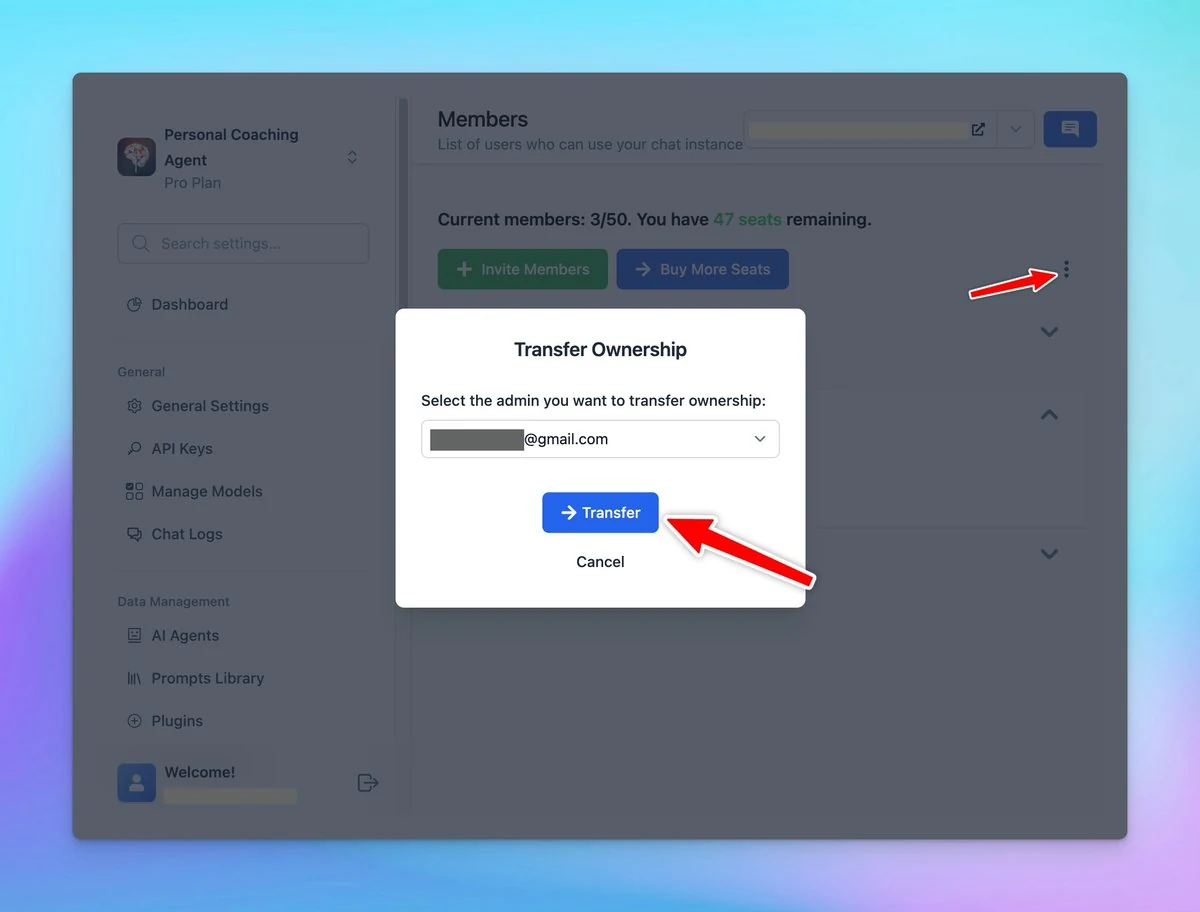
Transfer Ownership

New in custom.typingmind.com: Transfer ownership You can now easily transfer the ownership of your chat instance to another team member. Note: Before you can set a member as the new owner, they must first be elevated to an Admin role. See the announcement on X

New in custom.typingmind.com: Transfer ownership

You can now easily transfer the ownership of your chat instance to another team member.

Note: Before you can set a member as the new owner, they must first be elevated to an Admin role.

Transfer Ownership

See the announcement on X

April 2024

TypingMind Free Tools

🧩 We’ve added some TypingMind free tools! New TypingMind free tools: AI Landing Page Feedback: get actionable insights to improve your landing page (hero section) AI model logos and icons: quickly access the LLM icons collection without wasting time to find…

🧩 We’ve added some TypingMind free tools!

New TypingMind free tools:

  • AI Landing Page Feedback: get actionable insights to improve your landing page (hero section)
  • AI model logos and icons: quickly access the LLM icons collection without wasting time to find it on the Internet!
  • AI quiz

See the announcement on X

New Youtube channel

🧩 We’ve created our new Youtube channel! We have just created a brand-new YouTube channel with detailed guidelines and tips for using the app. Subscribe now to stay updated! Subscribe us on our new Youtube channel: https://www.youtube.com/@TypingMind See the…

🧩 We’ve created our new Youtube channel!

We have just created a brand-new YouTube channel with detailed guidelines and tips for using the app. Subscribe now to stay updated!

Subscribe us on our new Youtube channel: https://www.youtube.com/@TypingMind

See the announcement on X

Introducing Server Plugins

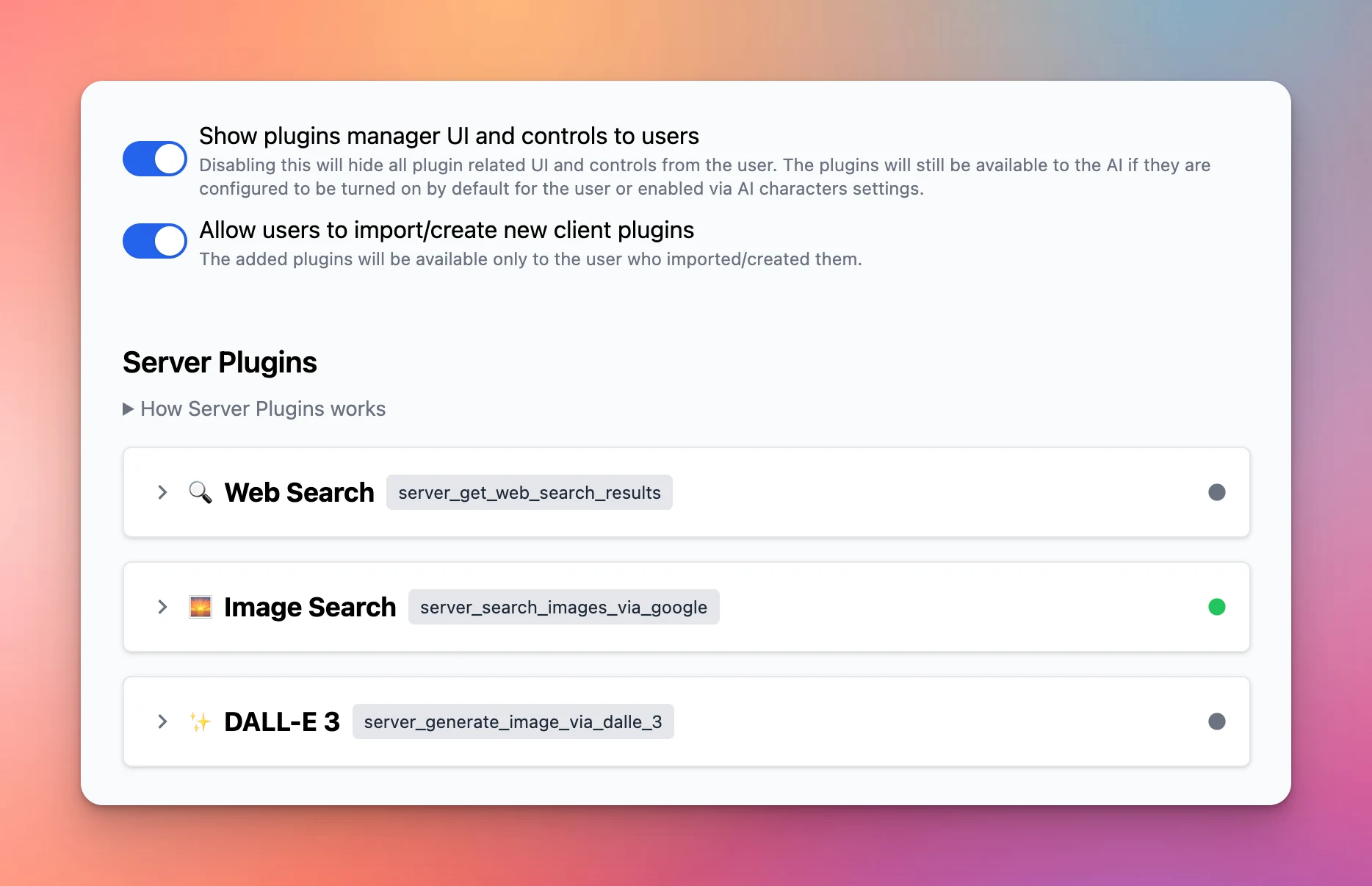
✨ Introducing Server Plugins on custom.typingmind.com Server plugins are plugins that: Run on the server side Are hidden away from the users. This allows Admins to enable and set up the plugin settings in advance, so your users just need to use them and don’t…

✨ Introducing Server Plugins on custom.typingmind.com

Server plugins are plugins that:

  • Run on the server side
  • Are hidden away from the users.

This allows Admins to enable and set up the plugin settings in advance, so your users just need to use them and don’t need to provide any plugin settings.

As a result, your plugin source code, settings, credentials, etc., will not be exposed to users, ensuring a seamless user experience.

Introducing Server Plugins

See the announcement on X

Big update for plugin system

We’ve made a major improvement around the plugin system for plugin developers and Typing Mind Custom users! Added Icon URL: you are no longer forced to use the “🧩” emoji as your plugin icon! Click “Edit”, then enter the Icon URL for your plugin, and it will…

We’ve made a major improvement around the plugin system for plugin developers and Typing Mind Custom users!

  • Added Icon URL: you are no longer forced to use the “🧩” emoji as your plugin icon! Click “Edit”, then enter the Icon URL for your plugin, and it will be shown everywhere in the app.
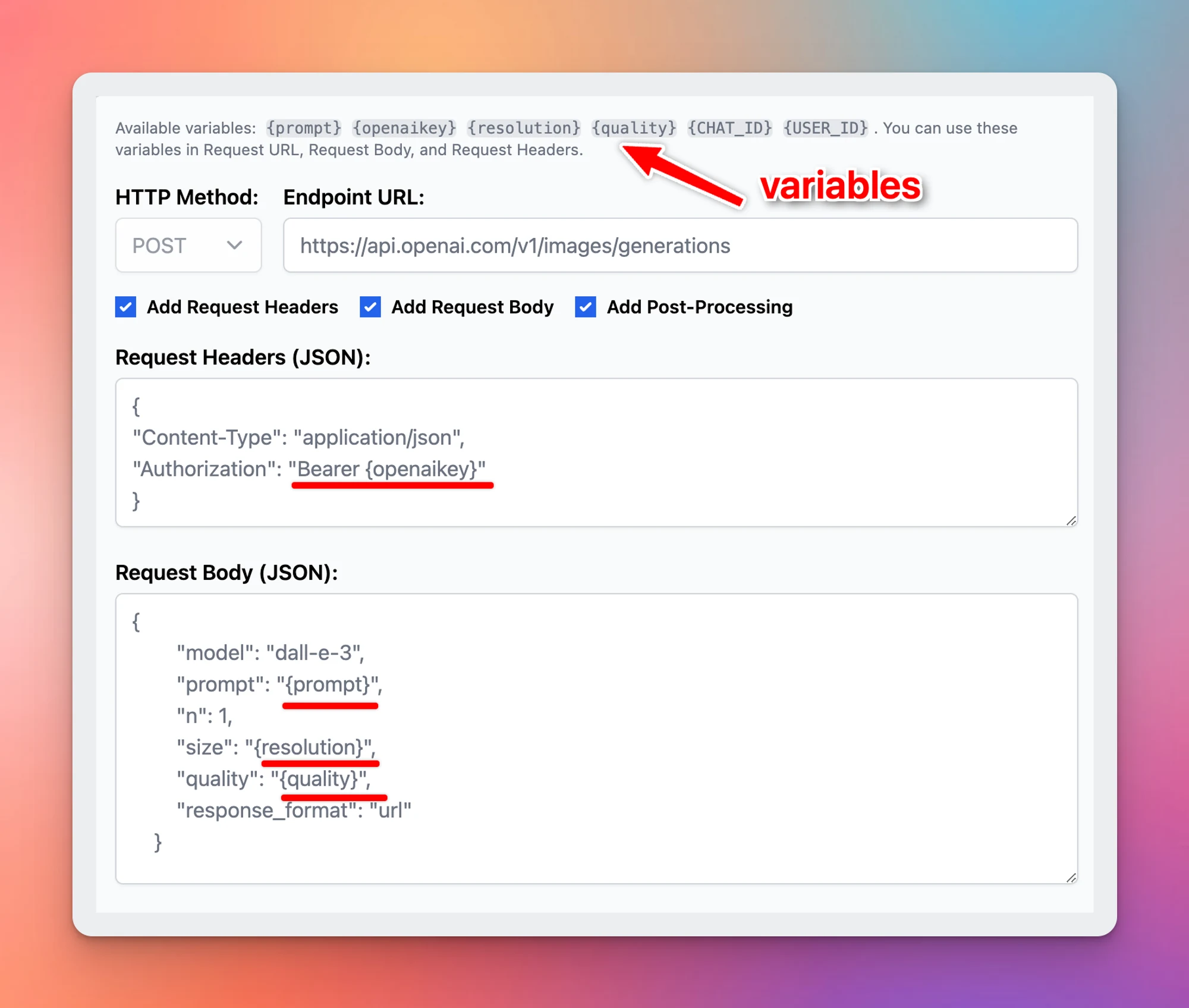
  • Added HTTP Action: this is a new way to implement your plugin without using JavaScript code. HTTP Action allows you to easily set up a simple HTTP request for external services. Post-processing engines (JSMEPath and Handlebars.js) are available to help you customize the output even more.
  • Added Output Options: You can now render your plugin output directly to the user instead of giving the output to the AI models. The output can be rendered using Markdown or HTML. This gives you more flexibility to render interactive experiences to the users and, in some cases, saves more tokens!
  • JavaScript code changes: The __CUSTOM_OUTPUT special property is now deprecated (replaced by the Output Options feature). If you have developed a plugin that uses this property in your JavaScript implementation, please update your plugins according to the new Plugins documentation (just updated!).
Big update for plugin system (screenshot 1 of 3)
Big update for plugin system (screenshot 2 of 3)
Big update for plugin system (screenshot 3 of 3)

Read newly update of plugin here: https://docs.typingmind.com/plugins/build-a-typingmind-plugin

See the announcement on X

March 2024

Gemini Ultra and Gemini 1.5 are available!

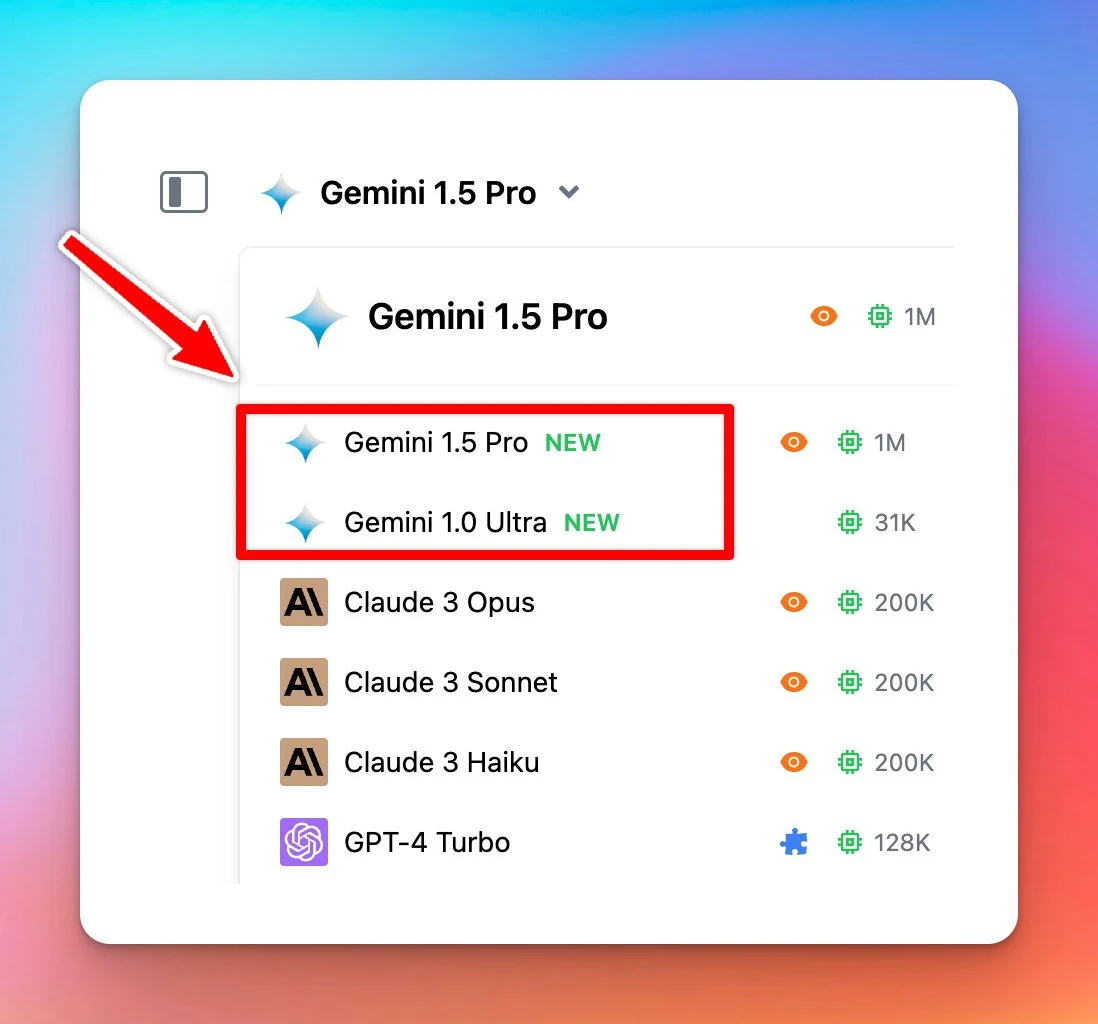
Gemini Ultra and Gemini 1.5 Pro are now available on http://typingmind.com! 🥳 The Gemini 1.5 Pro model supports 1M tokens context length AND vision 👁️ !!! Learn more: https://docs.typingmind.com/chat-models-settings/use-with-gemini See the announcement on X

Gemini Ultra and Gemini 1.5 Pro are now available on http://typingmind.com! 🥳

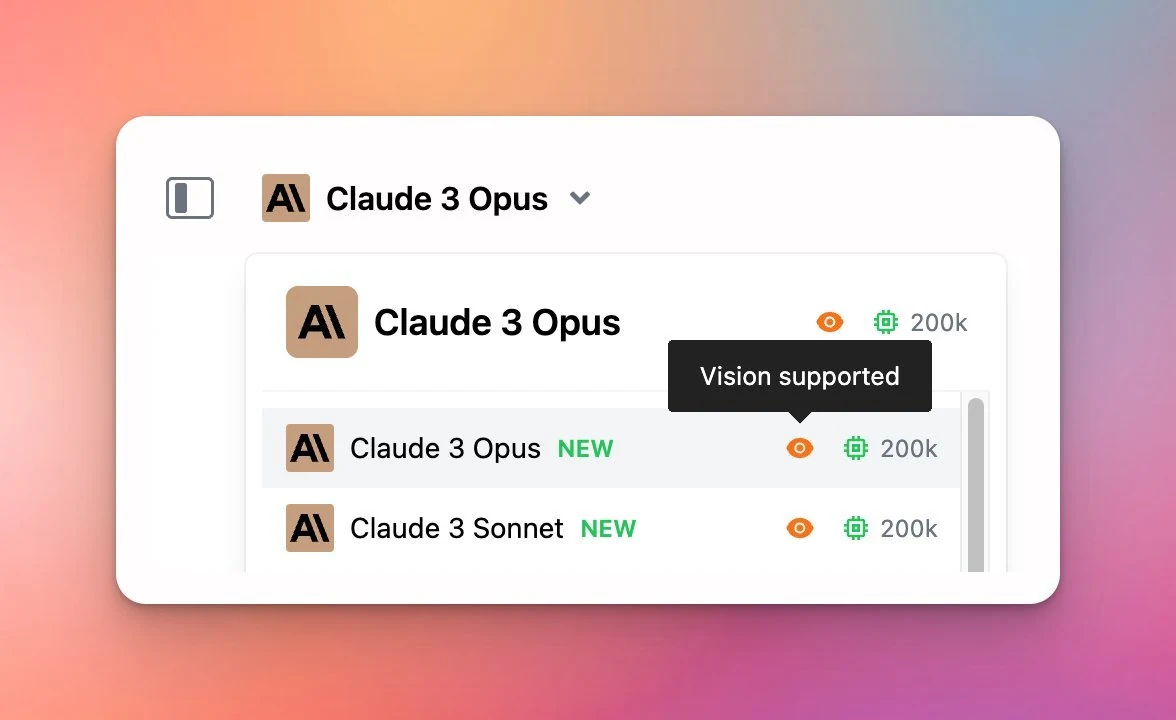
The Gemini 1.5 Pro model supports 1M tokens context length AND vision 👁️ !!!

Learn more: https://docs.typingmind.com/chat-models-settings/use-with-gemini

Gemini Ultra and Gemini 1.5 are available!

See the announcement on X

Allow sign-ups using company email

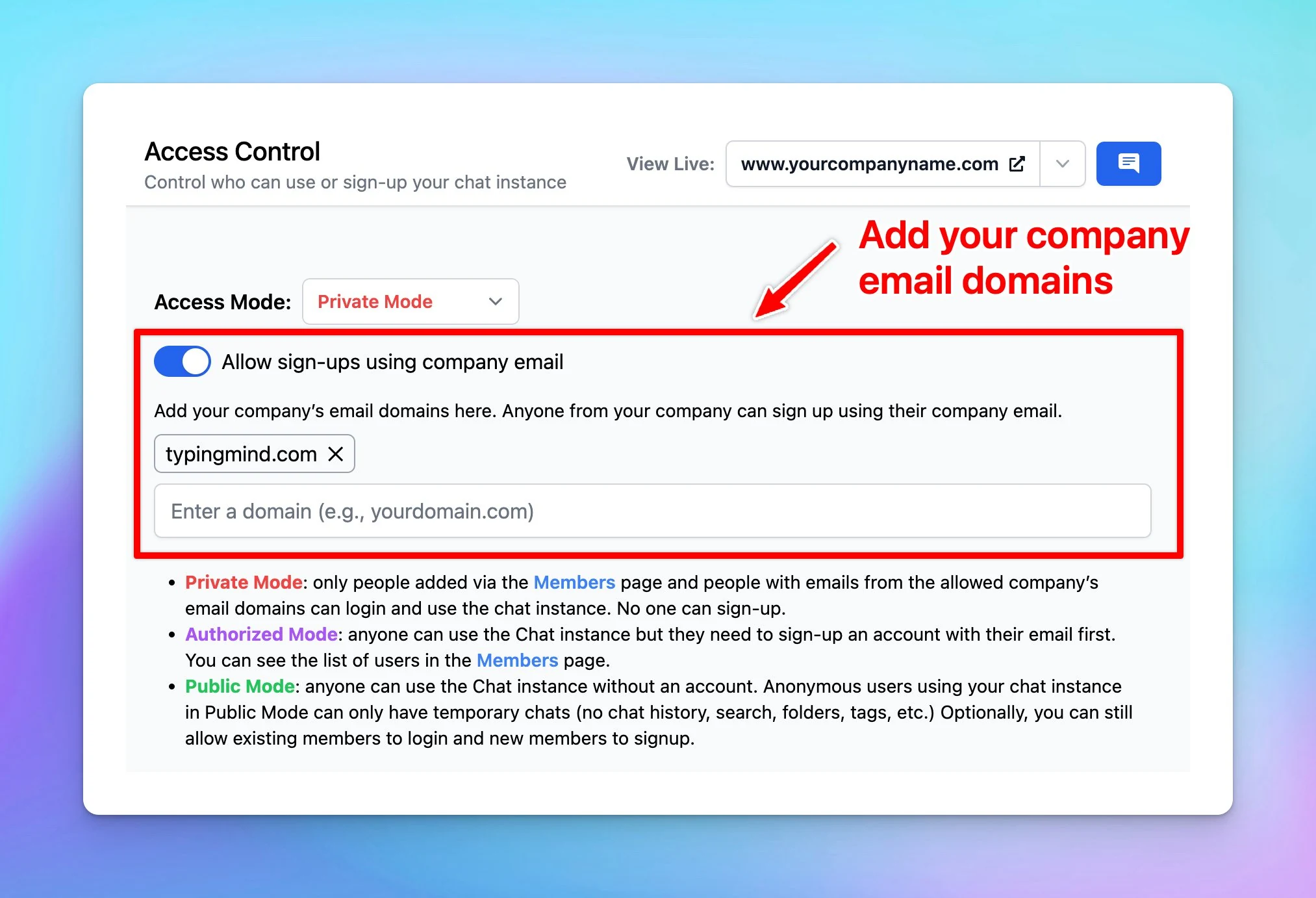
Admins now can allow sign-ups using company email! ➕ Add your company's email domains 🟢 Anyone from your company can sign up using their company email Available at custom.typingmind.com See the announcement on X

Admins now can allow sign-ups using company email!

➕ Add your company's email domains
🟢 Anyone from your company can sign up using their company email

Available at custom.typingmind.com

Allow sign-ups using company email

See the announcement on X

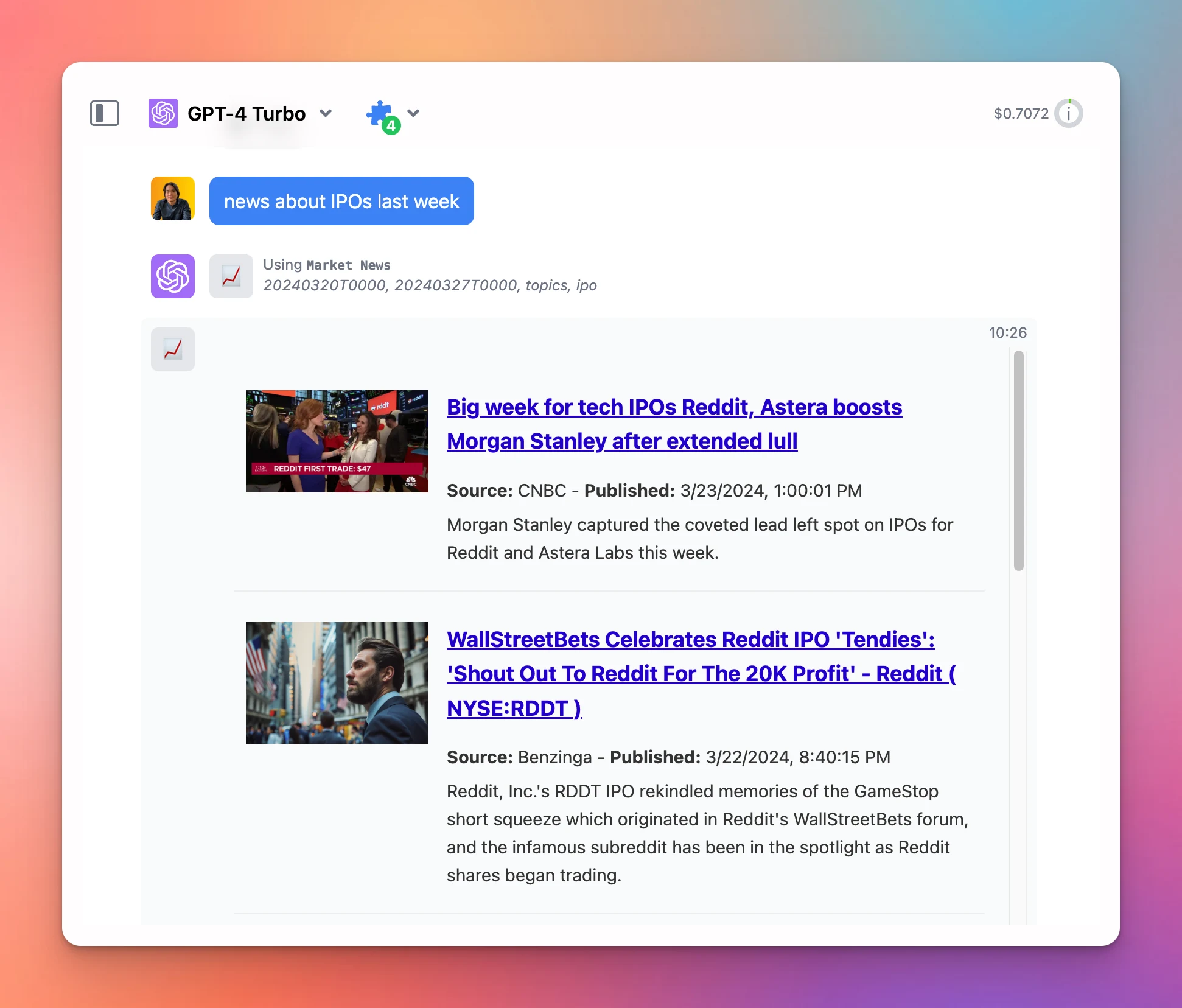
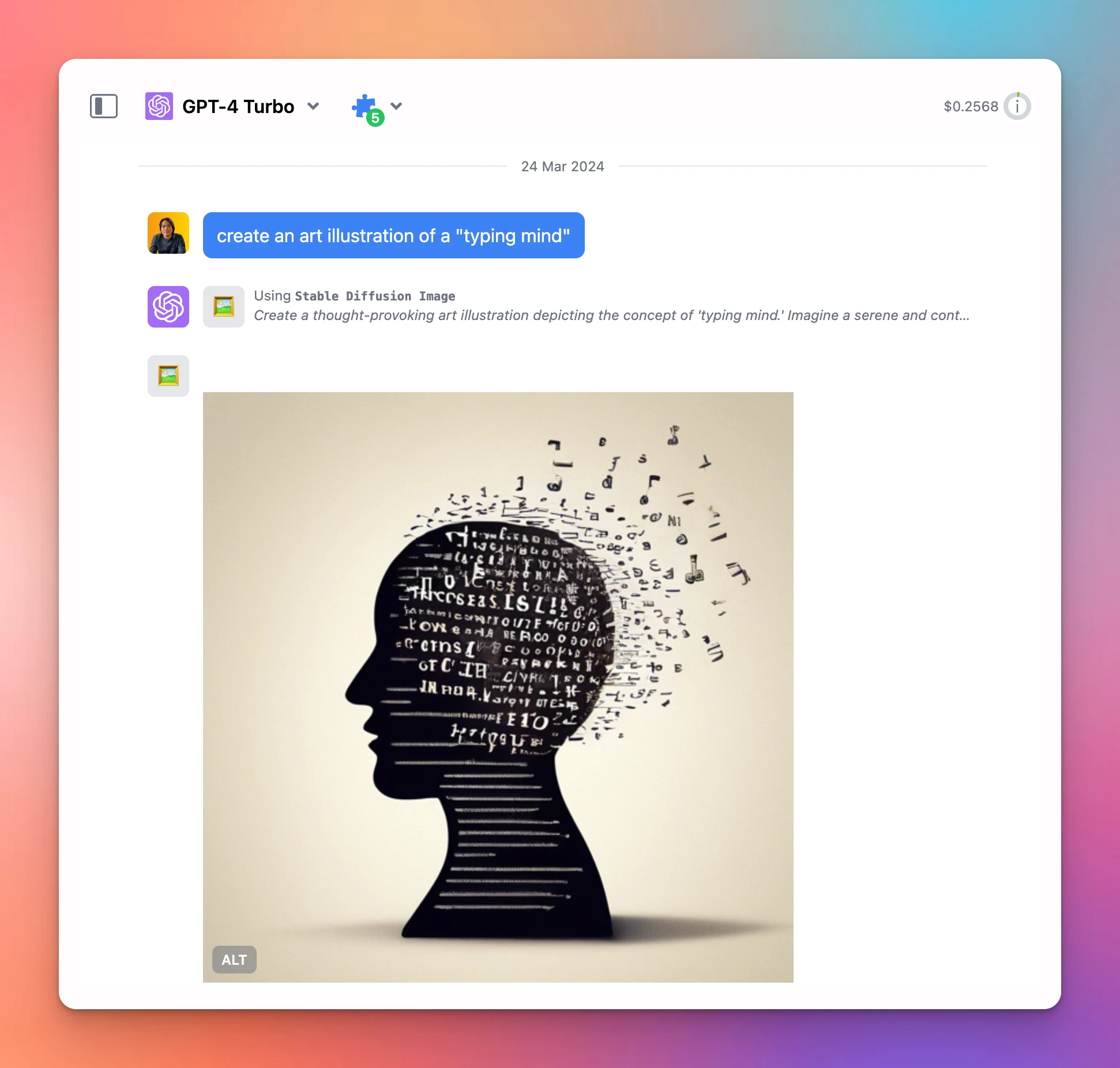
3 new built-in plugins: Web Reader, Stable Diffusion Image, Market News

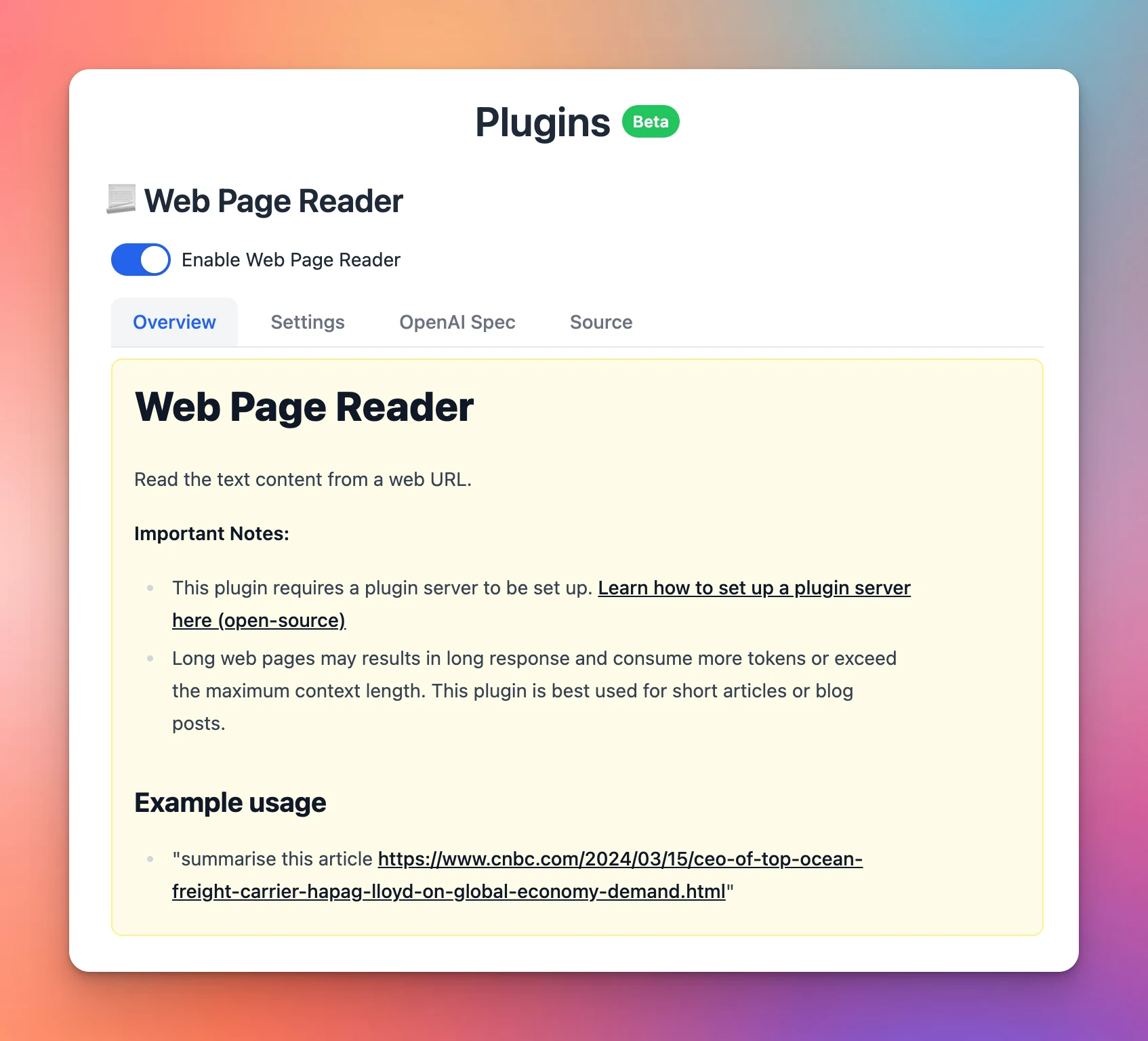
Added 3 new built-in plugins: Stable Diffusion Image: generate images similar to DALL-E plugin. Powered by StabilityAI API. Web Page Reader: read content of web URLs. Market News: get news from stock/crypto market. Powered by Alpha Vantage API. See the…

Added 3 new built-in plugins:

  • Stable Diffusion Image: generate images similar to DALL-E plugin. Powered by StabilityAI API.
  • Web Page Reader: read content of web URLs.
  • Market News: get news from stock/crypto market. Powered by Alpha Vantage API.
3 new built-in plugins: Web Reader, Stable Diffusion Image, Market News (screenshot 1 of 3)
3 new built-in plugins: Web Reader, Stable Diffusion Image, Market News (screenshot 2 of 3)
3 new built-in plugins: Web Reader, Stable Diffusion Image, Market News (screenshot 3 of 3)

See the announcement on X

Introducing Plugin Server

Plugins Server provides a proxy server for Typing Mind's Plugins. A proxy server is needed for complex use cases where a server is required for processing data that cannot be done from the client side in Typing Mind. ⚙️ How it works? Plugins Server is…

Plugins Server provides a proxy server for Typing Mind's Plugins. A proxy server is needed for complex use cases where a server is required for processing data that cannot be done from the client side in Typing Mind.

⚙️ How it works?

Plugins Server is open-source. See the code on GitHub: https://github.com/TypingMind/plugins-server

Learn more about Plugin Server: https://docs.typingmind.com/plugins/plugins-server

See the announcement on X

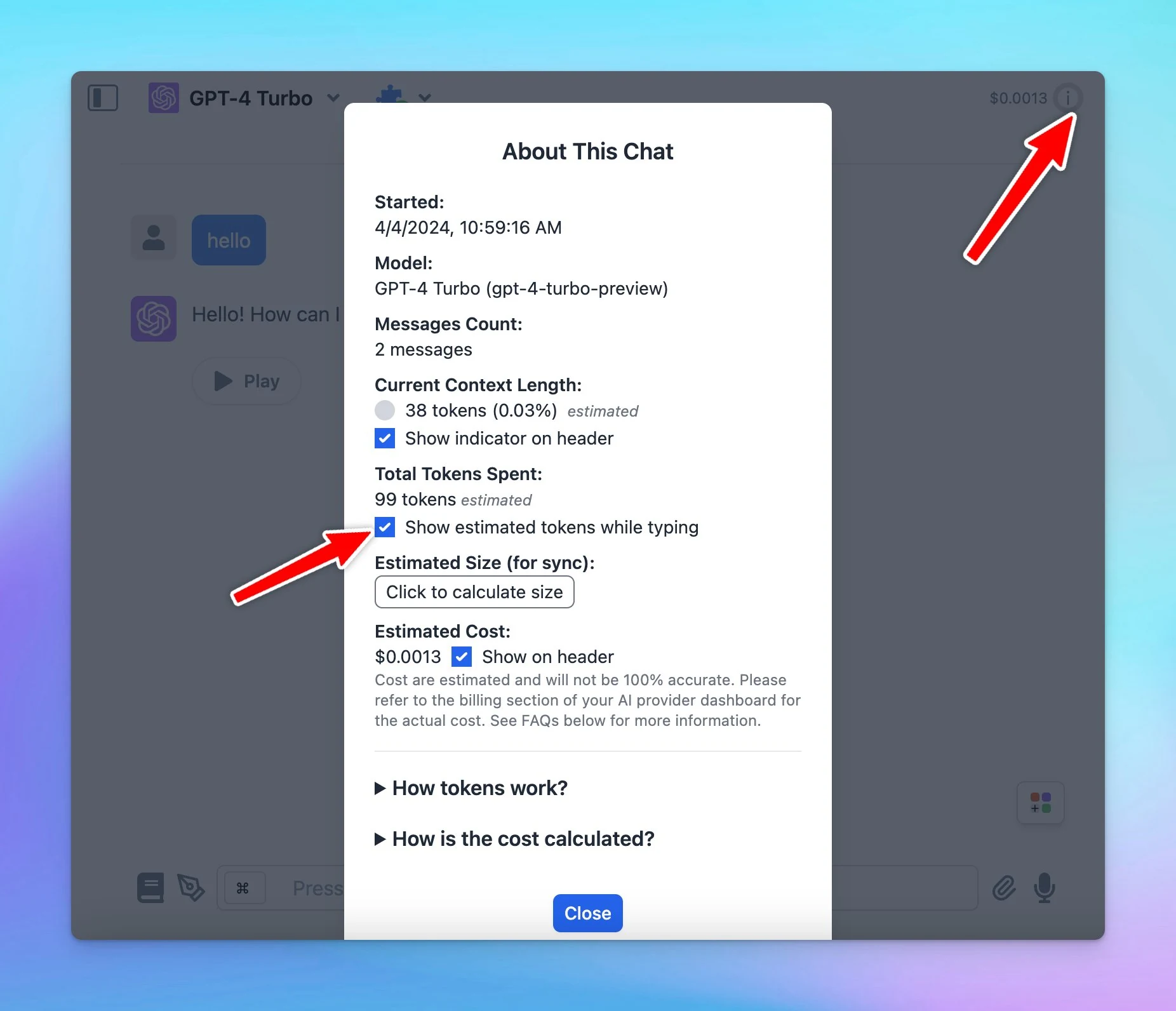
Context length indicator

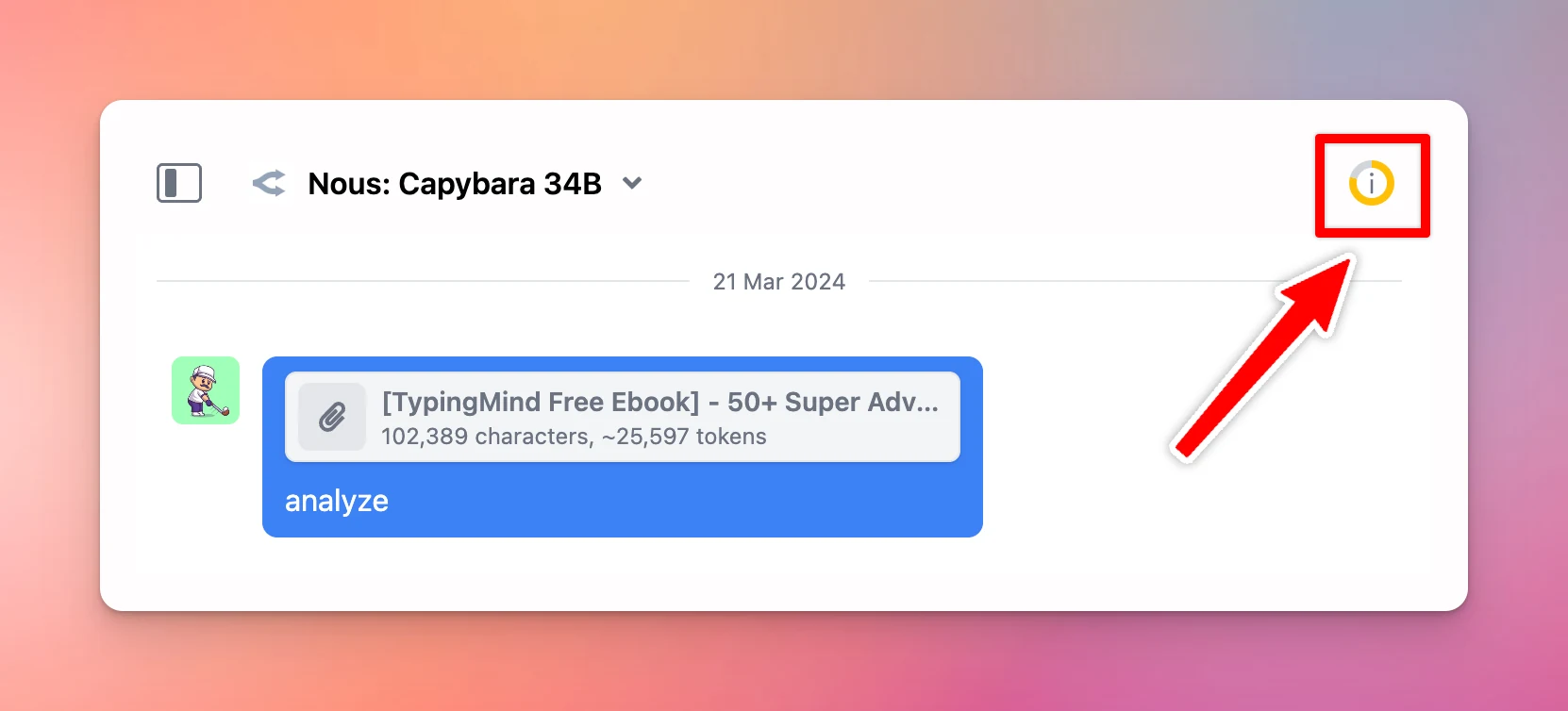
Track current context length usage to see how many tokens left in your conversation. Navigate the top right circle within the app to view the indicator. See the announcement on X

Track current context length usage to see how many tokens left in your conversation.

Navigate the top right circle within the app to view the indicator.

Context length indicator

See the announcement on X

Use Kagi for search suggestion link

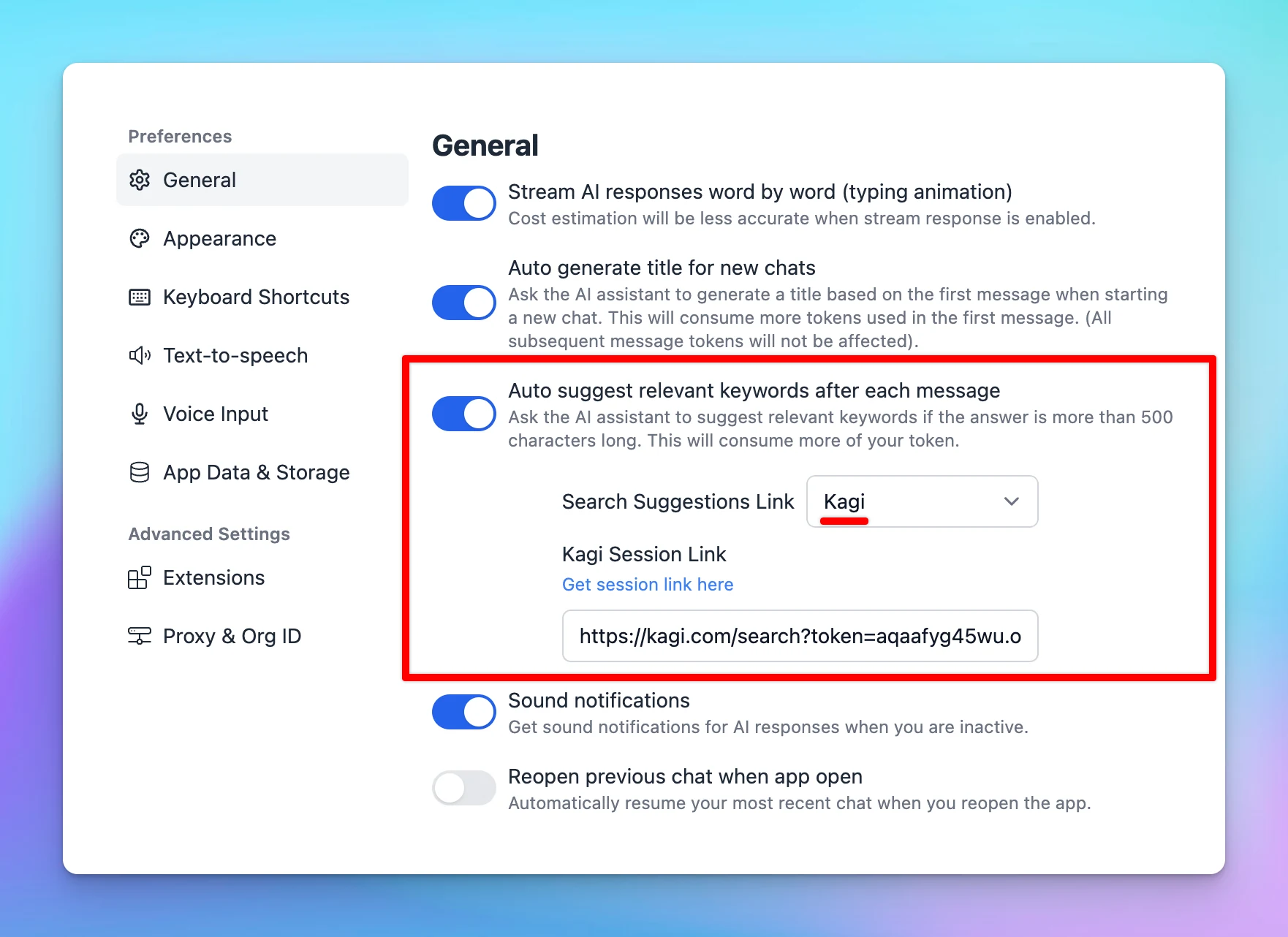
Use the search engine Kagi (kagi.com) as Search Suggestion Link! ⚙️ How it works? Go to Settings page Navigate the General tab Toggle the Auto suggest relevant keywords after each message and select Kagi Provide Kagi Session Link as the instruction provided…

Use the search engine Kagi (kagi.com) as Search Suggestion Link!

⚙️ How it works?

  • Go to Settings page
  • Navigate the General tab
  • Toggle the Auto suggest relevant keywords after each message and select Kagi
  • Provide Kagi Session Link as the instruction provided in the app.
Use Kagi for search suggestion link

See the announcement on X

TypingMind Extensions

TypingMind Extension is an advanced feature for developers to expand Typing Mind functionality by loading custom scripts to the app. ⚙️ How it works? You can use this to: Access your Typing Mind's data and build a private Cloud Sync server (instead of using…

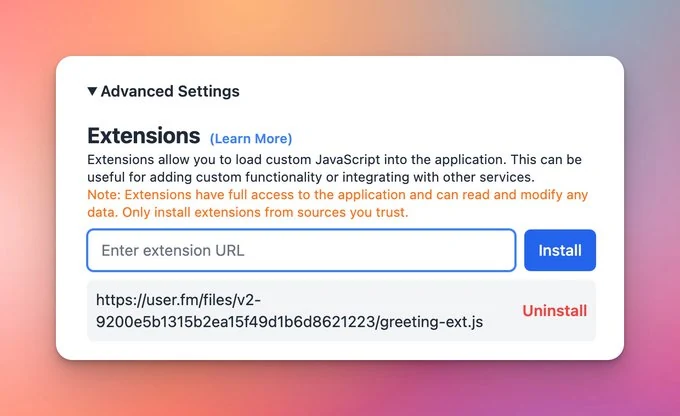
TypingMind Extension is an advanced feature for developers to expand Typing Mind functionality by loading custom scripts to the app.

⚙️ How it works?

You can use this to:

  • Access your Typing Mind's data and build a private Cloud Sync server (instead of using Typing Mind's default Cloud Sync)
  • Add custom features to the app
  • Customize the App UI
TypingMind Extensions

See the announcement on X

Set up Multiple Profiles

Set up Multiple Profiles on TypingMind: Create different profiles, each with its own context & instructions. Assign API keys to each profile. Ex: easily switch between profiles for: Personal projects and hobbies Work-related tasks ⚙️ How it works? On the top…

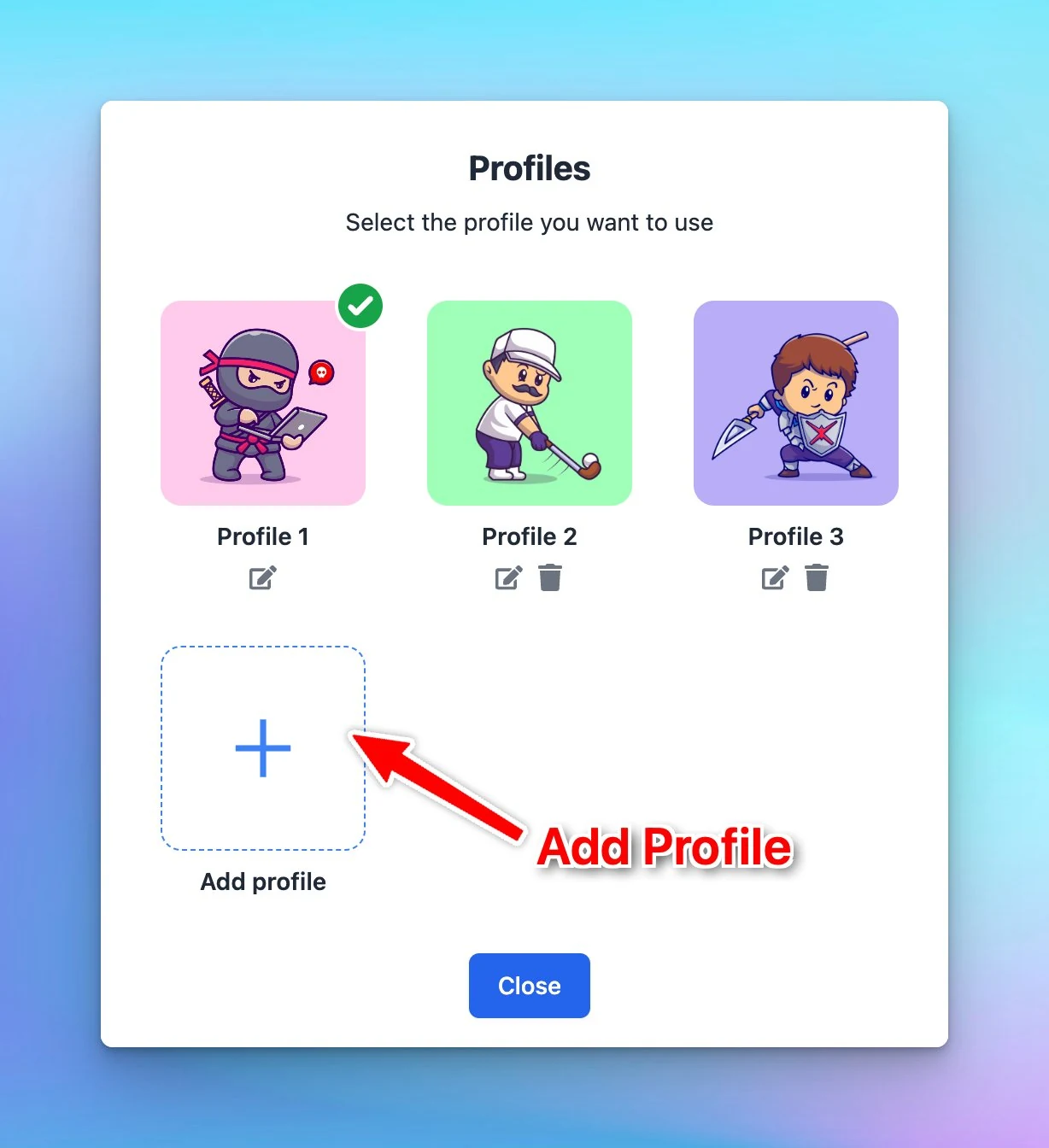
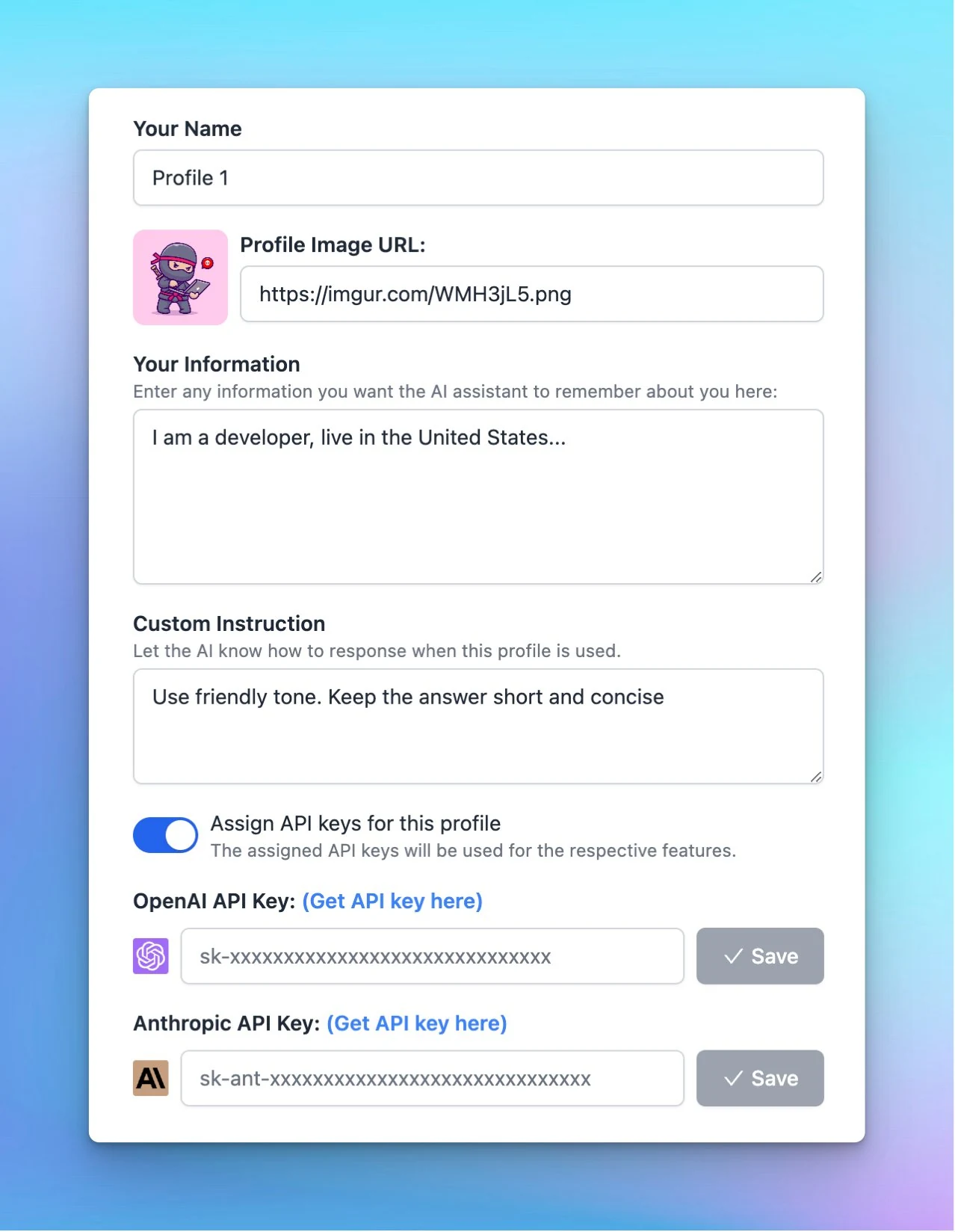
Set up Multiple Profiles on TypingMind:

  • Create different profiles, each with its own context & instructions.
  • Assign API keys to each profile.

Ex: easily switch between profiles for:

  • Personal projects and hobbies
  • Work-related tasks
Set up Multiple Profiles (screenshot 1 of 2)

⚙️ How it works?

On the top left corner of the app, click Profile to set up your profiles.

Set up Multiple Profiles (screenshot 2 of 2)

See the announcement on X

Include / Exclude “Message attachments” when syncing

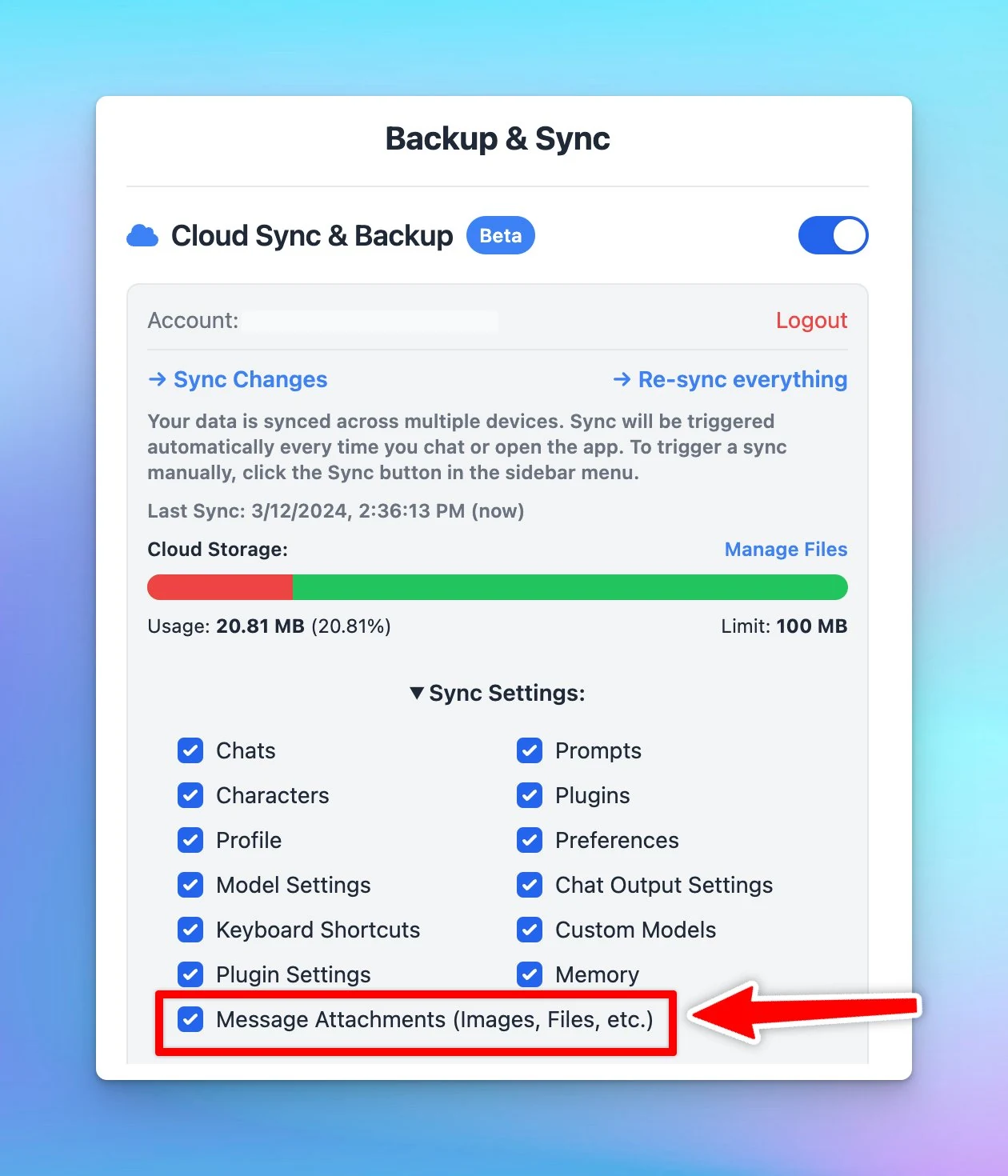
Choose to include or exclude "Message Attachments" when syncing to save cloud space. Message attachments: your uploaded files to the app such as images or documents. ⚙️ How it works? Open Manage Cloud Sync → Toggle the Sync settings and select or deselect…

Choose to include or exclude "Message Attachments" when syncing to save cloud space.
Message attachments: your uploaded files to the app such as images or documents.

⚙️ How it works?

Open Manage Cloud Sync → Toggle the Sync settings and select or deselect message attachments.

Include / Exclude “Message attachments” when syncing

See the announcement on X

Show / hide / sort AI chat models

AI model management on http://typingmind.com is sooo much better now! Only shows the AI models you need for quick selection. Organize models in the priority order. Learn more: https://docs.typingmind.com/chat-management/organize-chats See the announcement on X

AI model management on http://typingmind.com is sooo much better now!

  • Only shows the AI models you need for quick selection.
  • Organize models in the priority order.

Learn more: https://docs.typingmind.com/chat-management/organize-chats

See the announcement on X

Added Max token setting

Now, you can control the maximum number of tokens generated! This allows: Prevent potential cutoffs when interacting with AI models. Manage your API costs effectively. Learn more on other parameters:…

Now, you can control the maximum number of tokens generated!

This allows:

  • Prevent potential cutoffs when interacting with AI models.
  • Manage your API costs effectively.

Learn more on other parameters: https://docs.typingmind.com/parameter-settings/parameter-settings

See the announcement on X

Claude 3 is now available!

CLAUDE 3 IS NOW AVAILABLE! ✅ 200K context token ✅ Vision Supported ✅ More powerful than GPT-4 ✅ Both Opus + Sonnet are available Learn more how to use Claude: https://docs.typingmind.com/chat-models-settings/use-with-anthropic-claude See the announcement on X

CLAUDE 3 IS NOW AVAILABLE!

✅ 200K context token

✅ Vision Supported

✅ More powerful than GPT-4

✅ Both Opus + Sonnet are available

Learn more how to use Claude: https://docs.typingmind.com/chat-models-settings/use-with-anthropic-claude

Claude 3 is now available!

See the announcement on X

Upload audio file for transcription

Upload your audio files for transcription with OpenAI Whisper at http://typingmind.com! You can upload: Recorded files, including meetings, interviews, webinars, lectures, etc. Voice memos and more ... to get your transcripts and interact with the AI models!…

Upload your audio files for transcription with OpenAI Whisper at http://typingmind.com!

You can upload:

  • Recorded files, including meetings, interviews, webinars, lectures, etc.
  • Voice memos
  • and more

... to get your transcripts and interact with the AI models!

Learn more: https://docs.typingmind.com/voice-input-(speech-to-text)

Upload audio file for transcription

See the announcement on X

February 2024

New Chat logs UI

New in custom.typingmind.com: Improved UI for Chat Logs! It's now easier to view your user chat logs: List view / Detail View Filter your chat logs by time period See the announcement on X

New in custom.typingmind.com: Improved UI for Chat Logs!

It's now easier to view your user chat logs:

  • List view / Detail View
  • Filter your chat logs by time period
New Chat logs UI (screenshot 1 of 3)
New Chat logs UI (screenshot 2 of 3)
New Chat logs UI (screenshot 3 of 3)

See the announcement on X

Dynamic Context via API

Introducing Dynamic Context via API! You can embed an API to your AI character's system prompt, enhancing its "smartness". You can implement RAG with your own vector database in the AI character! Learn more how to set this up:…

Introducing Dynamic Context via API!

You can embed an API to your AI character's system prompt, enhancing its "smartness".

You can implement RAG with your own vector database in the AI character!

Learn more how to set this up: https://docs.typingmind.com/ai-agents/dynamic-context-via-api

See the announcement on X

January 2024

Assign a custom voice to your AI character

Bring your AI Characters to life.... ...by giving them unique voices that match their personalities 🔊🤖 Now you can assign your AI character to a specific Speech API / Voice that you prefer! See the announcement on X

Bring your AI Characters to life....

...by giving them unique voices that match their personalities 🔊🤖

Now you can assign your AI character to a specific Speech API / Voice that you prefer!

See the announcement on X

Chat Logs

Big feature release: Chat Logs 💬 You can enable chat logs for your chat instance in Typing Mind Custom: ✅ Disabled by default (Private Mode) ✅ Enable only for anonymous users ✅ Enable for all users Super helpful to review and improve the prompts from the…

Big feature release: Chat Logs 💬

You can enable chat logs for your chat instance in Typing Mind Custom:

✅ Disabled by default (Private Mode)
✅ Enable only for anonymous users
✅ Enable for all users

Super helpful to review and improve the prompts from the chat history!

Chat Logs

See the announcement on X

Upload XLSX File

TypingMind now supports uploading XLSX files! 📁 Our supported file formats: Markdown PDF CSV XLSX TXT DOCX JSON HTML Image files (GPT-4 Vision only, such as .jpeg, .jpg, .png) Drag - drop - ask, easy as 1 - 2 - 3! Learn more:…

TypingMind now supports uploading XLSX files!

📁 Our supported file formats:

  • Markdown
  • PDF
  • CSV
  • XLSX
  • TXT
  • DOCX
  • JSON
  • HTML
  • Image files (GPT-4 Vision only, such as .jpeg, .jpg, .png)

Drag - drop - ask, easy as 1 - 2 - 3!

Learn more: https://docs.typingmind.com/upload-training-data

See the announcement on X

EU data center is now ready!

The new EU data center is now ready! New customers who want to host their data in the EU can choose "Europe (Frankfurt)" when creating a new instance: typingmind.com/new-deployment See the announcement on X

The new EU data center is now ready!

New customers who want to host their data in the EU can choose "Europe (Frankfurt)" when creating a new instance: typingmind.com/new-deployment

EU data center is now ready!

See the announcement on X

Whisper Prompt

Now, you can add Prompt for OpenAI Whisper to improve the quality of generated transcripts. See the announcement on X

Now, you can add Prompt for OpenAI Whisper to improve the quality of generated transcripts.

Whisper Prompt

See the announcement on X

OpenAI Text-to-speech is now available!

OpenAI Text-to-speech is now available as speech provider on TypingMind (along with ElevenLabs, Web Speech API) Learn on how to set up Text to speech: https://docs.typingmind.com/text-to-speech/set-up-text-to-speech See the announcement on X

OpenAI Text-to-speech is now available as speech provider on TypingMind (along with ElevenLabs, Web Speech API)

OpenAI Text-to-speech is now available!

Learn on how to set up Text to speech: https://docs.typingmind.com/text-to-speech/set-up-text-to-speech

See the announcement on X

Form not loading? Open it in a new tab