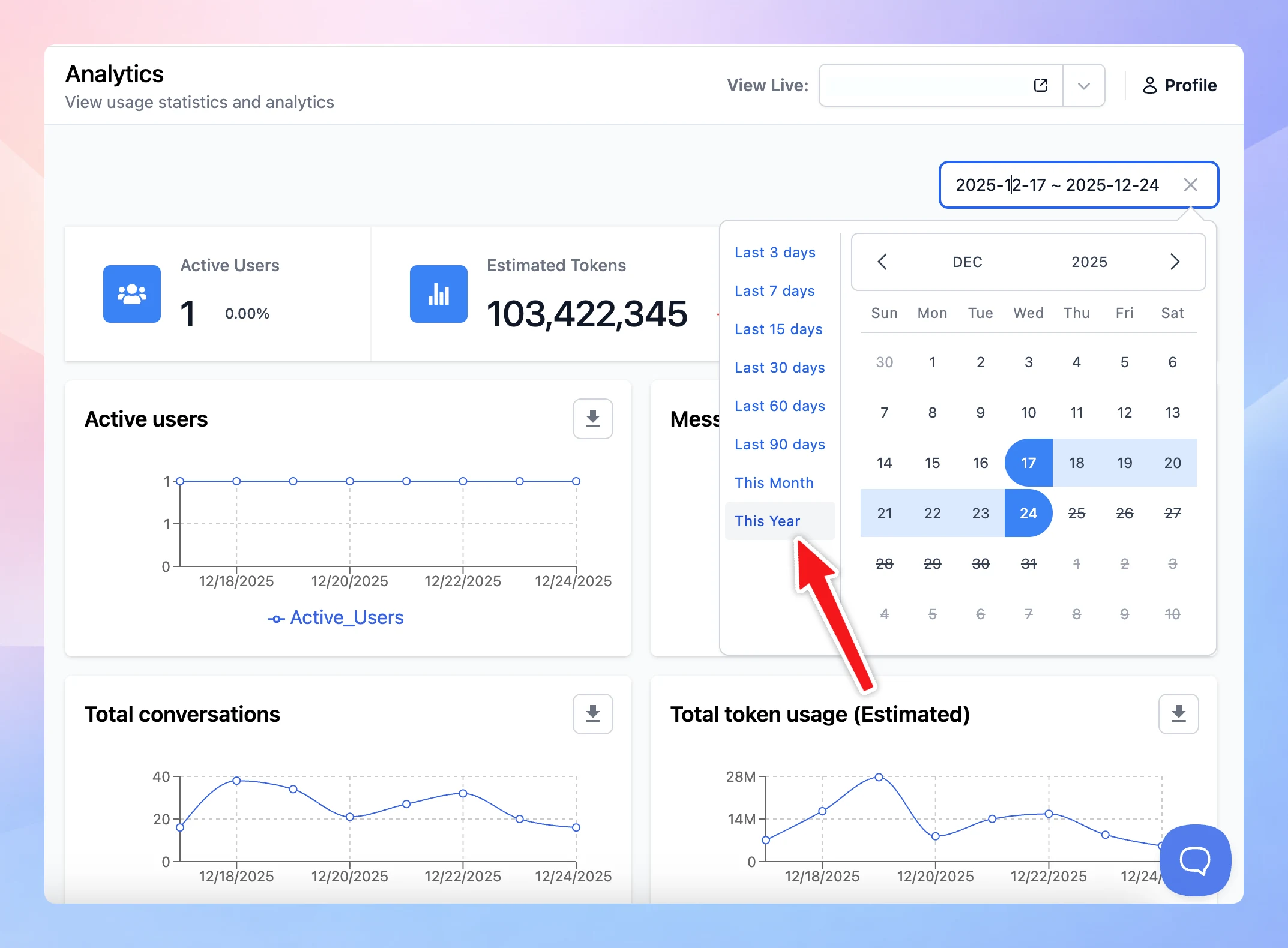
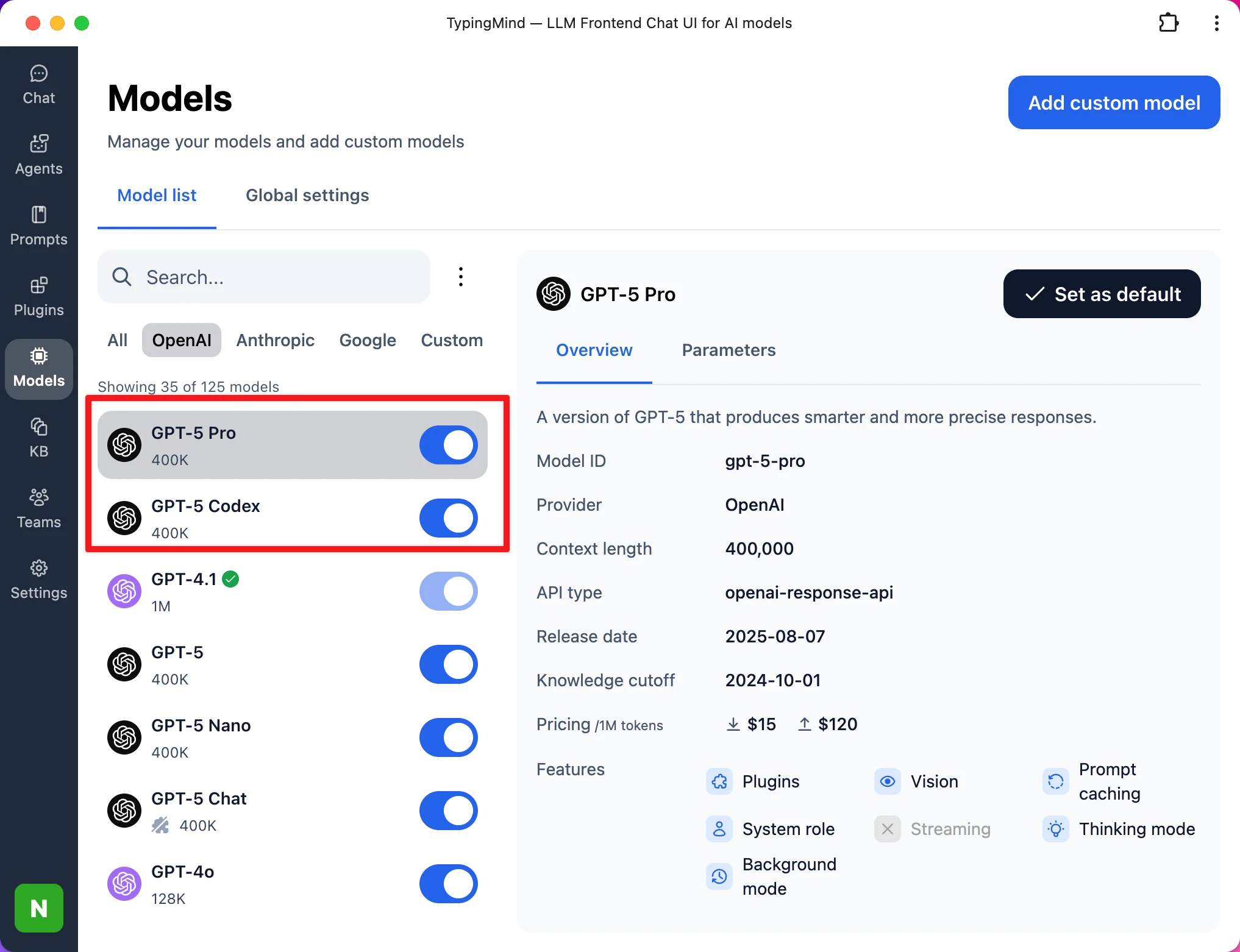
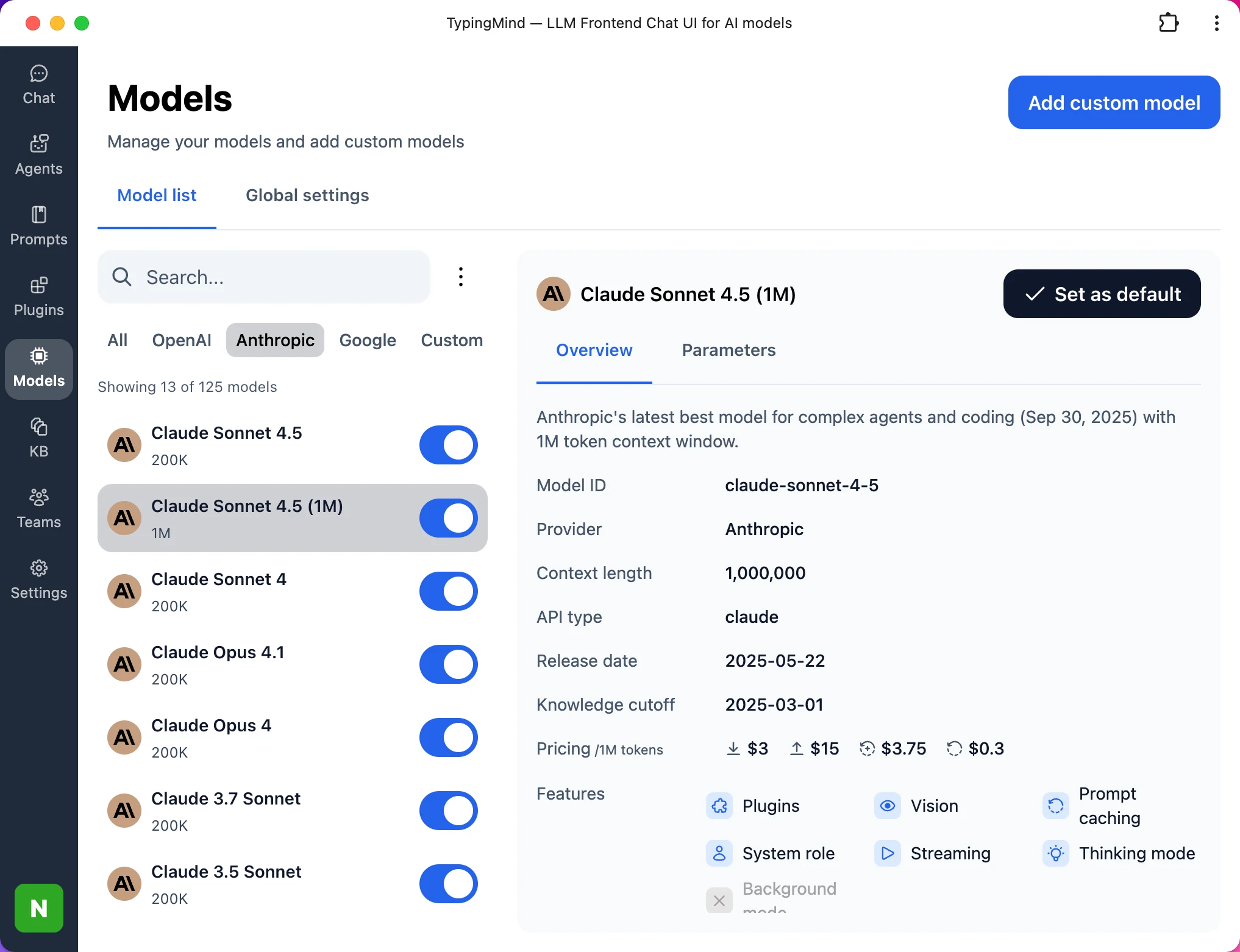
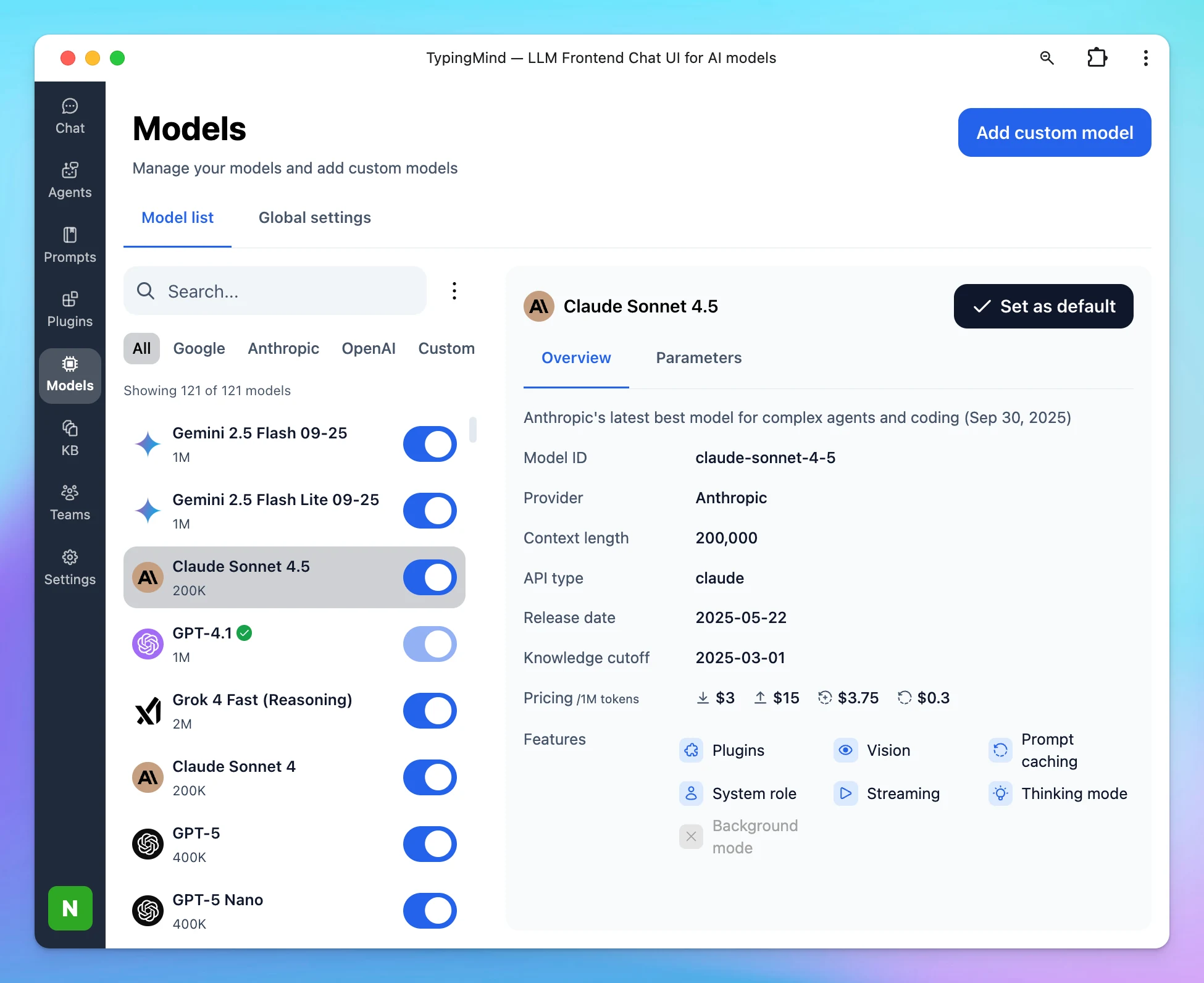
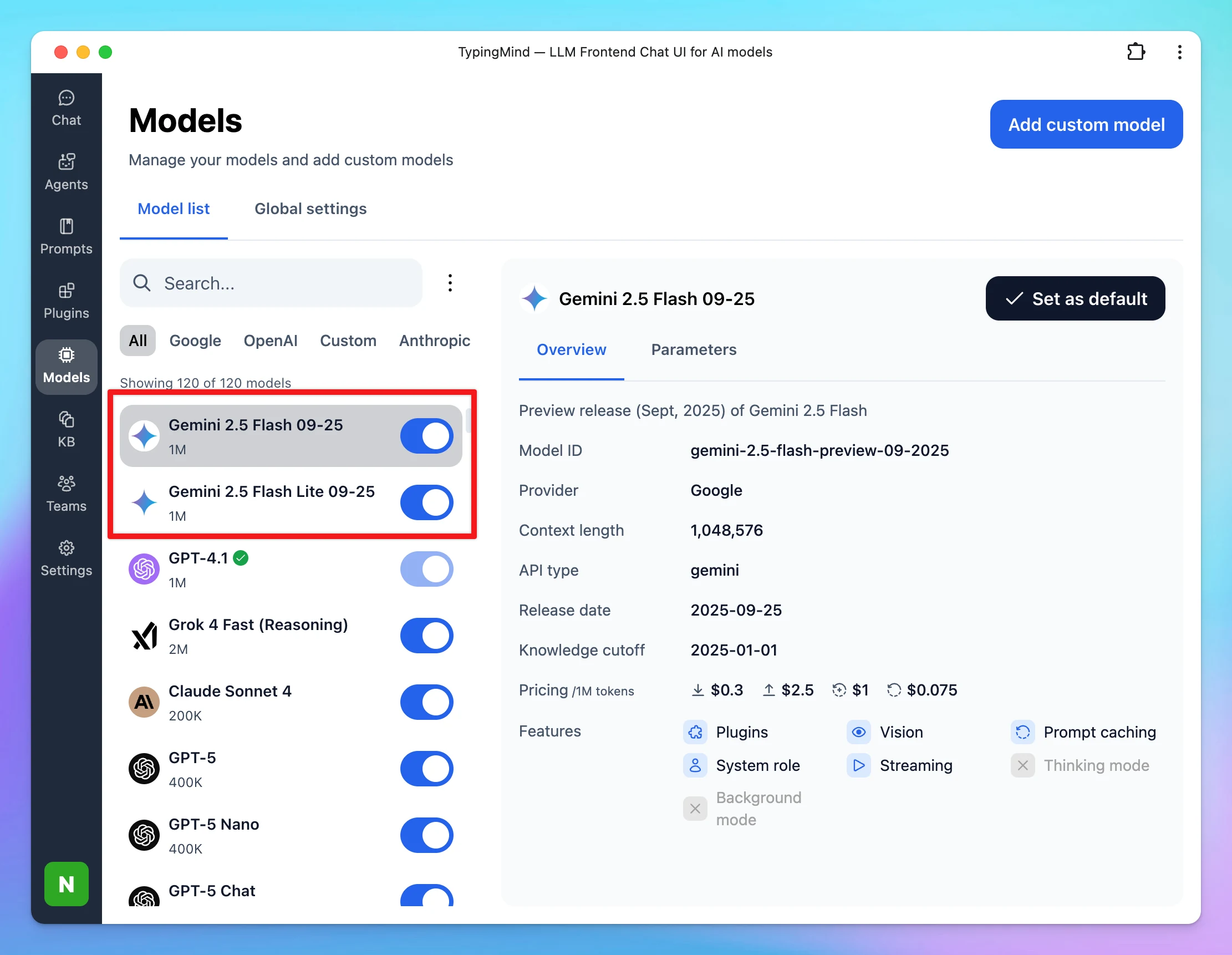
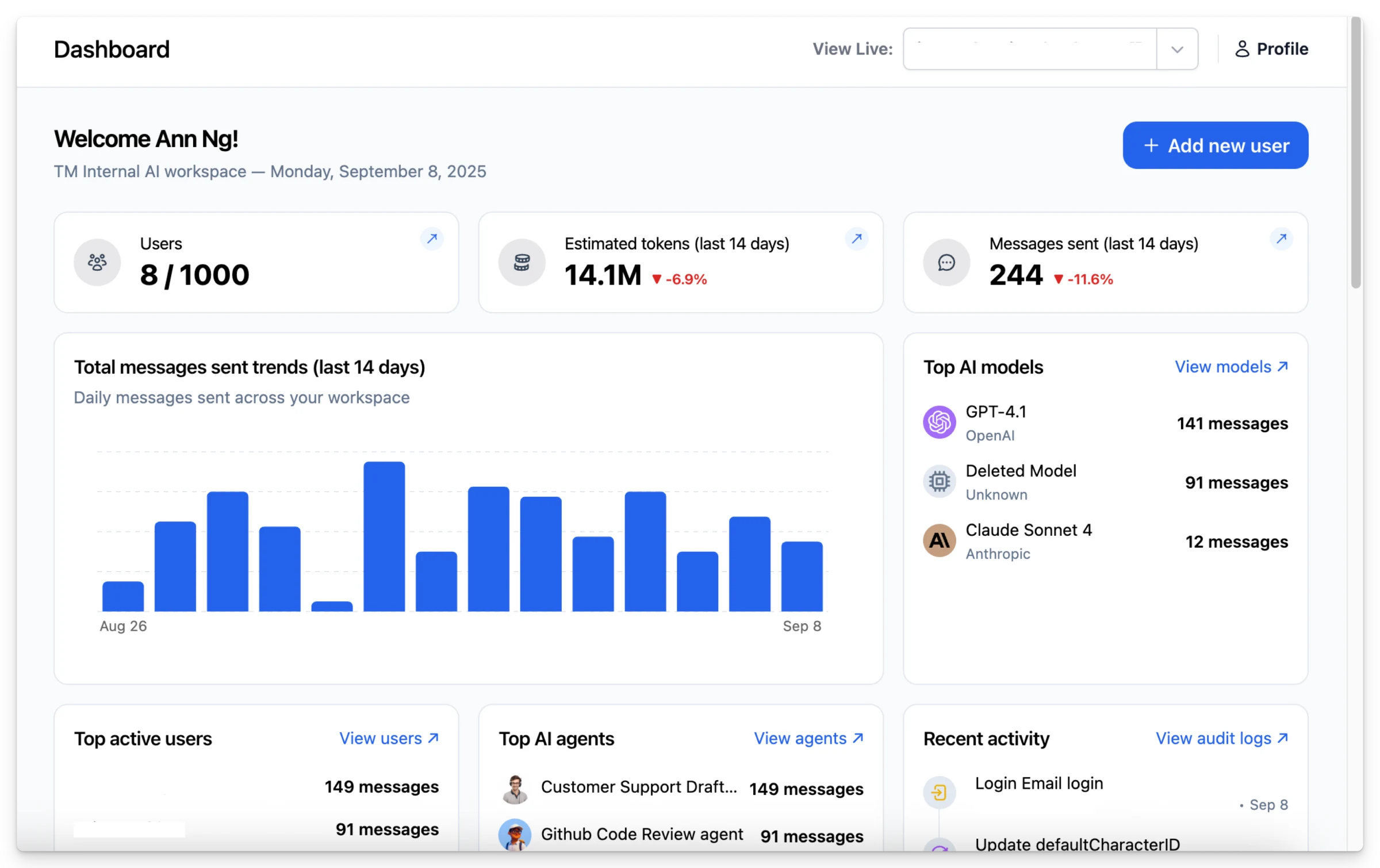
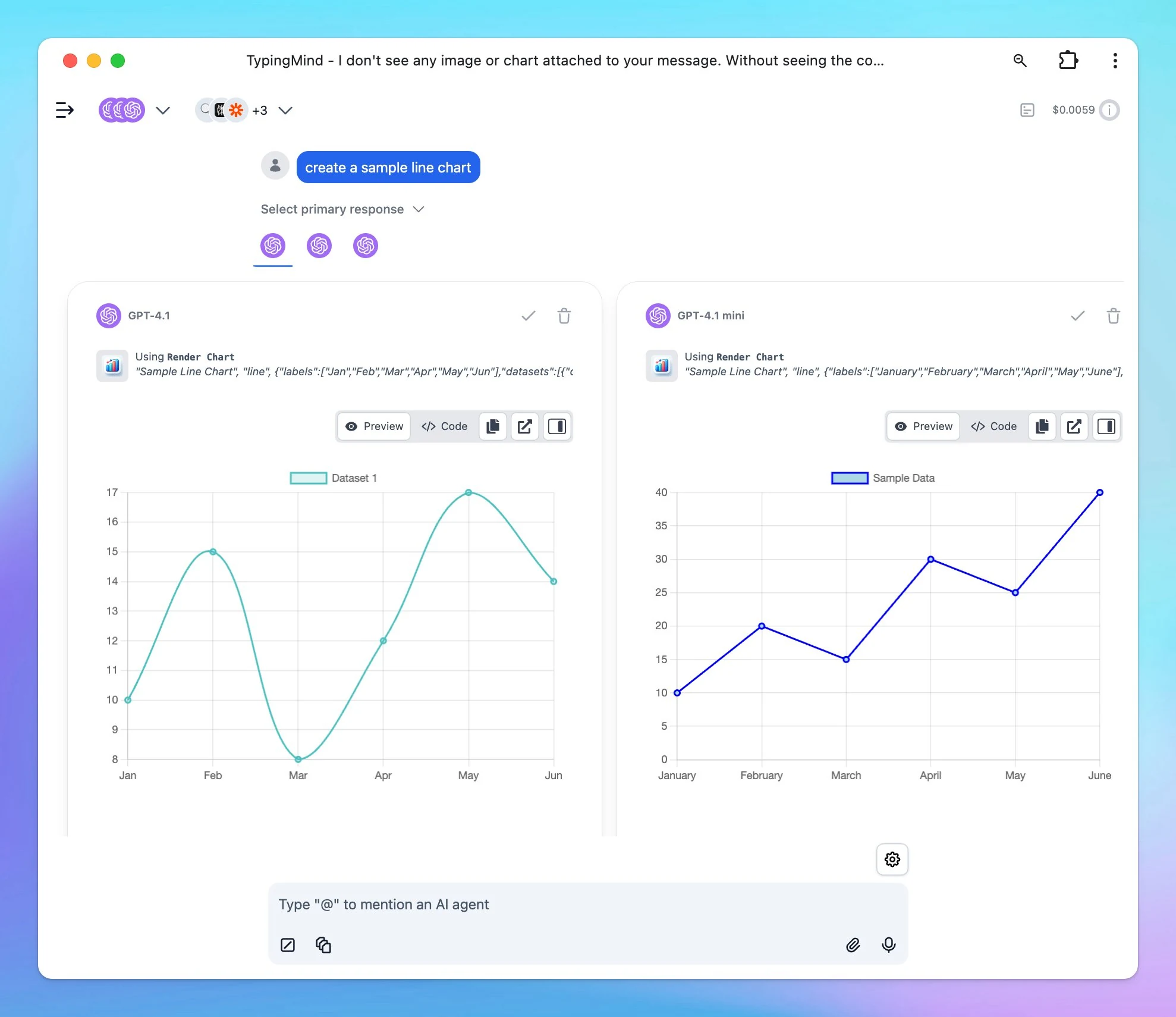
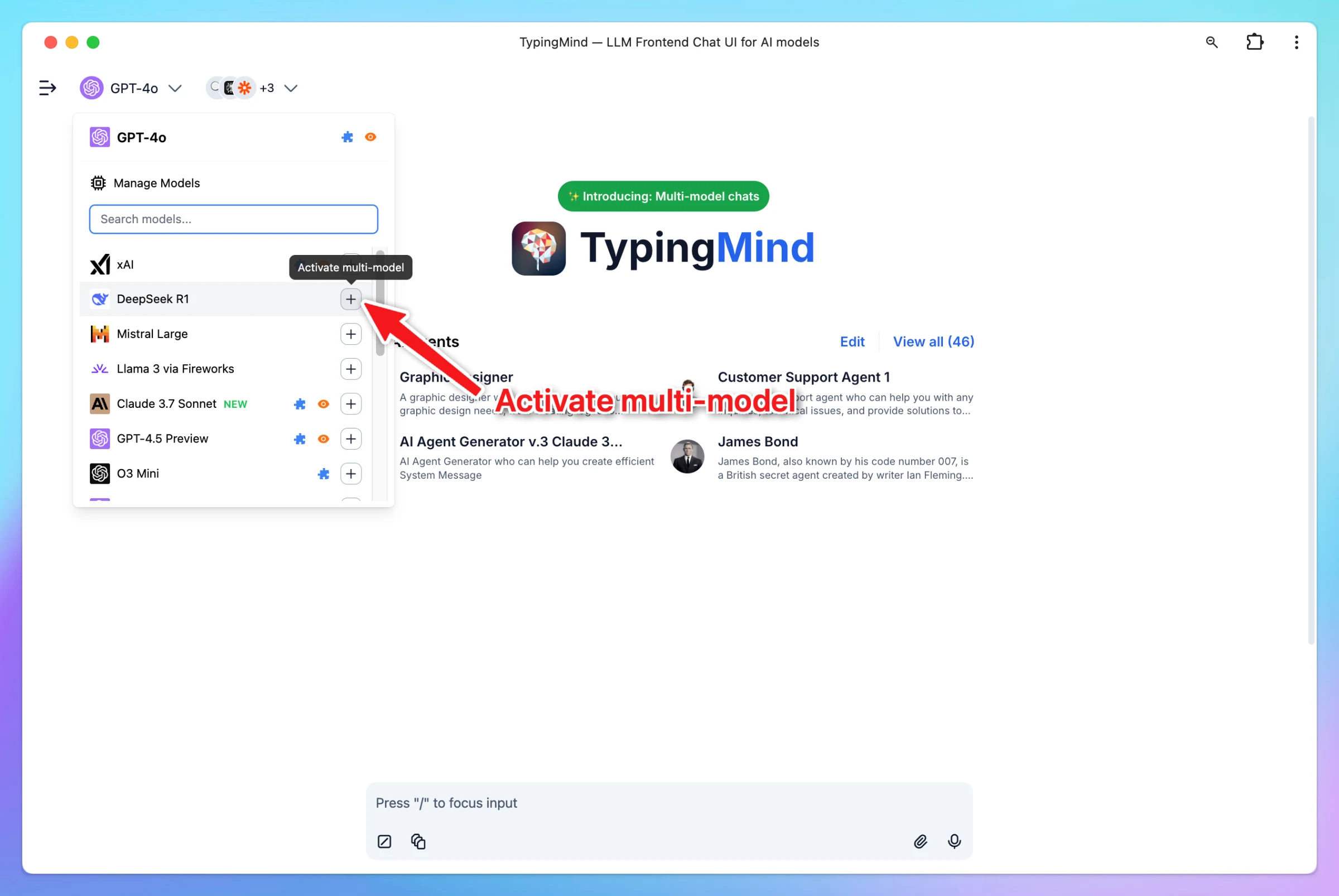
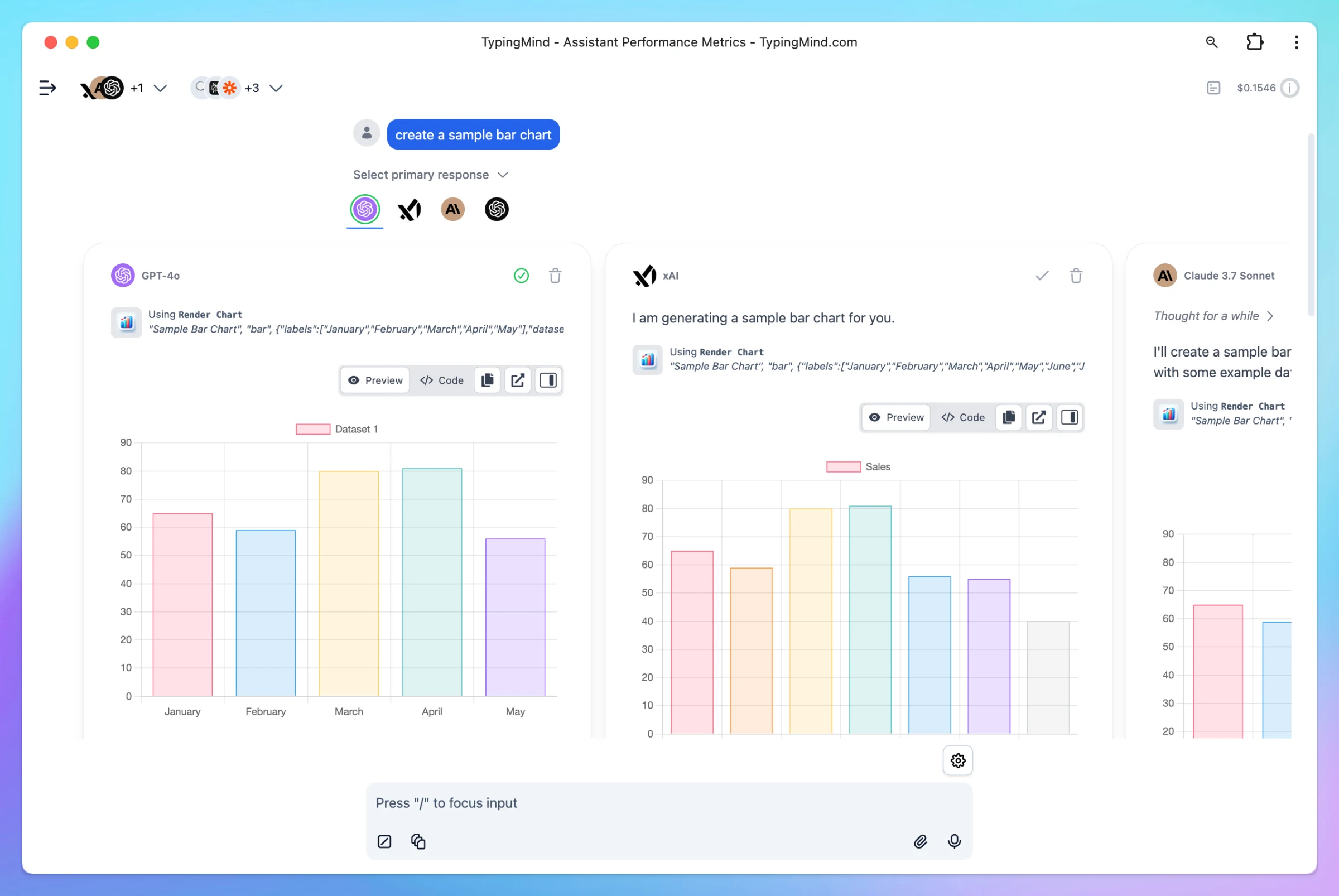
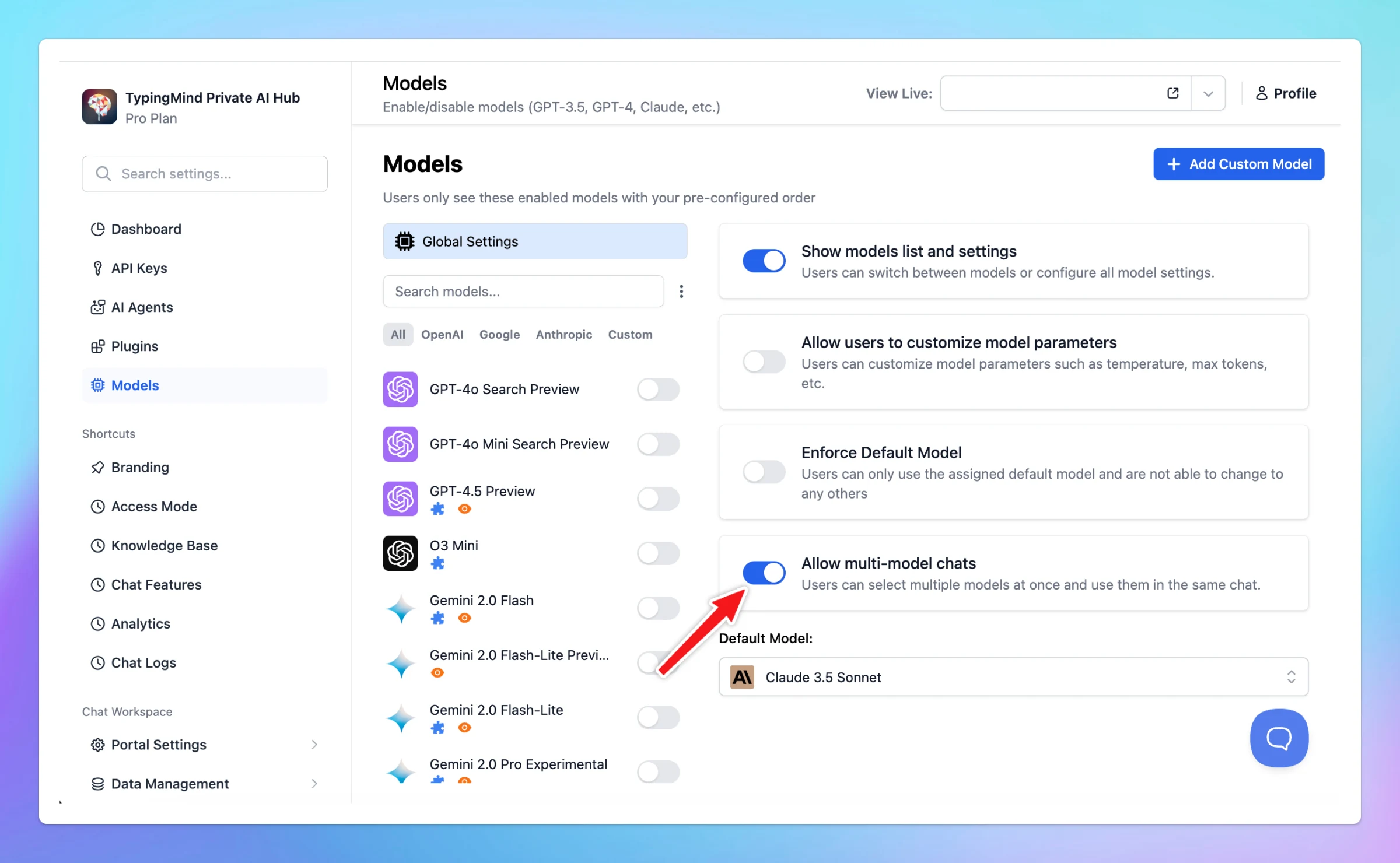
You can now select This Year directly from the date picker to view usage statistics and analytics for your Team instance for the year (custom.typingmind.com)
Improved
Team Version
Show detailsHide details
You can now select This Year directly from the date picker to view usage statistics and analytics for your Team instance for the year (custom.typingmind.com)
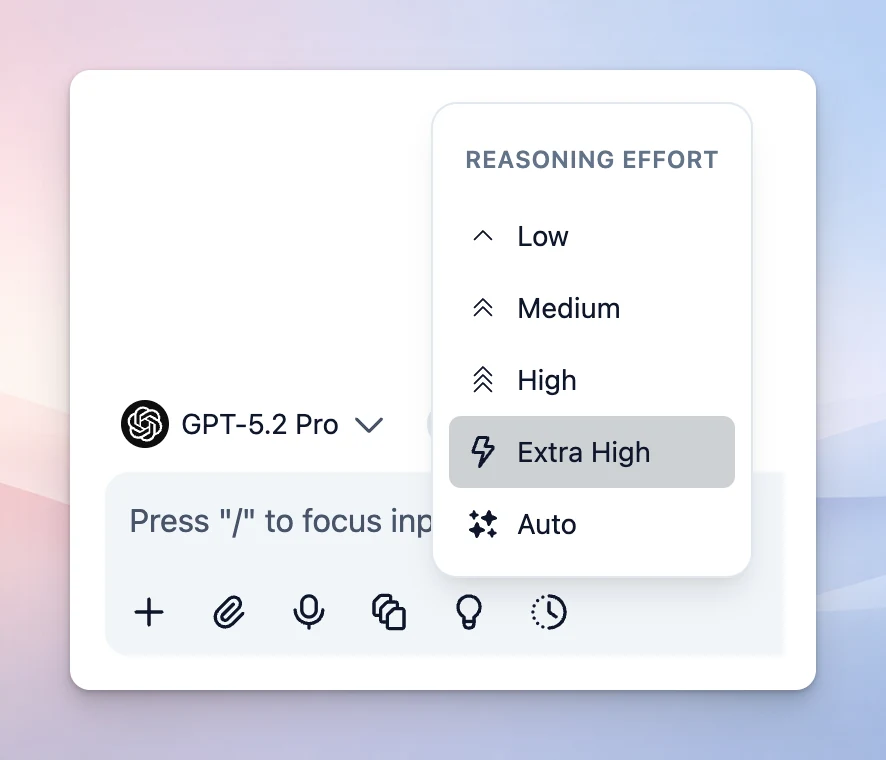
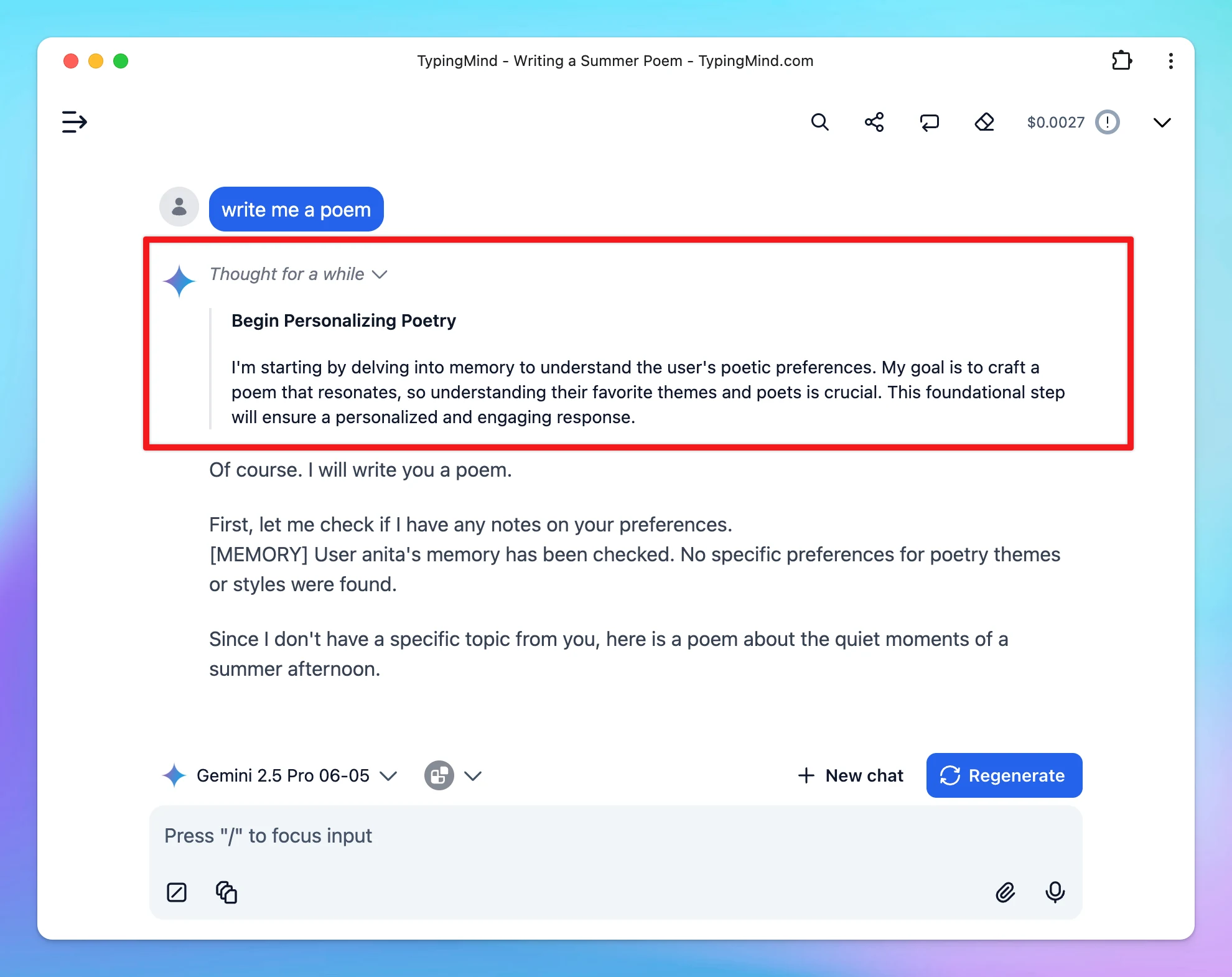
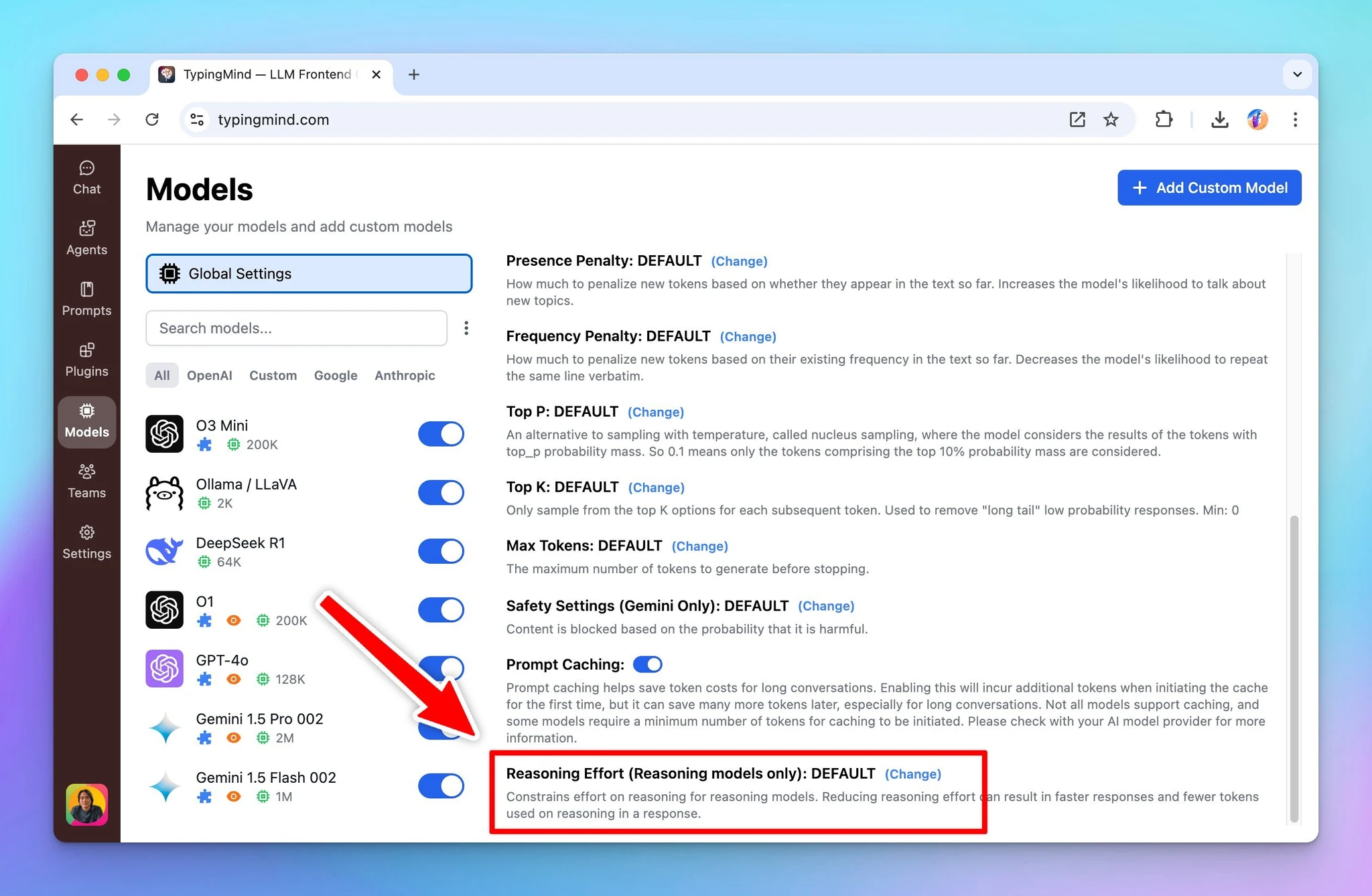
Added a new reasoning effort option: Extra High We’ve also updated the reasoning effort menu. Now when you can click Thinking to select the reasoning effort level that best fits your needs.
New
AI Models
Show detailsHide details
Added a new reasoning effort option: Extra High
We’ve also updated the reasoning effort menu. Now when you can click Thinking to select the reasoning effort level that best fits your needs.
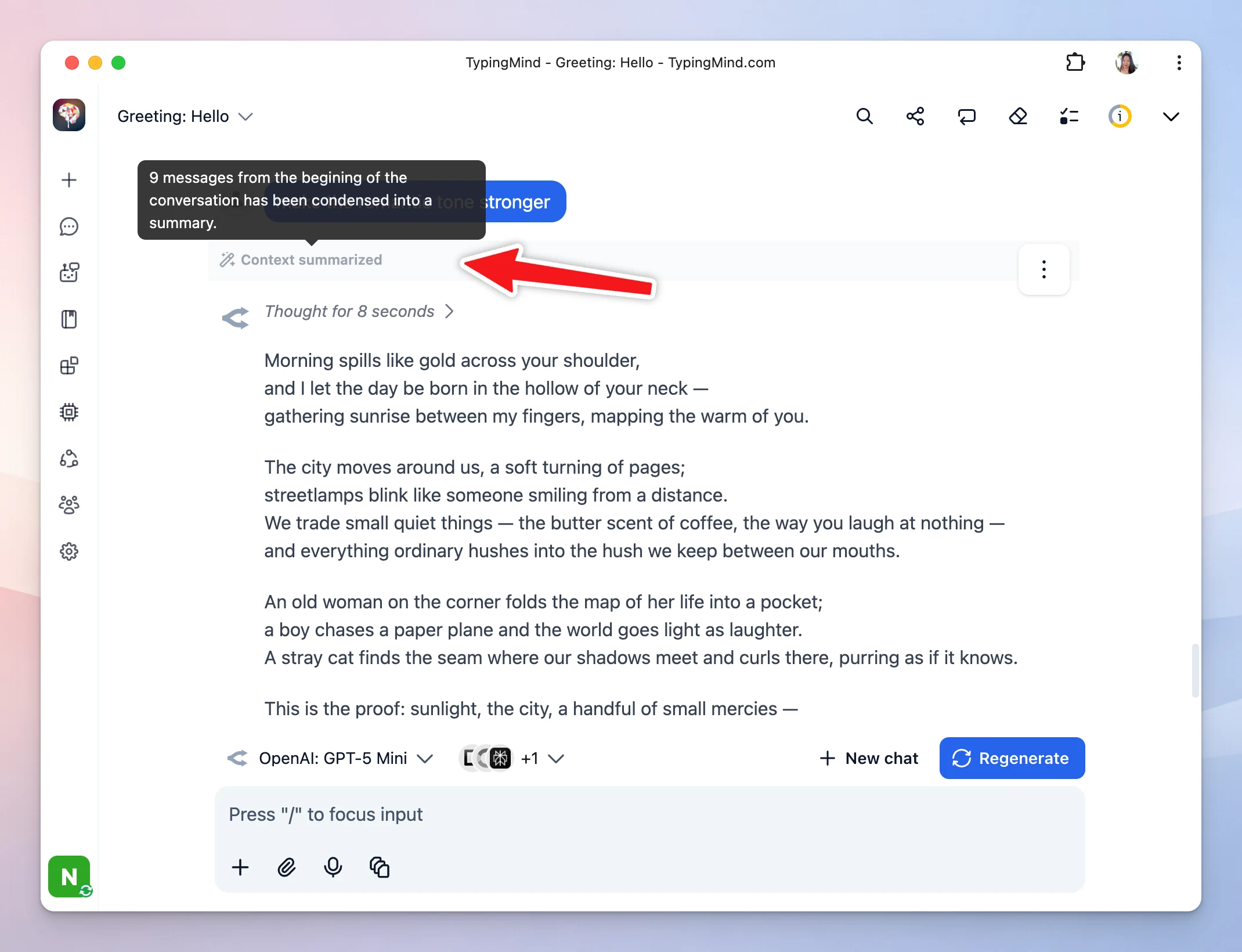
We’ve upgraded how the app handles long conversations. Previously, once you hit the context limit, x number of older messages were removed entirely, which means important details from earlier in the chat could be lost. → Now, when the context window fills up,…
Improved
AI Models
Show detailsHide details
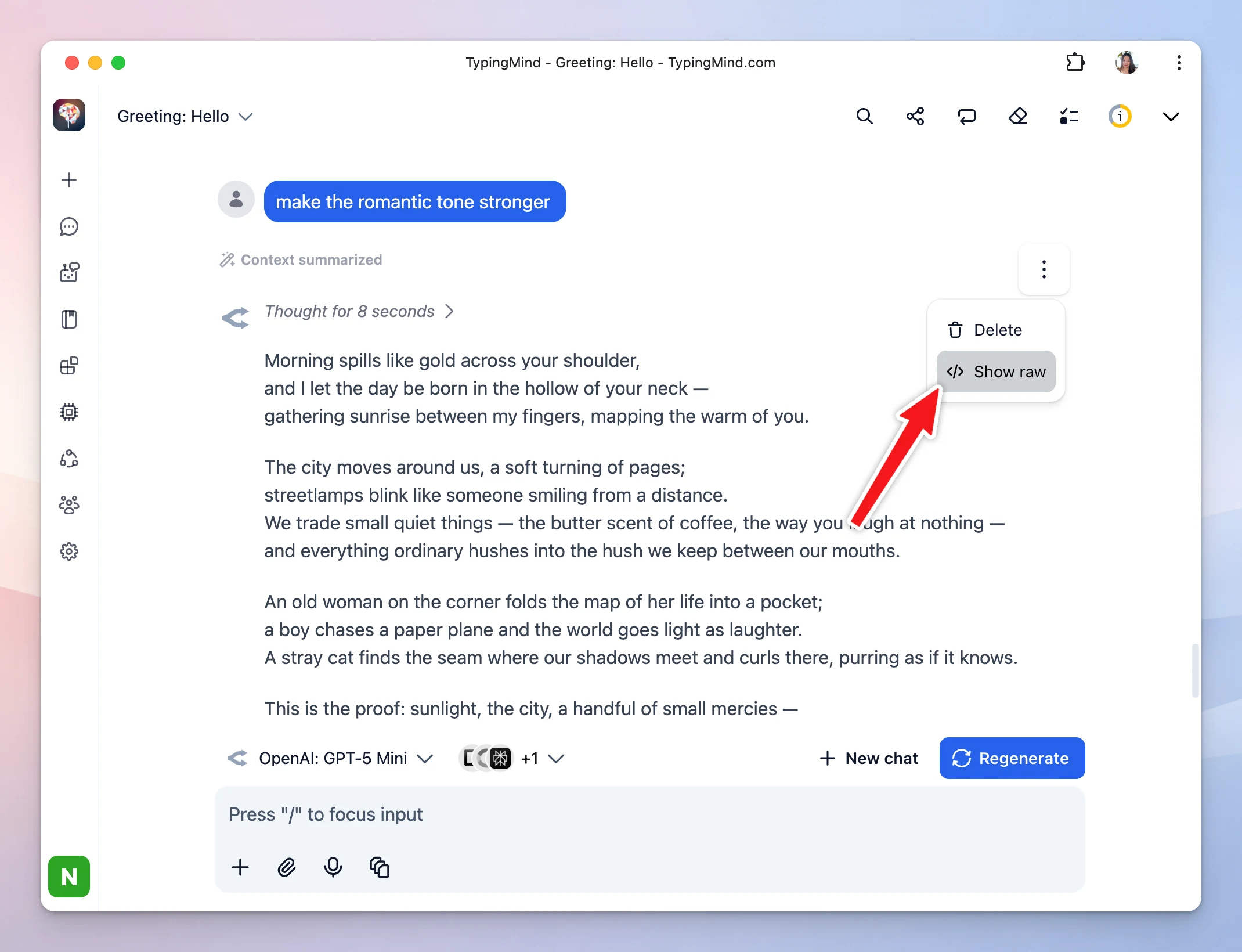
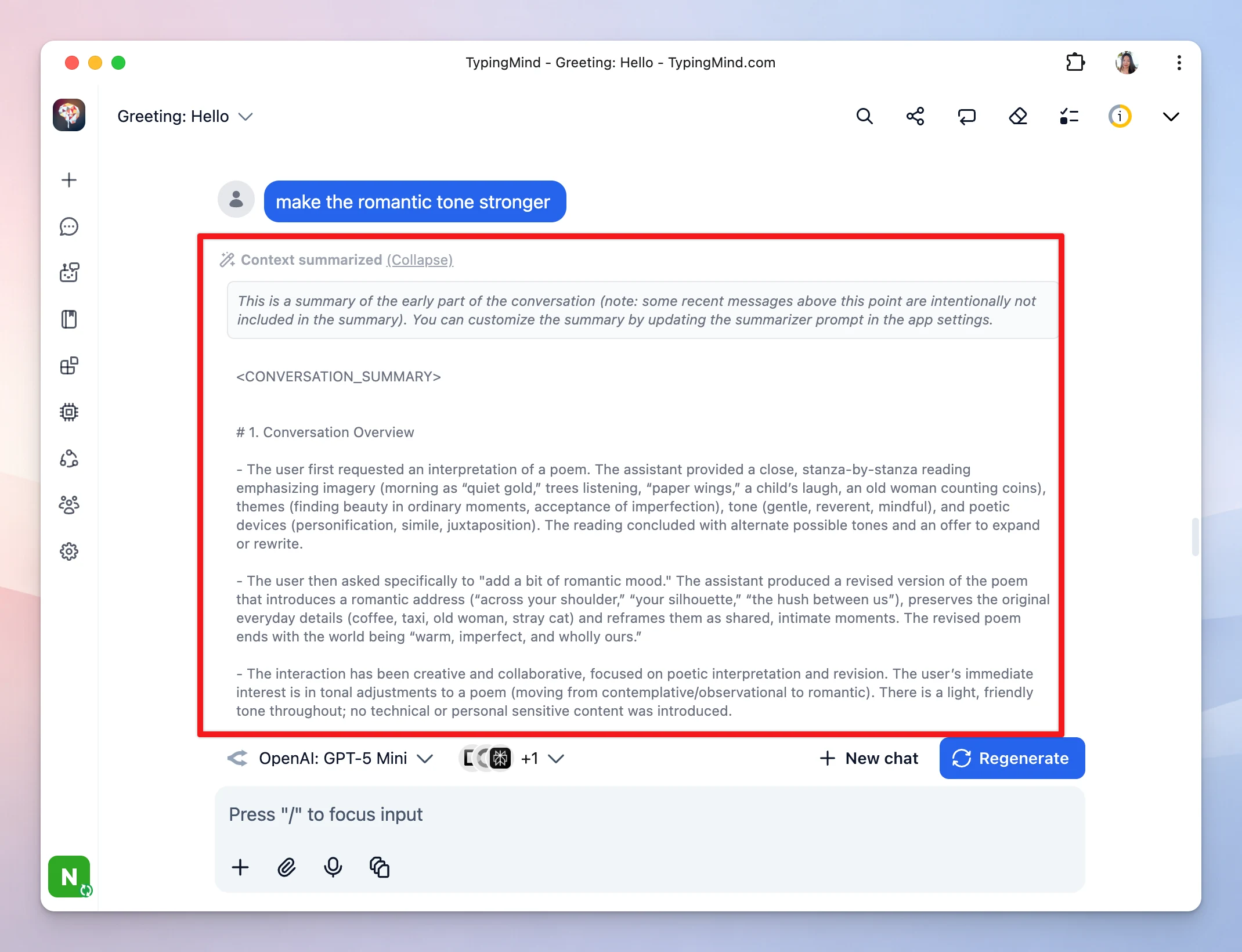
We’ve upgraded how the app handles long conversations.
Previously, once you hit the context limit, x number of older messages were removed entirely, which means important details from earlier in the chat could be lost.
→ Now, when the context window fills up, the app summarizes key information from older messages and retains that summary so the AI can stay relevant, then removes the original messages to free up context space.
This gives you longer, more consistent conversations with better memory of what matters!
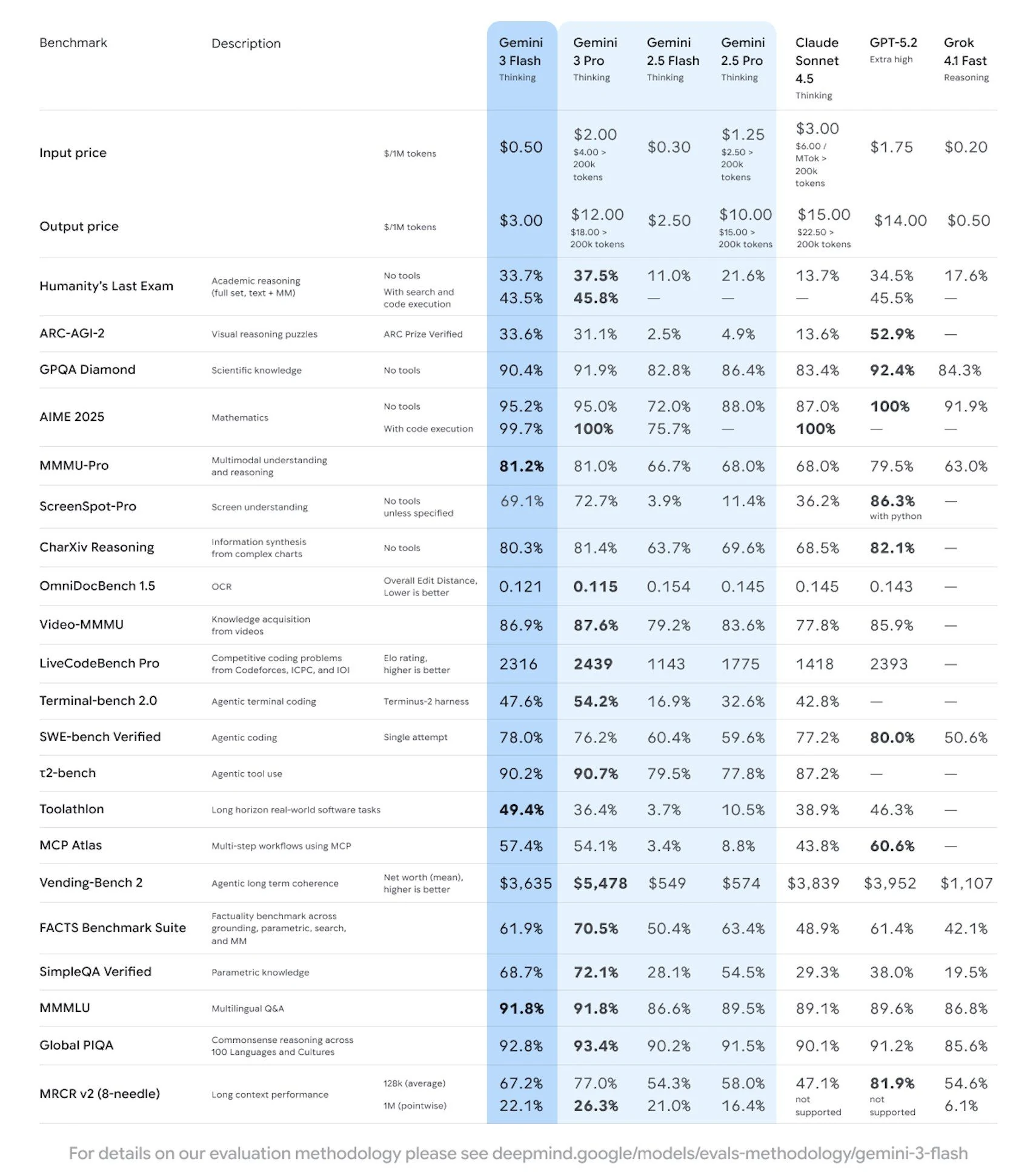
Gemini 3 Flash excels at coding, tool calling, and is stronger than 2.5 Pro across most metrics!! Available in the API at $0.50 in / 1M tokens and $3.00 out / 1M tokens across.
New
AI Models
Show detailsHide details
Gemini 3 Flash excels at coding, tool calling, and is stronger than 2.5 Pro across most metrics!!
Available in the API at $0.50 in / 1M tokens and $3.00 out / 1M tokens across.
Custom models from Azure, Bedrock, Open Router, and other providers now support advanced capabilities that were previously limited to native models! What's new: Thinking Mode: Enable extended reasoning capabilities for custom models that support it Prompt…
New
Fixed
Show detailsHide details
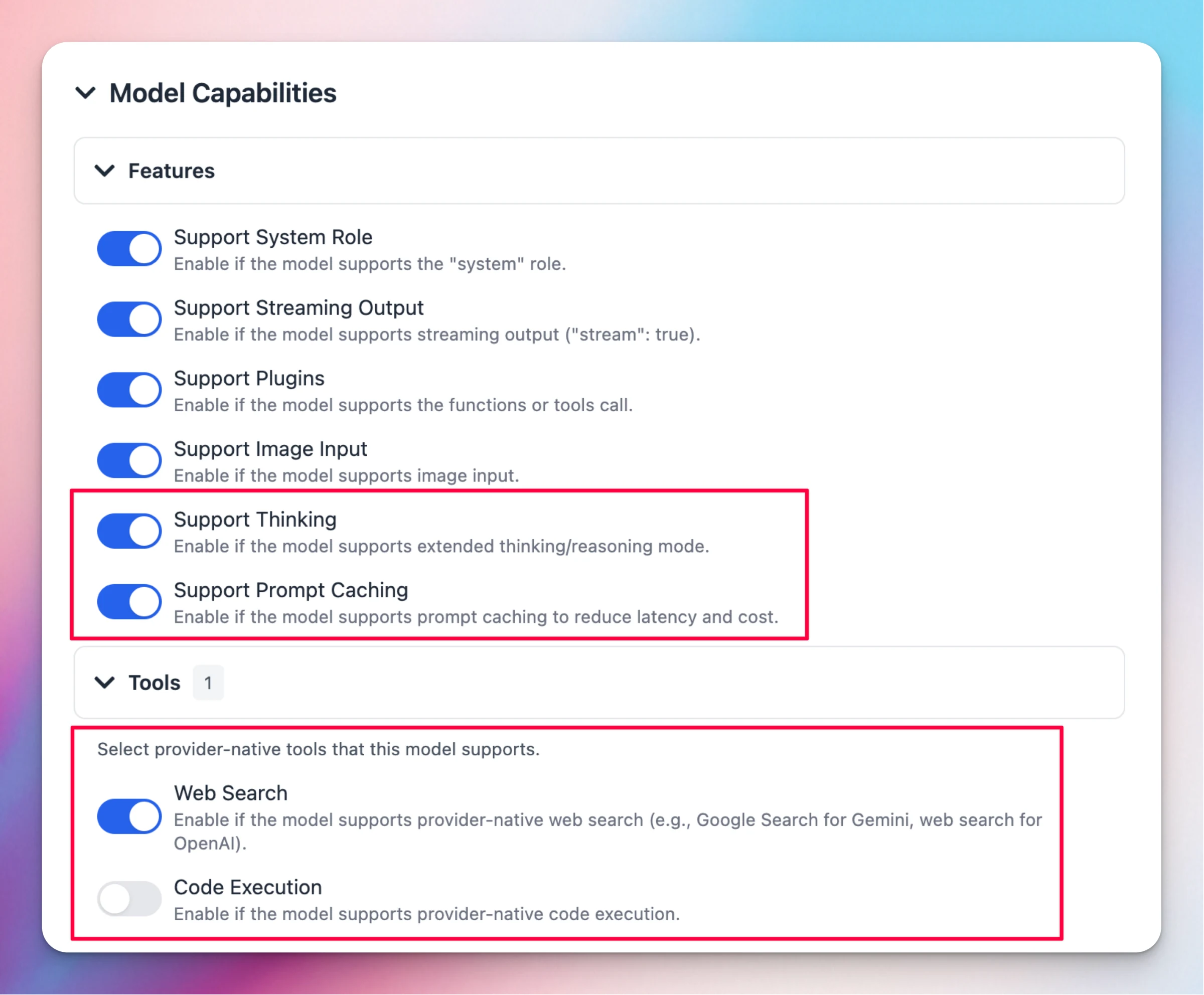
Custom models from Azure, Bedrock, Open Router, and other providers now support advanced capabilities that were previously limited to native models!
What's new:
Thinking Mode: Enable extended reasoning capabilities for custom models that support it
Prompt Caching: Reduce latency and costs by enabling prompt caching support
Provider Tools: Configure provider-native tools like web search and code execution
These settings are available in the Model Capabilities section when configuring your custom models, giving you full control over which features to enable based on your model's capabilities.
Also fixed:
Custom model override parameters now save correctly
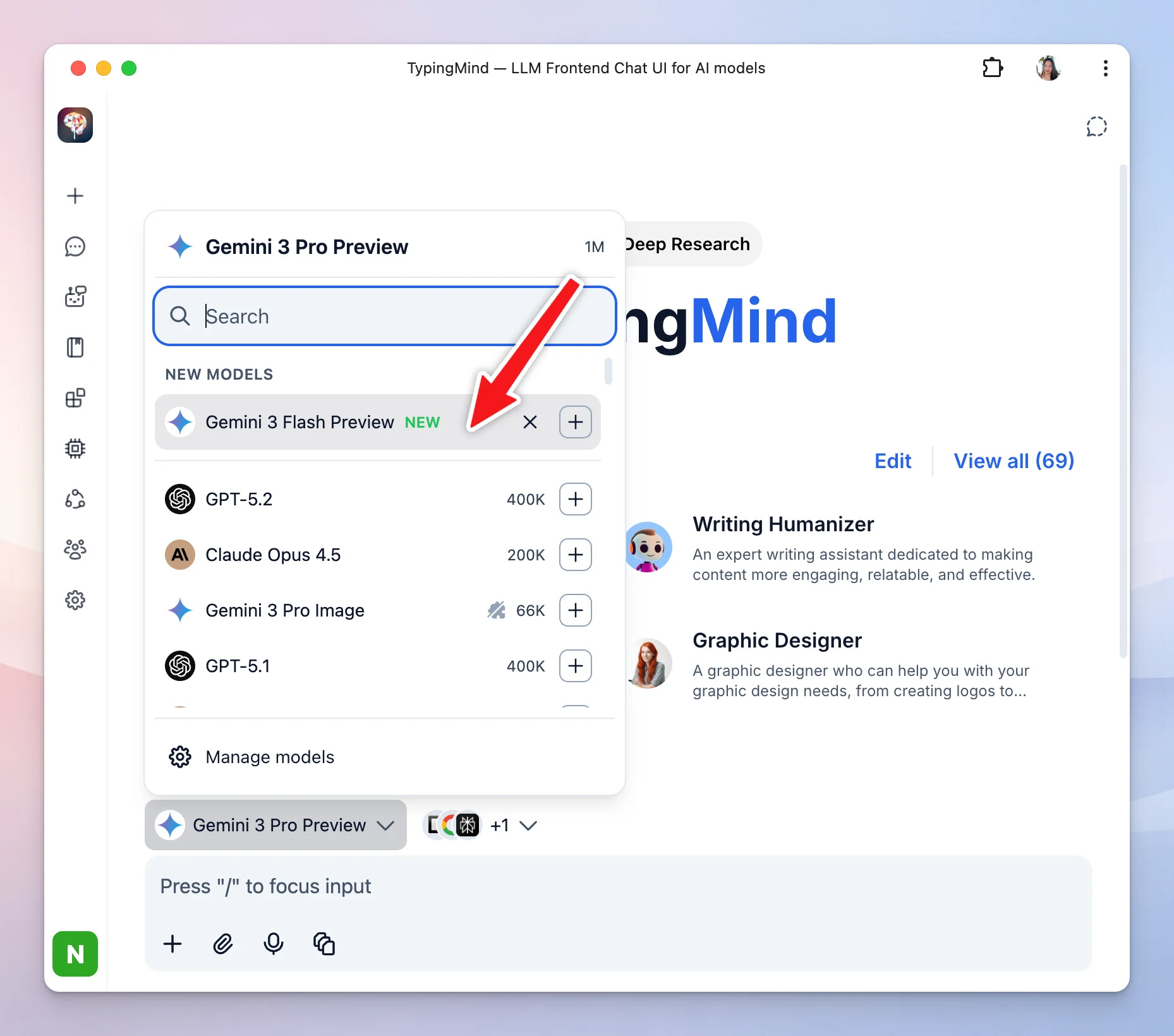
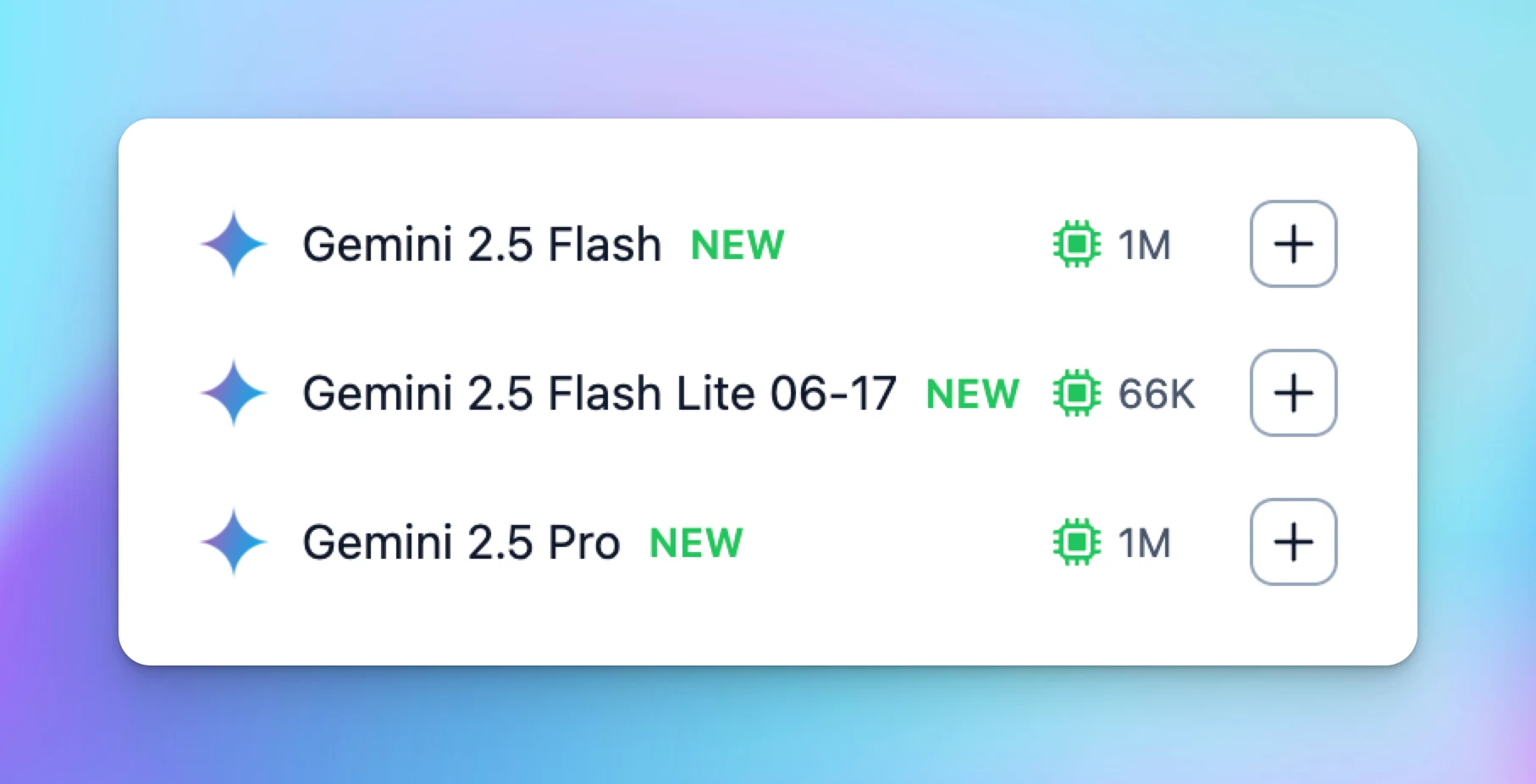
We've enhanced the model selection experience with better organization and control! What's new: New Models Section: Newly available AI models now appear in a dedicated section at the top, marked with a "NEW" badge Dismiss New Models: Hide new models you're…
Improved
Show detailsHide details
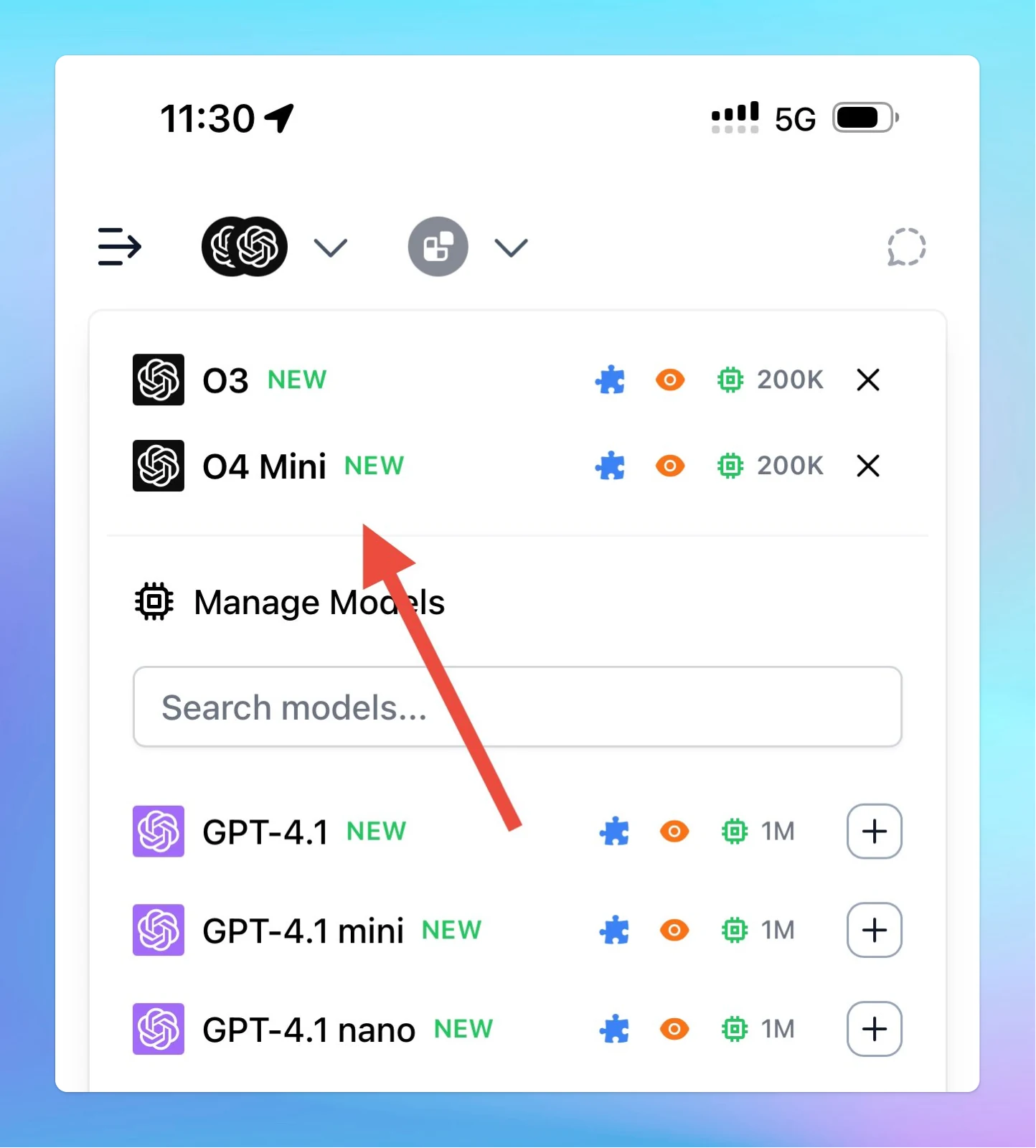
We've enhanced the model selection experience with better organization and control!
What's new:
New Models Section: Newly available AI models now appear in a dedicated section at the top, marked with a "NEW" badge
Dismiss New Models: Hide new models you're not interested in using the "Dismiss this model" button or the × icon. Installed models are protected and cannot be dismissed.
This keeps your model list clean and focused on what you need!
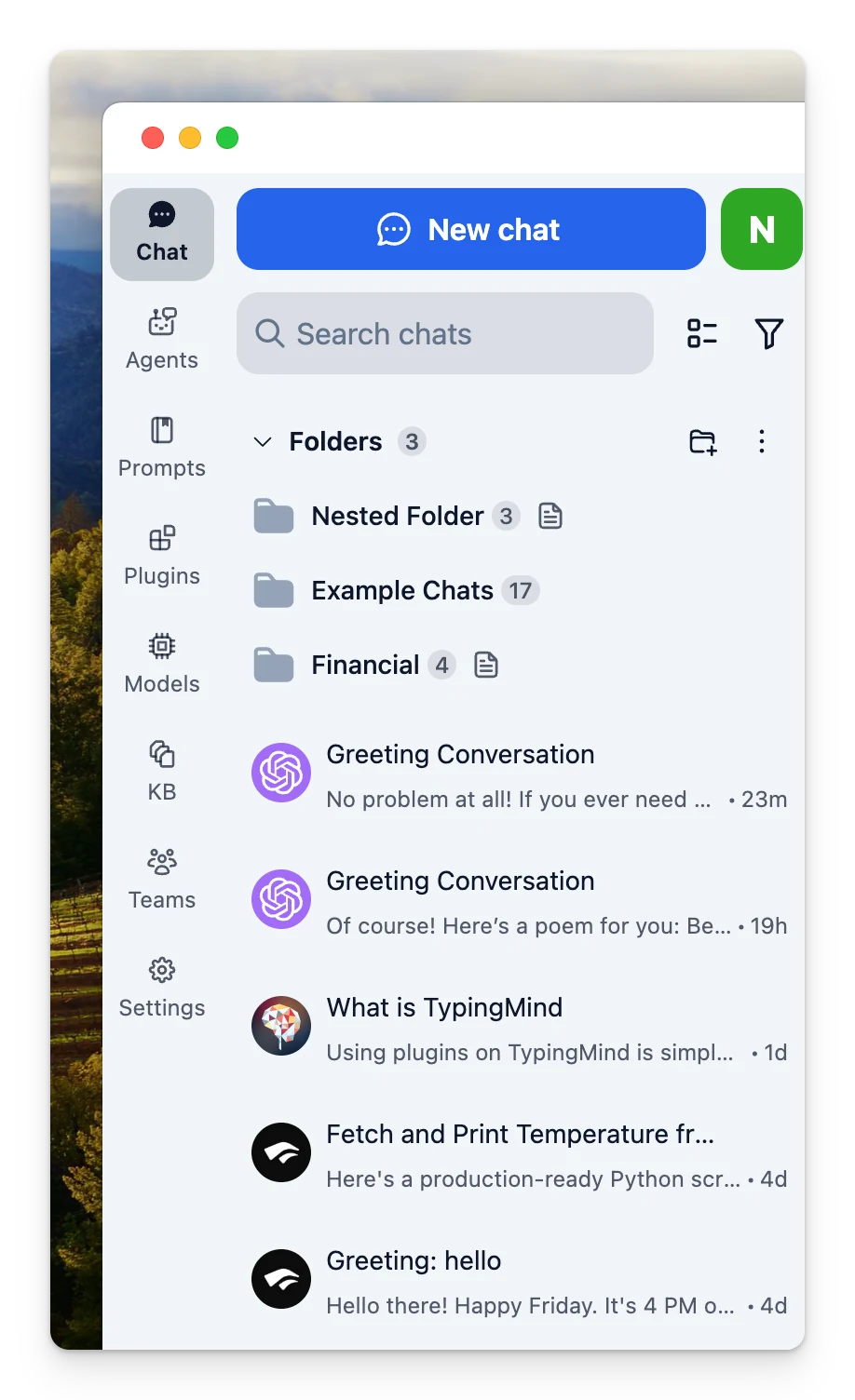
We have just added a compact mode for the sidebar to help you focus more on your conversations! What’s new: The app now opens in compact sidebar mode by default New project navigation area on the top left corner of the chat page, allowing you to manage…
New
Chat Management
Show detailsHide details
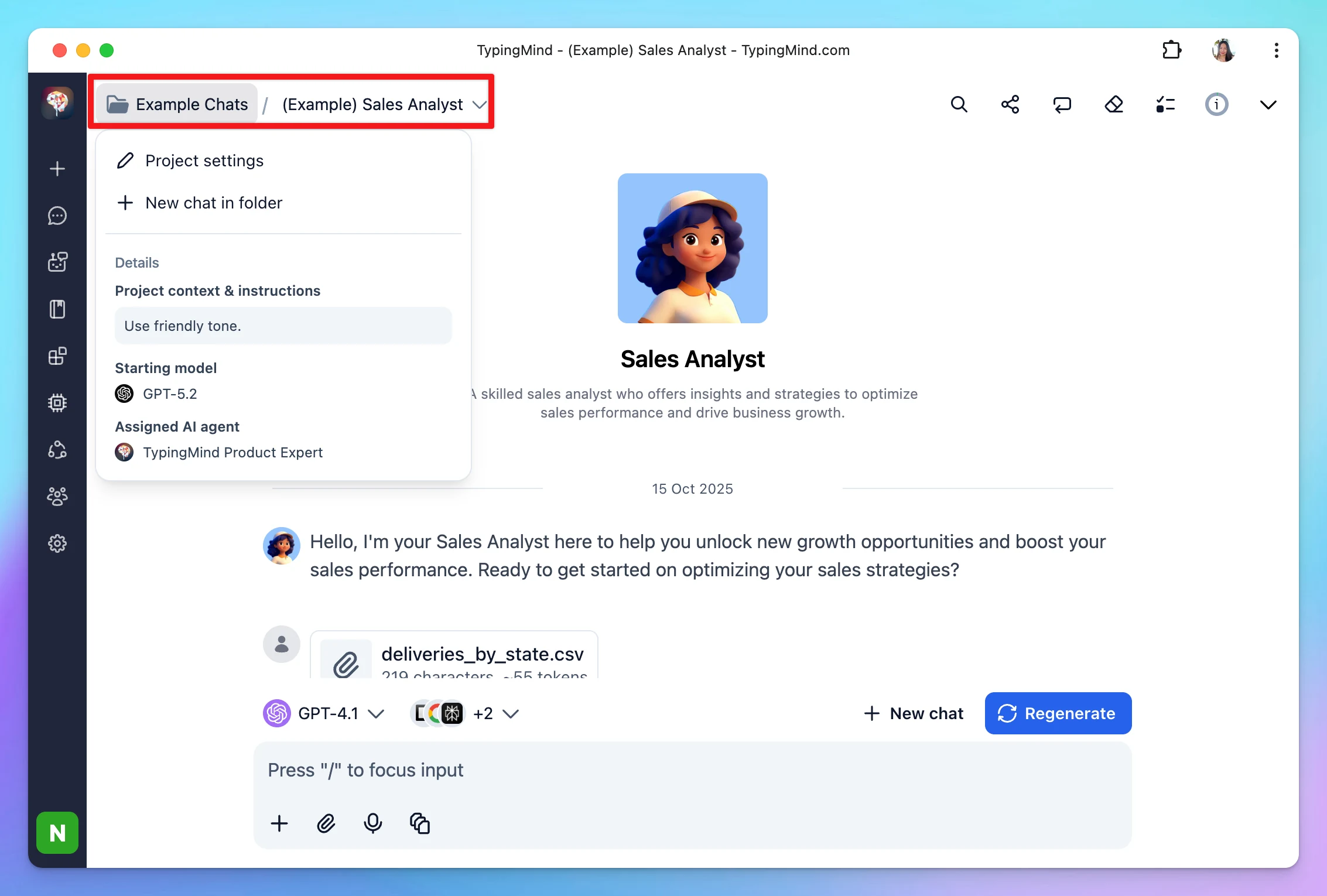
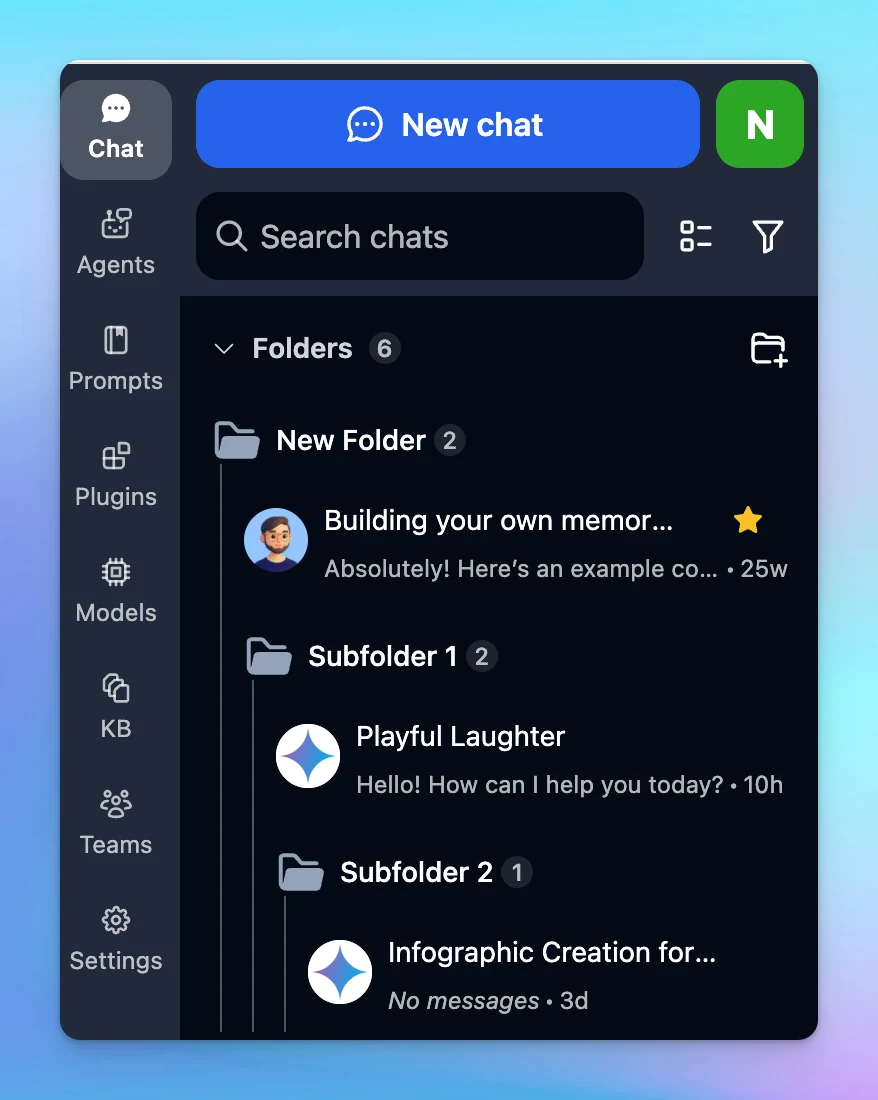
We have just added a compact mode for the sidebar to help you focus more on your conversations!
What’s new:
The app now opens in compact sidebar mode by default
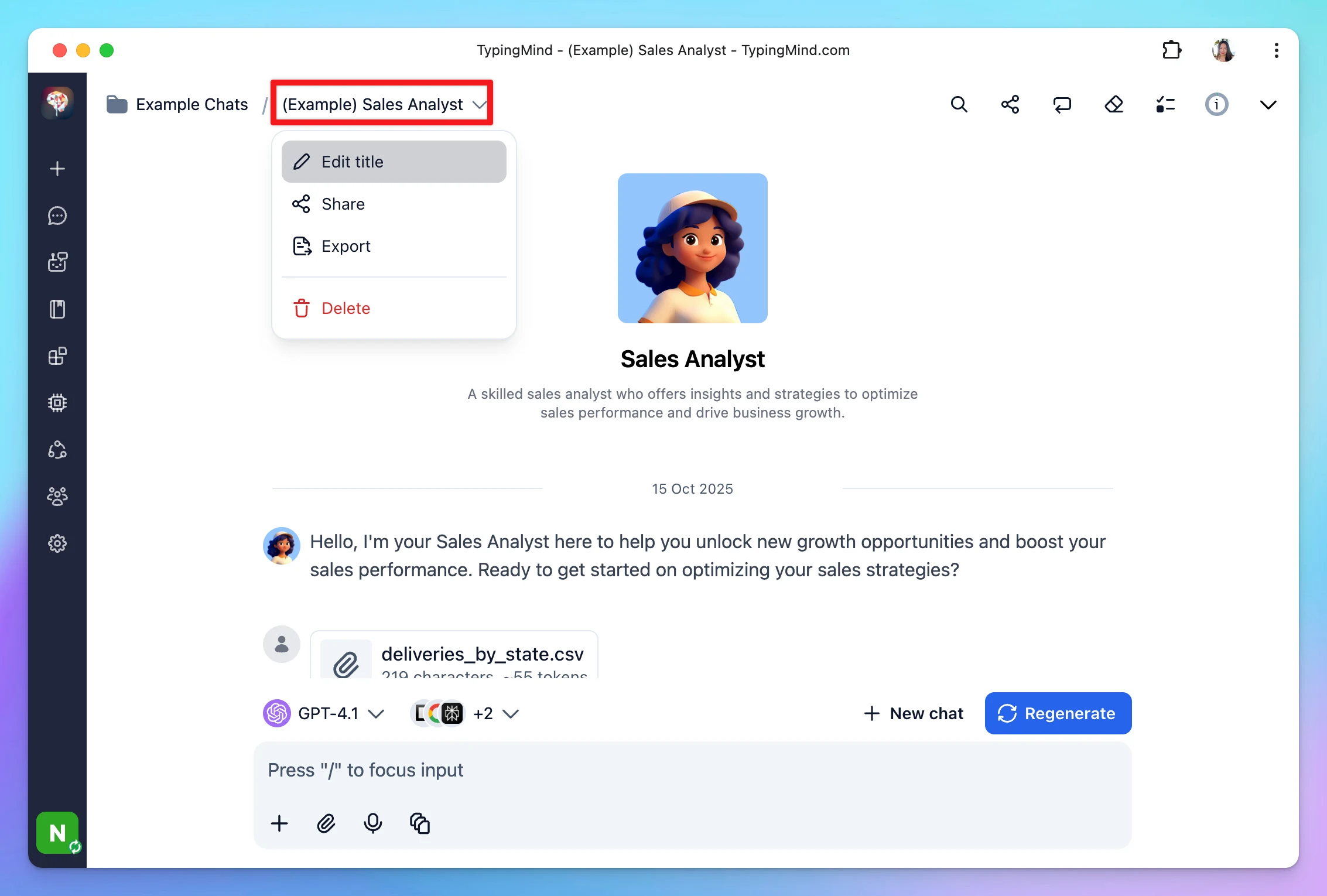
New project navigation area on the top left corner of the chat page, allowing you to manage projects and chats more quickly:
Edit project settings or add new chats to project easily:
Edit the chat title, share, export, or delete chats:
This update keeps everything accessible while giving you a cleaner, more focused workspace. Let us know what you think!
TypingMind can now search the web by default using the built-in tool provided by OpenAI/Anthropic/Gemini. The referenced search results are shown in inline citations and the new sources panel. When selecting a model with supported built-in tools, the tools…
Show detailsHide details
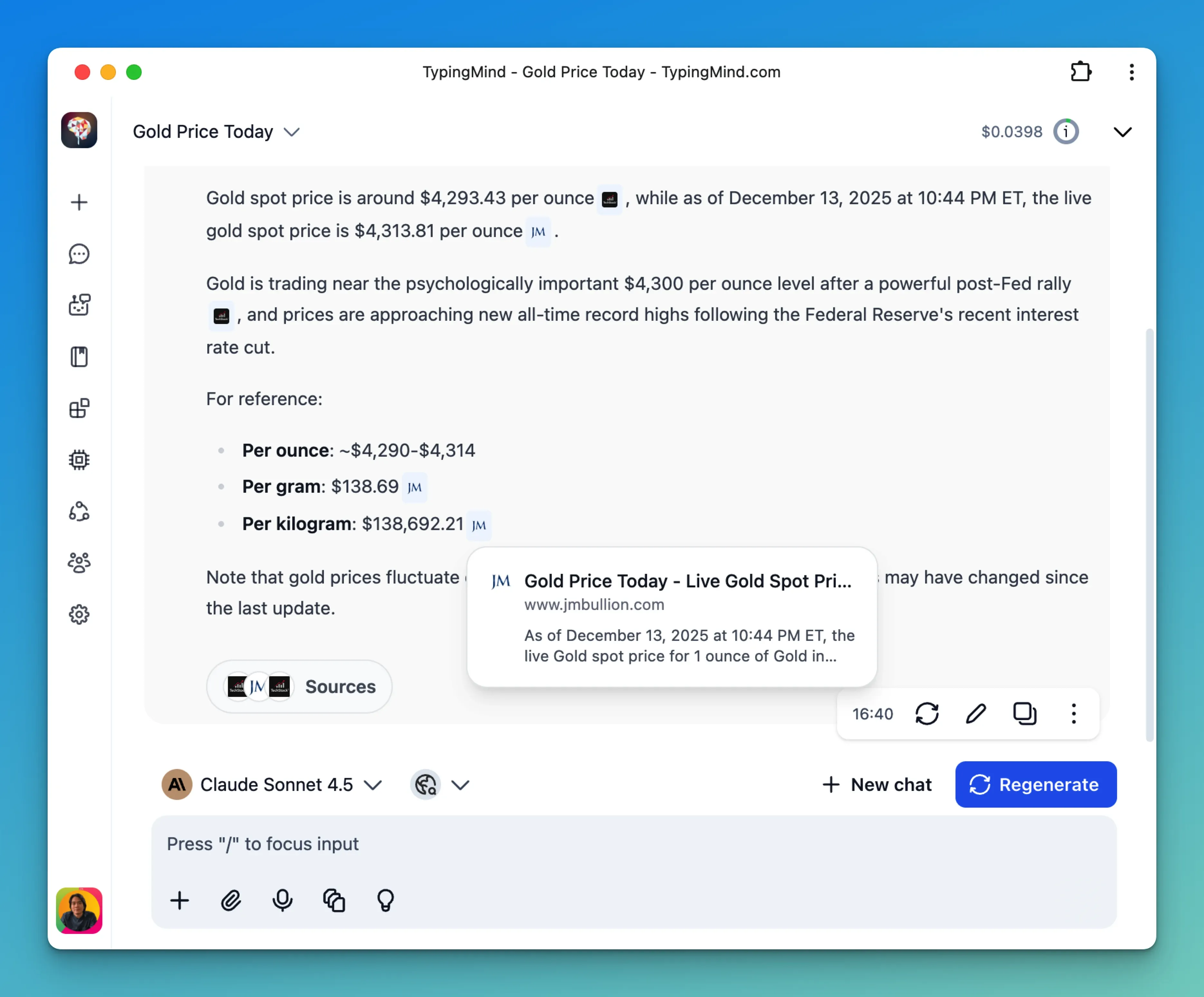
TypingMind can now search the web by default using the built-in tool provided by OpenAI/Anthropic/Gemini.
The referenced search results are shown in inline citations and the new sources panel.
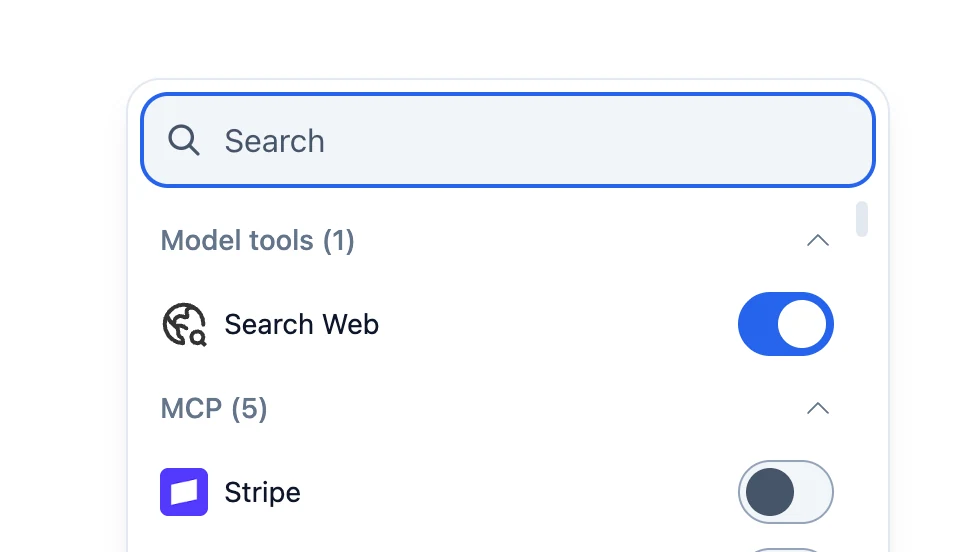
When selecting a model with supported built-in tools, the tools will show up in the plugins list.
For the Team version, admin users can enable/disable these tools from the Admin Panel→ Plugins
Most recent models from OpenAI, Anthropic, and Google are supported.
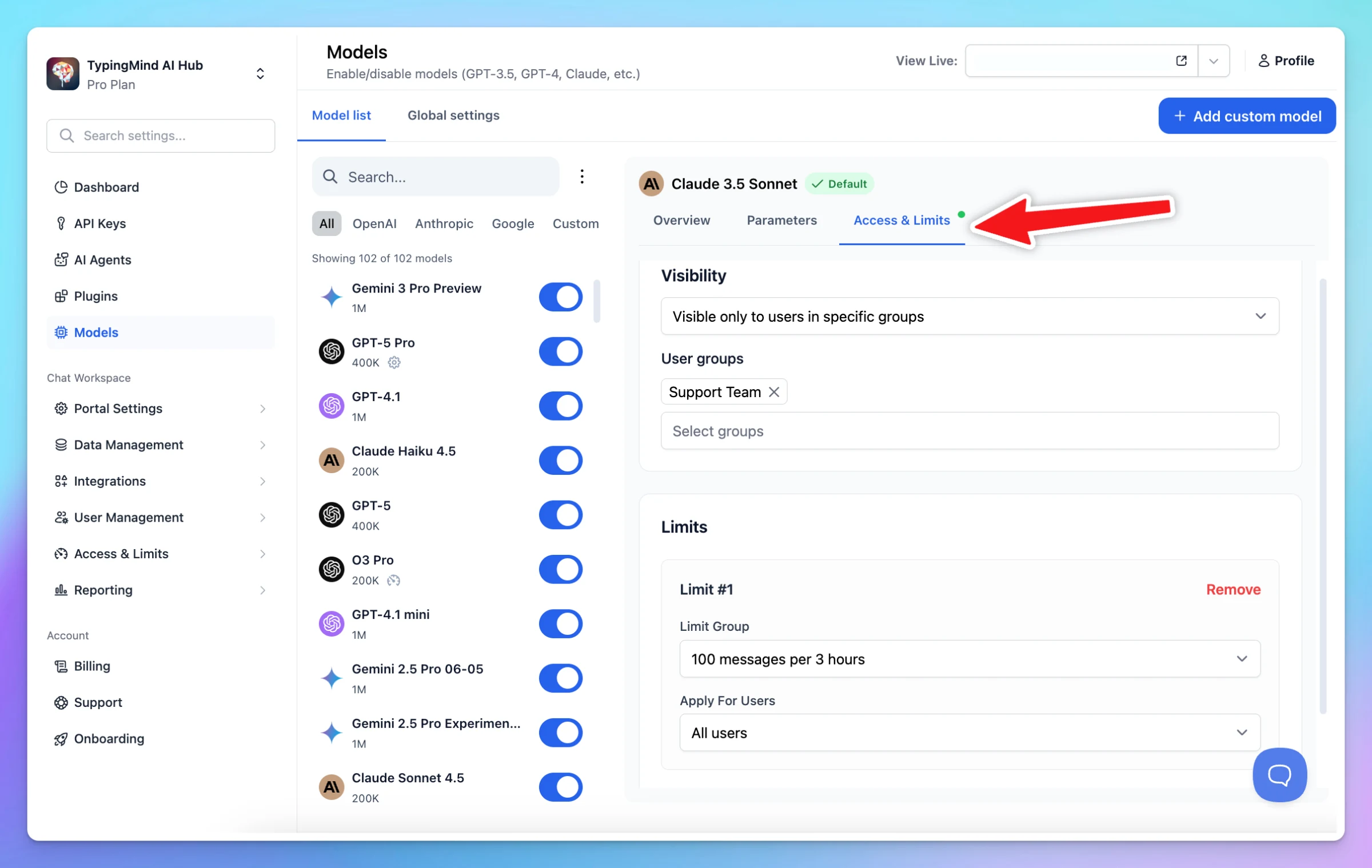
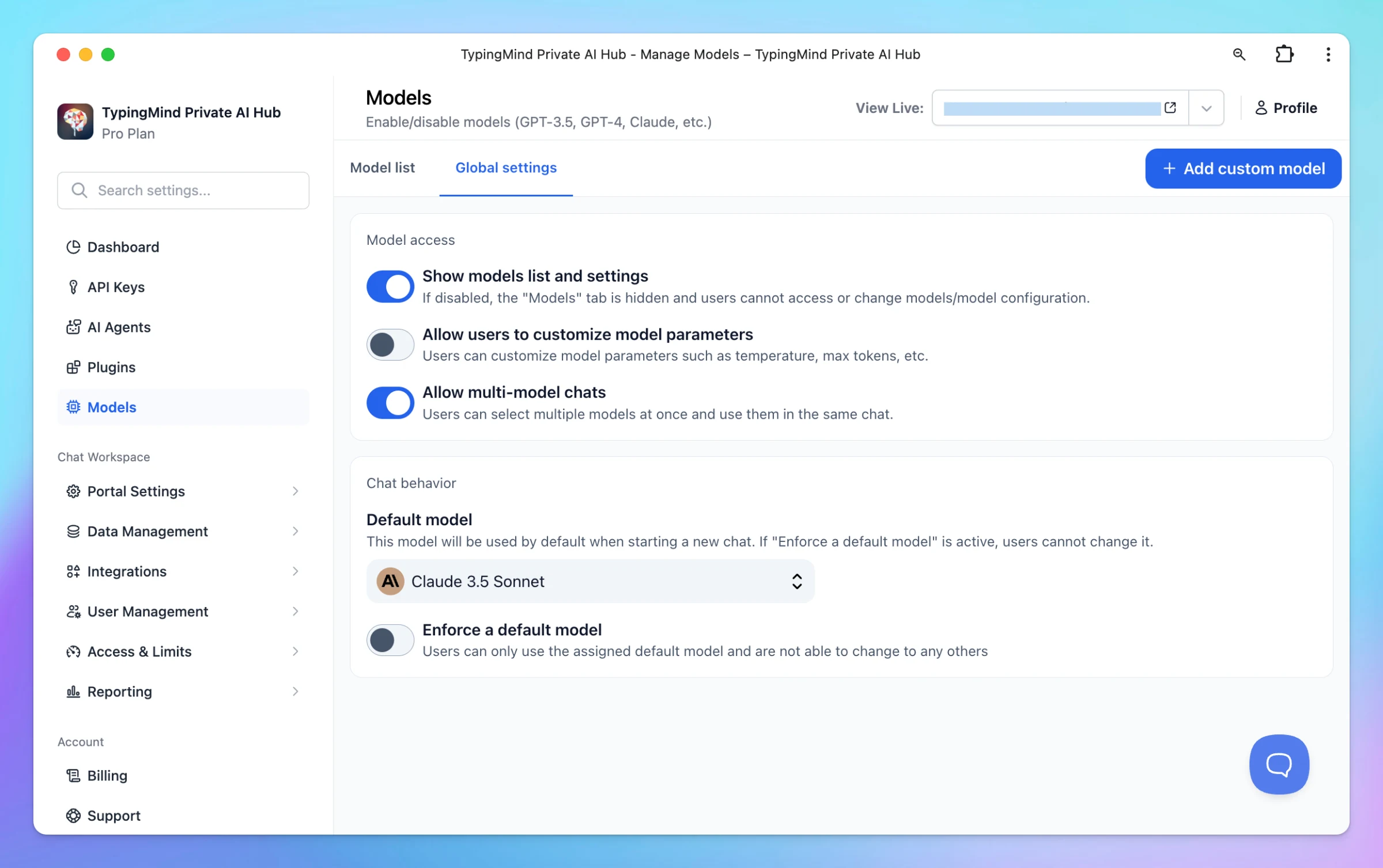
It’s much easier to restrict the visibility and usage of specific AI models for certain groups of users on TypingMind! Guide: https://docs.typingmind.com/typingmind-team/branding-and-customizations/restrict-model-access
Improved
Team Version
Show detailsHide details
It’s much easier to restrict the visibility and usage of specific AI models for certain groups of users on TypingMind!
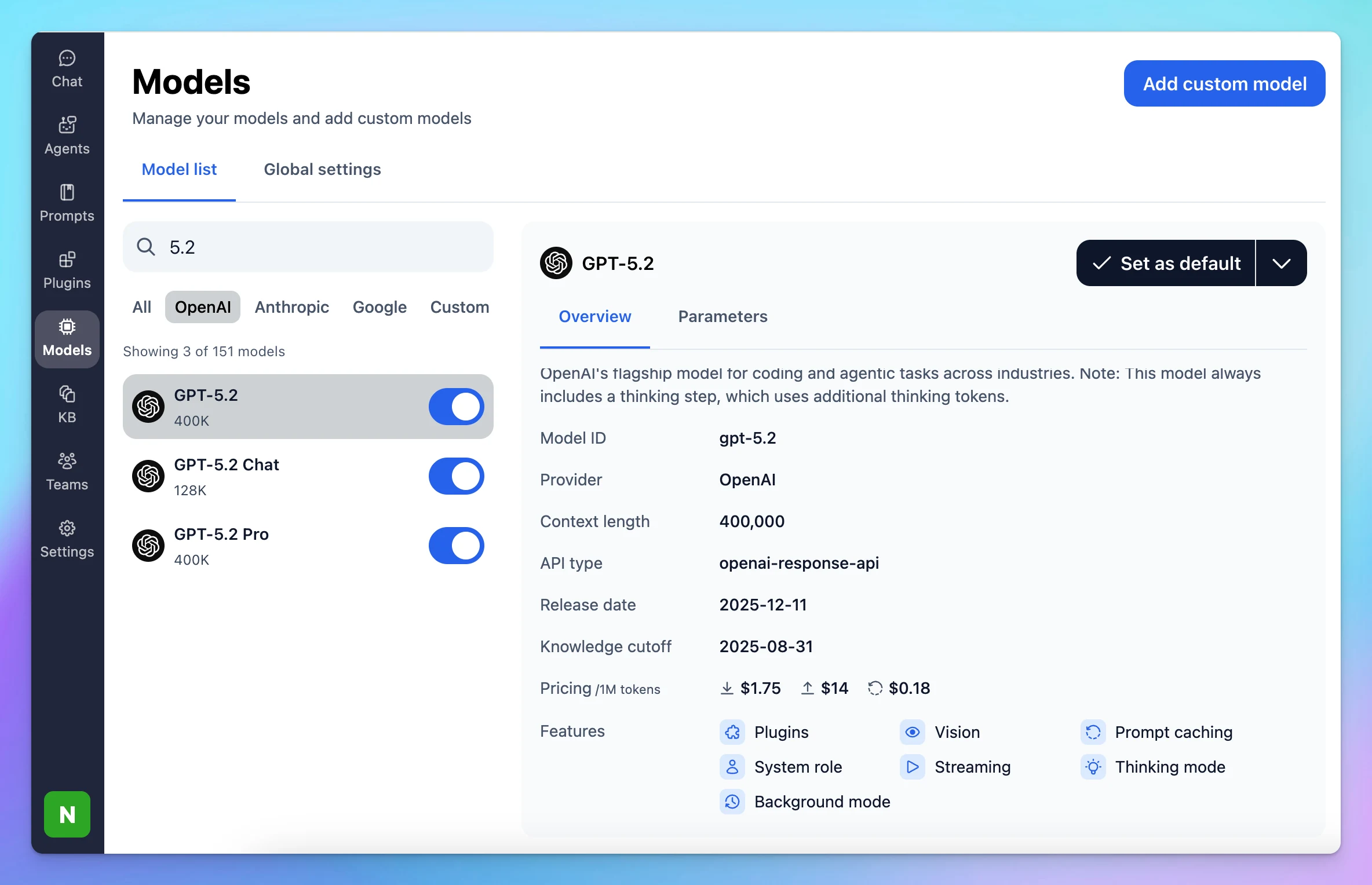
GPT-5.2 is now available on TypingMind: GPT-5.2: built for everyday work and learning, stronger technical writing and translation. GPT-5.2 Thinking: raises the bar for professional work with advanced long-context reasoning. GPT-5.2 Pro: smartest and most…
New
AI Models
Show detailsHide details
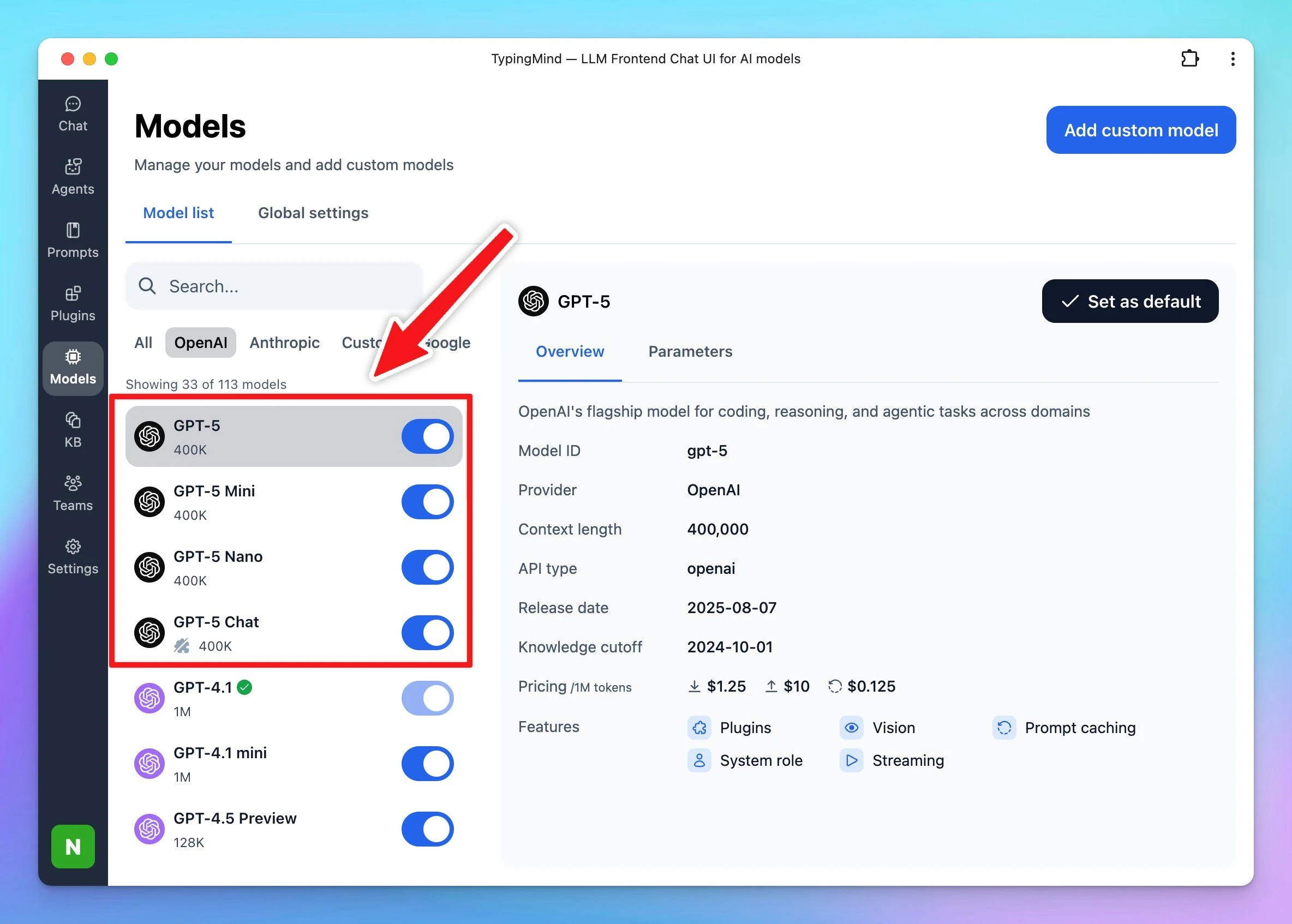
GPT-5.2 is now available on TypingMind:
GPT-5.2: built for everyday work and learning, stronger technical writing and translation.
GPT-5.2 Thinking: raises the bar for professional work with advanced long-context reasoning.
GPT-5.2 Pro: smartest and most trustworthy model for difficult questions
Please go to Models → Find these newly added models → Enable and give them a try!
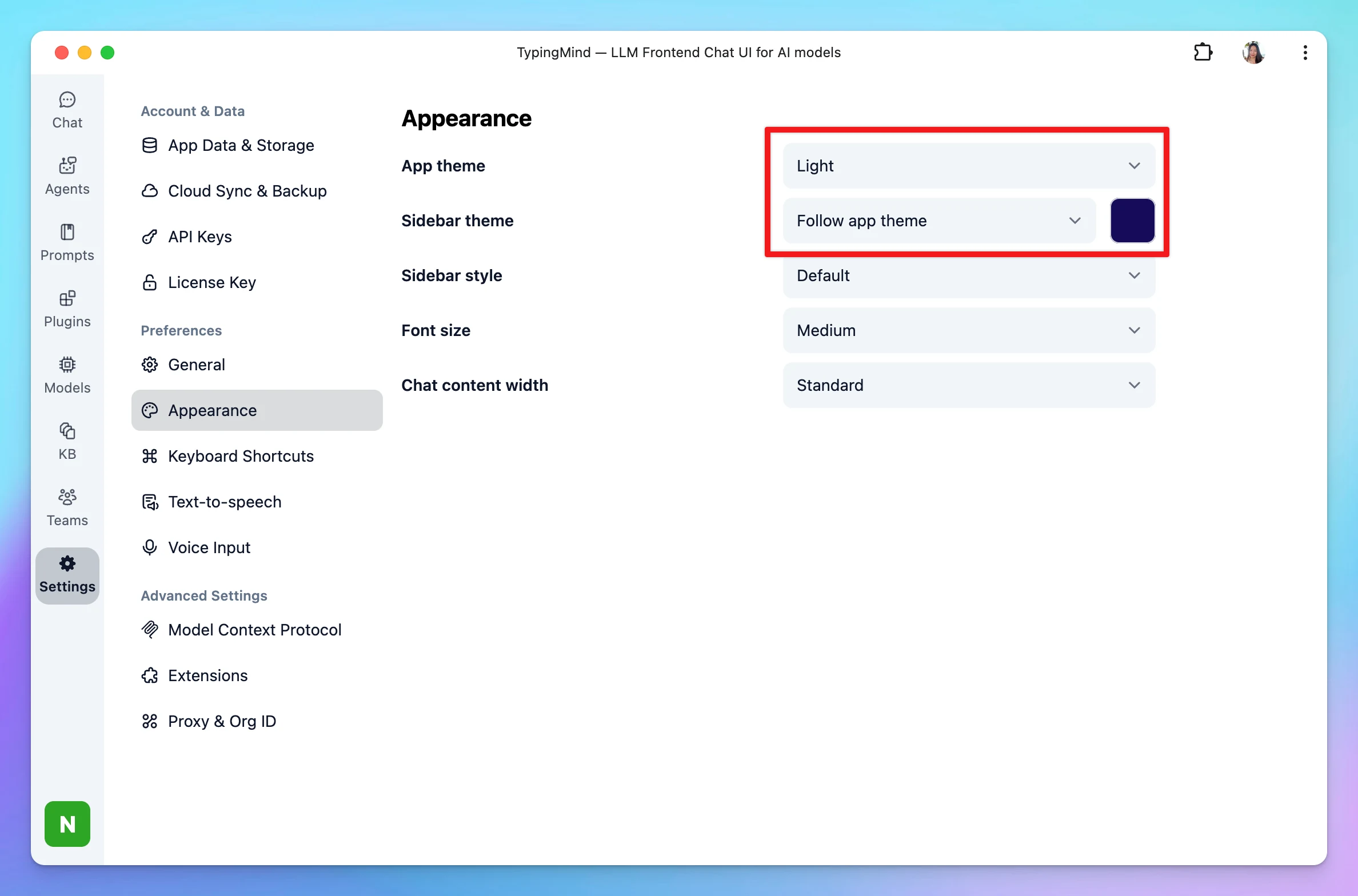
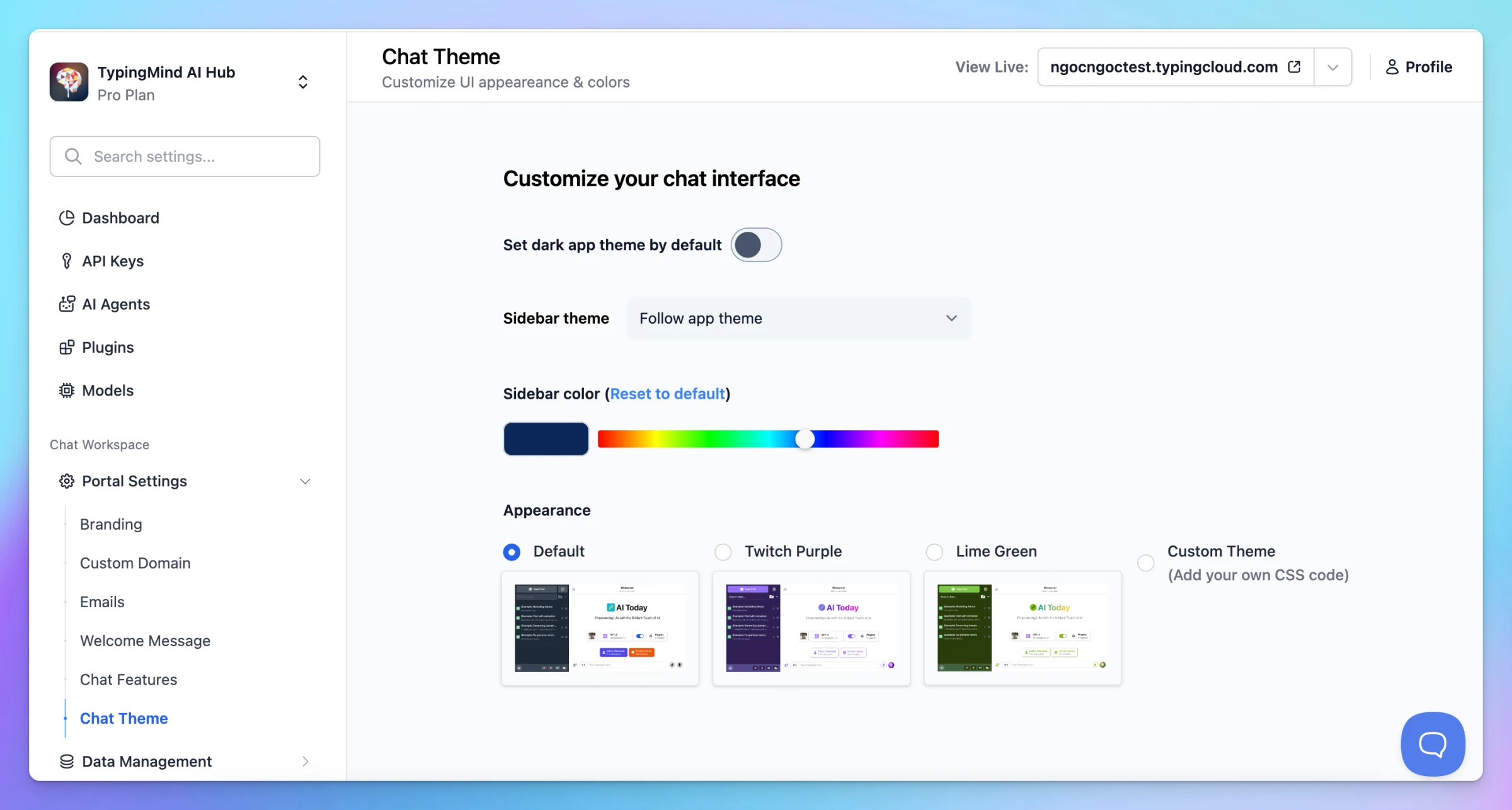
If you want to change the sidebar theme to light mode, go to Settings > Appearance > Switch app theme to Light and select the sidebar theme to Follow app theme. For Team users: all existing instances are still applied the dark sidebar by default. If you want…
New
Show detailsHide details
If you want to change the sidebar theme to light mode, go to Settings > Appearance > Switch app theme to Light and select the sidebar theme to Follow app theme.
For Team users: all existing instances are still applied the dark sidebar by default. If you want to change to light theme for sidebar, go to Admin > Chat theme to change the Sidebar to follow app theme.
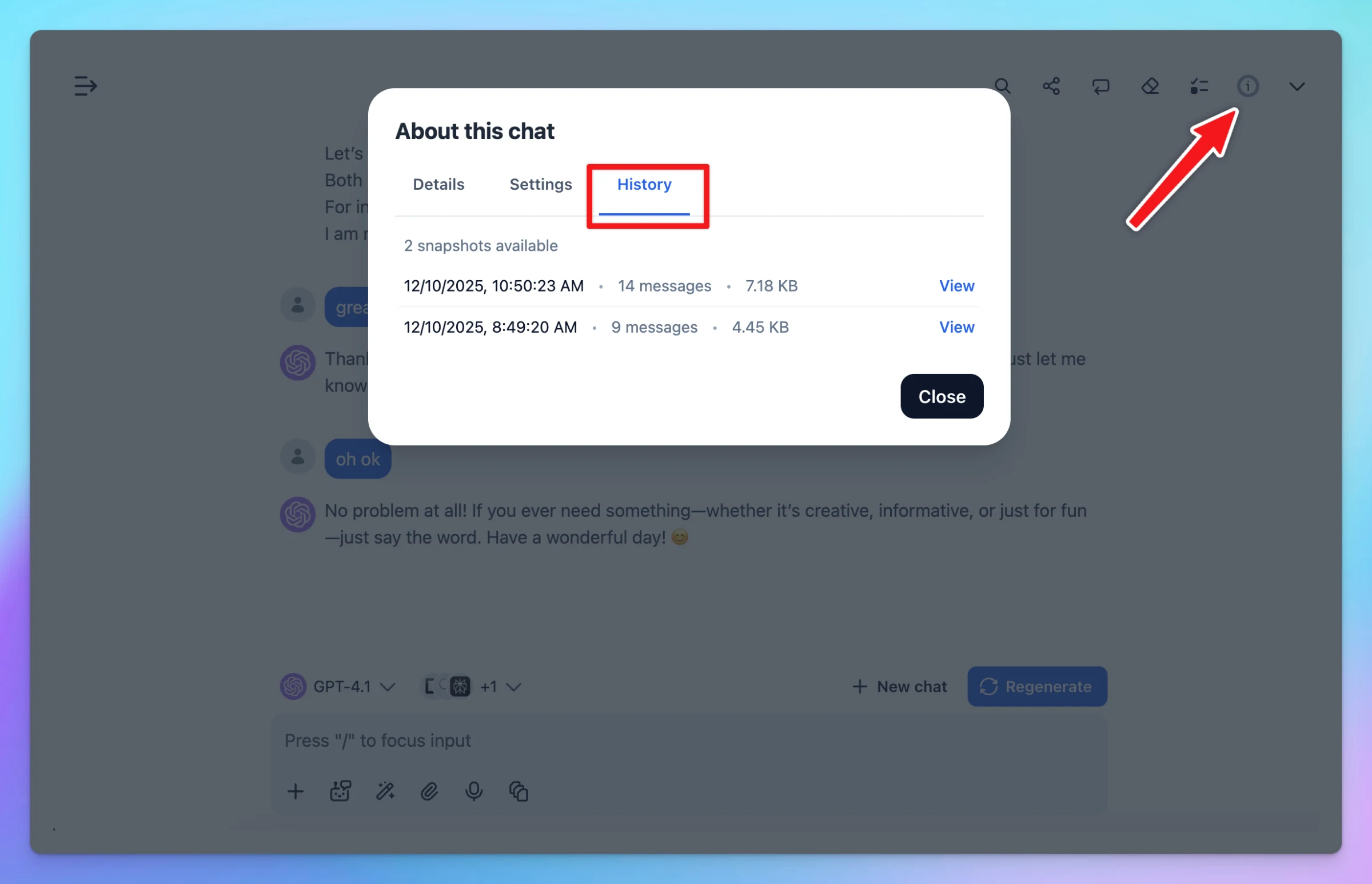
You can now view and restore previous versions of your chats with automatically saved snapshots. Snapshots are created during Cloud Sync and remain available for 30 days. Note: This feature is only available when Cloud Sync is enabled. Only one snapshot can…
New
Chat Management
Show detailsHide details
You can now view and restore previous versions of your chats with automatically saved snapshots.
Snapshots are created during Cloud Sync and remain available for 30 days.
Note: This feature is only available when Cloud Sync is enabled. Only one snapshot can be created per hour.
1. MCP and Plugins Improved MCP compatibility: added fallback support when an MCP tool name is invalid. Better refresh-token handling for MCP servers that use OAuth authentication. Fixed result handling for tool calls that return non-standard fields on some…
Improved
Fixed
Show detailsHide details
1. MCP and Plugins
Improved MCP compatibility: added fallback support when an MCP tool name is invalid.
Better refresh-token handling for MCP servers that use OAuth authentication.
Fixed result handling for tool calls that return non-standard fields on some MCP servers.
Fixed two thoughtSignature issues for Gemini 3 Pro + Image, covering errors from calling multiple plugins at once and payloads becoming too large.
2. Cloud Sync
Improved sync error messages in the Cloud Sync panel to make them clearer and more actionable.
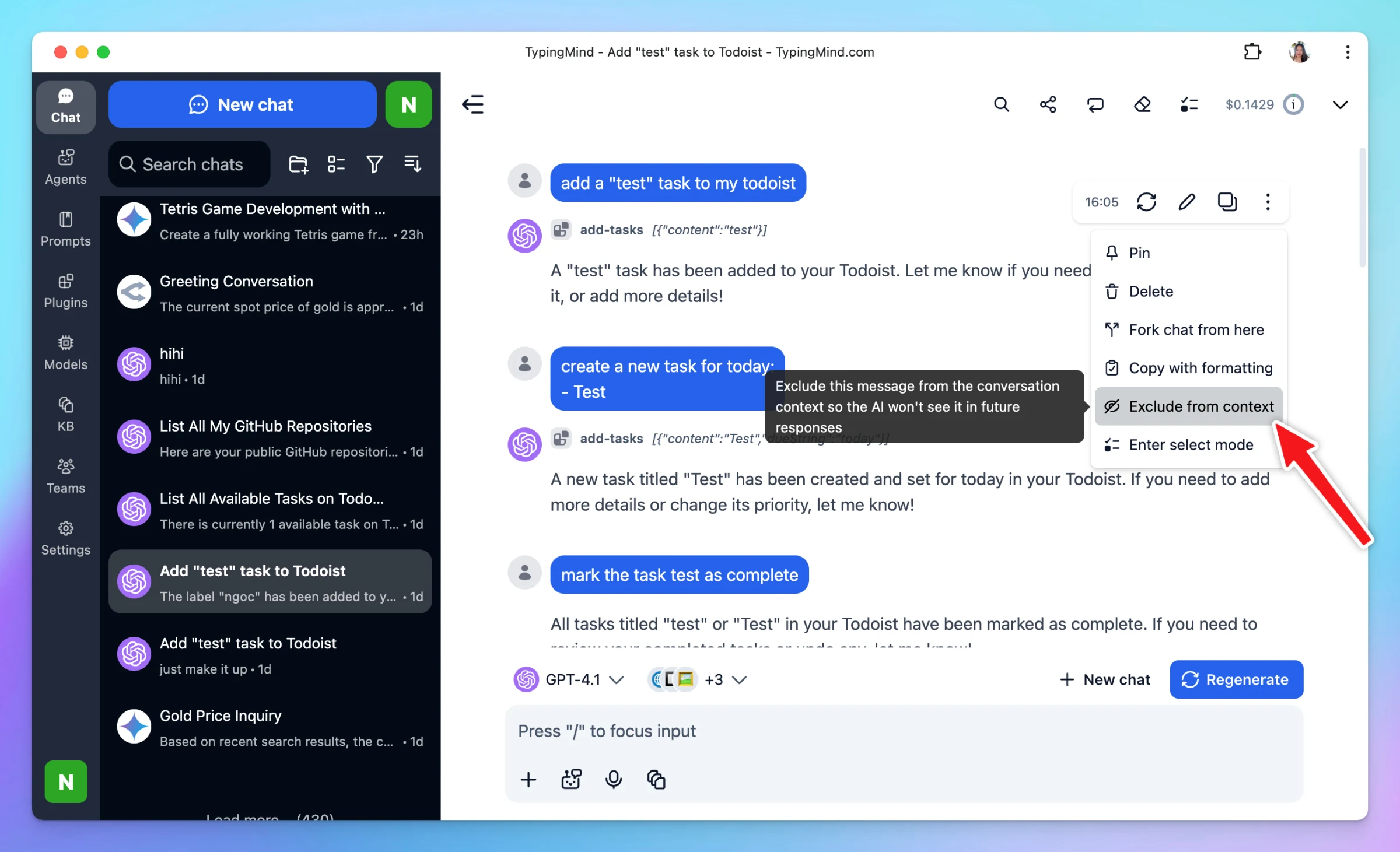
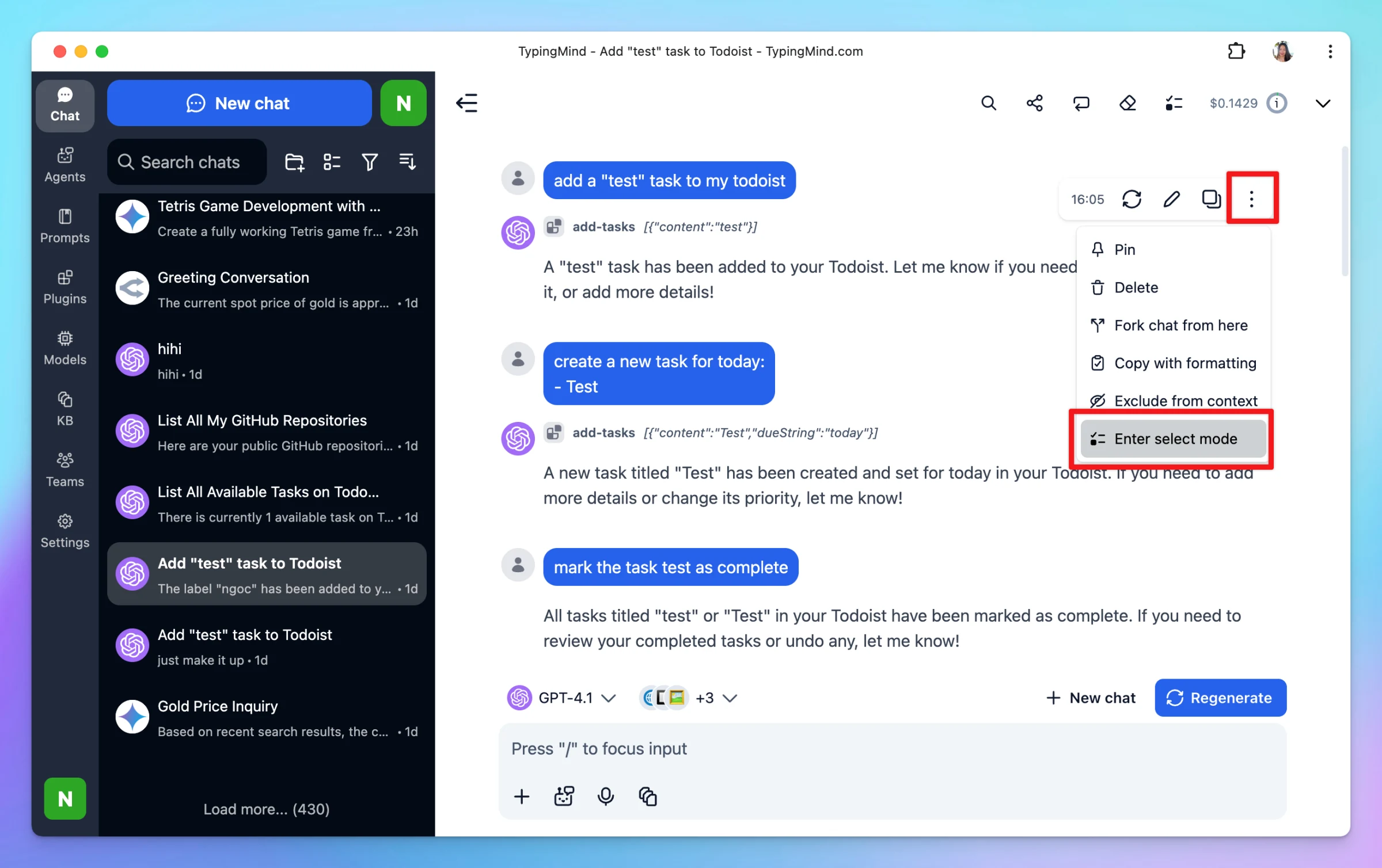
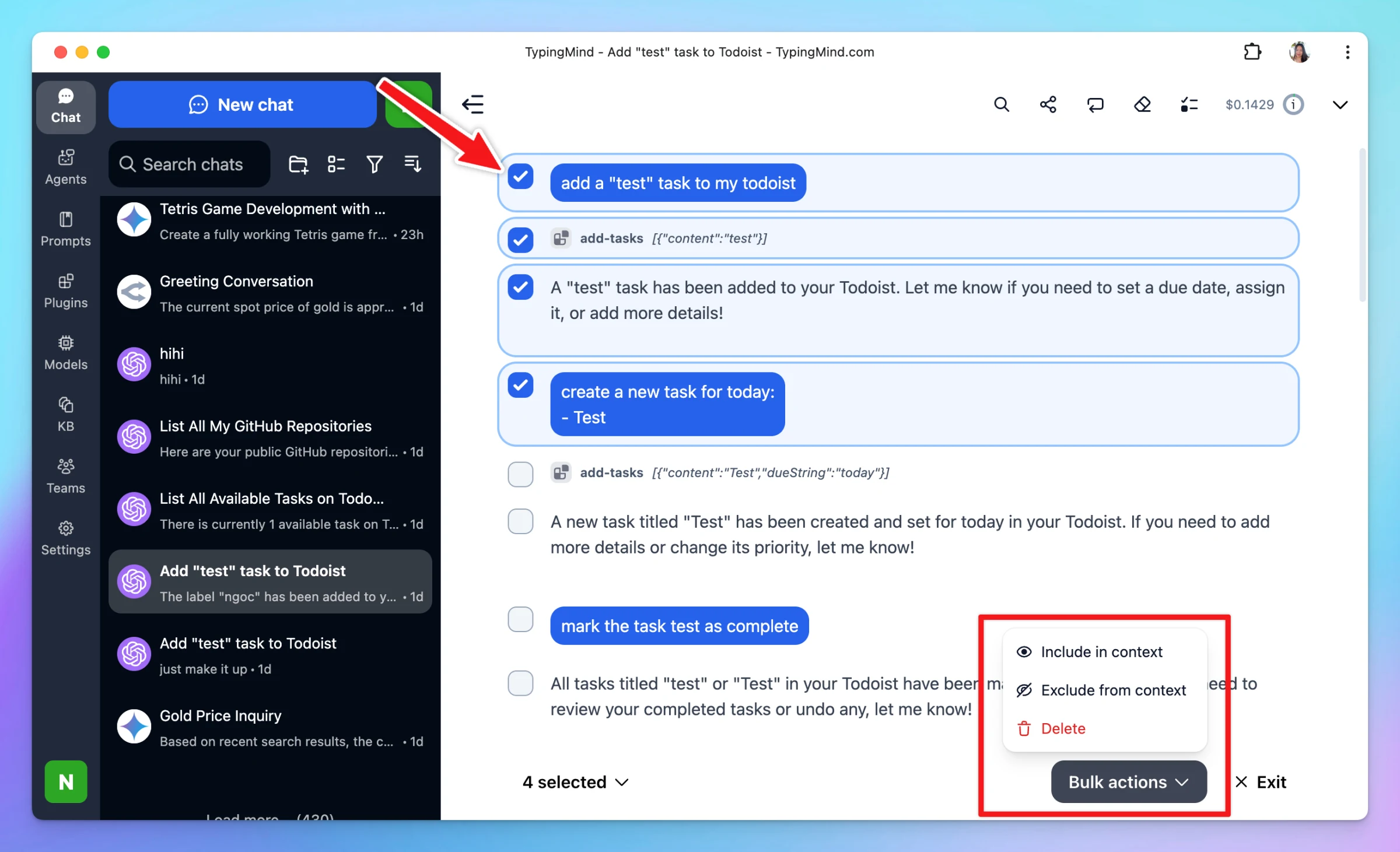
Add “Exclude from Context / Include in Context” options for individual messages (similar to Clear Context) Add bulk actions: select multiple messages → delete, include messages in context, or exclude messages from context Other UXUI Improvements Improved MCP…
New
Improved
Chat Management
Show detailsHide details
Add “Exclude from Context / Include in Context” options for individual messages (similar to Clear Context)
Add bulk actions: select multiple messages → delete, include messages in context, or exclude messages from context
Other UXUI Improvements
Improved MCP Store UI with a cleaner, more intuitive design
Users can now copy messages while the chat is loading/generating
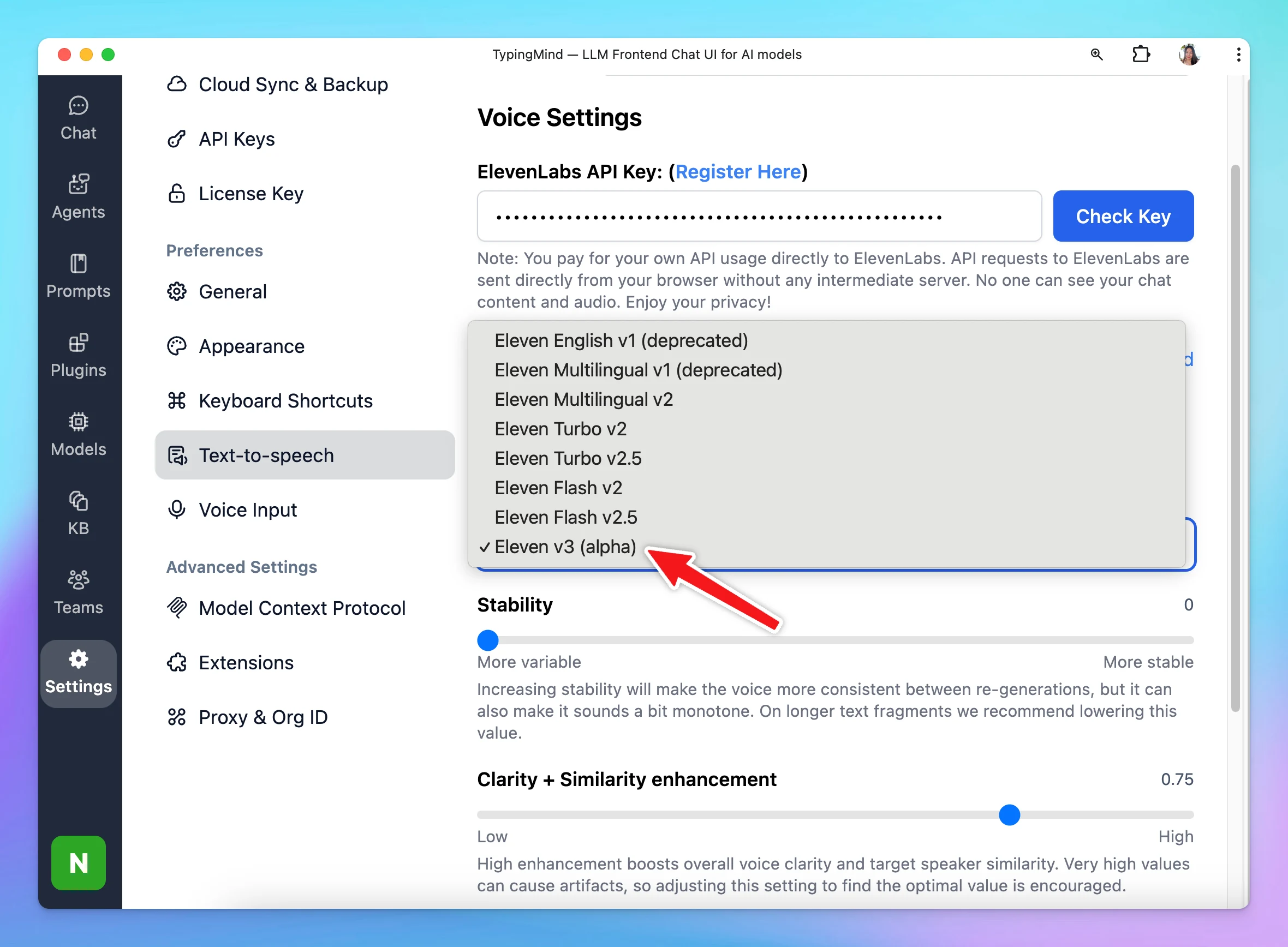
We have just added ElevenLabs V3 Alpha model to TypingMind! Go to Settings > Text-to-speech > select ElevenLabs as speech API > Toggle Advanced Option > Select a model
Show detailsHide details
We have just added ElevenLabs V3 Alpha model to TypingMind!
Go to Settings > Text-to-speech > select ElevenLabs as speech API > Toggle Advanced Option > Select a model
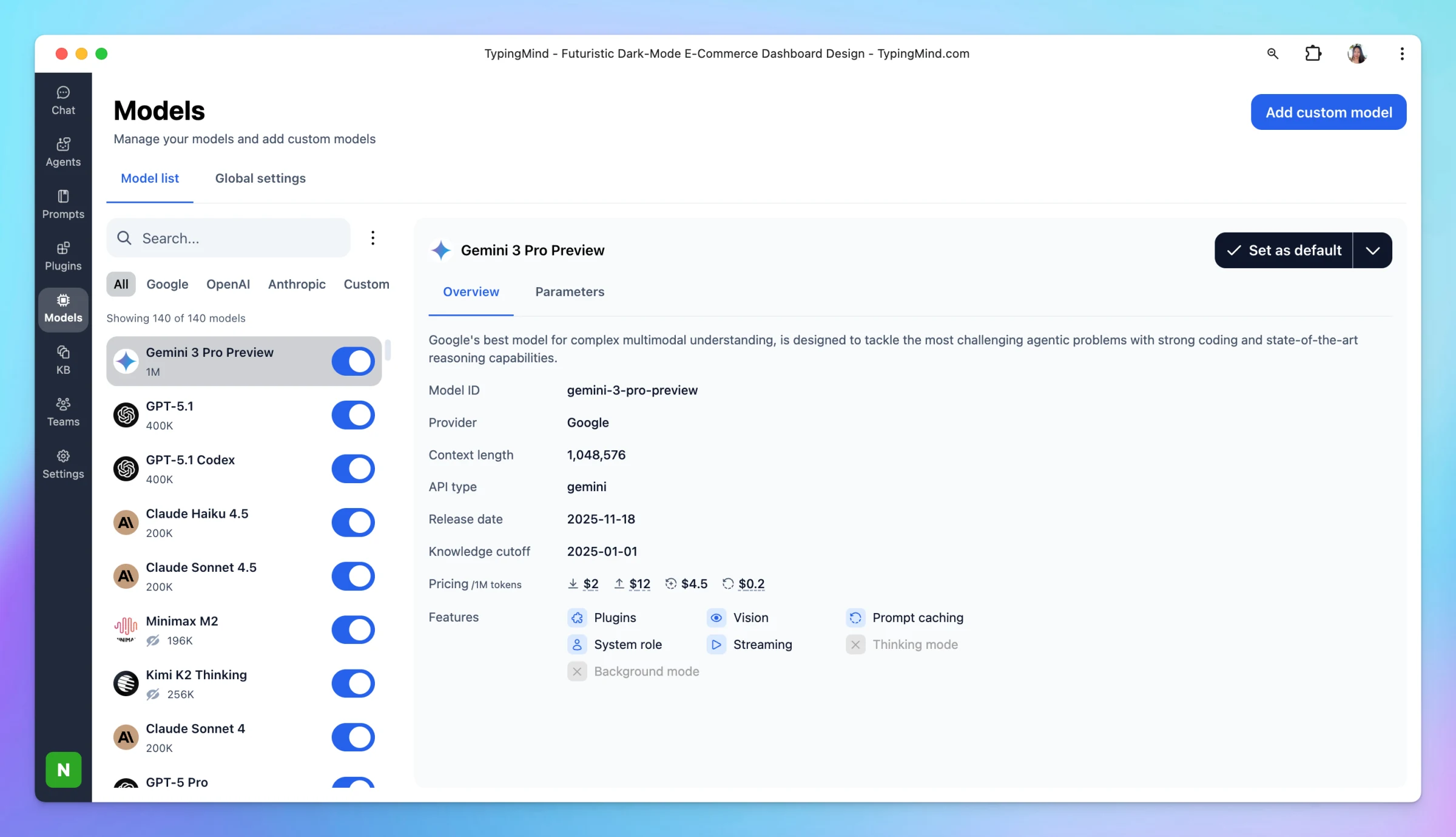
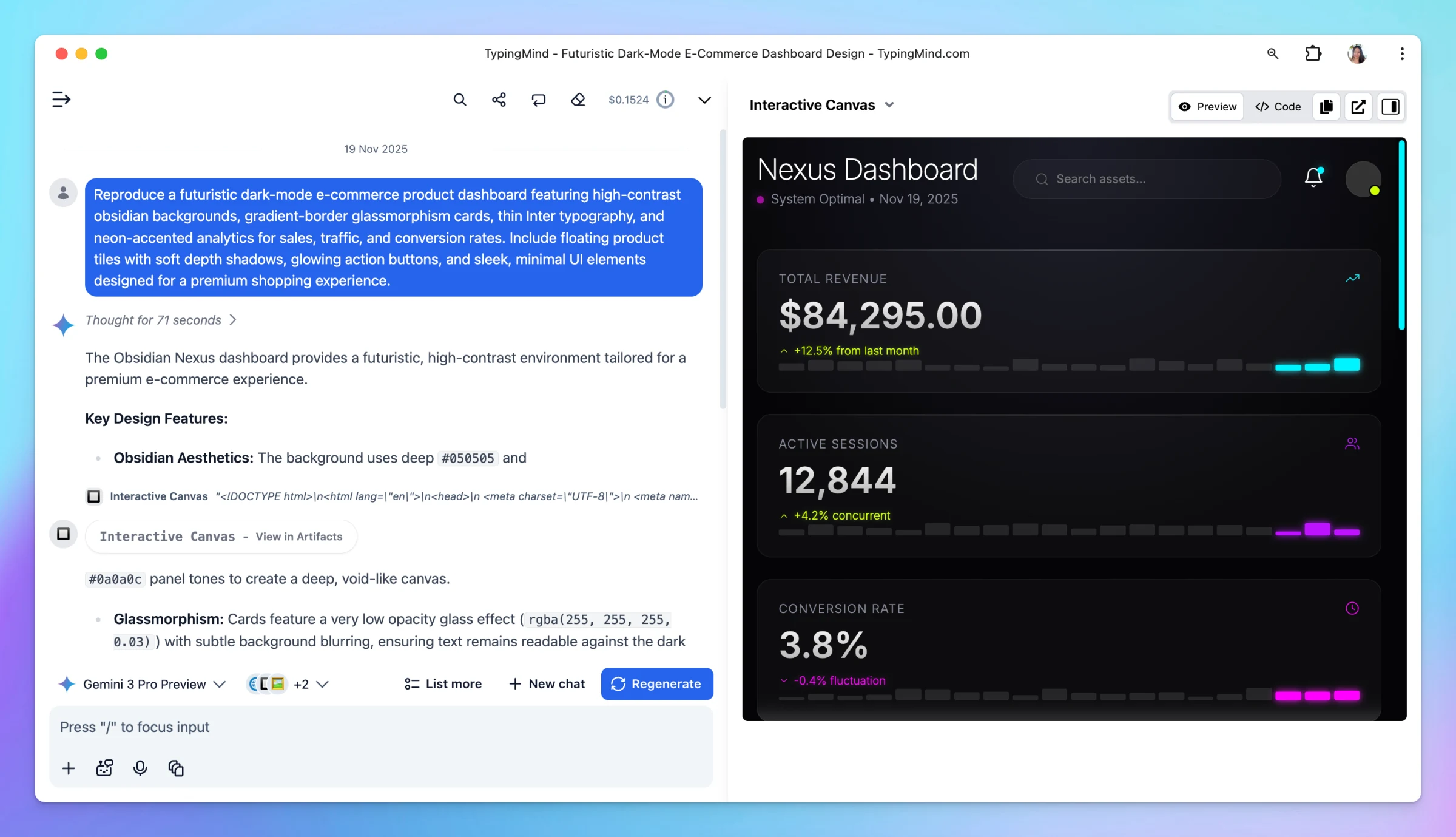
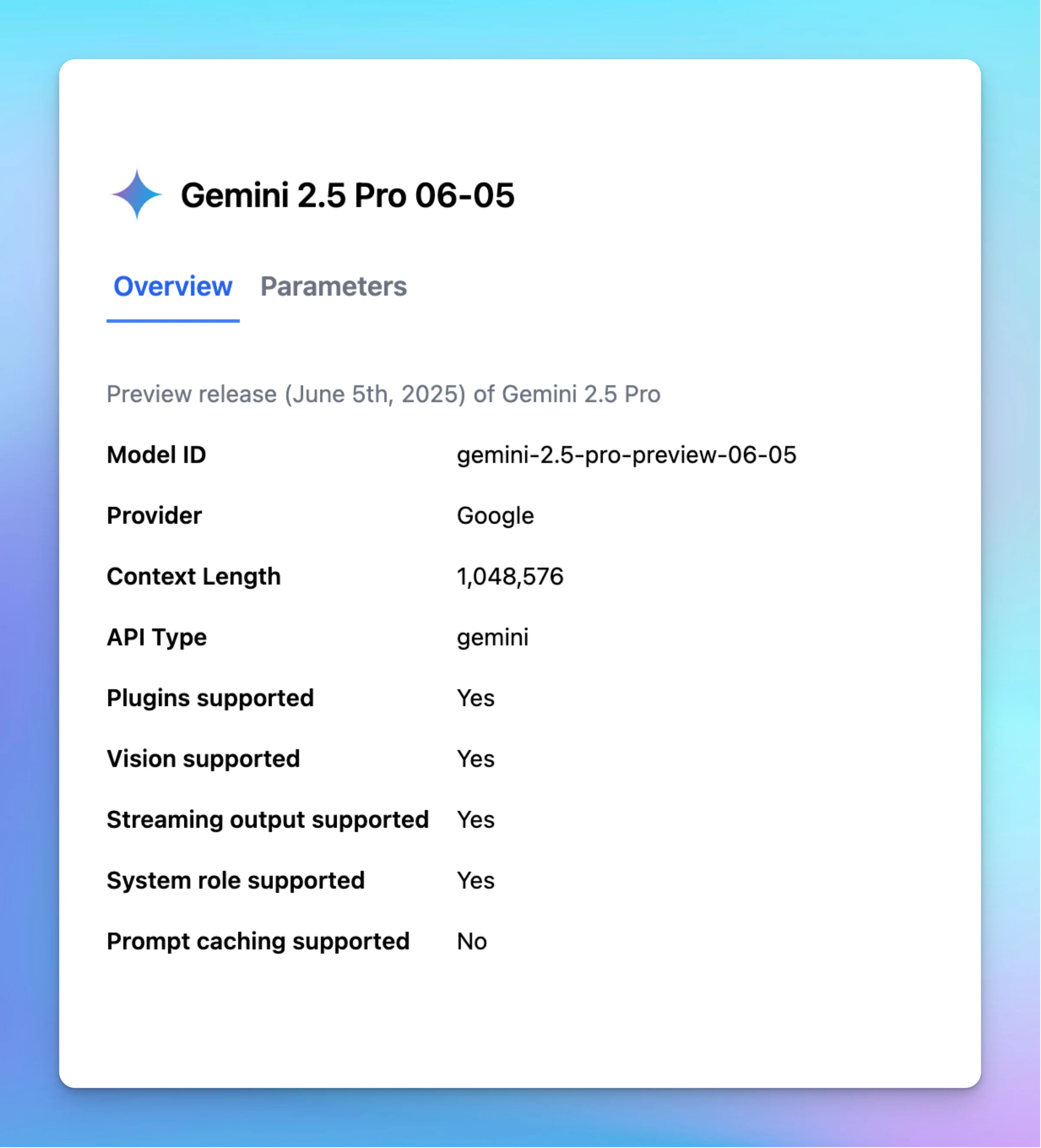
Gemini 3 brings major improvements, including: Significantly better reasoning and depth Smarter, more reliable tool-use Improved code generation performance Refresh TypingMind and try the new model now!
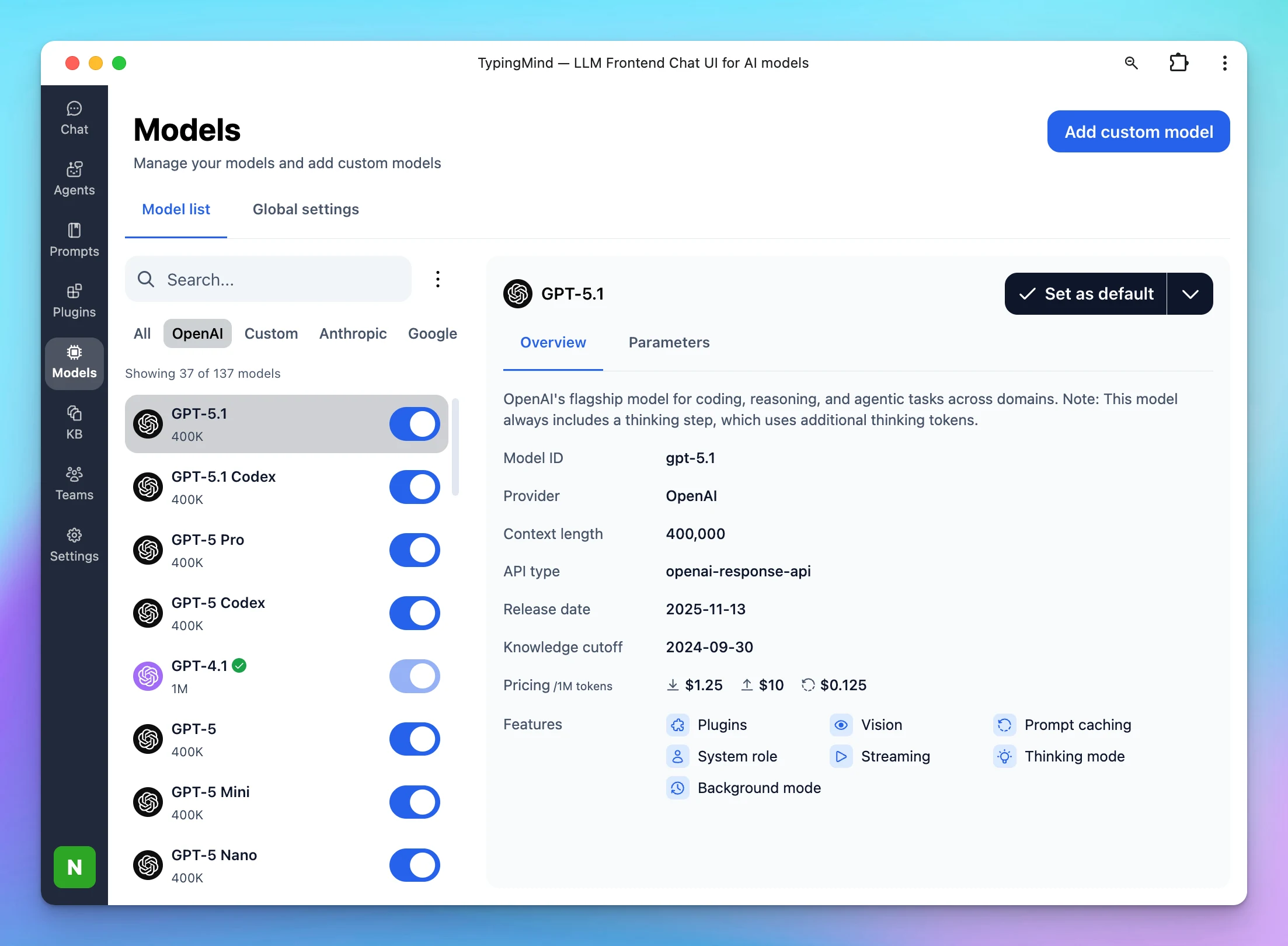
GPT-5.1: faster, more conversational by default, better at following instructions. GPT-5.1 with Thinking: for more complex problems — adapts how much “thinking time” it uses, quicker on simple tasks, more persistent on hard ones. GPT-5.1 Codex: optimized for…
New
AI Models
Show detailsHide details
GPT-5.1: faster, more conversational by default, better at following instructions.
GPT-5.1 with Thinking: for more complex problems — adapts how much “thinking time” it uses, quicker on simple tasks, more persistent on hard ones.
GPT-5.1 Codex: optimized for real-world software engineering — smarter code generation, stronger debugging/review, and more efficient token use on simple tasks while going deeper on complex ones.
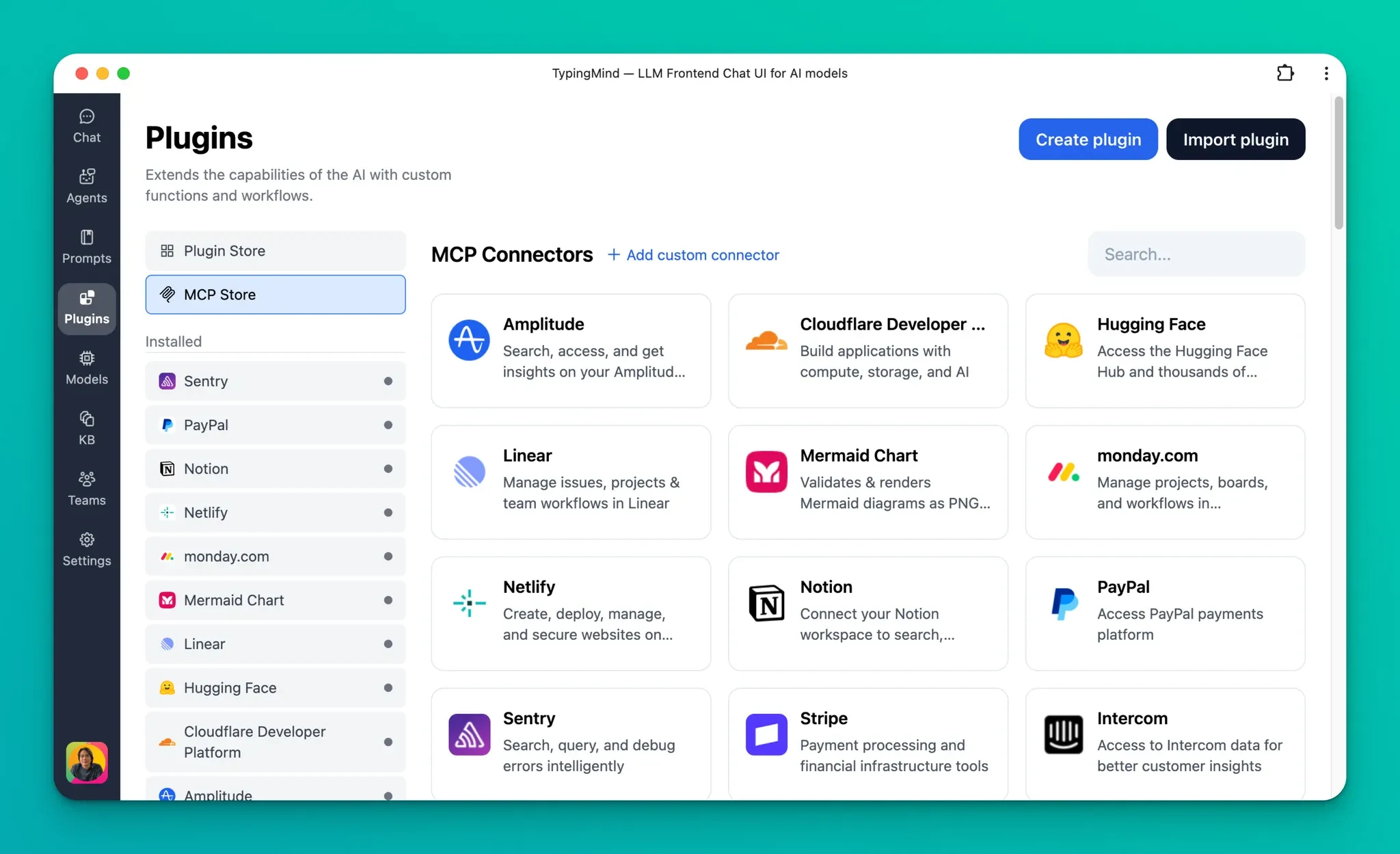
TypingMind now natively supports remote MCP servers with simpler setup and authentication. Using MCP servers simply by installing from our Plugins tab or by entering the MCP URL. Simpler setup: Setting up an MCP connector is now optional. For new MCP servers,…
Show detailsHide details
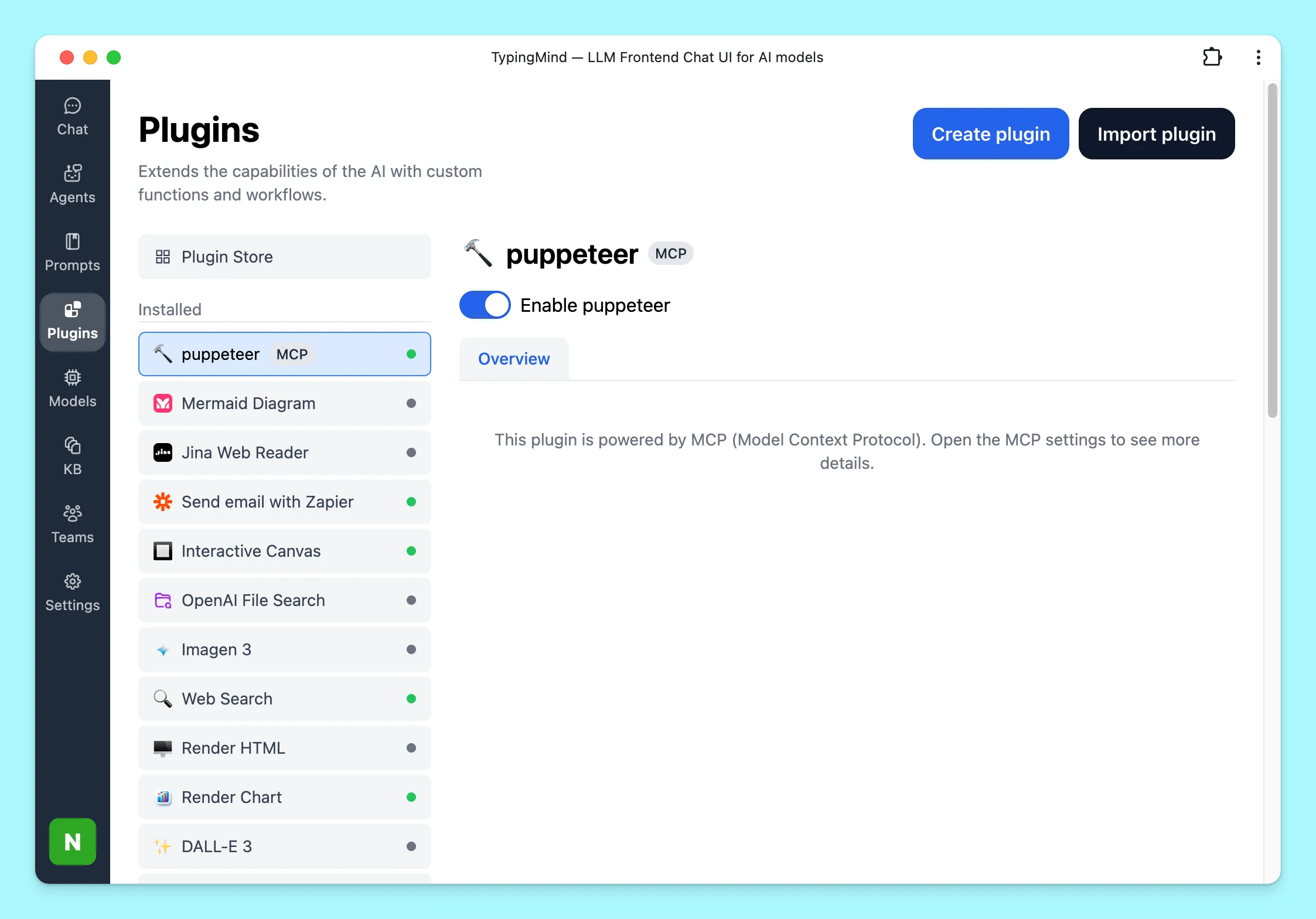
TypingMind now natively supports remote MCP servers with simpler setup and authentication.
Using MCP servers simply by installing from our Plugins tab or by entering the MCP URL.
Simpler setup:
Setting up an MCP connector is now optional.
For new MCP servers, you only need to enter the MCP URL and connect to start using it.
What’s added:
Fully support remote MCP with streaming HTTP or SSE.
Full support for MCP authentication with long-running refresh token: OAuth + OpenID, custom OAuth client, or via API key in headers.
Support multiple connections (or accounts) per MCP server.
You can customize the activated tools list and enable/disable specific tools.
Can be set up to connect via a private MCP connector if needed.
Both the Personal and Team versions of TypingMind are supported.
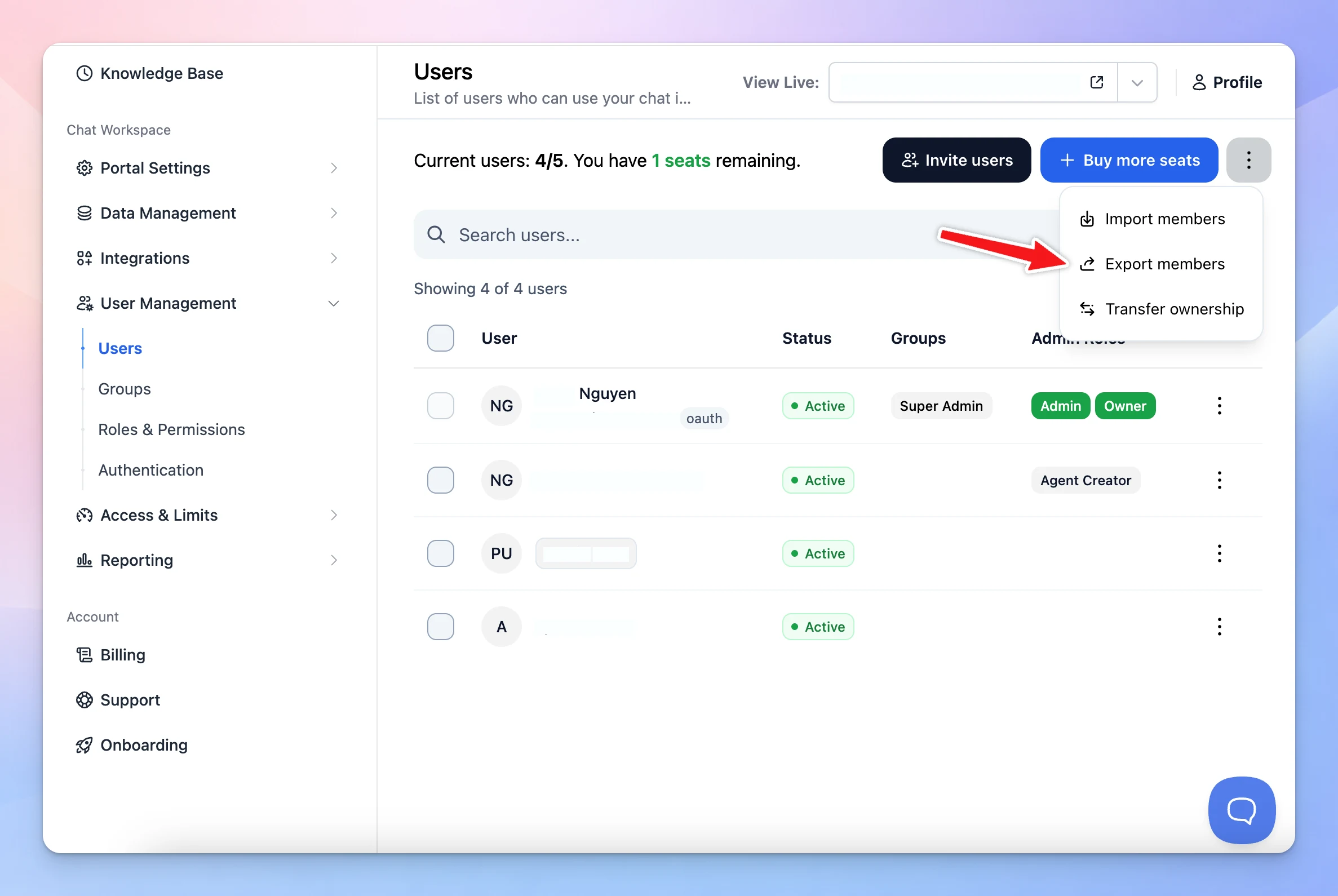
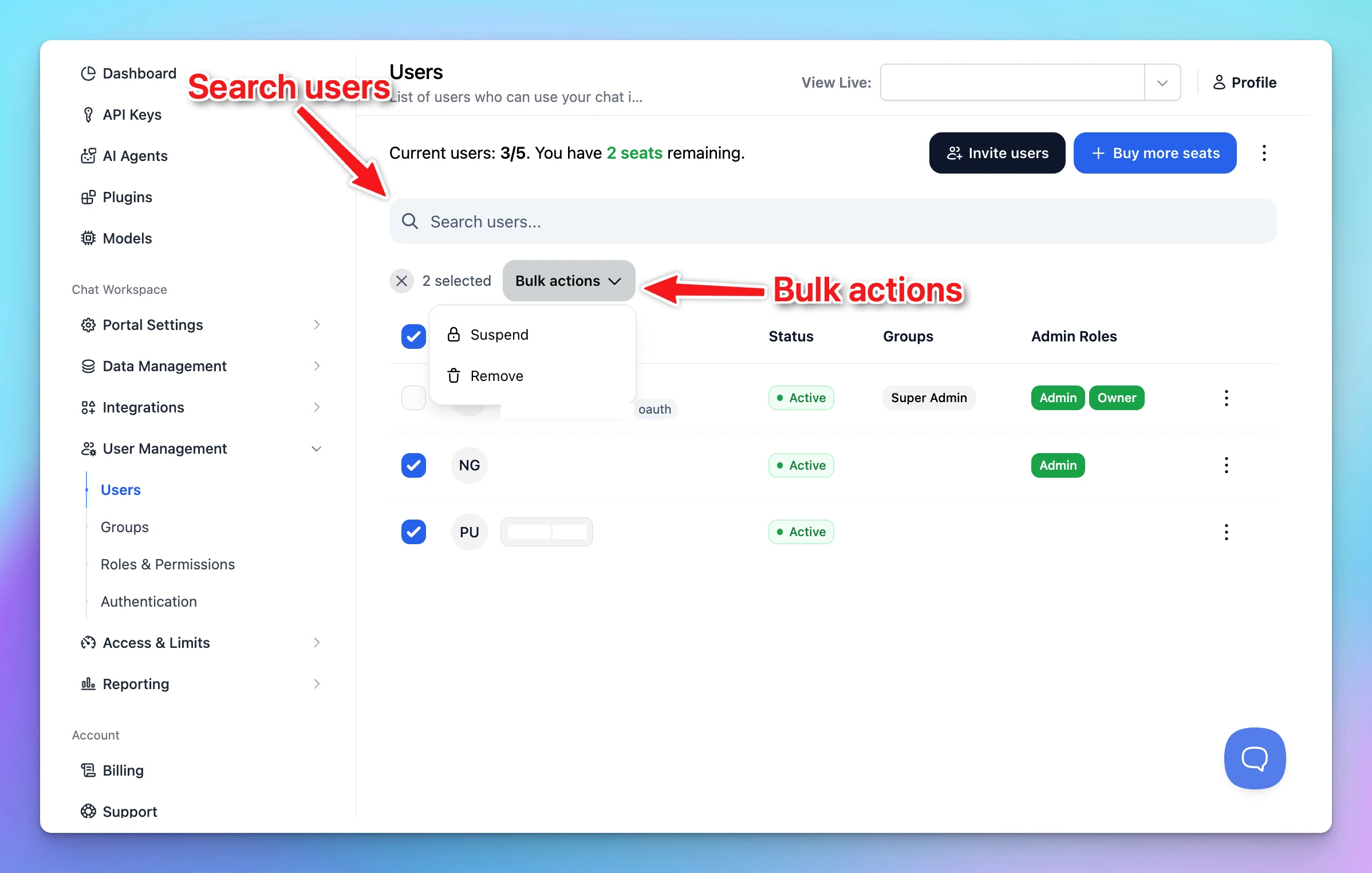
Now you can manage users in your workspace easier: Search users Bulk actions: select multiple users and perform bulk actions such as suspend or remove users. Go to User Management → Users in your Admin Panel to view the latest updates.
Improved
Team Version
Show detailsHide details
Now you can manage users in your workspace easier:
Search users
Bulk actions: select multiple users and perform bulk actions such as suspend or remove users.
Go to User Management → Users in your Admin Panel to view the latest updates.
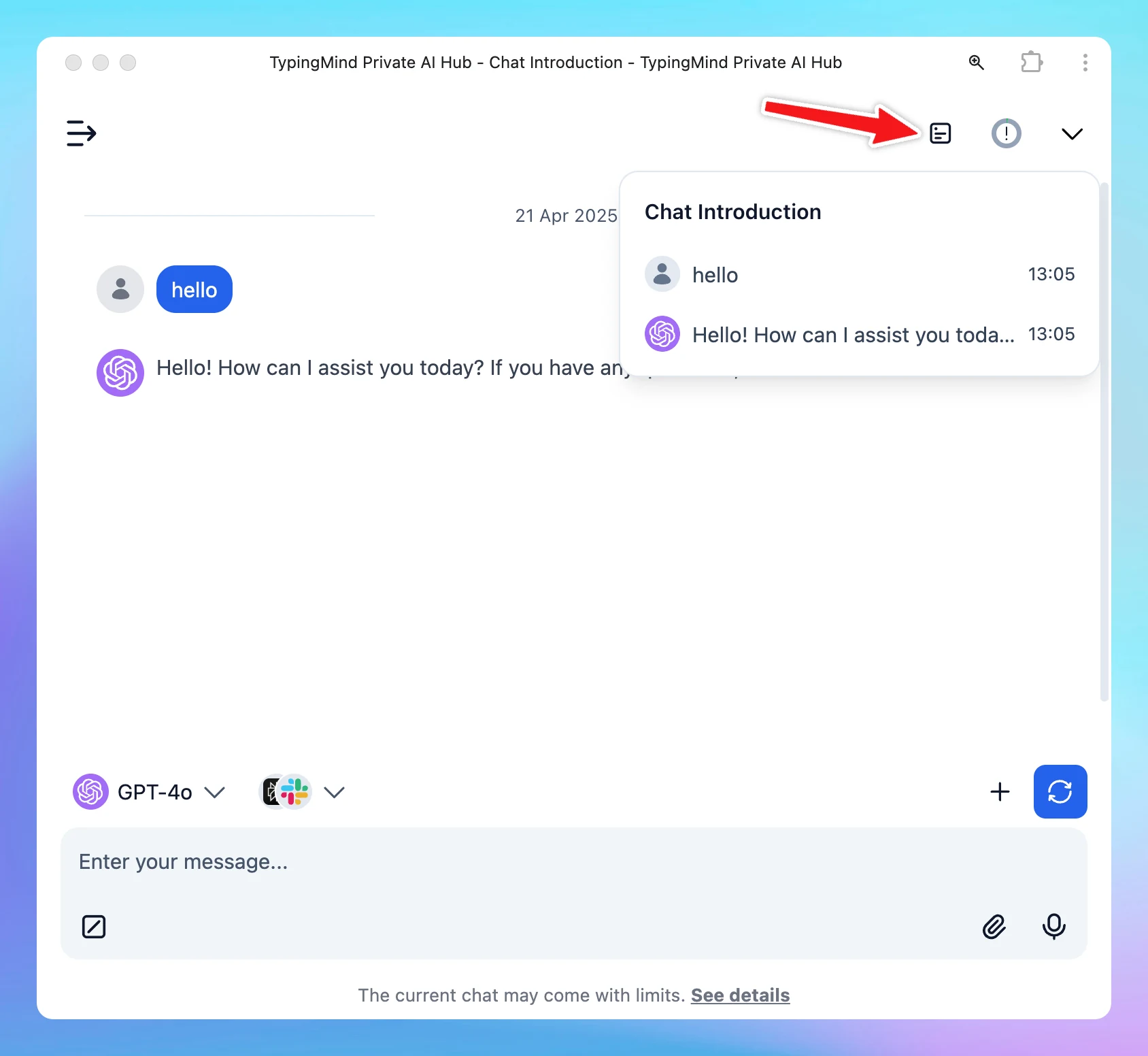
Now you can download your uploaded attachments directly within the conversation! We’ve also refined the Chat Information interface — making it easier to view key stats at a quick glance.
New
Chat Management
Show detailsHide details
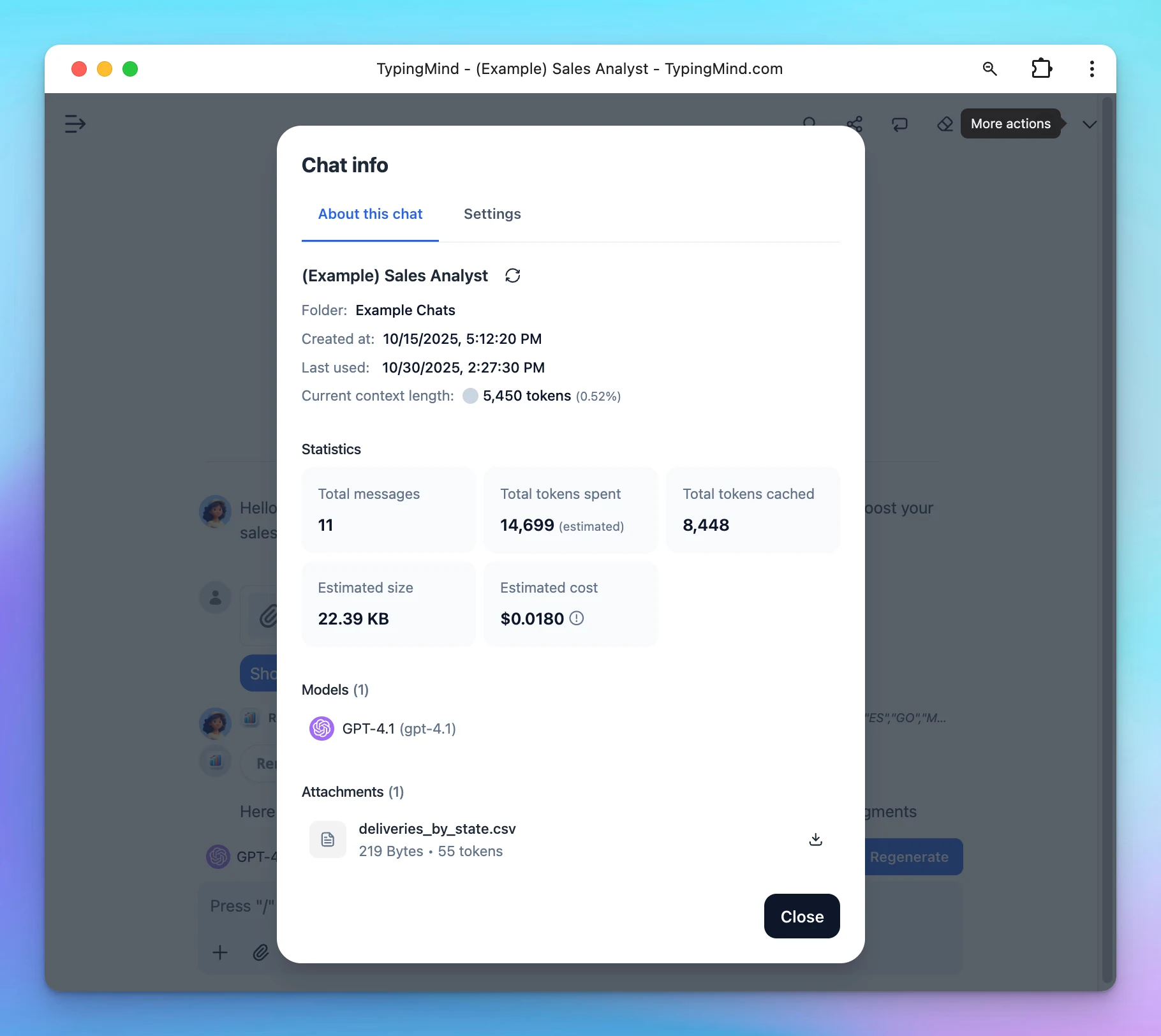
Now you can download your uploaded attachments directly within the conversation!
We’ve also refined the Chat Information interface — making it easier to view key stats at a quick glance.
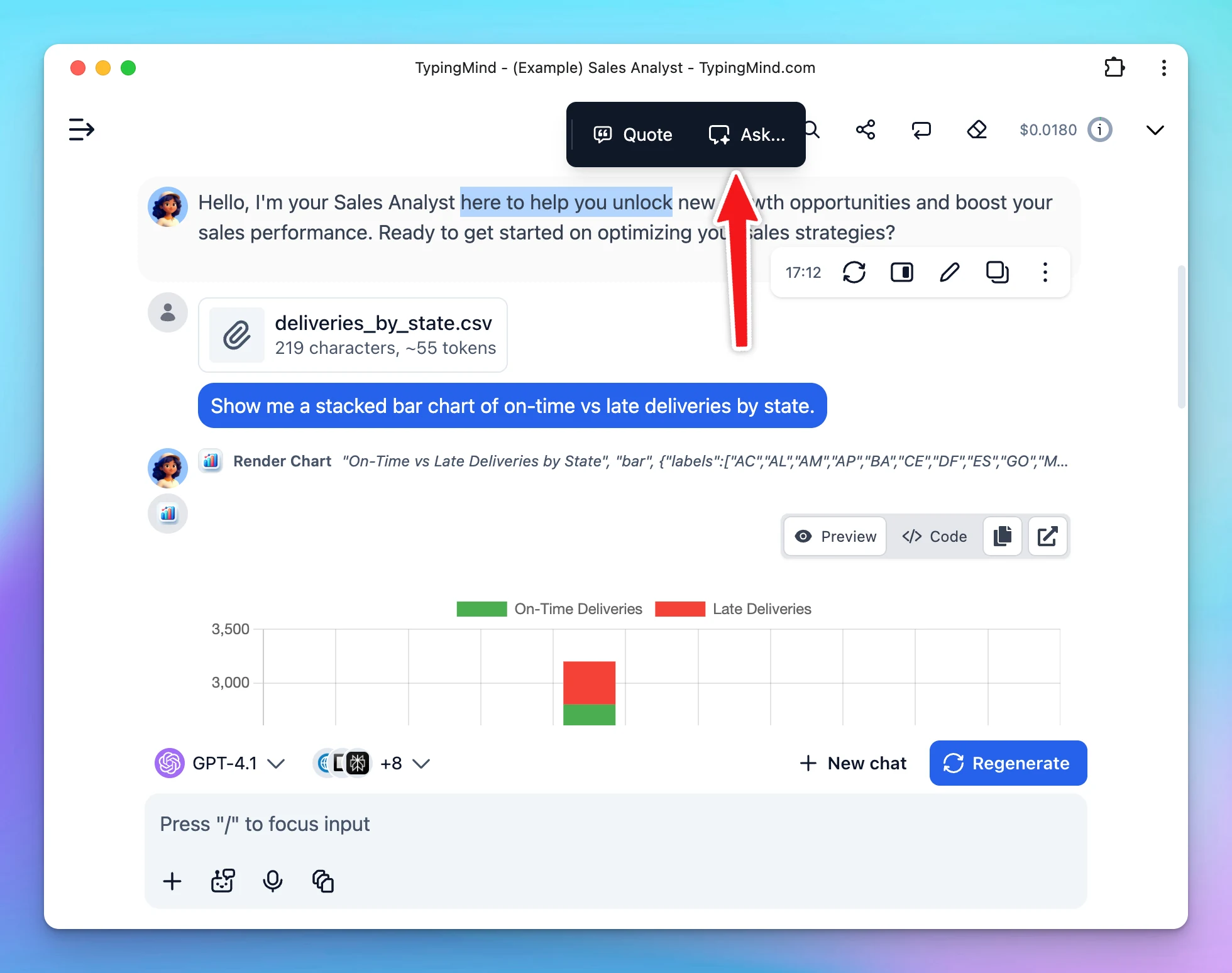
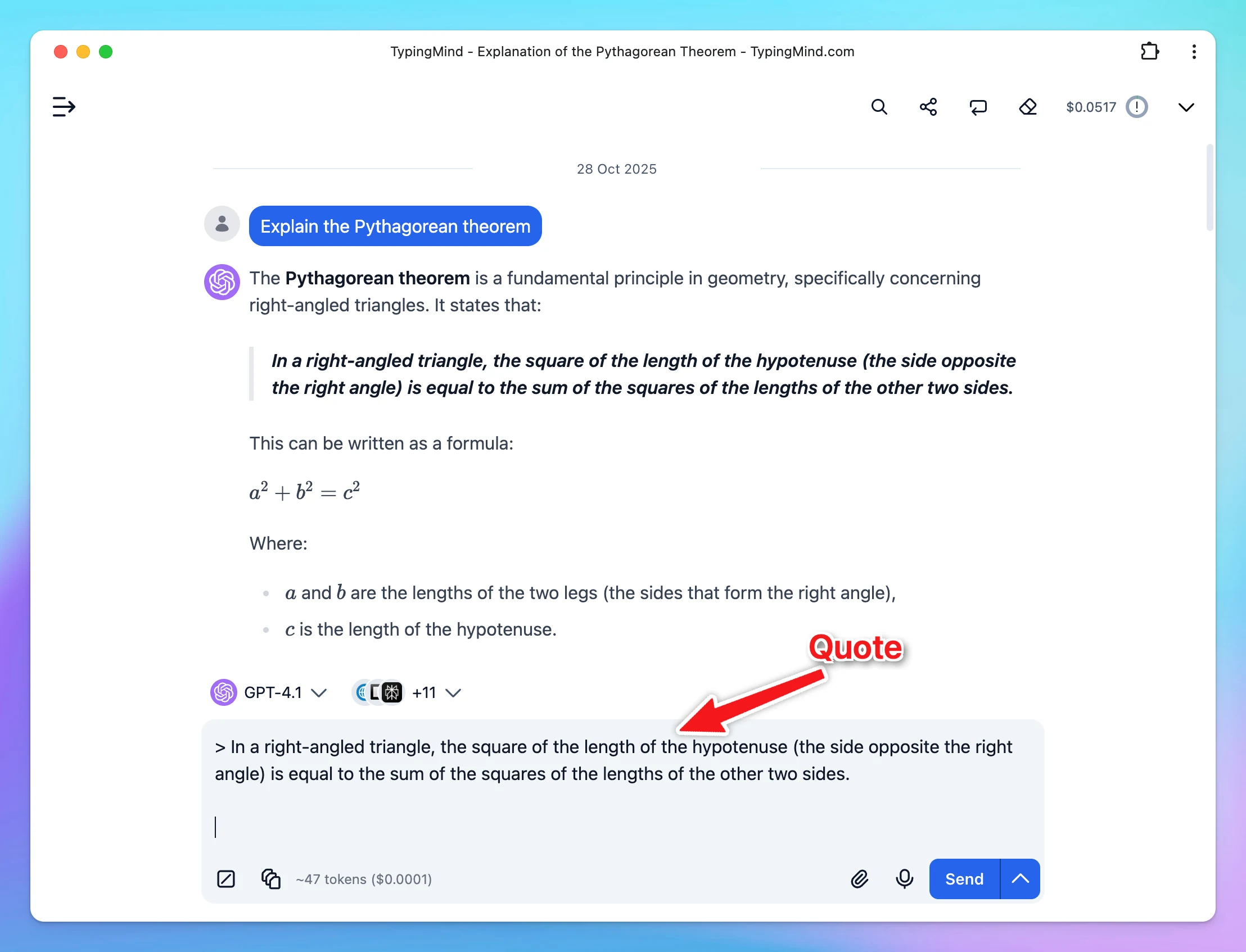
This feature allows you to ask about a specific section within an AI response to clarify ideas or explore follow-up questions without interrupting your main chat. You can also quote a section to reply directly, correct details, or refine part of the AI’s…
New
Chat Management
Show detailsHide details
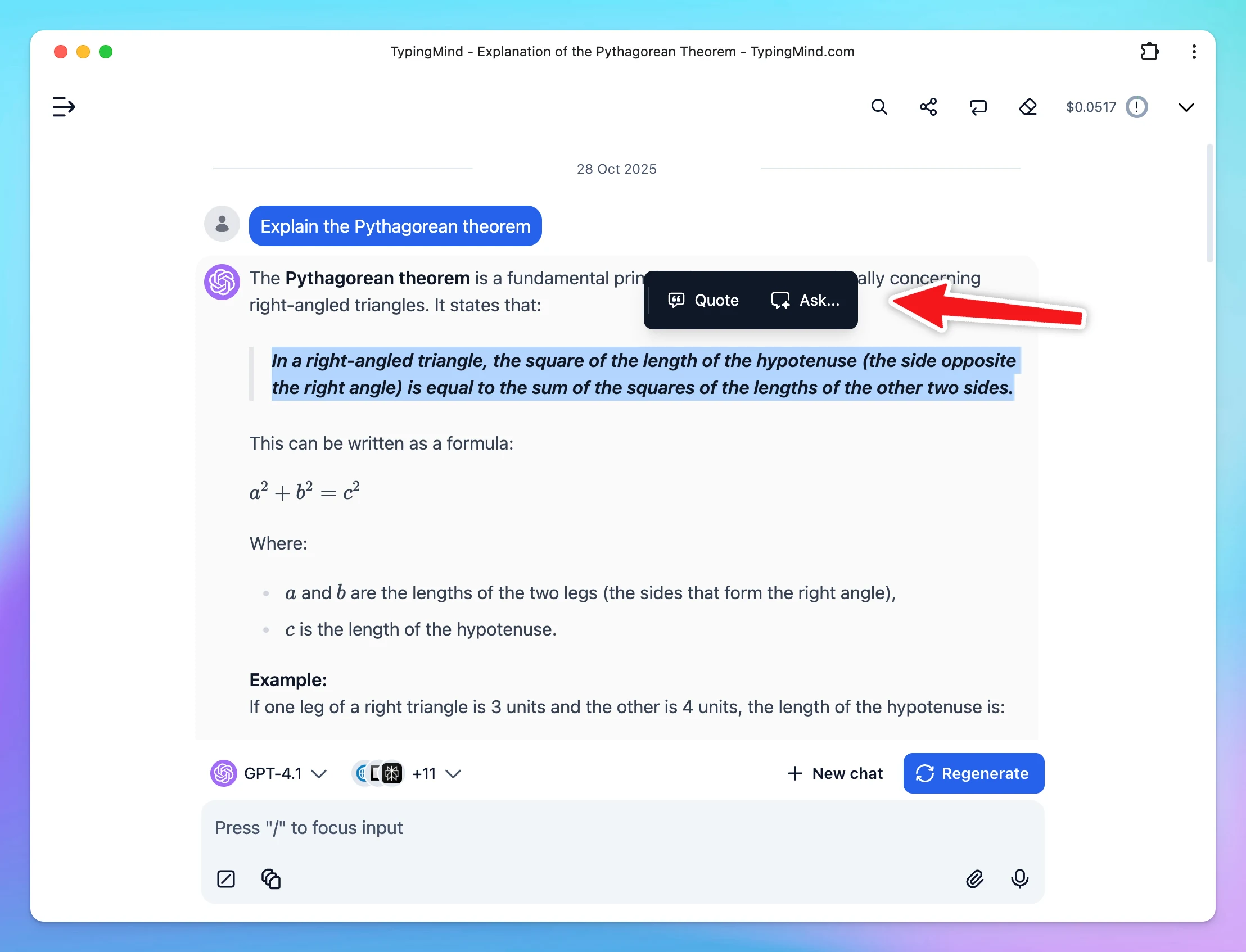
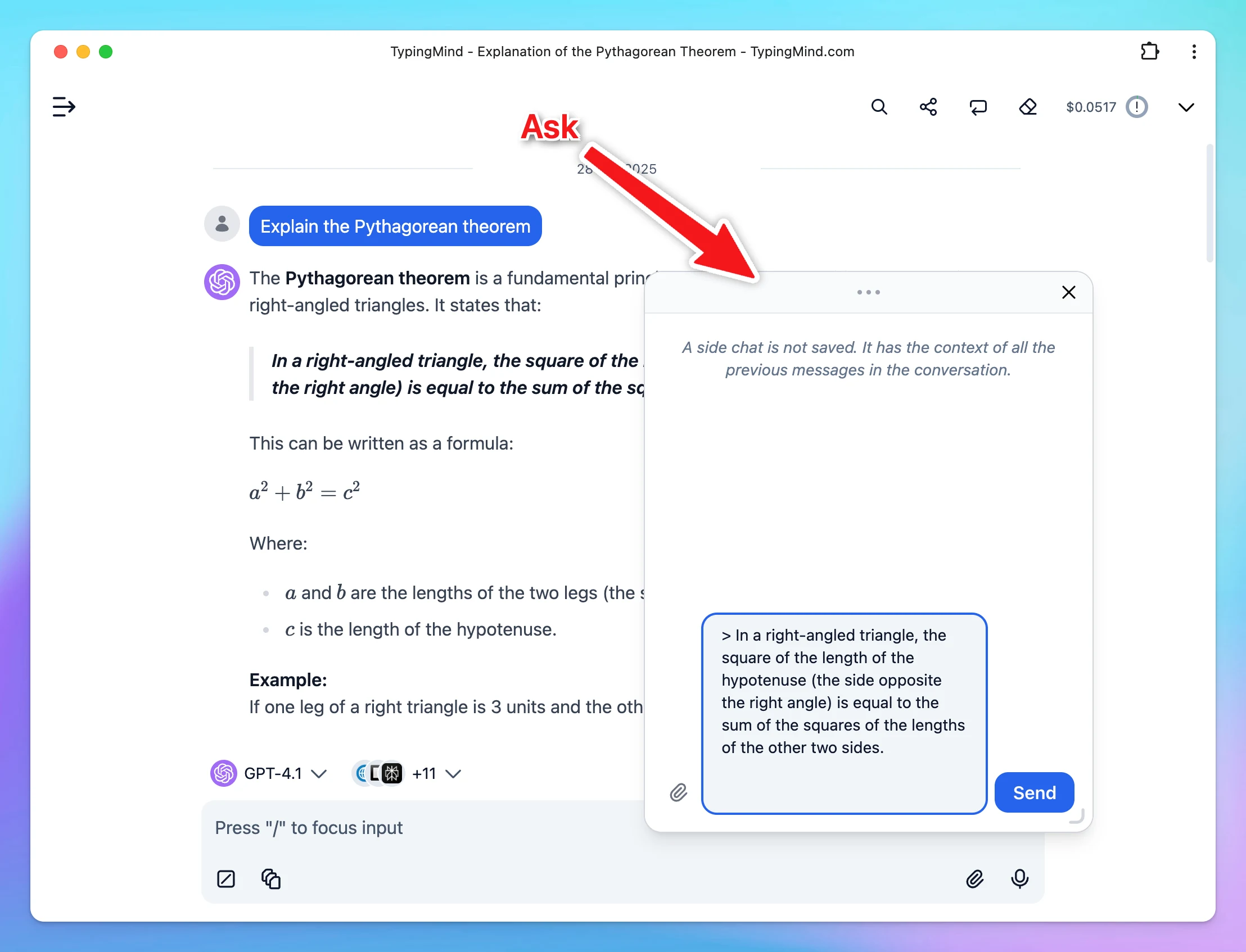
This feature allows you to ask about a specific section within an AI response to clarify ideas or explore follow-up questions without interrupting your main chat.
You can also quote a section to reply directly, correct details, or refine part of the AI’s response.
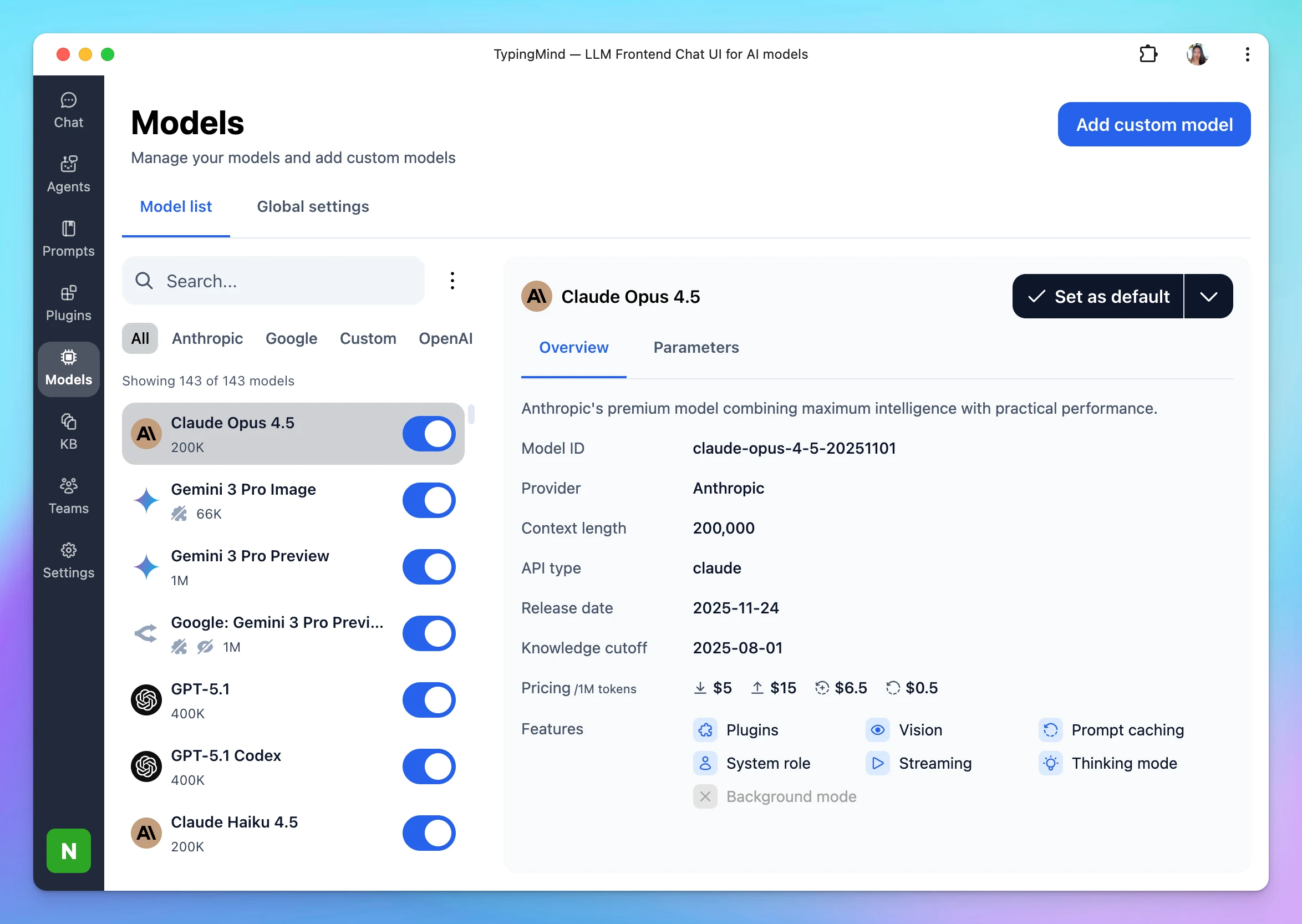
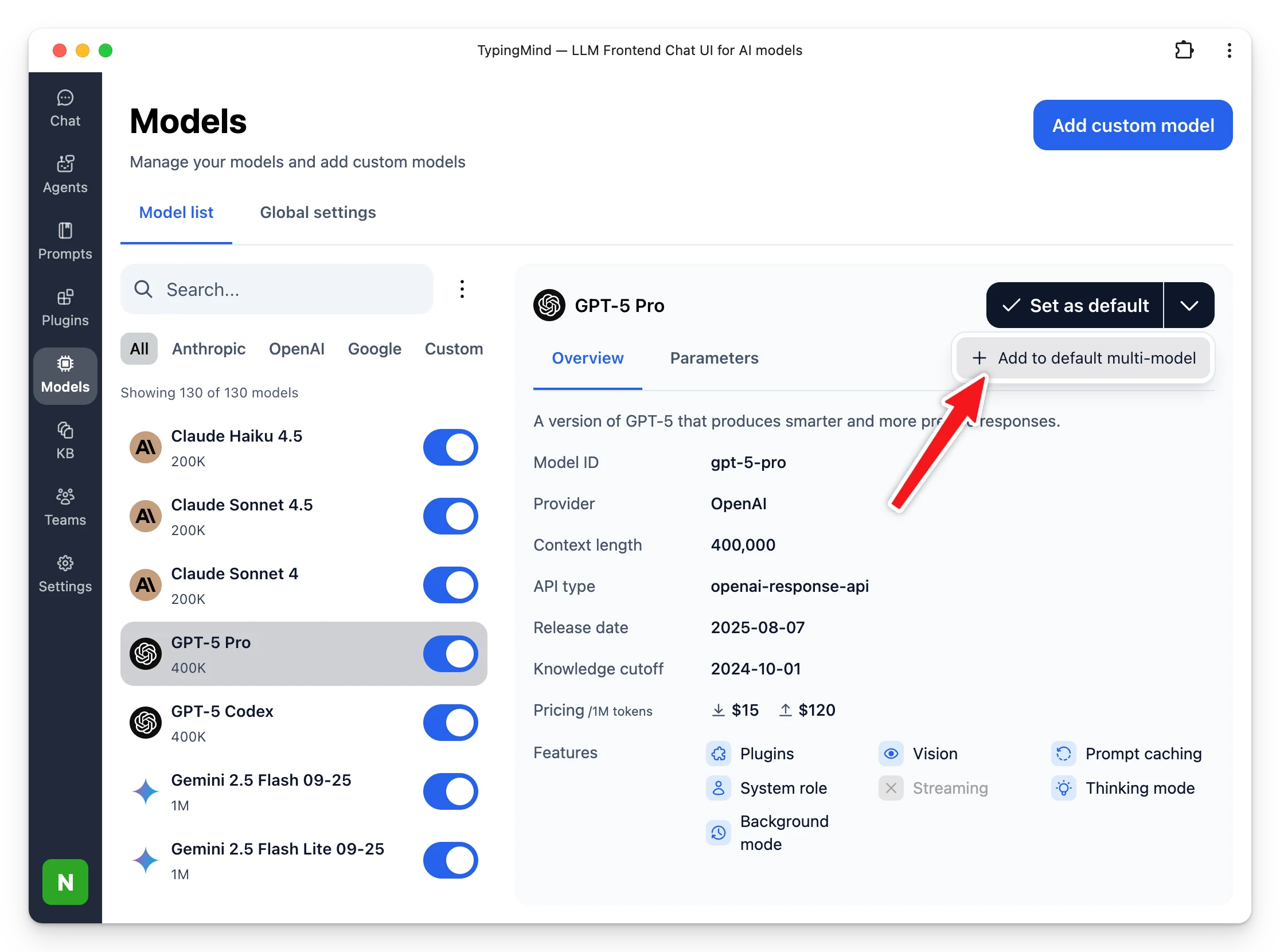
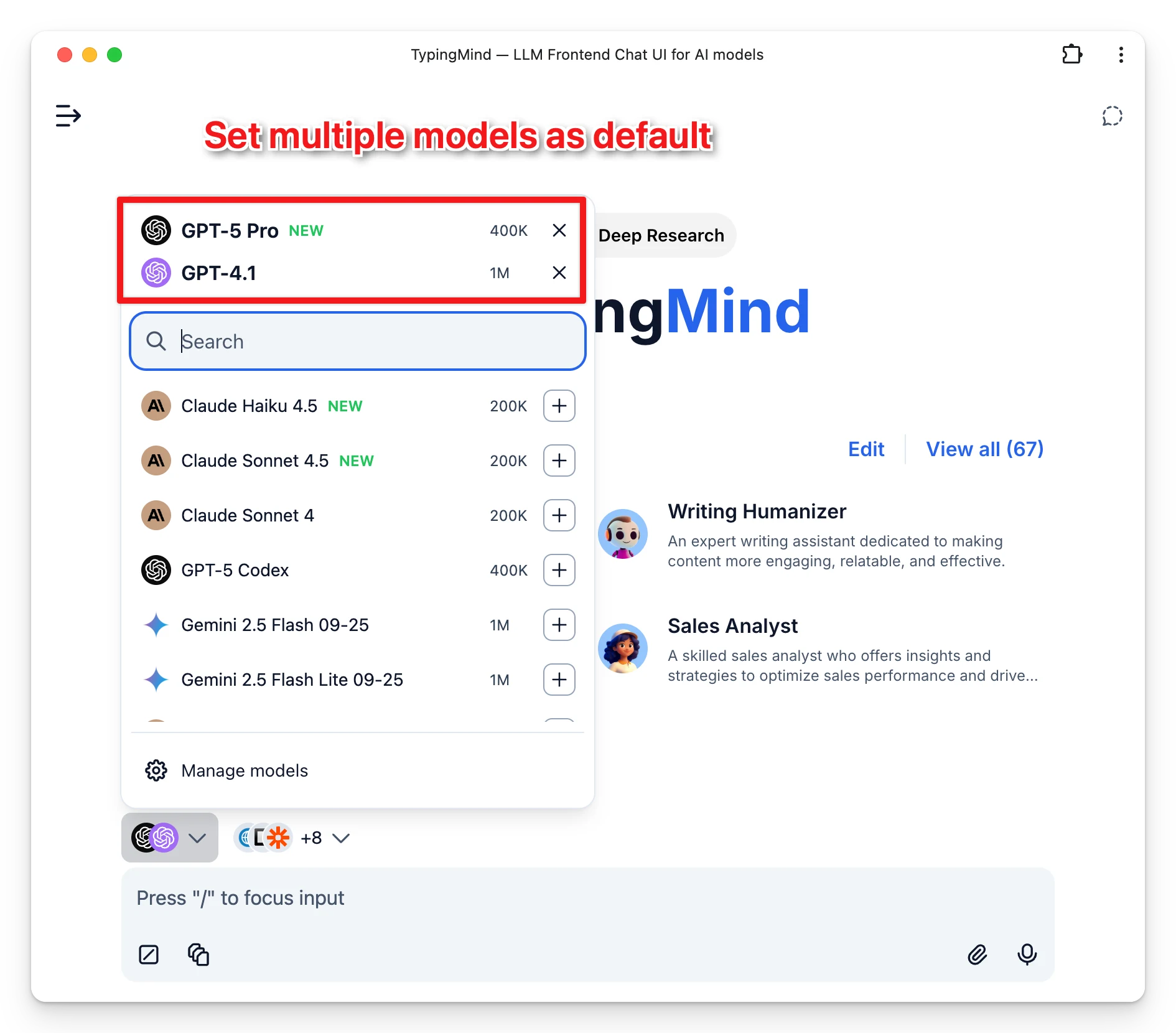
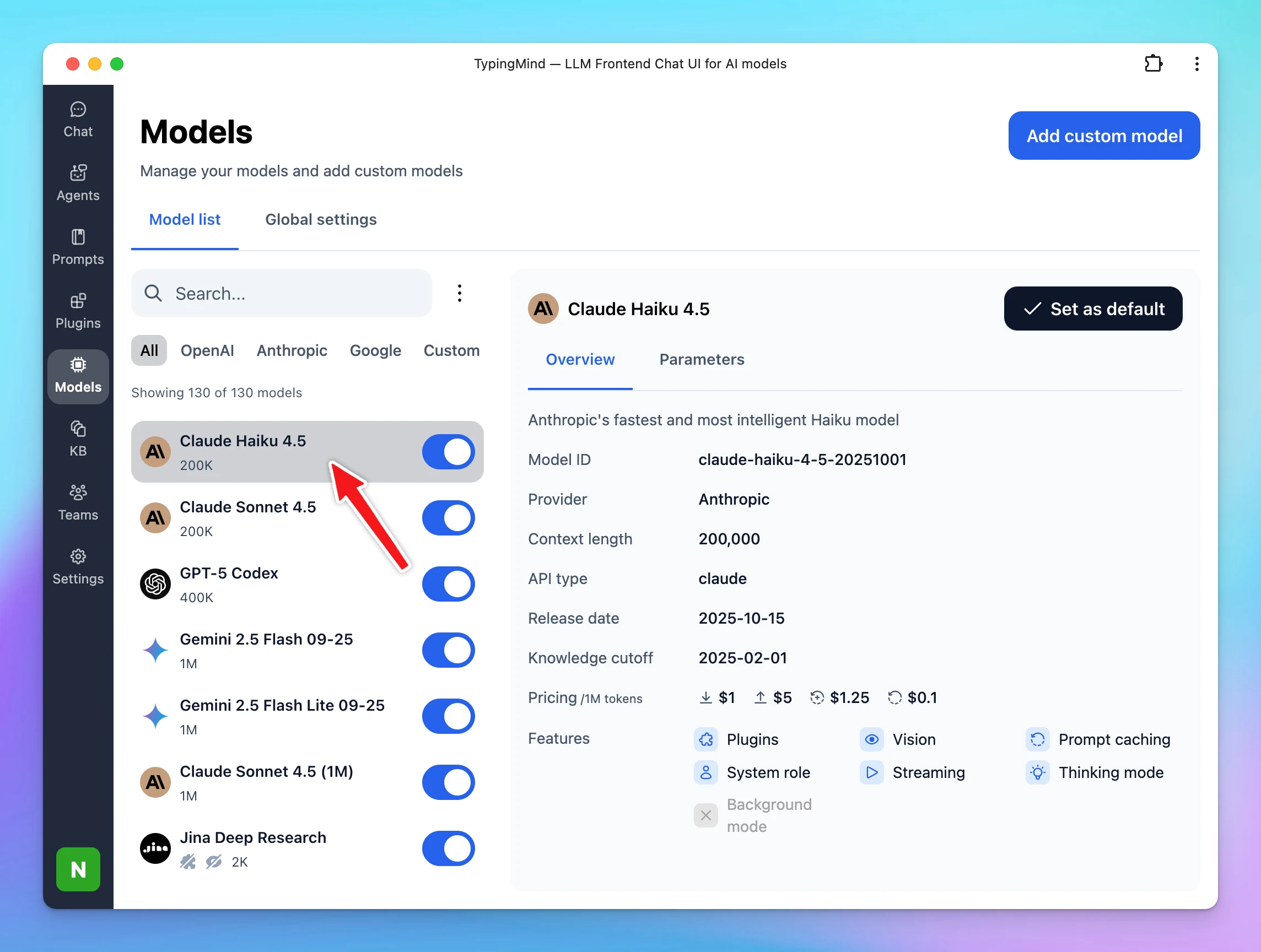
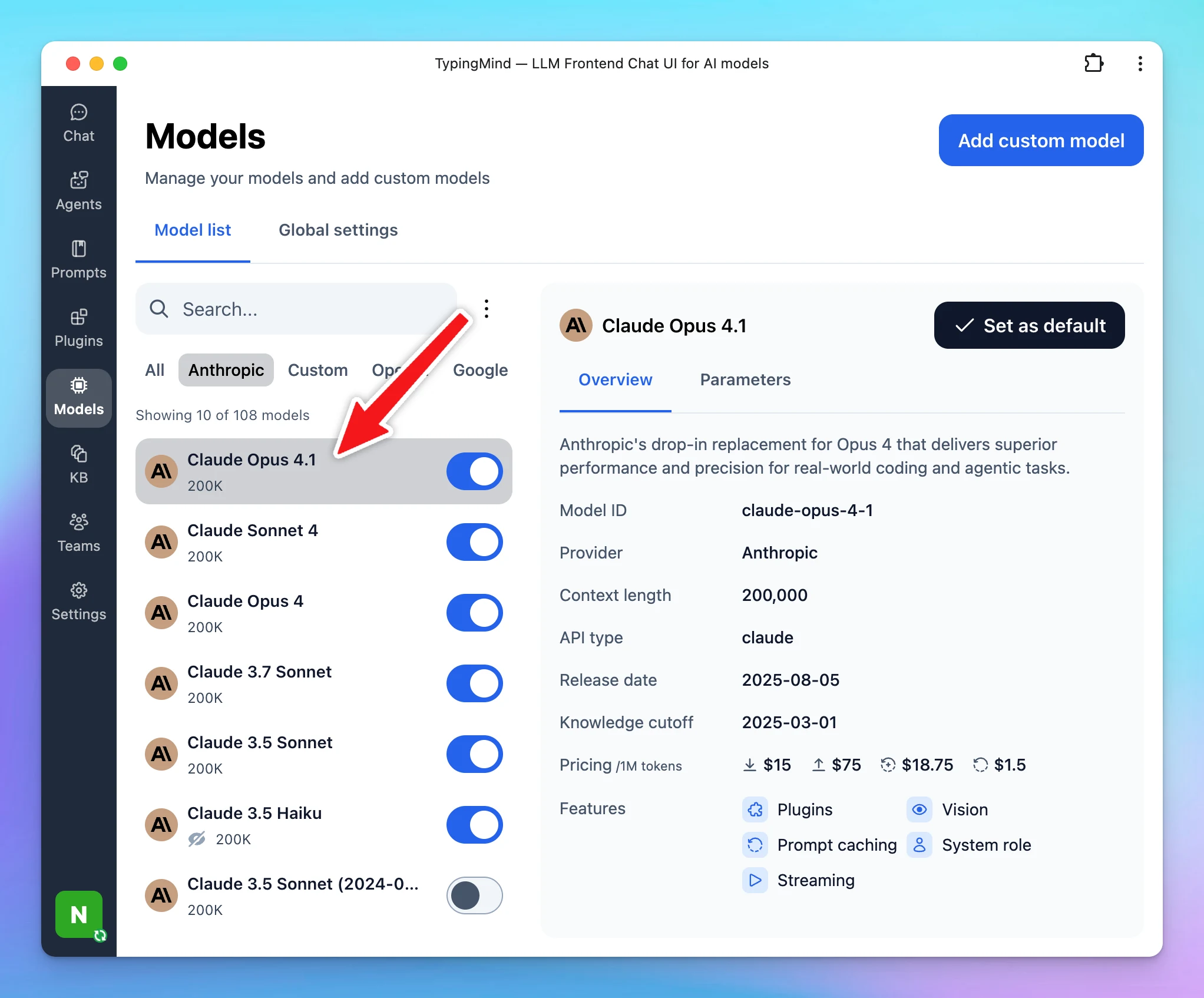
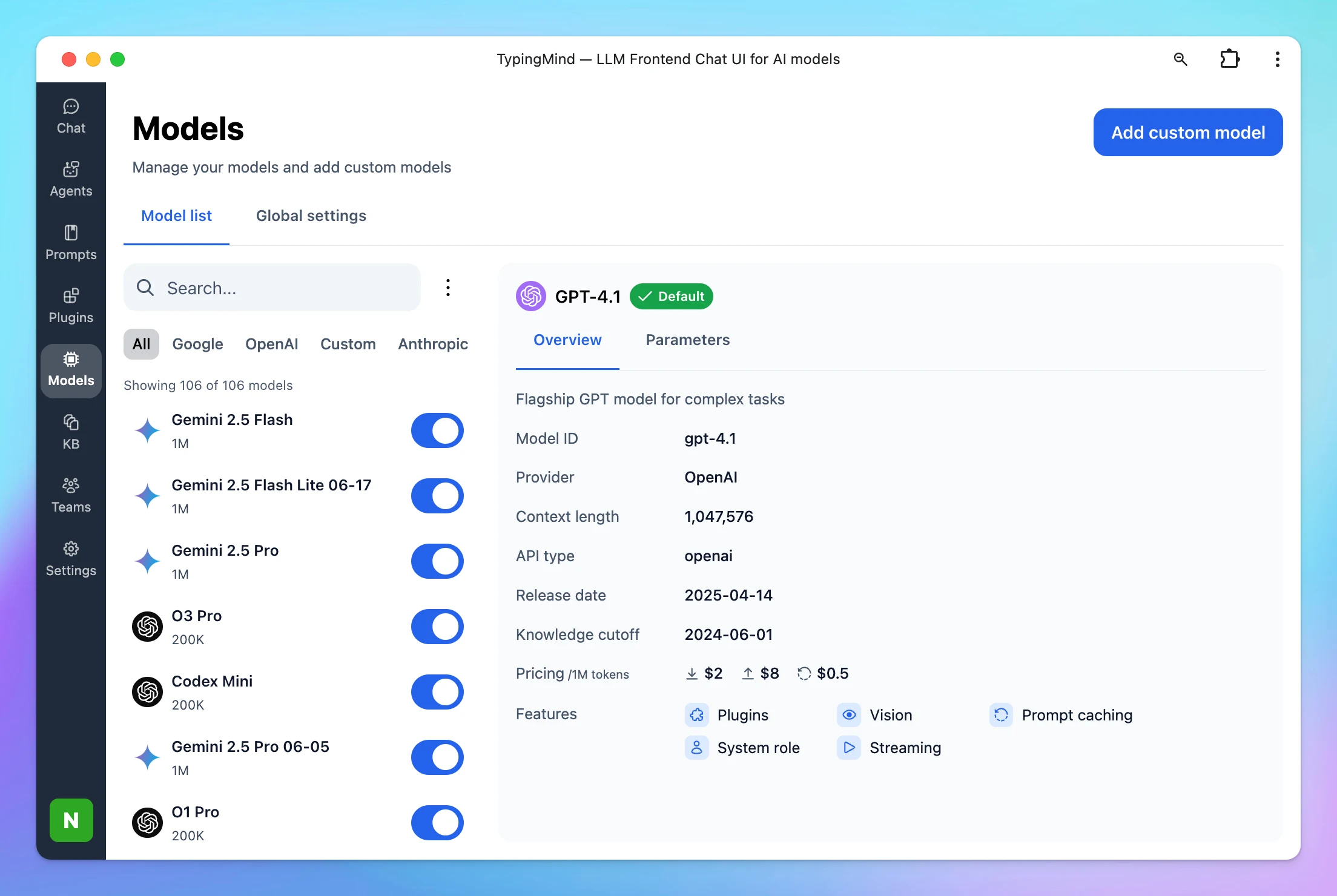
You can now set several models as your default when starting a new chat. This makes it easier to work with your preferred set of models from the start—no need to select them manually each time.
New
AI Models
Show detailsHide details
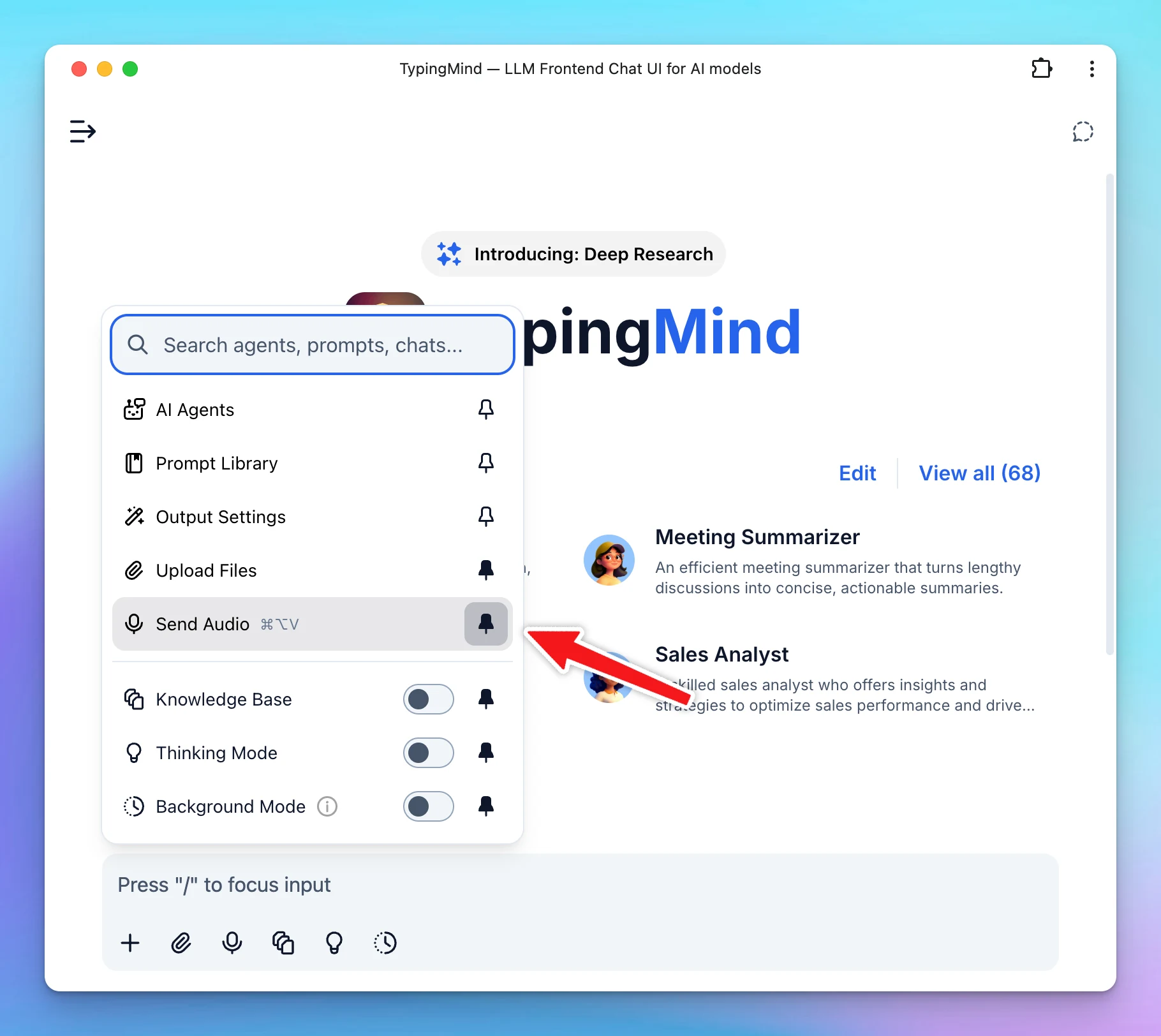
You can now set several models as your default when starting a new chat. This makes it easier to work with your preferred set of models from the start—no need to select them manually each time.
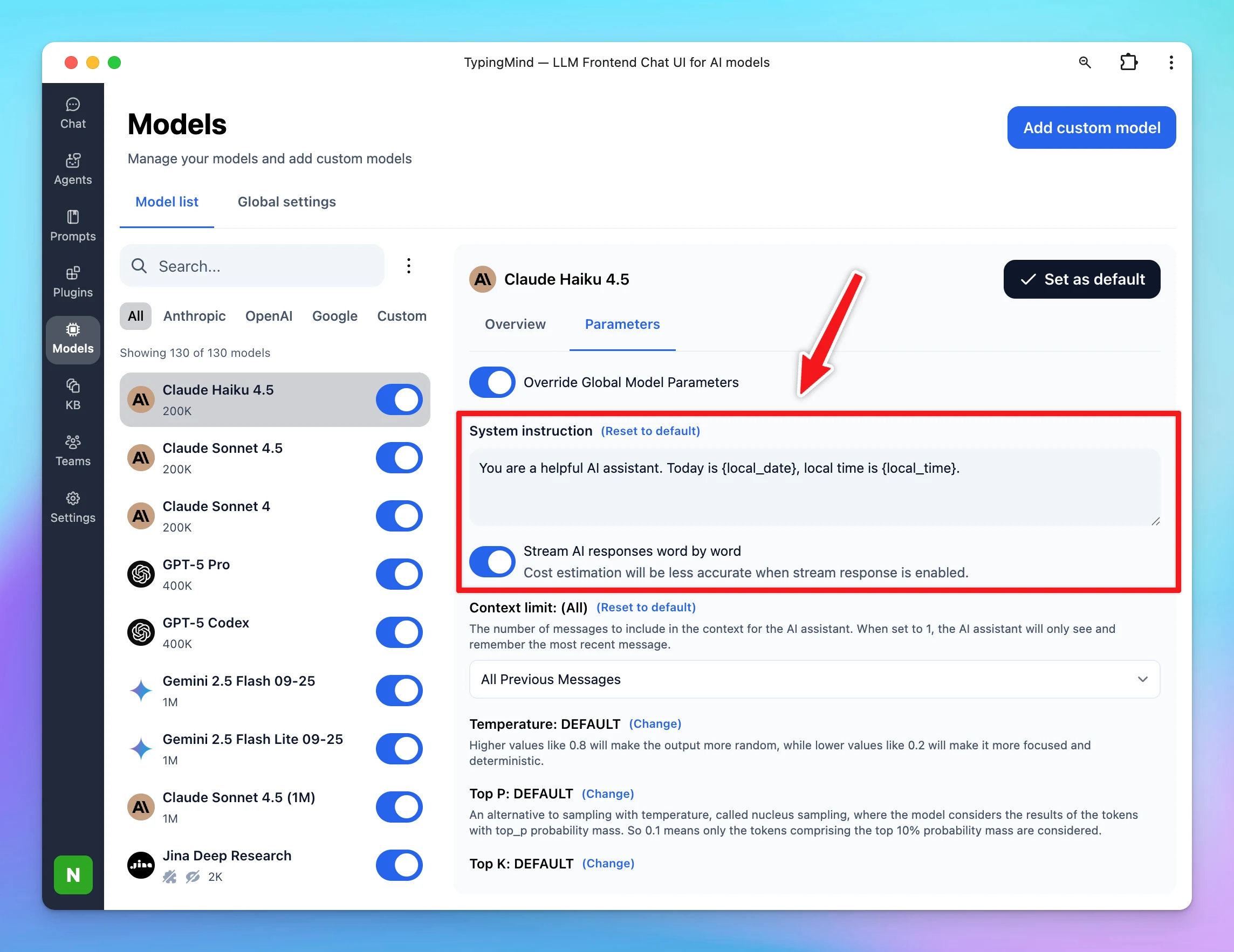
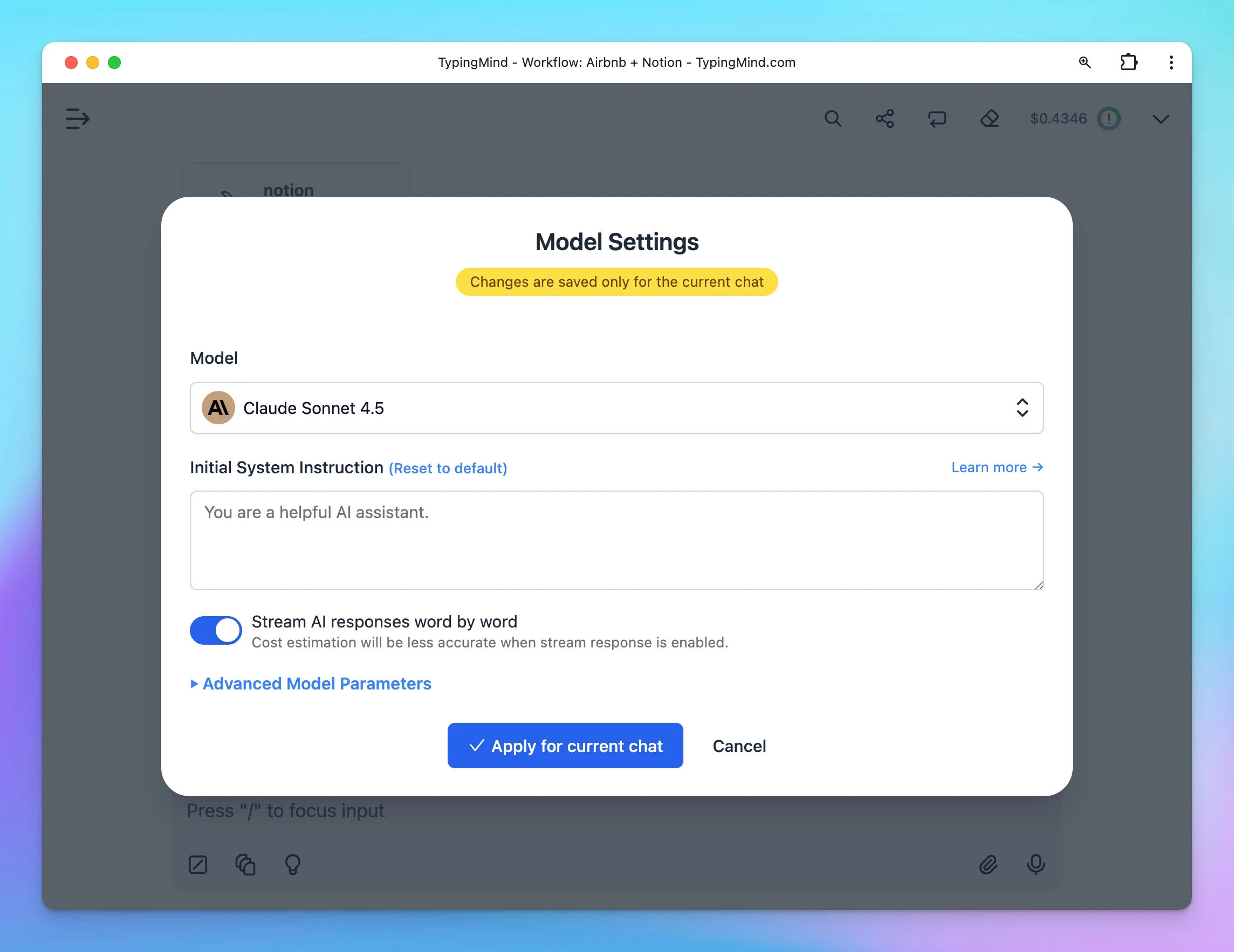
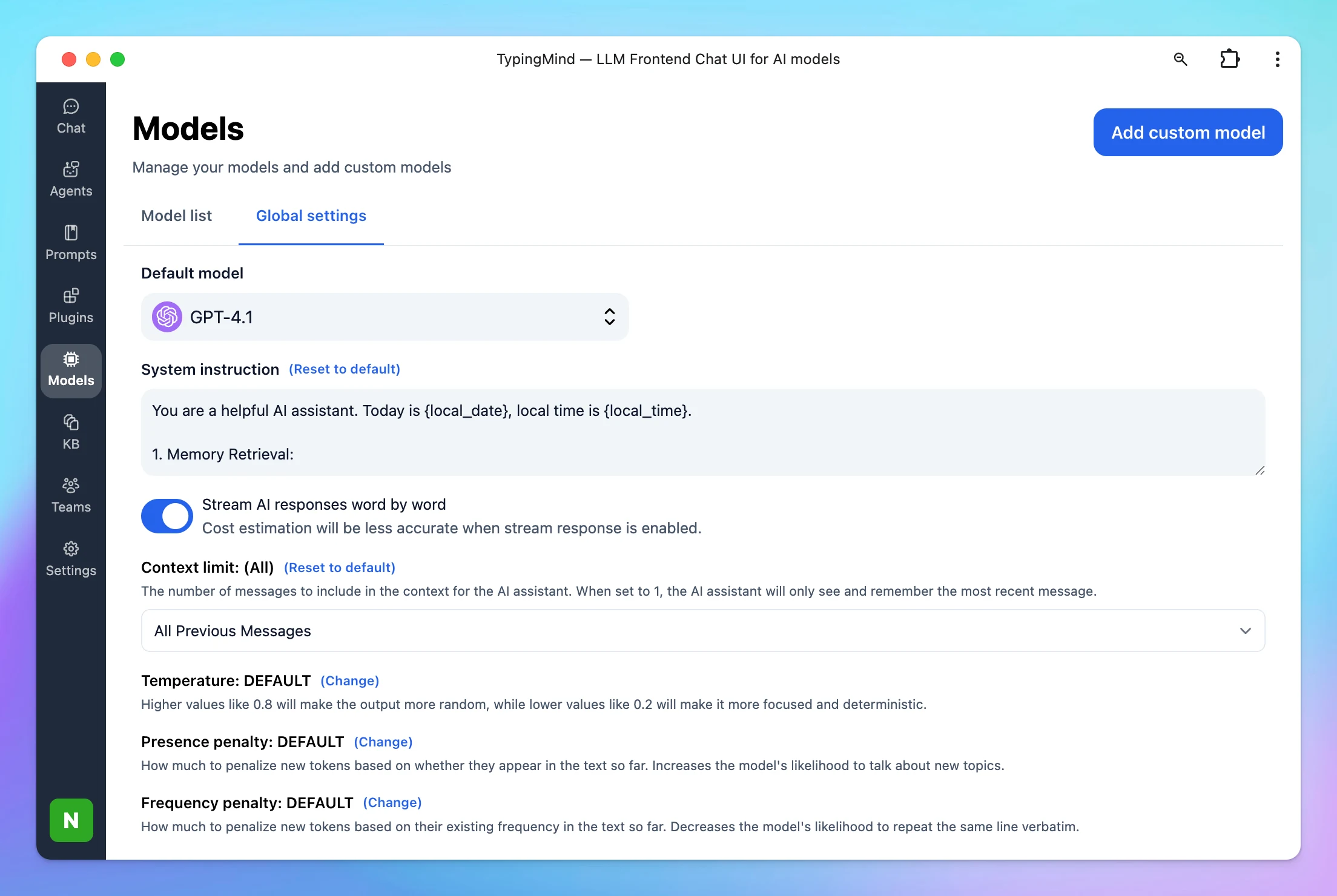
We’re adding Custom Instructions and Stream AI Responses for each AI model so you have more flexibility and control. Now, every model can use system messages that fit its specific purpose and capabilities.
Improved
AI Models
Show detailsHide details
We’re adding Custom Instructions and Stream AI Responses for each AI model so you have more flexibility and control.
Now, every model can use system messages that fit its specific purpose and capabilities.
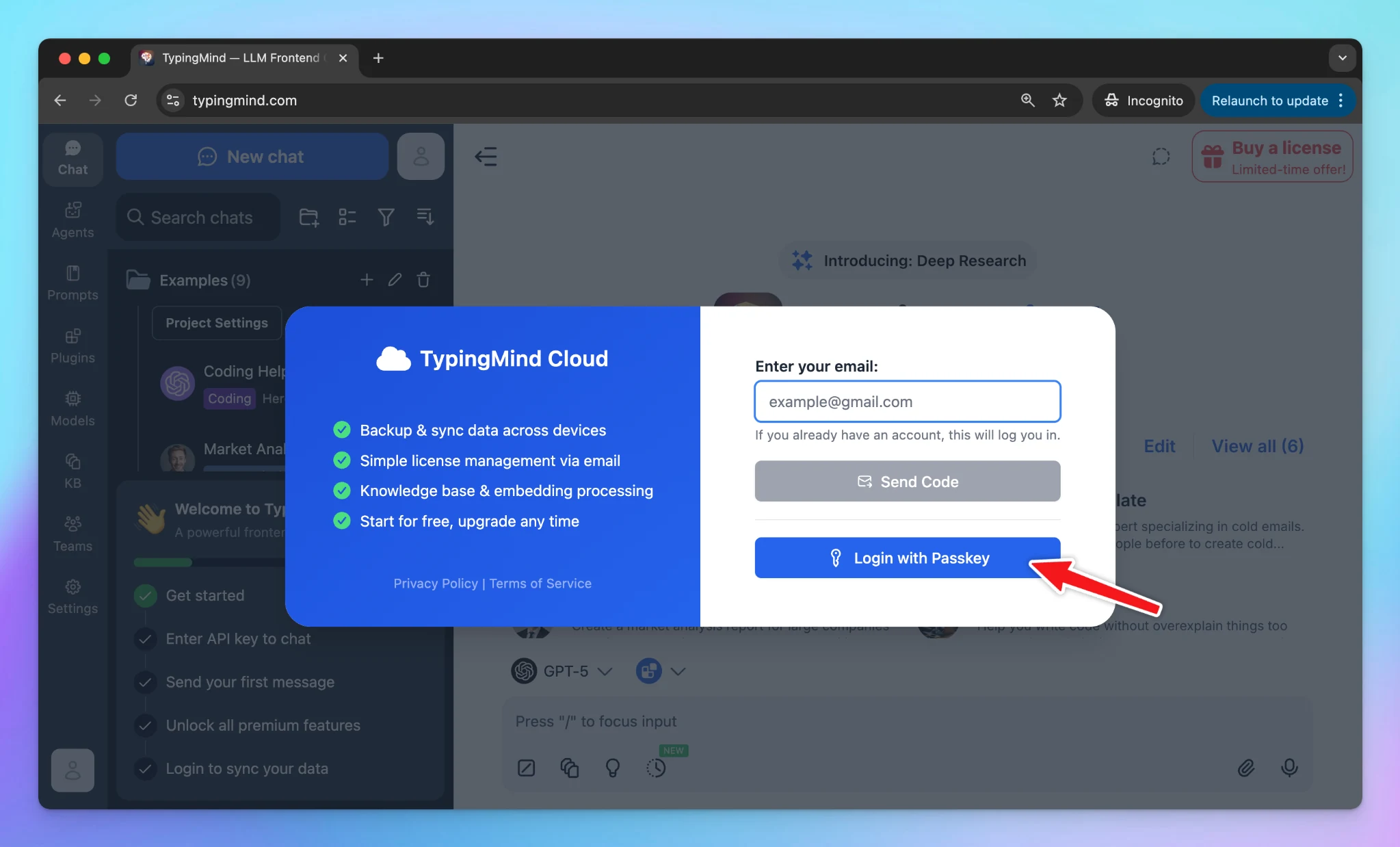
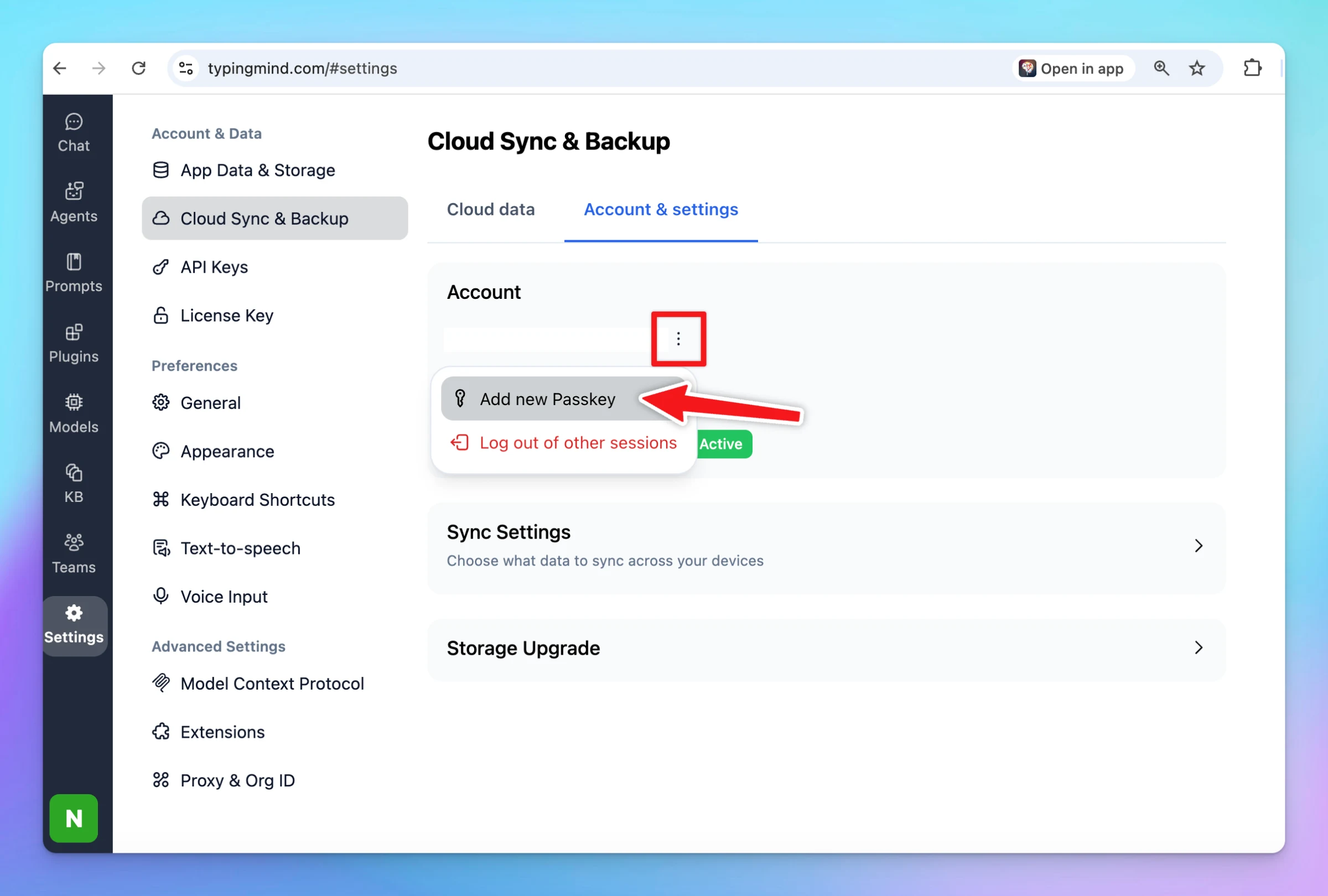
You can now log in to your TypingMind Cloud account using a passkey — no password required. Passkeys are faster, more secure, and phishing-resistant. Simply use Face ID, Touch ID, or your device’s built-in authentication to sign in instantly. Your login…
New
Show detailsHide details
You can now log in to your TypingMind Cloud account using a passkey — no password required.
Passkeys are faster, more secure, and phishing-resistant. Simply use Face ID, Touch ID, or your device’s built-in authentication to sign in instantly. Your login credentials stay safely on your device, synced across your ecosystem.
For existing users, you can add new passkey via Settings —> Cloud Sync —> Account & Settings —> Add new passkey.
Improve UI for Model Settings in your current chat. FYI, you can customize settings for each conversation via Model Settings inside the chat. The settings modal has been redesigned to be cleaner and easier to navigate. Update max default output tokens for…
Show detailsHide details
Improve UI for Model Settings in your current chat. FYI, you can customize settings for each conversation via Model Settings inside the chat. The settings modal has been redesigned to be cleaner and easier to navigate.
Update max default output tokens for Claude models to help prevent reaching the output limit.
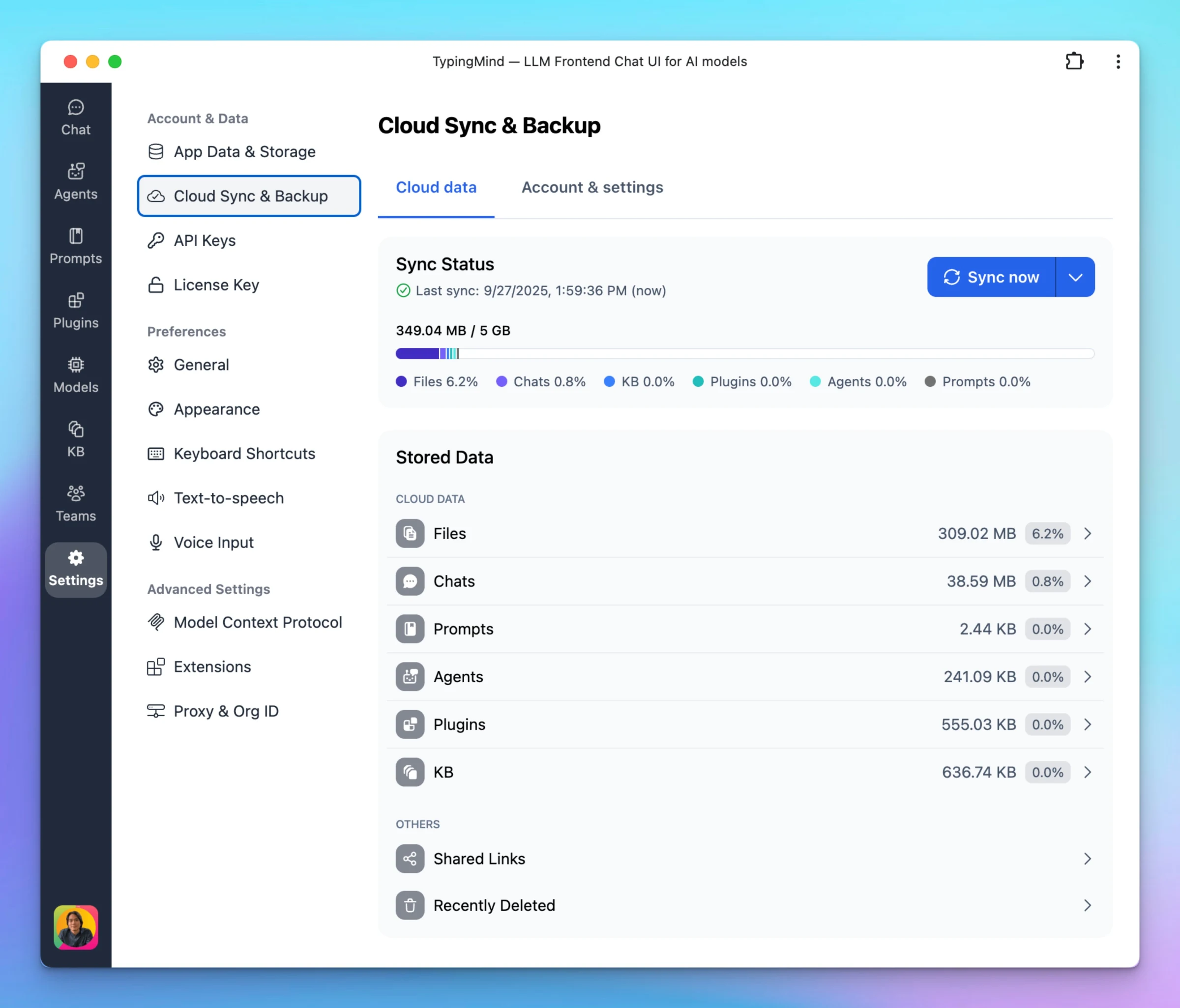
We’ve redesigned the Cloud Sync & Backup interface to make it more transparent and easier to manage your data. Two clear tabs: Cloud Data – View detailed storage usage by category (Files, Chats, Prompts, Agents, Plugins, KB, and more). Account & Settings –…
Improved
Cloud Sync
Show detailsHide details
We’ve redesigned the Cloud Sync & Backup interface to make it more transparent and easier to manage your data.
Two clear tabs:
Cloud Data – View detailed storage usage by category (Files, Chats, Prompts, Agents, Plugins, KB, and more).
Account & Settings – Manage your cloud account, subscription, storage plan, and advanced options all in one place.
Detailed storage breakdown – See exactly how much space each type of data takes up, with clickable entries for more insights.
Improved progress bar – Color-coded by data type for instant visibility.
Cleaner design – A modern layout for a smoother experience.
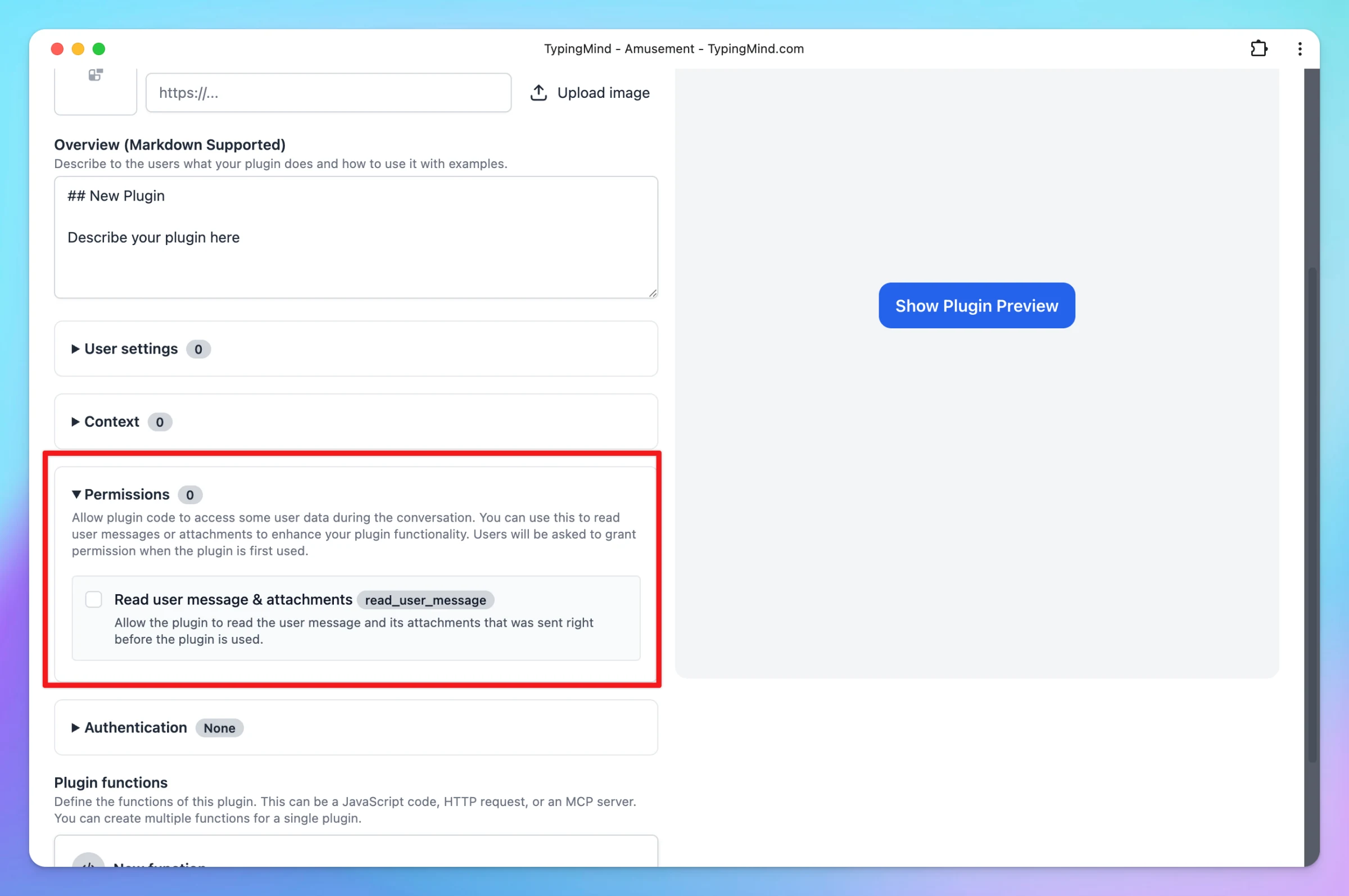
We’ve rolled out some exciting improvements to the TypingMind plugin system that make building and using plugins more powerful and seamless: Permissions and Resources Access New Permissions System: Plugins can now request access to app-wide resources. In…
New
Improved
Integrations
Show detailsHide details
We’ve rolled out some exciting improvements to the TypingMind plugin system that make building and using plugins more powerful and seamless:
Permissions and Resources Access
New Permissions System: Plugins can now request access to app-wide resources. In particular, the new read_user_message permission allows plugins to read user messages and attachments for richer, context-aware functionality.
Previous Output Access: JavaScript plugins can now access their previous output with the previousRunOutput parameter — perfect for building multi-step workflows and stateful plugins.
UX/UI Improvements
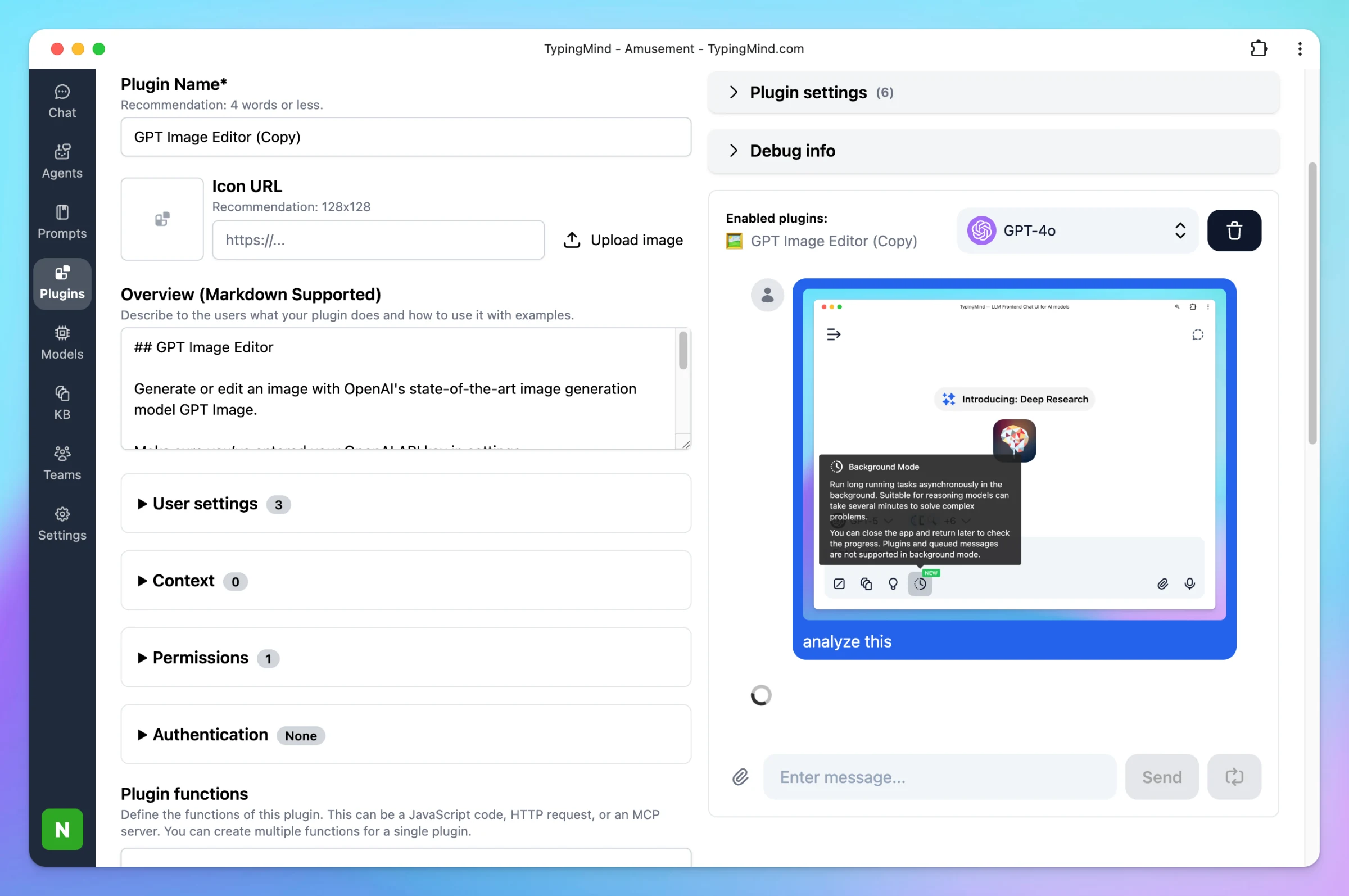
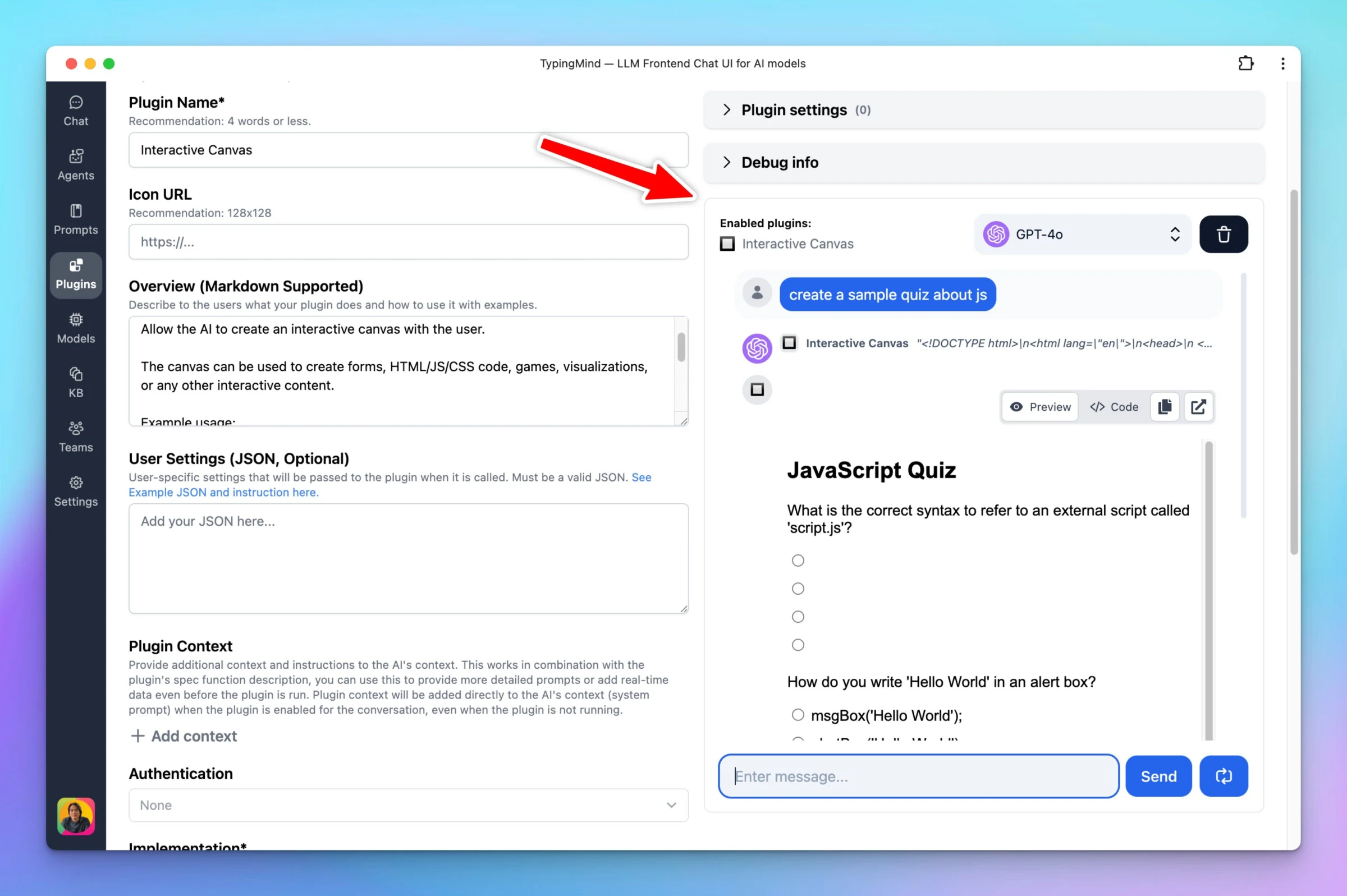
Plugin Editor Enhancements: The editor UI is now more compact, with a new option to upload an image for your plugin icon.
Plugin Preview Upgrades: When testing your plugin, you can now upload documents and images directly in the chat for a better preview experience.
Smoother Plugin Output: We’ve removed the old “Interactive Content” warning, so plugin outputs render without unnecessary interruptions.
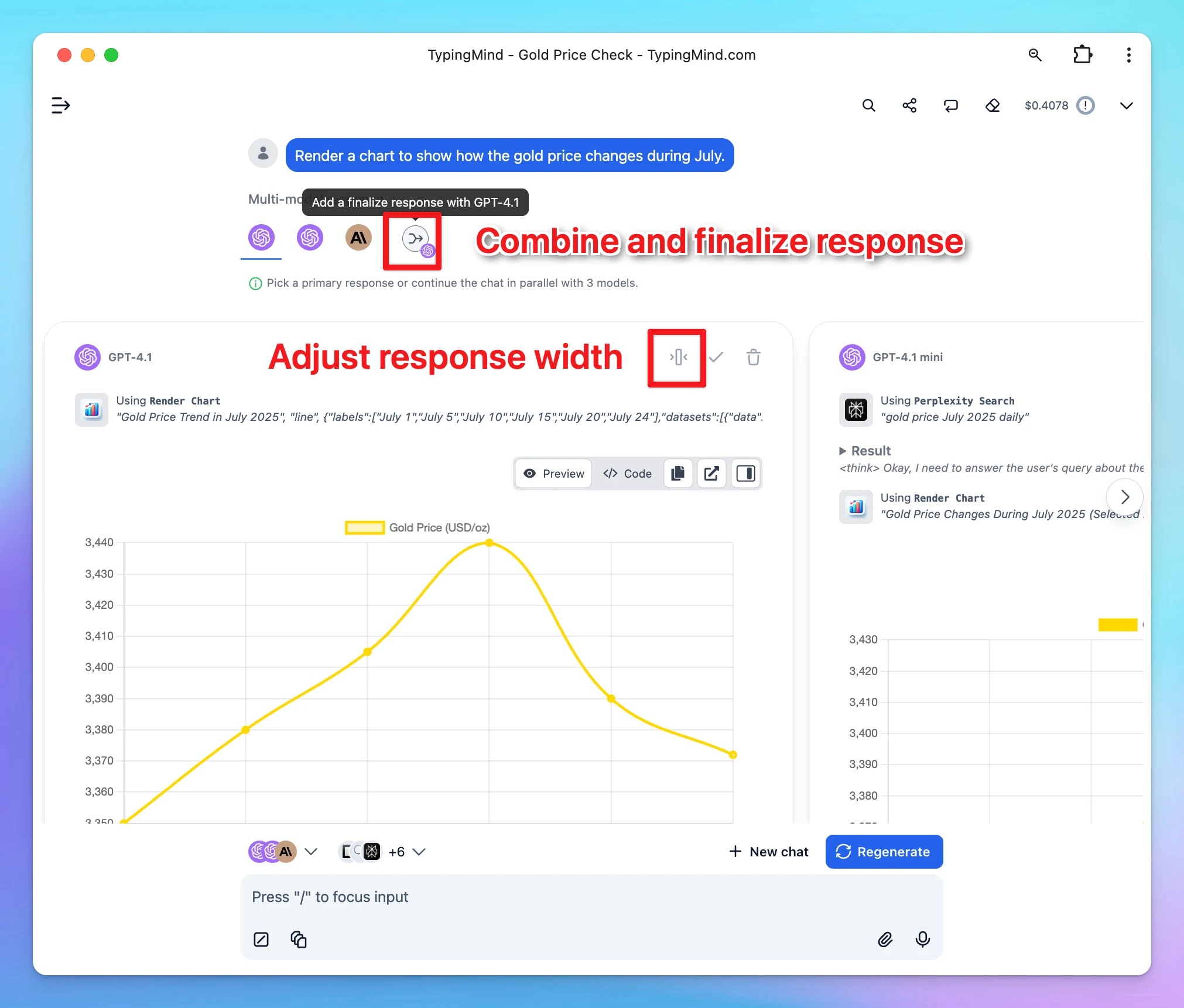
We’ve rolled out improvements to make multi-model chat more flexible and powerful: Add a new response with your selected model: Choose a specific model for the finalize response: Reply to individual responses separately (text only for now): Delete a message…
Improved
Chat Management
Show detailsHide details
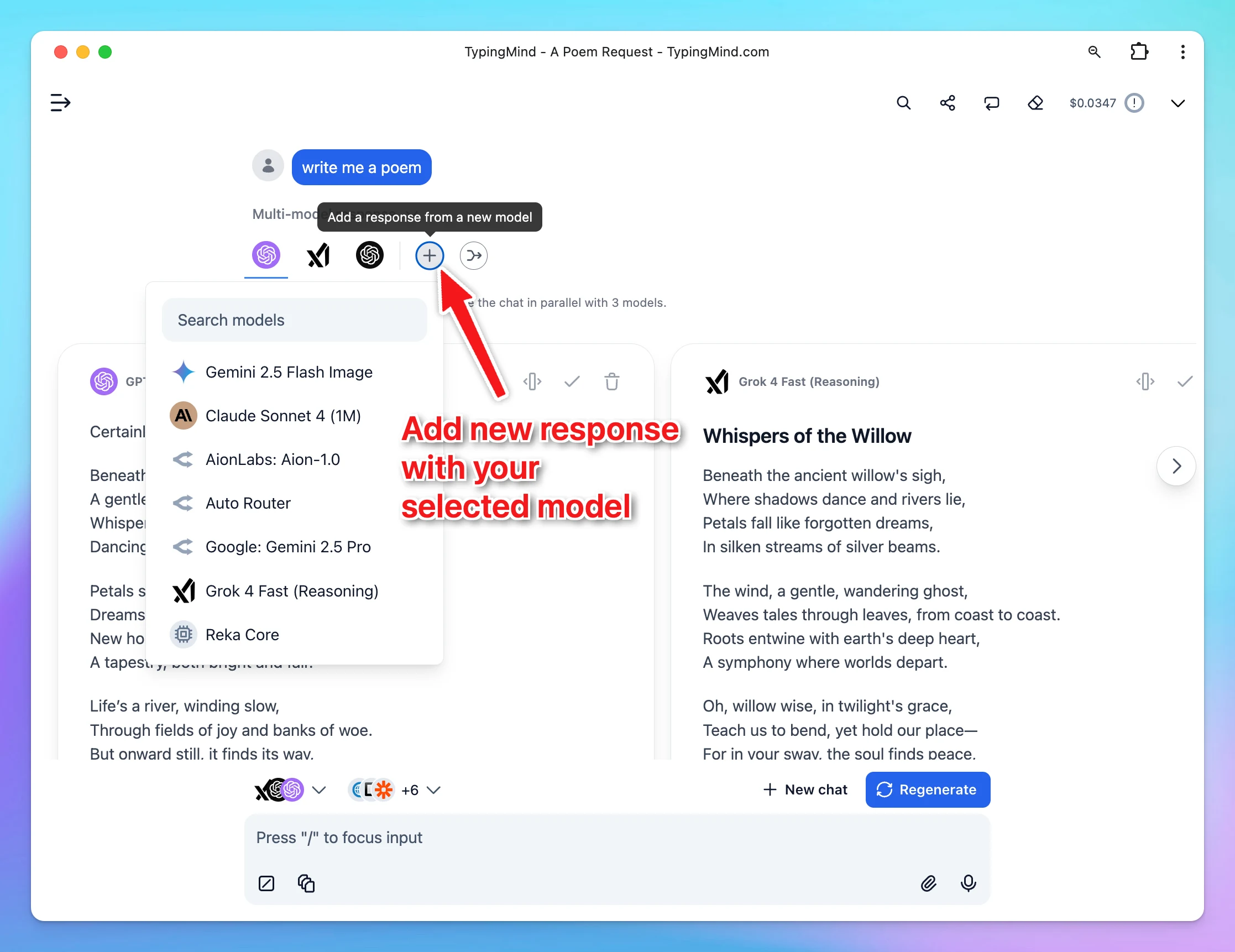
We’ve rolled out improvements to make multi-model chat more flexible and powerful:
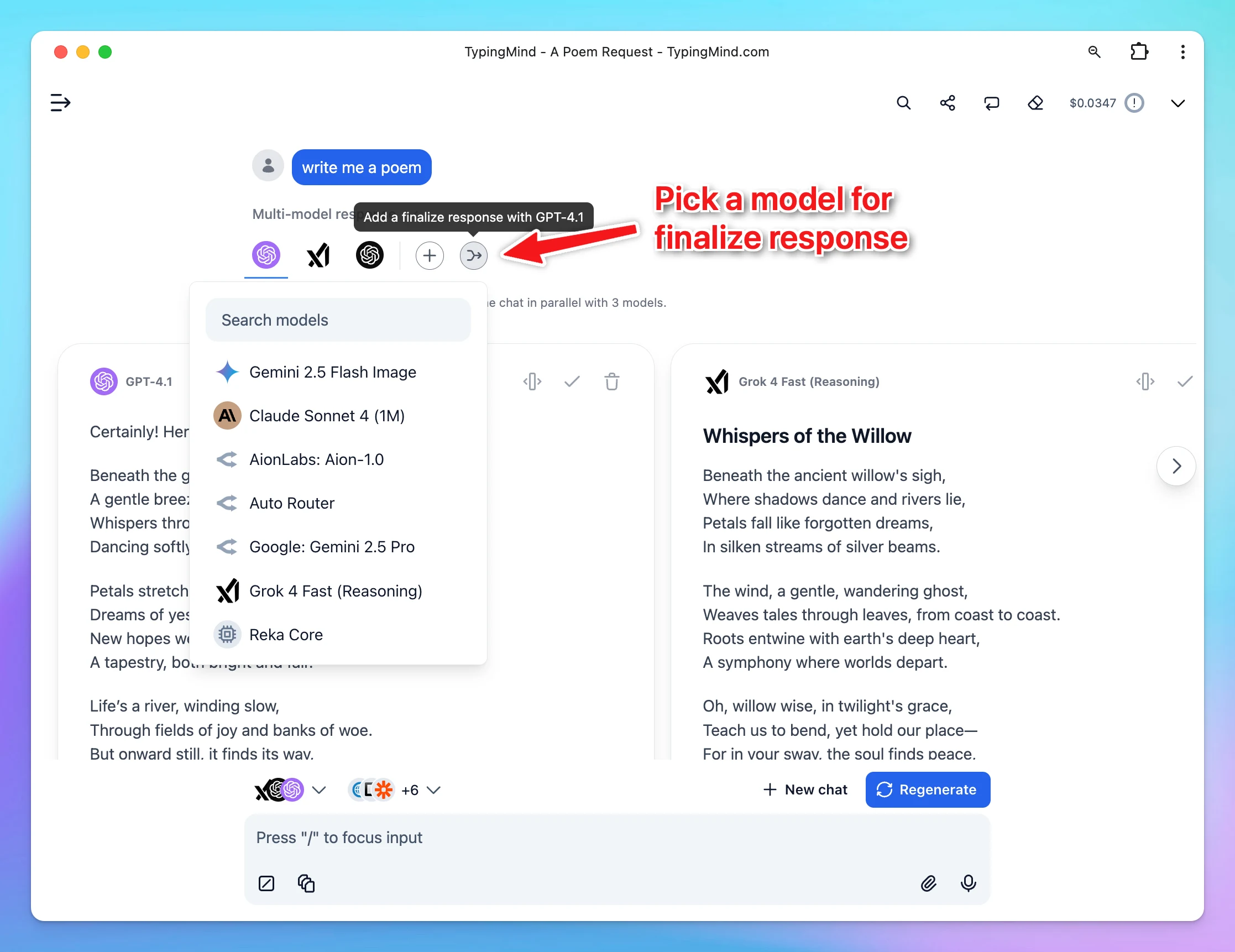
Add a new response with your selected model:
Choose a specific model for the finalize response:
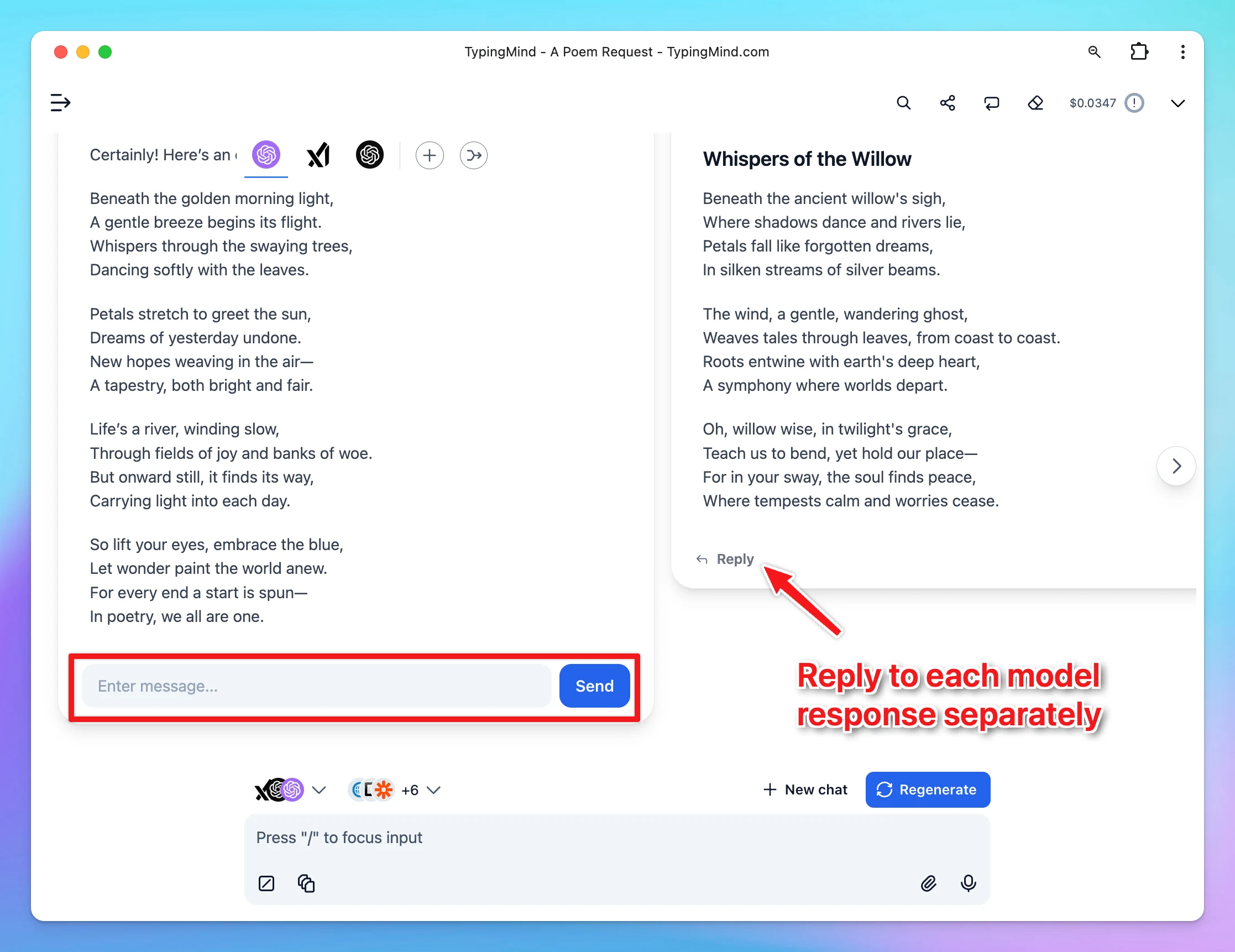
Reply to individual responses separately (text only for now):
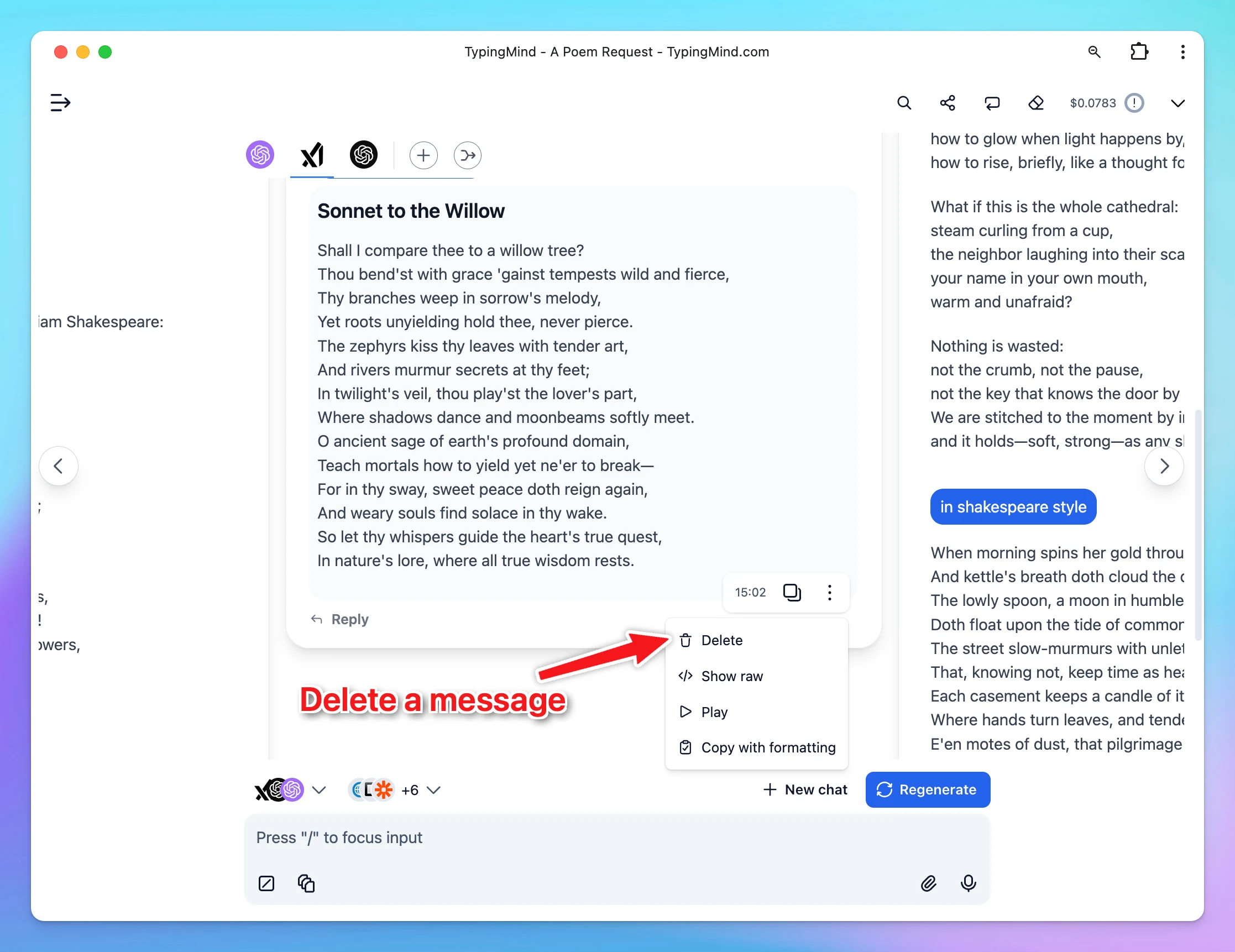
Delete a message within the multi-response UI:
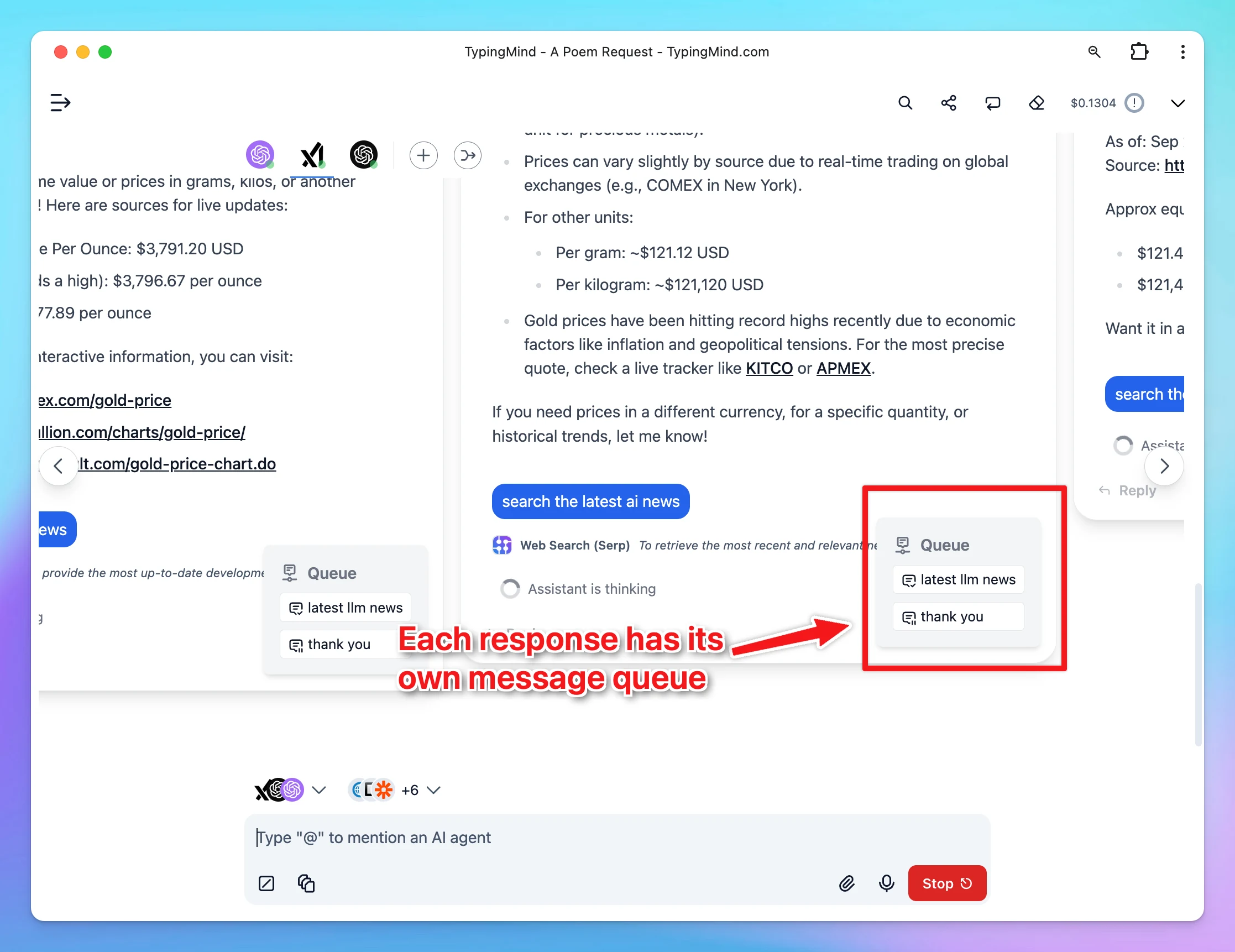
Each response in parallel now has its own message queue
Try now and let us know if you encounter any issues with the latest updates!
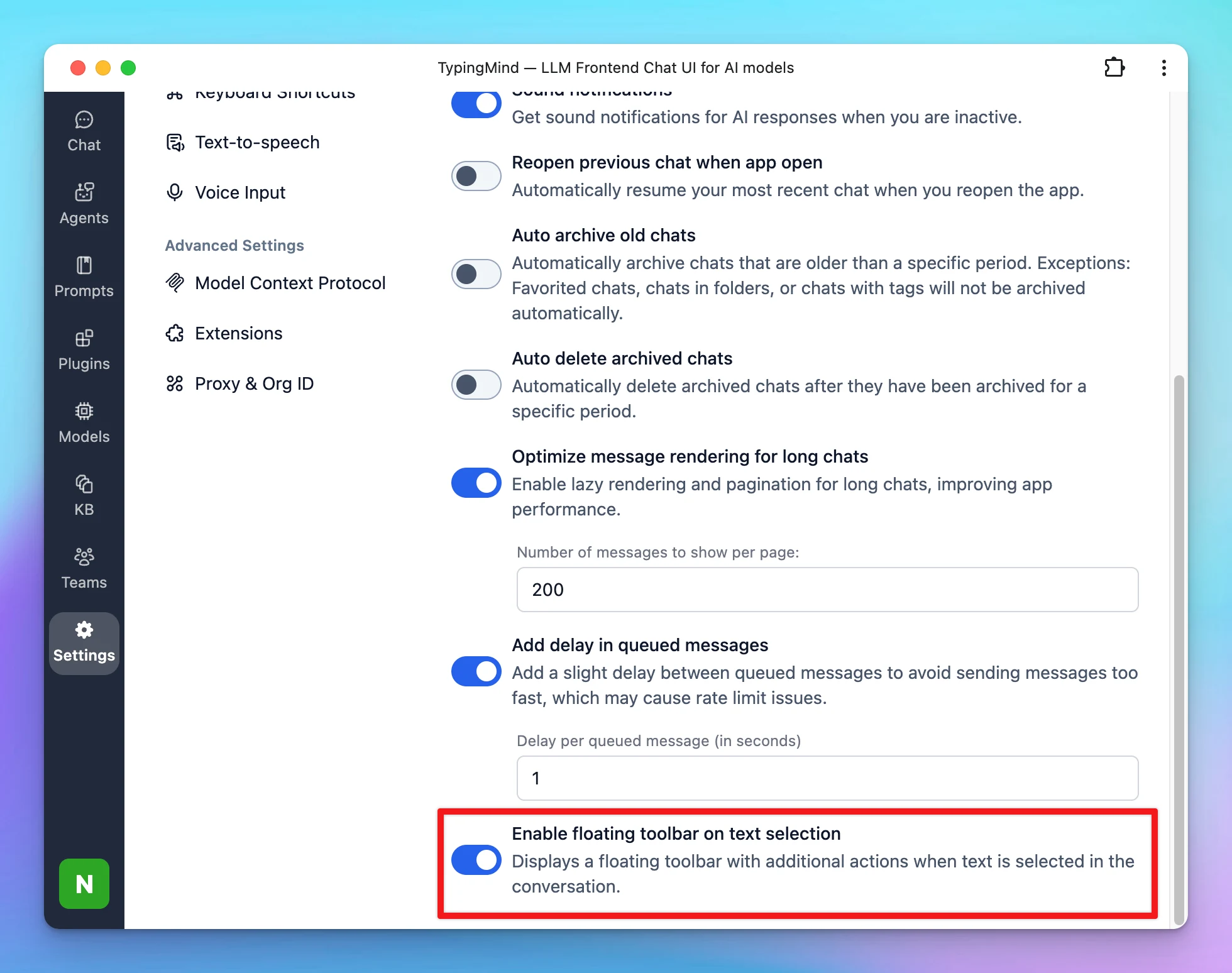
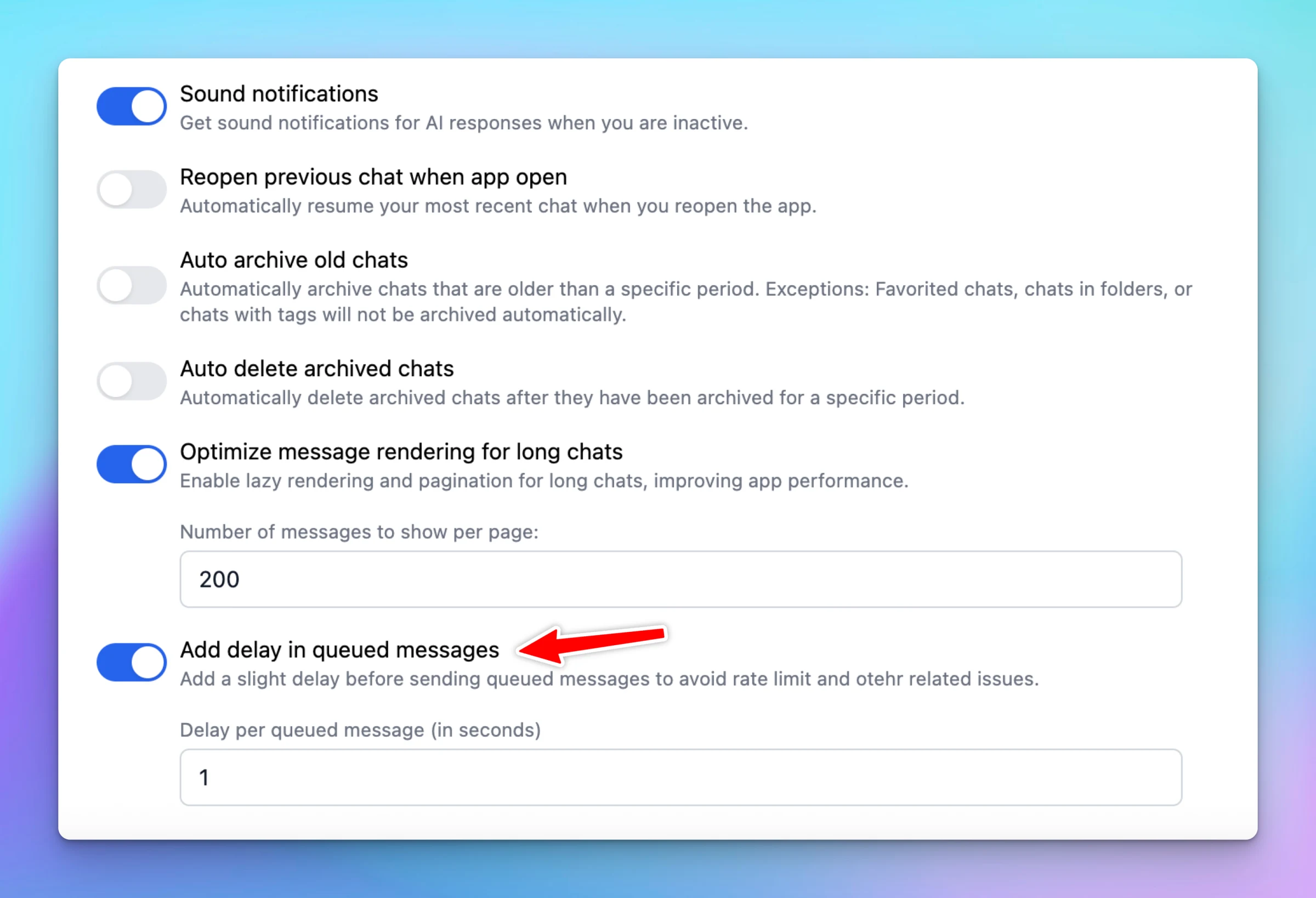
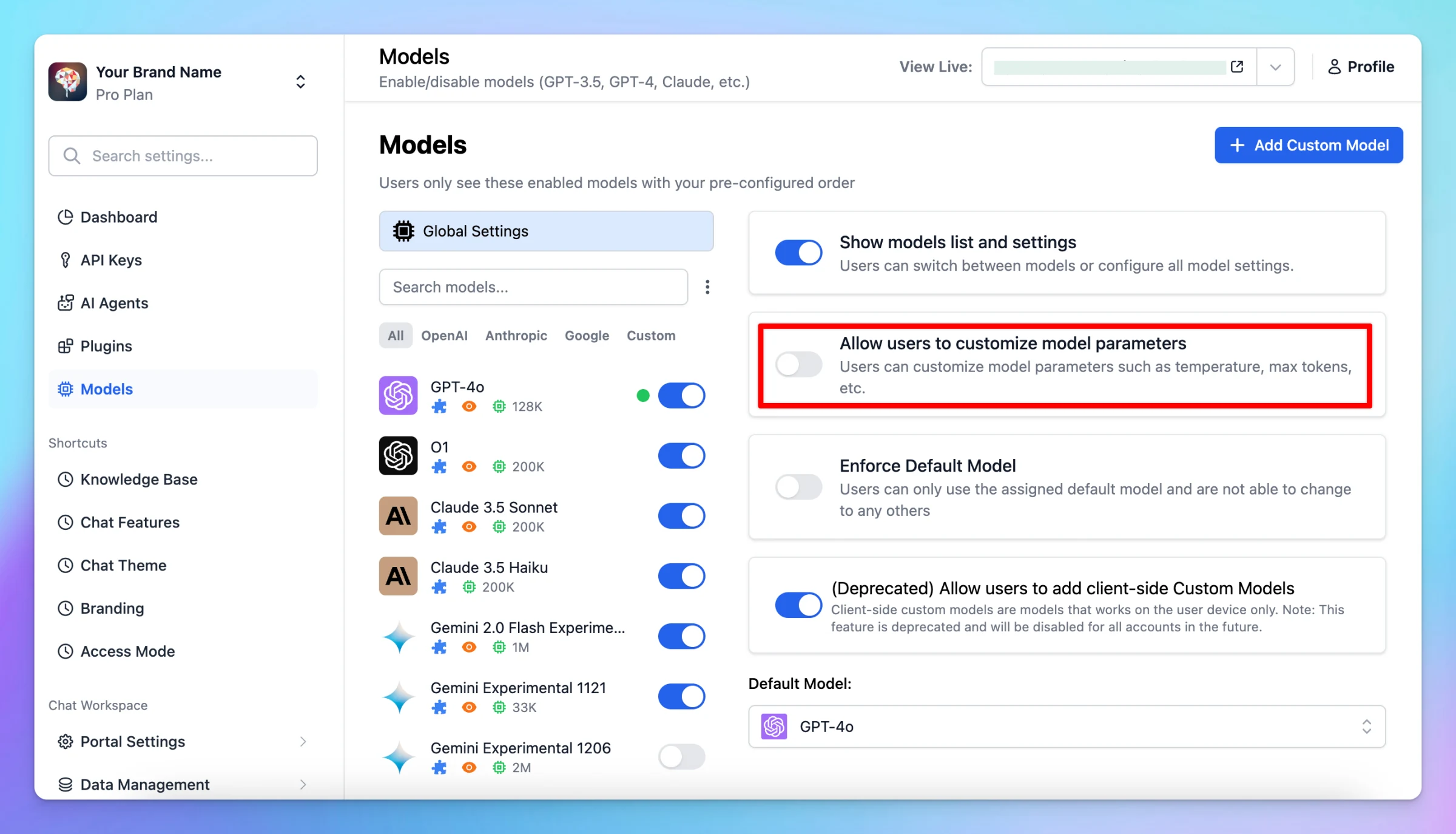
This option adds a slight delay between queued messages to prevent sending them too quickly, which can cause rate limit issues. The default delay is 1 second, but you can adjust it to your preference. Go to Settings → General to enable this option.
New
Chat Management
Show detailsHide details
This option adds a slight delay between queued messages to prevent sending them too quickly, which can cause rate limit issues. The default delay is 1 second, but you can adjust it to your preference.
We’ve rolled out some improvements and fixes to make your experience smoother and more reliable: Plugin Updates User Settings Variables in Context: Variables defined in the User Settings section can now be used directly in Plugin Context. Improved Stop…
Improved
Show detailsHide details
We’ve rolled out some improvements and fixes to make your experience smoother and more reliable:
Plugin Updates
User Settings Variables in Context: Variables defined in the User Settings section can now be used directly in Plugin Context.
Improved Stop Behavior: When you click Stop during a plugin run, the last completed tool calls will be preserved instead of being deleted.
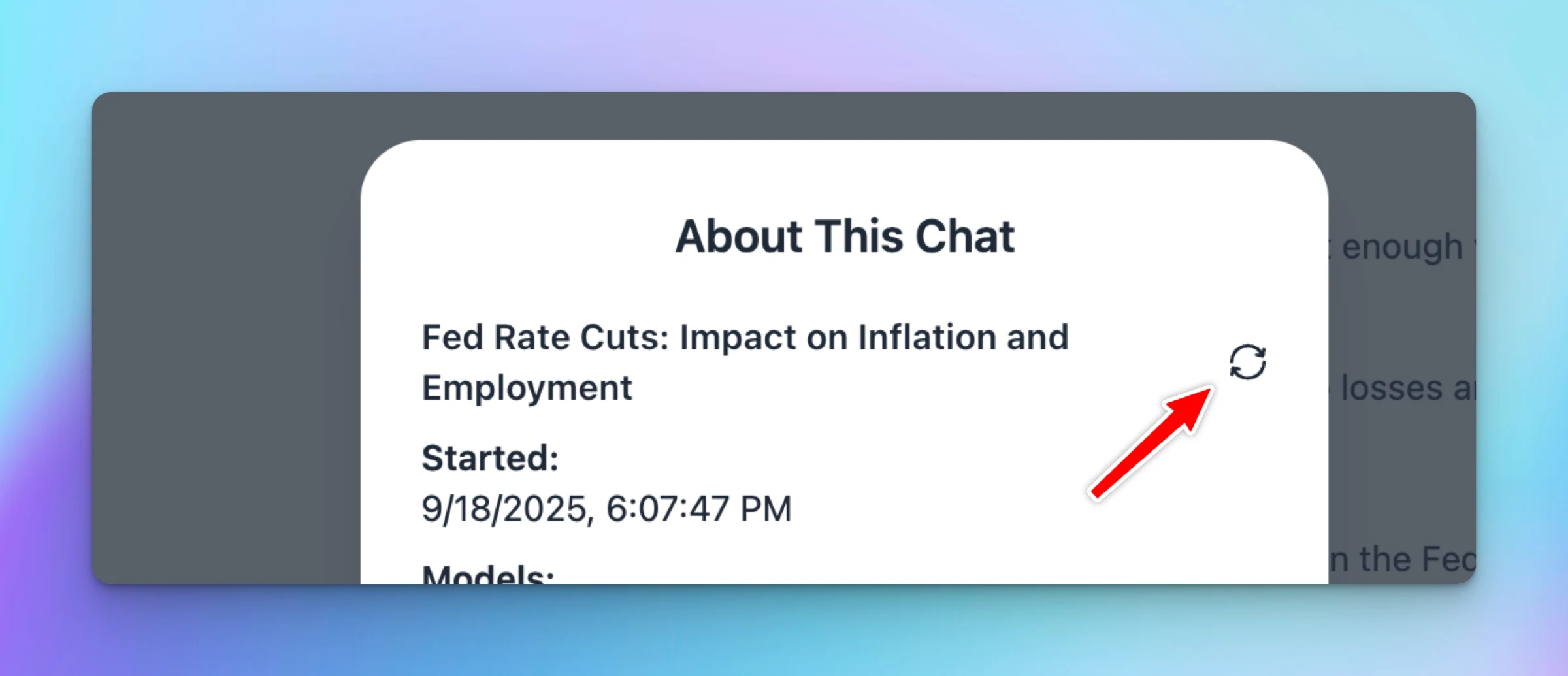
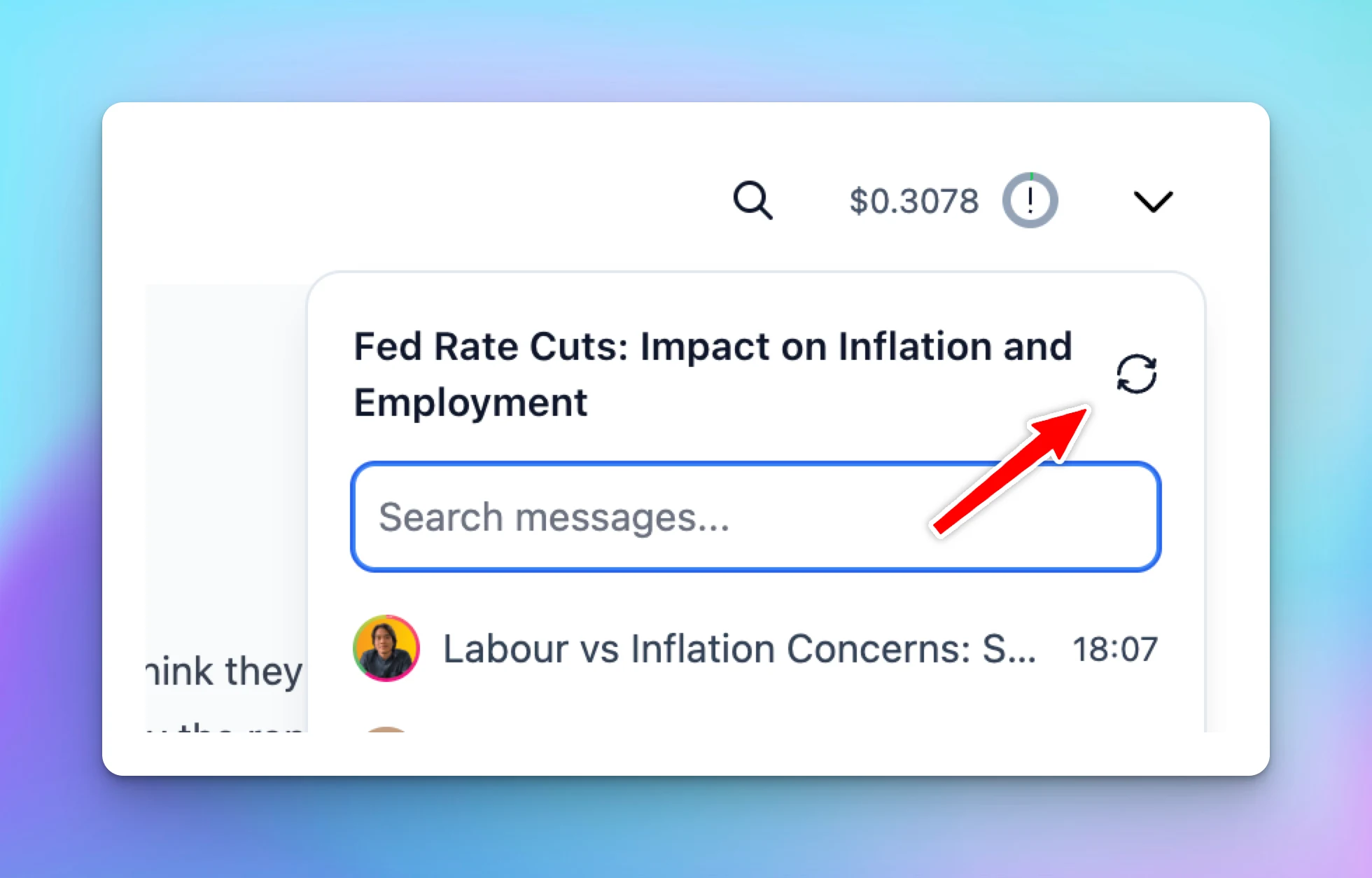
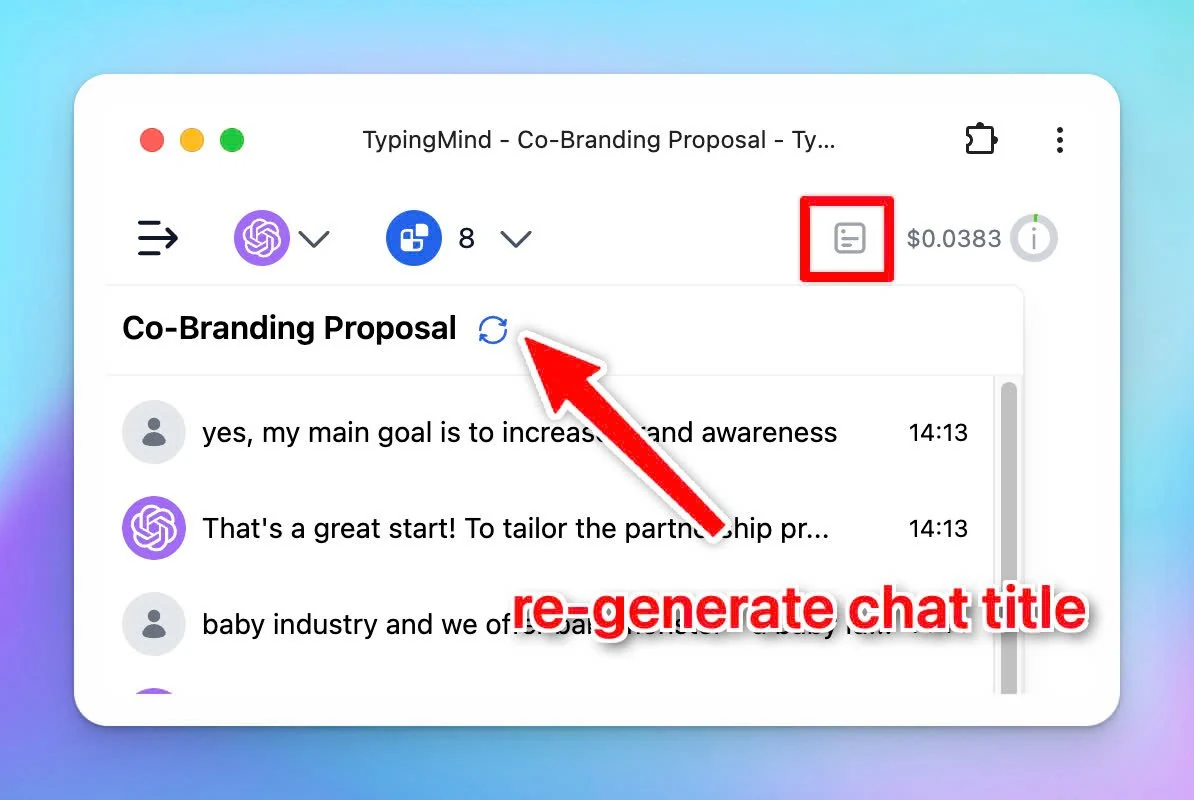
New: Re-generate chat title
Added "Regenerate title" option in the chat info popup, giving you more control over your chat titles.
Bug Fixes
Fixed: Chat title sometimes was not generated if the user switched between chats during generation.
Fixed: Token usage sometimes was not reported if the user switched between chats during generation.
Instead of requiring you to “stay connected” and wait for AI output, now you can send a message asynchronously in the background with Background Mode: Best for reasoning models can take several minutes to solve complex problems. Models that support background…
New
Chat Management
Show detailsHide details
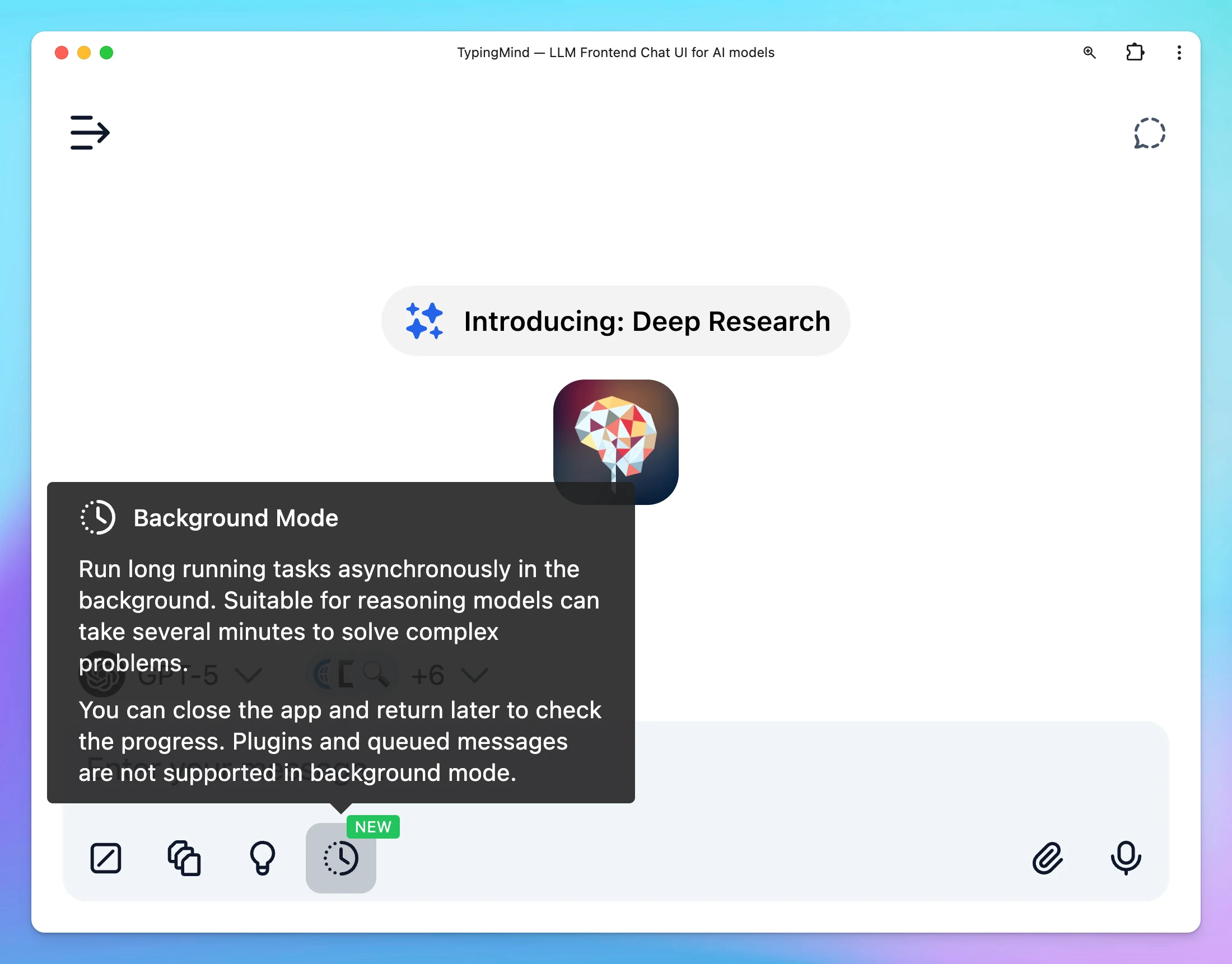
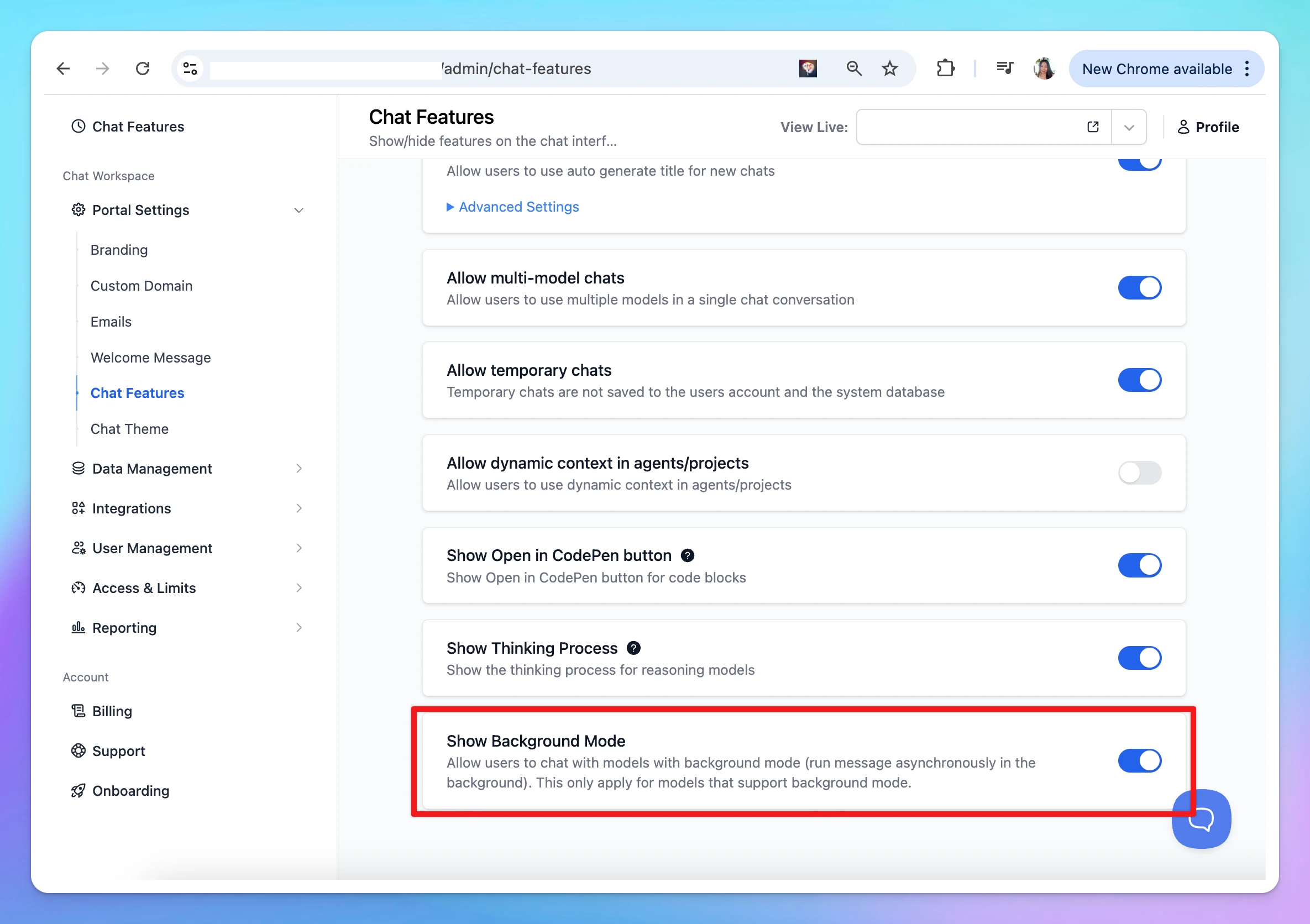
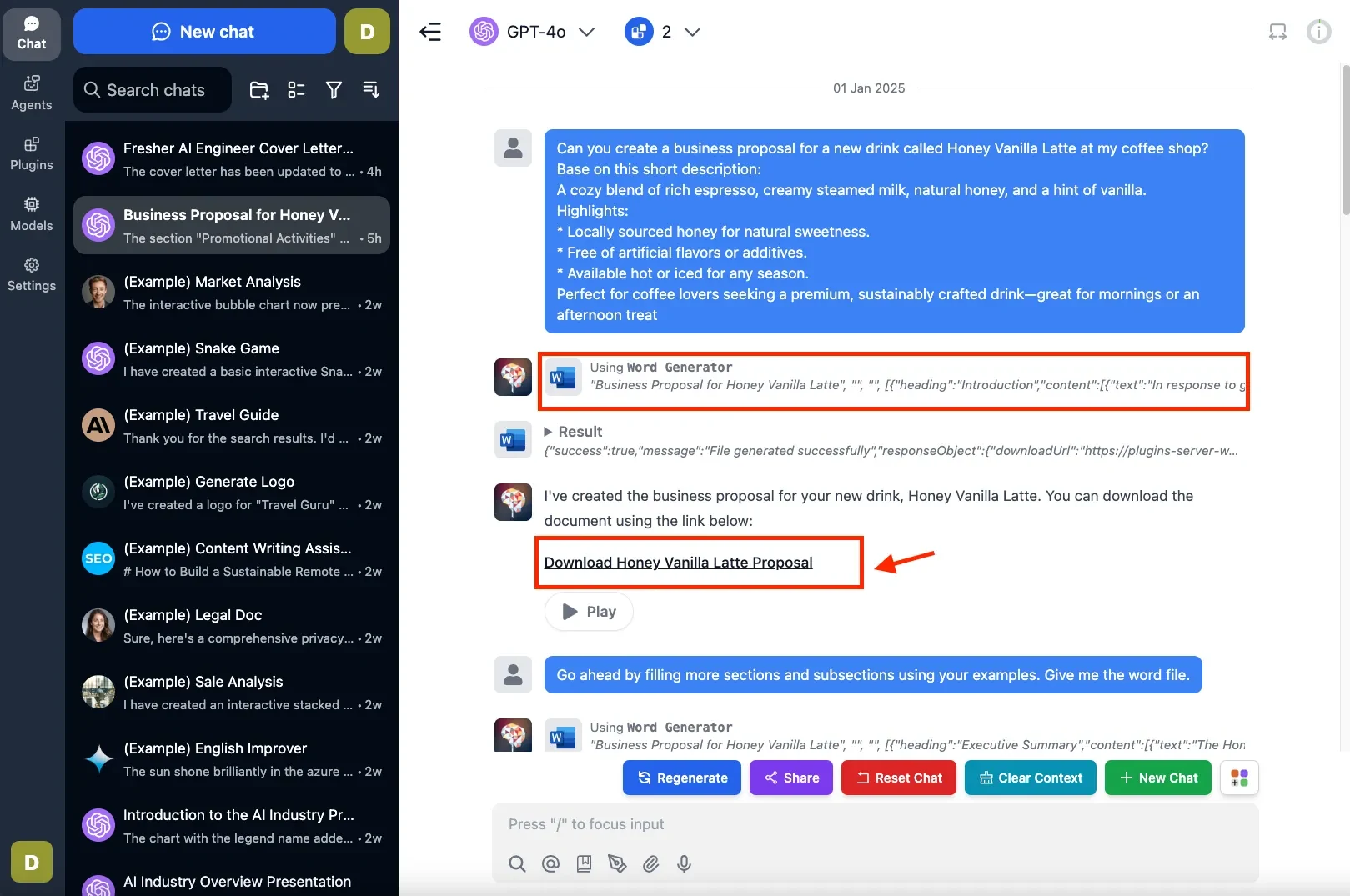
Instead of requiring you to “stay connected” and wait for AI output, now you can send a message asynchronously in the background with Background Mode:
Best for reasoning models can take several minutes to solve complex problems.
Models that support background mode will have a "Background Mode" badge in the model detail page.
Works with multi models (Fixed: aborting a multi-model response now keep the existing response instead of deleting all responses.)
You can close the app and return later to check the progress of your request.
Activate the background mode: For supported models, the background mode toggle will appear right within the message area, you can toggle the button to enable this mode
Note: Plugins and queued messages are not supported in background mode
Team Version: you can enable/disable Background Mode from Admin Panel > Chat Features > Background Mode.
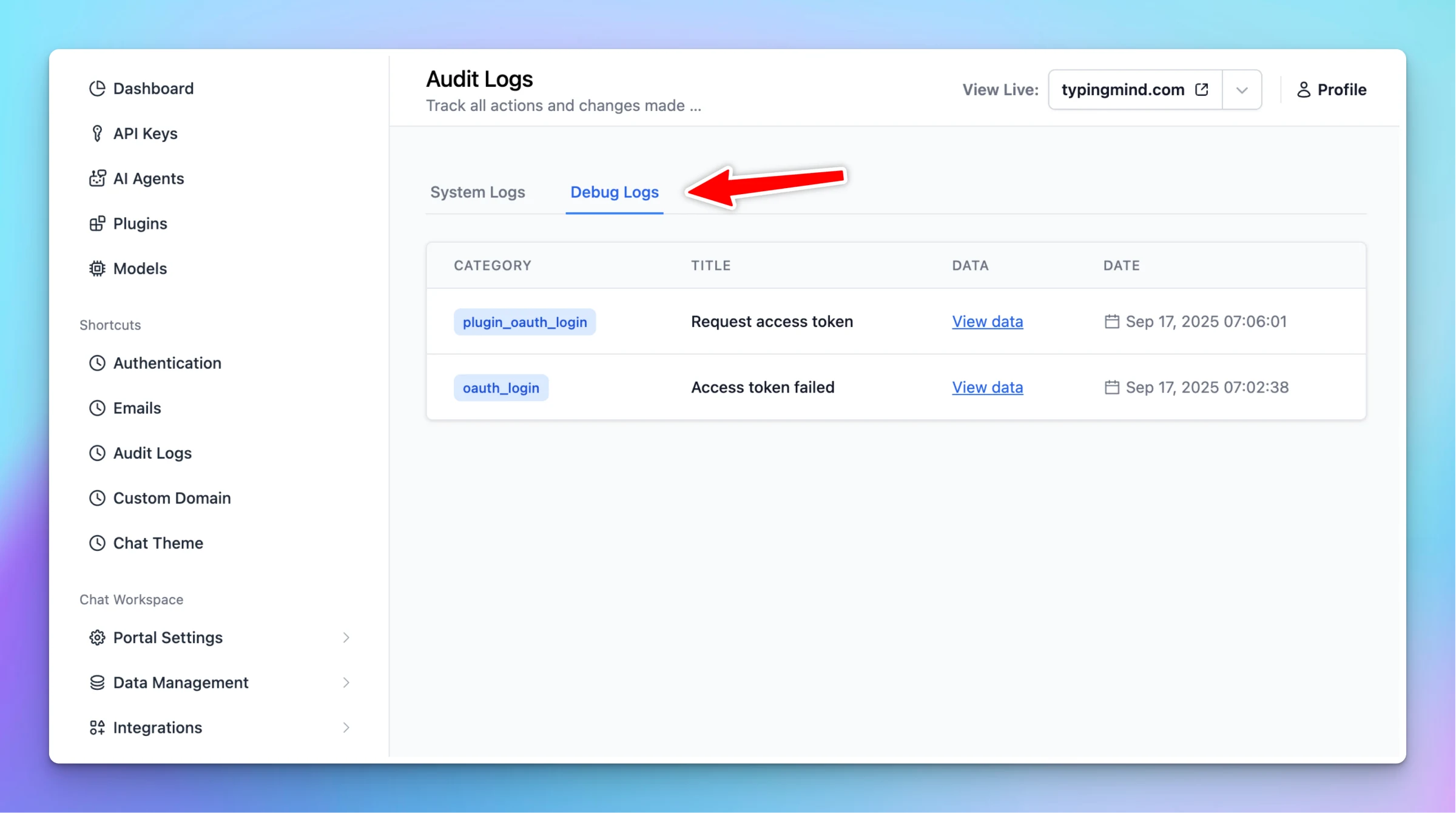
Added Debug Logs page in Admin Panel > Audit Logs. This debug log is useful for admin users to debug connection issues in related features: User authentication: OAuth connection issues with OAuth provider Plugin OAuth connection issues Custom email sender…
Team Version
Show detailsHide details
Added Debug Logs page in Admin Panel > Audit Logs. This debug log is useful for admin users to debug connection issues in related features:
User authentication: OAuth connection issues with OAuth provider
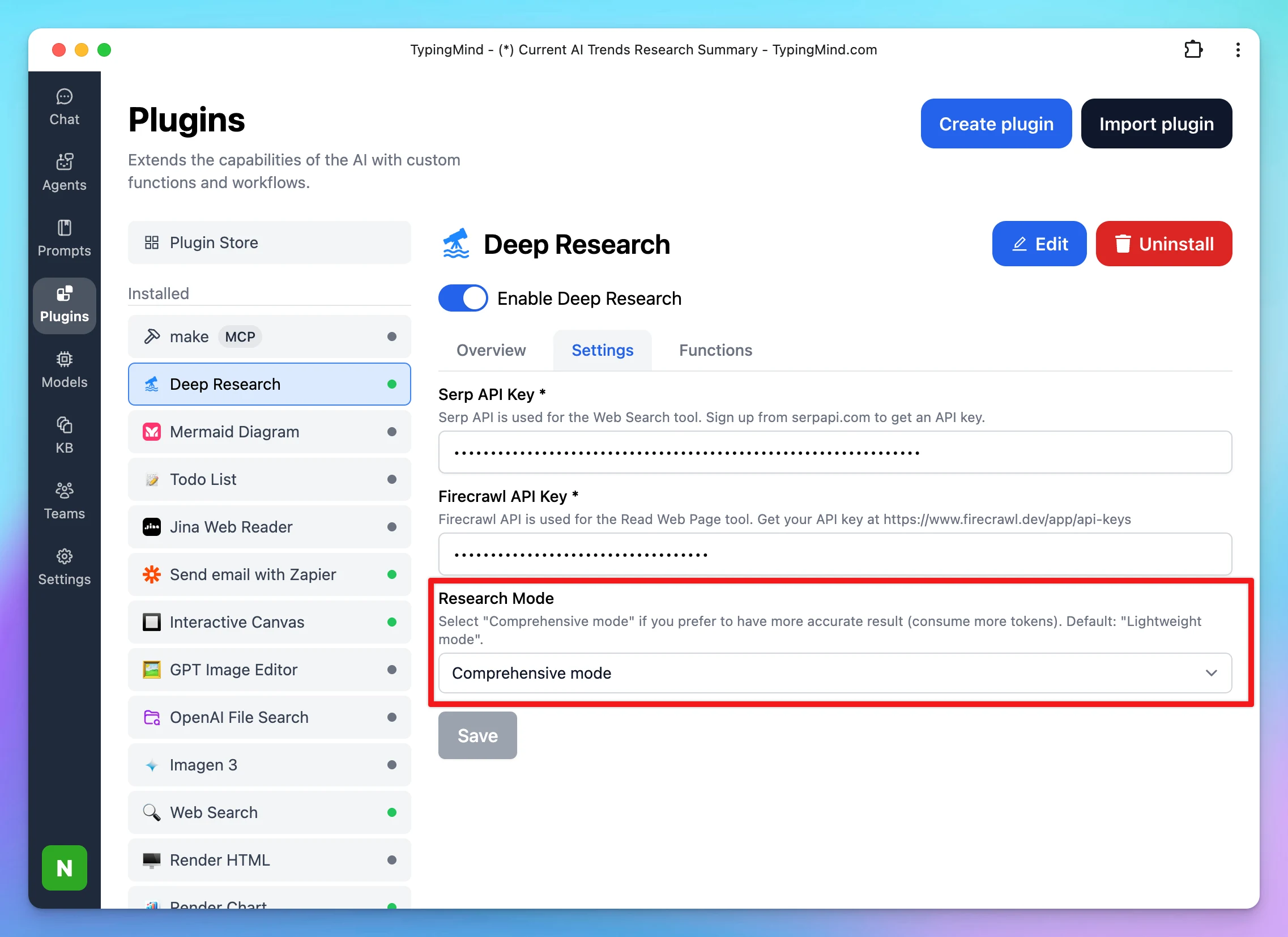
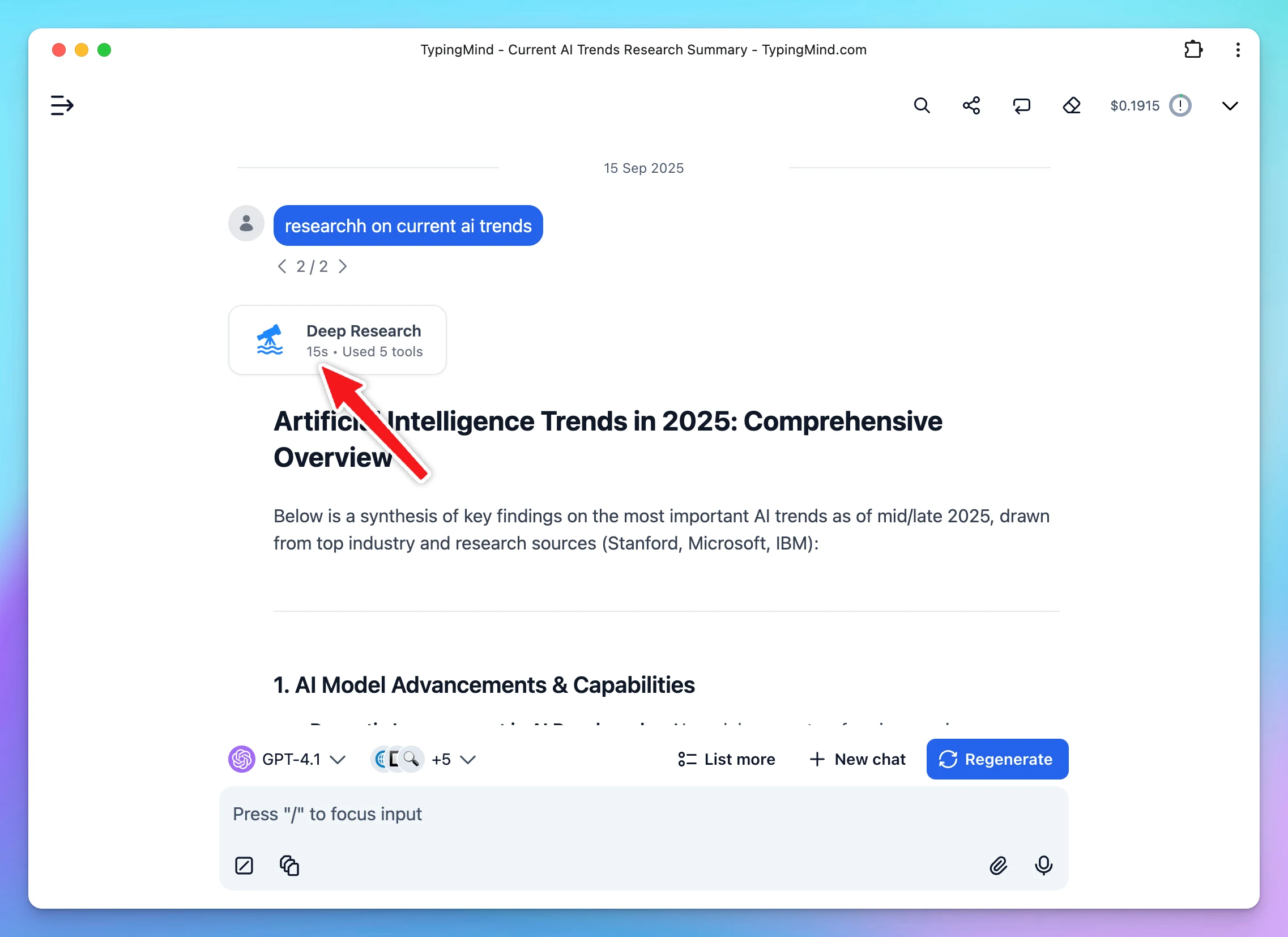
We have just made some updates for better deep research performance: - Added Research Modes: Lightweight (fast and cost-saving), Comprehensive (accurate results), Dynamic (balanced) - Deep Research badge now shows total research duration after completion -…
Show detailsHide details
We have just made some updates for better deep research performance:
- Added Research Modes: Lightweight (fast and cost-saving), Comprehensive (accurate results), Dynamic (balanced)
- Deep Research badge now shows total research duration after completion
- Shows streaming messages & progress status when the research badge is expanded
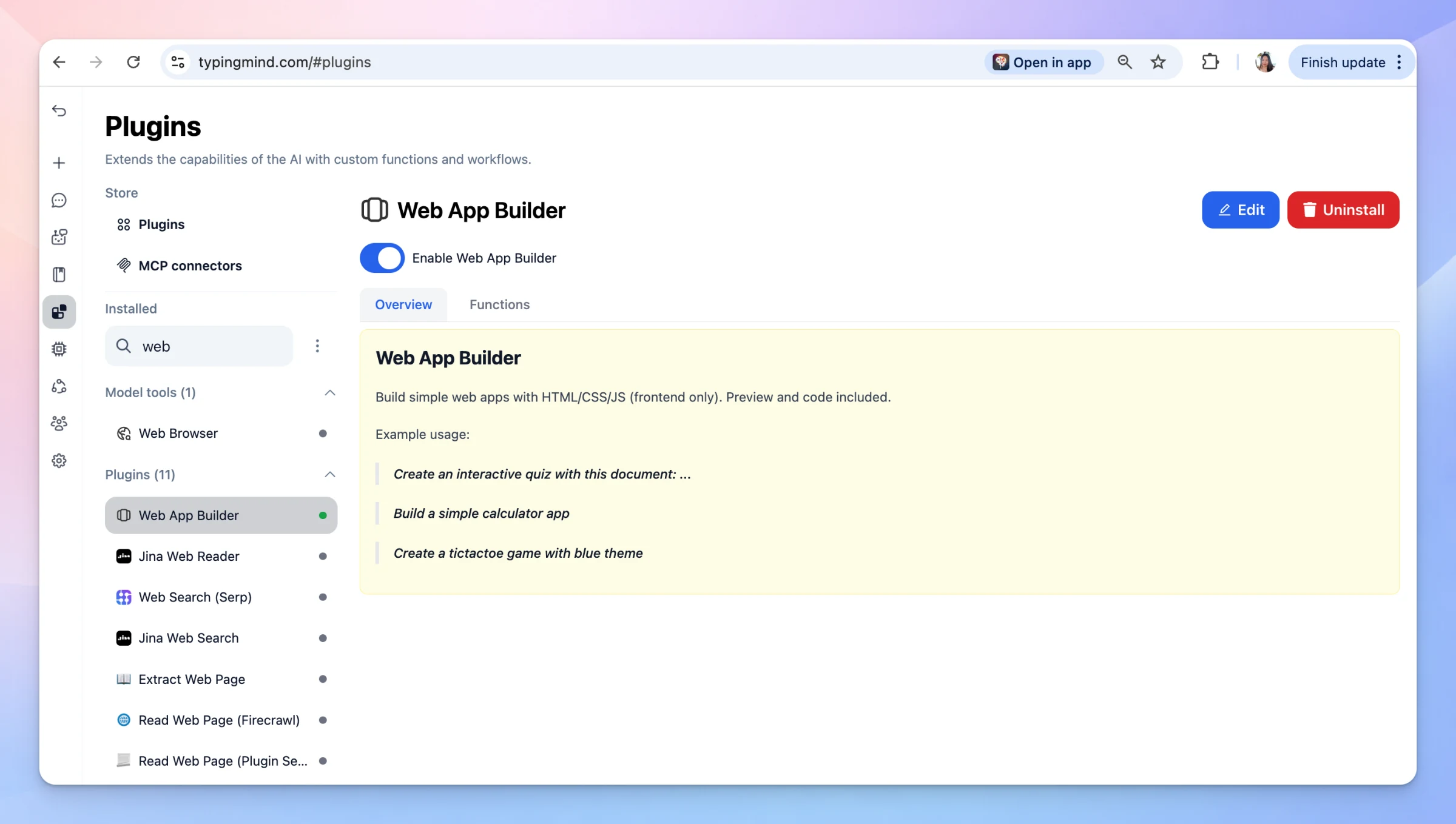
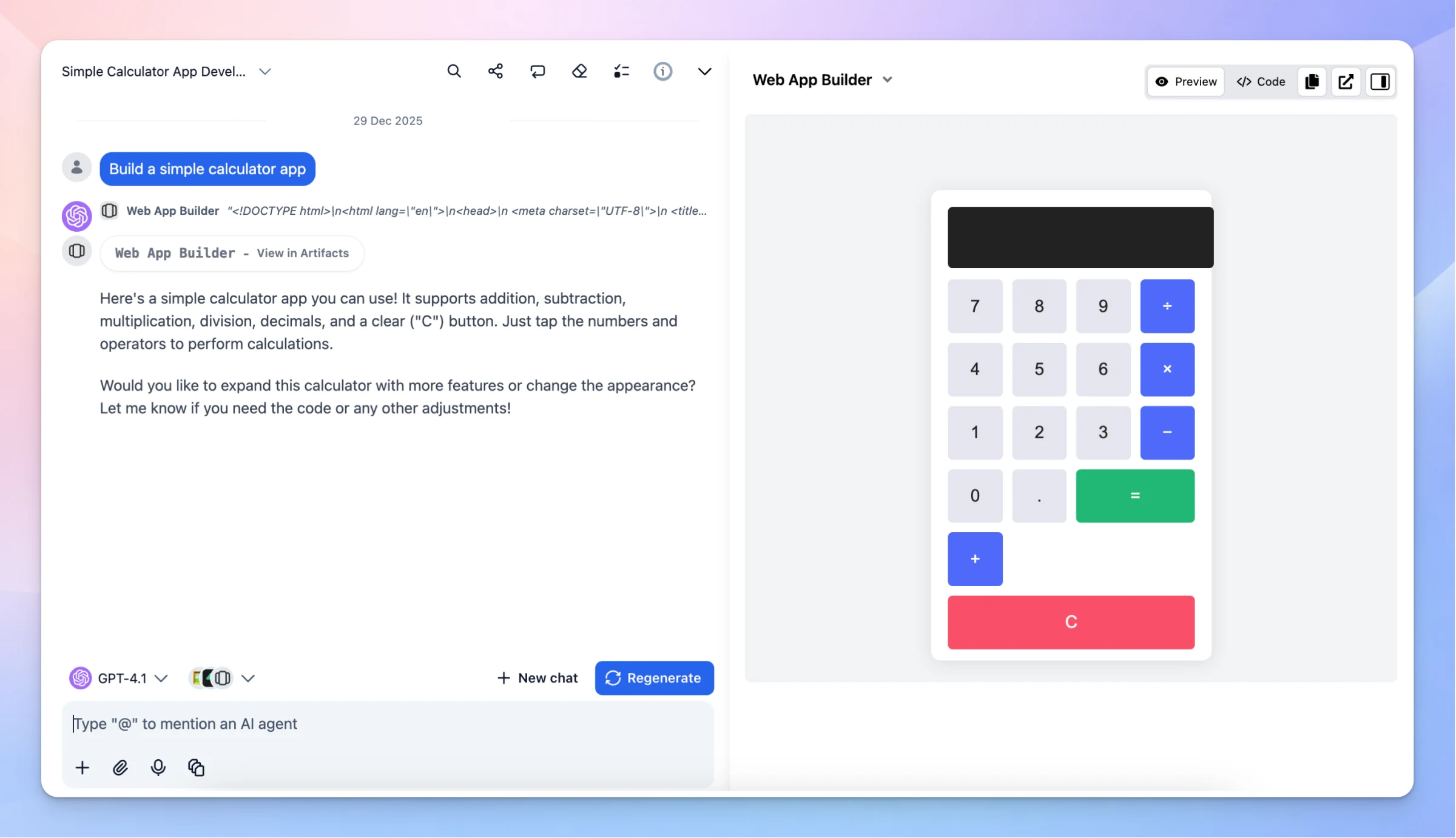
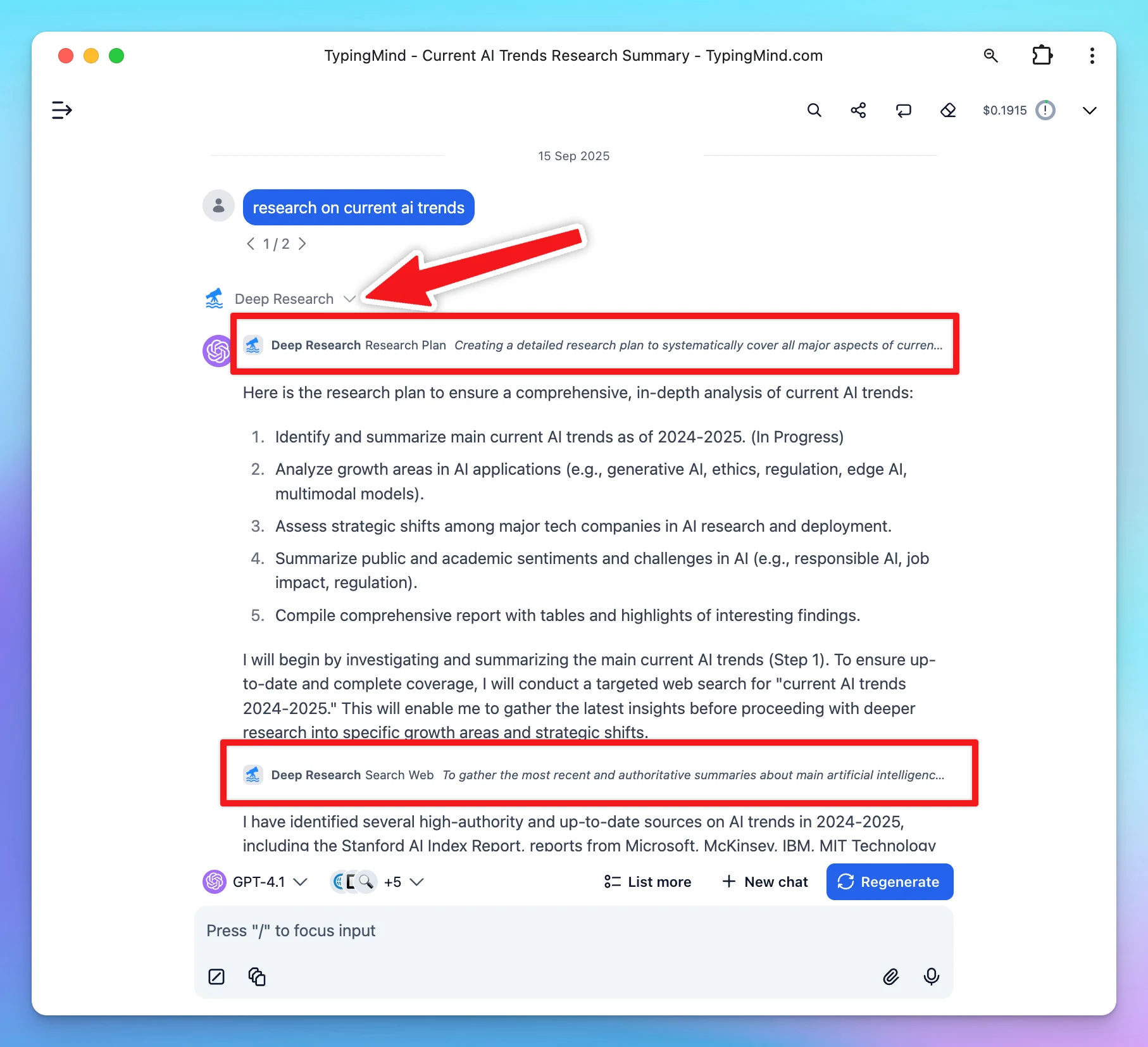
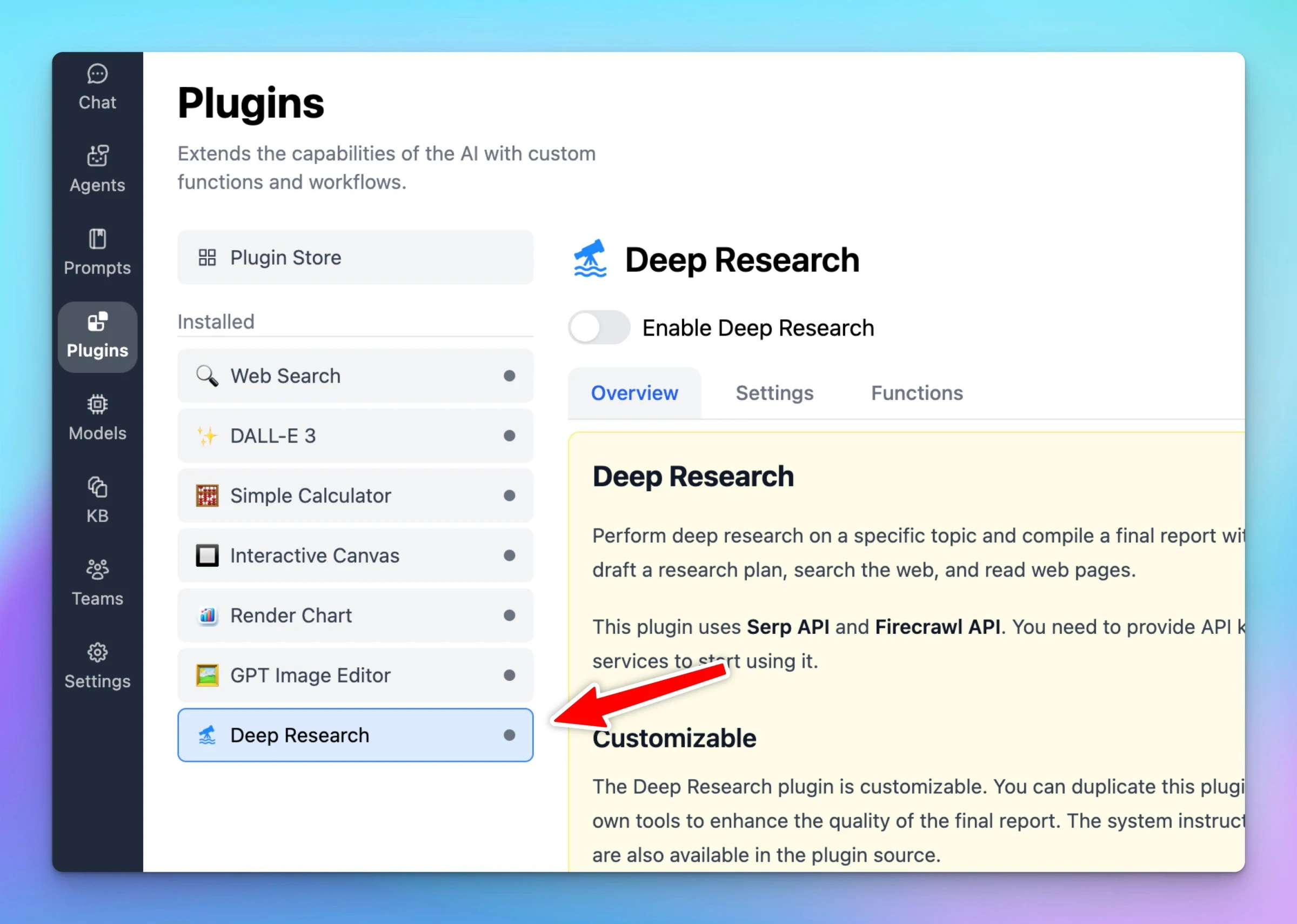
TypingMind now supports Deep Research as a customizable plugin. This plugin uses Serp API and Firecrawl API. You need to provide API keys from both services to start using them. Customizable The Deep Research plugin is customizable. You can duplicate this…
Show detailsHide details
TypingMind now supports Deep Research as a customizableplugin.
This plugin uses Serp API and Firecrawl API. You need to provide API keys from both services to start using them.
Customizable
The Deep Research plugin is customizable. You can duplicate this plugin and add your own tools to enhance the quality of the final report. The system instructions and prompts are also available in the plugin source.
By default, the Deep Research plugin comes with 3 tools: Research Plan, Search Web, and Read Web Page. Depending on your specific needs, you can add more tools like reading from a tweet, searching from a private database, or controlling a browser. The TypingMind plugin system allows you to add multiple tools to the Deep Research plugin and supports various ways to implement your tools using JavaScript, HTTP requests, or MCP.
This plugin may use multiple tools in multiple turns. A deep research task can run for up to 2 minutes. Please monitor the token usage closely to avoid consuming too many tokens. You can also modify the plugin to make it more token-efficient by adding your own tools to perform web searches and read web pages.
Feedback and suggestions
We will continue to improve the Deep Research feature in the upcoming releases. If you see any bugs or have ideas/suggestions, feel free to reach out to us!
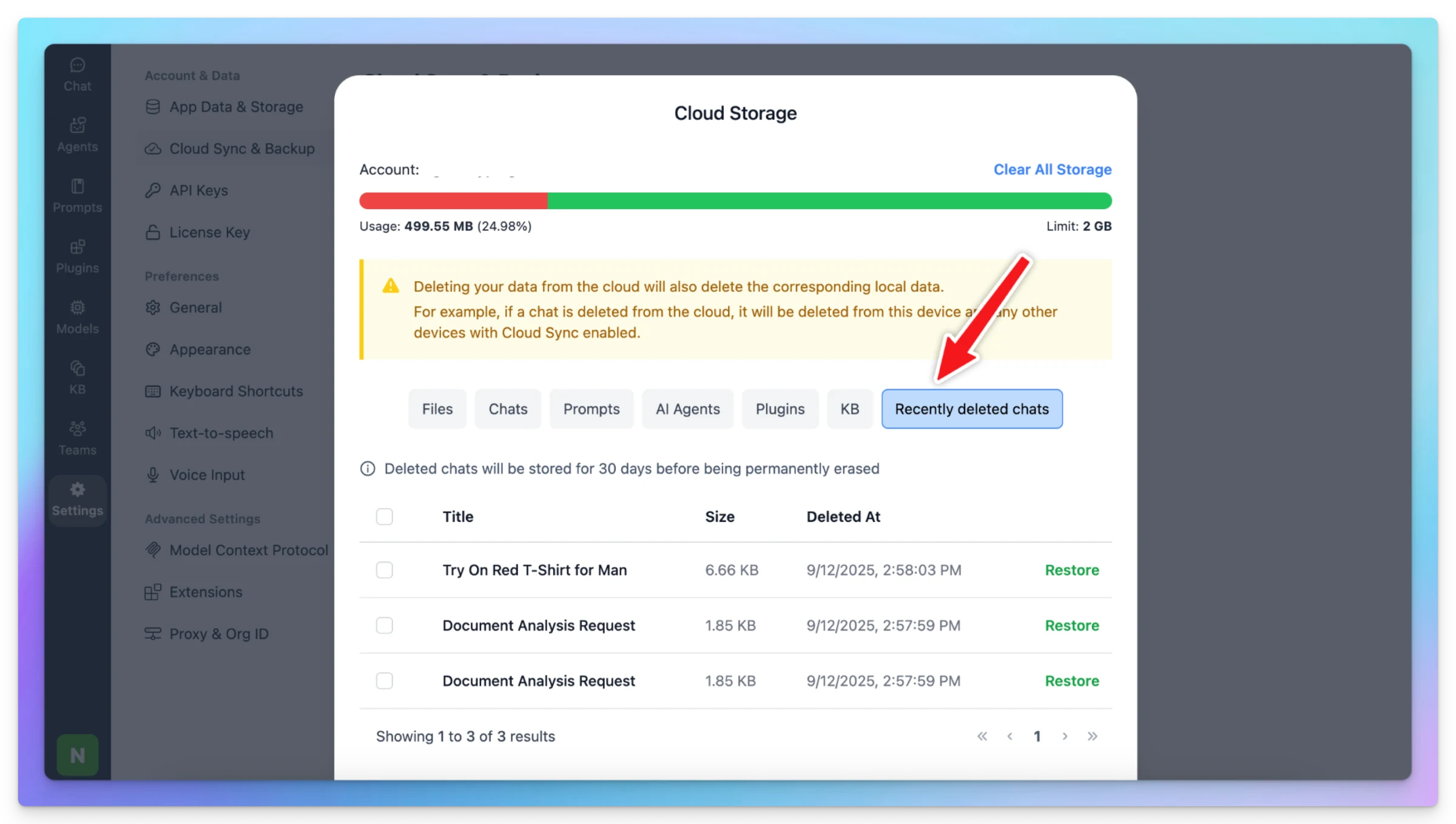
We’ve added a safety net to make managing your chats even easier! Now, when you delete a chat, it won’t disappear right away. Instead, it will move to a new “Recently Deleted Chats” section in Cloud Storage and stay there for 30 days before being permanently…
New
Cloud Sync
Show detailsHide details
We’ve added a safety net to make managing your chats even easier!
Now, when you delete a chat, it won’t disappear right away. Instead, it will move to a new “Recently Deleted Chats” section in Cloud Storage and stay there for 30 days before being permanently erased.
During this period, you can go to Manage Cloud Data to restore those chats.
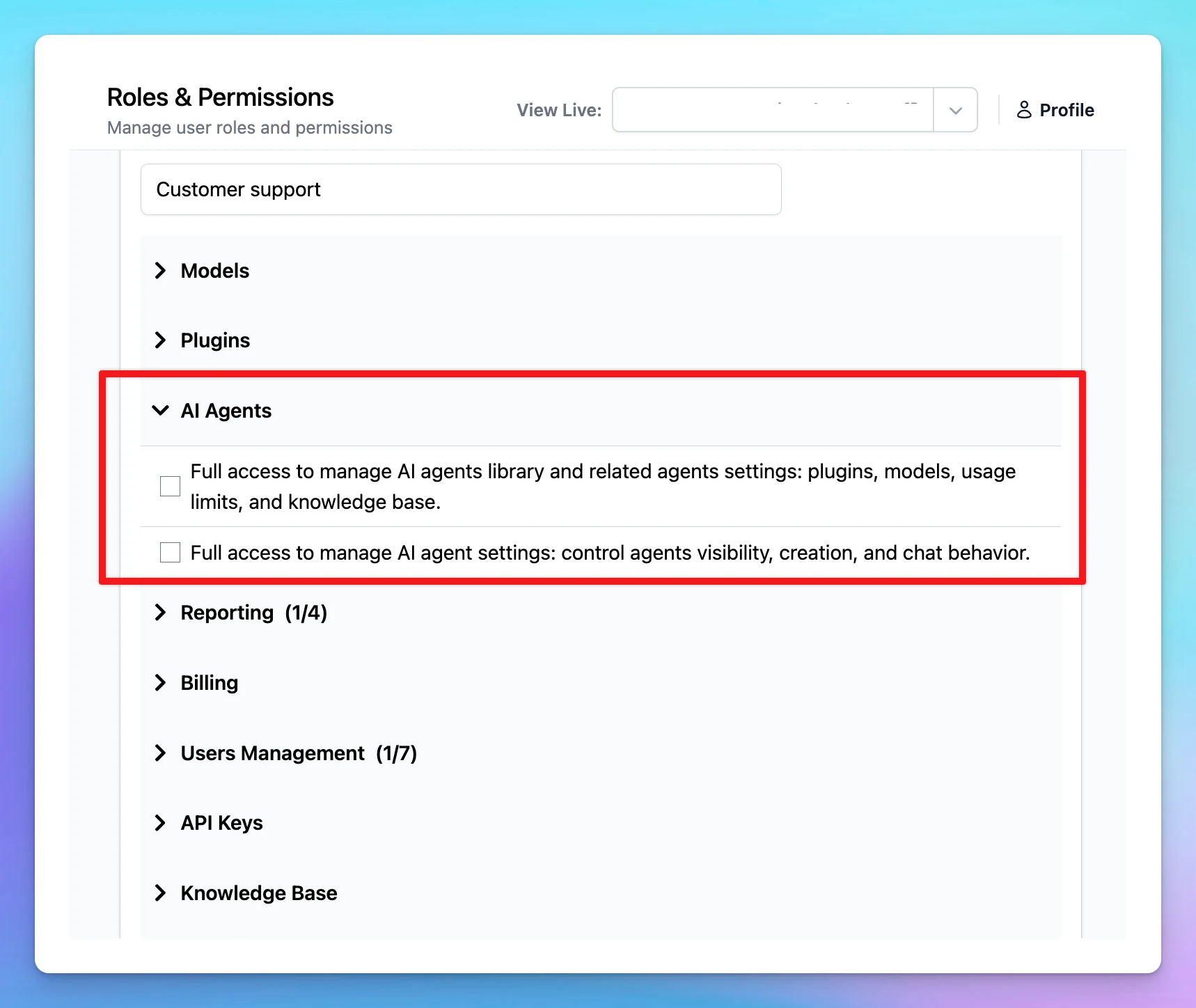
More granular controls added for AI Agents via Roles and Permissions: Support Private Blob Storage for Self-host version You can now use TypingMind Team with a private blob storage while using the self-host version. With private blob storage, attachments and…
Improved
Team Version
Show detailsHide details
More granular controls added for AI Agents via Roles and Permissions:
Support Private Blob Storage for Self-host version
You can now use TypingMind Team with a private blob storage while using the self-host version. With private blob storage, attachments and images will be sent as base64 to the AI models instead of pre-signed URLs. To enable this feature, set BLOB_STORAGE_PRIVATE=1 in your environment variable.
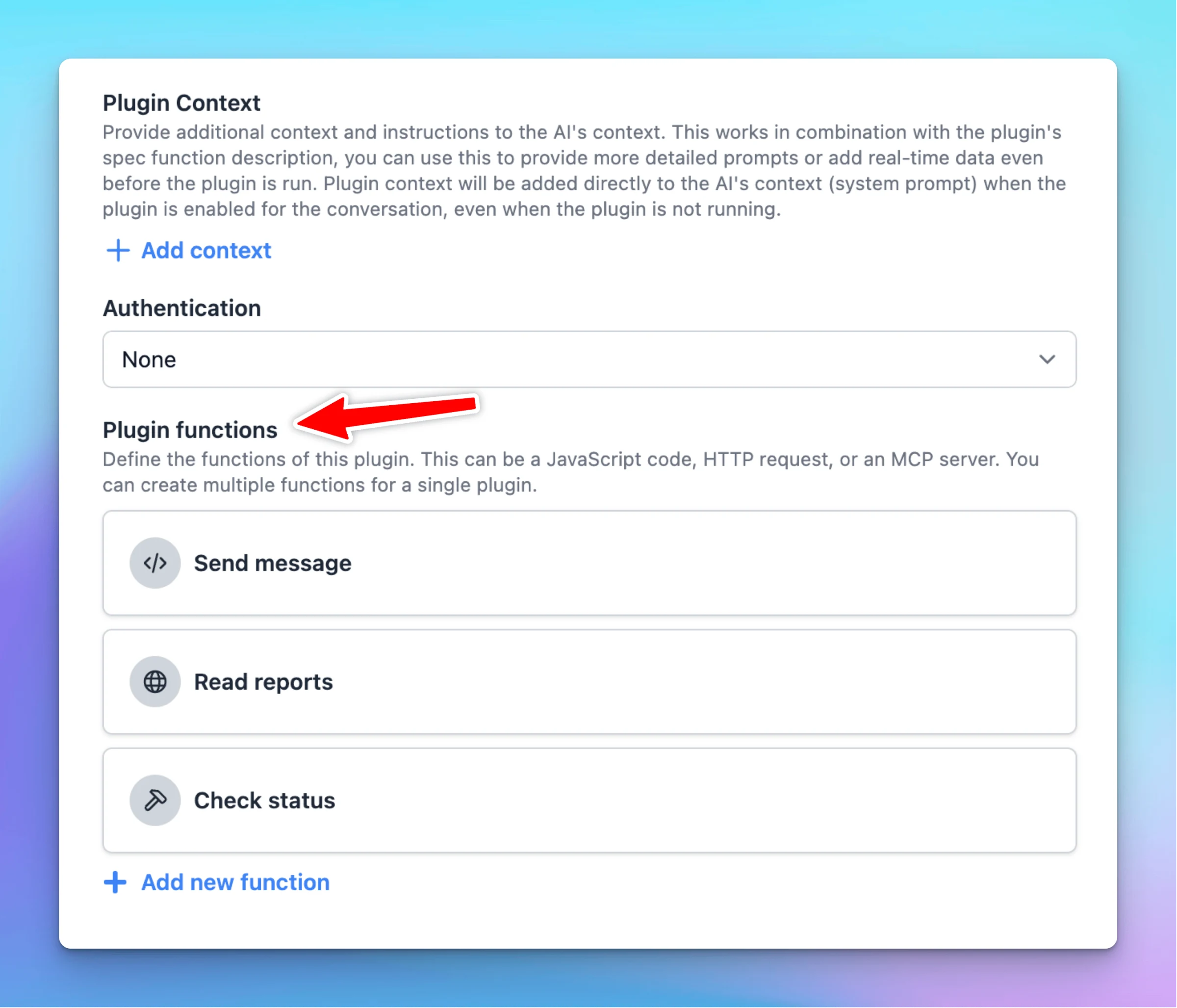
We have improved the TypingMind Plugin system with major changes to allow more flexible use cases and better UX. Multi-function Plugins: Plugins can now have multiple functions, with each function implementable in different ways: JavaScript code, HTTP…
New
Improved
Show detailsHide details
We have improved the TypingMind Plugin system with major changes to allow more flexible use cases and better UX.
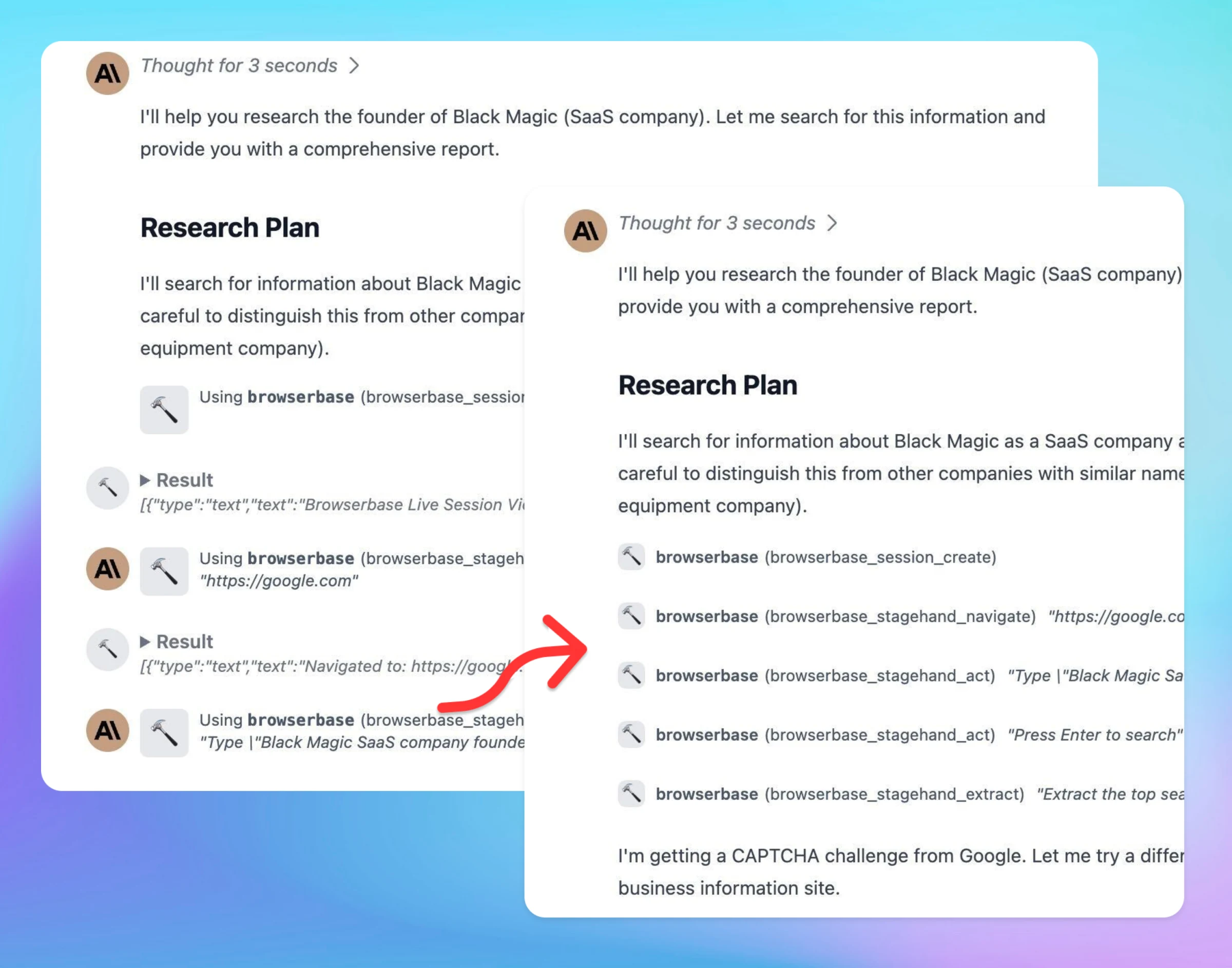
Multi-function Plugins: Plugins can now have multiple functions, with each function implementable in different ways: JavaScript code, HTTP requests, or MCP.
Better UI/UX for plugin function calls: Consecutive plugin calls are now grouped for better UX.
Improved Plugin Editor: now includes "Fill example" for user settings and OpenAI specifications. Plugin Preview now supports previewing MCP tools.
Introducing a new Plugin Output Type: Cards (see documentation for more details).
Improved formatting for tool call JSON output (TypingMind Personal version).
Fixed various issues in the Plugin system:
Fixed an issue where OAuth access tokens were not passed to MCP tools.
Fixed Claude sometimes reporting missing "tool_result" for tool calls.
Fixed Gemini sometimes refusing to call certain plugins due to unrecognized fields.
Document update: We have also completely rewritten our Plugin documentation page to better explain our new features, including Output options, plugin preview, OAuth, etc. View our new document here.
Backward compatible: All changes are compatible with old plugins. There is no change needed to your existing plugins.
🐞 See a bug or have a suggestion? Please report any issues you notice to our team support@typingmind.com. We would love to make the Plugin system much more robust and flexible.
We've upgraded our sync engine to better handle conflicts when using TypingMind across multiple devices. This update significantly reduces the risk of data loss in scenarios where: You open the same chat on two devices simultaneously You start chatting before…
Show detailsHide details
We've upgraded our sync engine to better handle conflicts when using TypingMind across multiple devices. This update significantly reduces the risk of data loss in scenarios where:
You open the same chat on two devices simultaneously
You start chatting before the previous session has fully synced
Your chat history isn't fully up-to-date across devices
What's new: When conflicts occur, our system now preserves messages from all devices in the conversation, allowing you to manually review and manage any duplicates or conflicts rather than losing those messages.
Coming soon: We're actively working to make our sync engine even faster and more seamless. Your feedback is valuable, please report any bugs or performance issues you encounter to help us continue improving your experience.
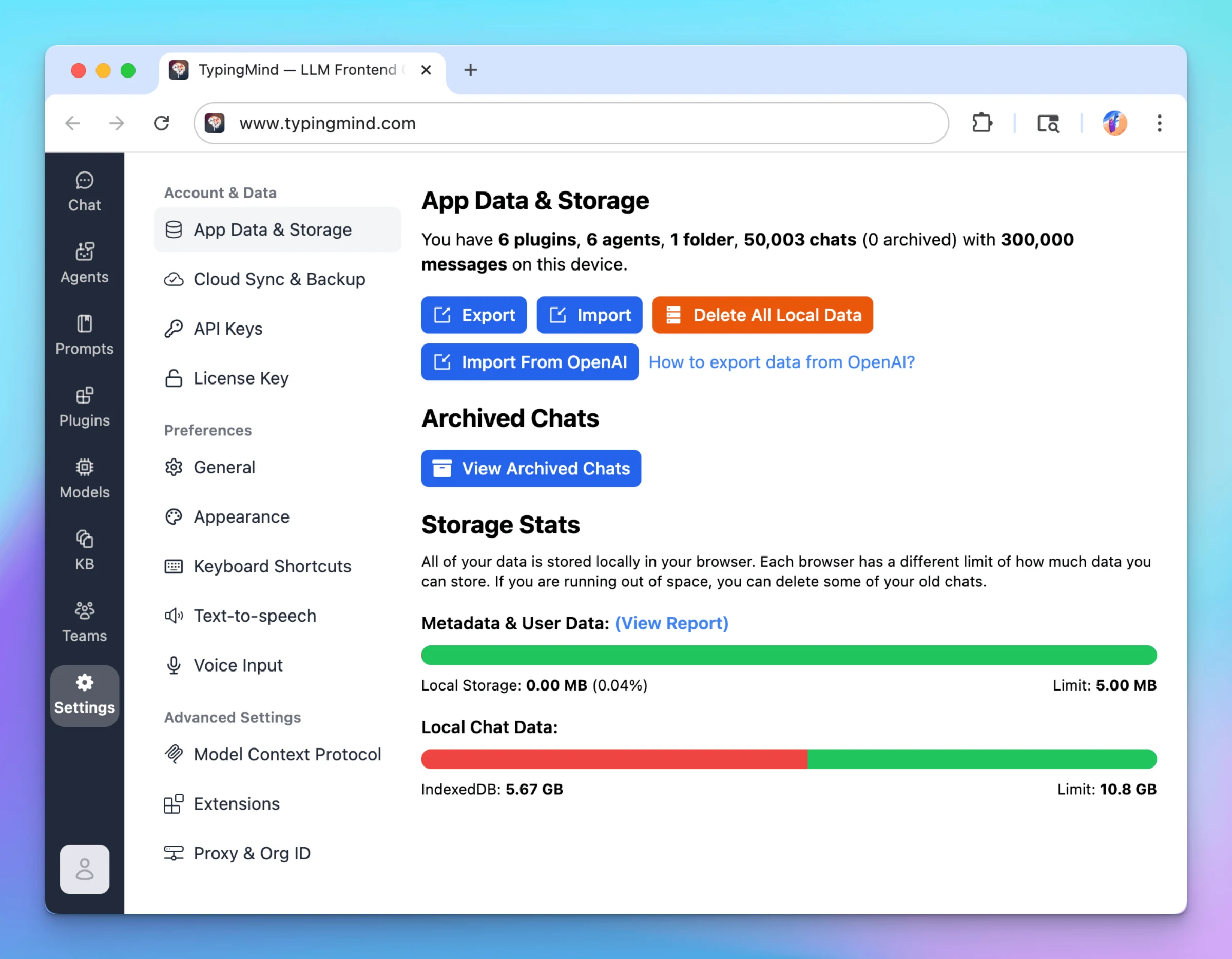
We improved the performance of TypingMind when handling big chat data. TypingMind can now easily handle a lot of data locally. We have tested with more than 50,000 chats and more than 5 GB of local data with big attachments, images, and documents. This…
Show detailsHide details
We improved the performance of TypingMind when handling big chat data.
TypingMind can now easily handle a lot of data locally. We have tested with more than 50,000 chats and more than 5 GB of local data with big attachments, images, and documents.
This performance update applies even if you are not using TypingMind Cloud sync & backup. Simply reload your app to get the latest update version.
🚀 Also in this update:
Data Import/Export as zip: TypingMind now supports downloading data in a zip file, which makes it easier to import/export large amounts of data from/to TypingMind.
Save more storage when syncing attachments: if you use TypingMind Cloud to sync your attachments, the attachments will be free from your local storage, giving you more space to save more chats.
Faster chat list and long chats: we improved the performance in various places in the app that resulted in a much faster chat list and messages rendering.
🐞 Do you see lag, app freeze, or crashes in TypingMind?
We are committed to making TypingMind the best AI frontend for LLM models, and also want it to be extremely fast and performant. Please help report any performance issues to us via Bug Report or support@typingmind.com. We read and track every single email from you.
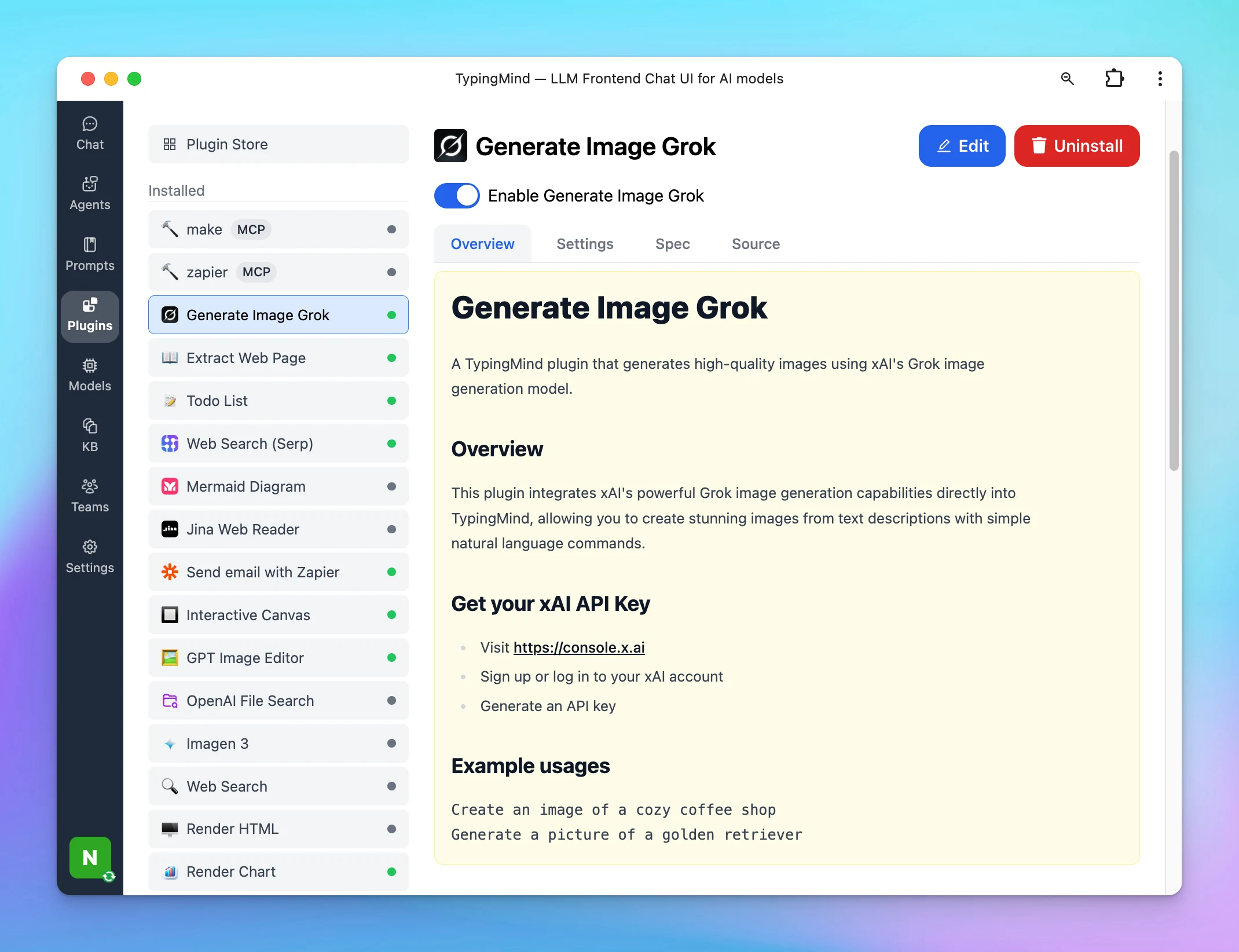
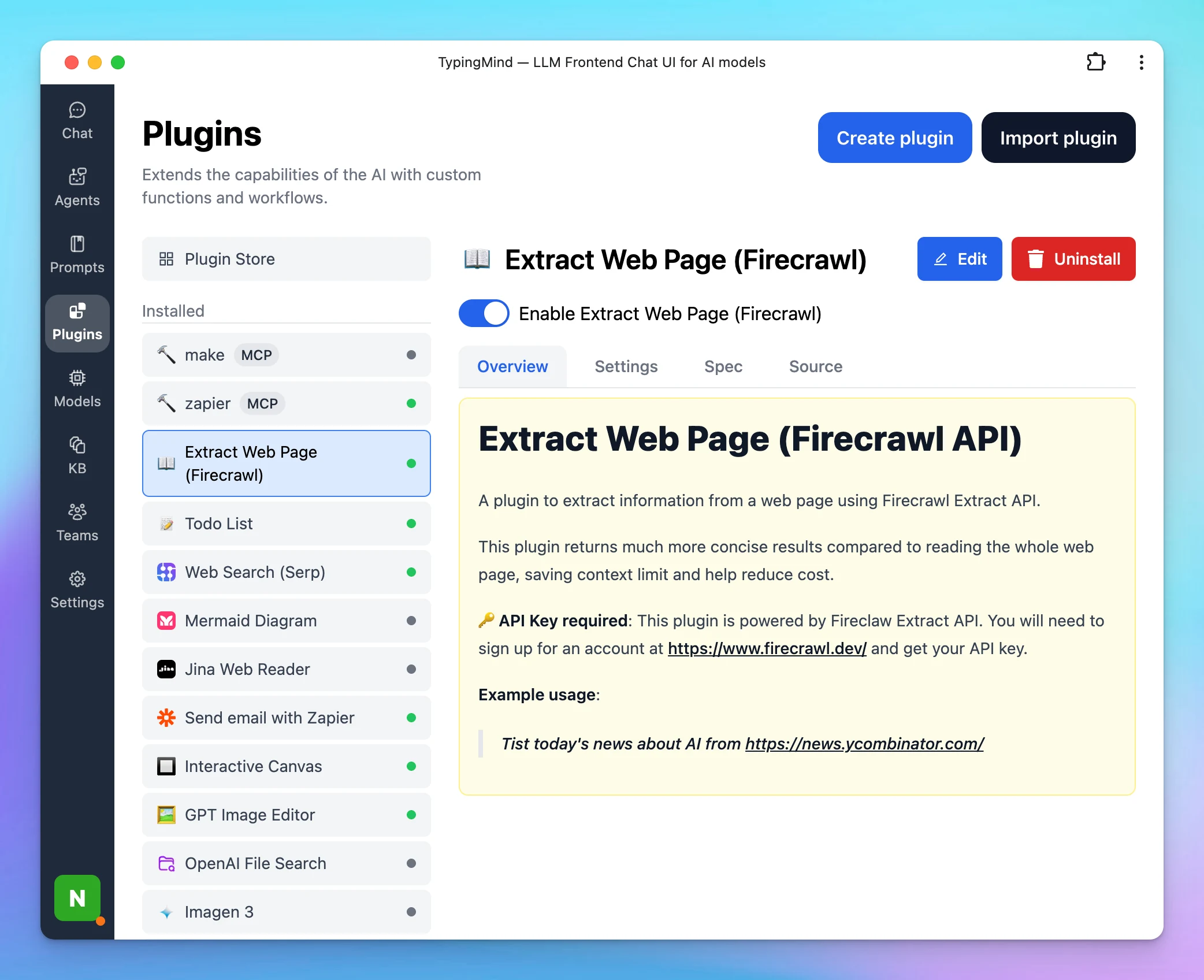
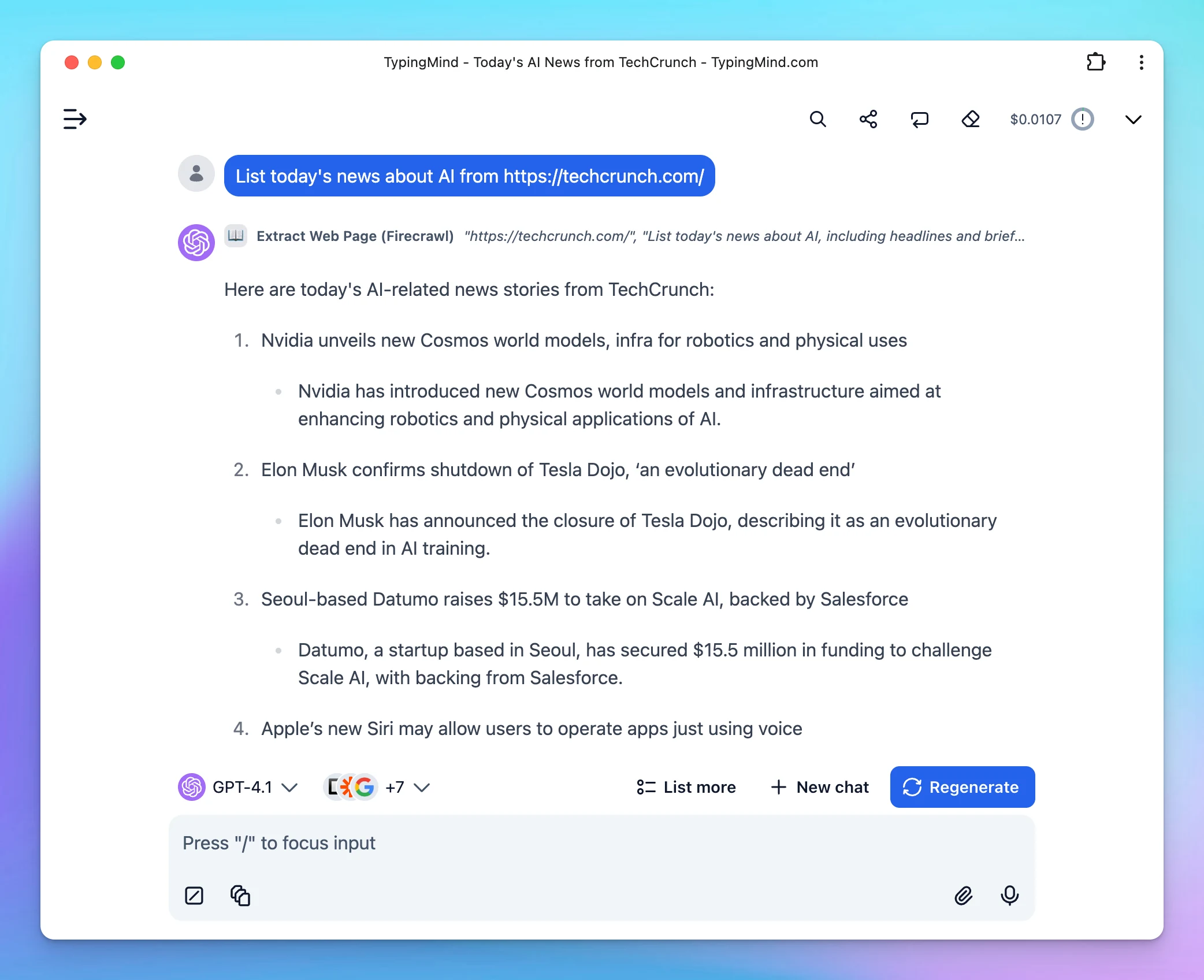
A plugin to extract information from a web page using Firecrawl Extract API. This plugin returns much more concise results compared to reading the whole web page, saving context limit and help reduce cost.
New
Integrations
Show detailsHide details
A plugin to extract information from a web page using Firecrawl Extract API.
This plugin returns much more concise results compared to reading the whole web page, saving context limit and help reduce cost.
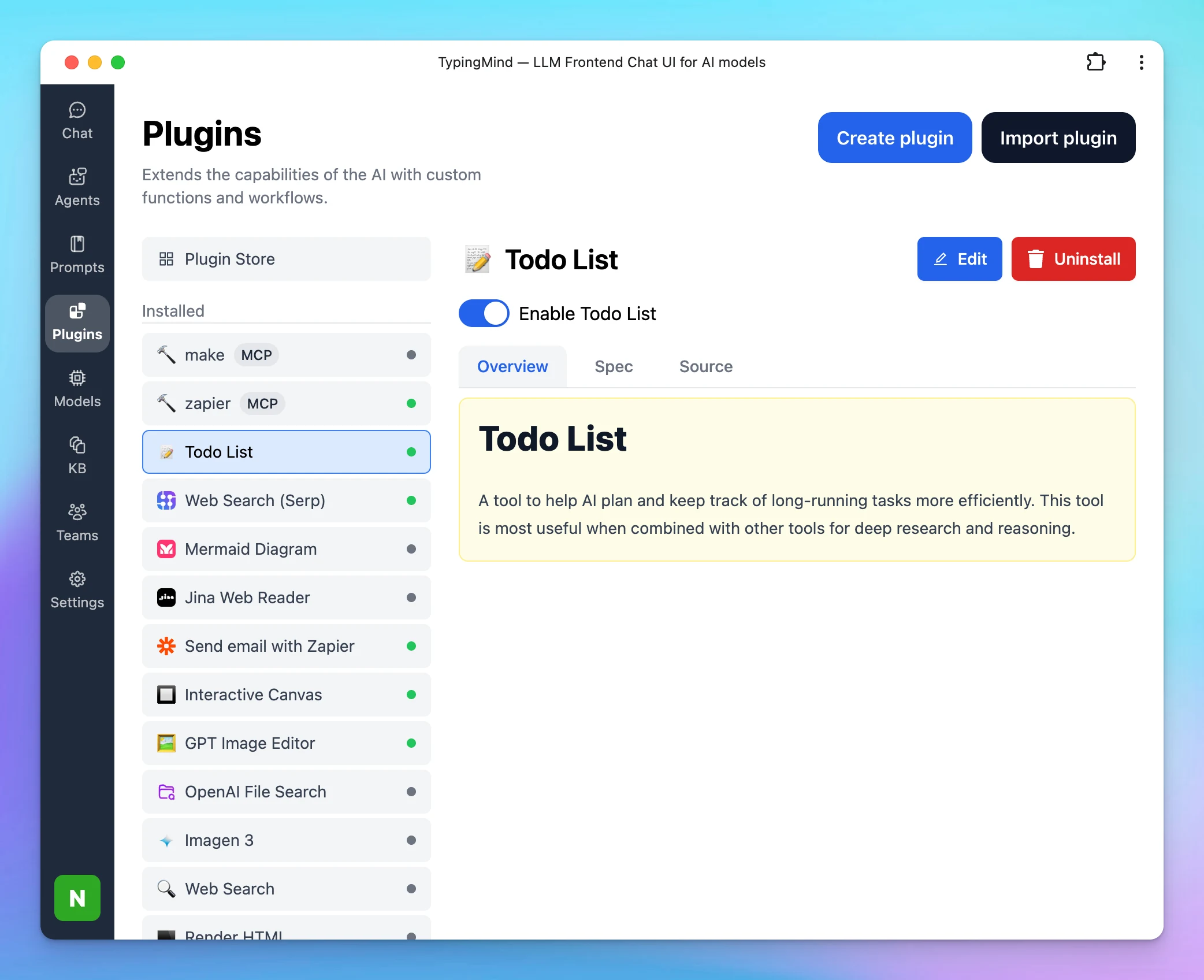
Added a new plugin to the plugin list: Todo List! This helps AI plan and keep track of long-running tasks more efficiently. This tool is most useful when combined with other tools for deep research and reasoning.
New
Integrations
Show detailsHide details
Added a new plugin to the plugin list: Todo List!
This helps AI plan and keep track of long-running tasks more efficiently. This tool is most useful when combined with other tools for deep research and reasoning.
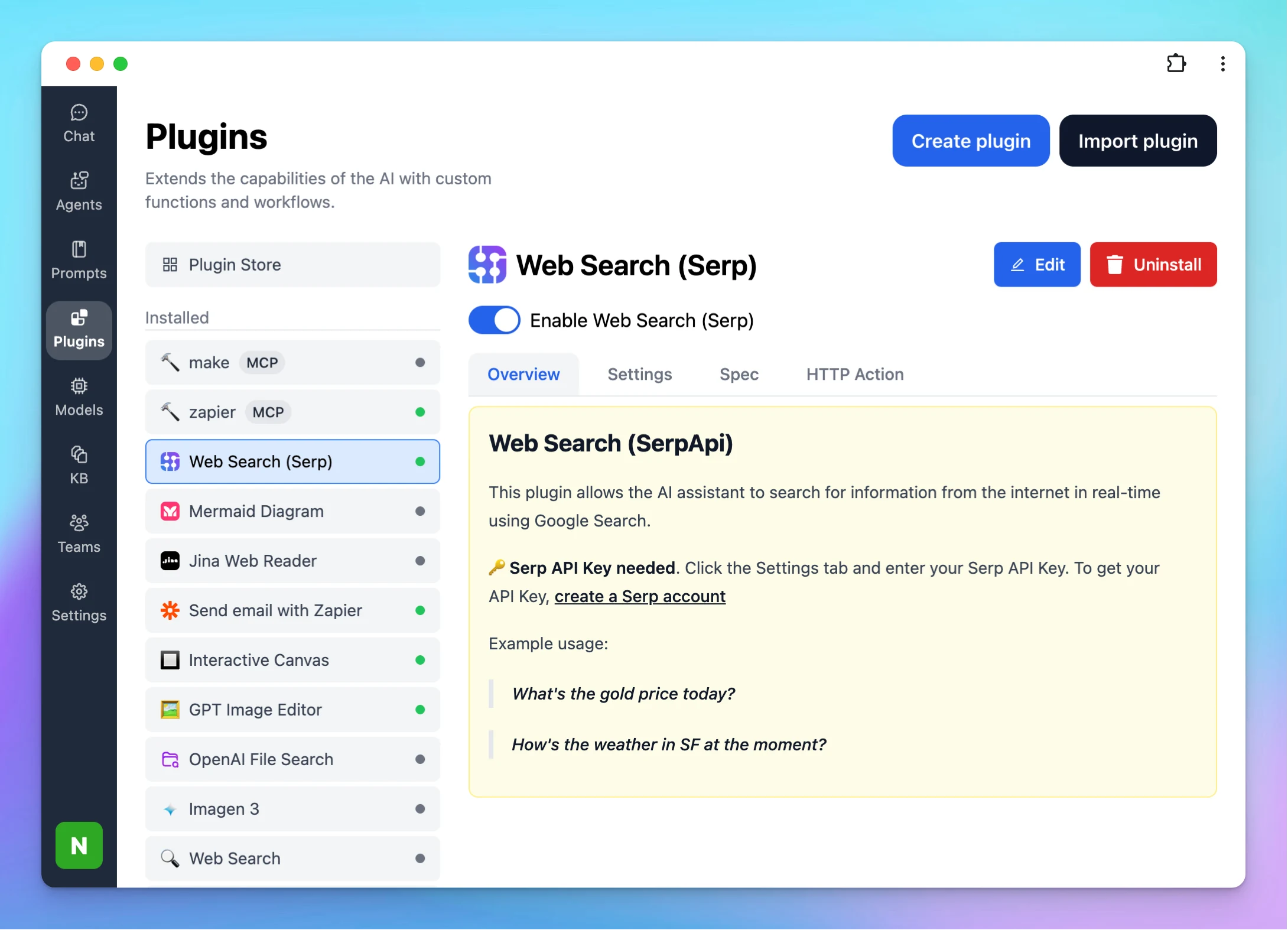
You can now search the web using SerpAPI and get real-time Google results, including links, ads, related searches, news, etc. This helps you find more accurate & useful information for research and content work. Give it a try!
Integrations
Show detailsHide details
You can now search the web using SerpAPI and get real-time Google results, including links, ads, related searches, news, etc.
This helps you find more accurate & useful information for research and content work.
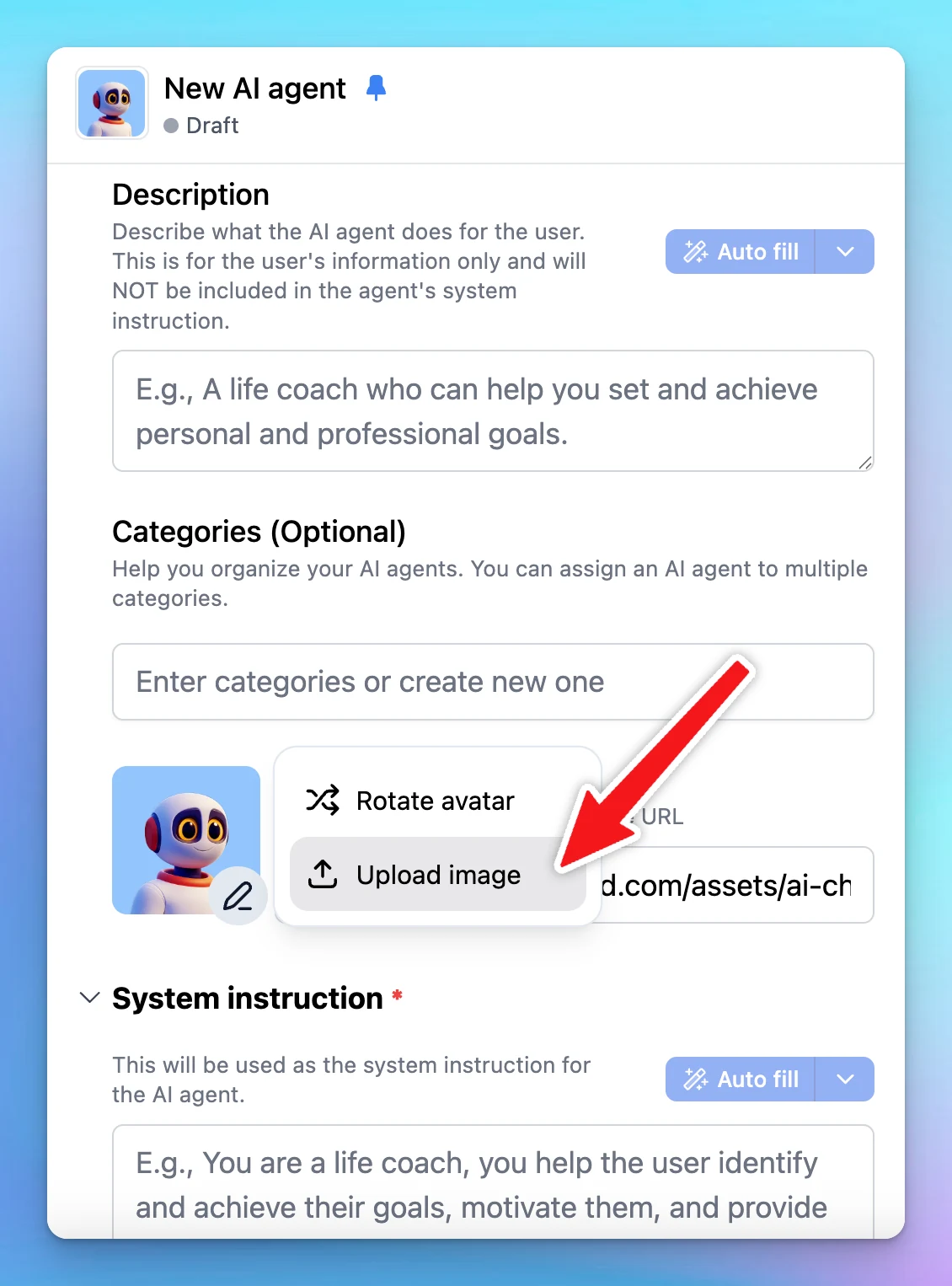
You can now upload a custom image for your AI agent’s avatar! Here’s how it works: Go to your AI agent settings. Click the profile image. Select “Upload image”. Choose a profile image for your Agent
AI Agents
Show detailsHide details
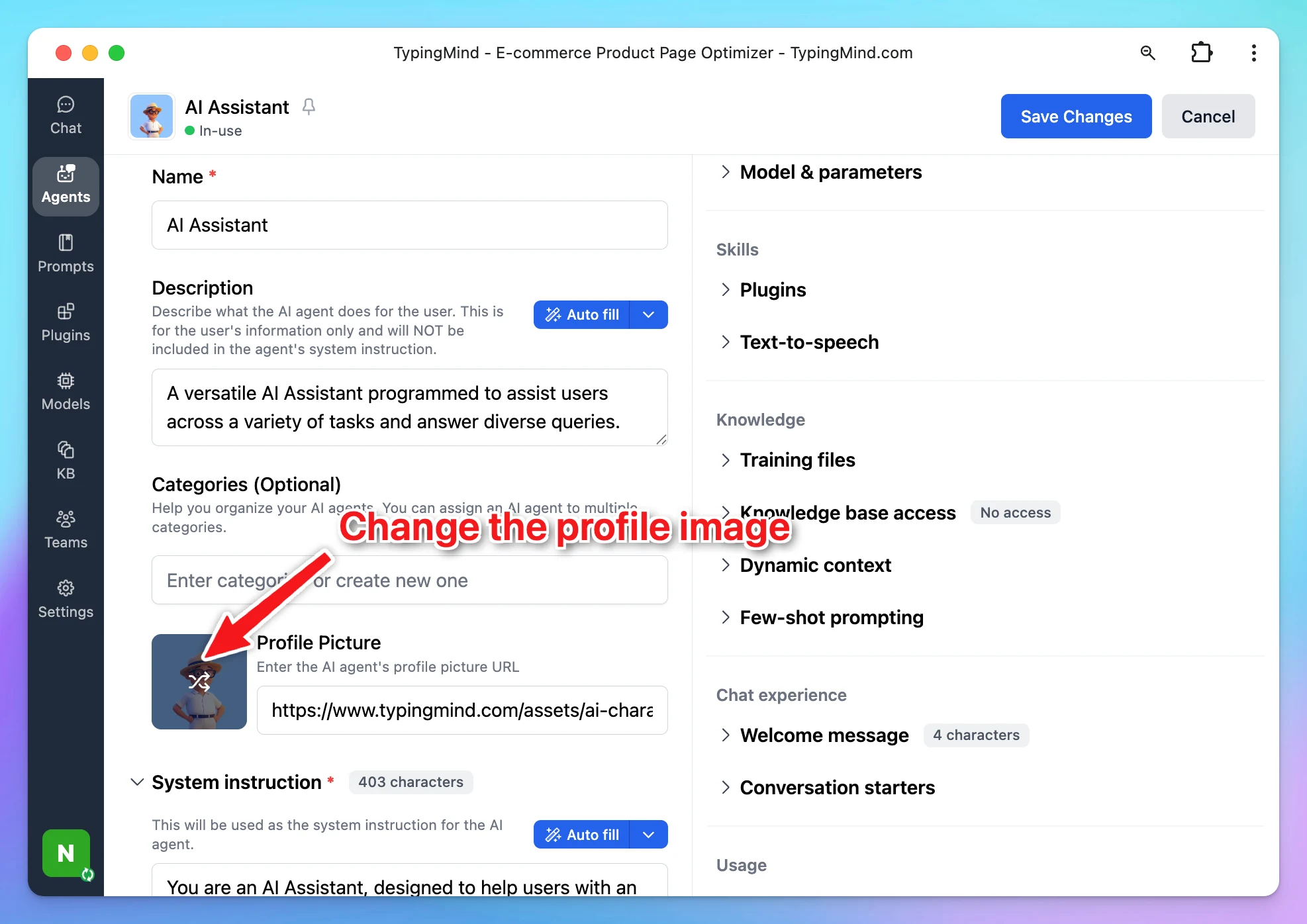
You can now upload a custom image for your AI agent’s avatar!
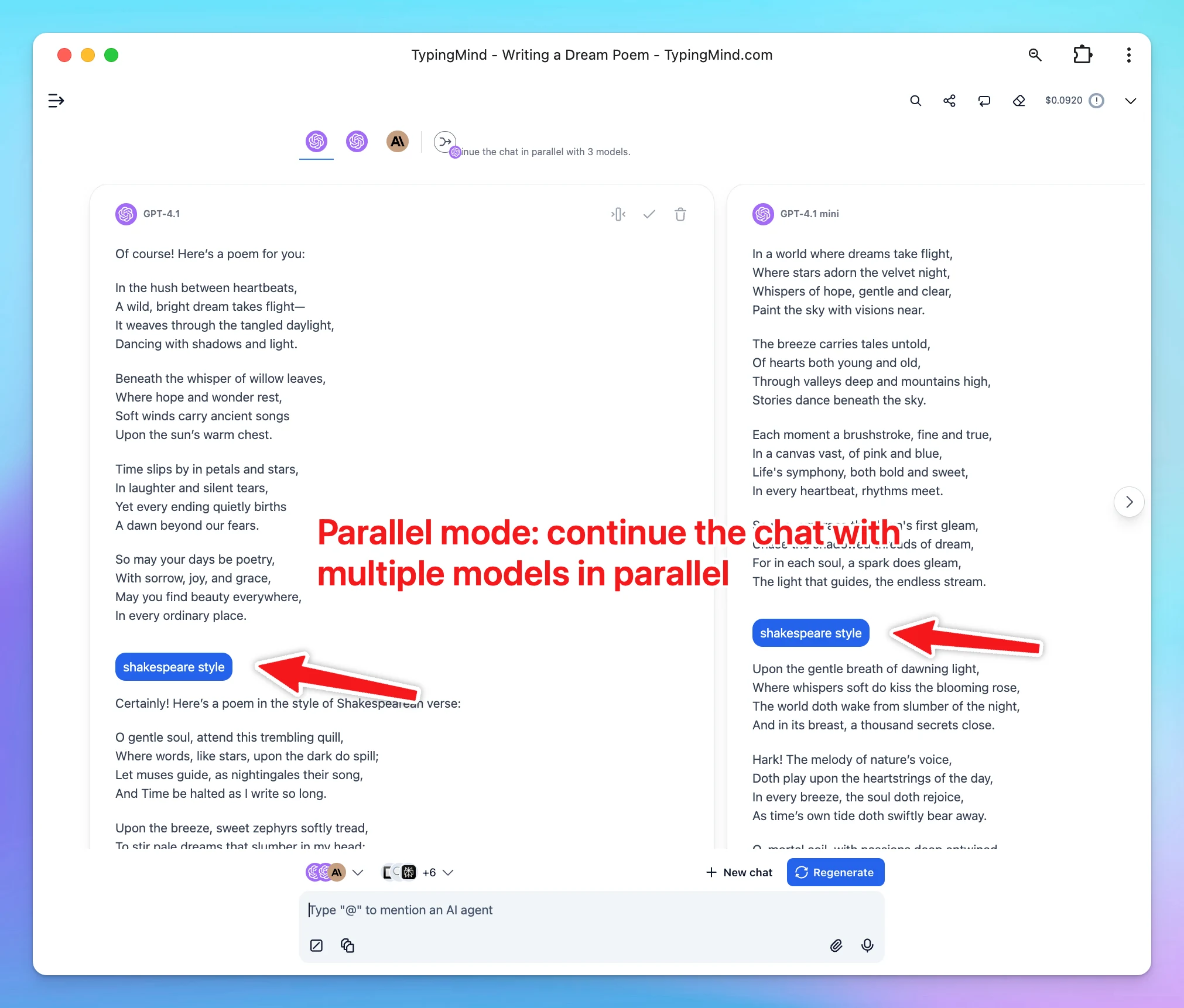
We’ve just rolled out powerful new features and improvements to enhance your multi-model chat experience: New Modes Finalize Mode: Combine and finalize multiple model responses into one final answer. Parallel Mode: Chat with multiple models in parallel—each…
Chat Management
Show detailsHide details
We’ve just rolled out powerful new features and improvements to enhance your multi-model chat experience:
New Modes
Finalize Mode: Combine and finalize multiple model responses into one final answer.
Parallel Mode: Chat with multiple models in parallel—each with its own timeline and message history.
Improvements
Faster Performance: Multi-model responses now render significantly quicker.
Model Name on Hover: Easily identify which model produced each response.
Adjustable Width: Customize the width of each response for better readability.
Improved Scrolling: Smoother scrolling and smarter response positioning.
Horizontal Navigation: Quickly move between model responses with new navigation buttons.
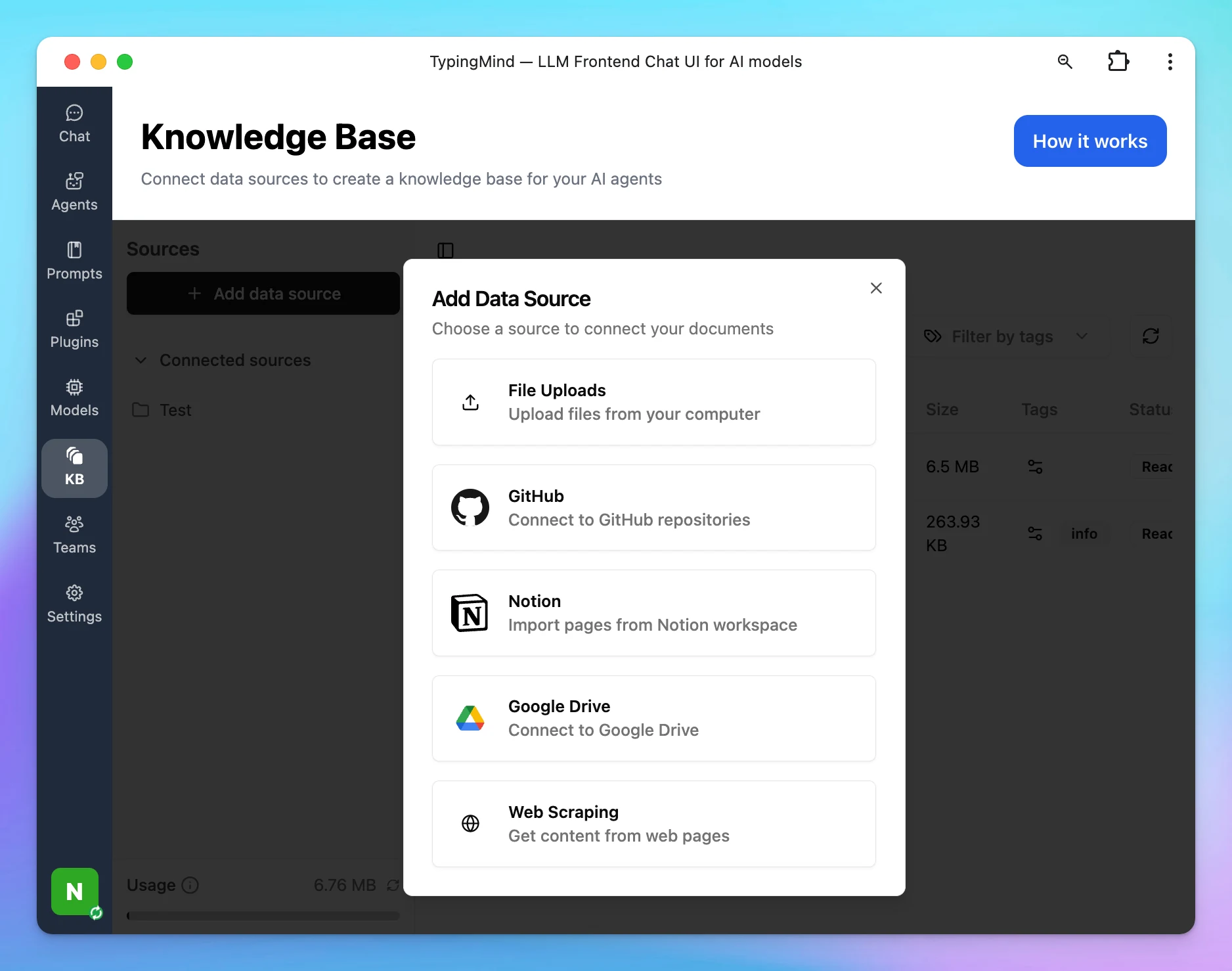
Knowledge Base in TypingMind.com (license version) can now connect to external data sources! - GitHub - Notion - Google Drive - Web Scrape More integrations are coming soon!
New
Integrations
Show detailsHide details
Knowledge Base in TypingMind.com (license version) can now connect to external data sources!
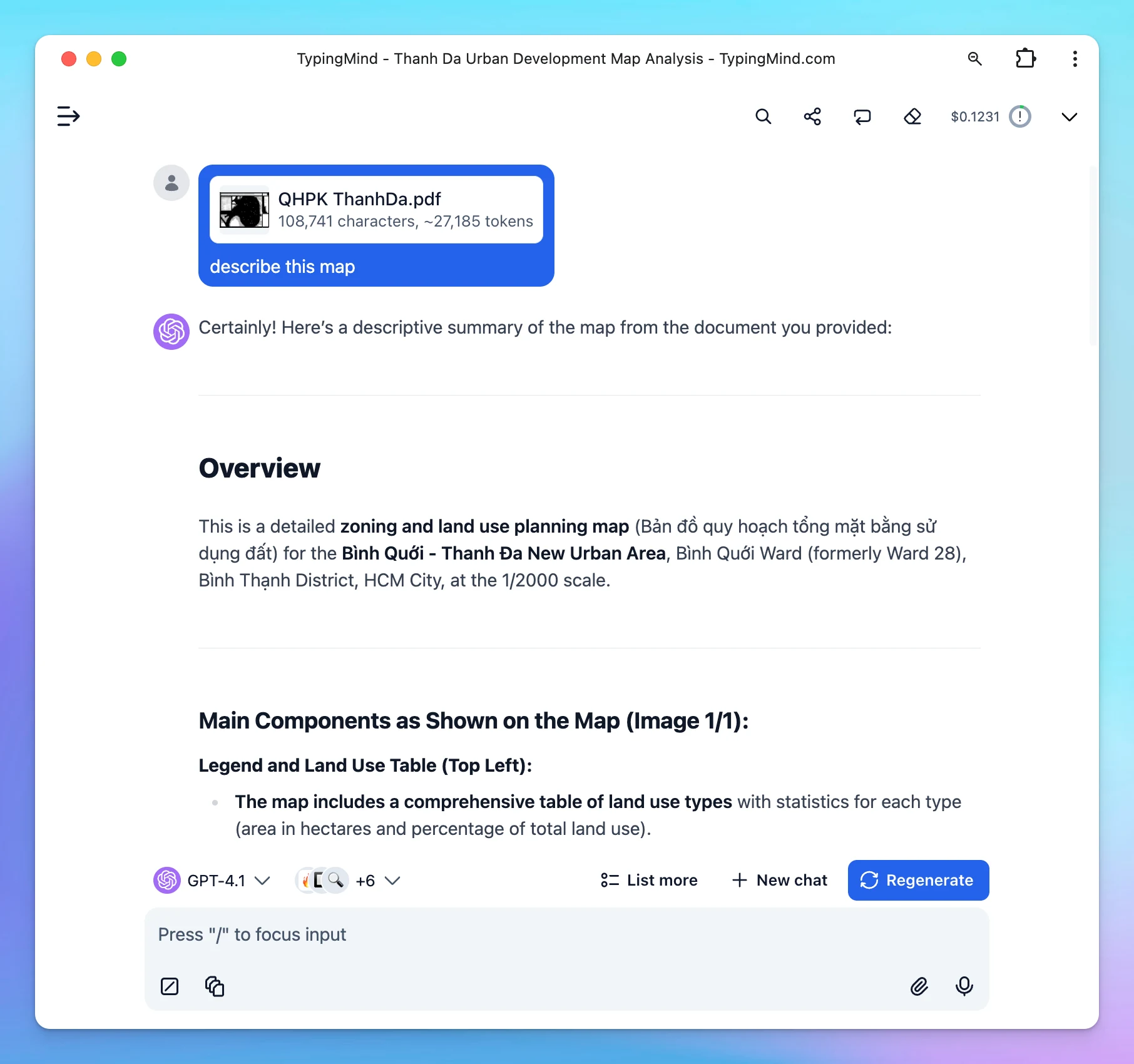
Just added native PDF parsing in TypingMind. Works with ALL model providers! OpenAI, Gemini, Claude, and all custom models that use a compatible API. TypingMind can now read images, graphs, diagrams, and tables in PDF files much better!
Improved
File Upload
Show detailsHide details
Just added native PDF parsing in TypingMind. Works with ALL model providers!
OpenAI, Gemini, Claude, and all custom models that use a compatible API.
TypingMind can now read images, graphs, diagrams, and tables in PDF files much better!
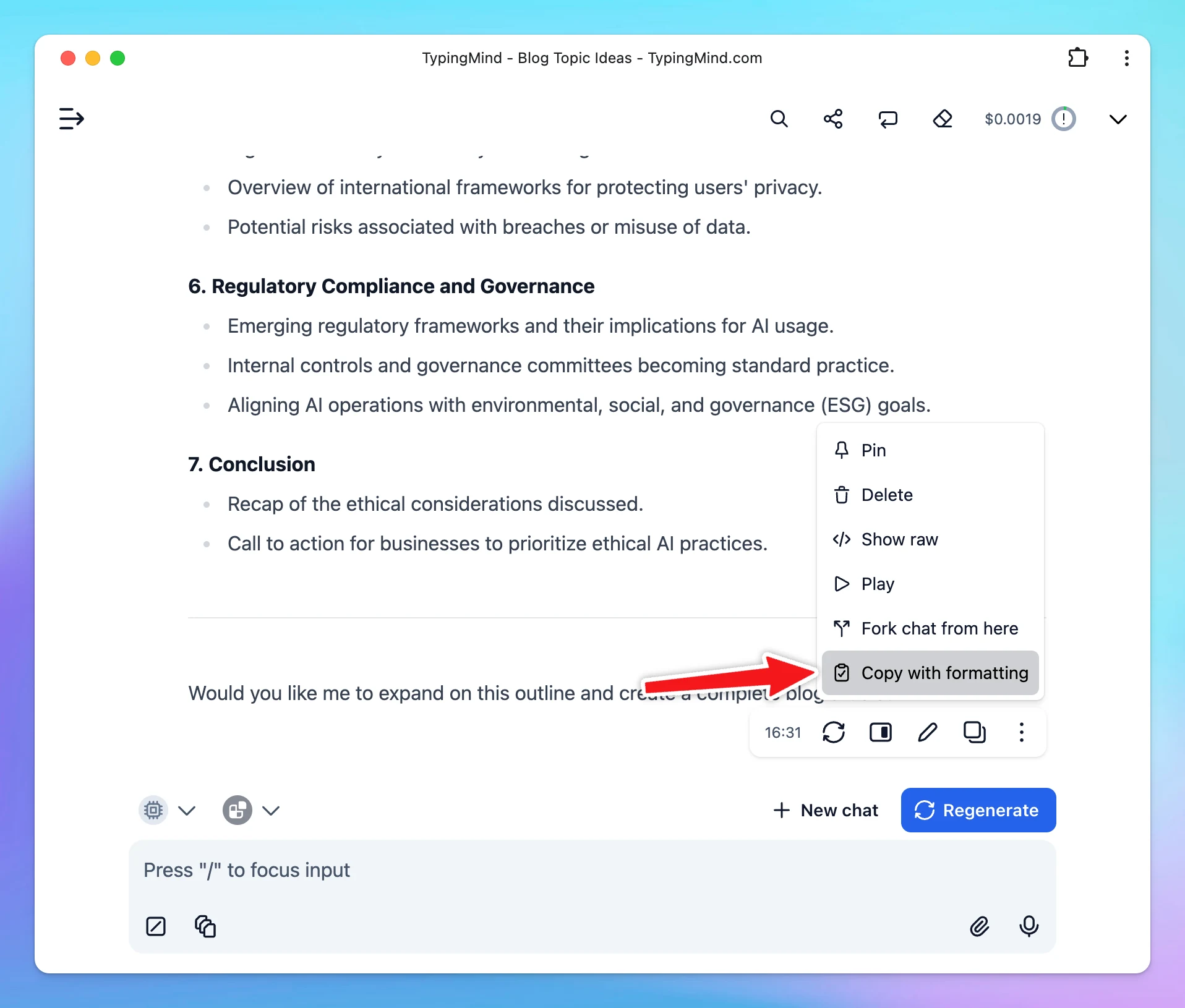
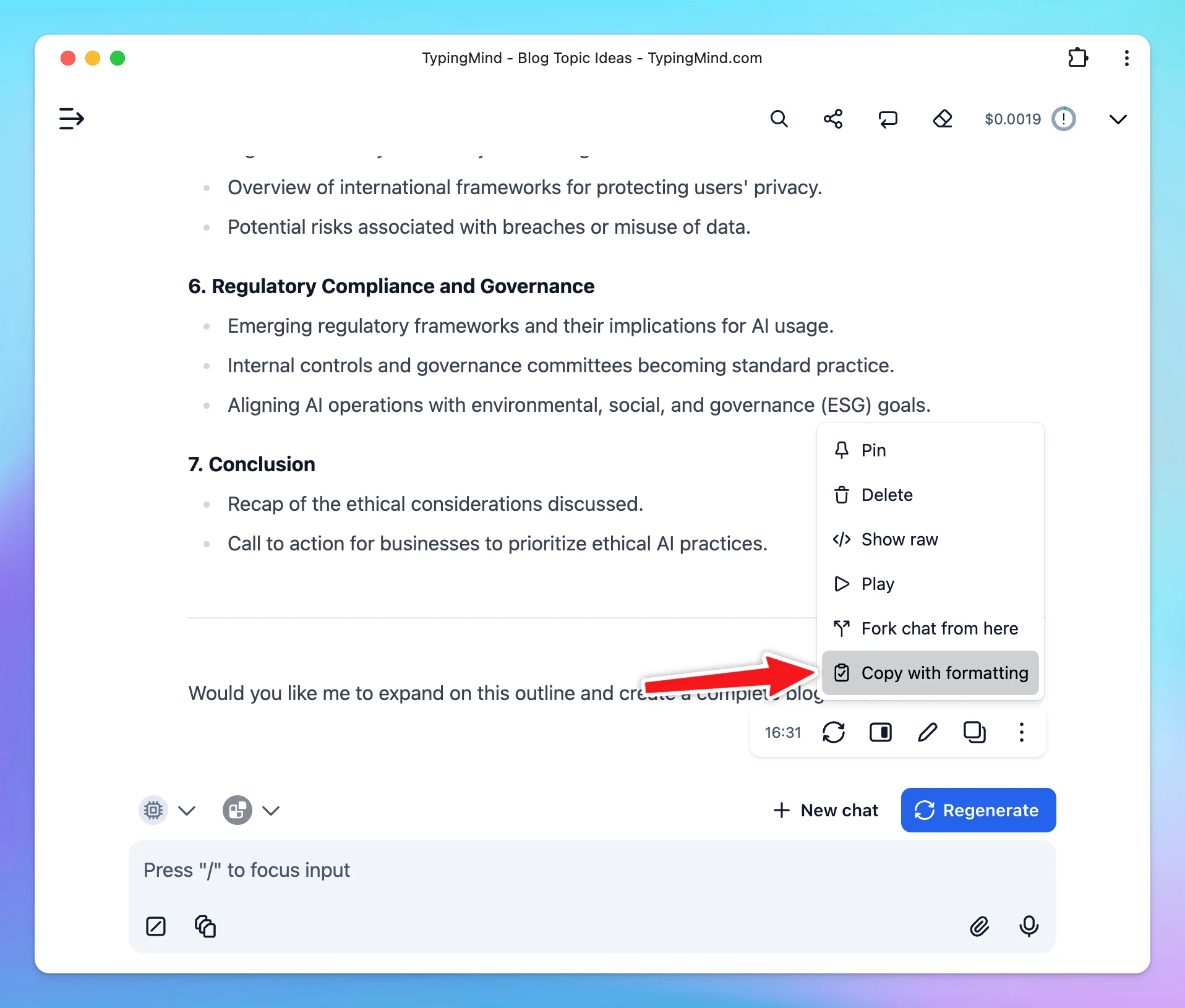
We’ve just added a super handy option — Copy with Formatting 🖋️ Now you can copy any message from TypingMind and preserve the original formatting (headings, bullet points, bold text, etc.) when pasting into documents, emails, or blog editors.
New
Chat Management
Show detailsHide details
We’ve just added a super handy option — Copy with Formatting 🖋️
Now you can copy any message from TypingMind and preserve the original formatting (headings, bullet points, bold text, etc.) when pasting into documents, emails, or blog editors.
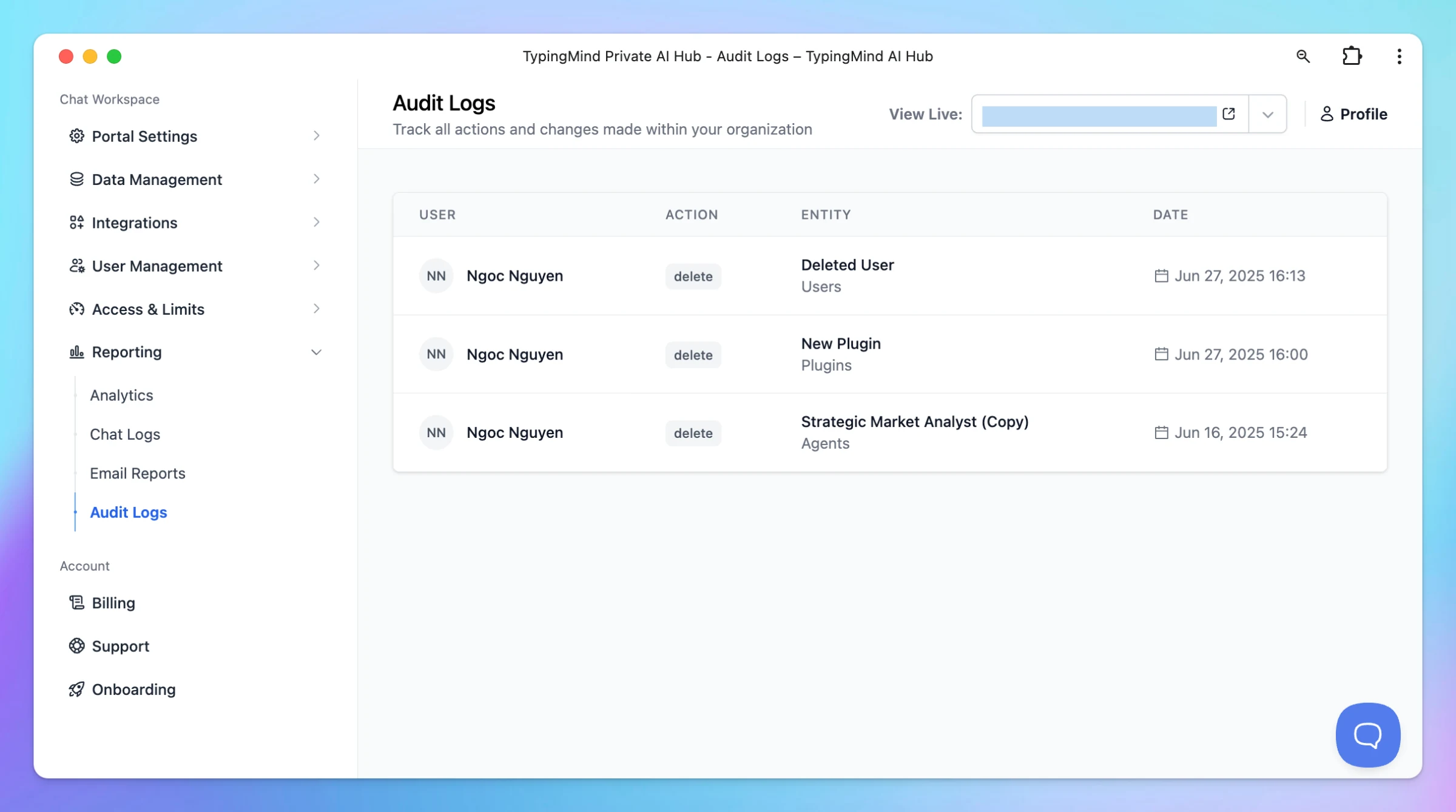
Introduce Audit Logs in TypingMind Team version! With Audit Logs, you can now track all actions and changes made across your organization — including user management, plugin updates, agent changes, and more. ✅ 🔍 Easily view: Who made the change What was…
Team Version
New
Show detailsHide details
Introduce Audit Logs in TypingMind Team version!
With Audit Logs, you can now track all actions and changes made across your organization — including user management, plugin updates, agent changes, and more. ✅
🔍 Easily view:
Who made the change
What was changed or deleted
When it happened
To check it out, go to:Reporting → Audit Logs in your Admin Panel
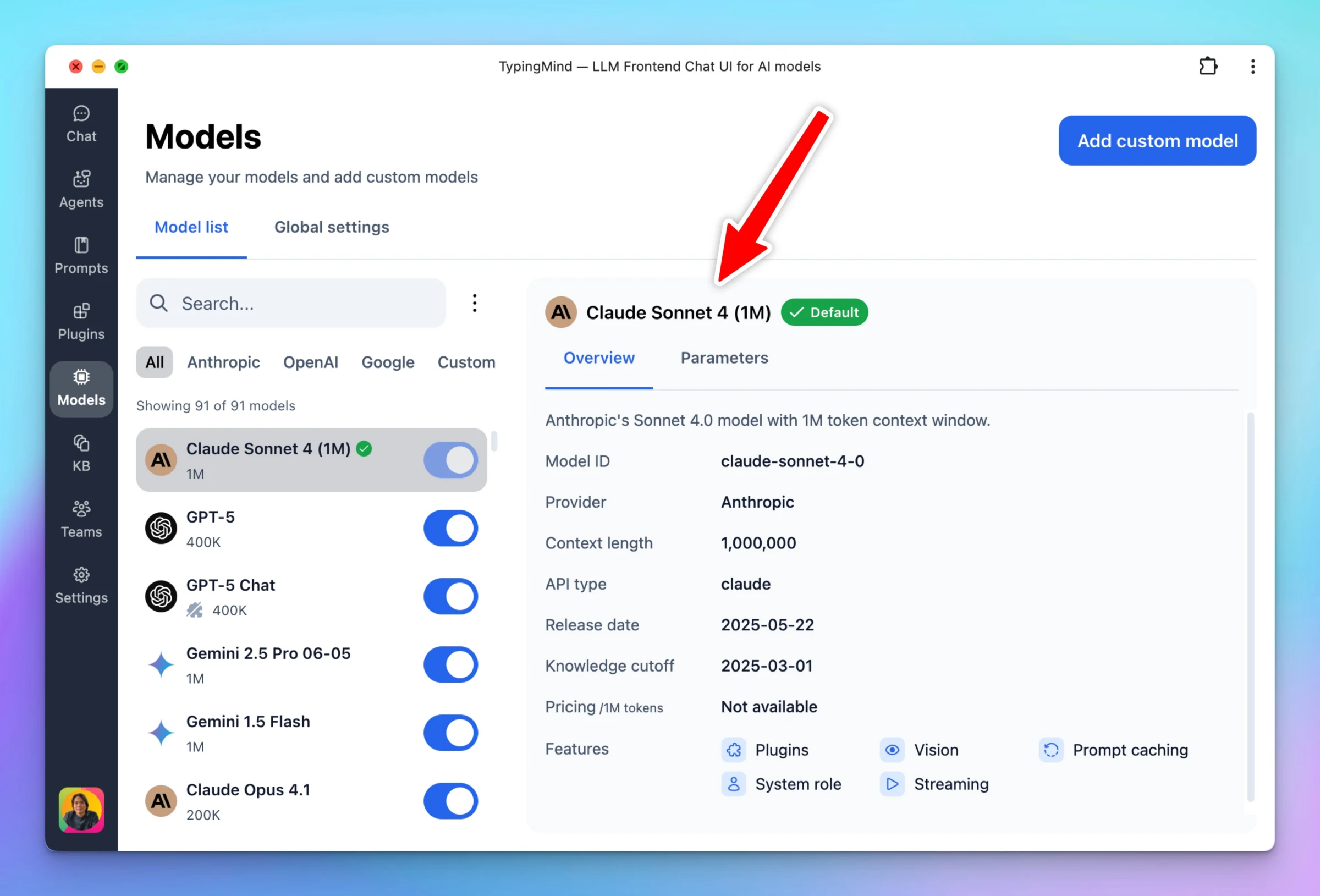
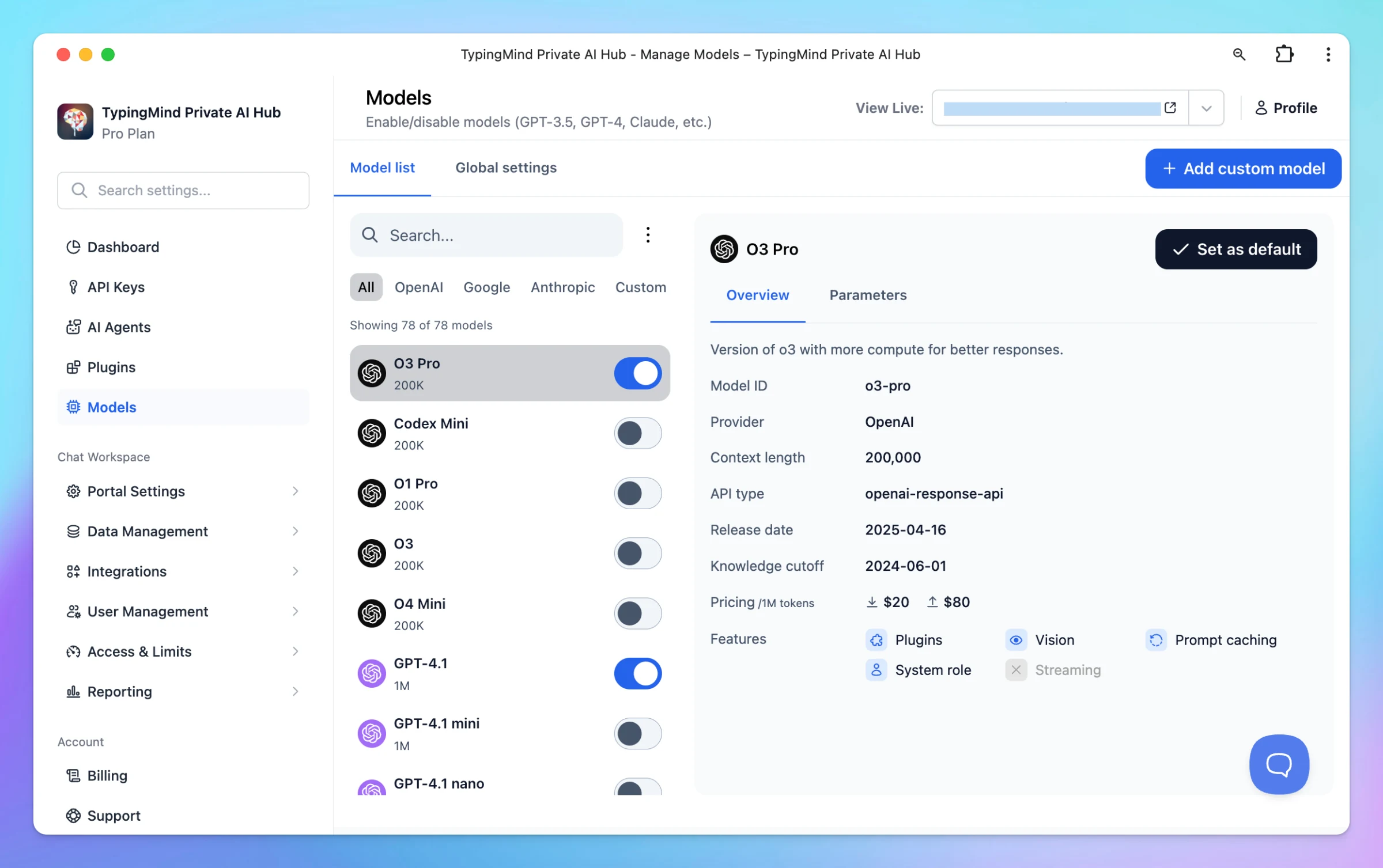
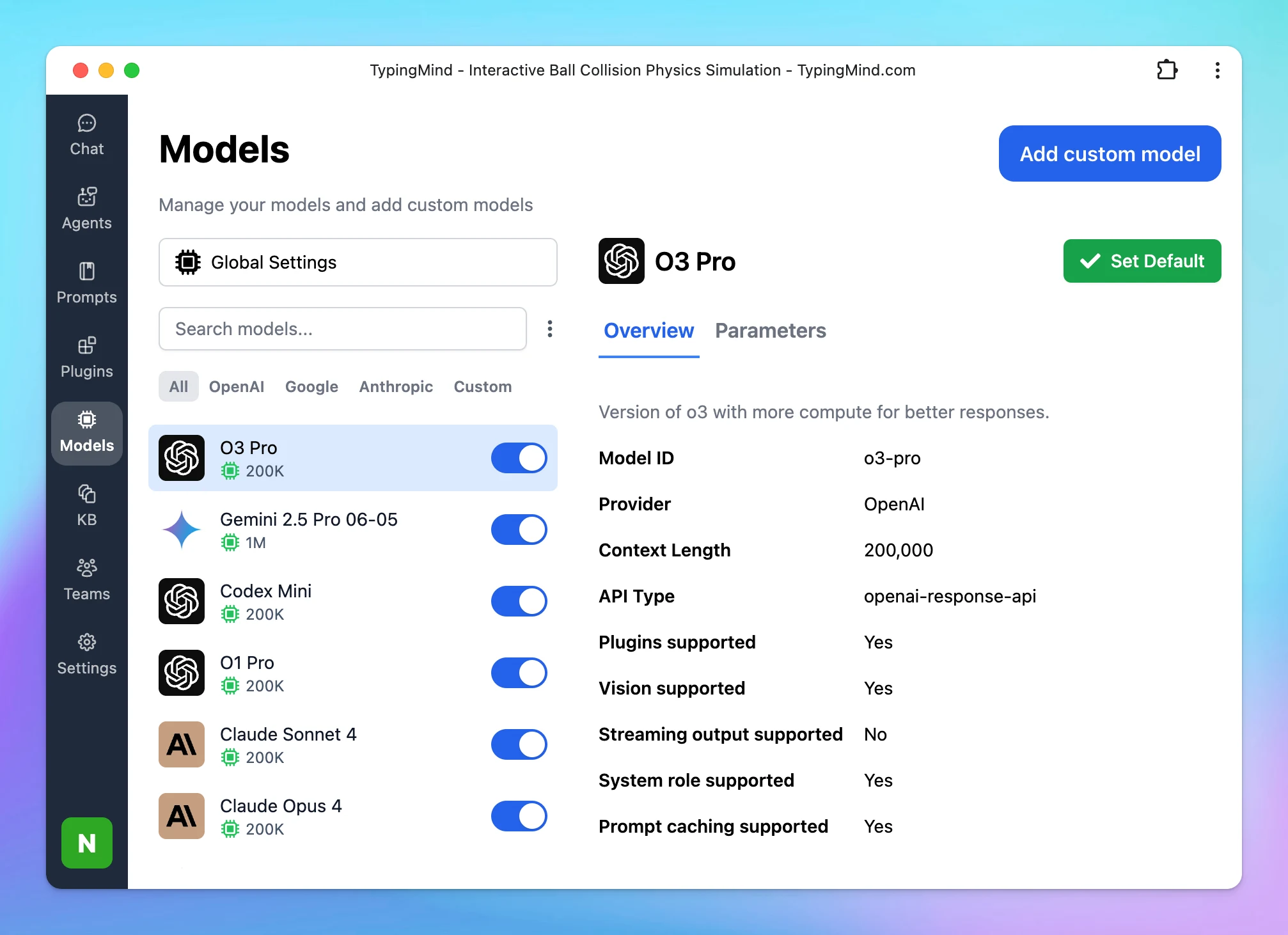
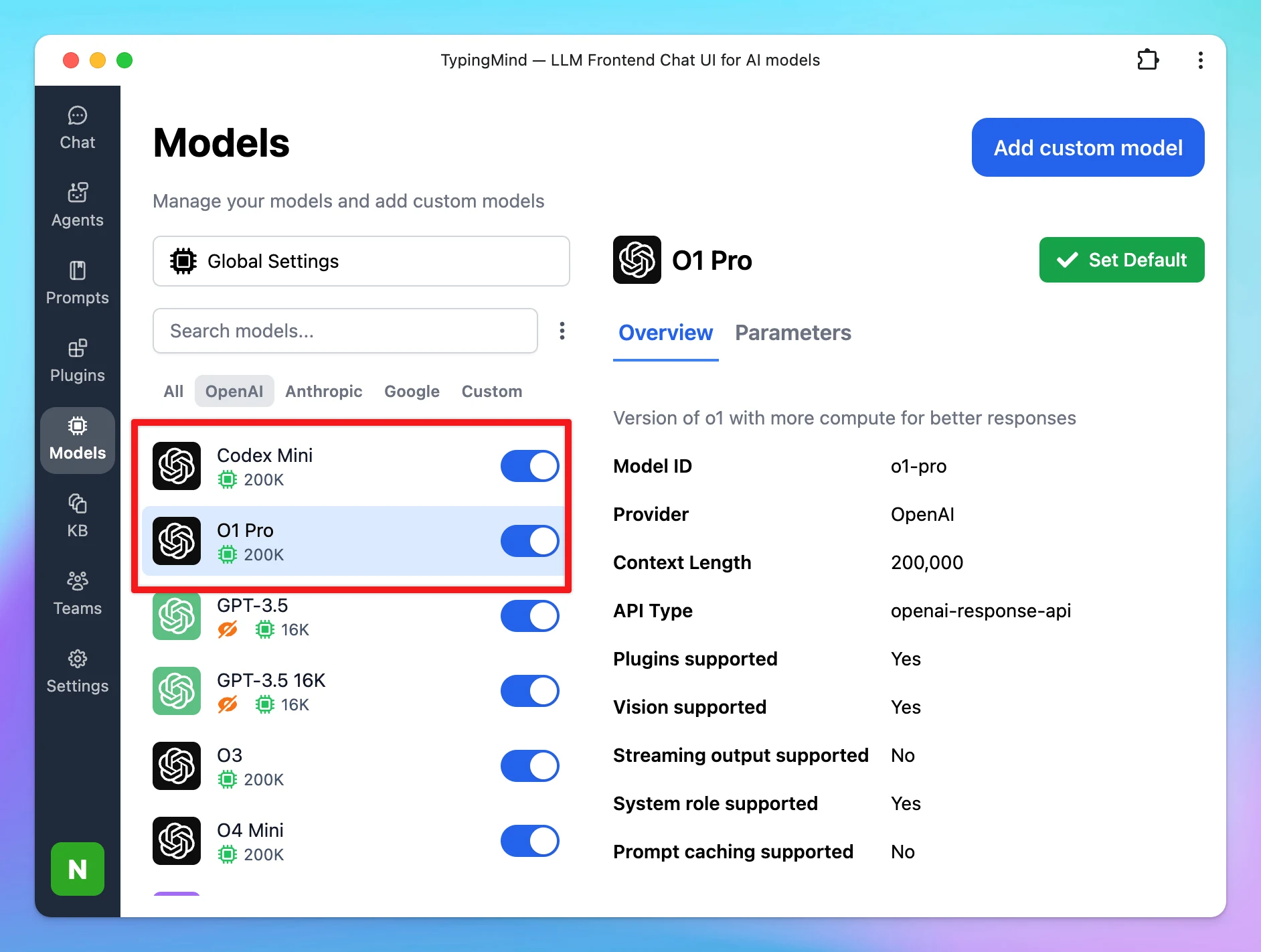
We’ve made a few key improvements to help you manage models more easily: 🧠 Separated model selection and settings into two tabs for clearer navigation💲 Added pricing info for each model to help you compare costs at a glance License version: Team version:…
AI Models
New
Show detailsHide details
We’ve made a few key improvements to help you manage models more easily:
🧠 Separated model selection and settings into two tabs for clearer navigation💲 Added pricing info for each model to help you compare costs at a glance
License version:
Team version:
*Note: On the Team version, end users will not see pricing info in the chat interface.
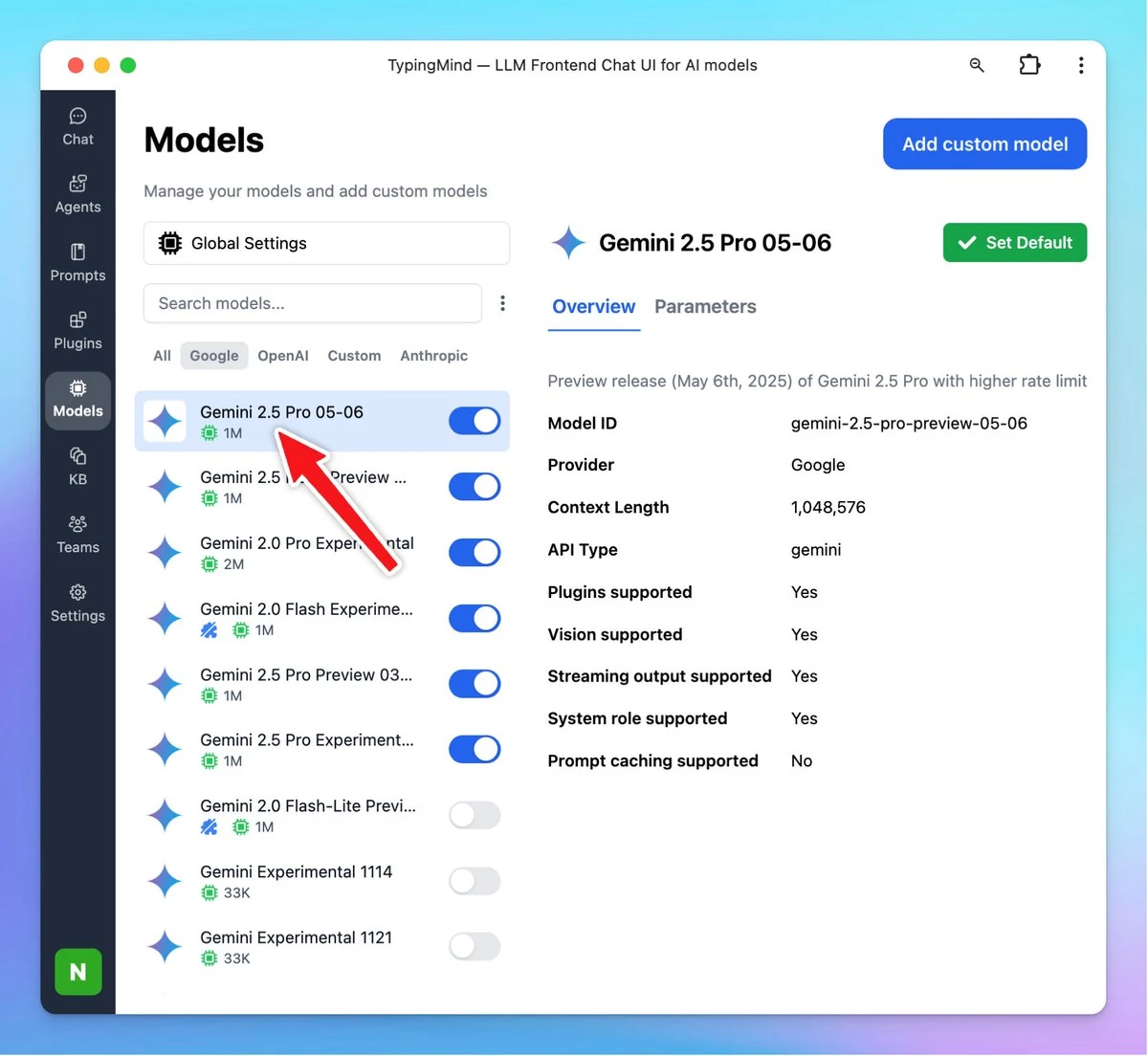
Added the new Gemini 2.5 model family to TypingMind: Gemini 2.5 Pro (Stable, no changes from 06-05) Gemini 2.5 Flash (Stable, updated pricing from 05-20) Gemini 2.5 Flash-Lite (Preview, small reasoning model)
AI Models
New
Show detailsHide details
Added the new Gemini 2.5 model family to TypingMind:
Gemini 2.5 Pro (Stable, no changes from 06-05)
Gemini 2.5 Flash (Stable, updated pricing from 05-20)
Gemini 2.5 Flash-Lite (Preview, small reasoning model)
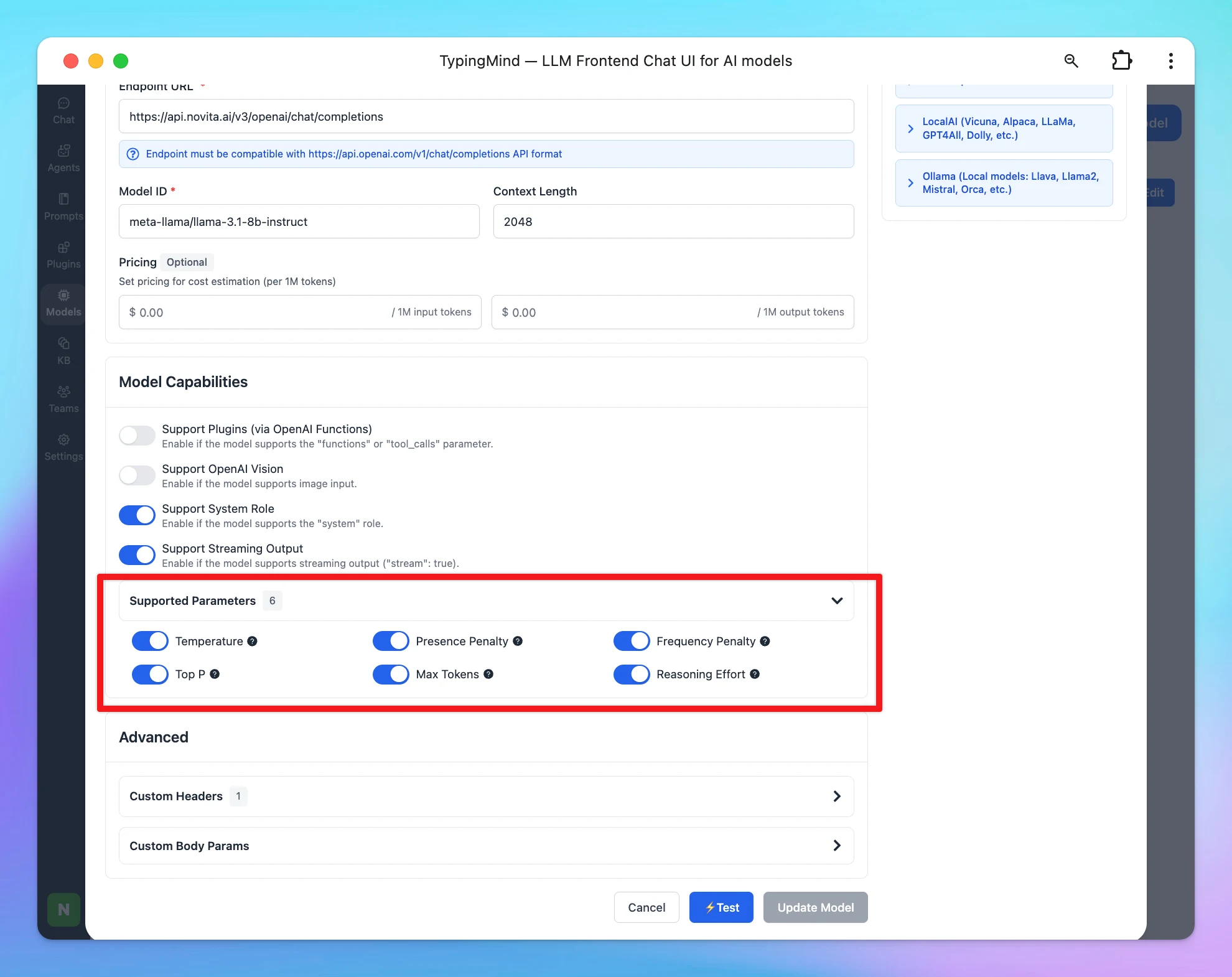
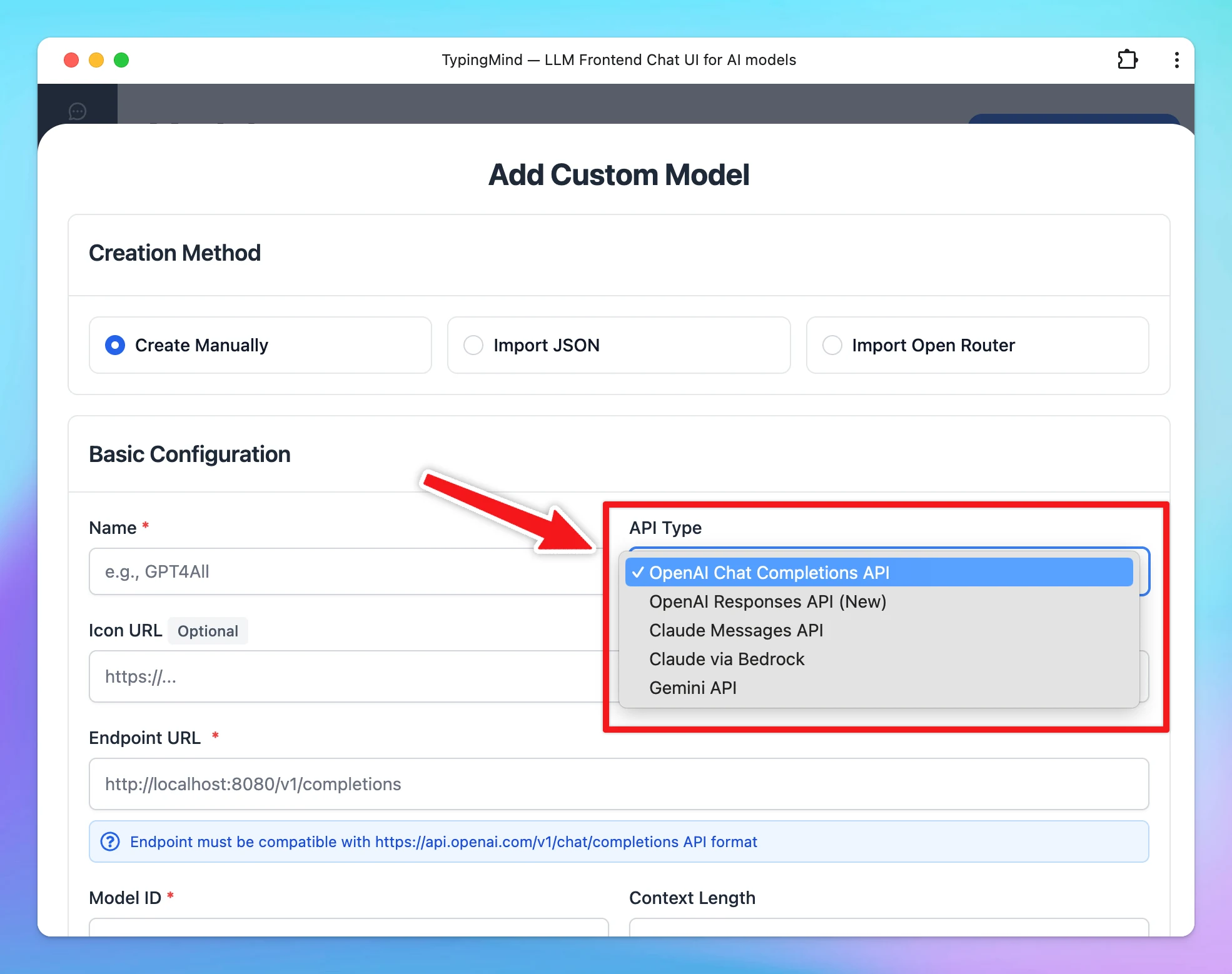
New Custom Model Updates: Handle Parameter Compatibility: You can now select from which parameters are supported for their model. If a model doesn’t support a specific parameter (e.g. temperature, top-p, etc.), any values set in chat will be ignored and not…
AI Models
New
Show detailsHide details
New Custom Model Updates:
Handle Parameter Compatibility: You can now select from which parameters are supported for their model. If a model doesn’t support a specific parameter (e.g. temperature, top-p, etc.), any values set in chat will be ignored and not applied.
Custom Model Support Expanded: You can now add custom models from Claude and Gemini.
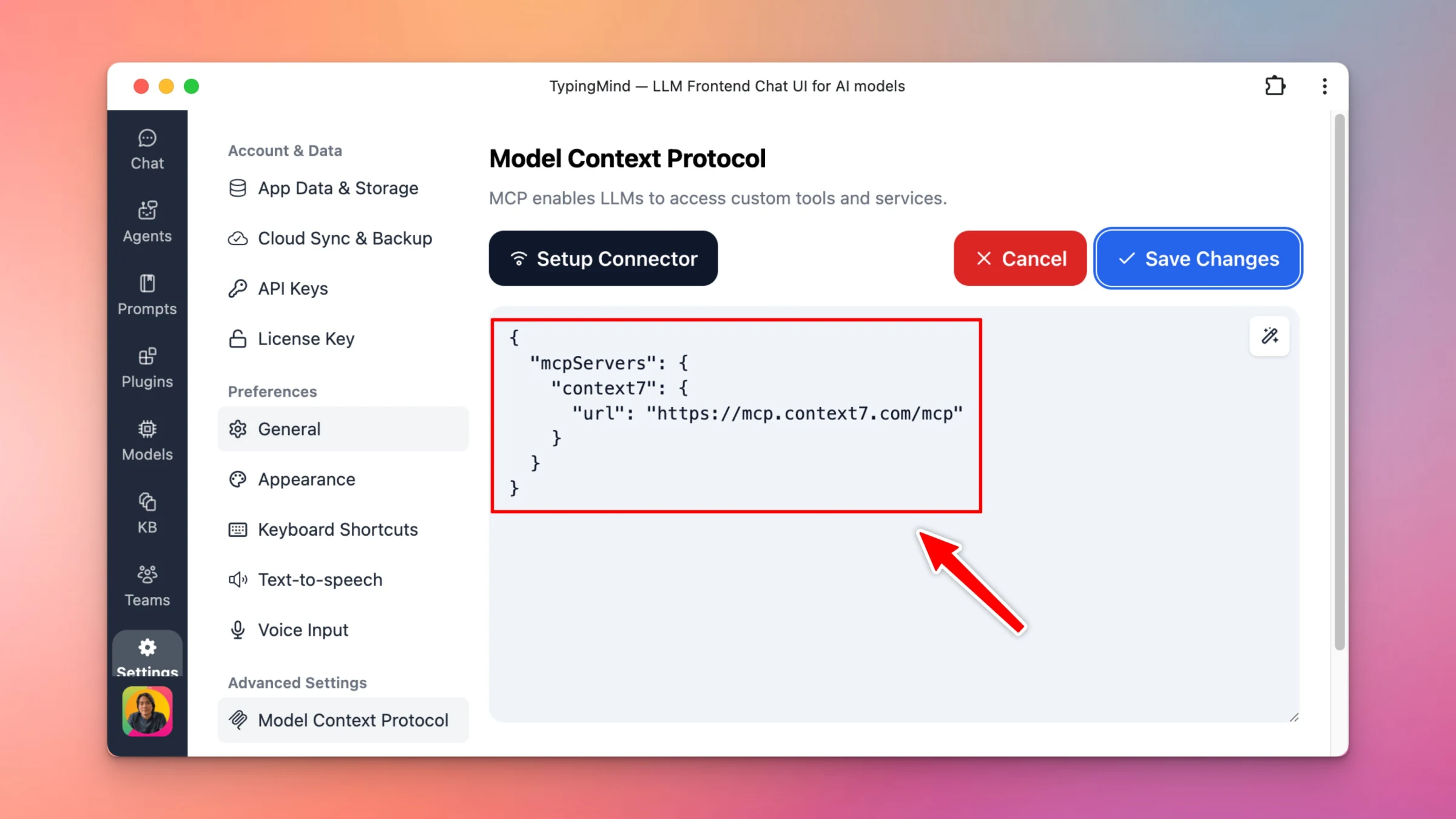
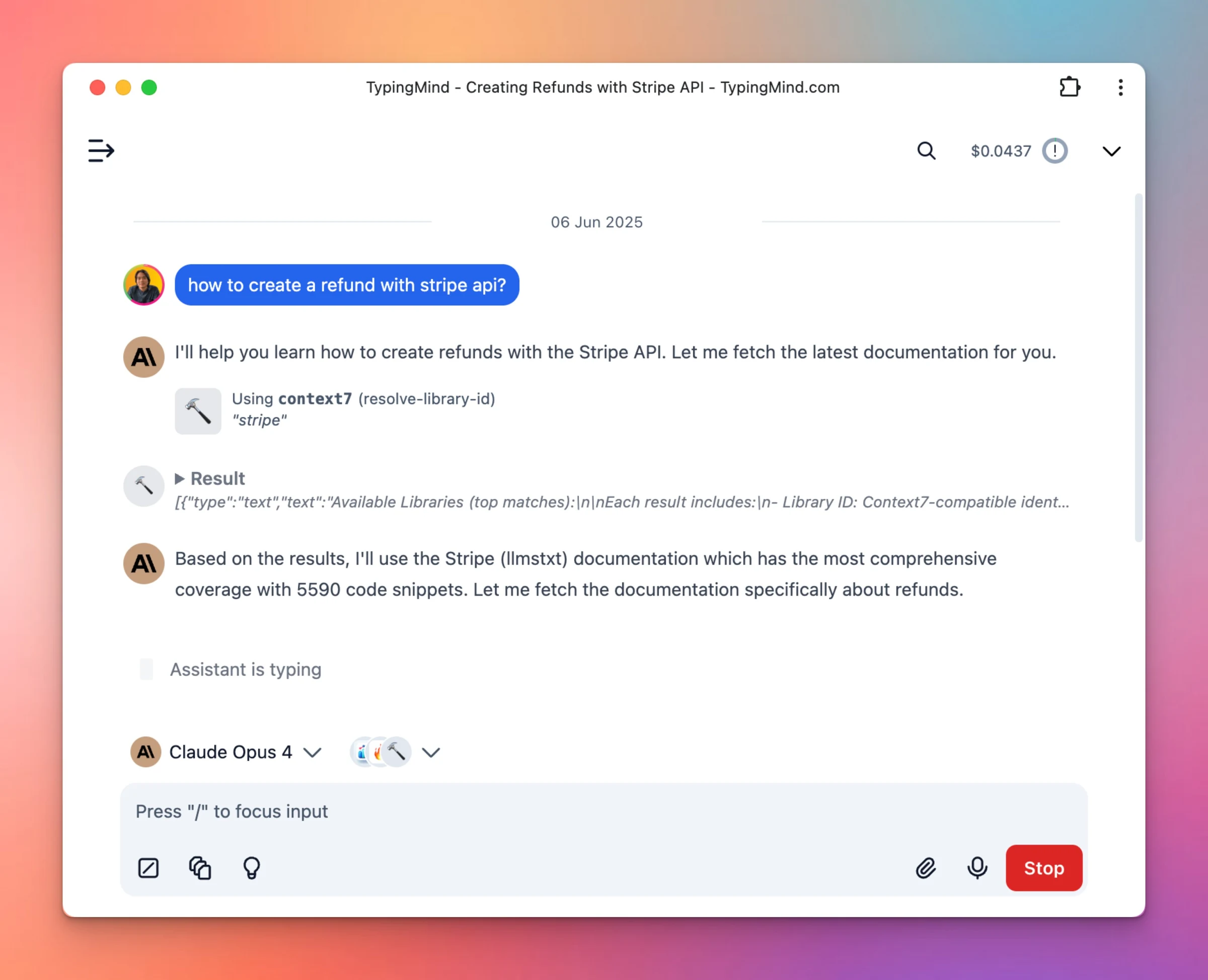
TypingMind now supports MCP via streamable HTTP transport! Example in screenshot with a popular MCP server Context7 (automatically embed relevant public documents to LLM). Simply re-run the "npx typingmind/mcp" command to upgrade to the latest version (1.2.0).
Integrations
New
Show detailsHide details
TypingMind now supports MCP via streamable HTTP transport!
Example in screenshot with a popular MCP server Context7 (automatically embed relevant public documents to LLM).
Simply re-run the "npx typingmind/mcp" command to upgrade to the latest version (1.2.0).
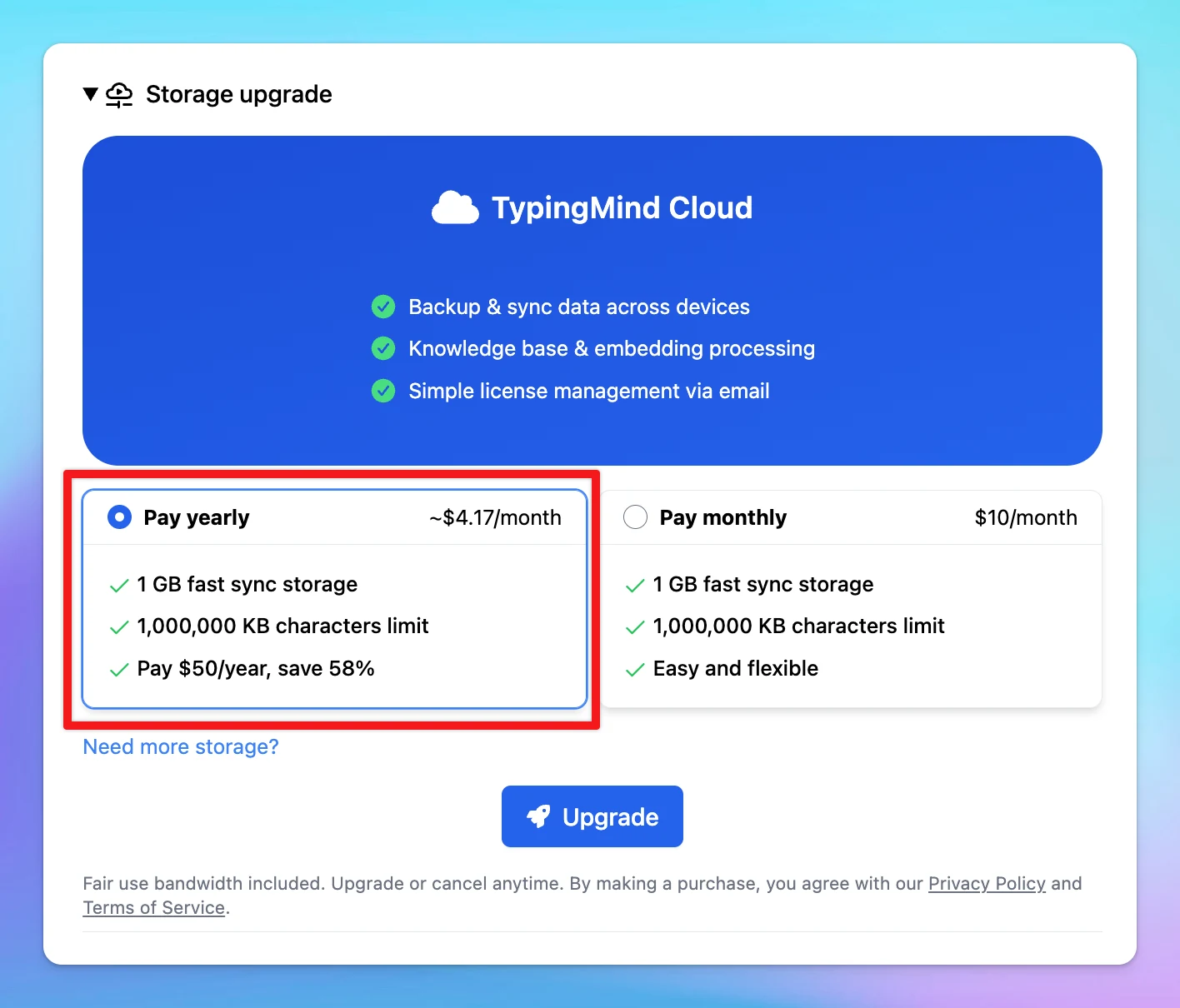
New Cloud Sync Yearly Plan: $50/yearYou can now switch from a monthly to a yearly subscription for better value. Go to Settings --> Cloud Sync --> Storage Upgrade If you want to switch from monthly to yearly subscription:Manage Subscription → Update…
Cloud Sync
New
Show detailsHide details
New Cloud Sync Yearly Plan: $50/yearYou can now switch from a monthly to a yearly subscription for better value.
Go to Settings --> Cloud Sync --> Storage Upgrade
If you want to switch from monthly to yearly subscription:Manage Subscription → Update Subscription → Select "Yearly" → Confirm Update.
Alternatively, you can cancel your current plan and re-subscribe to the yearly option.
Note: We’ve also made some improvements to your cloud sync experience — including updates to storage limits.
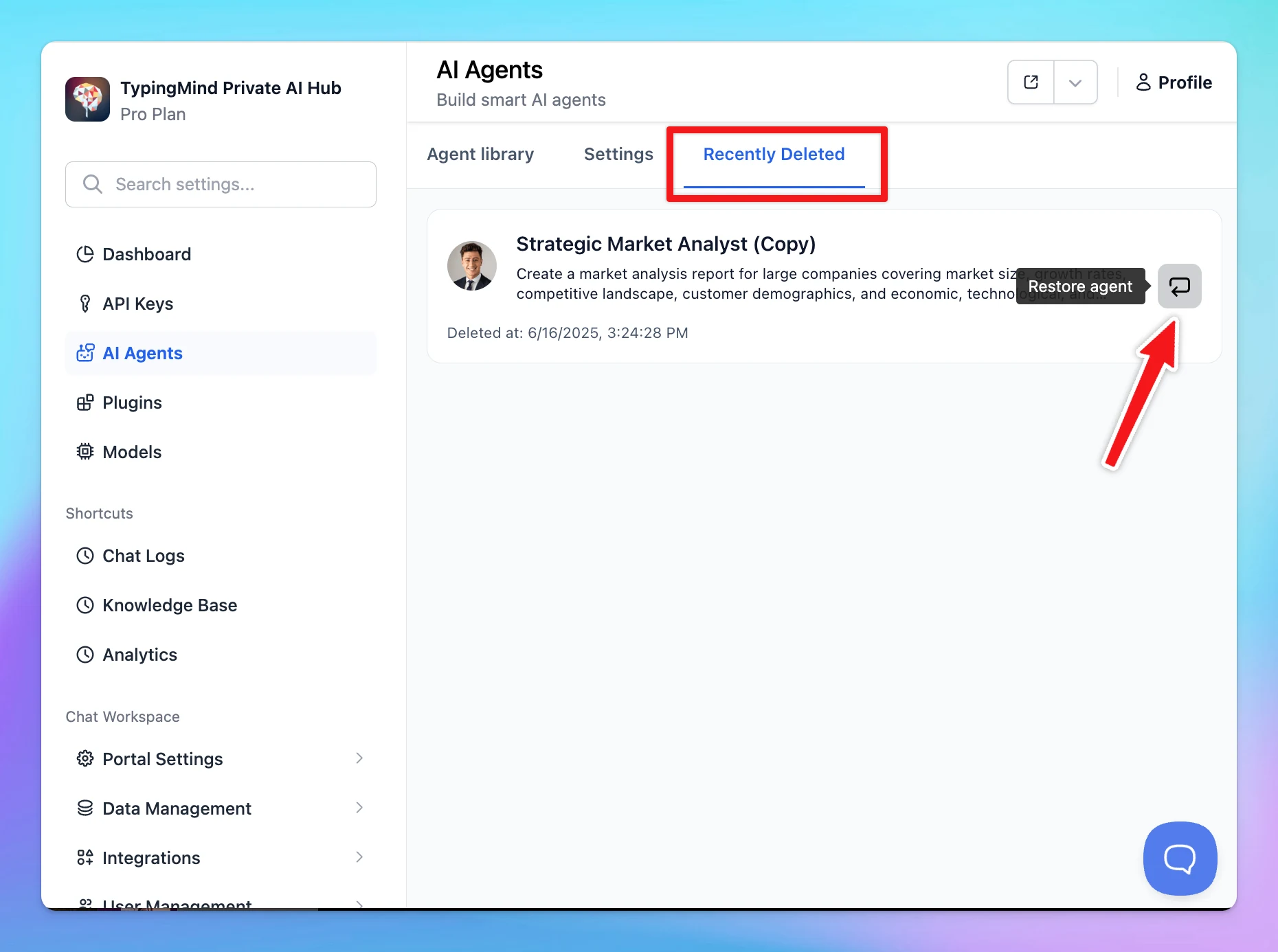
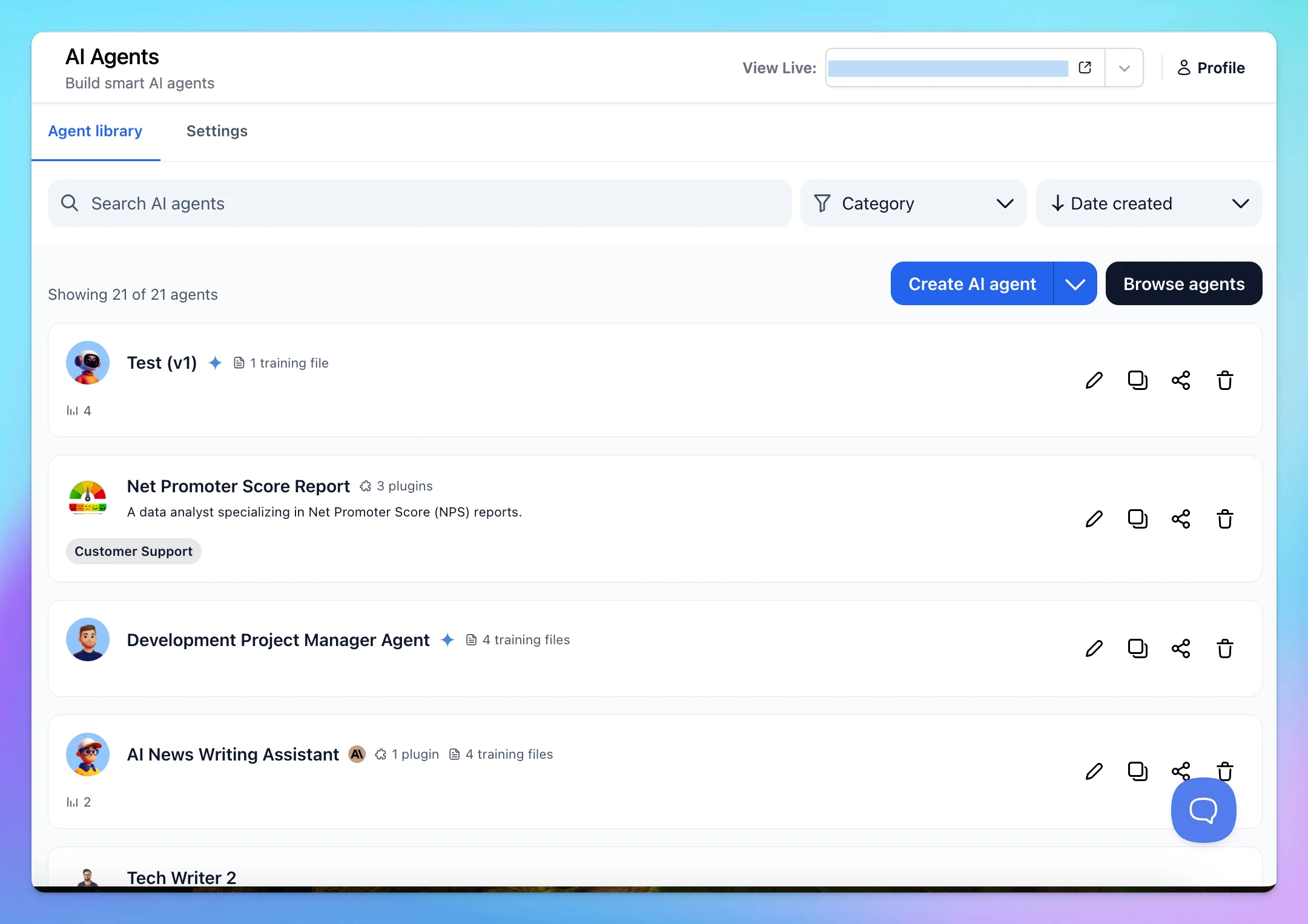
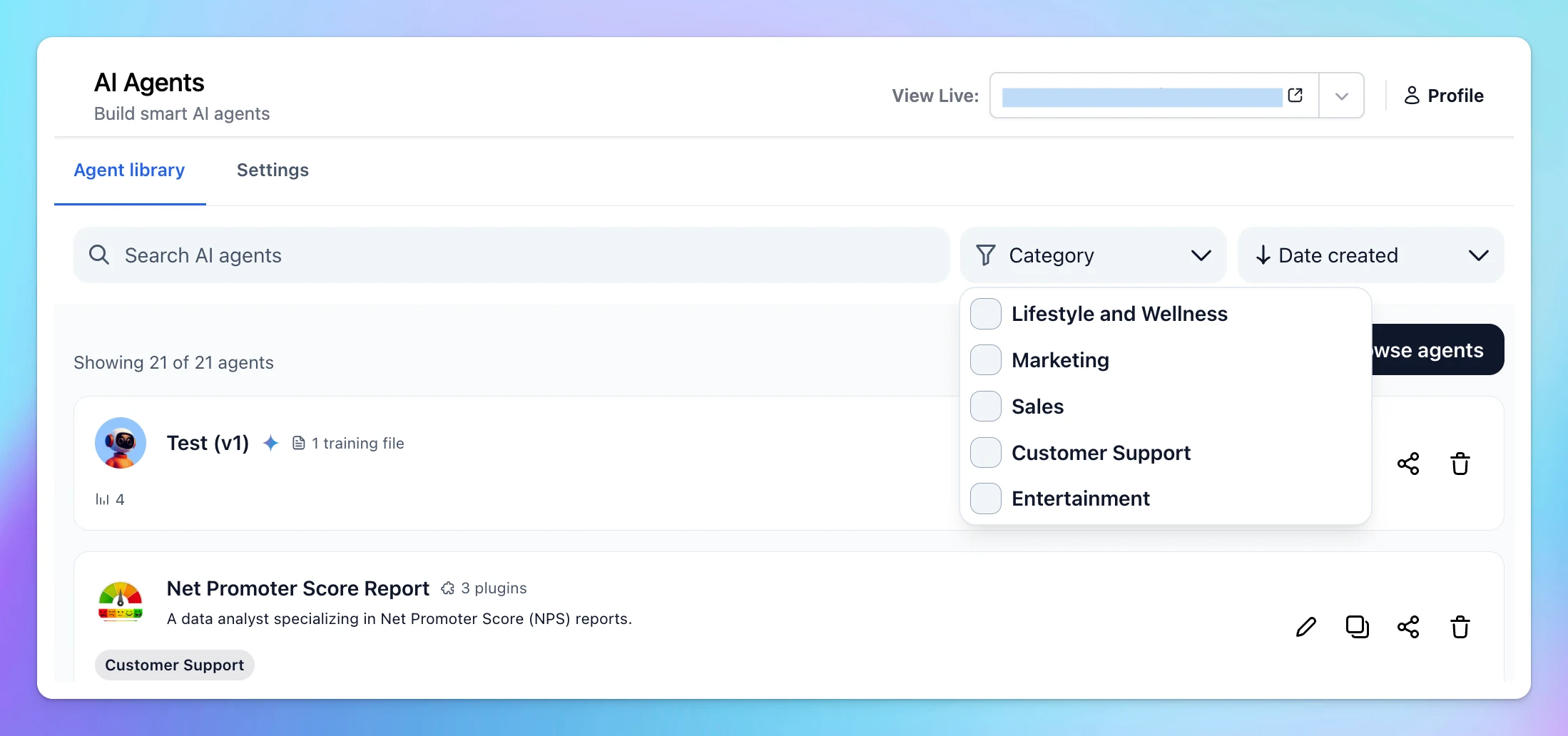
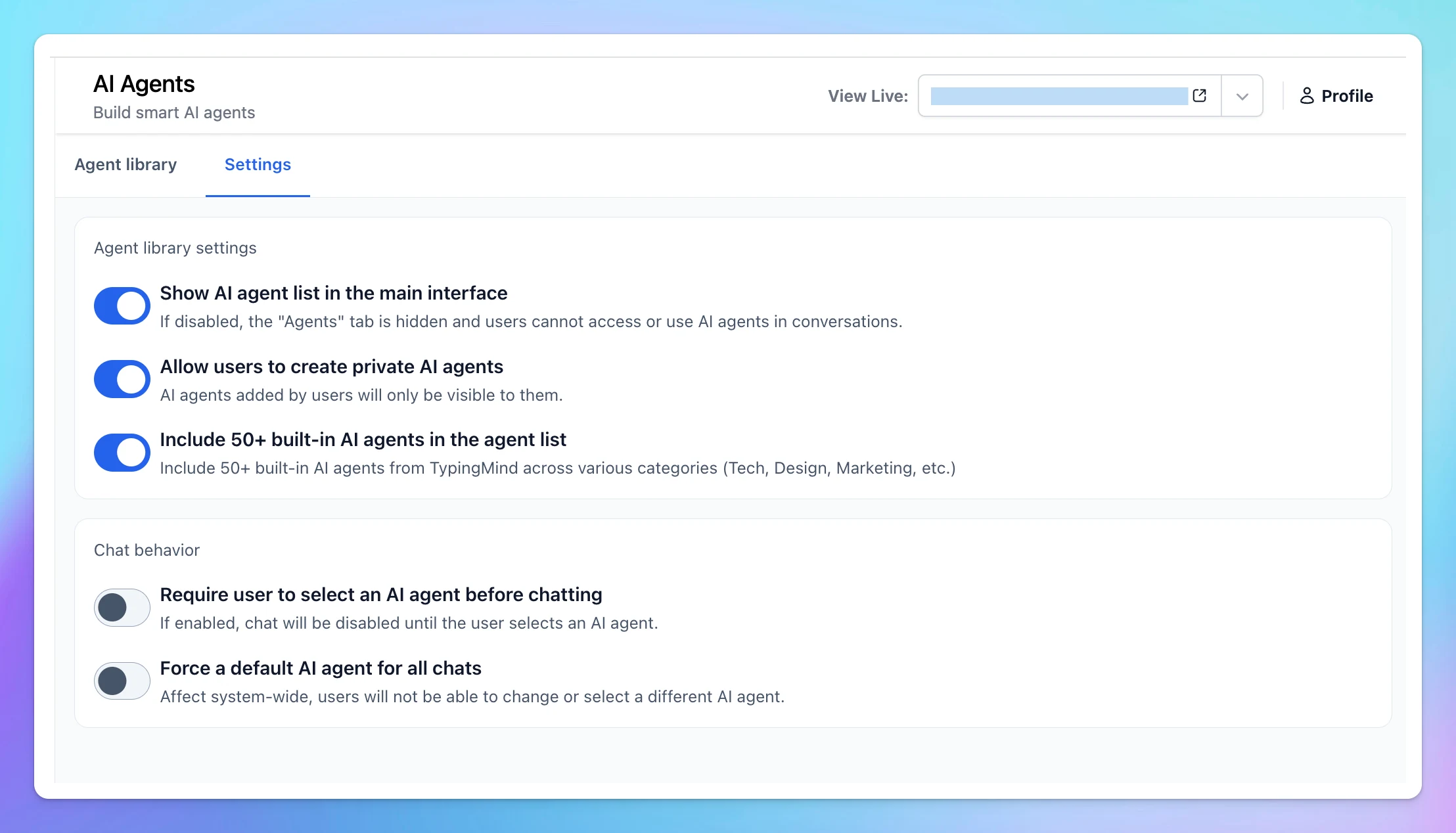
We’ve just redesigned the AI Agent page in the Admin Panel to give you a smoother, more organized experience: Easily filter agents by category and sort options and quick search agents via keywords: Cleaner layout with settings moved to a separate tab Improved…
Team Version
AI Agents
New
Show detailsHide details
We’ve just redesigned the AI Agent page in the Admin Panel to give you a smoother, more organized experience:
Easily filter agents by category and sort options and quick search agents via keywords:
Cleaner layout with settings moved to a separate tab
Improved layout with clearer structure and button placement
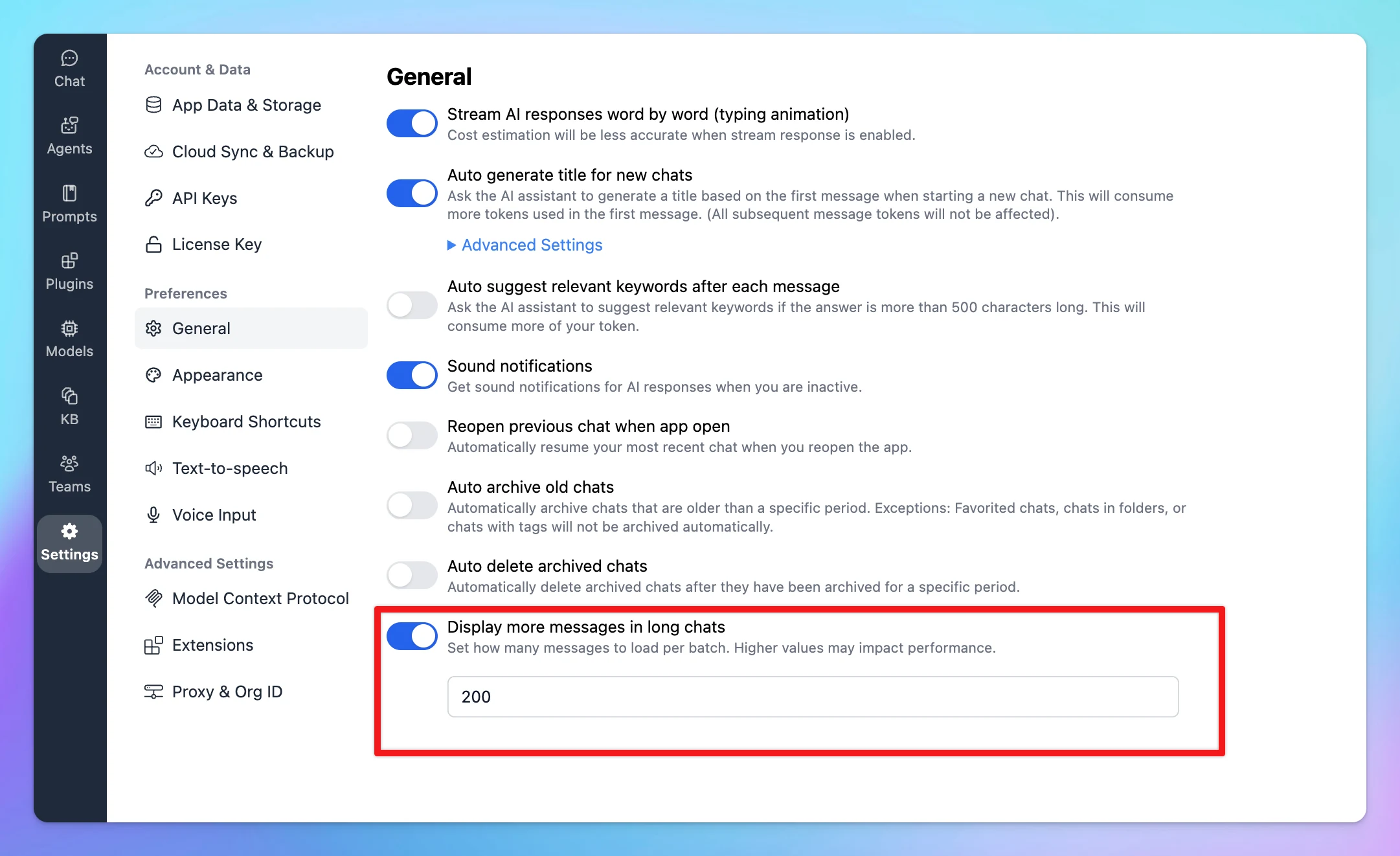
You now have control over how many messages load at once for each conversation. This gives you more flexibility to optimize performance based on your needs — whether it's improving loading speed or keeping things lightweight for longer chats.
Chat Management
New
Show detailsHide details
You now have control over how many messages load at once for each conversation.
This gives you more flexibility to optimize performance based on your needs — whether it's improving loading speed or keeping things lightweight for longer chats.
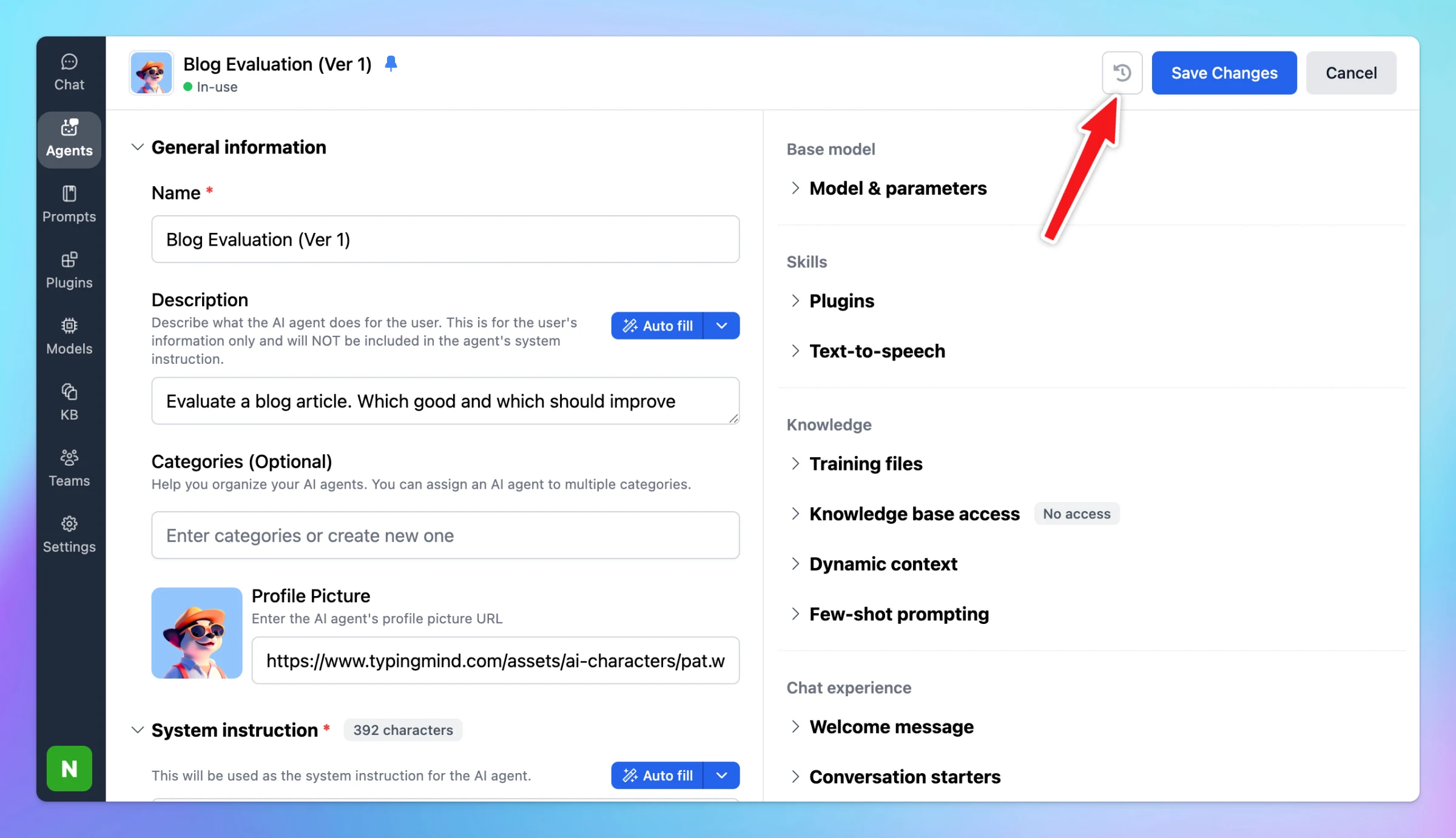
Agent Version Control is available on TypingMind! With Version Control, you can now: Track all changes made to your agents Automatically save previous versions Roll back to any earlier version with a single click Experiment freely without worrying about…
AI Agents
New
Show detailsHide details
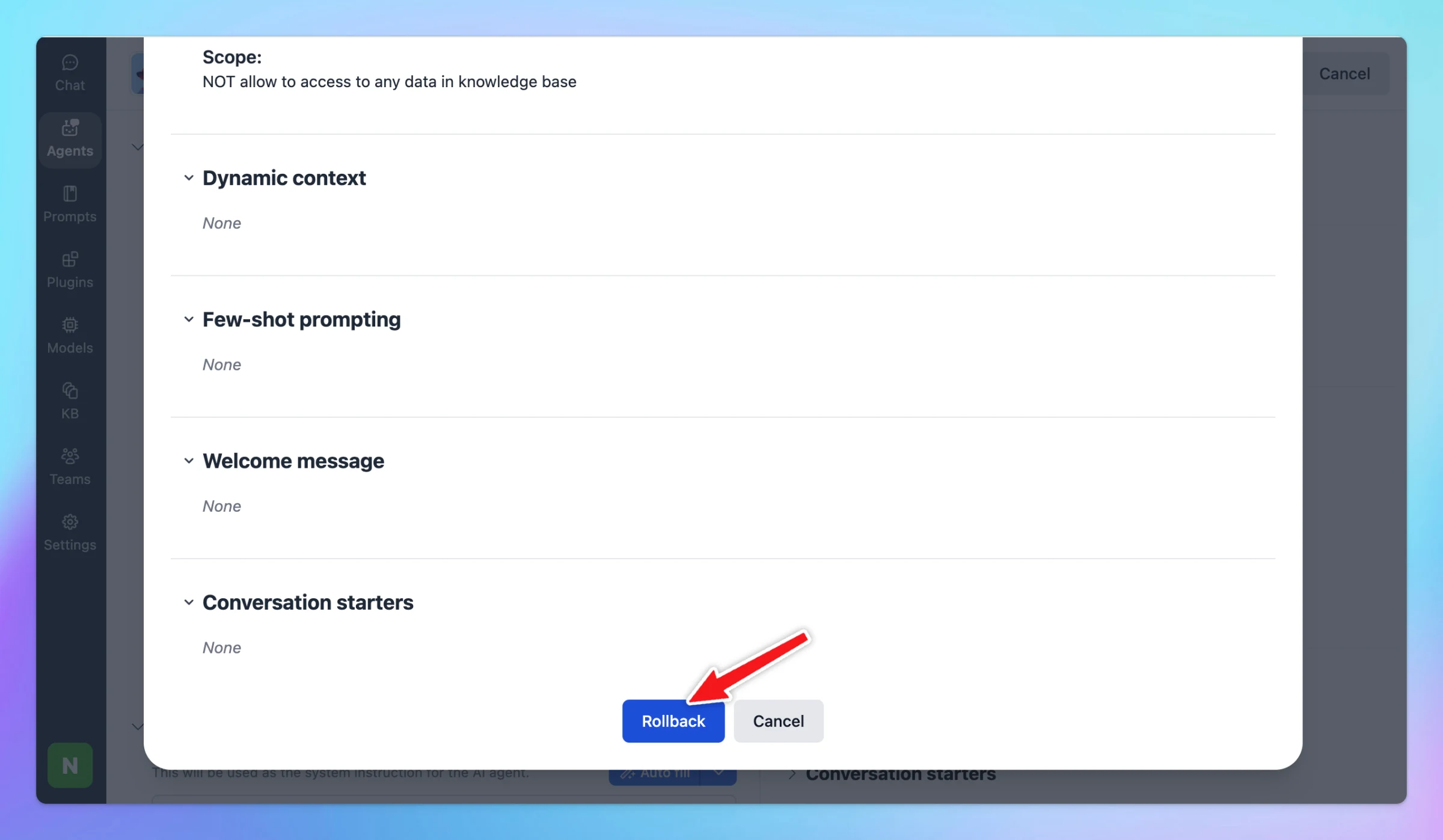
Agent Version Control is available on TypingMind!
With Version Control, you can now:
Track all changes made to your agents
Automatically save previous versions
Roll back to any earlier version with a single click
Experiment freely without worrying about losing progress
It’s useful when you’re testing different Agent settings — you can always go back to an earlier version if something doesn’t work as expected.
For TypingMind Team users, you can also view the changes made by any person on the Admin Panel!
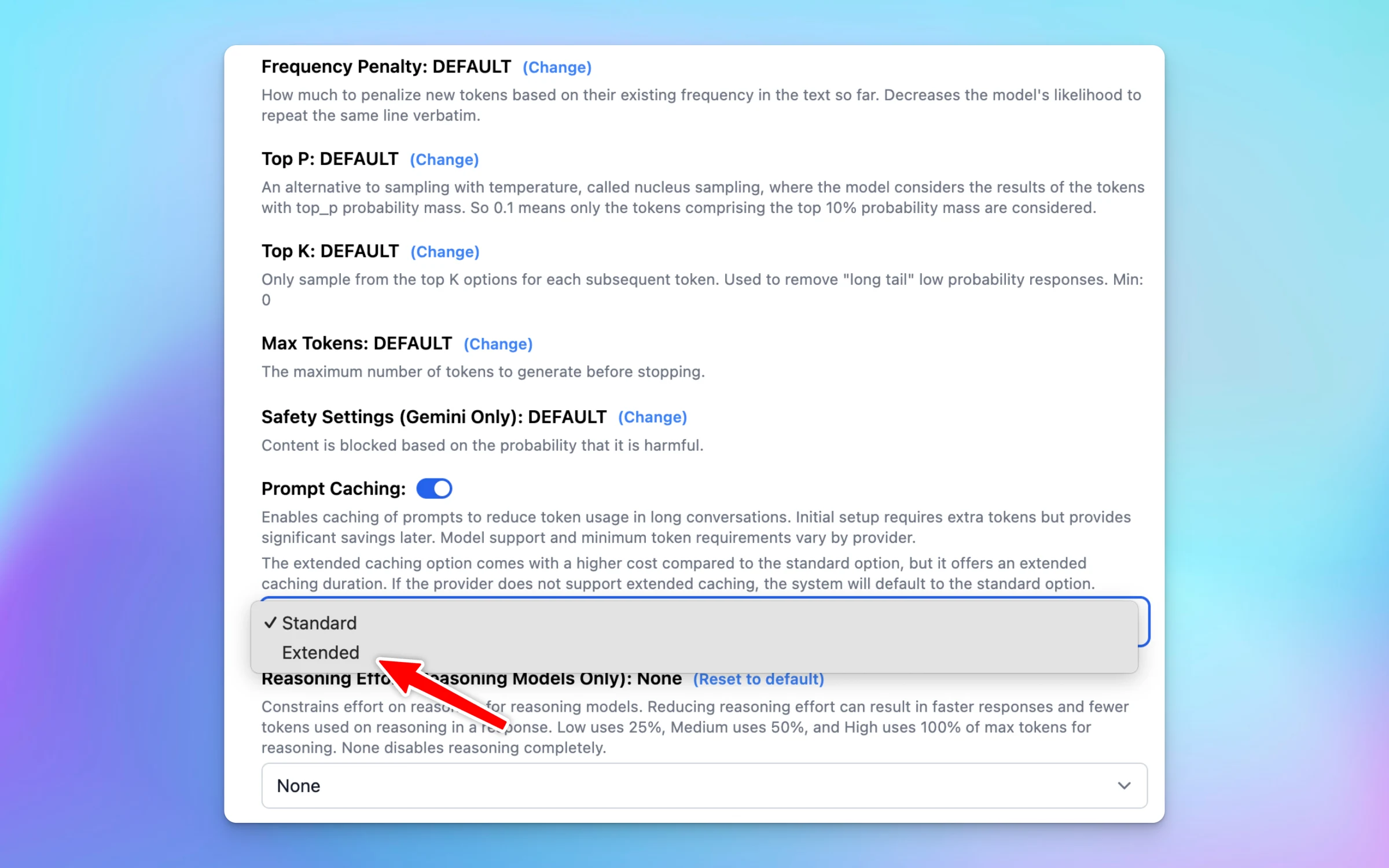
TypingMind now supports 1-hour cache duration for Claude prompt caching. (higher cost) If you find that 5 minutes is too short, you can easily switch to Extended value for 1-hour cache duration (support Claude models only)…
New
Show detailsHide details
TypingMind now supports 1-hour cache duration for Claude prompt caching. (higher cost)
If you find that 5 minutes is too short, you can easily switch to Extended value for 1-hour cache duration (support Claude models only)
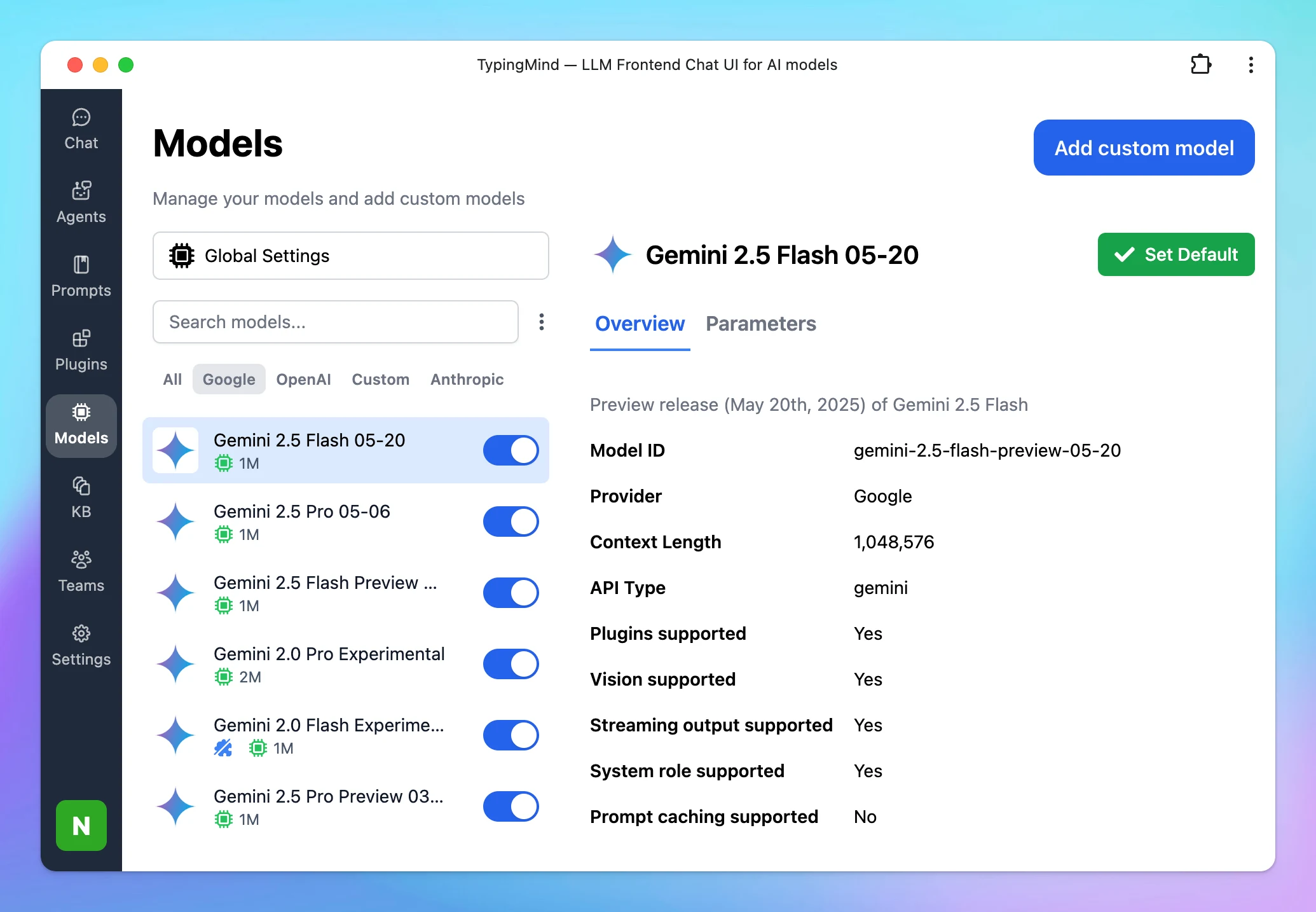
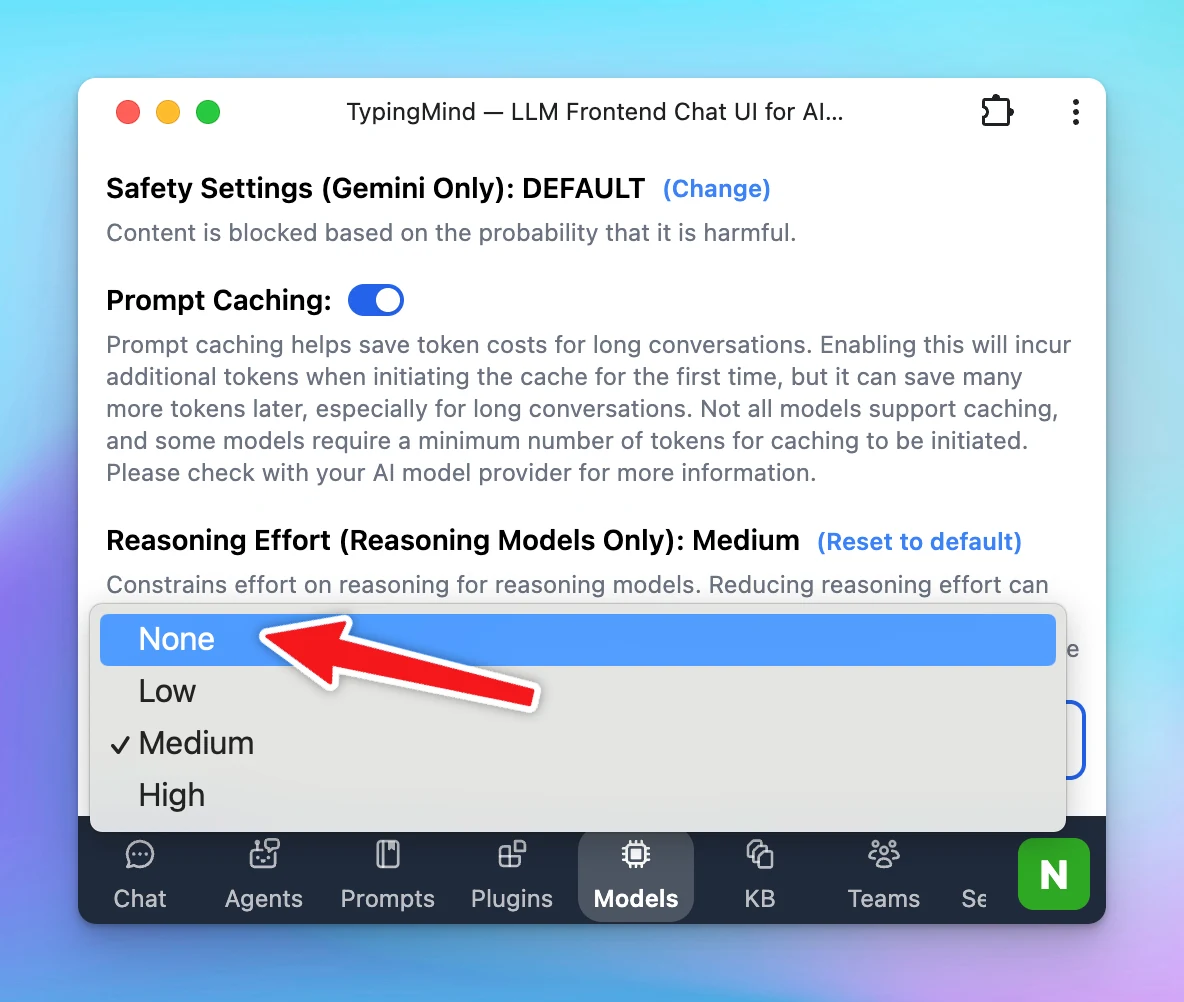
We have just added None value to Reasoning Effort. None: disable thinking/reasoning Low uses 25%, Medium uses 50%, and High uses 100% of max tokens for reasoning. Apply for Gemini 2.5 Flash and Claude 3.7 Sonnet for now.
New
Show detailsHide details
We have just added None value to Reasoning Effort.
None: disable thinking/reasoning
Low uses 25%, Medium uses 50%, and High uses 100% of max tokens for reasoning.
Apply for Gemini 2.5 Flash and Claude 3.7 Sonnet for now.
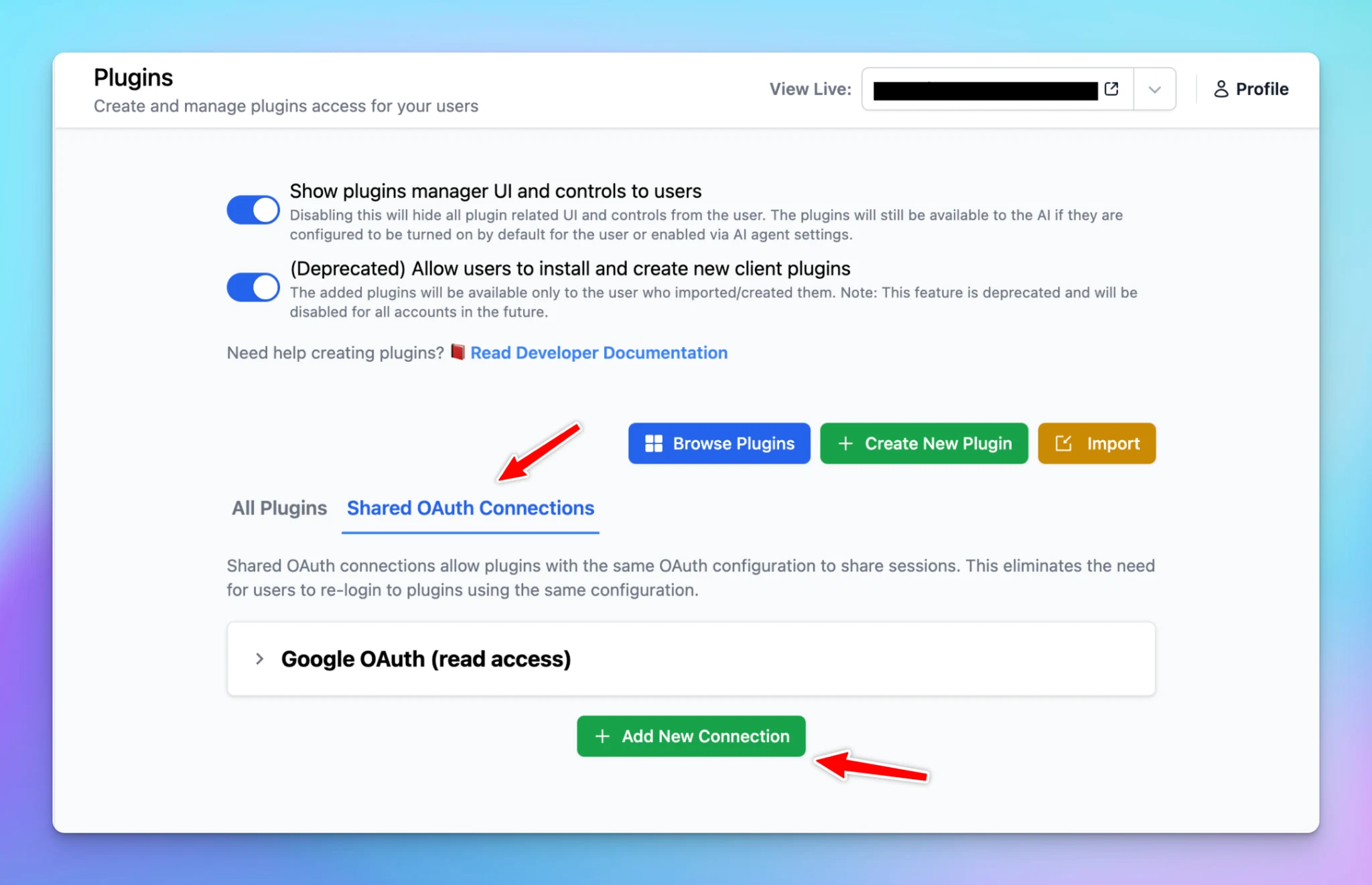
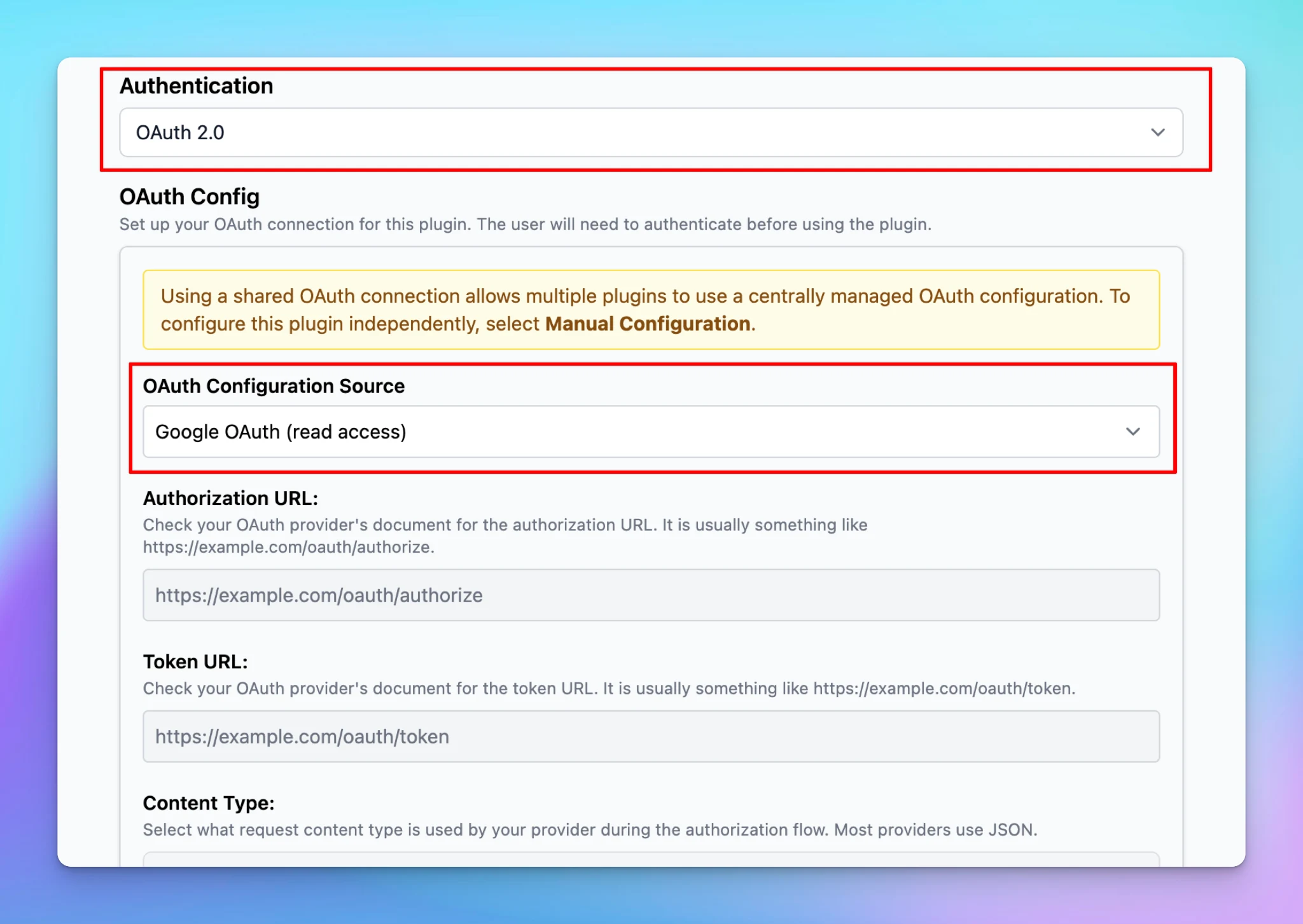
Shared OAuth Connections allow multiple plugins in TypingMind to reuse the same OAuth setup, instead of each plugin requiring its own separate OAuth authorization flow. Details on how to set up:…
Team Version
Integrations
New
Show detailsHide details
Shared OAuth Connections allow multiple plugins in TypingMind to reuse the same OAuth setup, instead of each plugin requiring its own separate OAuth authorization flow.
Details on how to set up: https://docs.typingmind.com/plugins/oauth-2.0-authentication-for-plugins#1e47c3f1757a80aca50af498dfce99d2
Follow us on X, LinkedIn, Facebook, to stay informed about the latest updates, tips, and tutorials.
TypingMind now keeps your full conversation history when you regenerate or edit! 🧵 Each time you edit or retry, a new chat thread is created. This allows you to switch among chat threads and continue exploring without losing any prompt or response history.…
Chat Management
New
Show detailsHide details
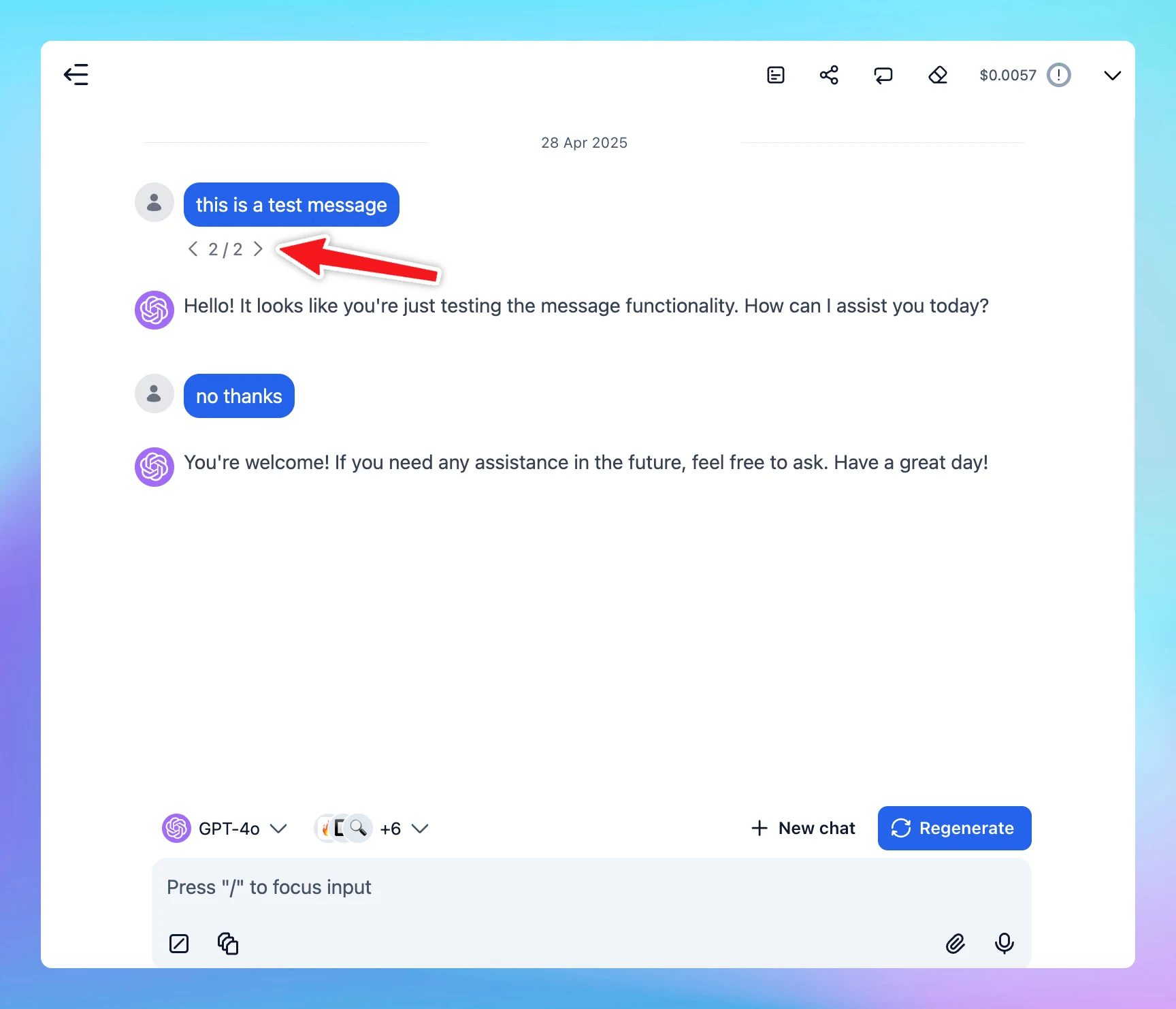
TypingMind now keeps your full conversation history when you regenerate or edit! 🧵
Each time you edit or retry, a new chat thread is created.
This allows you to switch among chat threads and continue exploring without losing any prompt or response history. 🚀
Follow us on X, LinkedIn, Facebook, to stay informed about the latest updates, tips, and tutorials.
🏞️ OpenAI Image generation is now available on TypingMind! Create and edit images with text prompts Better at Text rendering Generate infographics Ensure character consistency 👉 Enable the “GPT Image Editor” plugin to get started with any LLMs, not just…
Integrations
New
Show detailsHide details
🏞️ OpenAI Image generation is now available on TypingMind!
Create and edit images with text prompts
Better at Text rendering
Generate infographics
Ensure character consistency
👉 Enable the “GPT Image Editor” plugin to get started with any LLMs, not just with OpenAI models!
Follow us on X, LinkedIn, Facebook, to stay informed about the latest updates, tips, and tutorials.
TypingMind now supports MCP! 🔥 Limitless possibility for what you can integrate with TypingMind, such as: Read & write local files Enable long-term memory Automate browsers & scrape the web Read/send messages on Slack Integrate everything! Go to Settings →…
Integrations
New
Show detailsHide details
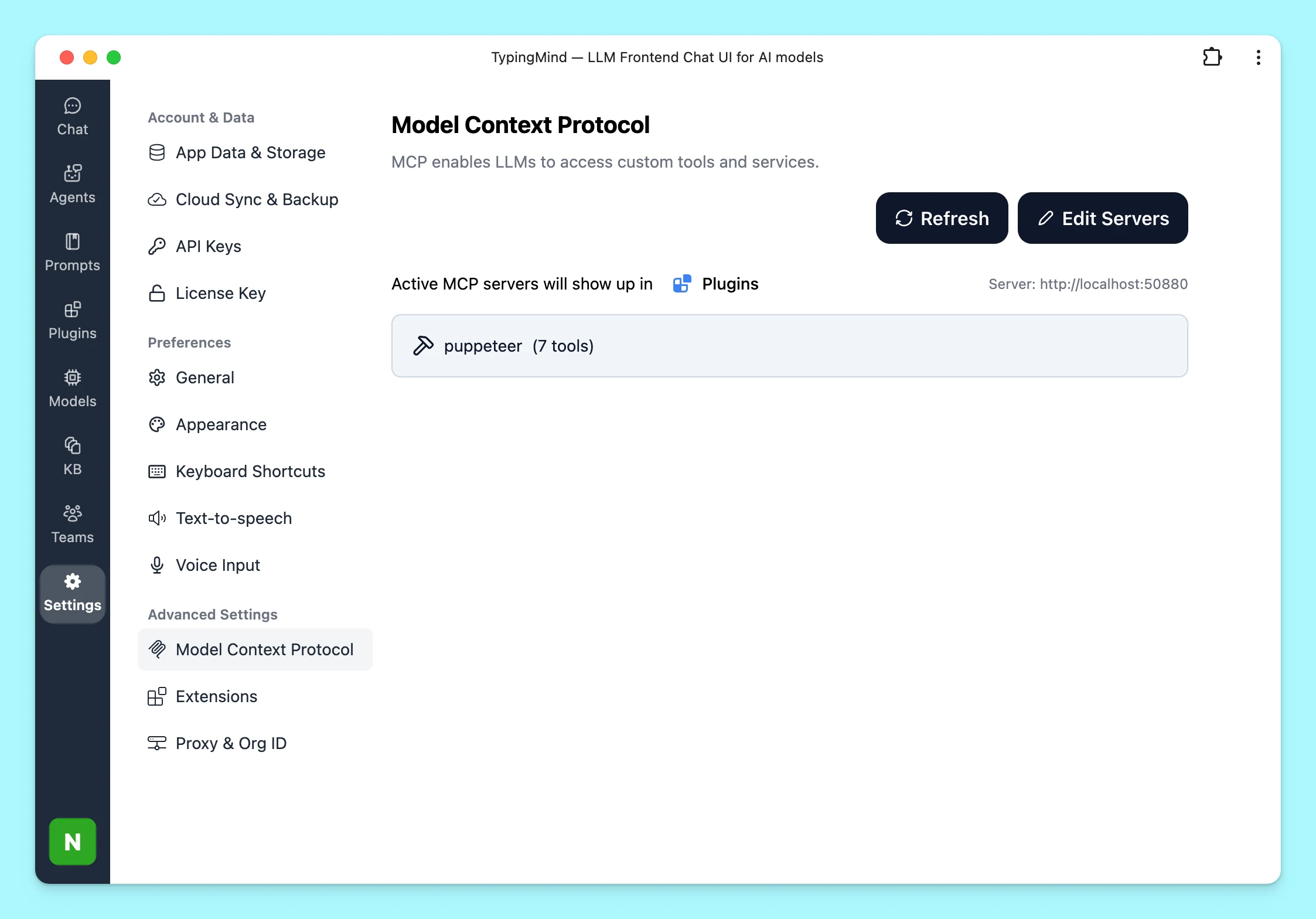
TypingMind now supports MCP! 🔥
Limitless possibility for what you can integrate with TypingMind, such as:
Read & write local files
Enable long-term memory
Automate browsers & scrape the web
Read/send messages on Slack
Integrate everything!
Go to Settings → Model Context Protocol to get started.
We’ve just rolled out a fresh set of UI improvements and new features to enhance your experience: 🔘 Button & UI Changes Model and Plugin Selectors have been moved to the bottom for a cleaner layout. Redesigned Model and Plugin Selector Panels for a more…
New
Show detailsHide details
We’ve just rolled out a fresh set of UI improvements and new features to enhance your experience:
🔘 Button & UI Changes
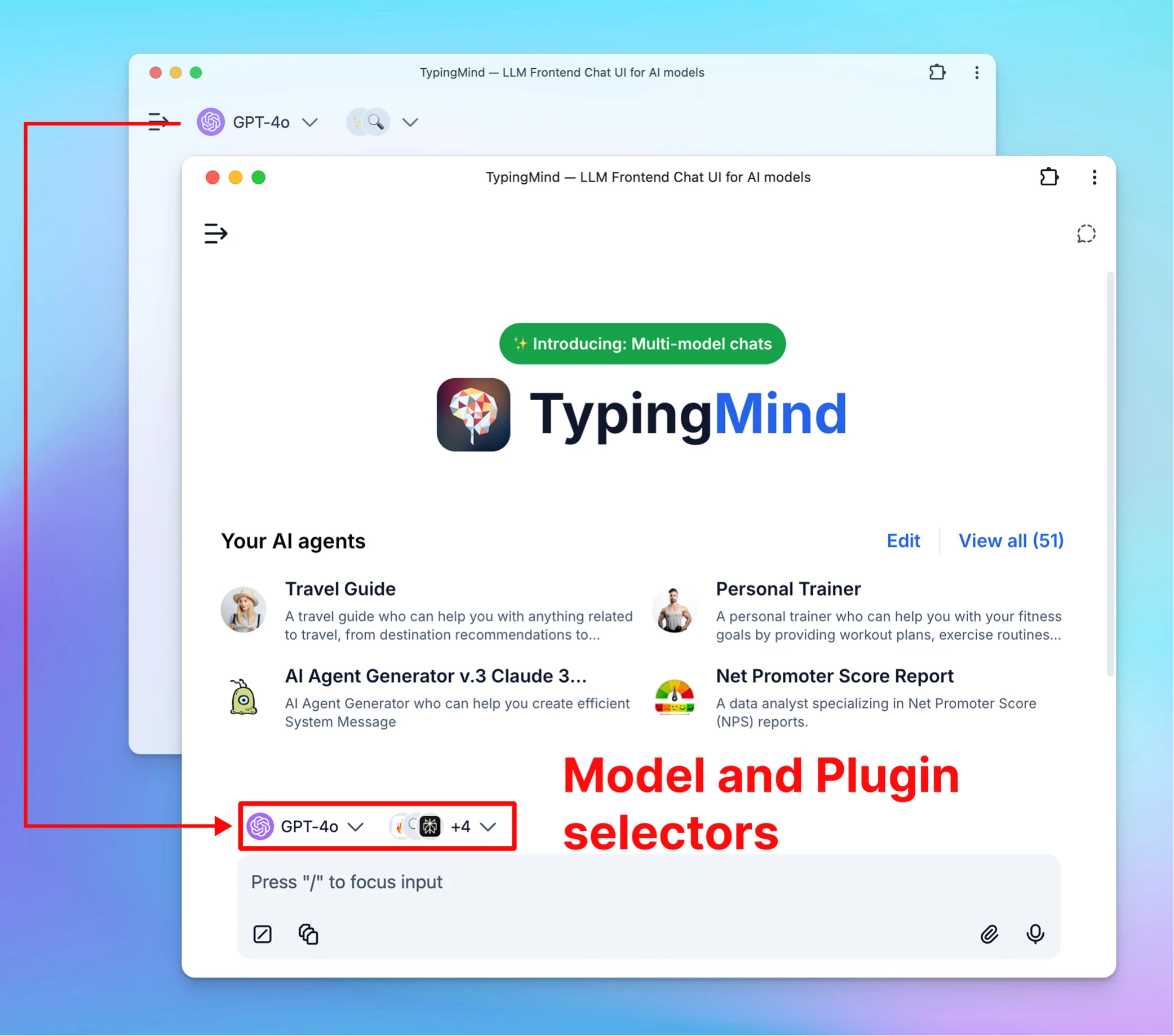
Model and Plugin Selectors have been moved to the bottom for a cleaner layout.
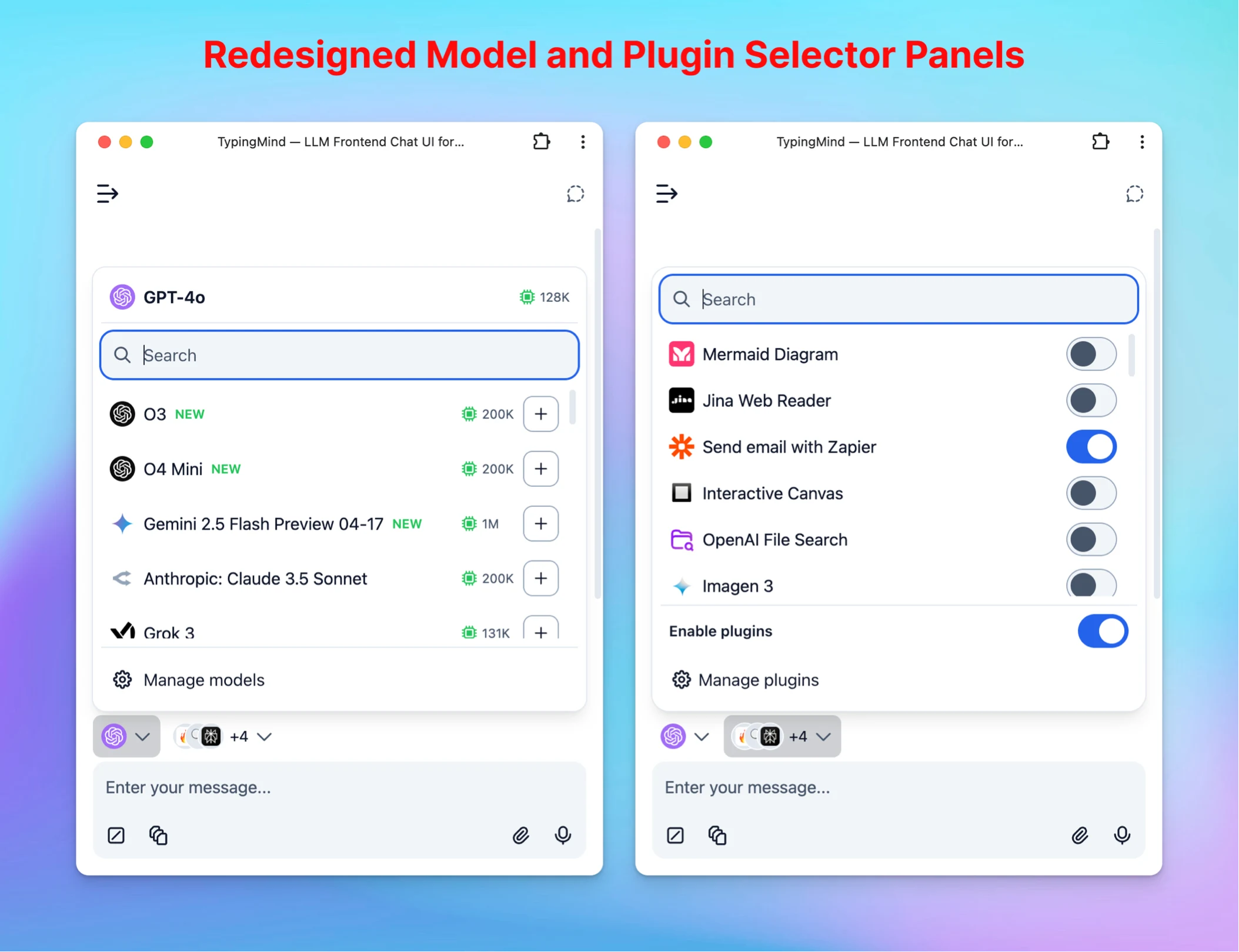
Redesigned Model and Plugin Selector Panels for a more intuitive experience.
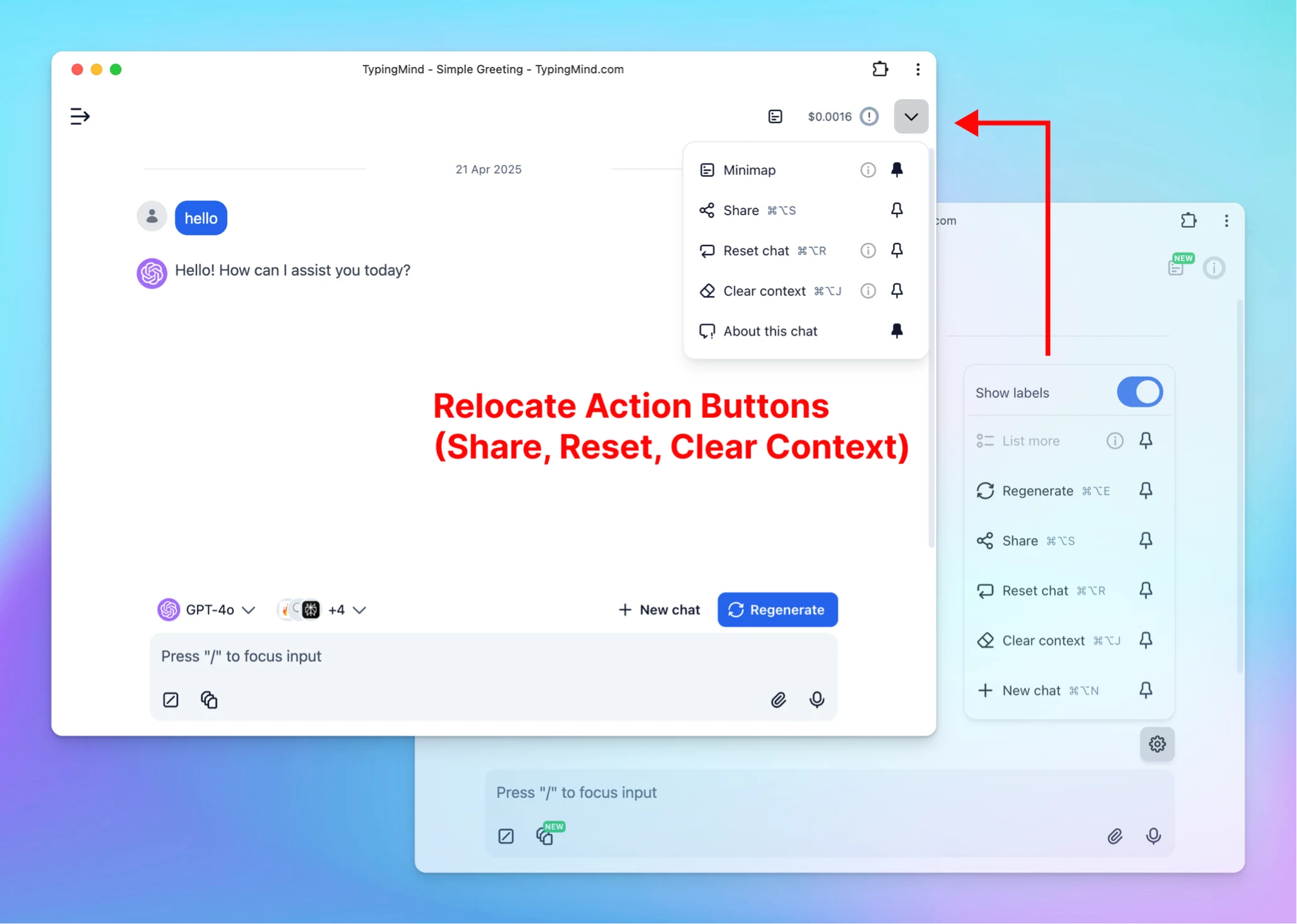
Share, Reset Chat, and Clear Context are now located in the chat header for quicker access.
Added a "More Buttons" option – now you can pin/unpin action buttons to the chat header based on your preferences.
🗺️ Added Chat Minimap to TypingMind Team
Add the Minimap feature for Team version – get a quick overview and navigate long conversations with ease.
As always, these changes are part of our continued effort to improve usability and prepare for exciting features coming soon (MCP and more!)
Only for TypingMind Team: New Agent Chat API – Deprecating v1 Chat API Endpoint The v1 Chat API on TypingMind (/v1/chat/completions) is now deprecated and will be removed soon. If you are currently using this endpoint, please update your code to use the new…
New
Team Version
Integrations
Show detailsHide details
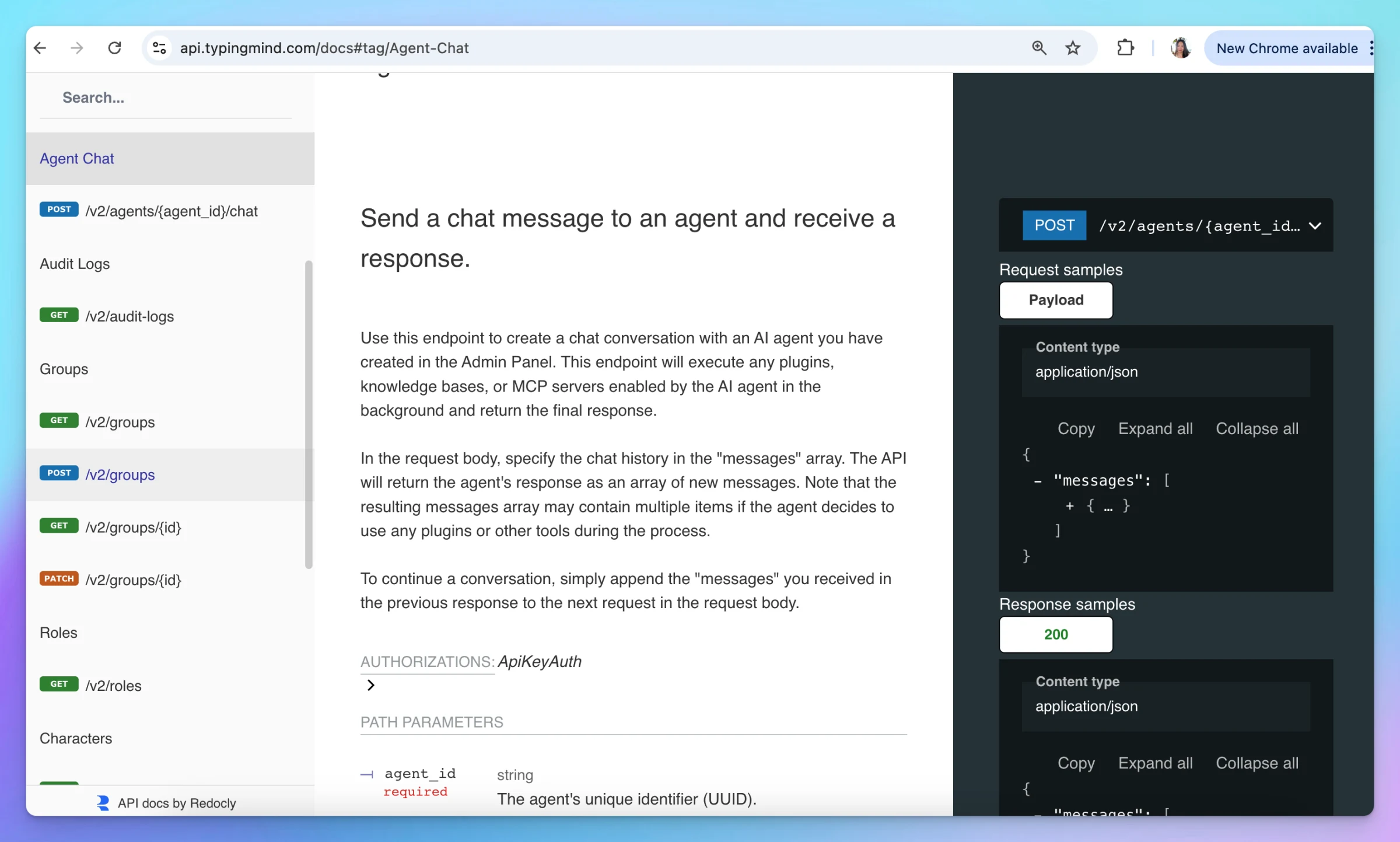
Only for TypingMind Team: New Agent Chat API – Deprecating v1 Chat API Endpoint
The v1 Chat API on TypingMind (/v1/chat/completions) is now deprecated and will be removed soon. If you are currently using this endpoint, please update your code to use the new Agent Chat API (/api/v2/agents/{agent_id}/chat) at your earliest convenience.
The new Agent Chat API offers a more powerful and flexible way to interact with your agents. It includes support for plugin execution, knowledge base lookup across all models, multiple agent handling, improved performance, and more features coming soon.
Key updates:
New public API:/v2/agents/{id}/chat replaces the old /v1/chat/completions endpoint
Deprecation timeline: Old API will be removed on 20 May 2025 (1-month notice). Customers using this endpoint will be notified via email
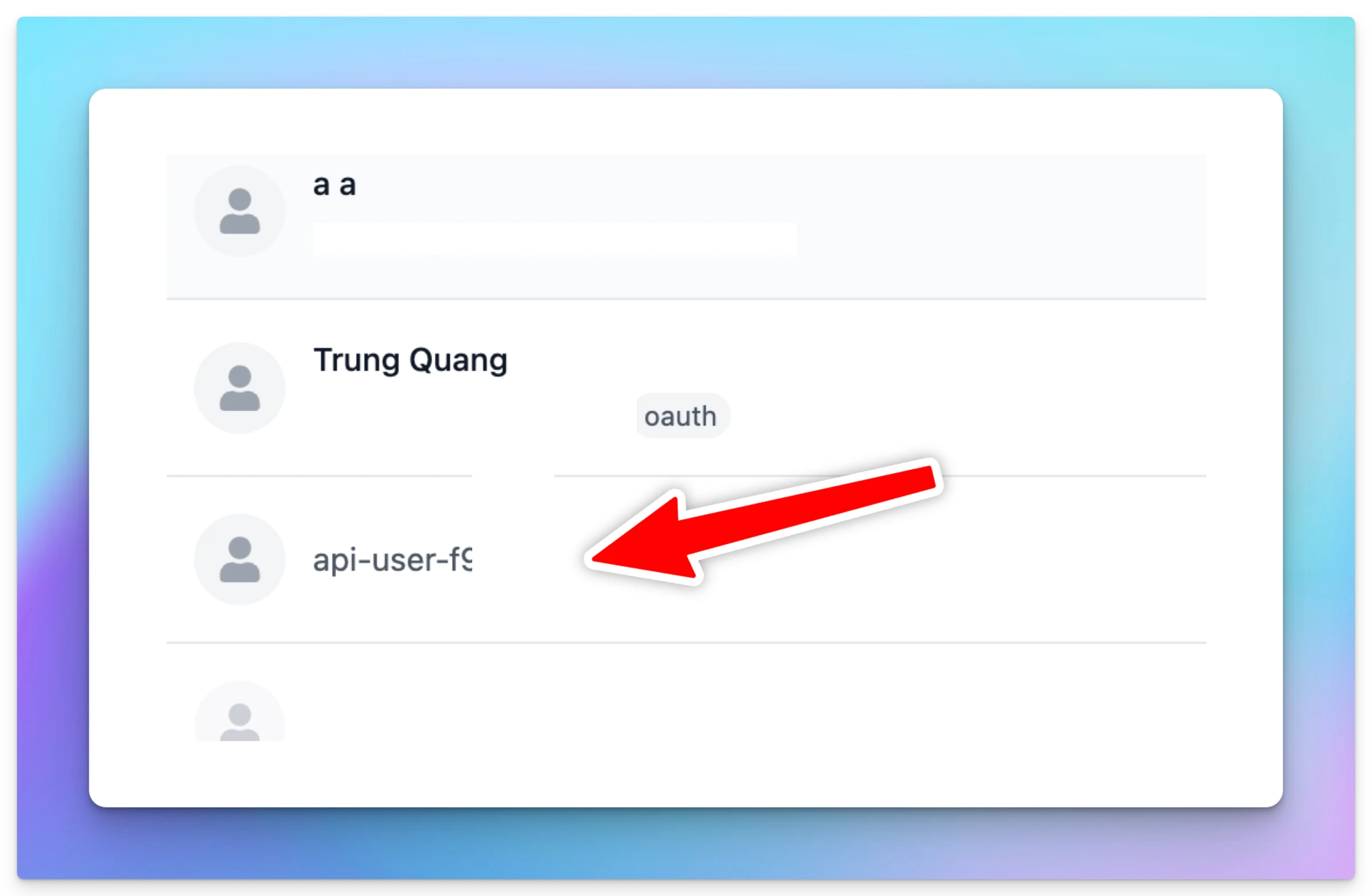
New: Metrics from messages created via API calls are now tracked under a special user labeled "api-user", which can be seen on the user list. This will occupy 1 seat per API key integration on your instance. If the API key is no longer in use, the associated seat can be removed.
Follow us on X, LinkedIn, Facebook, to stay informed about the latest updates, tips, and tutorials.
🤖 Added Gemini 2.5 Flash Preview 04-17 to TypingMind! Follow us on X, LinkedIn, Facebook, to stay informed about the latest updates, tips, and tutorials.
AI Models
New
Show detailsHide details
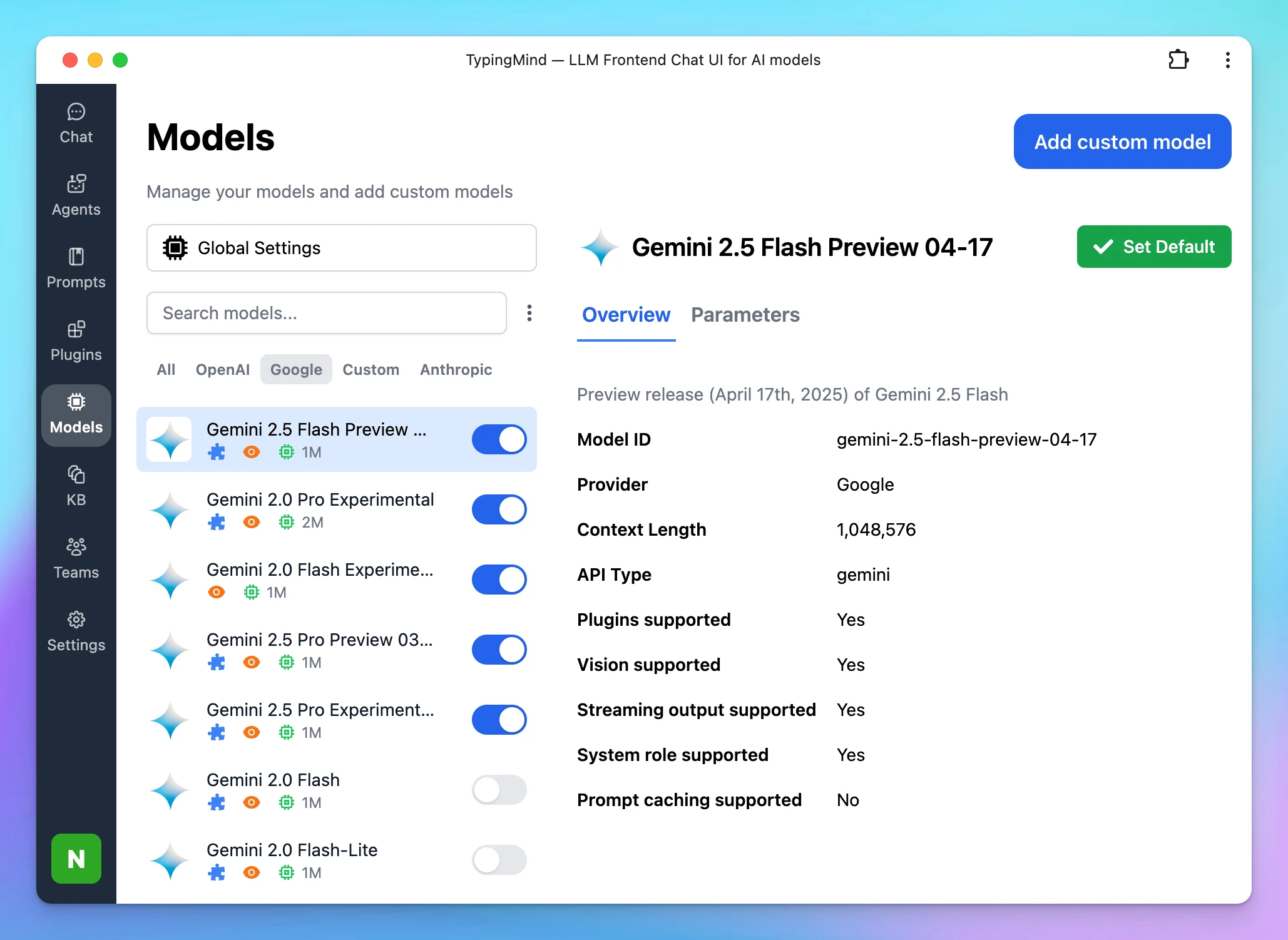
🤖 Added Gemini 2.5 Flash Preview 04-17 to TypingMind!
Follow us on X, LinkedIn, Facebook, to stay informed about the latest updates, tips, and tutorials.
🔥 o3 and o4 mini now available on TypingMind! Max output up to 100k tokens. Follow us on X, LinkedIn, Facebook, to stay informed about the latest updates, tips, and tutorials.
AI Models
New
Show detailsHide details
🔥 o3 and o4 mini now available on TypingMind!
Max output up to 100k tokens.
Follow us on X, LinkedIn, Facebook, to stay informed about the latest updates, tips, and tutorials.
With Temporary Chat, you can have quick conversations that aren't saved to your history. This is best for quick, one-off interactions (such as testing ideas or asking random stuff) where the conversation doesn’t need to be saved. Note: If you've set up system…
Chat Management
New
Show detailsHide details
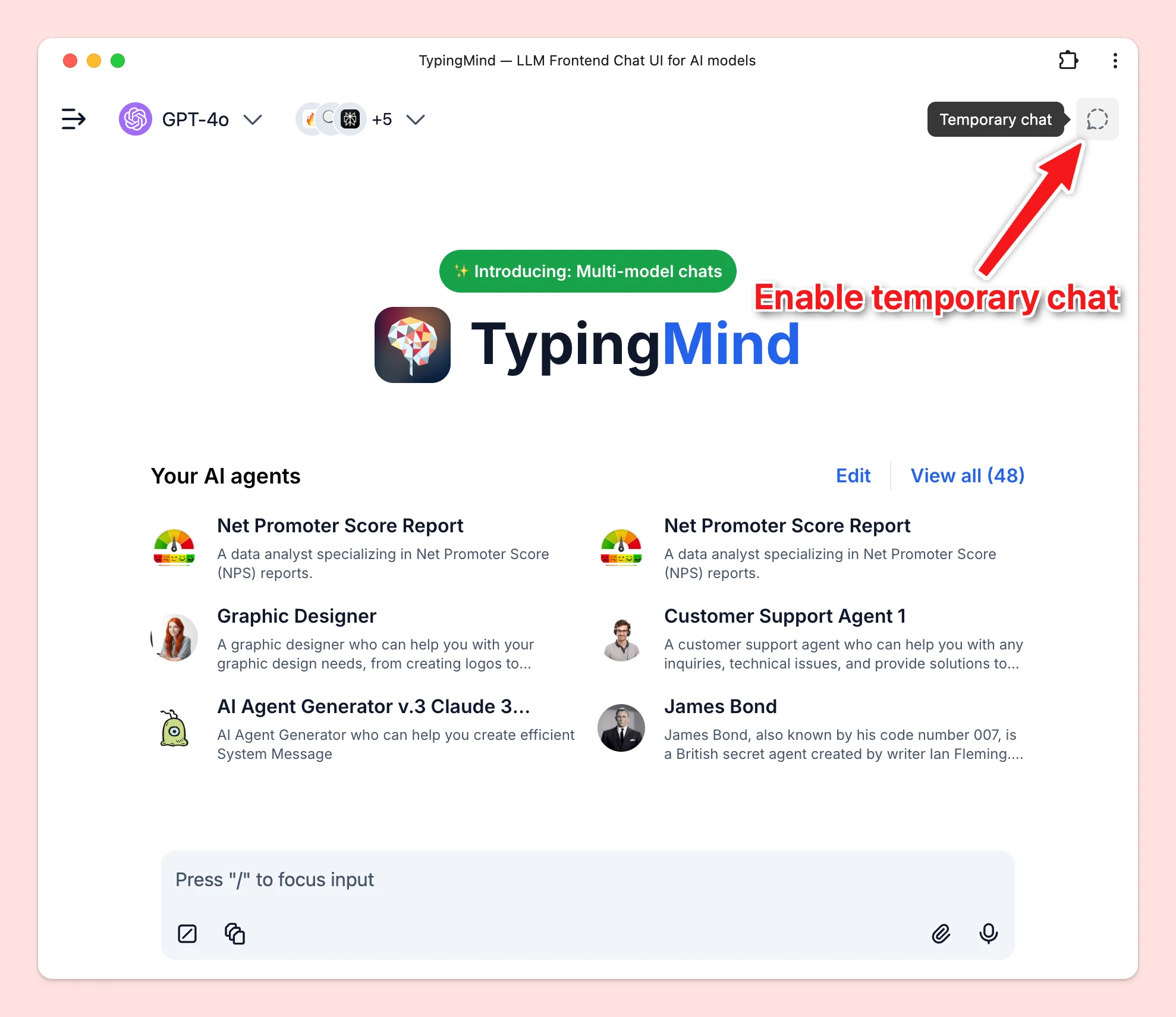
With Temporary Chat, you can have quick conversations that aren't saved to your history.
This is best for quick, one-off interactions (such as testing ideas or asking random stuff) where the conversation doesn’t need to be saved.
Note: If you've set up system instruction, they will still apply during a temporary chat.
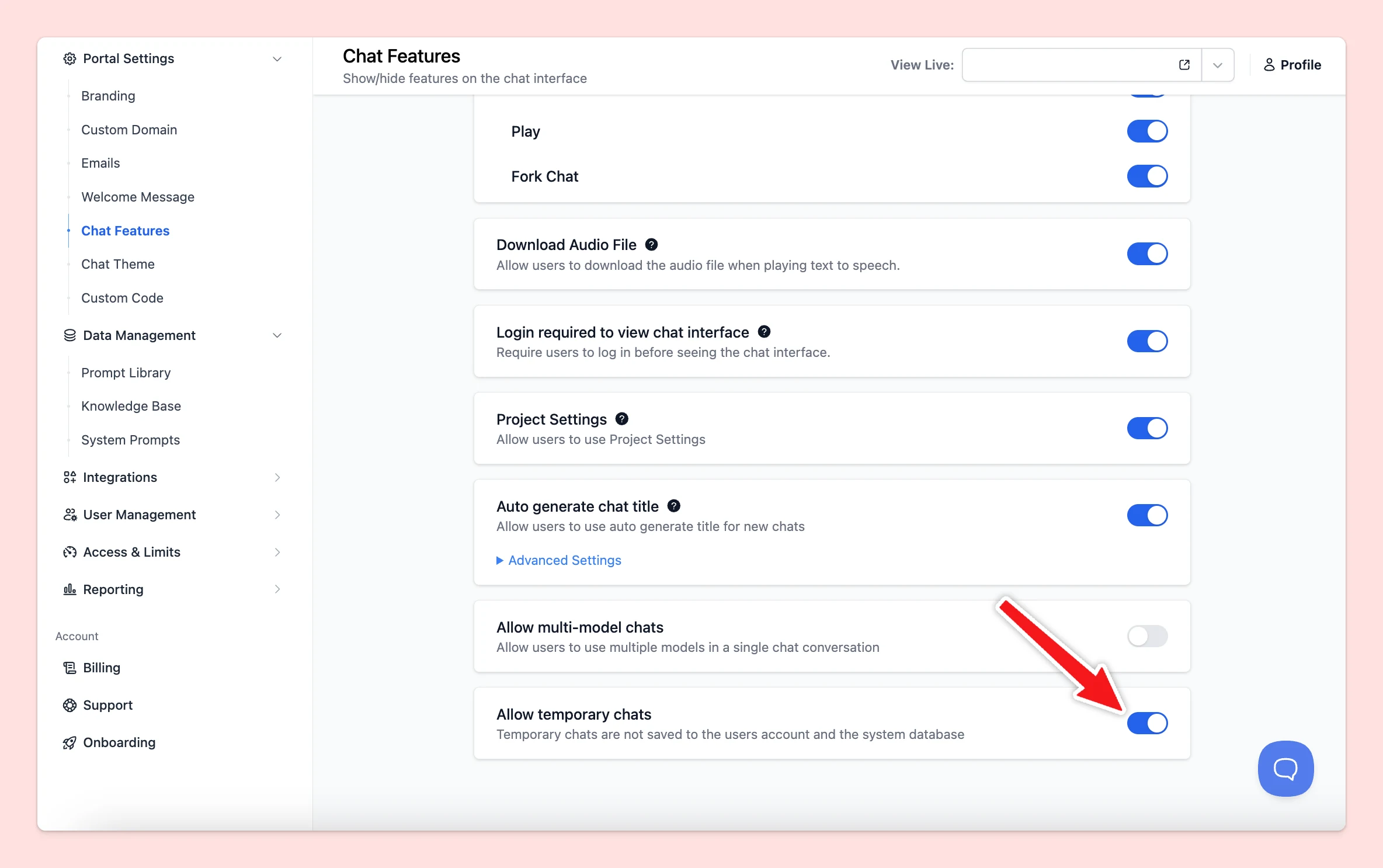
For Team users, this mode will be disabled by default. Admins will need to enable this via the Admin Panel --> Chat Features
Follow us on X, LinkedIn, Facebook, to stay informed about the latest updates, tips, and tutorials.
🔥GPT-4.1, GPT-4.1 mini, and GPT-4.1 nano are now available on TypingMind! Handle up to 1M of context.Compare the performance of these three models in parallel:Follow us on X, LinkedIn, Facebook, to stay informed about the latest updates, tips, and tutorials.
New
Show detailsHide details
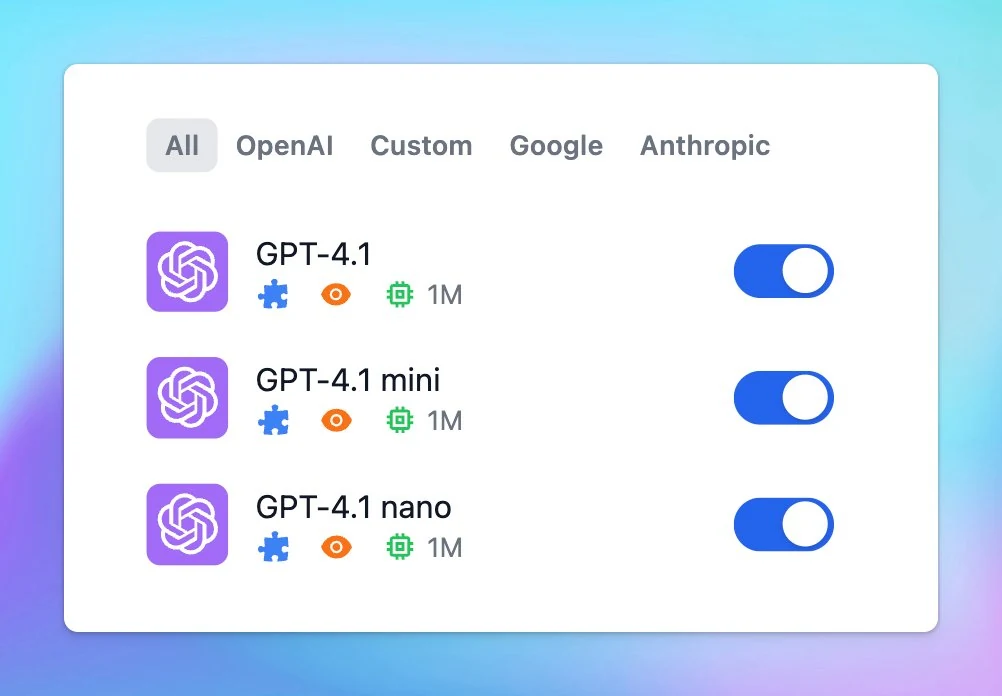
🔥GPT-4.1, GPT-4.1 mini, and GPT-4.1 nano are now available on TypingMind!
Handle up to 1M of context.Compare the performance of these three models in parallel:Follow us on X, LinkedIn, Facebook, to stay informed about the latest updates, tips, and tutorials.
🔥 Chat with multiple AI models in parallel on typingmind.com! Try now! *Note: In case of multi-model response, in the chat info popup, context length is the length of the selected primary response, the total token spent is combined tokens from all models.…
AI Models
New
Show detailsHide details
🔥 Chat with multiple AI models in parallel on typingmind.com!
Try now!
*Note:
In case of multi-model response, in the chat info popup, context length is the length of the selected primary response, the total token spent is combined tokens from all models.
You can not edit / pin / use canvas in multi responses mode.
Admins can enable this option via Admin Panel --> Models
Related updates
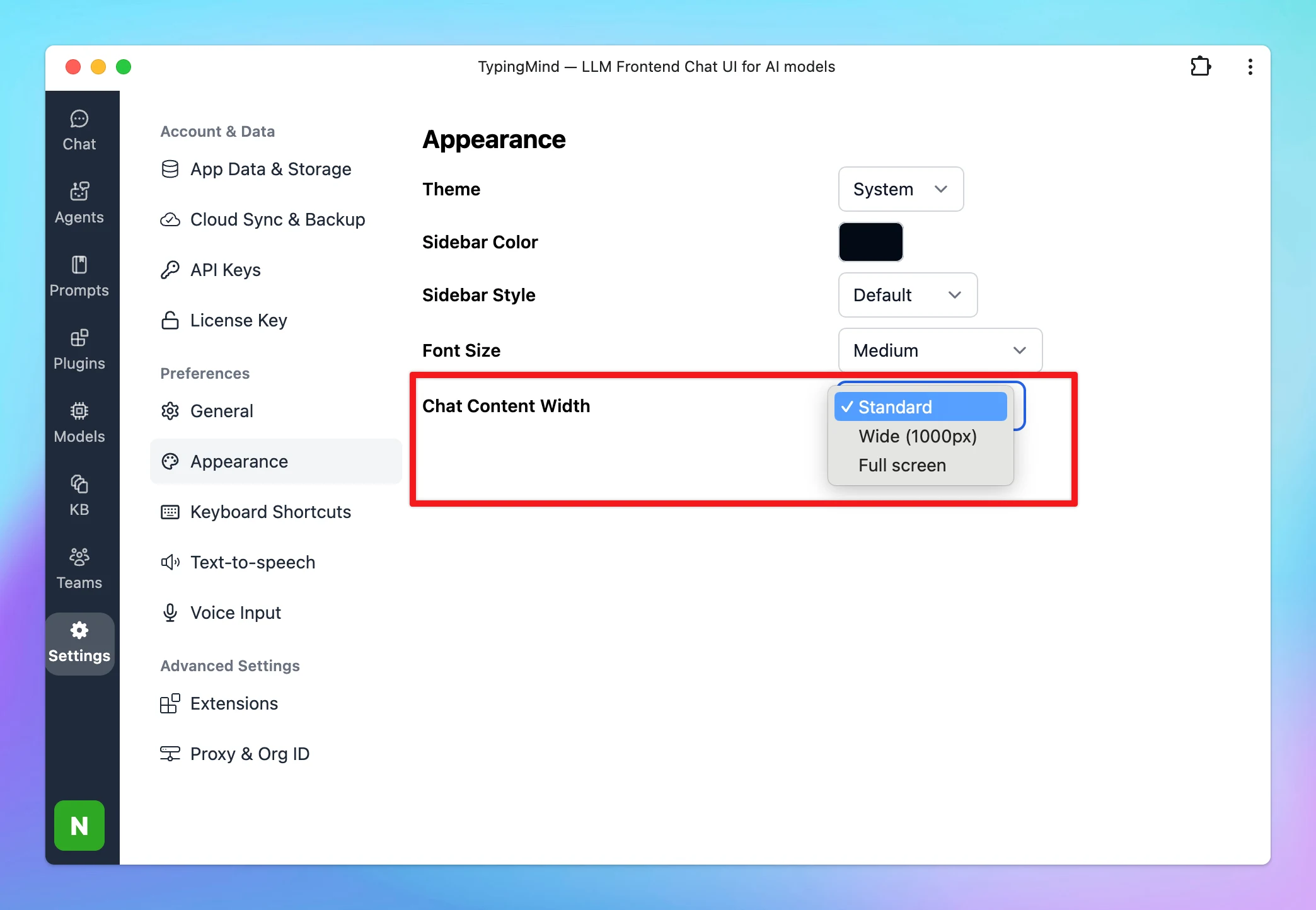
Chat Content Width button (previously on the top right corner of the app) has been moved to Settings → Appearance to provide a better chat experience.
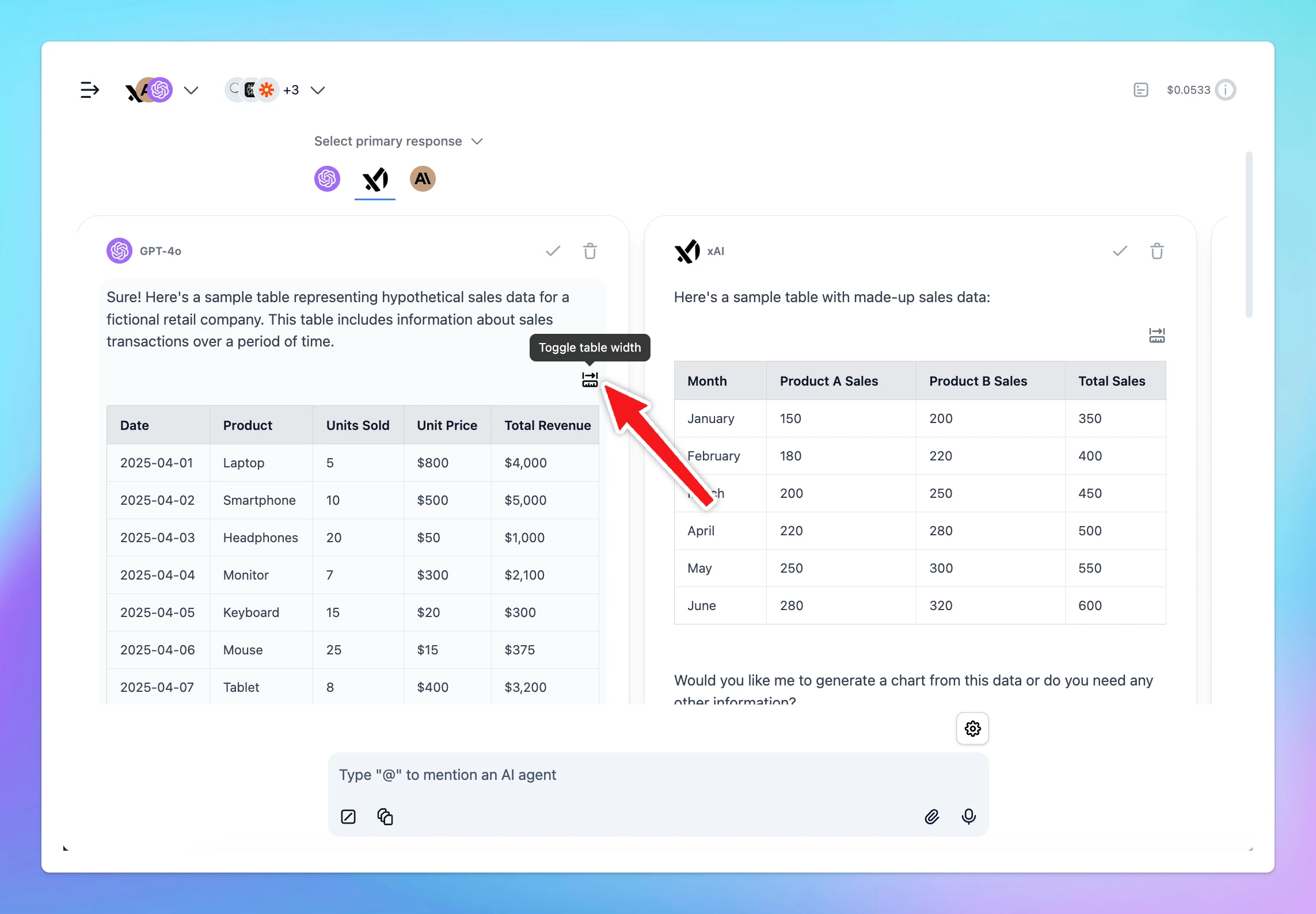
Response blocks can now adjust width individually when having a table (markdown).
Follow us on X, LinkedIn, Facebook, to stay informed about the latest updates, tips, and tutorials.
Auto-generate a profile image for your AI agent in one click 🤖 Follow us on X, LinkedIn, Facebook, to stay informed about the latest updates, tips, and tutorials.
AI Agents
New
Show detailsHide details
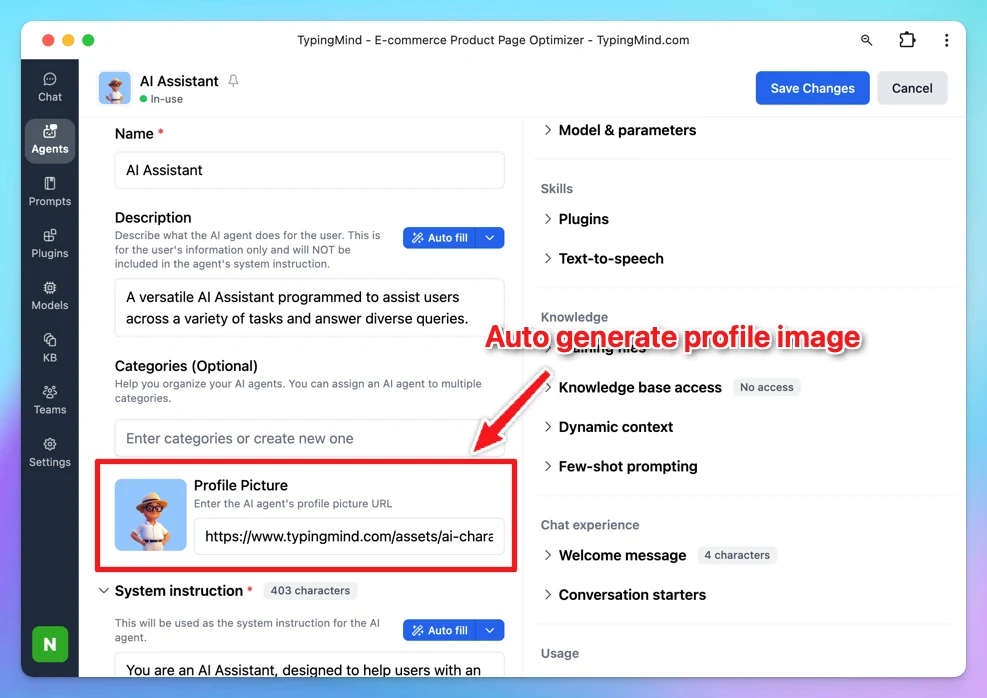
Auto-generate a profile image for your AI agent in one click 🤖
Follow us on X, LinkedIn, Facebook, to stay informed about the latest updates, tips, and tutorials.
We're excited to announce a significant update to our platform that brings substantial improvements to performance, architecture, user experience and pave the way for exciting future developments! Check them out! More Integrated Knowledge Base One of the most…
New
Show detailsHide details
We're excited to announce a significant update to our platform that brings substantial improvements to performance, architecture, user experience and pave the way for exciting future developments!
Check them out!
More Integrated Knowledge Base
One of the most exciting changes is the complete overhaul of our Knowledge Base functionality:
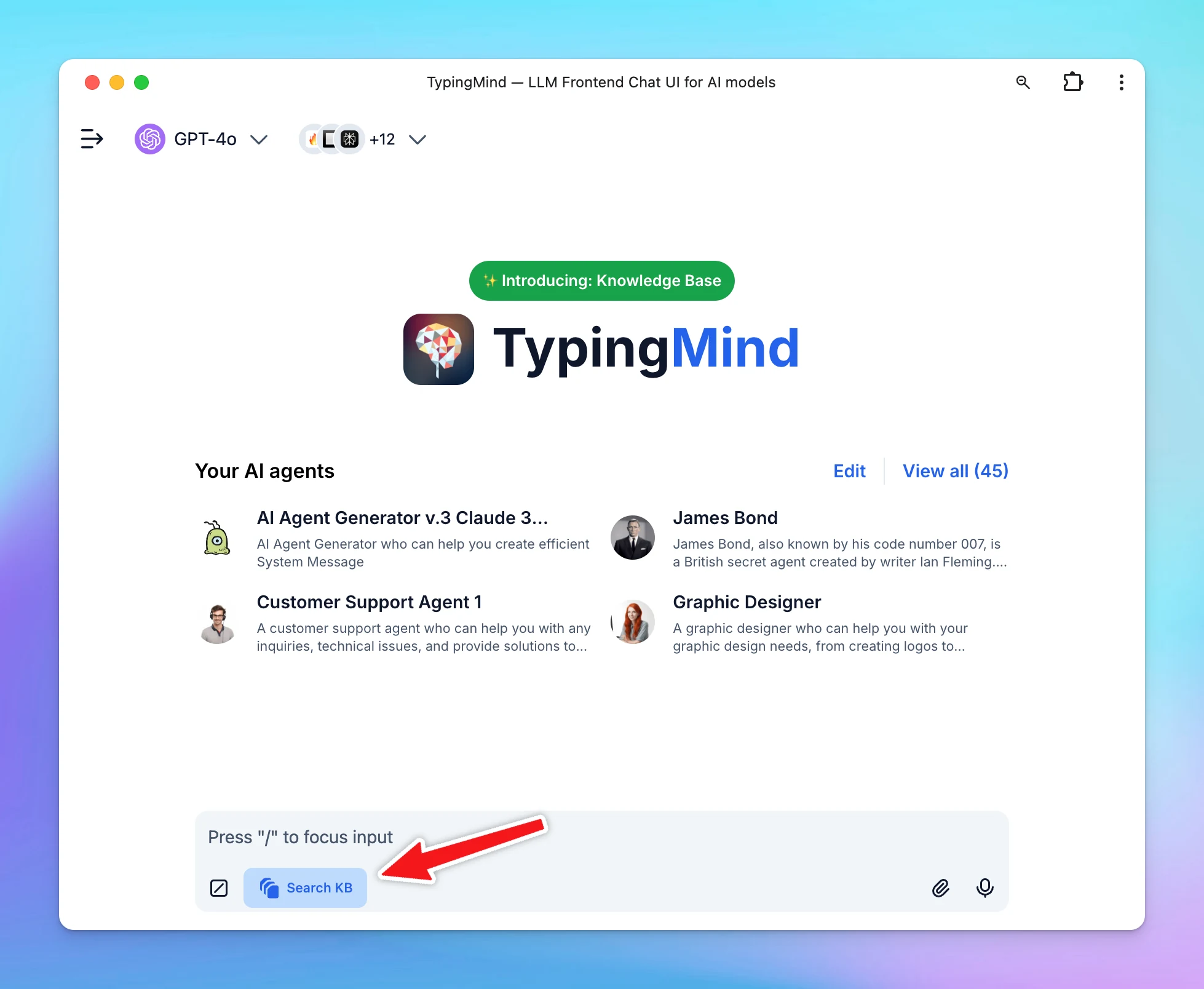
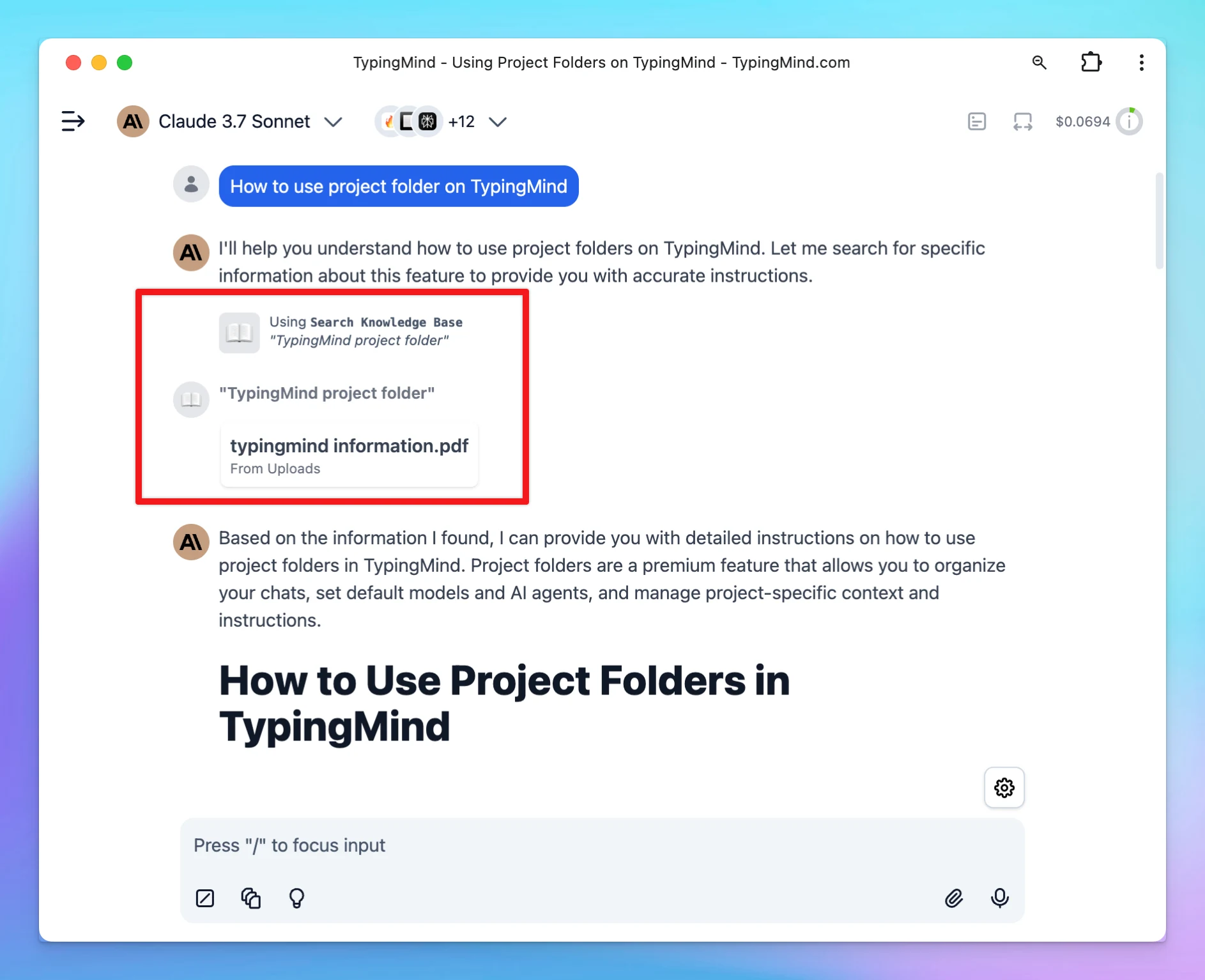
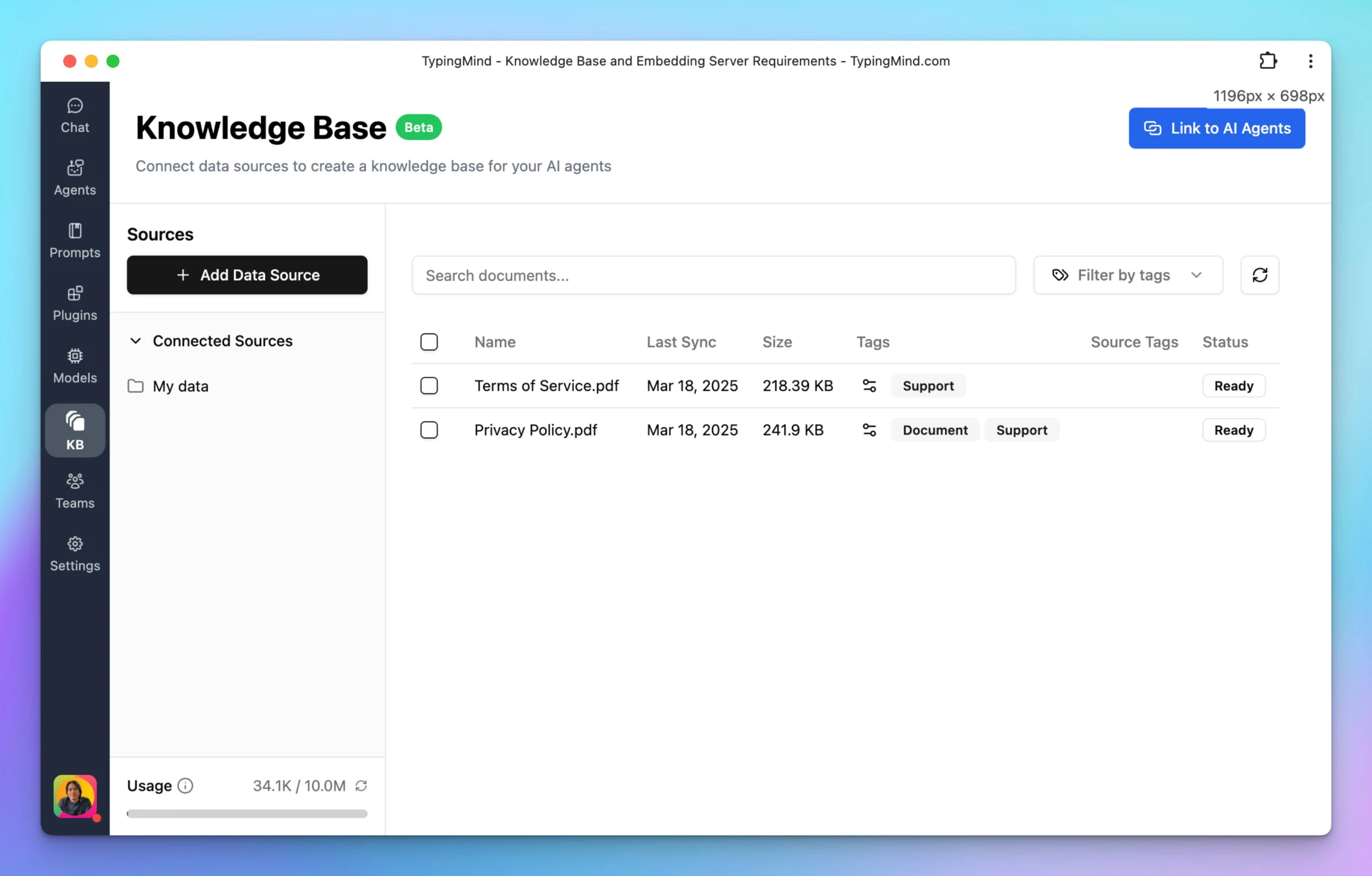
Direct Knowledge Base access: you can now access your Knowledge Base directly—no AI Agent or “Search Knowledge Base” plugin required. Simply toggle the “Knowledge Base” button in the text area to enable or disable it as needed.
Universal compatibility: the KB now works seamlessly with all AI models, even those that don't natively support plugins.
Consistent source references: enjoy a unified look and feel for how sources are displayed (for OpenAI/Claude models with plugins supported).
**Please note that if you're using the Team version, there's no need to toggle the KB button, as the process is automated in this version.
This update makes the knowledge base more accessible and seamless to use for all users.
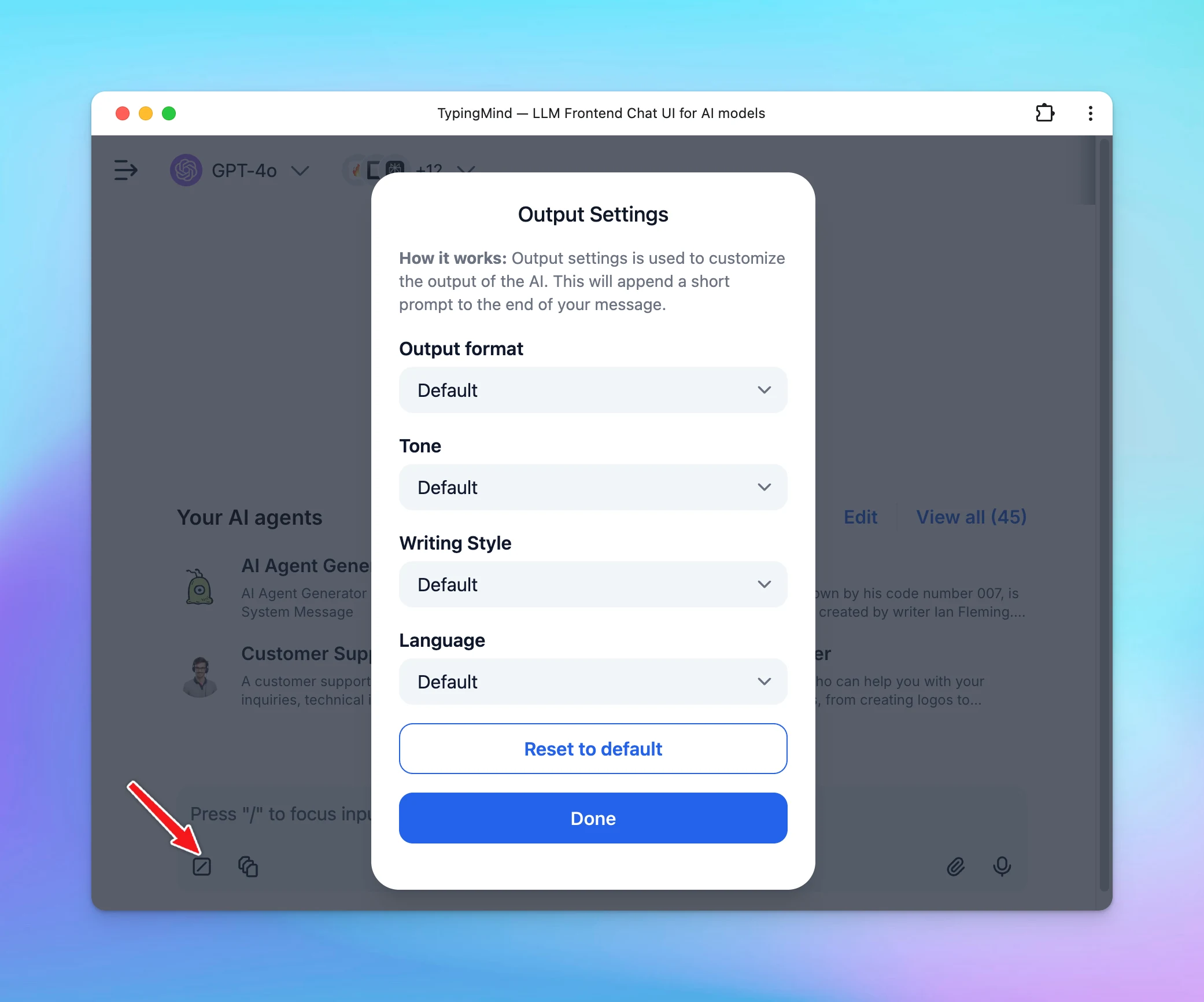
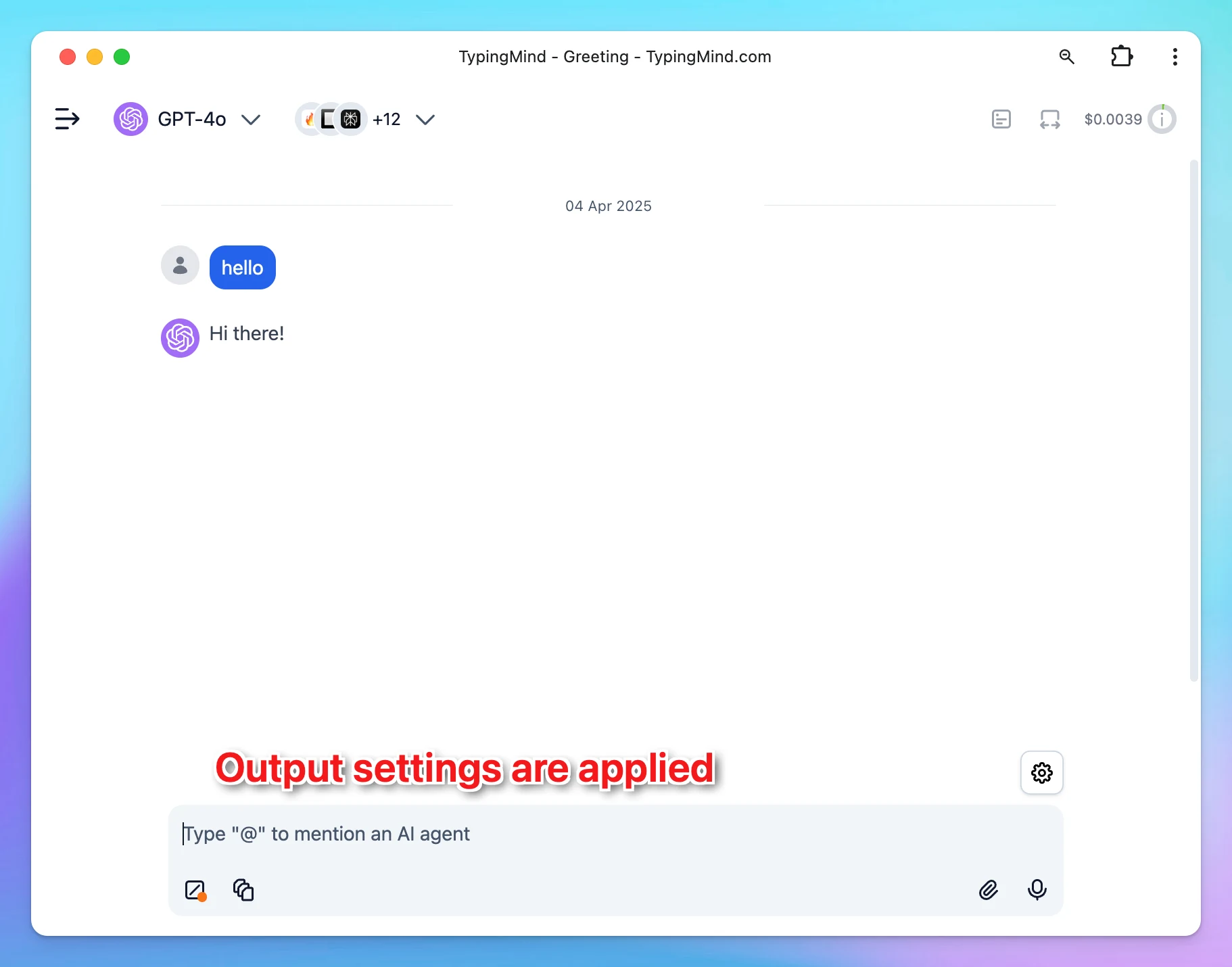
Update Output Settings Behavior
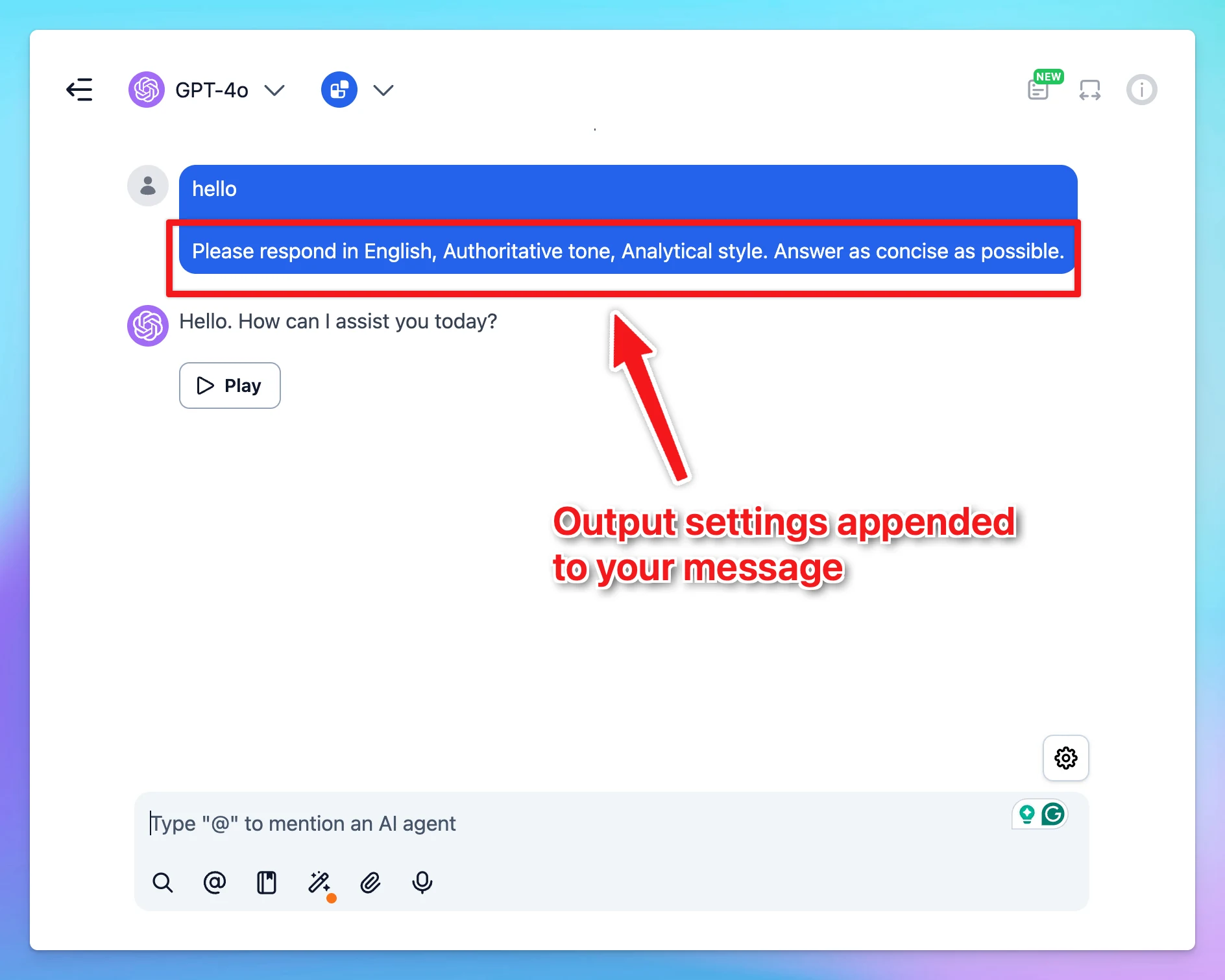
Previously, output settings were appended directly within your message, which could interfere when editing or modifying the message later on.
Now, Output settings are applied behind the scenes during generation, so they don’t get embedded into the message content. That keeps the message clean and easy to modify later.
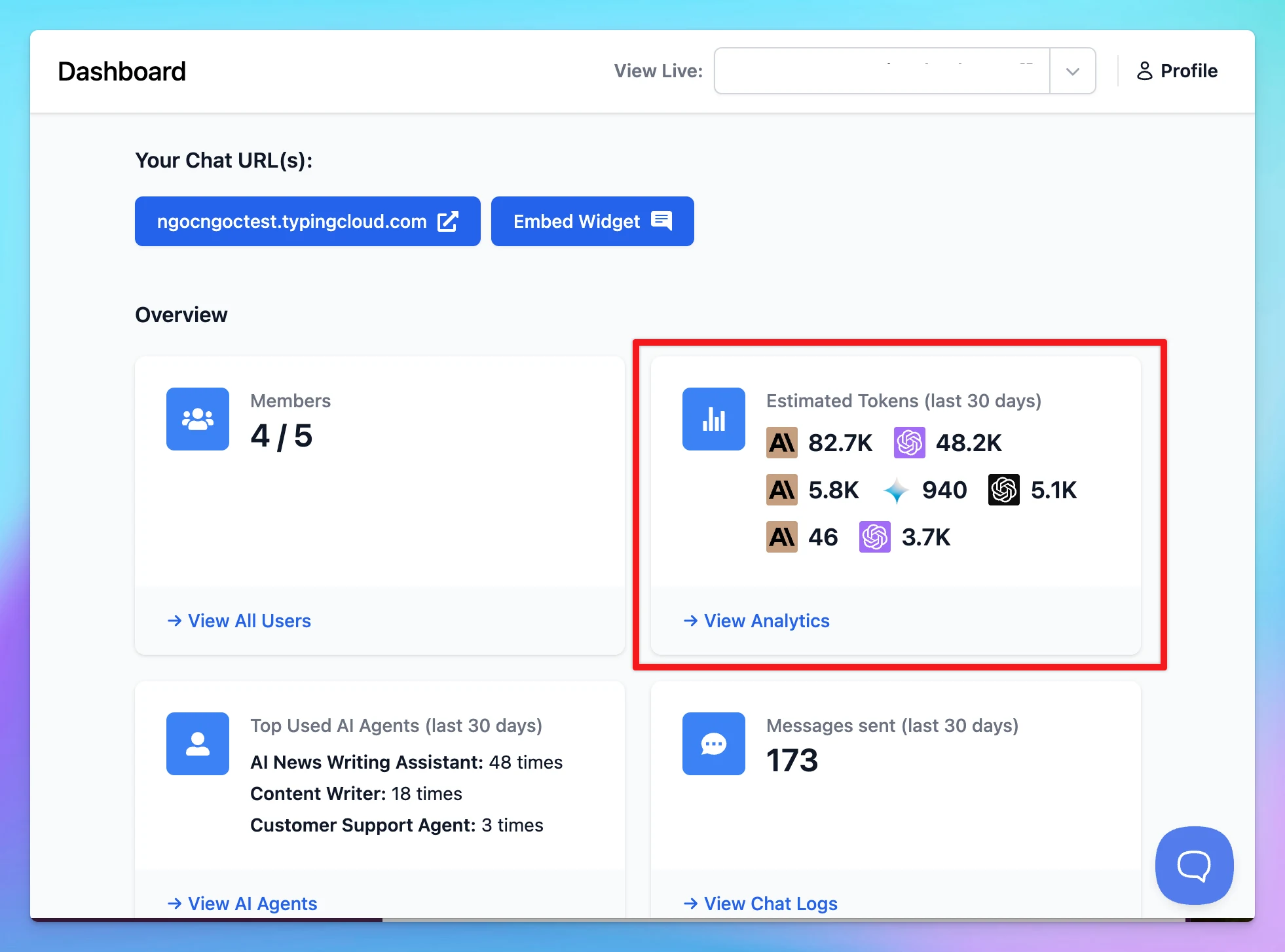
Improve Token Counting (for TypingMind Team)
We’ve upgraded our token counting algorithms in the Team version to provide more accurate and transparent usage metrics. This gives you clearer insights into how tokens are being used—helping you manage costs more effectively and stay in control of your team usage.
This has already been available in the user interface, and is now extended to team-level usage tracking as well.
Enhance Plugin Framework (for TypingMind Team)
We've completely reworked how plugins function in our platform for Team users:
Server-side execution: all plugins in the Team version now run on the server, providing better security, consistency, and performance
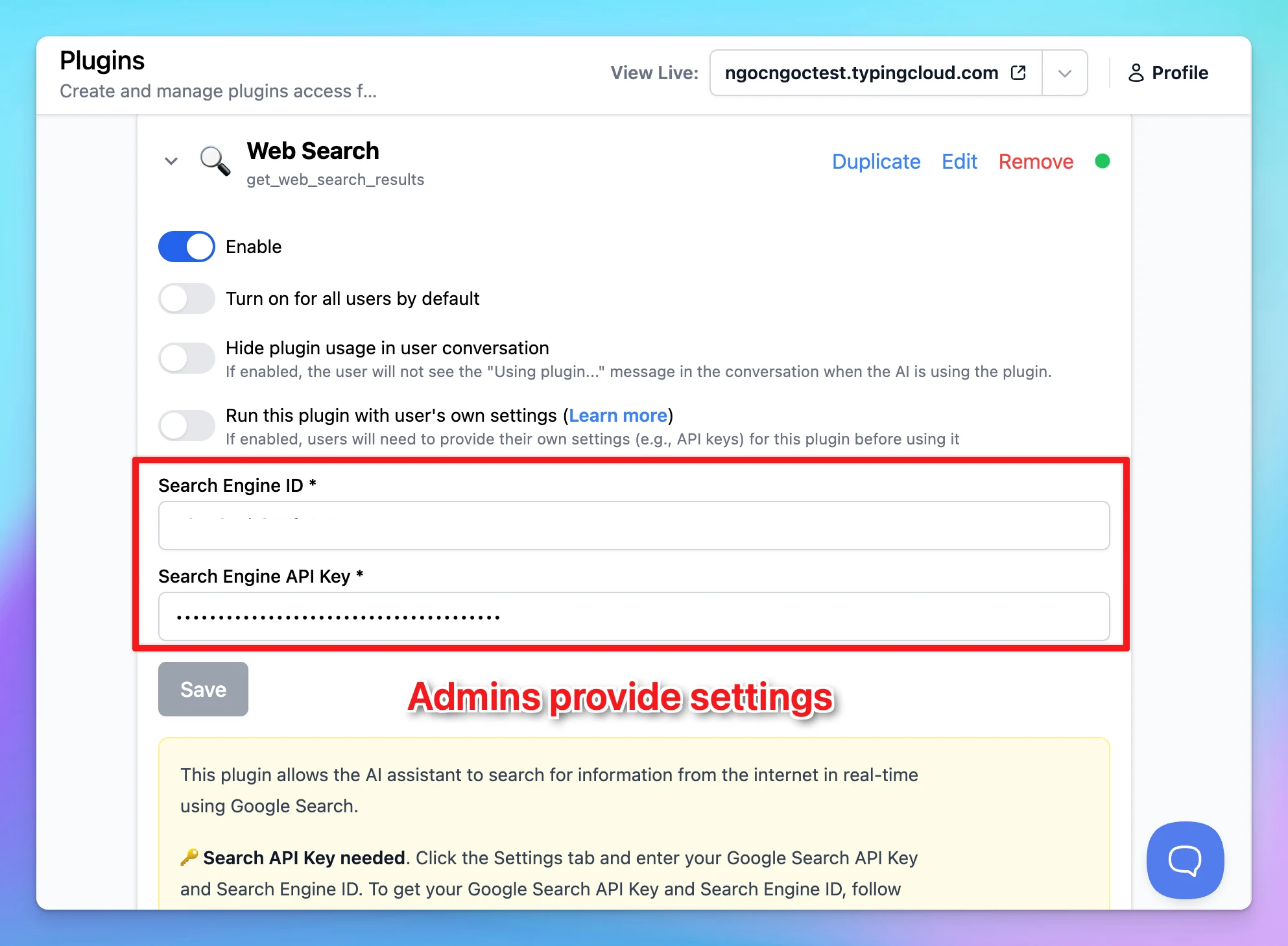
Server plugins - plugins run on server side. Users can not see the plugin's code, API keys, credentials, and data. Only the plugin's output is shown to the user.
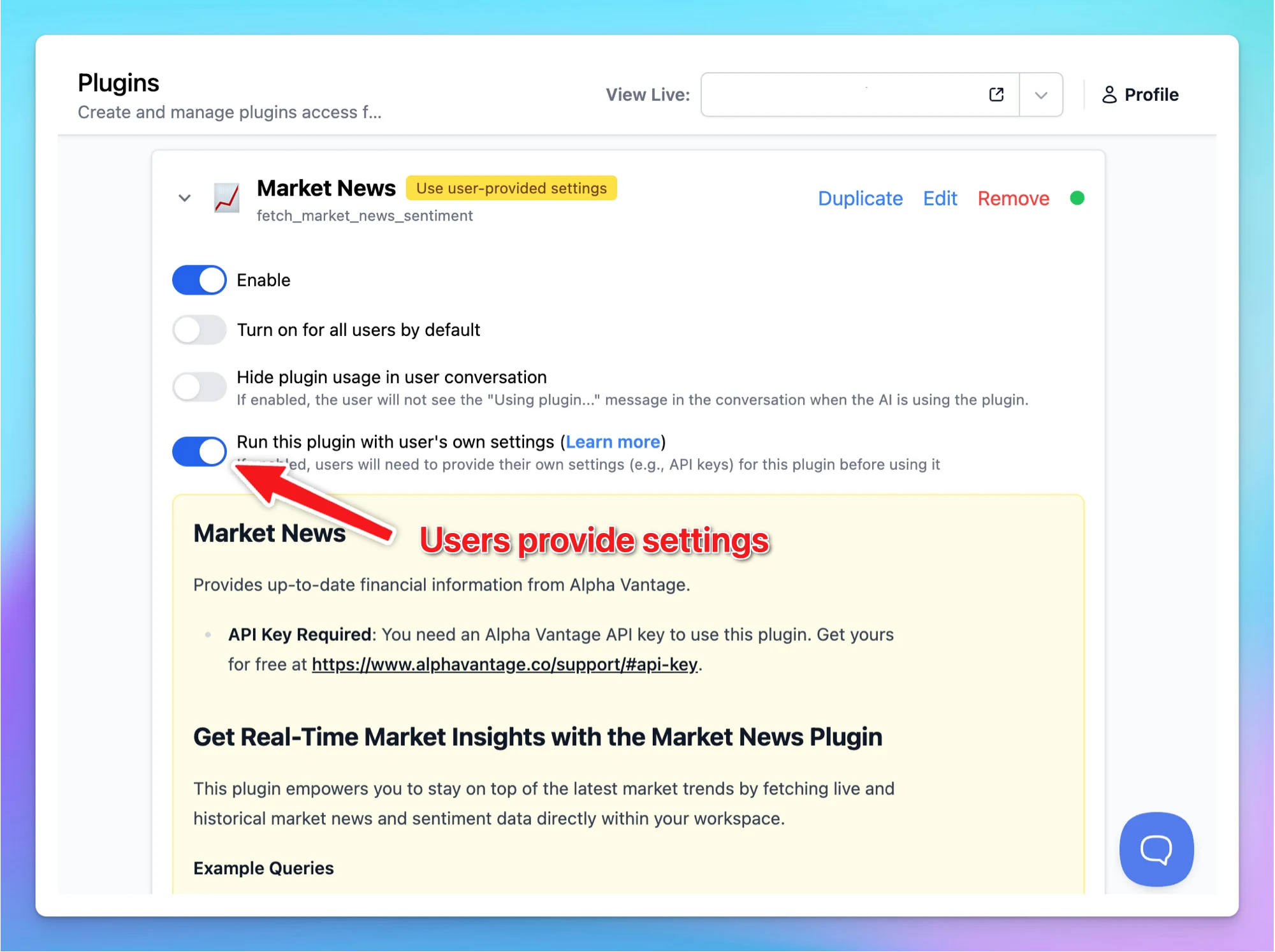
Customizable user fields: admins can now enable "Use User-provided settings" fields, which lets admins define which plugin settings fields (e.g., API keys) users are required to input manually.
Legacy support: for existing client plugins, credentials are securely transmitted to the server for execution
This update provides better security, more powerful integrations, and greater flexibility for your team’s needs.
What these updates mean for you
These updates represent a significant step forward in our platform's capabilities:
More powerful Knowledge Base: directly upload and access your knowledge base without unnecessary steps
Streamlined experience: a cleaner, more focused interface that highlights what matters most.
Enhanced security: server-side plugin execution adds a new layer of safety and control.
Future-ready foundation: these improvements lay the groundwork for exciting new features coming to the app over the coming months!
We believe these changes create a more powerful, efficient platform that better serves your needs while laying the groundwork for future innovations.
Thank you for your continued support. We welcome your feedback as you explore these new capabilities!
Gemini 2.5 Pro is available now on TypingMind! (Thinking text will be available as soon as it's supported by the API!)Follow us on X, LinkedIn, Facebook, to stay informed about the latest updates, tips, and tutorials.
AI Models
New
Show detailsHide details
Gemini 2.5 Pro is available now on TypingMind!
(Thinking text will be available as soon as it's supported by the API!)Follow us on X, LinkedIn, Facebook, to stay informed about the latest updates, tips, and tutorials.
All product updates, improvements, and new features are now available at our new changelog page 👉 https://typingmind.canny.io/changelog Follow along to stay up to date with what’s new! You can still access the older changelogs here:…
New
Show detailsHide details
All product updates, improvements, and new features are now available at our new changelog page 👉 https://typingmind.canny.io/changelog
Follow along to stay up to date with what’s new!
You can still access the older changelogs here: https://docs.typingmind.com/changelog
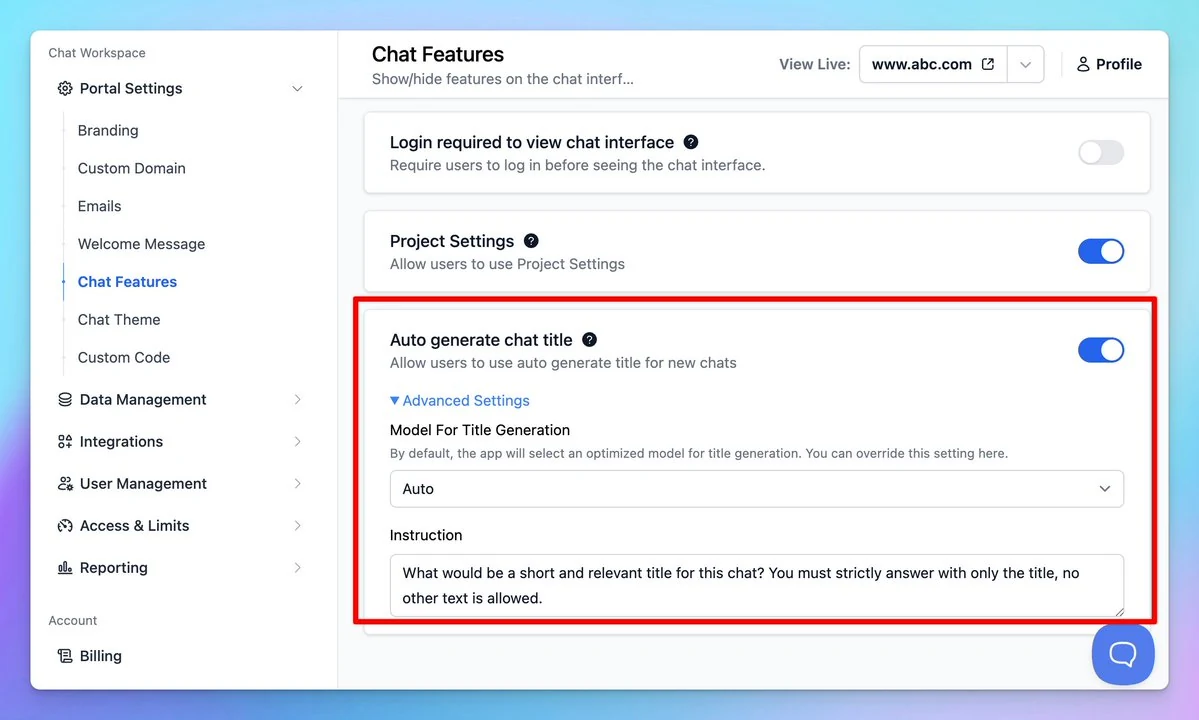
Admins (TypingMind Teams) can now set a default model and custom instructions for chat title generation! *This option is already available via Settings within the chat interface. Follow us on X, LinkedIn, Facebook, to stay informed about the latest updates,…
Team Version
New
Show detailsHide details
Admins (TypingMind Teams) can now set a default model and custom instructions for chat title generation!
*This option is already available via Settings within the chat interface.
Follow us on X, LinkedIn, Facebook, to stay informed about the latest updates, tips, and tutorials.
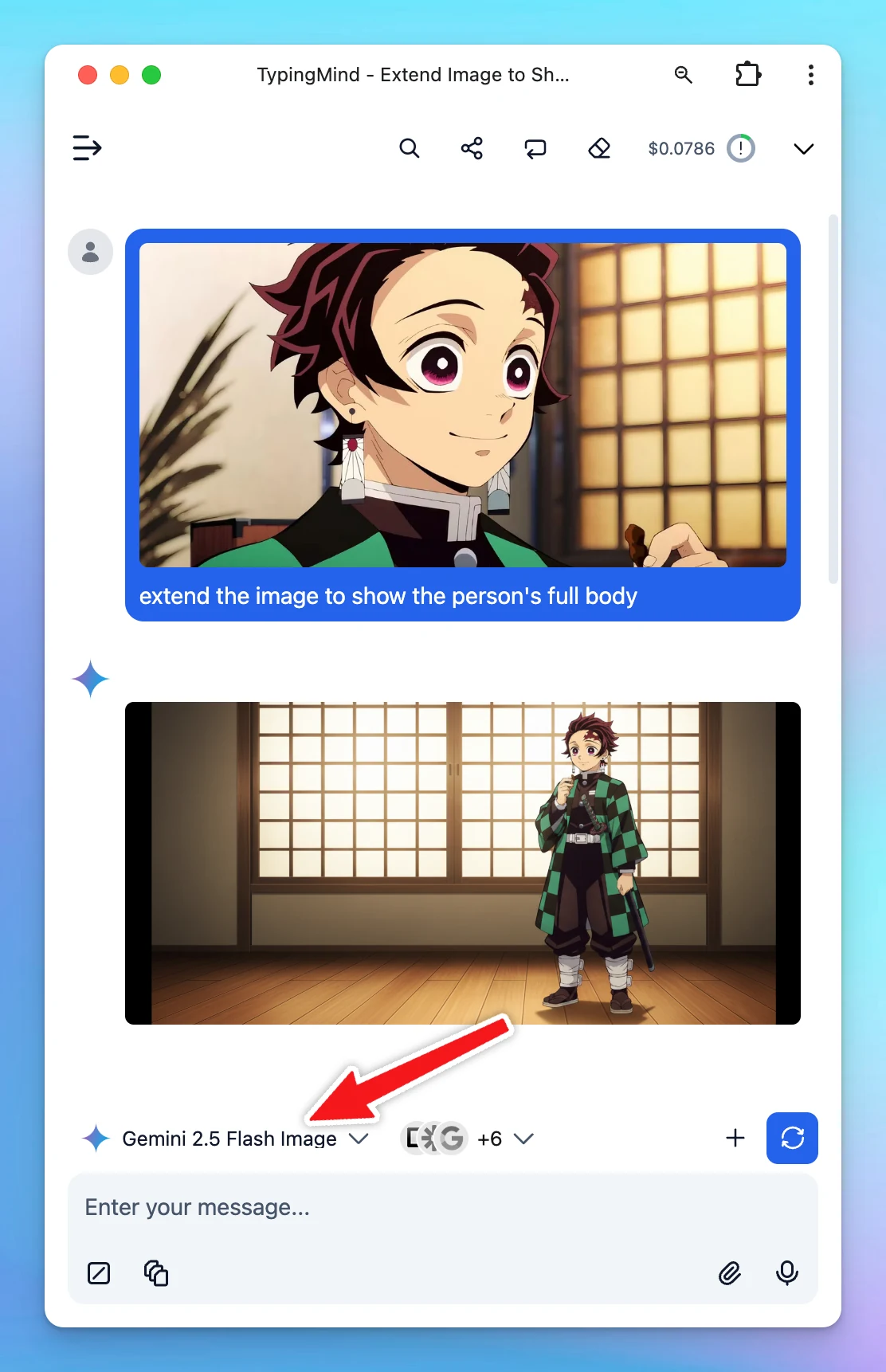
You can now use Gemini 2.0 Flash Experimental for native image outputs (without using plugins) Follow us on X, LinkedIn, Facebook, to stay informed about the latest updates, tips, and tutorials.
New
AI Models
Show detailsHide details
You can now use Gemini 2.0 Flash Experimental for native image outputs (without using plugins)
Follow us on X, LinkedIn, Facebook, to stay informed about the latest updates, tips, and tutorials.
Previously, you need to set up RAG to get the AI to retrieve information from your data and provide relevant answers using plugins or dynamic context. But now, it's as simple as uploading a file—built-in, seamless, and available to everyone (Beta)! Try it…
Integrations
New
Show detailsHide details
Previously, you need to set up RAG to get the AI to retrieve information from your data and provide relevant answers using plugins or dynamic context.
But now, it's as simple as uploading a file—built-in, seamless, and available to everyone (Beta)!
Try it out, and let us know what you think! 👉 http://typingmind.com
Follow us on X, LinkedIn, Facebook, to stay informed about the latest updates, tips, and tutorials.
This plugin lets your system search internal training data using the OpenAI File Search tool. It retrieves relevant information from your uploaded files. Here's how:…
Integrations
New
Show detailsHide details
This plugin lets your system search internal training data using the OpenAI File Search tool. It retrieves relevant information from your uploaded files.
GPT-4o Search Preview and GPT-4o mini Search Preview are now available on TypingMind! These models are specialized models for web search, trained to understand and execute web search queries. Follow us on X, LinkedIn, Facebook, to stay informed about the…
AI Models
New
Show detailsHide details
GPT-4o Search Preview and GPT-4o mini Search Preview are now available on TypingMind!
These models are specialized models for web search, trained to understand and execute web search queries.
Follow us on X, LinkedIn, Facebook, to stay informed about the latest updates, tips, and tutorials.
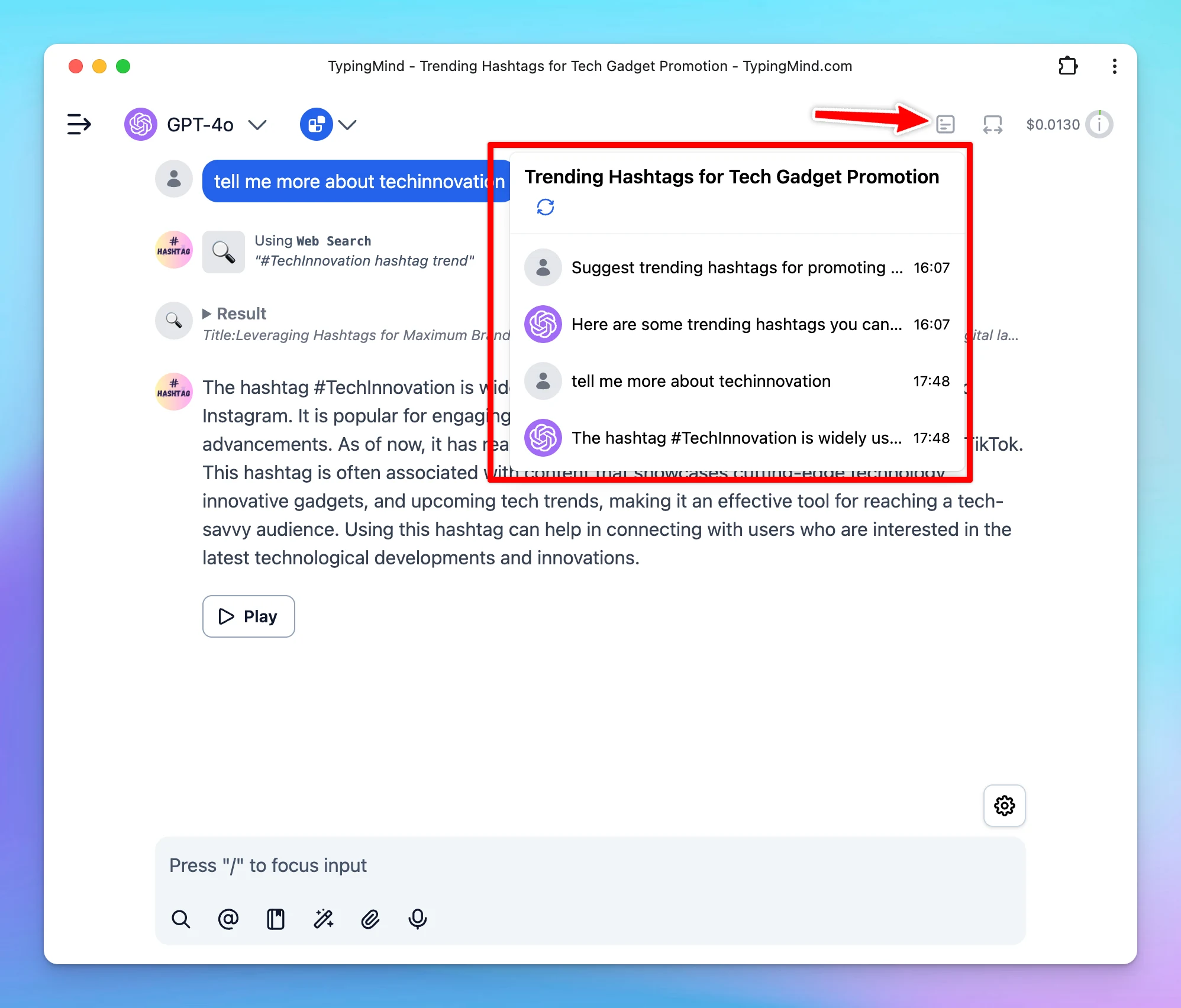
You can now regenerate chat titles to match your conversation better. The title will be re-generated based on your current chat content and the custom instructions set for title generation. Follow us on X, LinkedIn, Facebook, to stay informed about the latest…
New
Show detailsHide details
You can now regenerate chat titles to match your conversation better.
The title will be re-generated based on your current chat content and the custom instructions set for title generation.
Follow us on X, LinkedIn, Facebook, to stay informed about the latest updates, tips, and tutorials.
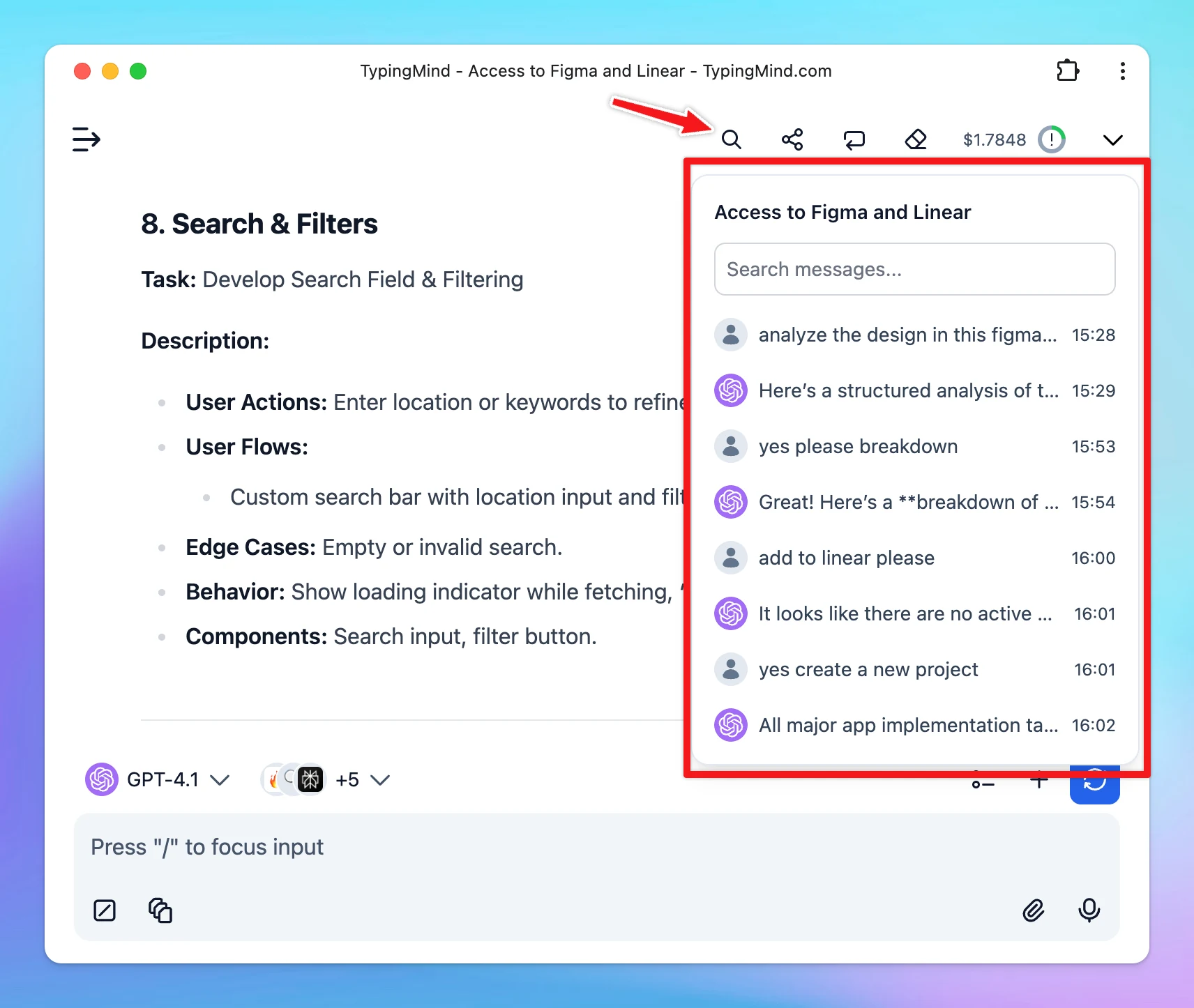
We have just added Chat Minimap to TypingMind so you can quickly navigate your old messages within a conversation.Follow us on X, LinkedIn, Facebook, to stay informed about the latest updates, tips, and tutorials.
New
Show detailsHide details
We have just added Chat Minimap to TypingMind so you can quickly navigate your old messages within a conversation.Follow us on X, LinkedIn, Facebook, to stay informed about the latest updates, tips, and tutorials.
We have just added more prompts to the prompt library! Follow us on X, LinkedIn, Facebook, to stay informed about the latest updates, tips, and tutorials.
New
Show detailsHide details
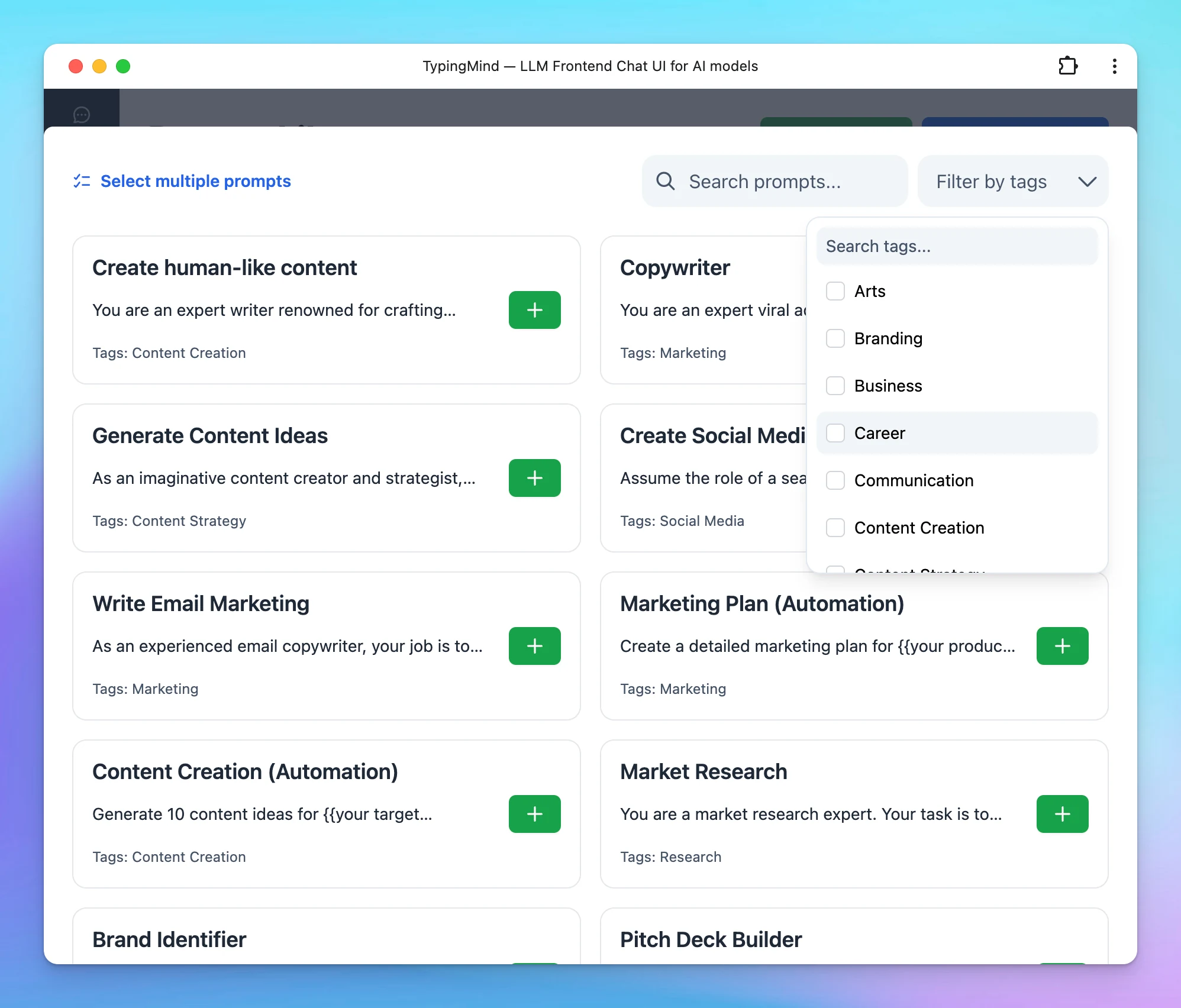
We have just added more prompts to the prompt library!
Follow us on X, LinkedIn, Facebook, to stay informed about the latest updates, tips, and tutorials.
GPT-4.5 Preview is now available on TypingMind.com! Follow us on X, LinkedIn, Facebook, to stay informed about the latest updates, tips, and tutorials.
New
Show detailsHide details
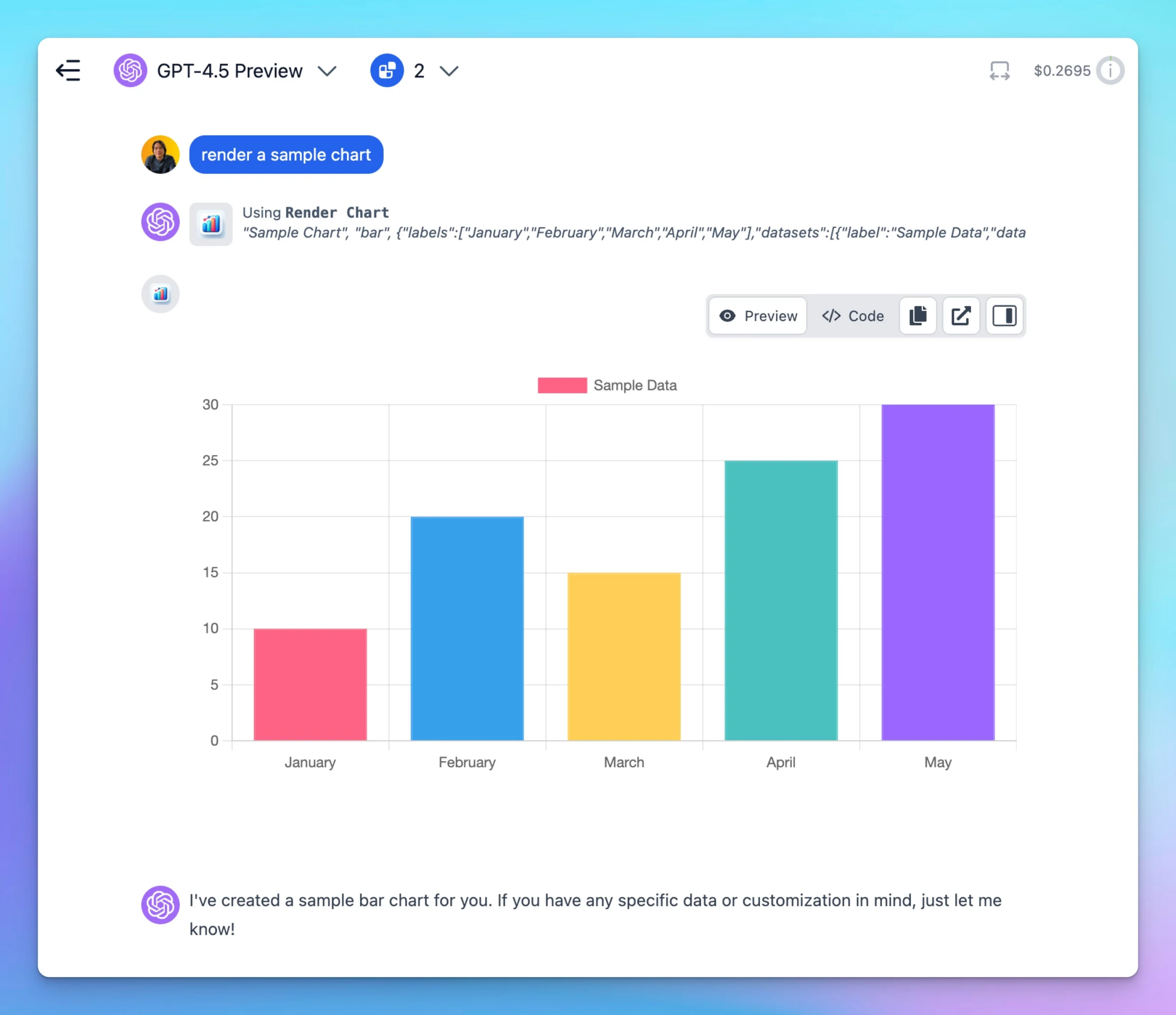
GPT-4.5 Preview is now available on TypingMind.com!
Follow us on X, LinkedIn, Facebook, to stay informed about the latest updates, tips, and tutorials.
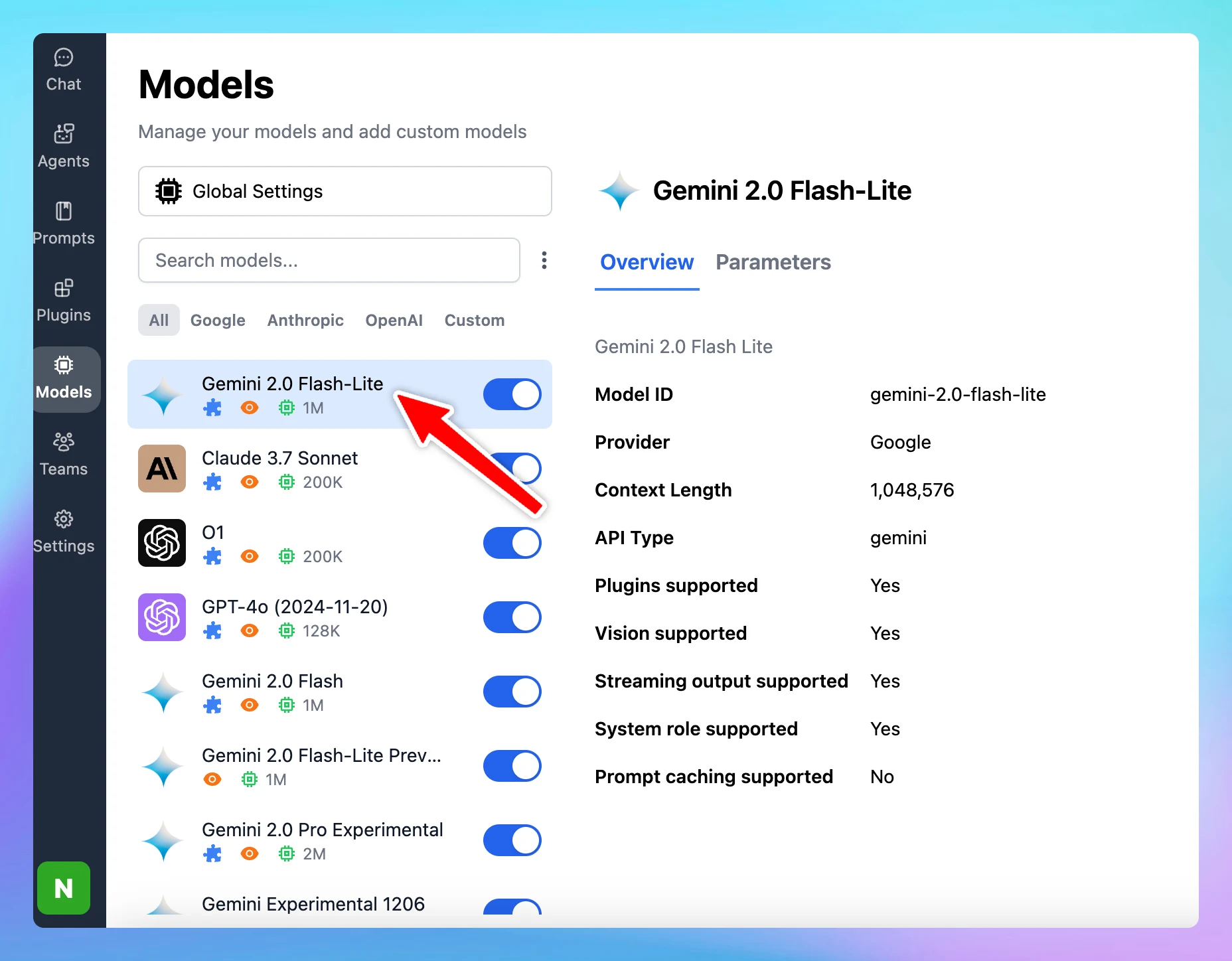
The latest Gemini model - Gemini 2.0 Flash-Lite is now available on TypingMind! Follow us on X, LinkedIn, Facebook, to stay informed about the latest updates, tips, and tutorials.
AI Models
New
Show detailsHide details
The latest Gemini model - Gemini 2.0 Flash-Lite is now available on TypingMind!
Follow us on X, LinkedIn, Facebook, to stay informed about the latest updates, tips, and tutorials.
TypingMind now supports Claude 3.7 Sonnet! (reload the app to update!) 💡 New "Thinking Mode" feature⚙️ Extremely long output! (up to 128K tokens, you can change the max_tokens param in TypingMind to use this)🧠 Top performance on SWE-bench🚅 Super fast!…
AI Models
New
Show detailsHide details
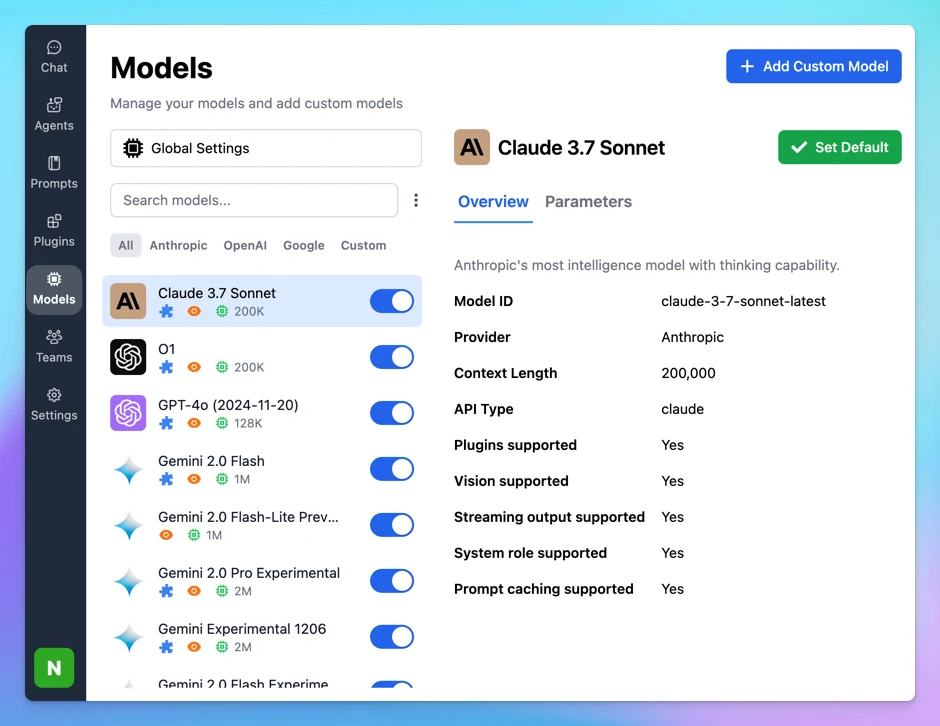
TypingMind now supports Claude 3.7 Sonnet! (reload the app to update!)
💡 New "Thinking Mode" feature⚙️ Extremely long output! (up to 128K tokens, you can change the max_tokens param in TypingMind to use this)🧠 Top performance on SWE-bench🚅 Super fast!
Follow us on X, LinkedIn, Facebook, to stay informed about the latest updates, tips, and tutorials.
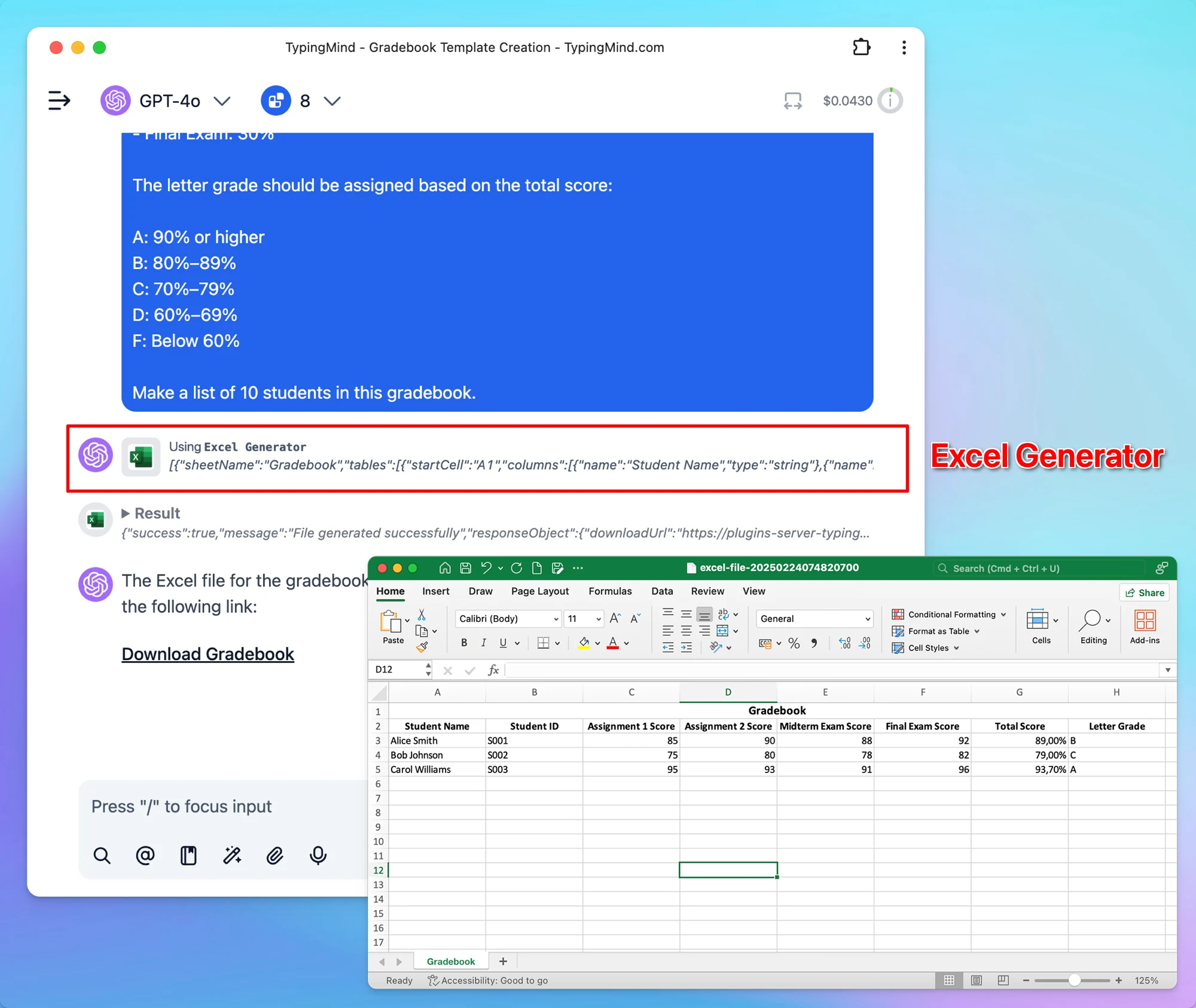
This plugin allows you to generate and customize your Excel files quickly. You can easily create files with: Multiple sheets Multiple tables per sheet Formula columns and more! Import Excel Generator now! https://github.com/TypingMind/plugin-excel-generator…
Integrations
New
Show detailsHide details
This plugin allows you to generate and customize your Excel files quickly.
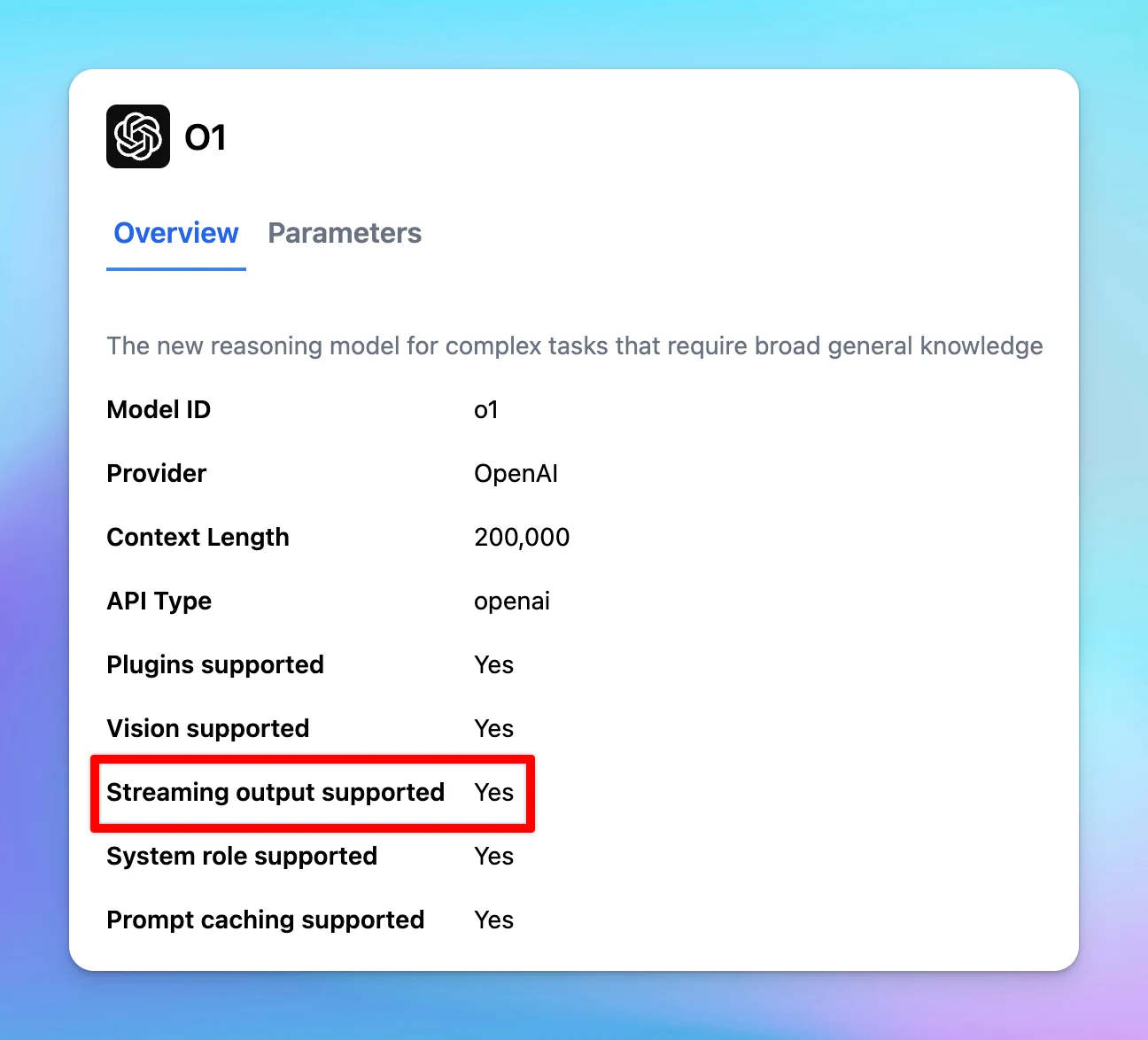
Streaming output is now supported while using the o1 model. Follow us on X, LinkedIn, Facebook, to stay informed about the latest updates, tips, and tutorials.
New
Show detailsHide details
Streaming output is now supported while using the o1 model.
Follow us on X, LinkedIn, Facebook, to stay informed about the latest updates, tips, and tutorials.
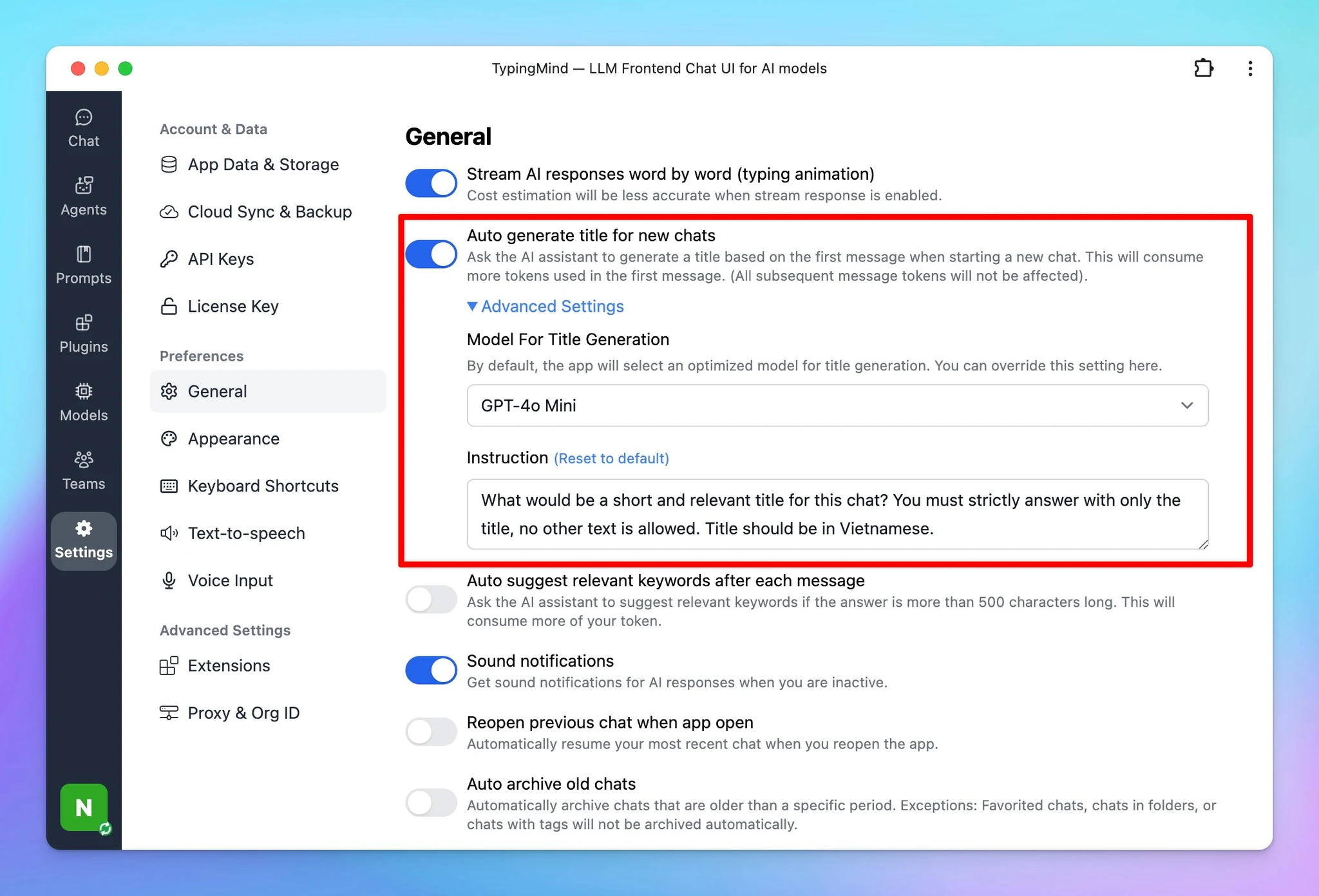
Now you can: Select an AI model or Write a custom prompt … to help generate chat titles as you want. This allows you to gain more control over how your title should be generated. Go to Settings --> General --> Enable Auto generate title for new chats -->…
Improved
Show detailsHide details
Now you can:
Select an AI model
or Write a custom prompt
… to help generate chat titles as you want.
This allows you to gain more control over how your title should be generated.
Go to Settings --> General --> Enable Auto generate title for new chats --> Toggle Advanced Settings.
Follow us on X, LinkedIn, Facebook, to stay informed about the latest updates, tips, and tutorials.
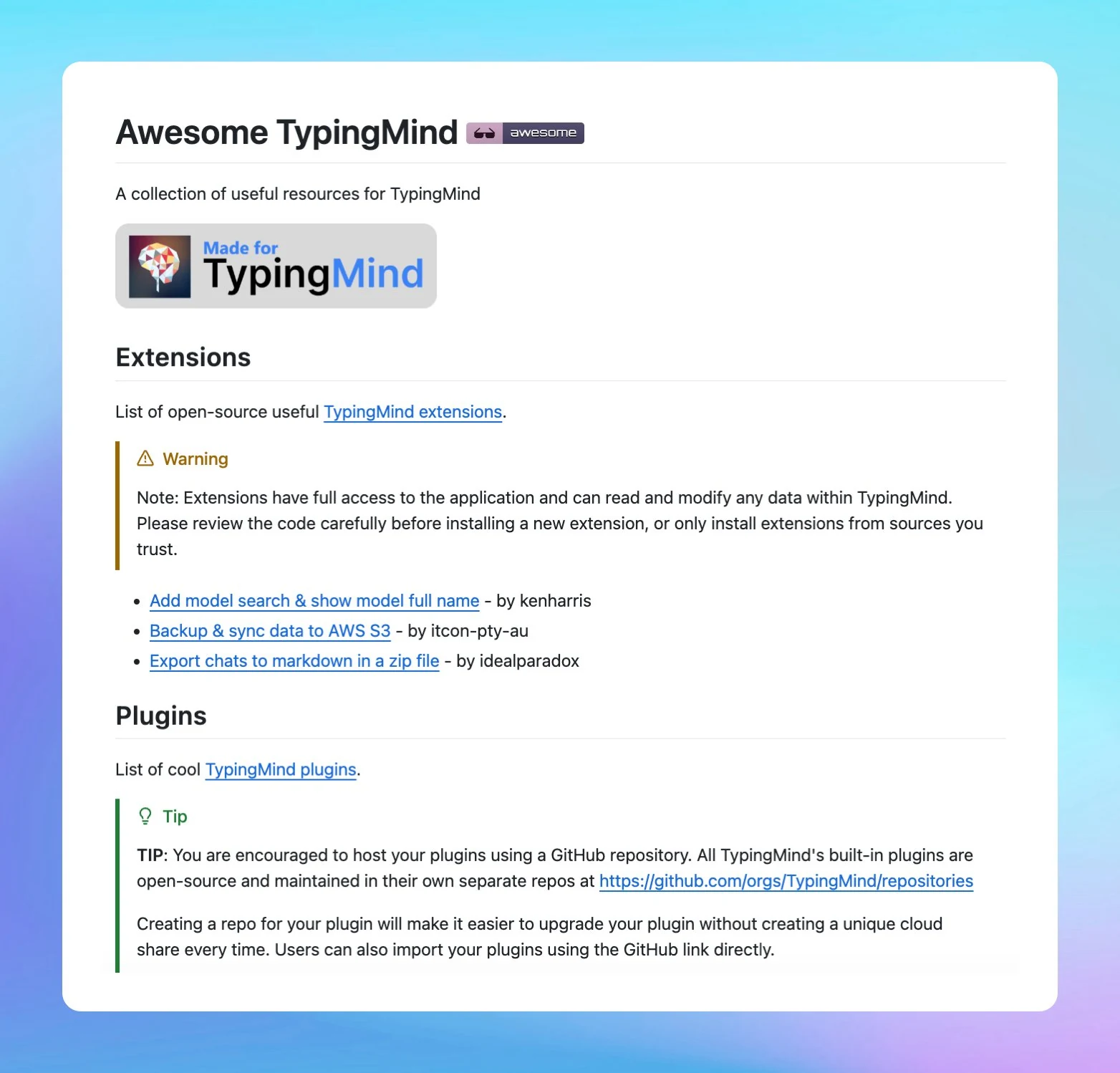
Submit your useful plugins/extensions to our repository at http://github.com/TypingMind/awesome-typingmind! By contributing, you’ll have the chance to be featured in the official Plugin store and promoted in our newsletter! 🚀 Follow us on X, LinkedIn,…
Integrations
New
Show detailsHide details
Submit your useful plugins/extensions to our repository at http://github.com/TypingMind/awesome-typingmind!
By contributing, you’ll have the chance to be featured in the official Plugin store and promoted in our newsletter! 🚀
Follow us on X, LinkedIn, Facebook, to stay informed about the latest updates, tips, and tutorials.
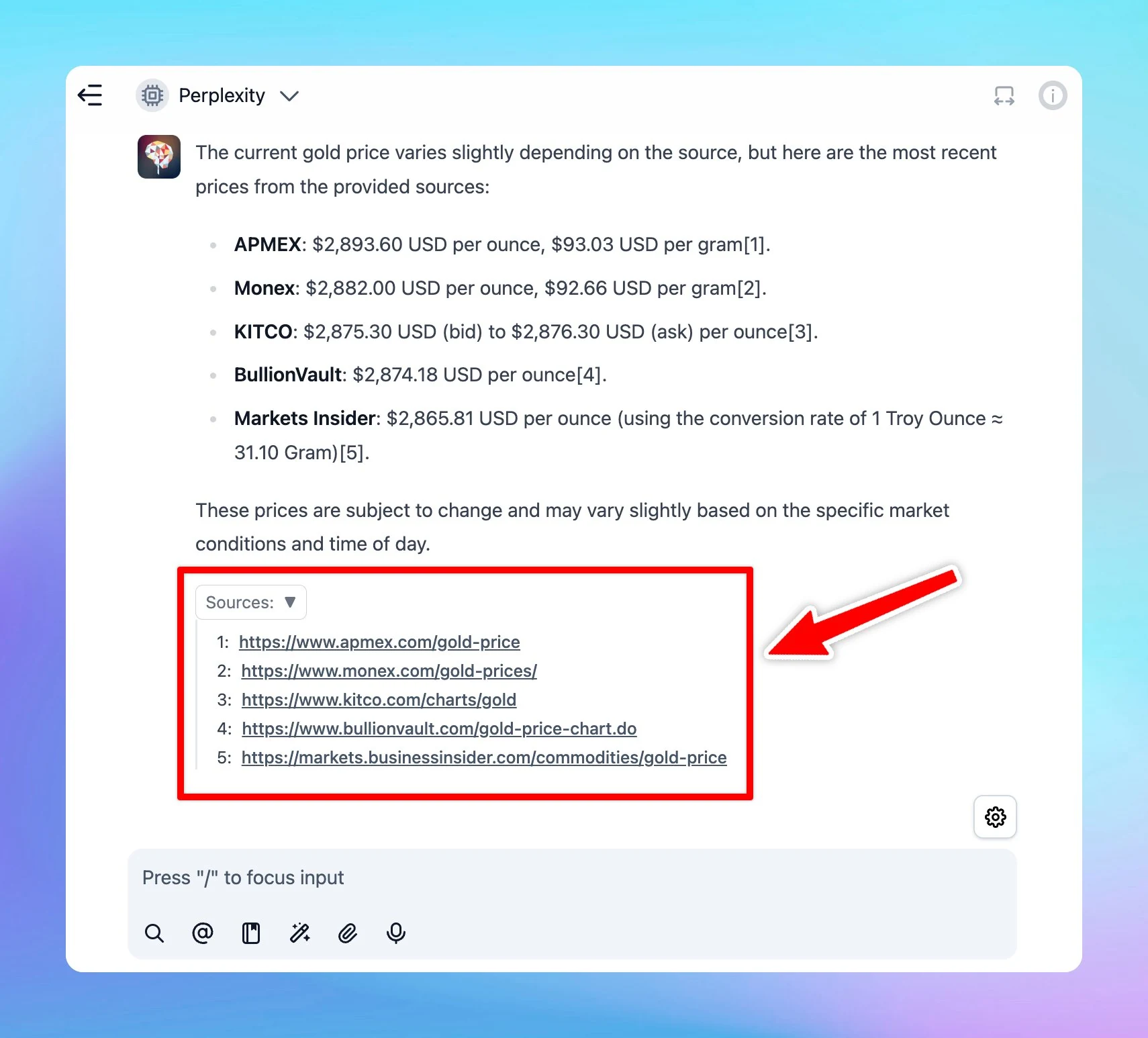
Now, when you set up Perplexity as a custom model on TypingMind, you can view the citations directly within the chat. Learn how to set up the Perplexity model Follow us on X, LinkedIn, Facebook, to stay informed about the latest updates, tips, and tutorials.
AI Models
New
Show detailsHide details
Now, when you set up Perplexity as a custom model on TypingMind, you can view the citations directly within the chat.
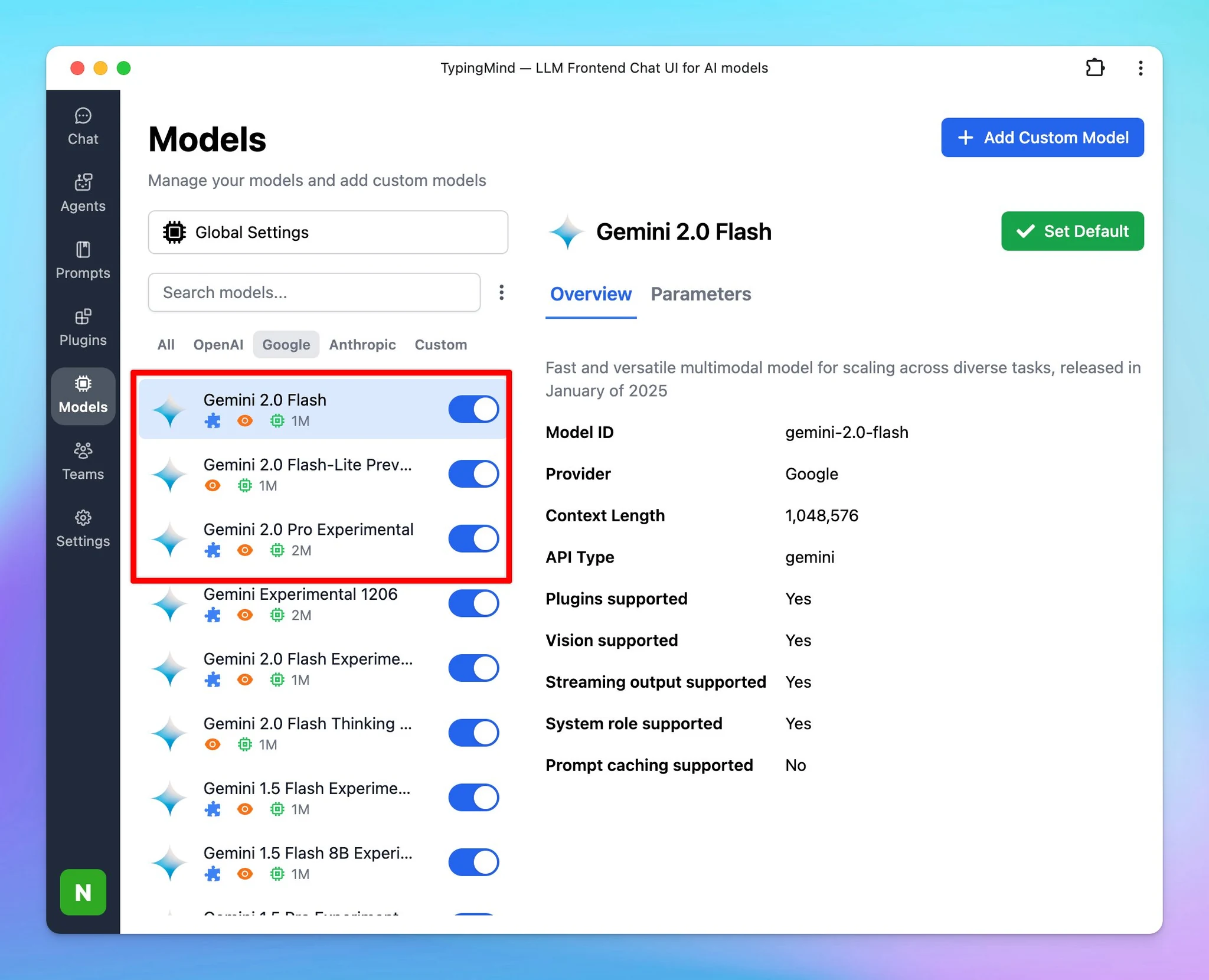
Added 3 new Gemini models on TypingMind! Gemini 2.0 Flash Gemini 2.0 Flash-Lite Preview Gemini 2.0 Pro Experimental Learn how to set up Gemini models on TypingMind Follow us on X, LinkedIn, Facebook, to stay informed about the latest updates, tips, and…
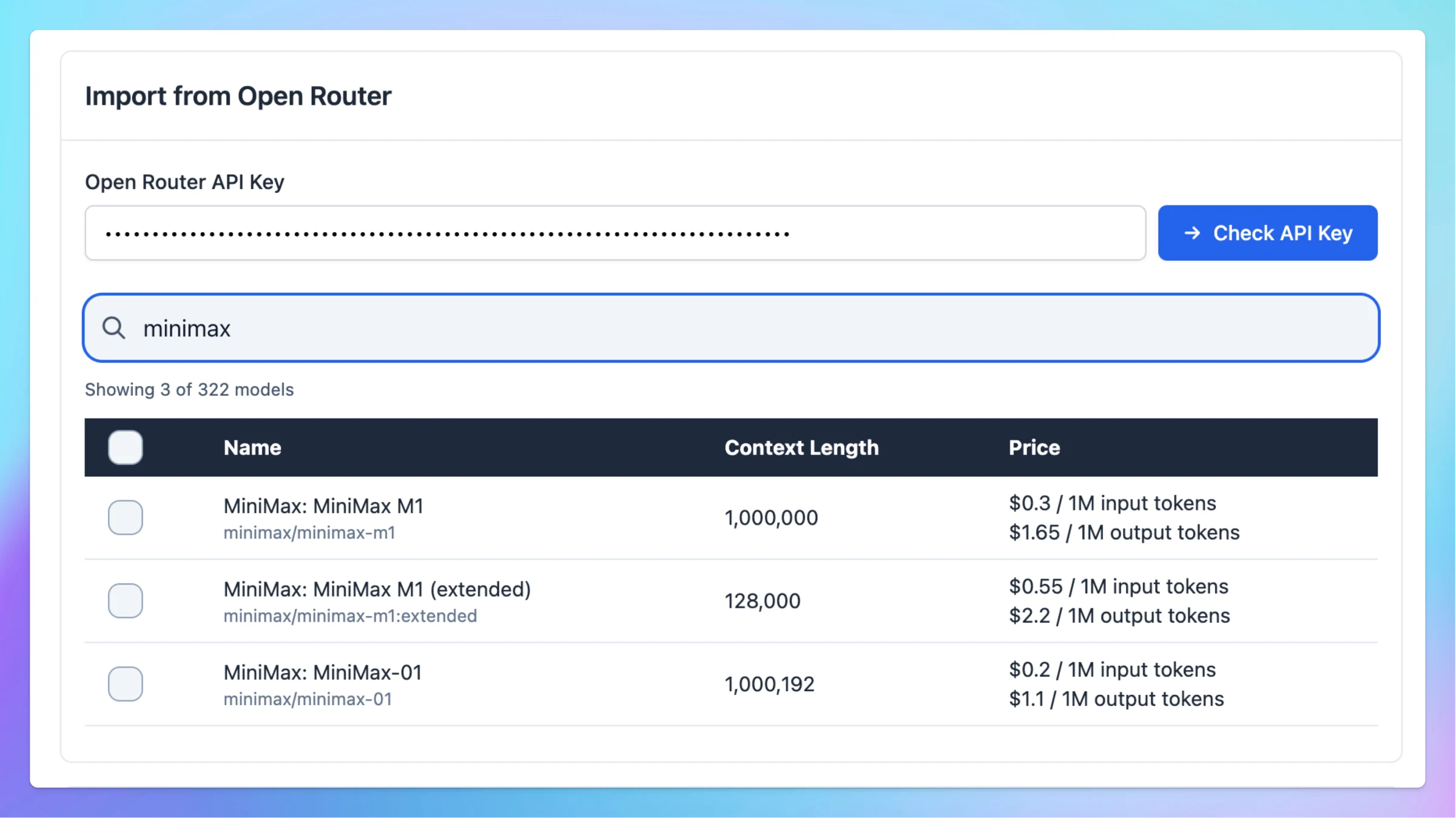
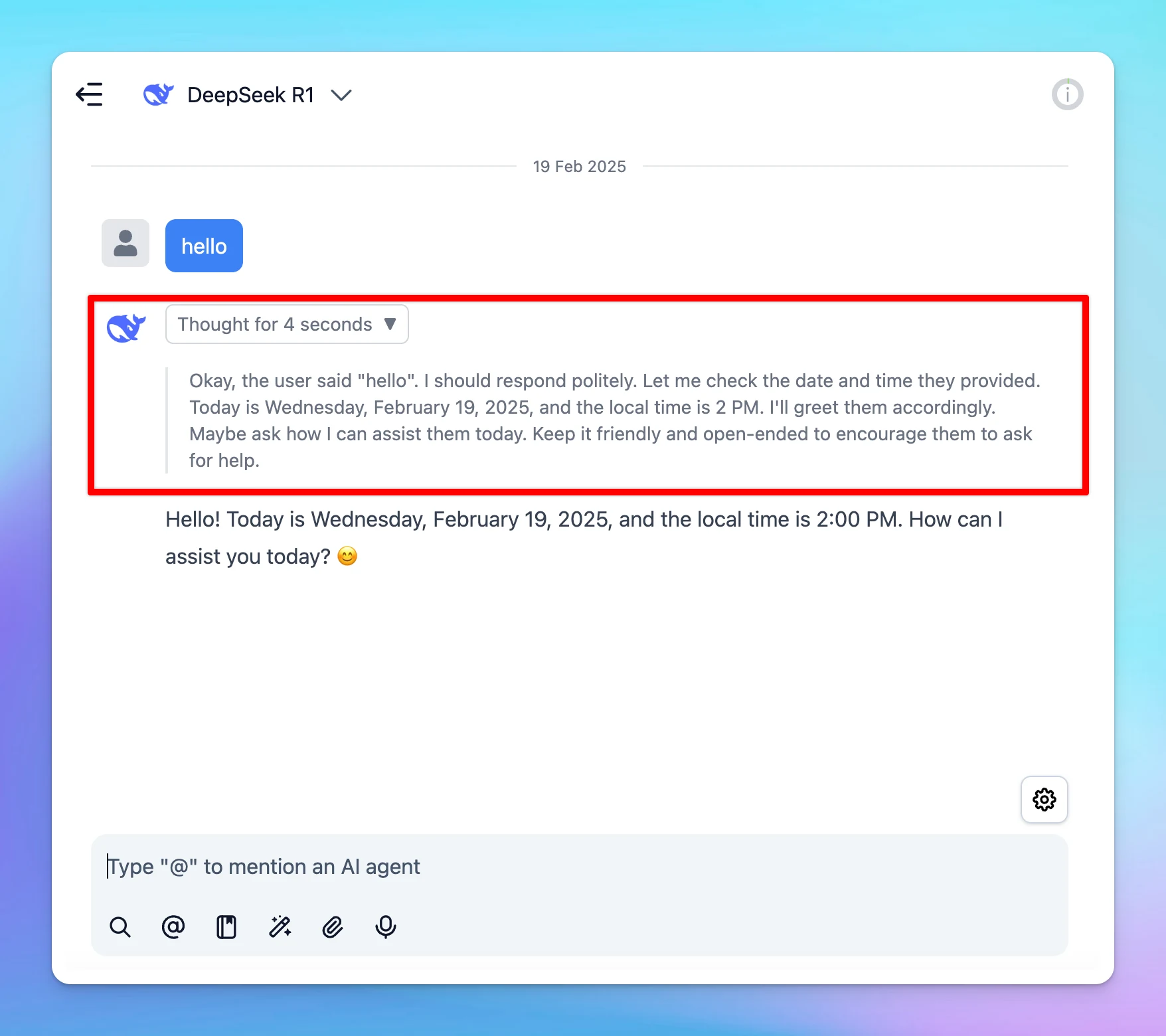
TypingMind now support rendering <think> tags from OpenRouter and Azure AI Foundry models!Note: Open Router models does not show reasoning tokens by default, so you need to add the include_reasoning (boolean) = true for the custom model. This can be done when…
Feedback
New
Show detailsHide details
TypingMind now support rendering <think> tags from OpenRouter and Azure AI Foundry models!Note: Open Router models does not show reasoning tokens by default, so you need to add the include_reasoning (boolean) = true for the custom model. This can be done when adding new models or by editting existing models.Follow us on X, LinkedIn, Facebook, to stay informed about the latest updates, tips, and tutorials.
You can now select the reasoning effort from "low" to "high" for better output of the o3 models. This allows you to use o3-mini-low, o3-mini-medium, o3-mini-high. Follow us on X, LinkedIn, Facebook, to stay informed about the latest updates, tips, and…
AI Models
New
Show detailsHide details
You can now select the reasoning effort from "low" to "high" for better output of the o3 models.
This allows you to use o3-mini-low, o3-mini-medium, o3-mini-high.
Follow us on X, LinkedIn, Facebook, to stay informed about the latest updates, tips, and tutorials.
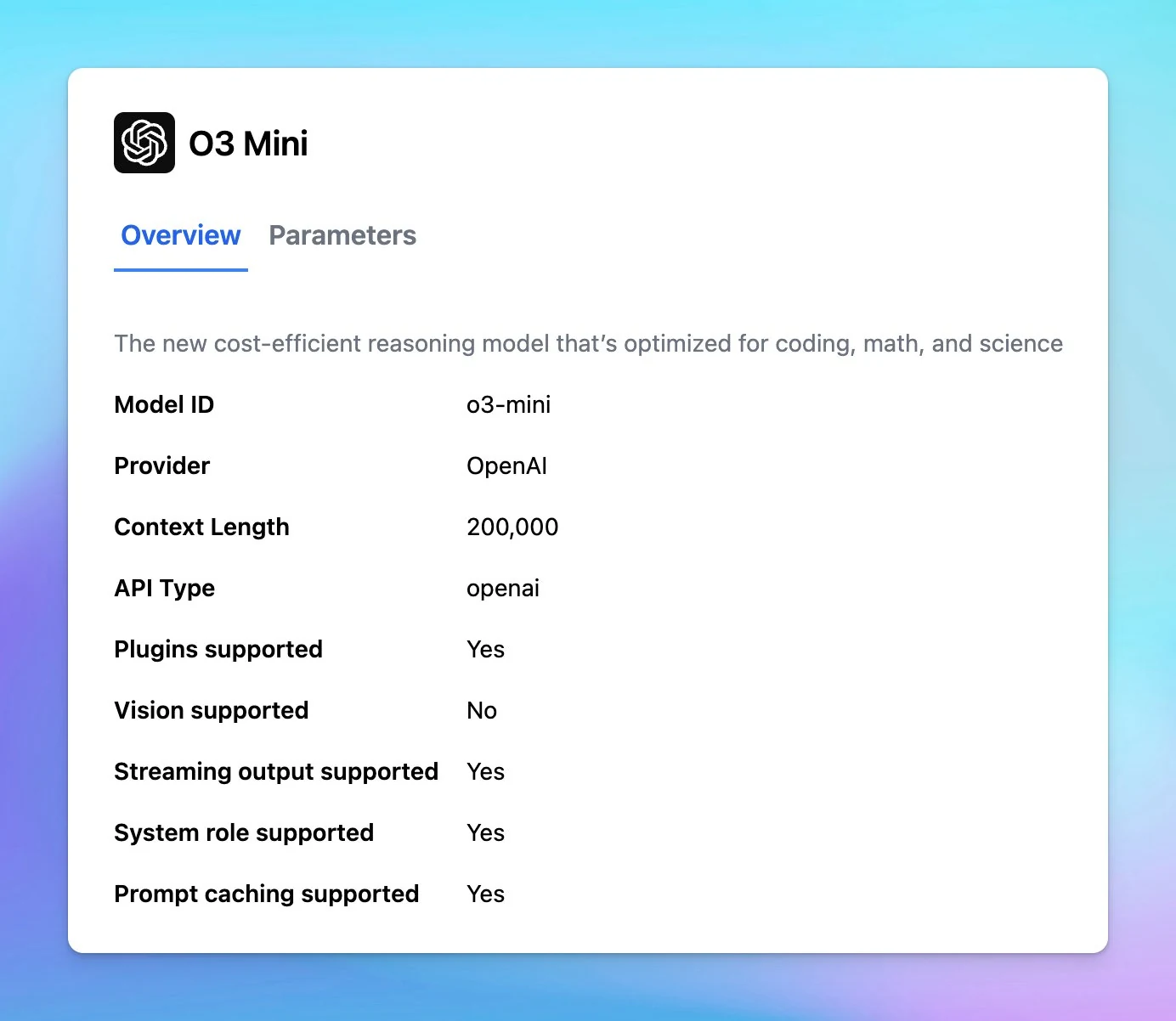
o3 mini - the newest, most cost-efficient model from OpenAI is now available on TypingMind: Plugin supported Vision does not supportFollow us on X, LinkedIn, Facebook, to stay informed about the latest updates, tips, and tutorials.
AI Models
New
Show detailsHide details
o3 mini - the newest, most cost-efficient model from OpenAI is now available on TypingMind:
Plugin supported
Vision does not supportFollow us on X, LinkedIn, Facebook, to stay informed about the latest updates, tips, and tutorials.
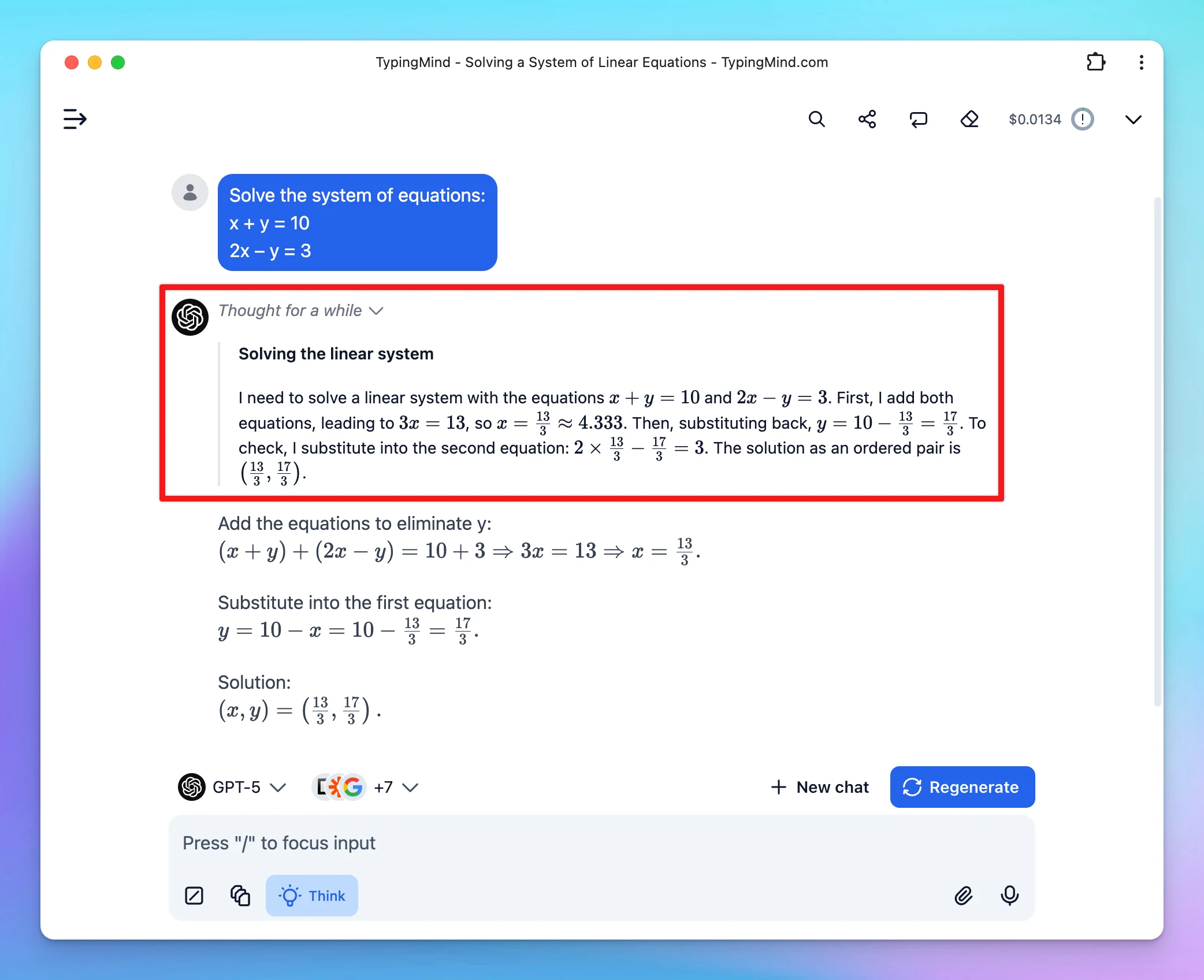
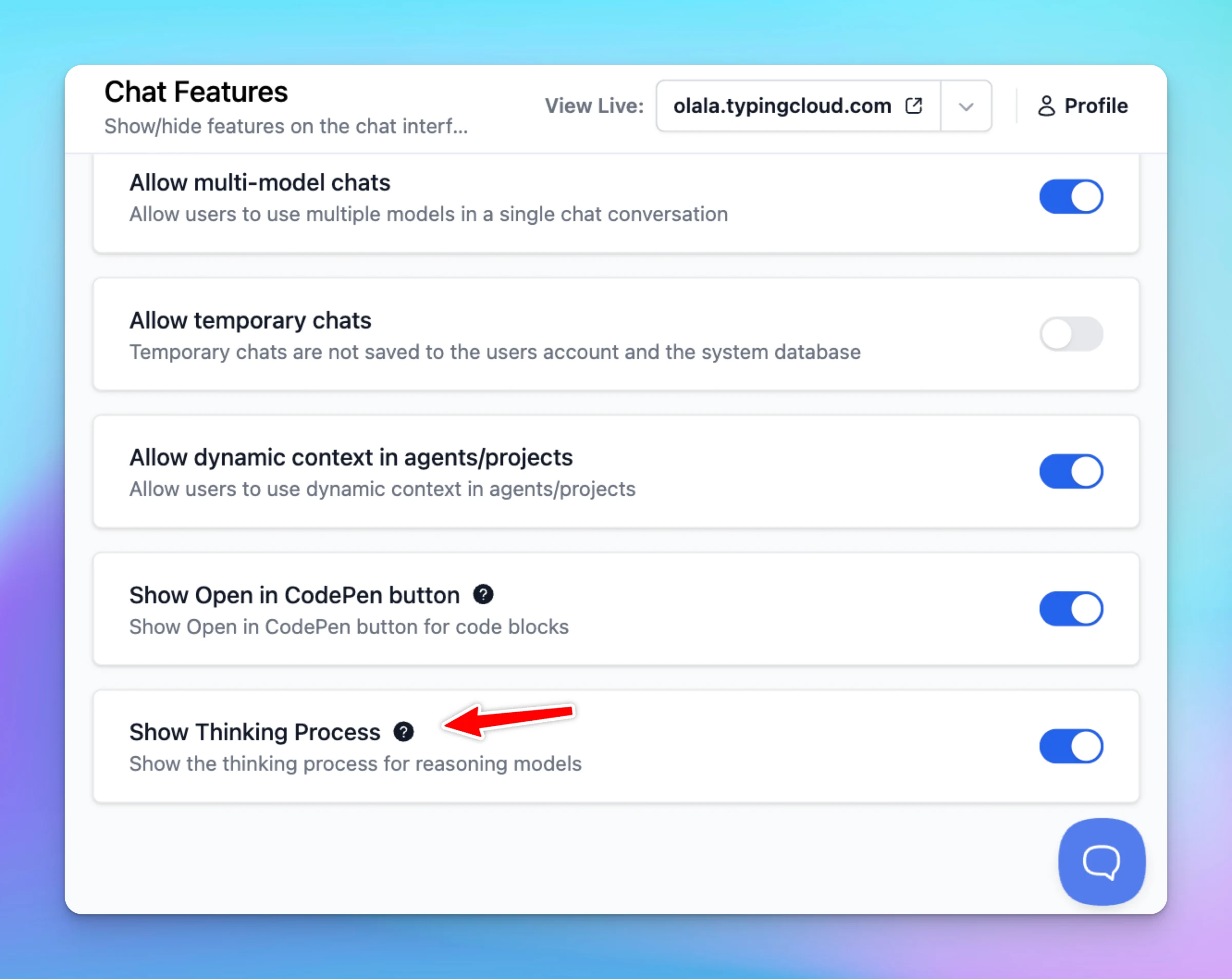
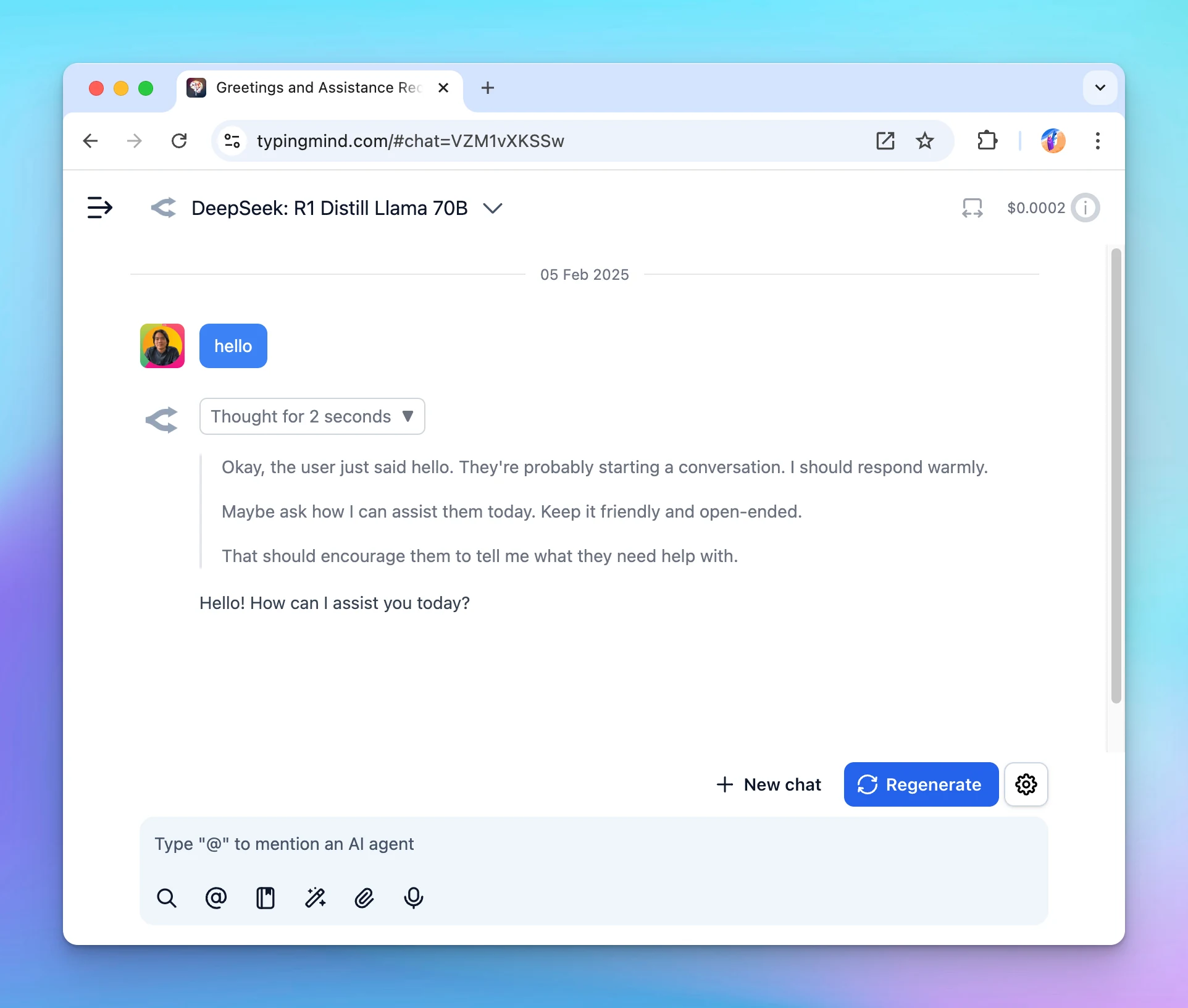
TypingMind now can show "thinking" text in its own collapsible block.Note: only models that support reasoning will show the reasoning steps. Follow us on X, LinkedIn, Facebook, to stay informed about the latest updates, tips, and tutorials.
New
Show detailsHide details
TypingMind now can show "thinking" text in its own collapsible block.Note: only models that support reasoning will show the reasoning steps.
Follow us on X, LinkedIn, Facebook, to stay informed about the latest updates, tips, and tutorials.
The Word Generator Plugin simplifies and speeds up document creation by automating the generation of professional Word files using the AI-generated responses. Learn how to set up Word Generator on TypingMind Follow us on X, LinkedIn, Facebook, to stay…
Integrations
New
Show detailsHide details
The Word Generator Plugin simplifies and speeds up document creation by automating the generation of professional Word files using the AI-generated responses.
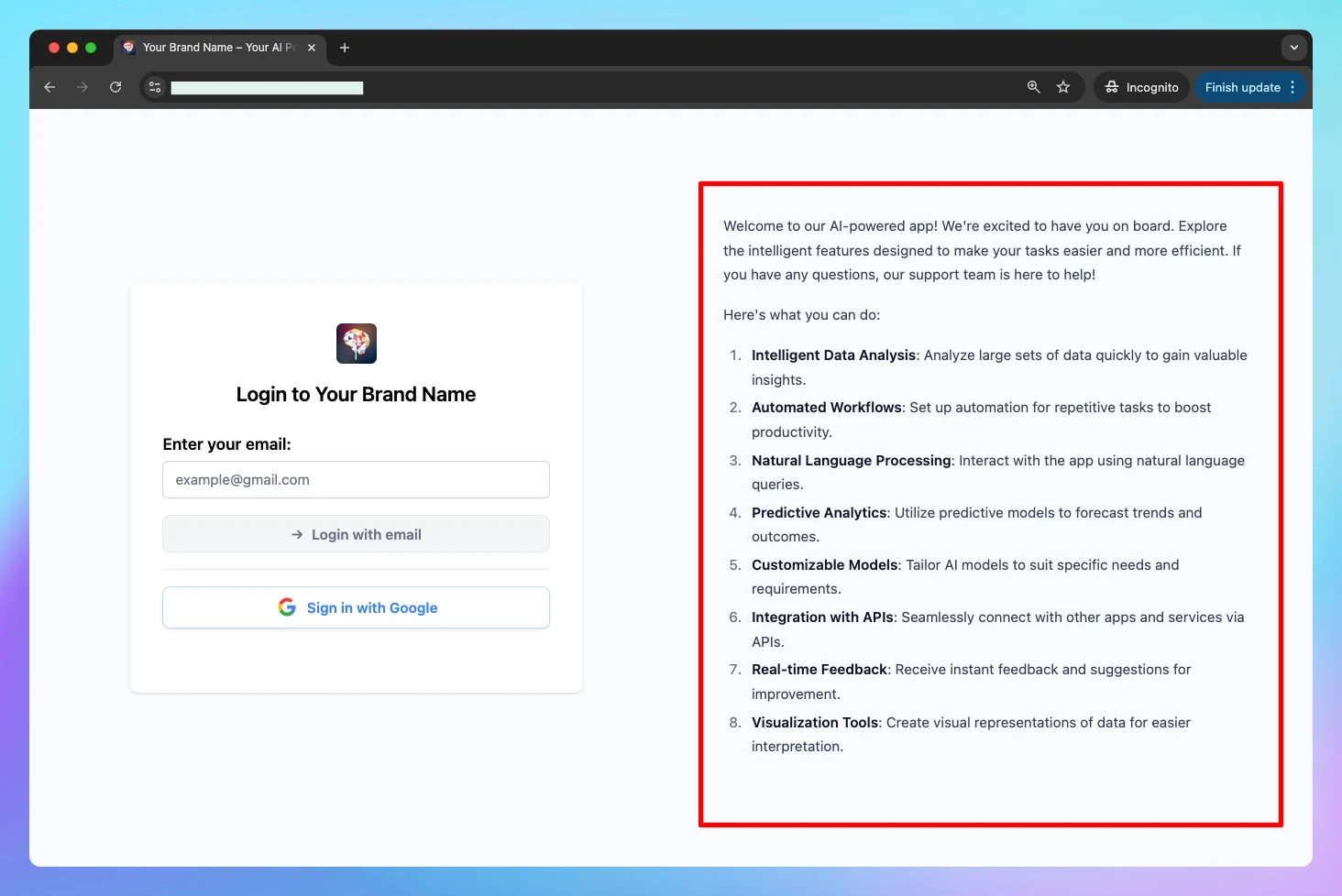
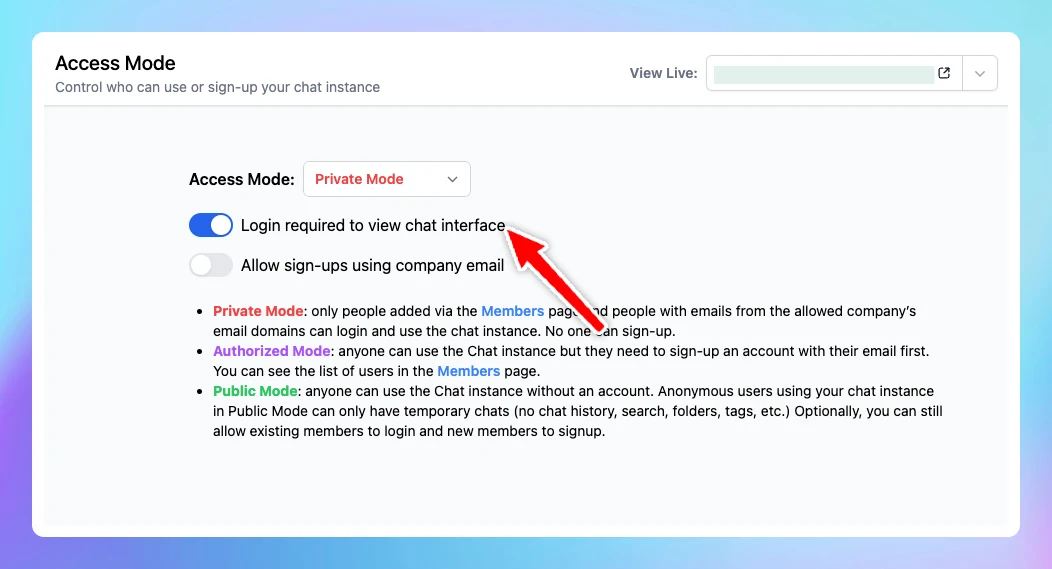
When "Login required to view chat interface" is enabled in Access Mode, the chat interface will be hidden behind a login screen. This Login message will be displayed on that login page.
New
Team Version
Chat Management
Show detailsHide details
When "Login required to view chat interface" is enabled in Access Mode, the chat interface will be hidden behind a login screen. This Login message will be displayed on that login page.
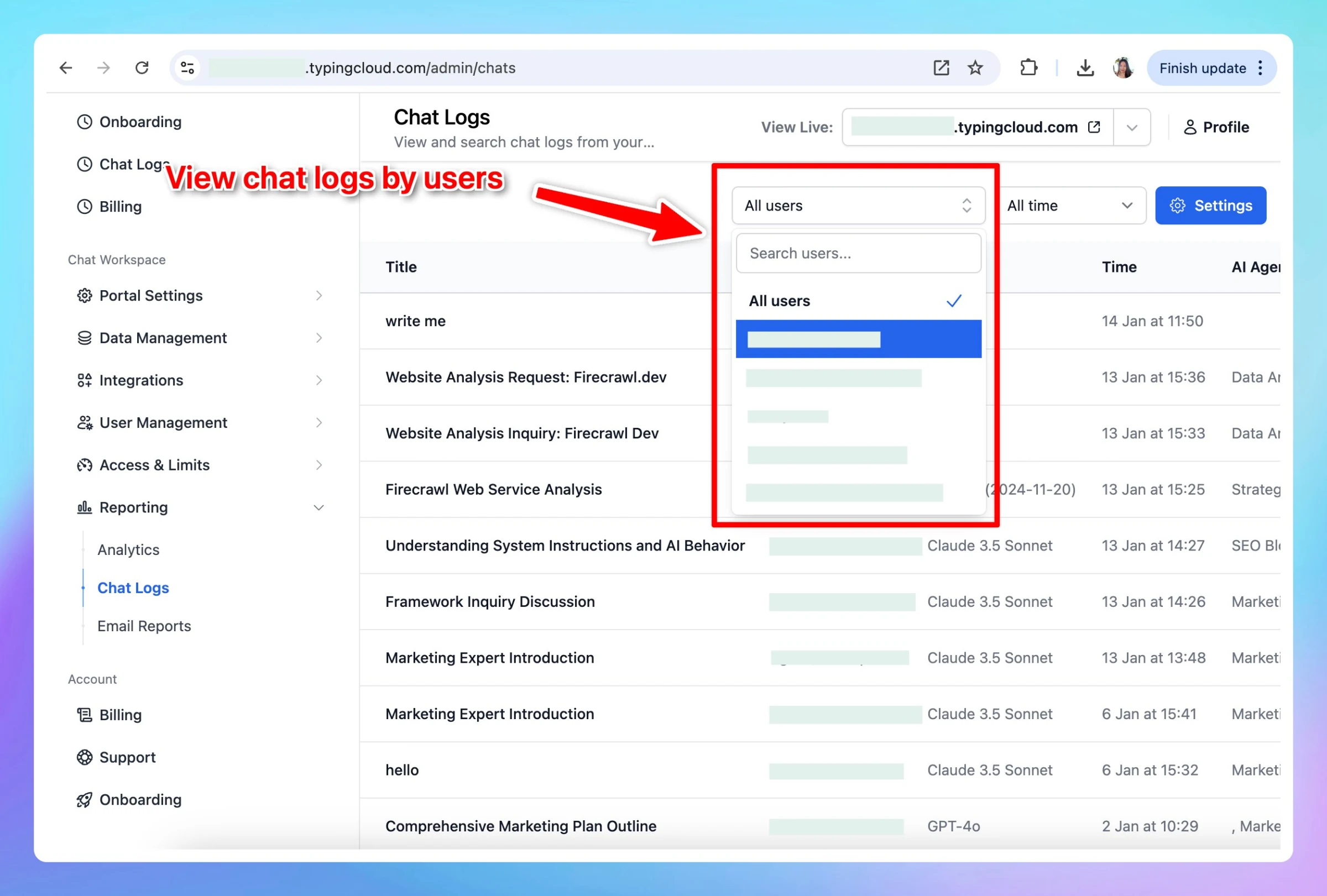
Easily access and review chat logs filtered by individual users. This allows you to analyze and track user interaction more efficiently. Tip can also export chat logs via API: https://docs.typingmind.com/typingmind-custom/integrations/export-chat-logs See the…
New
Team Version
Chat Management
Show detailsHide details
Easily access and review chat logs filtered by individual users.
This allows you to analyze and track user interaction more efficiently.
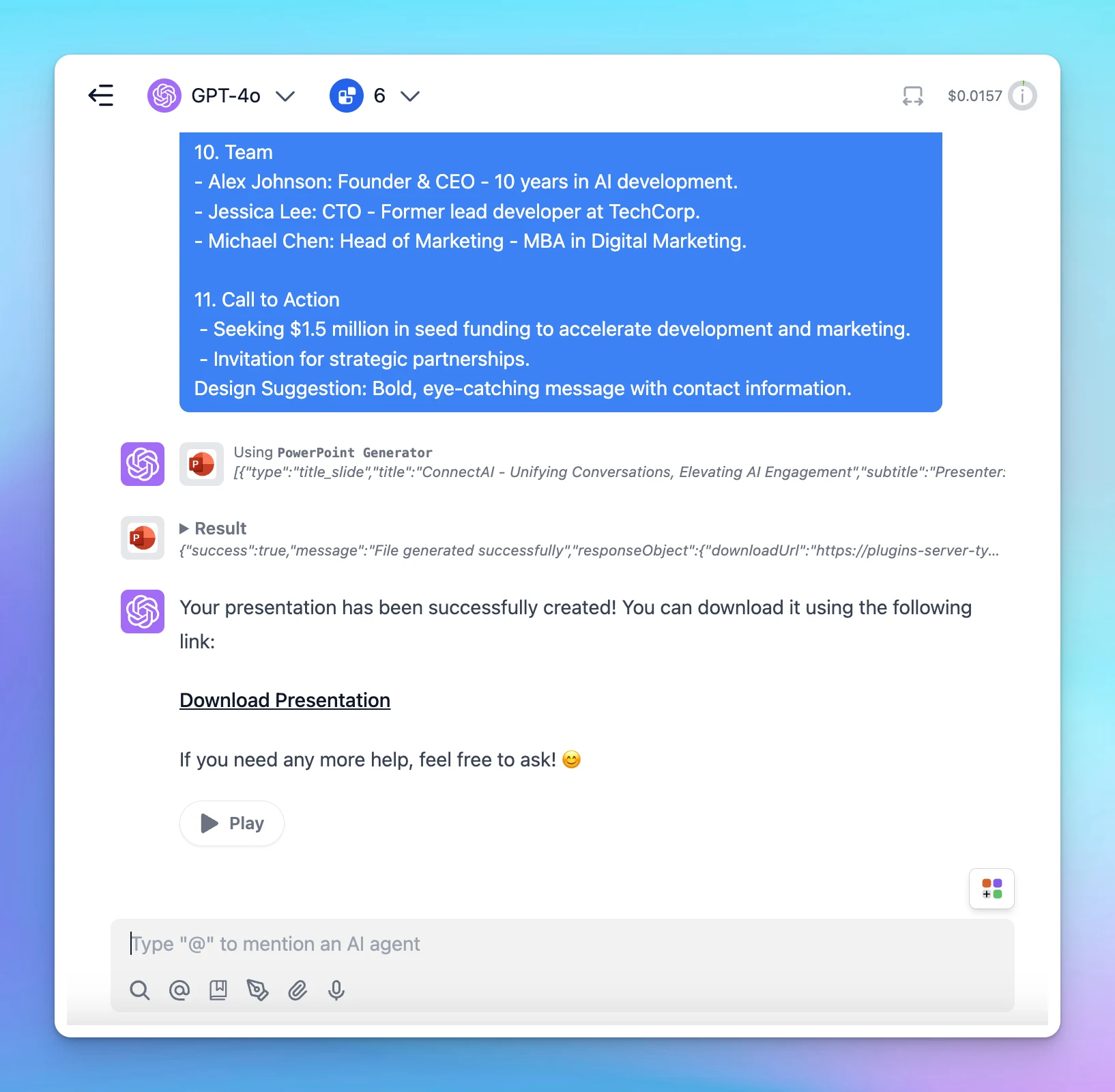
This plugin allows you to quickly create PowerPoint slides with customizable layouts, fonts, and colors. Here's how to set it up Follow us on X, LinkedIn, Facebook, to stay informed about the latest updates, tips, and tutorials.
Integrations
New
Show detailsHide details
This plugin allows you to quickly create PowerPoint slides with customizable layouts, fonts, and colors.
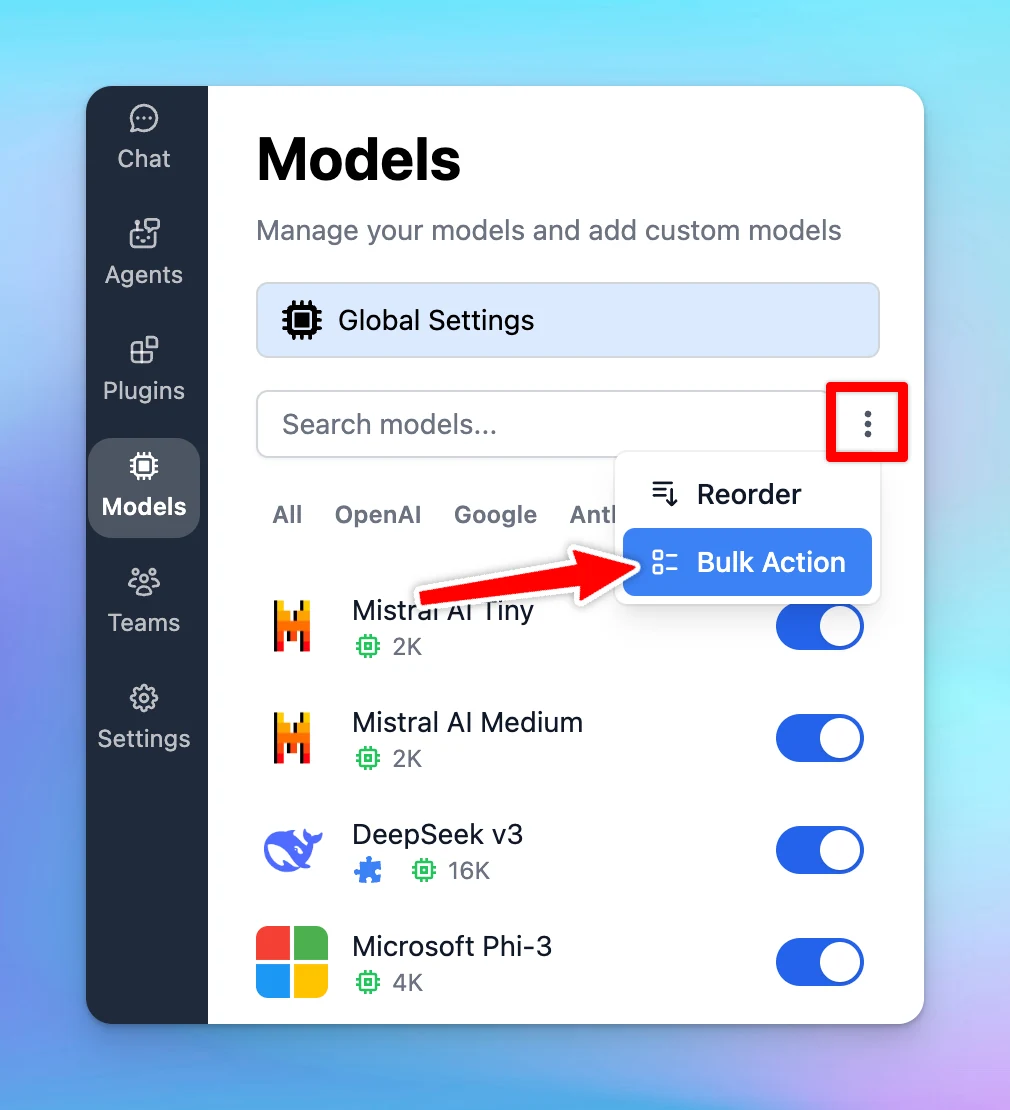
Delete custom models in bulk! Go to Models --> Click on the three dots icon next to the search models box --> Bulk Action --> Select models to delete at once.Follow us on X, LinkedIn, Facebook, to stay informed about the latest updates, tips, and tutorials.
AI Models
Improved
Show detailsHide details
Delete custom models in bulk!
Go to Models --> Click on the three dots icon next to the search models box --> Bulk Action --> Select models to delete at once.Follow us on X, LinkedIn, Facebook, to stay informed about the latest updates, tips, and tutorials.
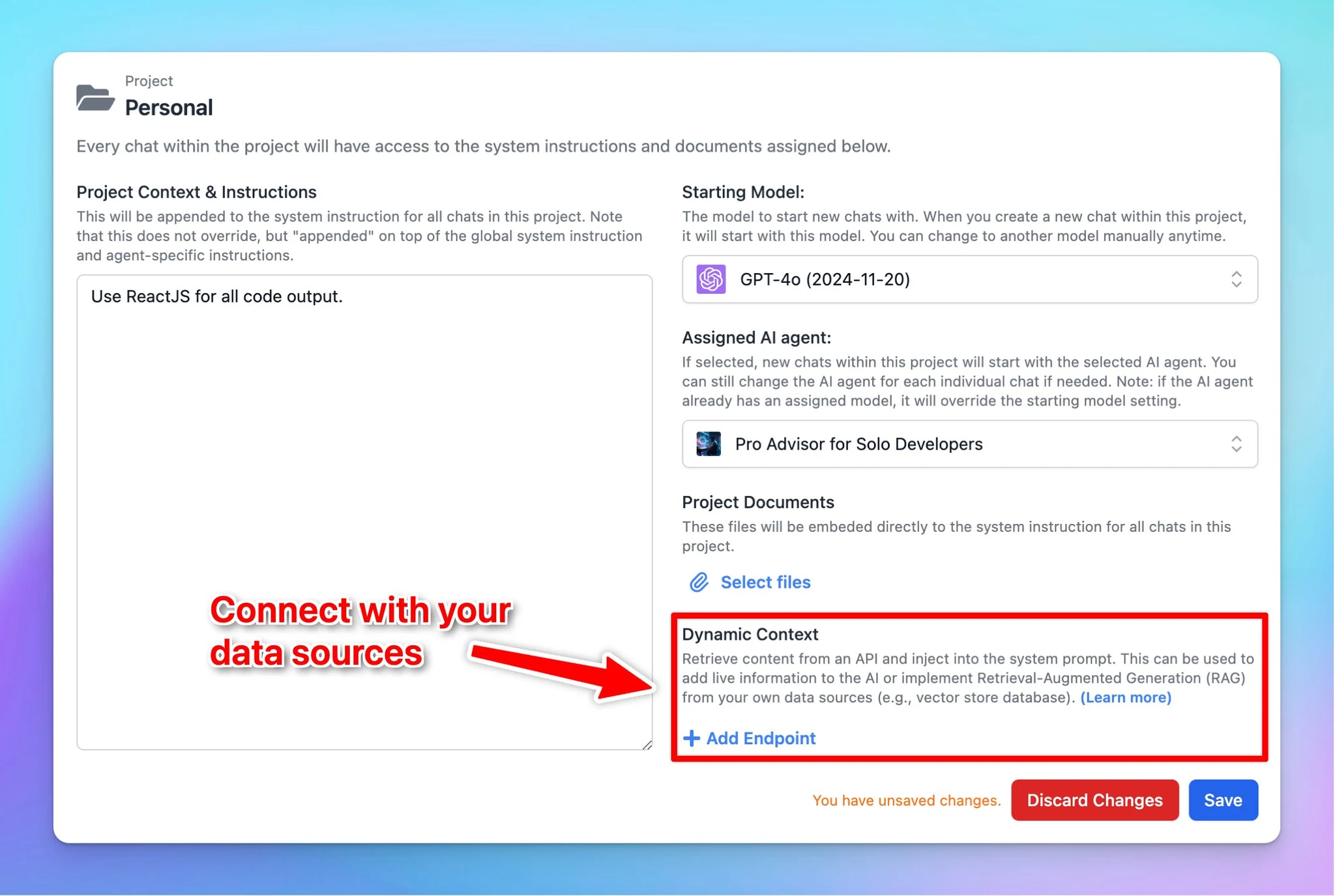
Connect with your data sources for your Project Folder using Dynamic Context. This allows you to add live information to the AI or implement RAG from your own data sources to get more accurate and relevant responses for your projects. Learn more Dynamic…
New
Show detailsHide details
Connect with your data sources for your Project Folder using Dynamic Context.
This allows you to add live information to the AI or implement RAG from your own data sources to get more accurate and relevant responses for your projects.