TypingMind Changelog

Changelog

Follow new updates and improvements to TypingMind.

Subscribe

All updates in 2023

December 2023

Single Sign-On is now available!

Single Sign-On is now available on custom.typingmind.com 🥳 Supported SAML, meaning you can connect with Microsoft Entra ID (Azure AD), Microsoft AD FS, Okta, Auth0, Google, OneLogin, PingOne, JumpCloud... OIDC and OAuth support soon! See the announcement on X
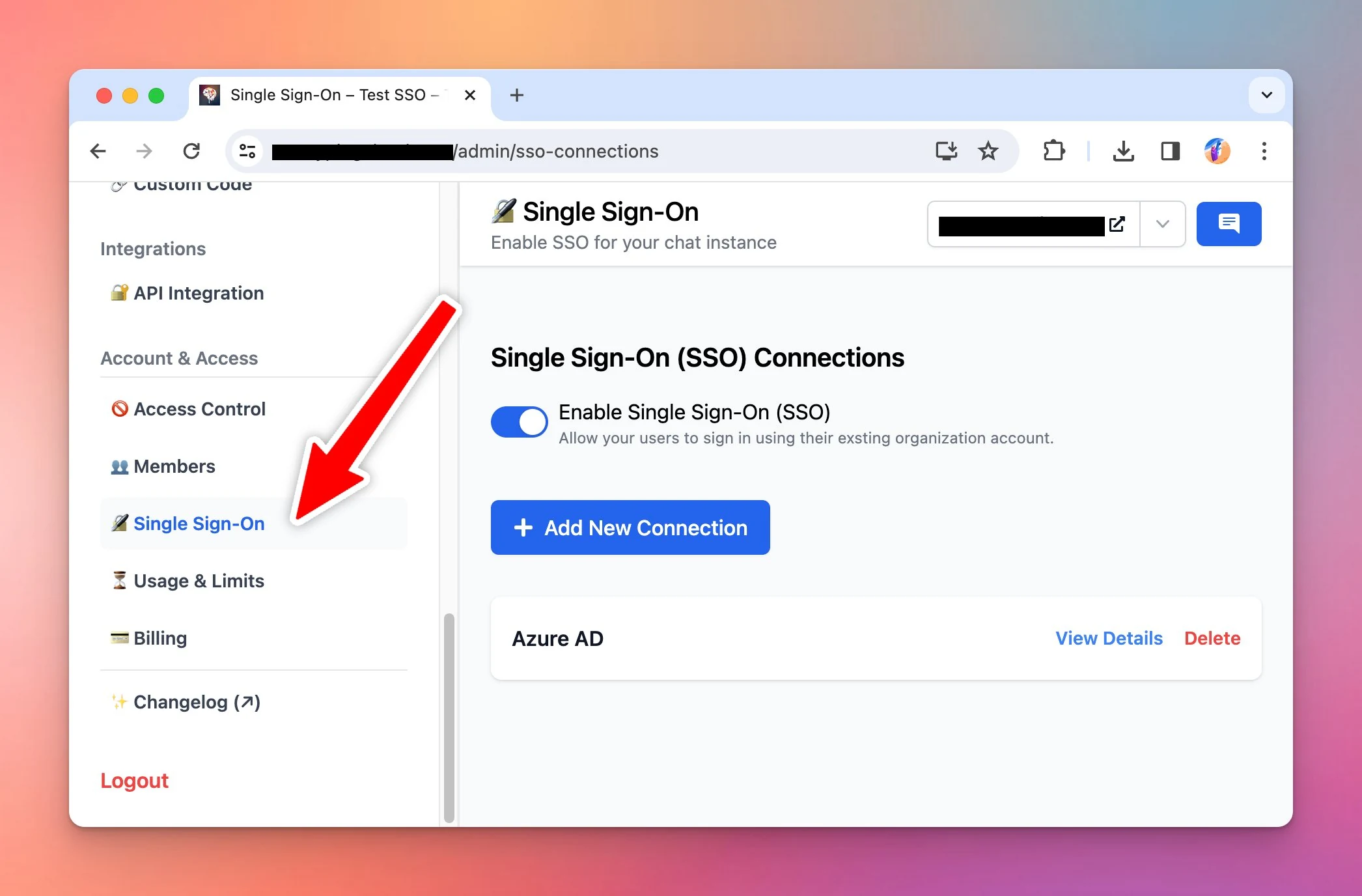
Single Sign-On is now available on custom.typingmind.com 🥳

Supported SAML, meaning you can connect with Microsoft Entra ID (Azure AD), Microsoft AD FS, Okta, Auth0, Google, OneLogin, PingOne, JumpCloud...

OIDC and OAuth support soon!
Single Sign-On is now available!

See the announcement on X

Track AI Character and Prompt Usage

Track AI Characters and Prompts Usage on custom.typingmind.com Admins now can see which Prompts / AI Characters are used most by team members to: ✅ Check how engaged the resources are ✅ Better optimize and extend the resource capabilities. See the…

Track AI Characters and Prompts Usage on custom.typingmind.com

Admins now can see which Prompts / AI Characters are used most by team members to:
✅ Check how engaged the resources are
✅ Better optimize and extend the resource capabilities.

See the announcement on X

Better integration with OpenRouter

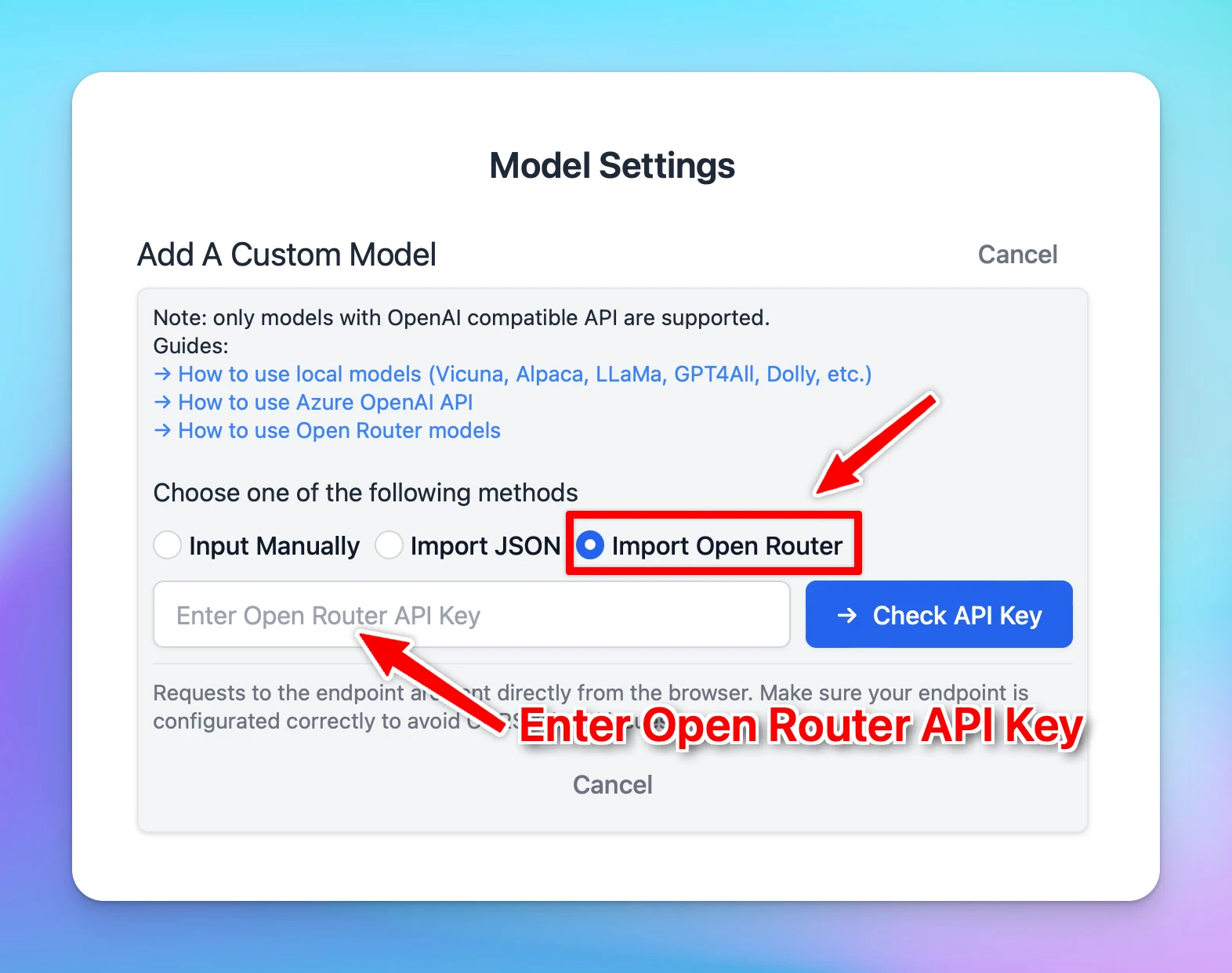
Import all models from OpenRouter to your app within just a few clicks: More detailed guidelines: https://docs.typingmind.com/chat-models-settings/use-openrouter-models See the announcement on X

Import all models from OpenRouter to your app within just a few clicks:

Better integration with OpenRouter

More detailed guidelines: https://docs.typingmind.com/chat-models-settings/use-openrouter-models

See the announcement on X

November 2023

Added Conversation Starters

Add the conversation starters while setting up AI Characters to avoid the cold start when interacting with the AI model. See the announcement on X

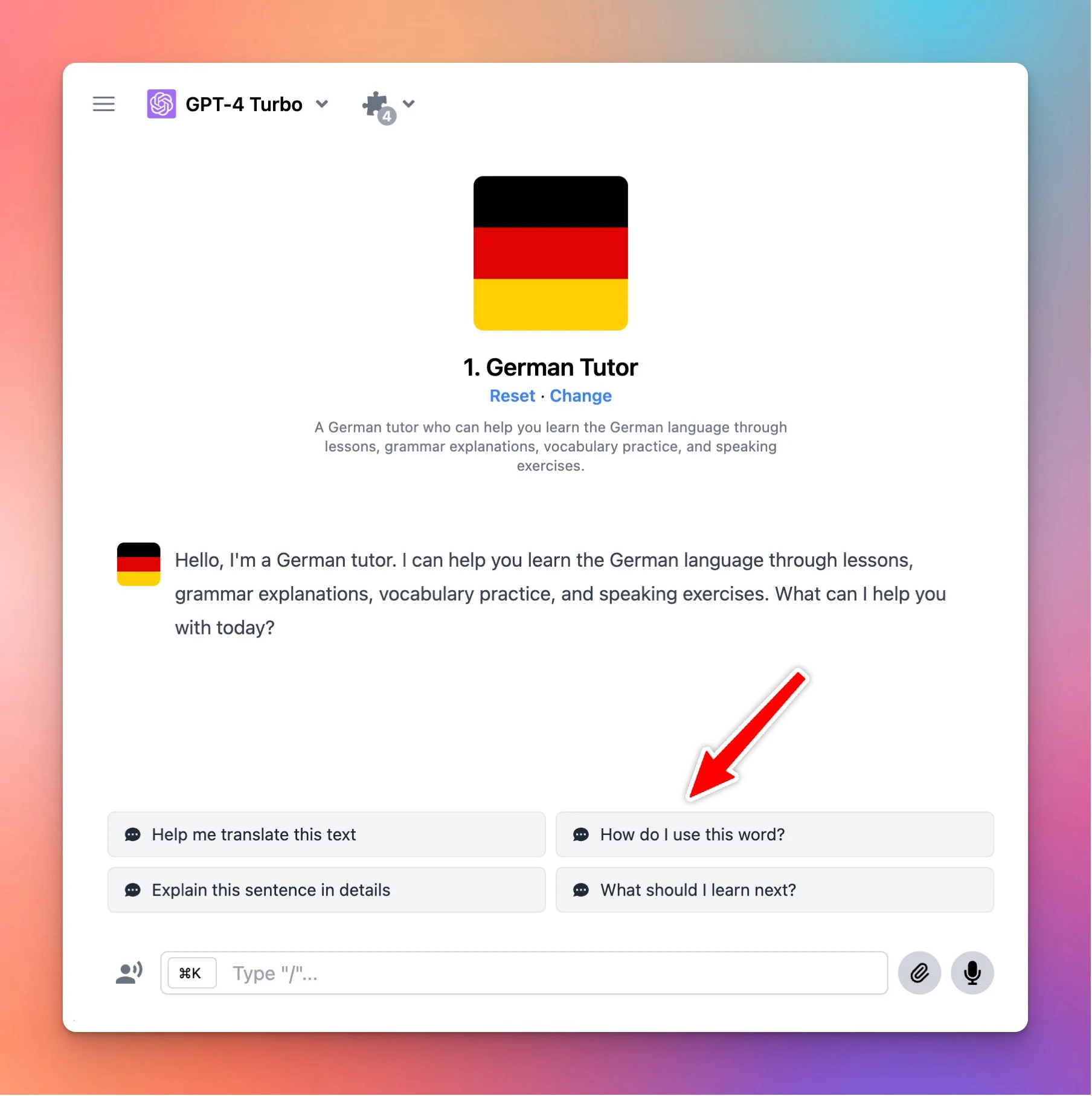
Add the conversation starters while setting up AI Characters to avoid the cold start when interacting with the AI model.

Added Conversation Starters

See the announcement on X

New AI characters

Technician Wizard Troubleshooting to help you debug any technical issues by asking you questions and then step-by-step debugging and resolve it. See the announcement on X

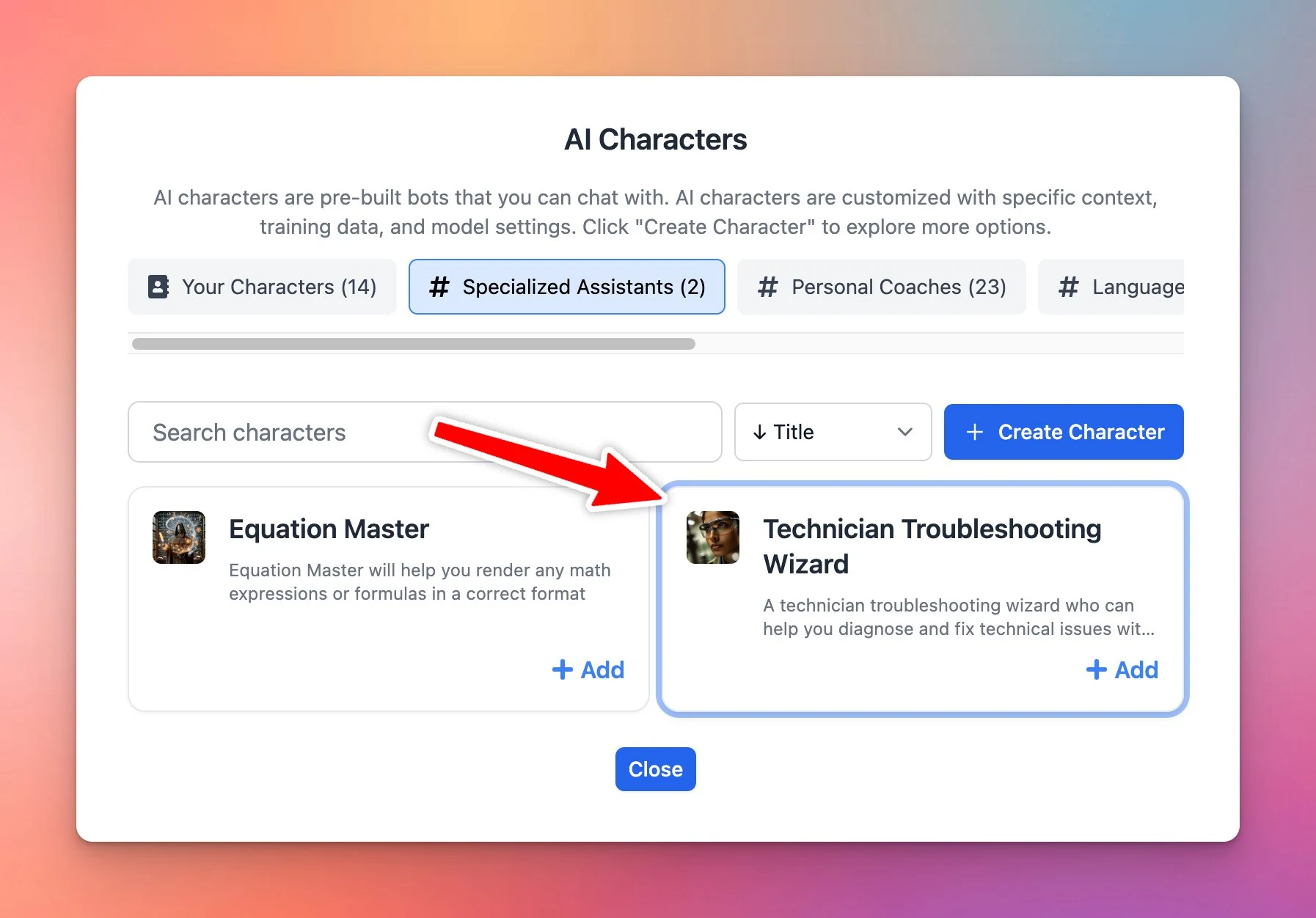
Technician Wizard Troubleshooting to help you debug any technical issues by asking you questions and then step-by-step debugging and resolve it.

New AI characters

See the announcement on X

Character limits per time period

⏰ Added an option to limit number of characters members can send within a certain time frame! Select a chat model you want to restrict by character count. Set Character Limits per Time Period for certain user groups. Available at custom.typingmind.com See the…

⏰ Added an option to limit number of characters members can send within a certain time frame!

  • Select a chat model you want to restrict by character count.
  • Set Character Limits per Time Period for certain user groups.

Available at custom.typingmind.com

See the announcement on X

Manual resync your training docs

Admins can now manually re-sync (in bulk) your training data 🔁 This ensures your AI assistant always stays updated with the latest versions of your documents! See the announcement on X

Admins can now manually re-sync (in bulk) your training data 🔁

This ensures your AI assistant always stays updated with the latest versions of your documents!

See the announcement on X

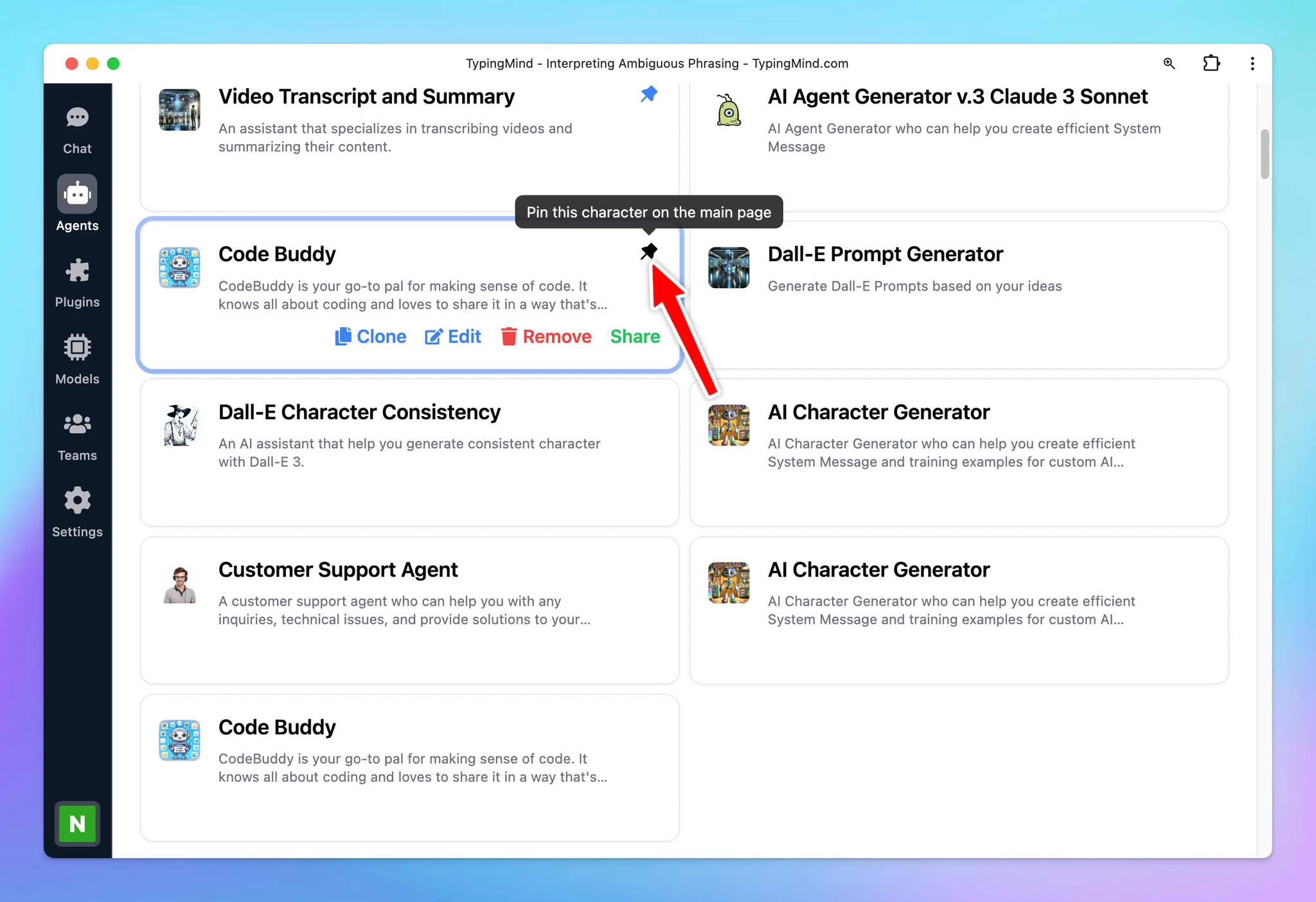
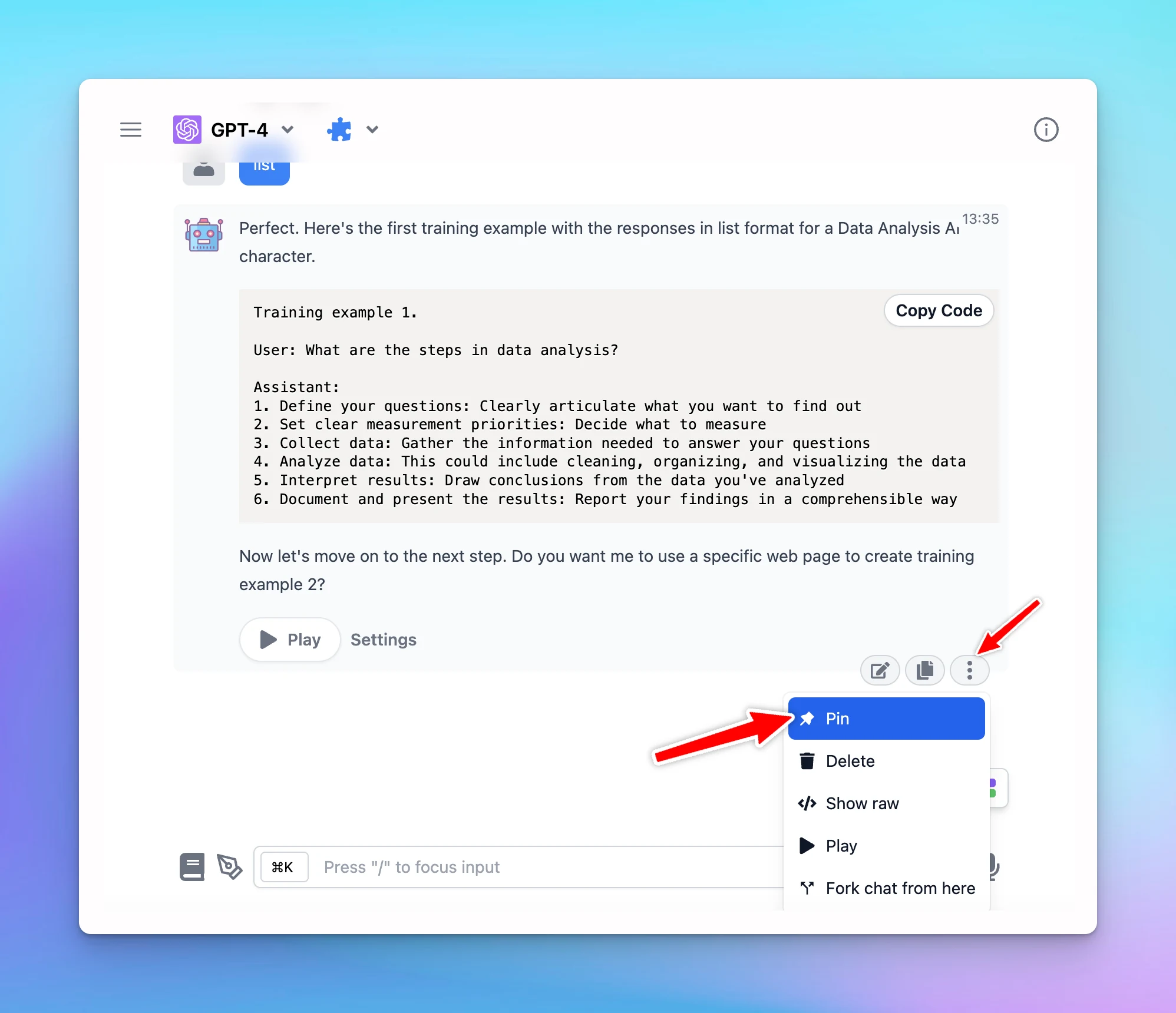
Pin your favorite AI characters to the main page

Pin your favorite AI characters to the main page of typingmind.com! Learn more about what you can do with AI Character: https://docs.typingmind.com/ai-agents/ai-agents-overview See the announcement on X

Pin your favorite AI characters to the main page of typingmind.com!

Learn more about what you can do with AI Character: https://docs.typingmind.com/ai-agents/ai-agents-overview

Pin your favorite AI characters to the main page

See the announcement on X

Allow AI Characters access certain training docs

🥳 GREAT NEWS: Train AI Characters with your custom data on http://custom.typingmind.com! Simply: Add tags to your training docs Assign these tags to certain AI characters so it can access certain training docs linked with that tags. This allows you to: 🤖…

🥳 GREAT NEWS: Train AI Characters with your custom data on http://custom.typingmind.com!

Simply:

  • Add tags to your training docs
  • Assign these tags to certain AI characters so it can access certain training docs linked with that tags.

This allows you to:
🤖 Make use of AI characters to build multiple chatbots
💻 Easily control user access to each chatbot

See the announcement on X

Available / Visible to all users except user with tags

⛔️🏷️ Admins can now select user tags that they want to EXCLUDE from accessing certain: Prompts AI Characters Chat models Use the option "Available/Visible to all users EXCEPT those with specific tags" on custom.typingmind.com! See the announcement on X

⛔️🏷️ Admins can now select user tags that they want to EXCLUDE from accessing certain:

  • Prompts
  • AI Characters
  • Chat models

Use the option "Available/Visible to all users EXCEPT those with specific tags" on custom.typingmind.com!

See the announcement on X

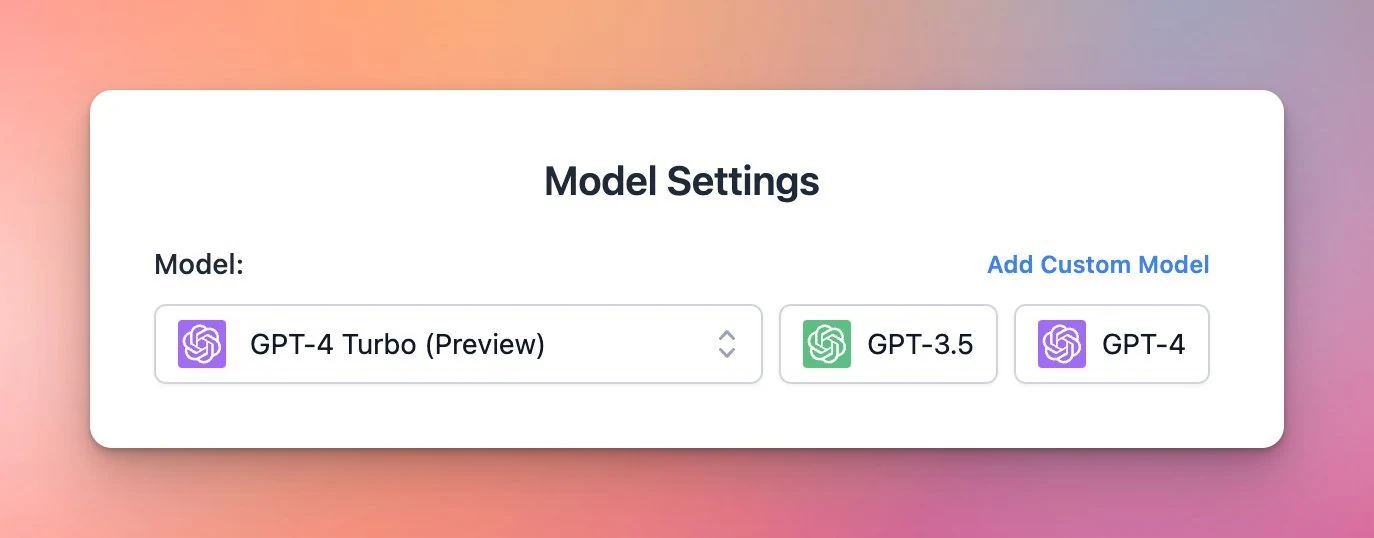
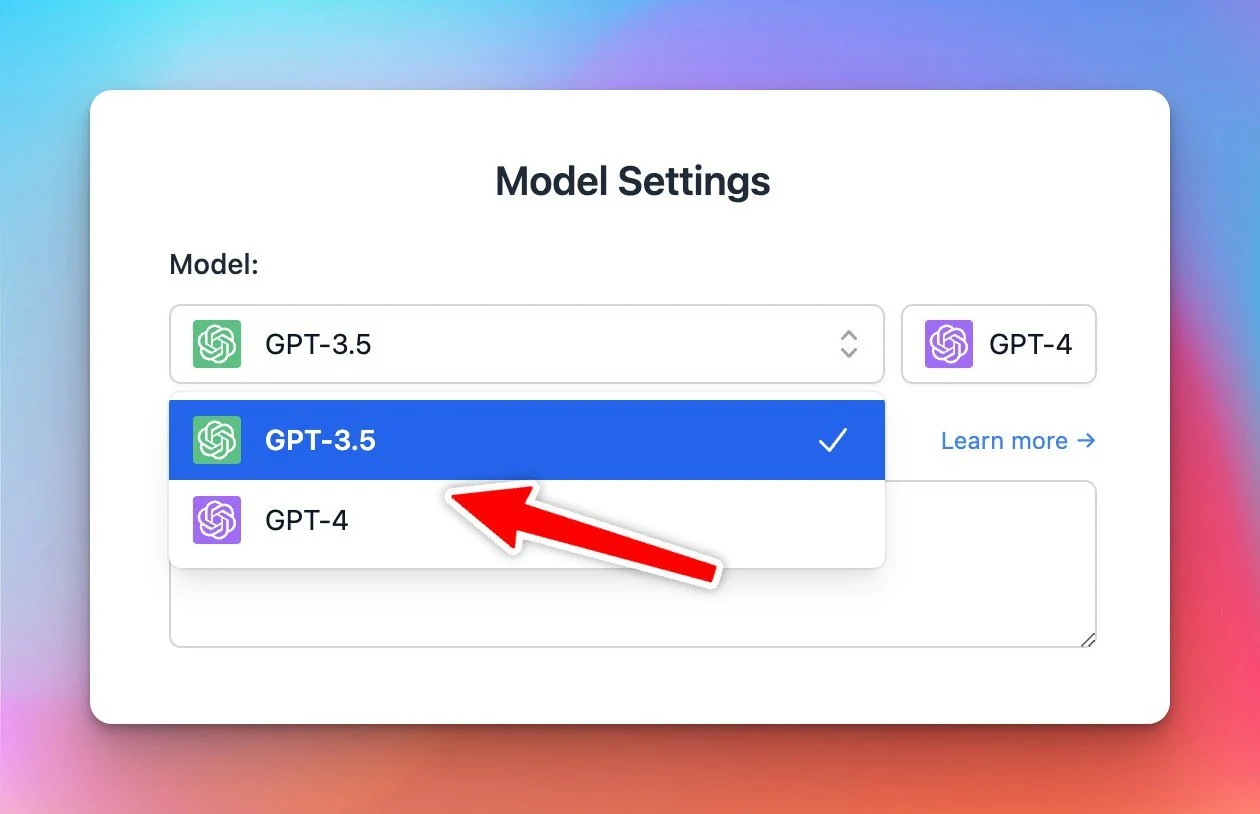
GPT-4-1106-preview (128k tokens) is now available!

GPT-4-1106-preview (128k tokens) is now available! Comes with 128K token length and it's WICKED FAST!!! Set up OpenAI GPT models on TypingMind: https://docs.typingmind.com/chat-models-settings/use-with-openai-api-(gpt-4o-gpt-3.5) See the announcement on X

GPT-4-1106-preview (128k tokens) is now available!

Comes with 128K token length and it's WICKED FAST!!!

GPT-4-1106-preview (128k tokens) is now available!

Set up OpenAI GPT models on TypingMind: https://docs.typingmind.com/chat-models-settings/use-with-openai-api-(gpt-4o-gpt-3.5)

See the announcement on X

UI tweak: move chat management action buttons to a more menu

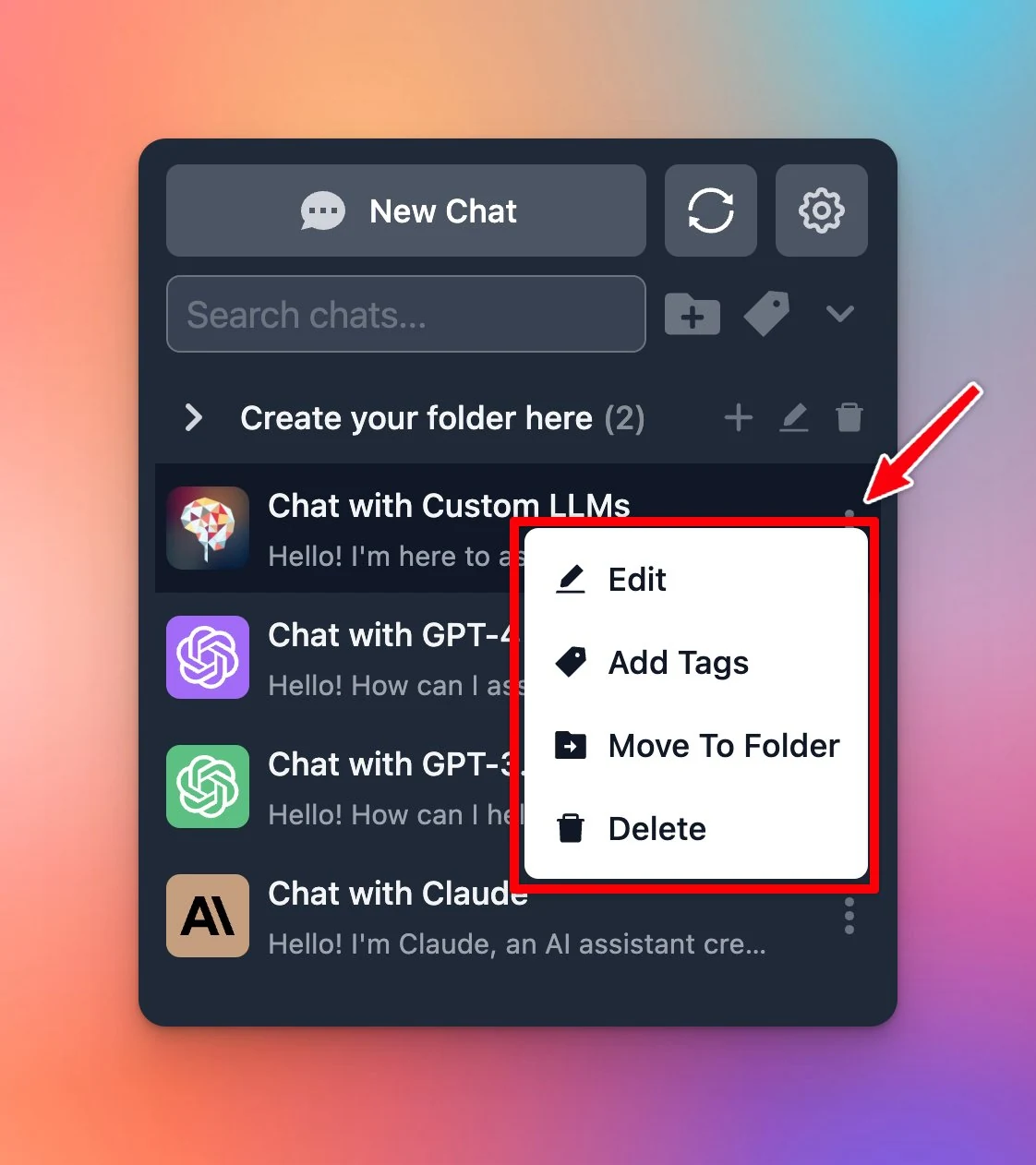
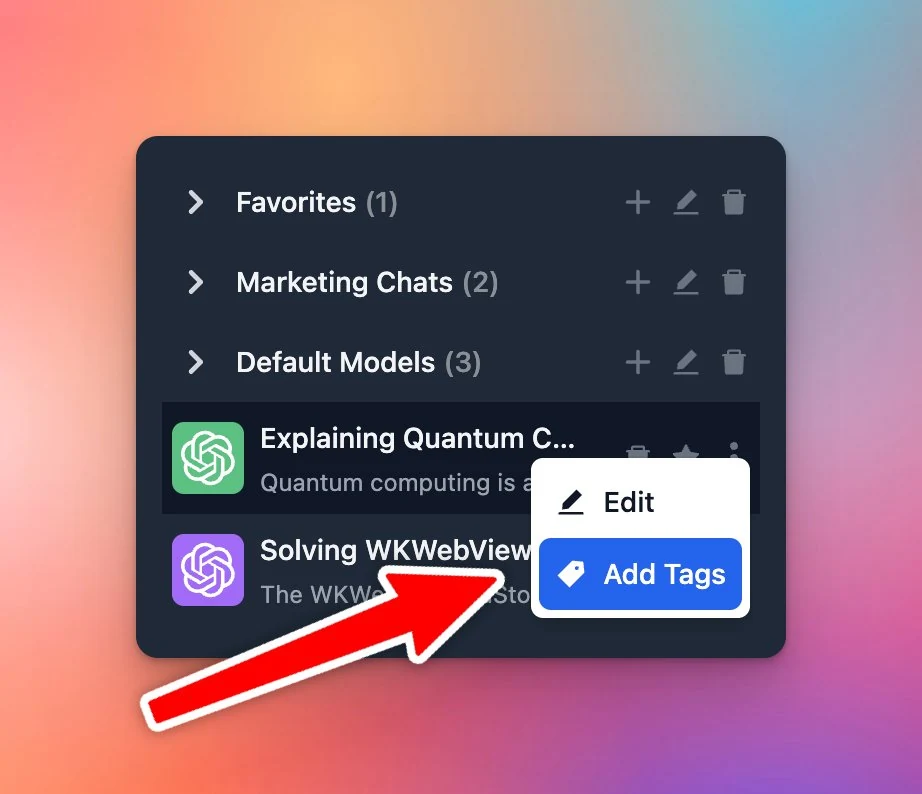
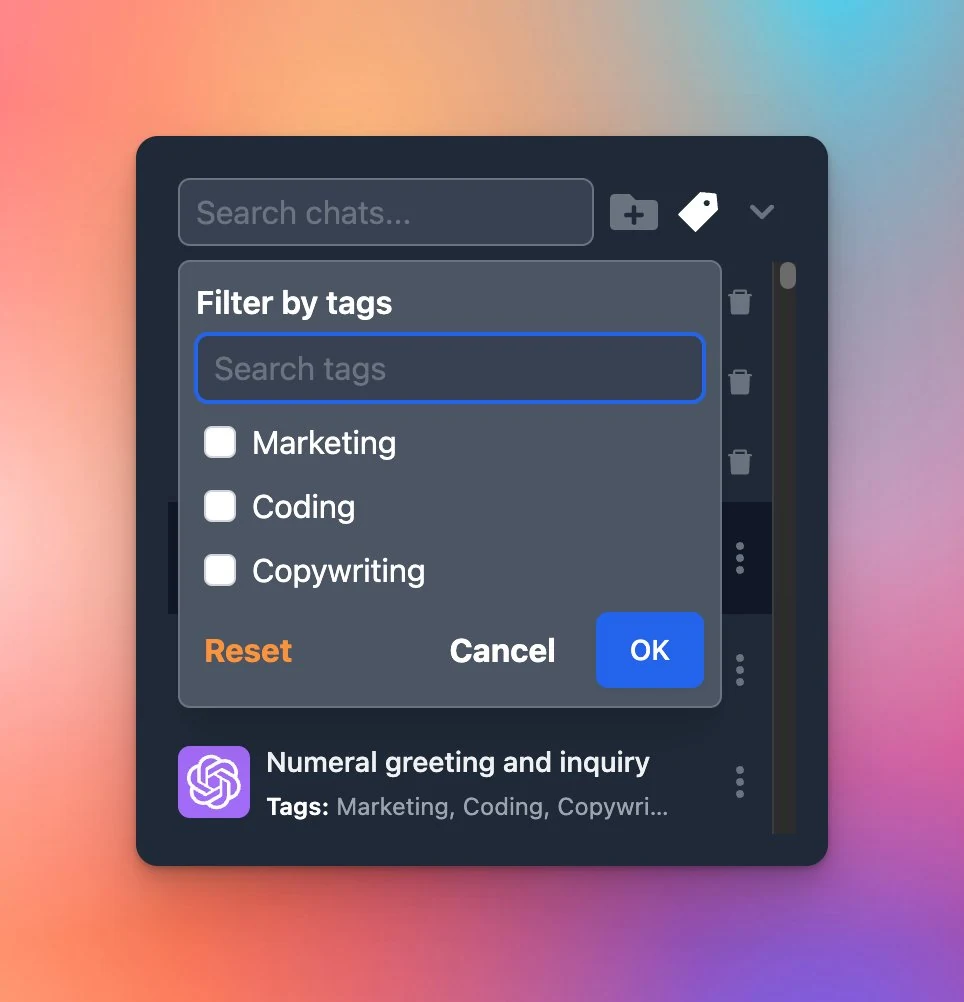
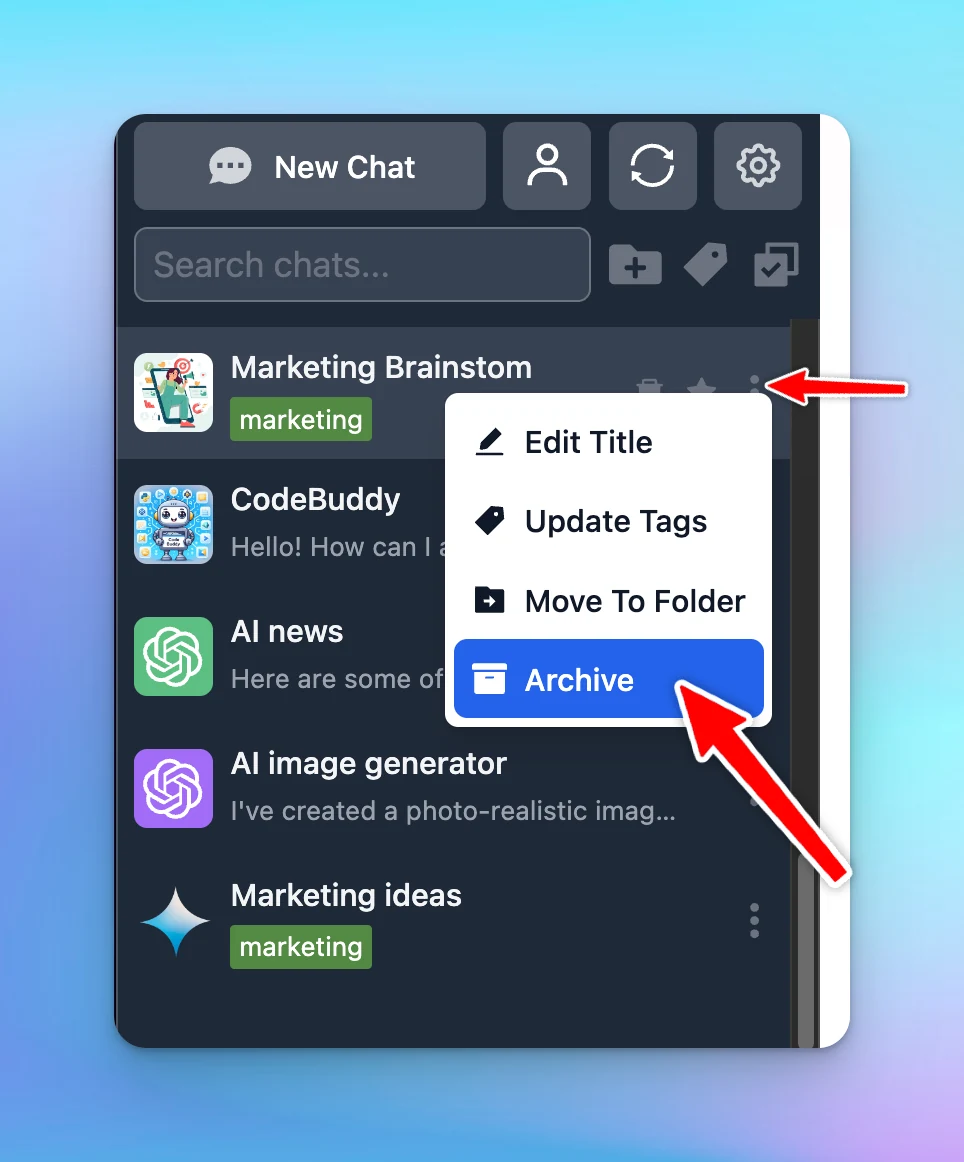
Small UI improvement: Chat management action buttons are now under the More Menu (three dots)! Edit chat title Add tags Move to folder Delete chat Options to organize your chats: https://docs.typingmind.com/chat-management/organize-chats See the announcement…

Small UI improvement: Chat management action buttons are now under the More Menu (three dots)!

  • Edit chat title
  • Add tags
  • Move to folder
  • Delete chat
UI tweak: move chat management action buttons to a more menu

Options to organize your chats: https://docs.typingmind.com/chat-management/organize-chats

See the announcement on X

Set default chat model for an AI character

🔒Now you can set the default chat model for a certain AI character! Ex: Use GPT-4 for Software developer This maintains a consistency in the AI responses. Learn more on what you can do with AI Character:…

🔒Now you can set the default chat model for a certain AI character!

Ex: Use GPT-4 for Software developer

This maintains a consistency in the AI responses.

Learn more on what you can do with AI Character: https://docs.typingmind.com/ai-agents/ai-agents-overview

See the announcement on X

Enforce chat model for a certain AI character

Set default model for character can also be done at Admin level of http://custom.typingmind.com! 👮‍♀️Enforce the default model for a certain AI character from Admin Panel 🛑 Members won't be able to change the chat model See the announcement on X

Set default model for character can also be done at Admin level of http://custom.typingmind.com!

👮‍♀️Enforce the default model for a certain AI character from Admin Panel
🛑 Members won't be able to change the chat model

See the announcement on X

October 2023

Upload various file type (beyond PDF)

TypingMind now supports uploading various file types (DOCX, TXT, JSON, Markdown, CSV, HTML) and chatting with the AI assistant! 🥳 Learn more detailed guidelines: https://docs.typingmind.com/upload-training-data See the announcement on X

TypingMind now supports uploading various file types (DOCX, TXT, JSON, Markdown, CSV, HTML) and chatting with the AI assistant! 🥳

Learn more detailed guidelines: https://docs.typingmind.com/upload-training-data

See the announcement on X

Append to an existing message via audio transcription

💬Append to an existing message via audio transcription! Now you can continue transcribing speech-to-text even after you already entered some text. Audio Input details: https://docs.typingmind.com/voice-input-(speech-to-text) See the announcement on X
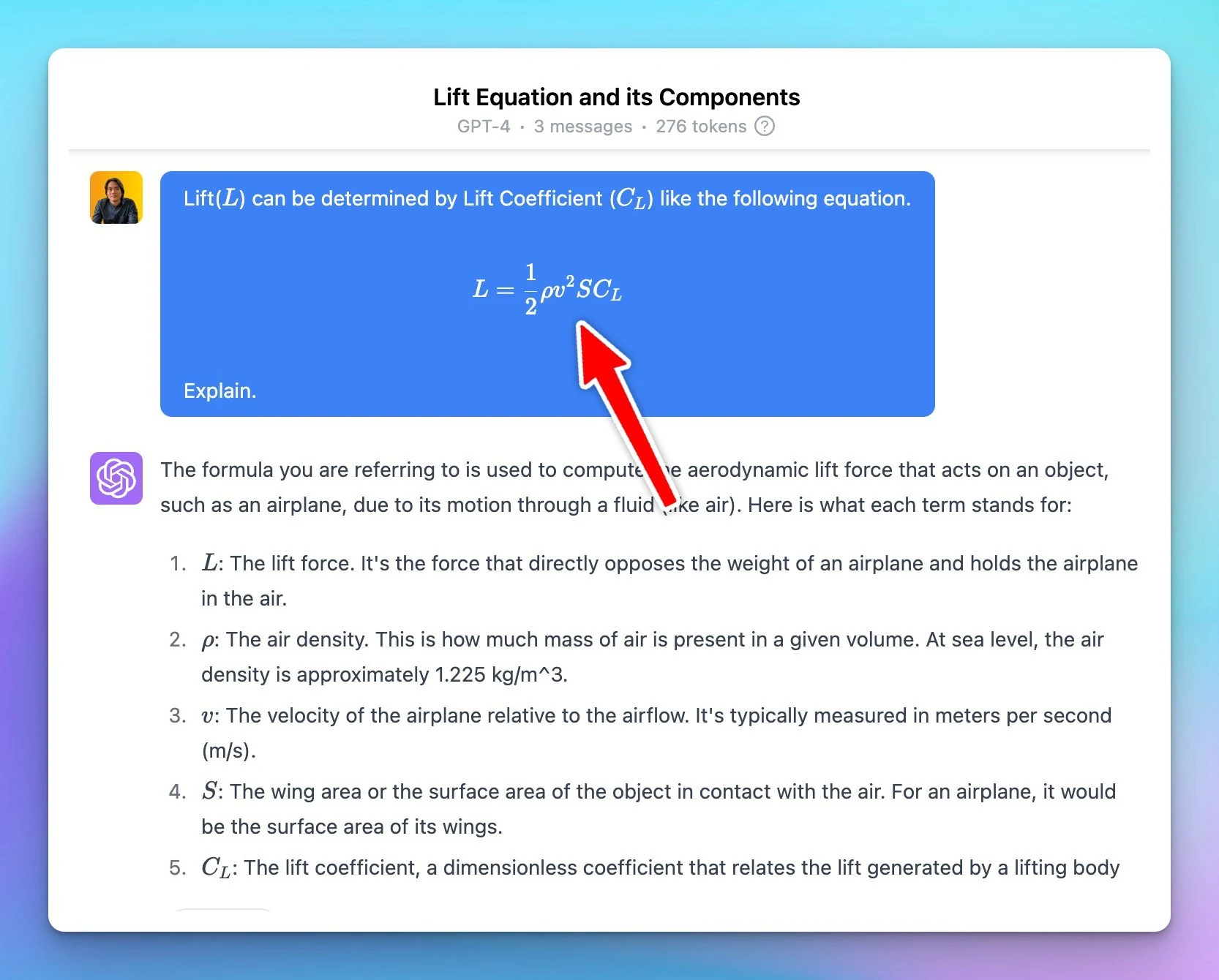
💬Append to an existing message via audio transcription!
Now you can continue transcribing speech-to-text even after you already entered some text.

Audio Input details: https://docs.typingmind.com/voice-input-(speech-to-text)

See the announcement on X

MacOS app v1.15.0

Just released a quick update for TypingMind MacOS app! Fixed the annoying issue where the app reloads after you minimize it to the dock. See the announcement on X
Just released a quick update for TypingMind MacOS app!

Fixed the annoying issue where the app reloads after you minimize it to the dock.

See the announcement on X

Control Action Buttons

📌 Admin now can select which action buttons are shown on the chat UI. This ensures a more focused conversation for your team members. See the announcement on X

📌 Admin now can select which action buttons are shown on the chat UI.

This ensures a more focused conversation for your team members.

See the announcement on X

September 2023

Customize cloud email login

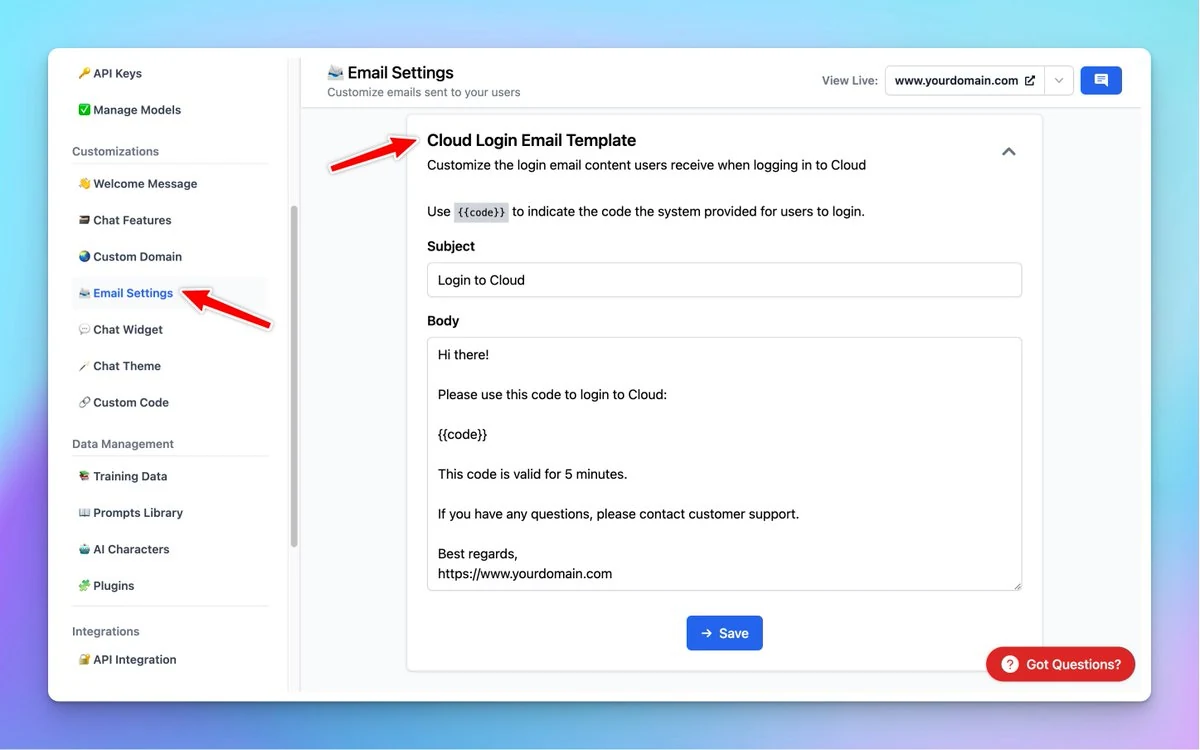
With this update, you can: Change 'Cloud Login' Email Content Sent with your custom email sender More options to customize your private ChatGPT bot : custom.typingmind.com See the announcement on X

With this update, you can:

  • Change 'Cloud Login' Email Content
  • Sent with your custom email sender

More options to customize your private ChatGPT bot : custom.typingmind.com

Customize cloud email login

See the announcement on X

Content Moderator

🌟New role for your chat instance: Content Moderator! Members with this role are only allowed to upload training data. See the announcement on X

🌟New role for your chat instance: Content Moderator!

Members with this role are only allowed to upload training data.

See the announcement on X

API access

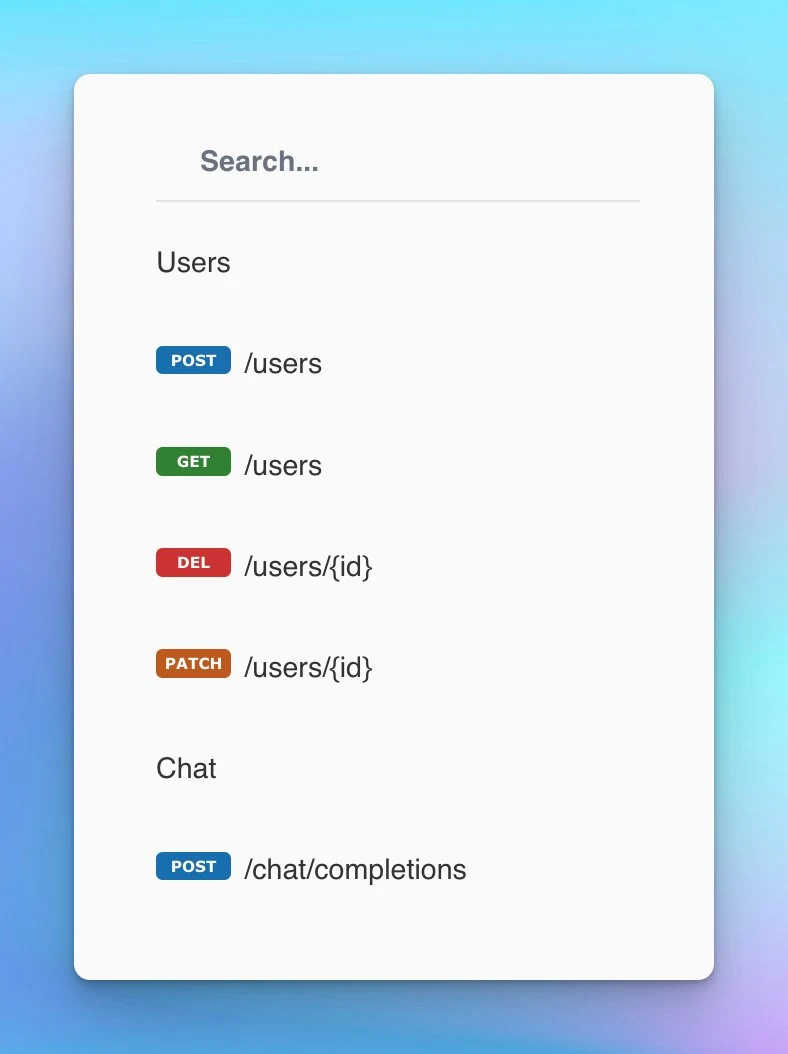
We have released an API for TypingMind Custom! ✅ Manage Users via API ✅ Connect with external systems ✅ Get AI response via API → Find more details: https://custom.typingmind.com/features/api-access See the announcement on X

We have released an API for TypingMind Custom!

✅ Manage Users via API
✅ Connect with external systems
✅ Get AI response via API

→ Find more details: https://custom.typingmind.com/features/api-access

API access

See the announcement on X

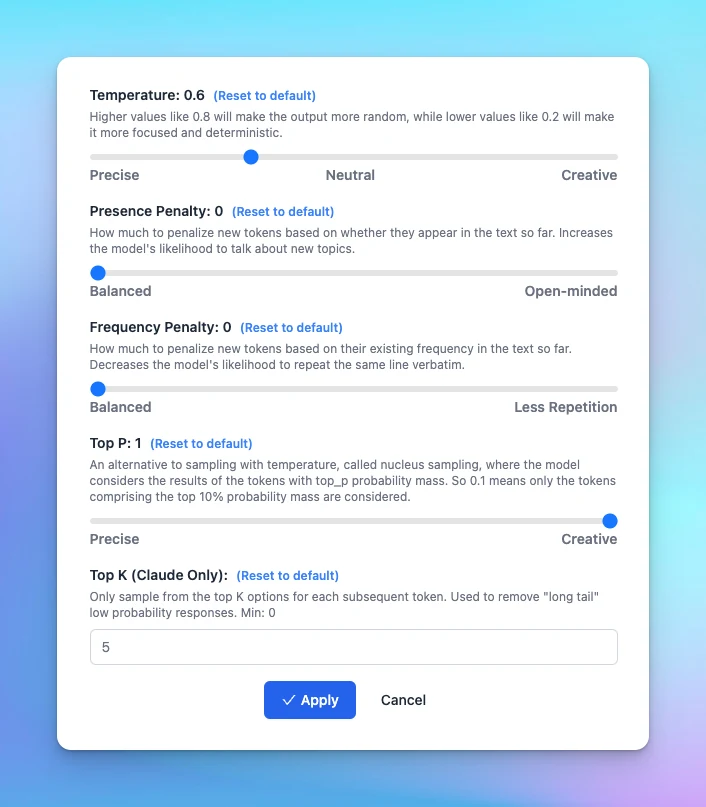
Added Top K for Claude

Added "Top K" parameter for Claude! 👉 Remove long tail low probability responses, essentially focusing the model's responses on the most likely outputs. Learn more about TypingMind Parameters: https://docs.typingmind.com/parameter-settings/parameter-settings…

Added "Top K" parameter for Claude!

👉 Remove long tail low probability responses, essentially focusing the model's responses on the most likely outputs.

Learn more about TypingMind Parameters: https://docs.typingmind.com/parameter-settings/parameter-settings

Added Top K for Claude

See the announcement on X

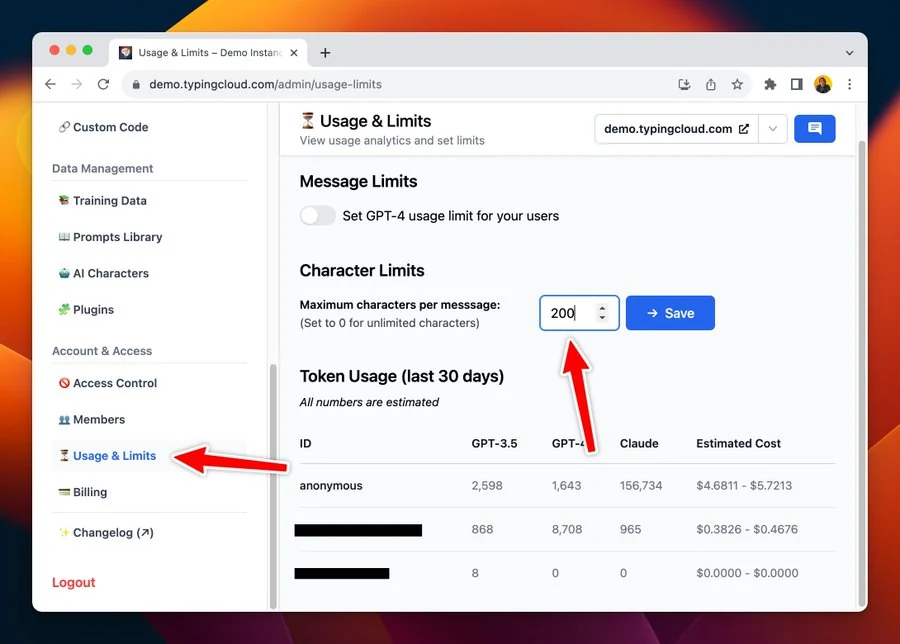
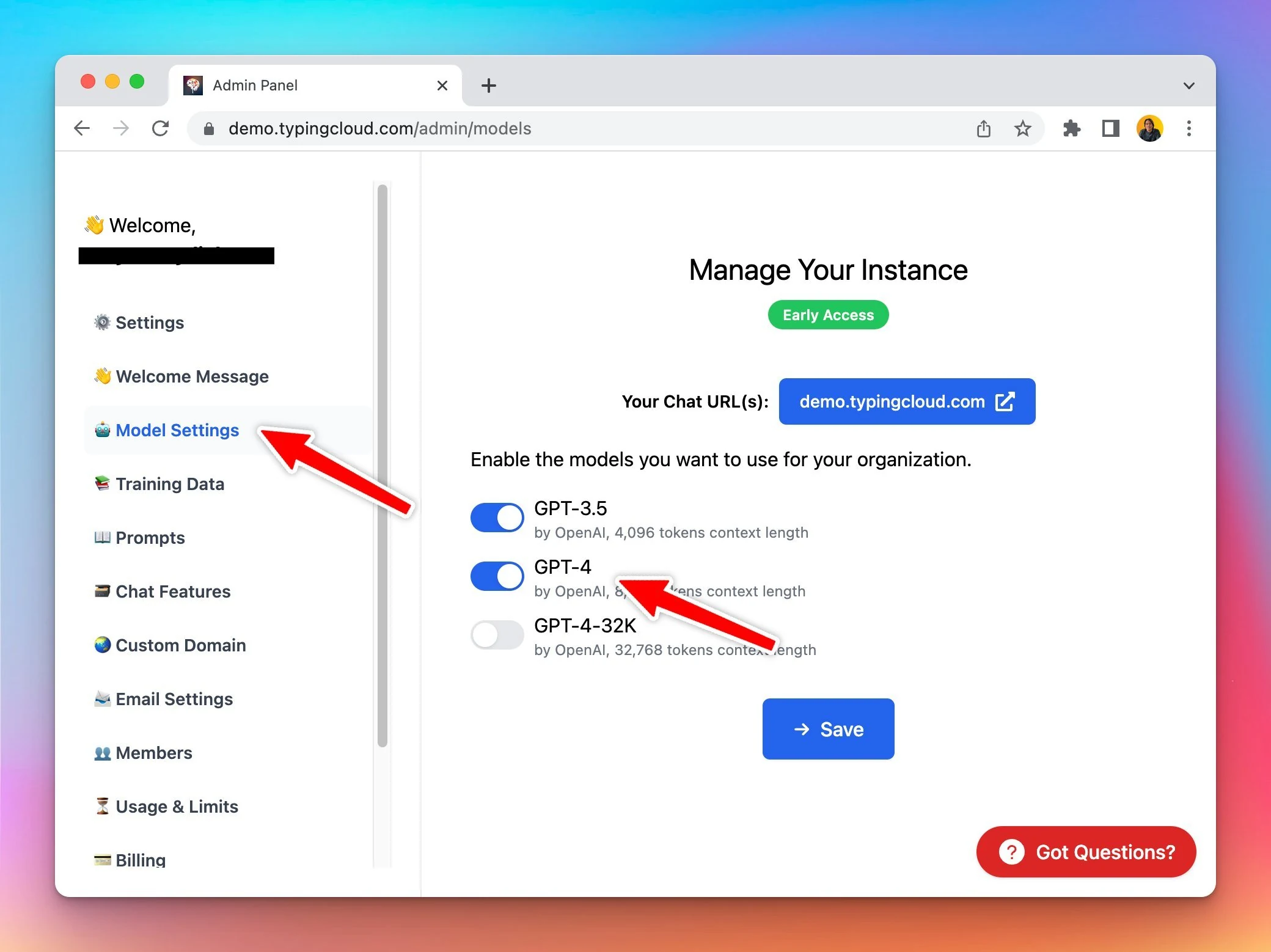
Chat model and usage restriction

🌟Big Update: Restrict Model Availability and Usage for certain users! Gain more control over the model usage & limit: Model restrict: control which chat models certain users can access Usage limits: cap the number of messages/characters certain users can…

🌟Big Update: Restrict Model Availability and Usage for certain users!

Gain more control over the model usage & limit:

  • Model restrict: control which chat models certain users can access
  • Usage limits: cap the number of messages/characters certain users can send

See the announcement on X

Export / Import Prompts

With this update, you can: Quickly import prompts Easily export prompts for backup or editing in bulk Admins can now manage prompts more efficiently from the Admin Panel! See the announcement on X

With this update, you can:

  • Quickly import prompts
  • Easily export prompts for backup or editing in bulk

Admins can now manage prompts more efficiently from the Admin Panel!

See the announcement on X

Custom plugins

🧩 Set up Custom Plugins from Admin Panel! Admins now have the ability to: Create New Plugins Import Plugins via URL Explore now: custom.typingmind.com See the announcement on X

🧩 Set up Custom Plugins from Admin Panel!

Admins now have the ability to:

  • Create New Plugins
  • Import Plugins via URL

Explore now: custom.typingmind.com

See the announcement on X

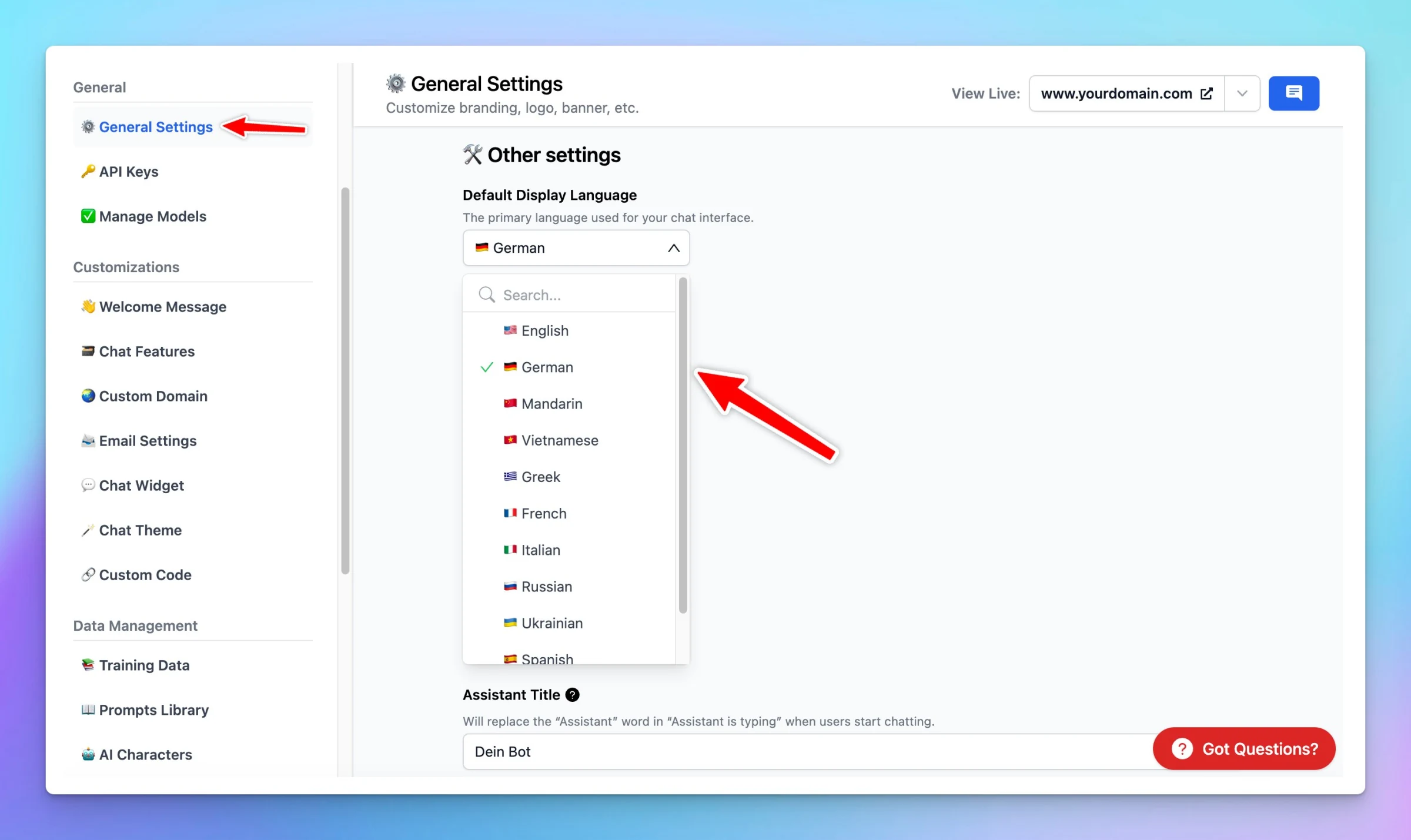
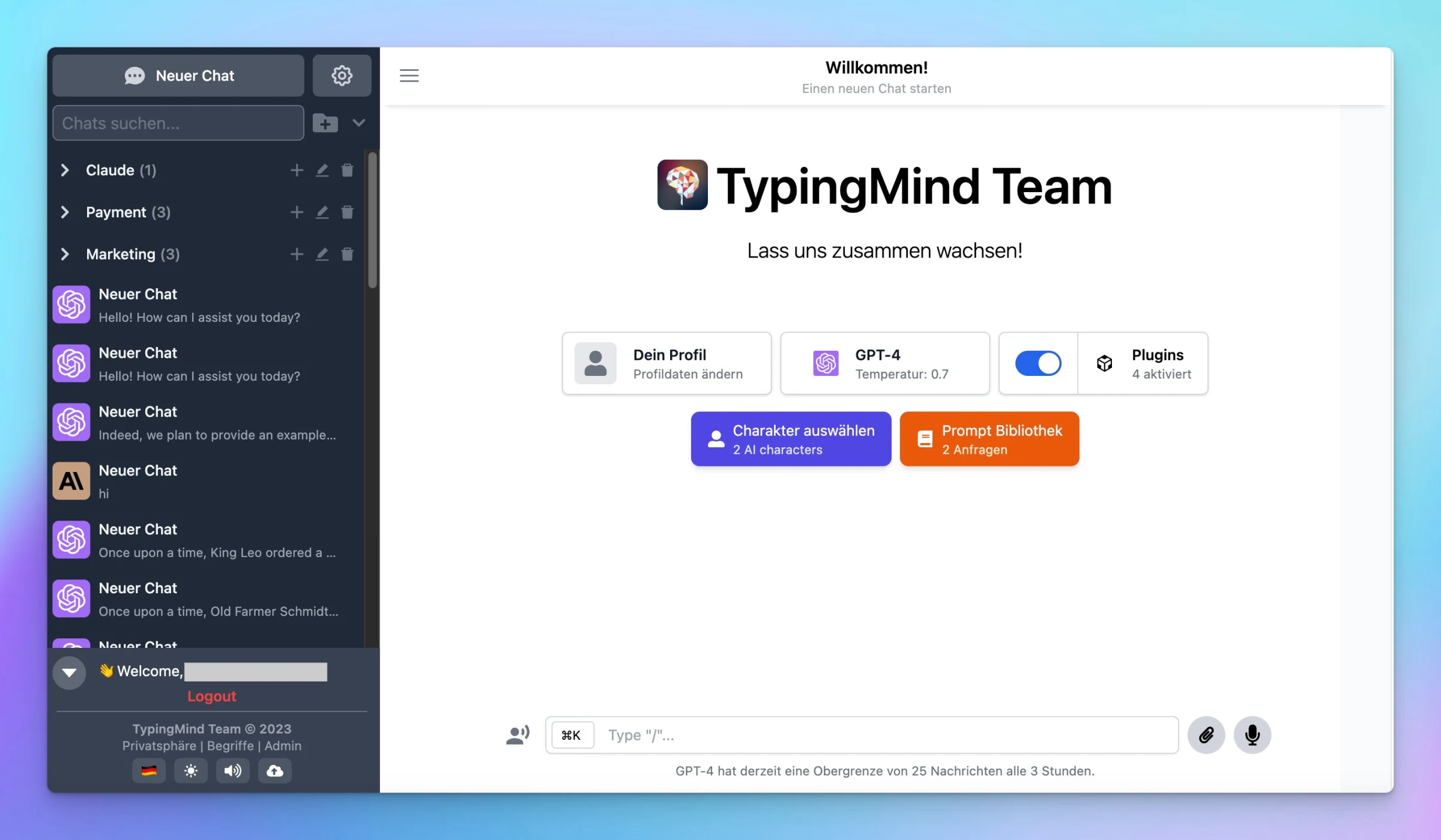
Set default language

🌍 Customize the chat UI in your preferred language! Admins now have the option to set the default language for your chat interface. Check it out: custom.typingmind.com See the announcement on X

🌍 Customize the chat UI in your preferred language!

Admins now have the option to set the default language for your chat interface.

Check it out: custom.typingmind.com

Set default language (screenshot 1 of 2)
Set default language (screenshot 2 of 2)

See the announcement on X

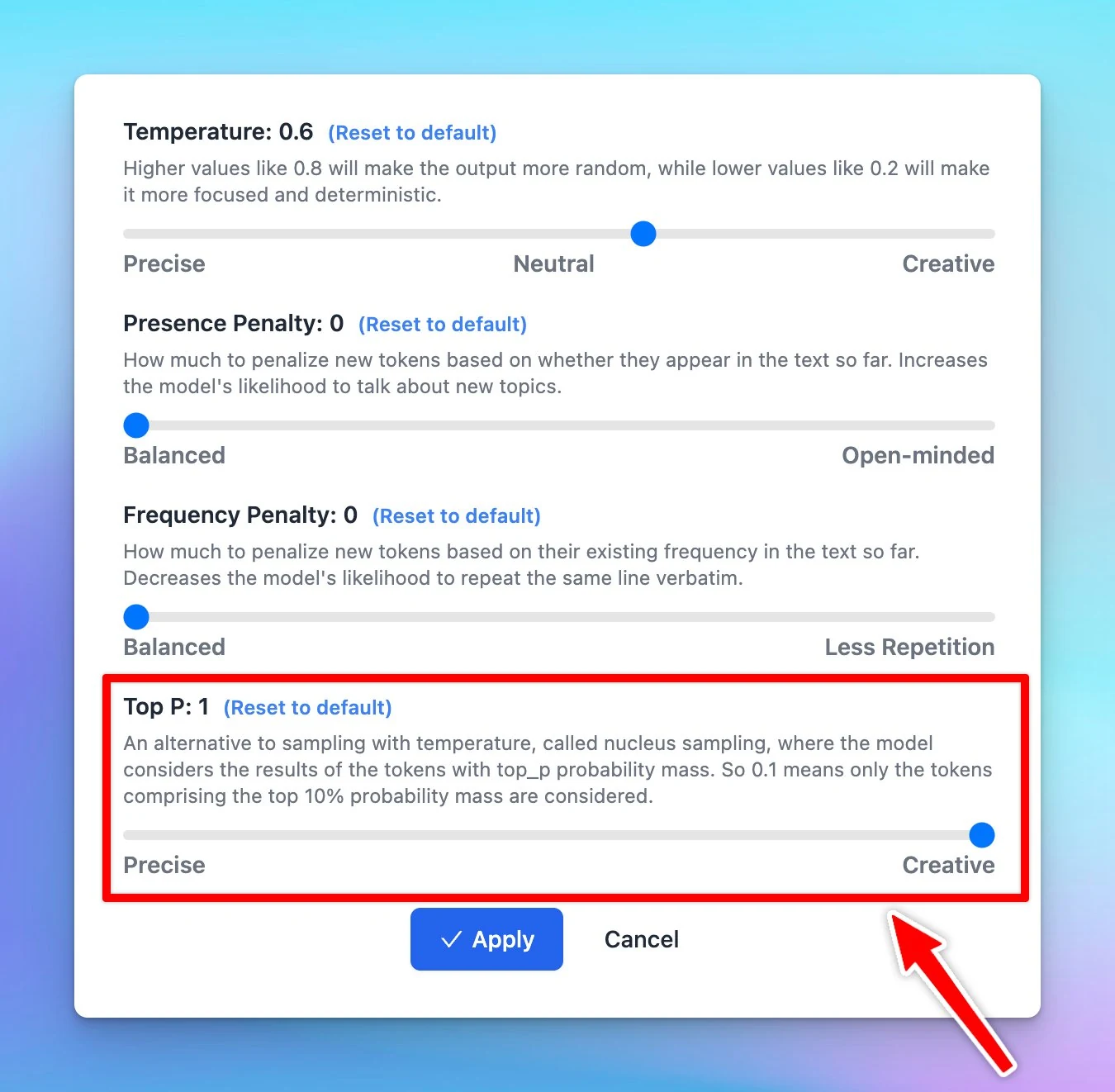
Added Top P parameter

Adjust the top P parameter on TypingMind. Top P is used to control the randomness of the AI's outputs, also known as nucleus sampling. Basically, when the AI model is deciding what word to say next, it calculates a score for each possible word. It then uses…

Adjust the top P parameter on TypingMind.

Top P is used to control the randomness of the AI's outputs, also known as nucleus sampling.

Basically, when the AI model is deciding what word to say next, it calculates a score for each possible word. It then uses these scores to decide which word to choose. Top P influences this selection process.

Added Top P parameter

Learn more: https://docs.typingmind.com/parameter-settings/parameter-settings

See the announcement on X

August 2023

Custom Body Params

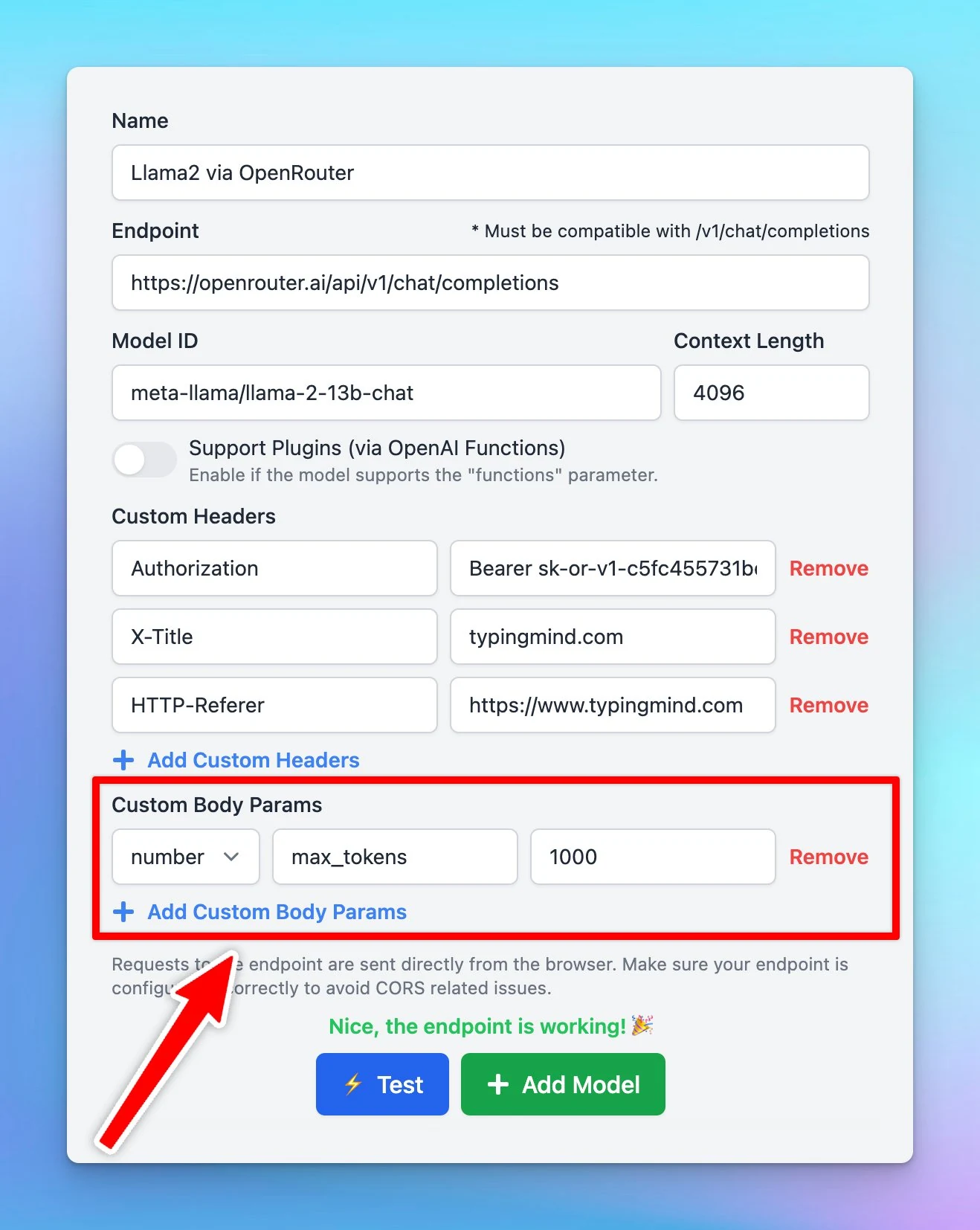
Added Custom Body Params in Custom Model! Some users reported that AI responses are trimmed while using Llama-based model via OpenRouter. For example: set max_tokens to 1000 (or any value that suits your needs) to extend the reply context. See the…

Added Custom Body Params in Custom Model!

Some users reported that AI responses are trimmed while using Llama-based model via OpenRouter.

For example: set max_tokens to 1000 (or any value that suits your needs) to extend the reply context.

Custom Body Params

See the announcement on X

Share chat messages in JSON format

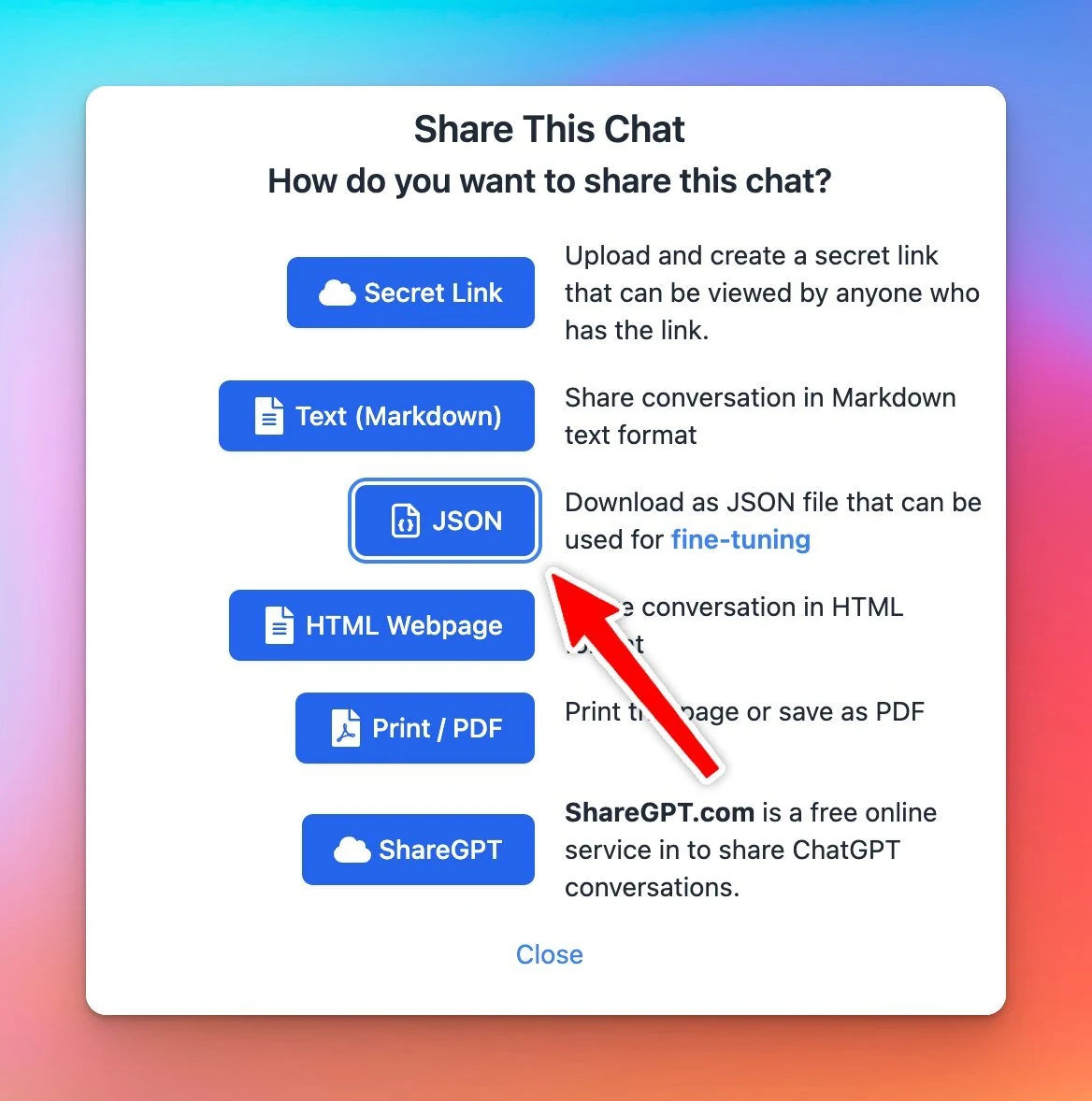
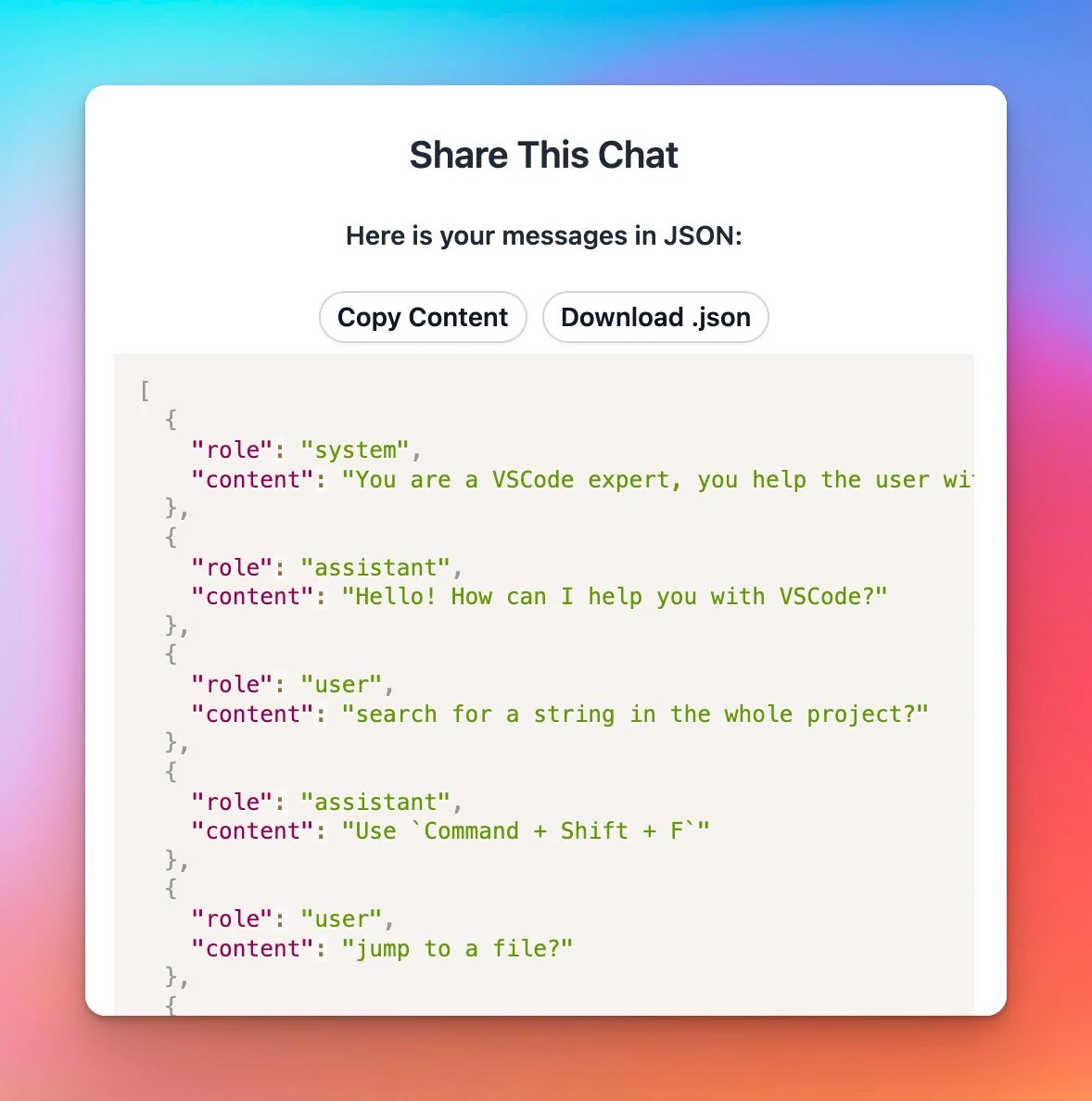
As OpenAI now supports fine-tuning... TypingMind now allows you to share chat messages in JSON format that can be used directly as the fine-tuning input. See the announcement on X

As OpenAI now supports fine-tuning...

TypingMind now allows you to share chat messages in JSON format that can be used directly as the fine-tuning input.

Share chat messages in JSON format (screenshot 1 of 2)
Share chat messages in JSON format (screenshot 2 of 2)

See the announcement on X

30+ Voices for ElevenLabs’s Text-to-Speech

Added 30+ voices to ElevenLabs' Voice library on TypingMind! All custom voices from your elevenlabs.io's VoiceLab will be seamlessly synced with TypingMind too! https://docs.typingmind.com/text-to-speech/set-up-text-to-speech See the announcement on X

Added 30+ voices to ElevenLabs' Voice library on TypingMind!

All custom voices from your elevenlabs.io's VoiceLab will be seamlessly synced with TypingMind too!

https://docs.typingmind.com/text-to-speech/set-up-text-to-speech

See the announcement on X

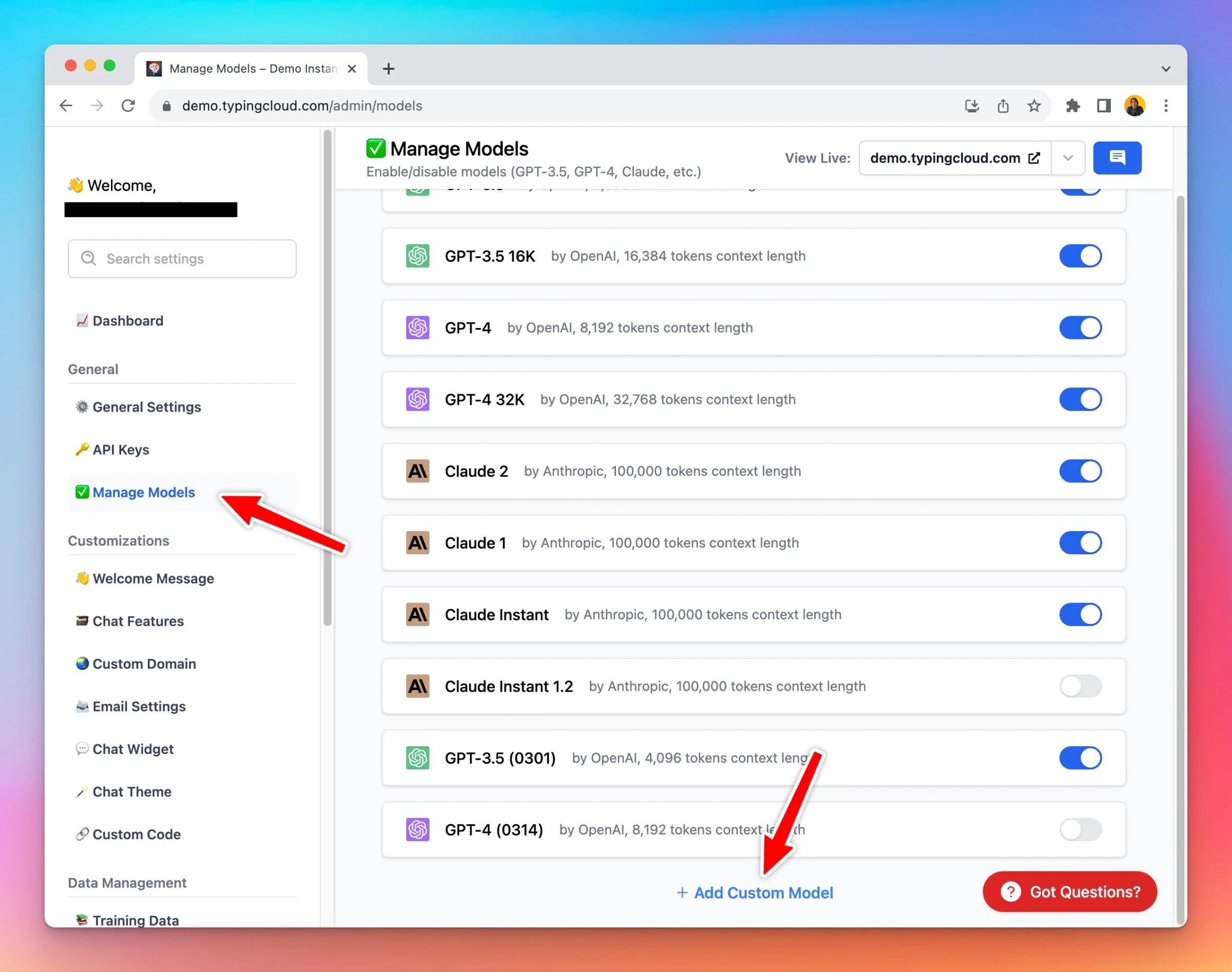
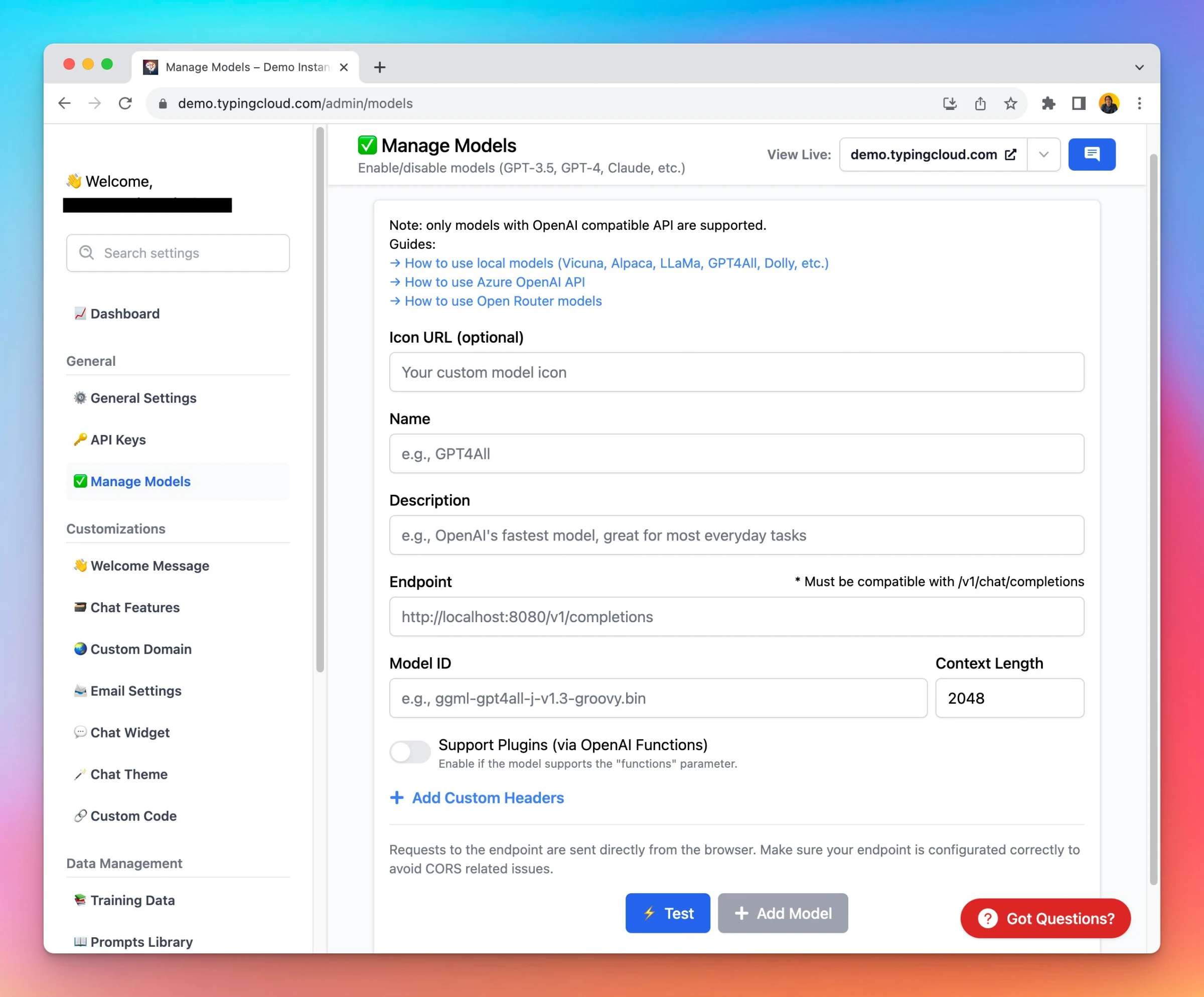
Custom model in Admin Panel

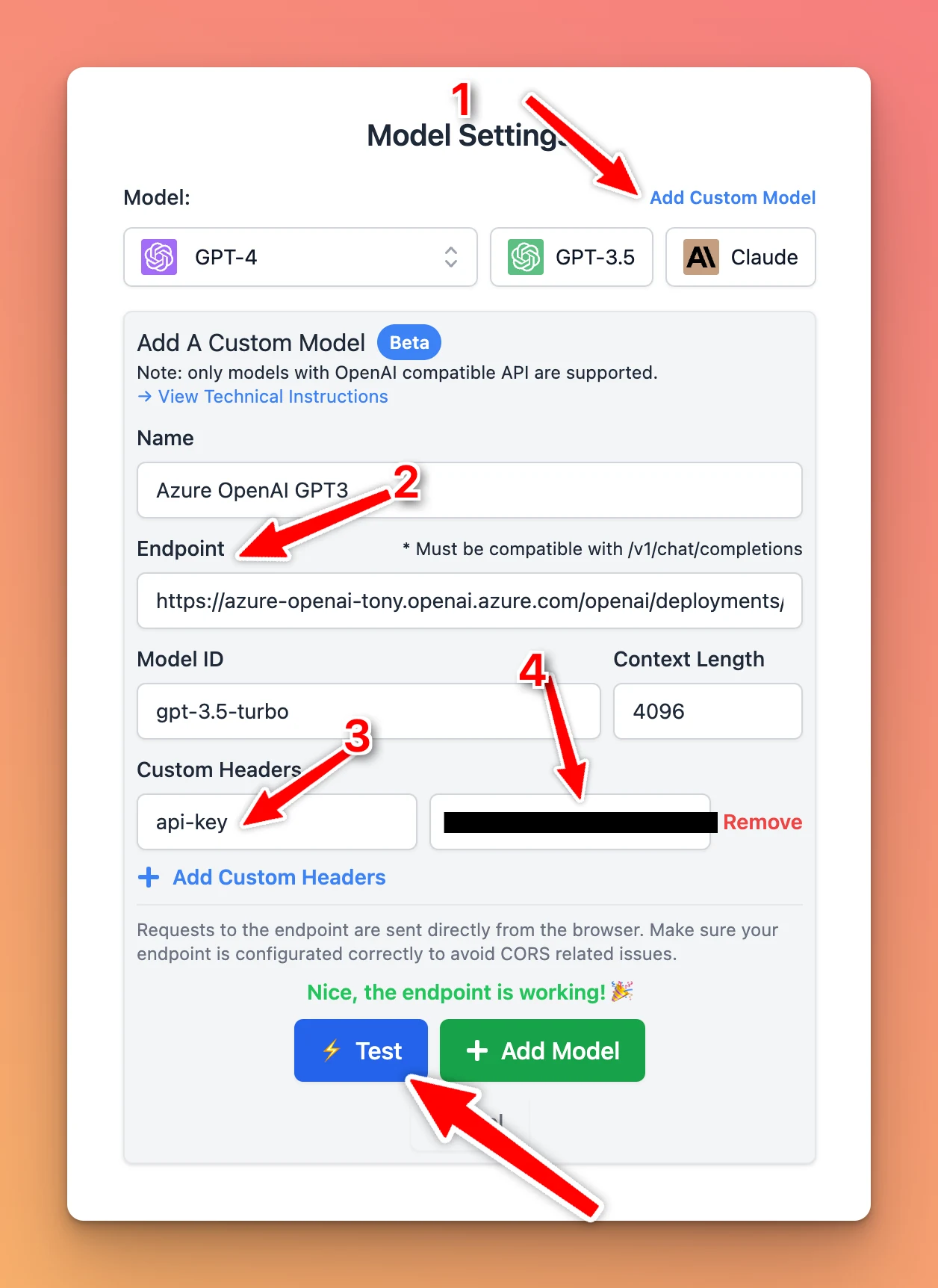
Typing Mind Custom now supports custom models. You can connect your instance to open source LLMs, Azure OpenAI, Open Router models, or use your private LLM! See the announcement on X

Typing Mind Custom now supports custom models.

You can connect your instance to open source LLMs, Azure OpenAI, Open Router models, or use your private LLM!

Custom model in Admin Panel (screenshot 1 of 2)
Custom model in Admin Panel (screenshot 2 of 2)

See the announcement on X

Search bar in Admin Panel

Search bar in Admin Panel (custom.typingmind.com)! With this update, you can: ✅ Easily navigate the settings ✅ Find what you need faster Refresh the app to enjoy the latest updates. See the announcement on X

Search bar in Admin Panel (custom.typingmind.com)!

With this update, you can:

✅ Easily navigate the settings
✅ Find what you need faster

  • Refresh the app to enjoy the latest updates.

See the announcement on X

Sync “Plugin Settings”

Sync "Plugin Settings" across devices! You no longer need to manually set up your plugin (such as search engine ID, API key, etc.) on each device/platform. 👉 Tick the "Plugin Settings" box now to get the settings automatically synced!…

Sync "Plugin Settings" across devices!

You no longer need to manually set up your plugin (such as search engine ID, API key, etc.) on each device/platform.

👉 Tick the "Plugin Settings" box now to get the settings automatically synced!

https://docs.typingmind.com/cloud-sync-and-backup/set-up-cloud-sync-and-backup

See the announcement on X

Set tags for your members

Admins now can add tags for team members in custom.typingmind.com: Categorize and manage members more effectively Control access to certain prompts / AI characters See the announcement on X

Admins now can add tags for team members in custom.typingmind.com:

  • Categorize and manage members more effectively
  • Control access to certain prompts / AI characters

See the announcement on X

Public mode for your chat instance

Public Mode now on TypingMind Custom! Admin can enable public mode for your chat instances. ✅ No login needed - accessible to everyone ✅ 50+ users required for public mode activation Only on custom.typingmind.com See the announcement on X

Public Mode now on TypingMind Custom!

Admin can enable public mode for your chat instances.

✅ No login needed - accessible to everyone
✅ 50+ users required for public mode activation

Only on custom.typingmind.com

See the announcement on X

Added “Clear context” button

Added "🧹 Clear Context" button. The AI assistant will forget all previous messages and you can continue chatting in the same chat. See the announcement on X

Added "🧹 Clear Context" button.

The AI assistant will forget all previous messages and you can continue chatting in the same chat.

See the announcement on X

Add avatar for AI characters

Added profile picture for AI characters on typingmind.com, the conversation feel so much better! You can customize the profile pic for the AI characters you created too (click "Edit") See the announcement on X

Added profile picture for AI characters on typingmind.com, the conversation feel so much better!

You can customize the profile pic for the AI characters you created too (click "Edit")

See the announcement on X

Download audio file

Added an audio download button to TypingMind AI's response. So you now can download your neccessary audio file quickly! See the announcement on X

Added an audio download button to TypingMind AI's response.

So you now can download your neccessary audio file quickly!

See the announcement on X

July 2023

Add back the old versions of GPT-4 & 3.5

Some people have feedback that the new GPT-4 model doesn't work well with old prompts. So we added back the old versions of GPT-4 and GPT-3.5 to typingmind.com, giving you the option: OpenAI is committed to support these models at least until June 13, 2024.…

Some people have feedback that the new GPT-4 model doesn't work well with old prompts.

So we added back the old versions of GPT-4 and GPT-3.5 to typingmind.com, giving you the option:

OpenAI is committed to support these models at least until June 13, 2024.

See the announcement on X

Control access to chat instance

Allow "authorized" use for your chat instance! Now admins can control access to chat instance, available in 2 modes: 🟥 Private: invited members only 🟪 Authorized: anyone with a verified email can access. Only on typingmind.com/custom See the announcement on…

Allow "authorized" use for your chat instance!

Now admins can control access to chat instance, available in 2 modes:

🟥 Private: invited members only
🟪 Authorized: anyone with a verified email can access.

Only on typingmind.com/custom

See the announcement on X

Help us make TypingMind Multilingual

Just released multilingual on TypingMind.com The other languages are auto-translated by AI 😅 If you want to help with translating Typing Mind, please reach out: typingmind.com/translation See the announcement on X

Just released multilingual on TypingMind.com

The other languages are auto-translated by AI 😅

If you want to help with translating Typing Mind, please reach out: typingmind.com/translation

See the announcement on X

Preset plugins for your team

🥳Pre-configure plugins for your team with TypingMind custom! No more individual plugin set-ups - save time and boost productivity for all team members! Try now: typingmind.com/custom See the announcement on X

🥳Pre-configure plugins for your team with TypingMind custom!

No more individual plugin set-ups - save time and boost productivity for all team members!

Try now: typingmind.com/custom

See the announcement on X

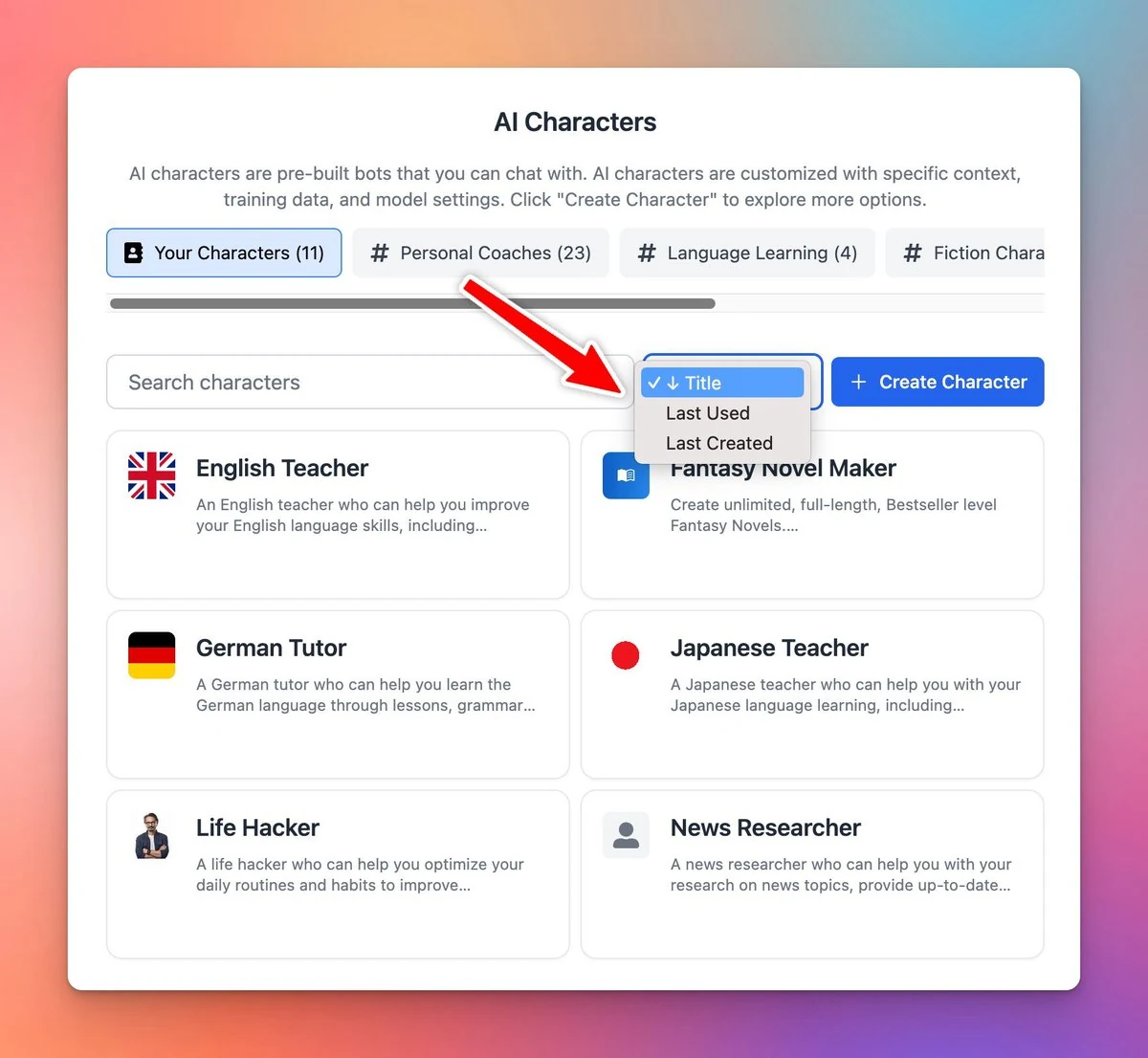
A fully revamped AI character on TypingMind

A brand-new UI for AI characters on typingmind.com 🥳 Now you can: ✅ Share your AI character via a link ✅ Manage your character library easier 👉 Example? Import this Fantasy Novel Maker character (worth $6!) and use it on Typing Mind now:…

A brand-new UI for AI characters on typingmind.com 🥳

Now you can:
✅ Share your AI character via a link
✅ Manage your character library easier

👉 Example? Import this Fantasy Novel Maker character (worth $6!) and use it on Typing Mind now: https://cloud.typingmind.com/characters/c-01H4DC782M3CRN8N323CJ80093

See the announcement on X

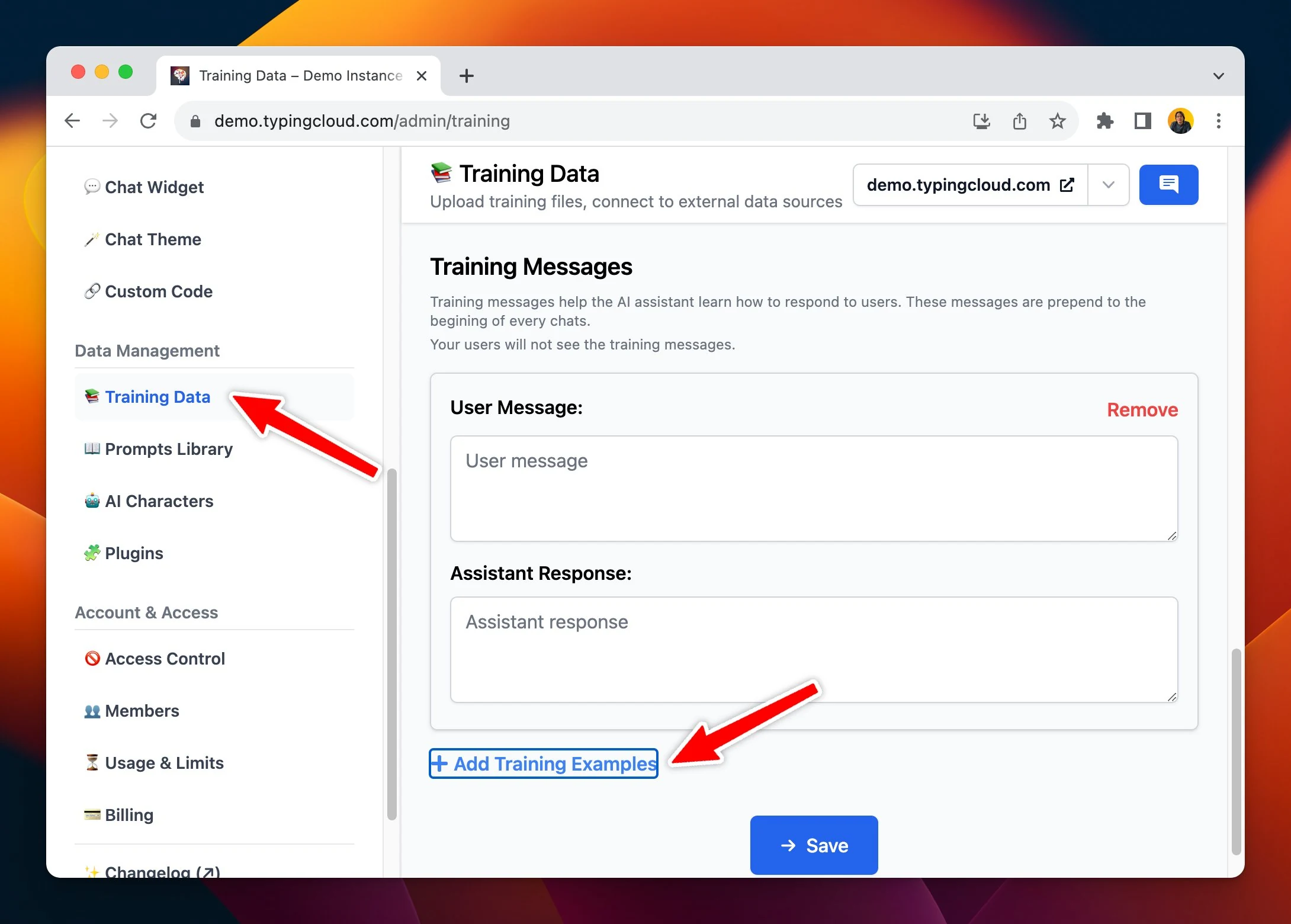
Add training examples within the AI character

You can now add Training Examples to the AI characters in typingmind.com 😄 Similar to the one you see in the OpenAI playground, but specific to each AI character you created. See the announcement on X

You can now add Training Examples to the AI characters in typingmind.com 😄

Similar to the one you see in the OpenAI playground, but specific to each AI character you created.

See the announcement on X

June 2023

TypingMind blog is live!

🥳 Say hi to the new TypingMind blog! Here's what you can expect: 🔸Tips to use the app effectively 🔸Ways to optimize ChatGPT's outputs 🔸Interesting prompts, characters ... and more! See the announcement on X

🥳 Say hi to the new TypingMind blog!

Here's what you can expect:

🔸Tips to use the app effectively
🔸Ways to optimize ChatGPT's outputs
🔸Interesting prompts, characters
... and more!

See the announcement on X

Plugin’s user settings

👏 Added "User Settings" field when creating a plugin! This allows you to add the "Settings" tab for the user to input their specific settings/configs. 🧪 Example plugin: see the "Image Search" plugin → More details:…

👏 Added "User Settings" field when creating a plugin!

This allows you to add the "Settings" tab for the user to input their specific settings/configs.

🧪 Example plugin: see the "Image Search" plugin

→ More details: https://docs.typingmind.com/plugins/build-a-typingmind-plugin

See the announcement on X

The first version of plugins has been released!

Just released the first version of TypingMind plugins 🧩 You can create your own plugin with just a few lines of JS. Super early, more changes coming soon. → Read the docs here for more details: http://typingmind.com/plugins-docs See the announcement on X

Just released the first version of TypingMind plugins 🧩

You can create your own plugin with just a few lines of JS.

Super early, more changes coming soon.

→ Read the docs here for more details: http://typingmind.com/plugins-docs

See the announcement on X

Claude is now available!

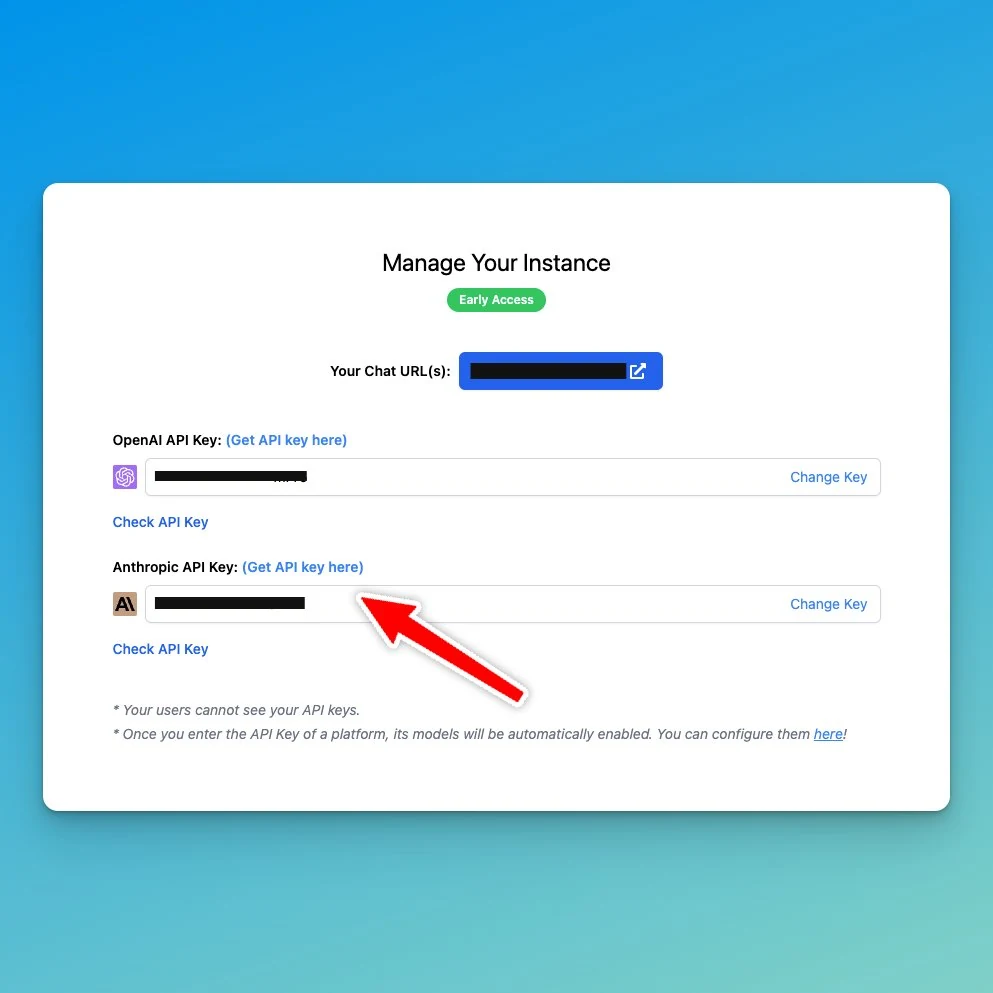
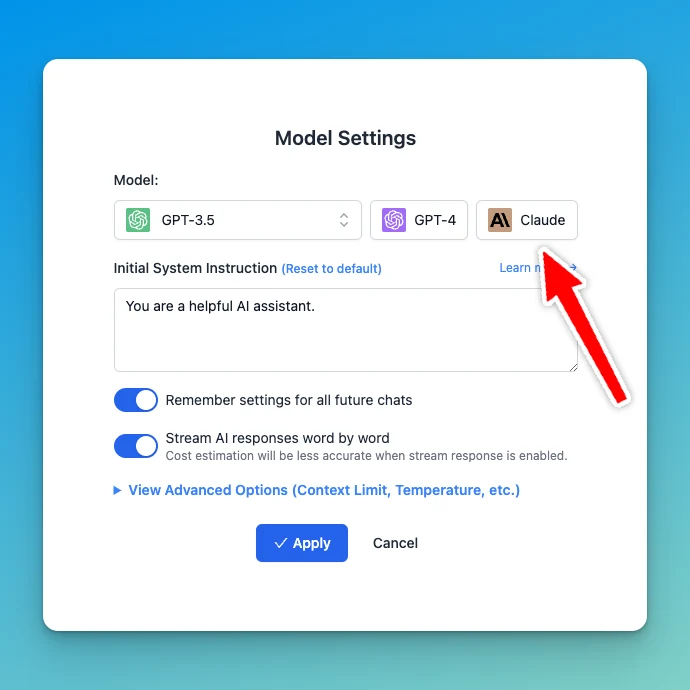
Claude is now available! ⚙️ How it works? Simply sign in to your Admin panel, refresh the page to view the API keys menu, and input your Claude API key 🌟 (Note: The chat models will only appear on the chat interface after the API Keys have been provided) See…

Claude is now available!

⚙️ How it works?

Simply sign in to your Admin panel, refresh the page to view the API keys menu, and input your Claude API key 🌟

(Note: The chat models will only appear on the chat interface after the API Keys have been provided)

Claude is now available! (screenshot 1 of 2)
Claude is now available! (screenshot 2 of 2)

See the announcement on X

Manage your instance

🚀 We've just made it a lot easier to manage your Chat instances at http://typingmind.com/custom! Now you can: ✅ Manage all your instances in one place ✅ Quickly access your instances without the need to remember its URLs. See the announcement on X

🚀 We've just made it a lot easier to manage your Chat instances at http://typingmind.com/custom!

Now you can:
✅ Manage all your instances in one place
✅ Quickly access your instances without the need to remember its URLs.

See the announcement on X

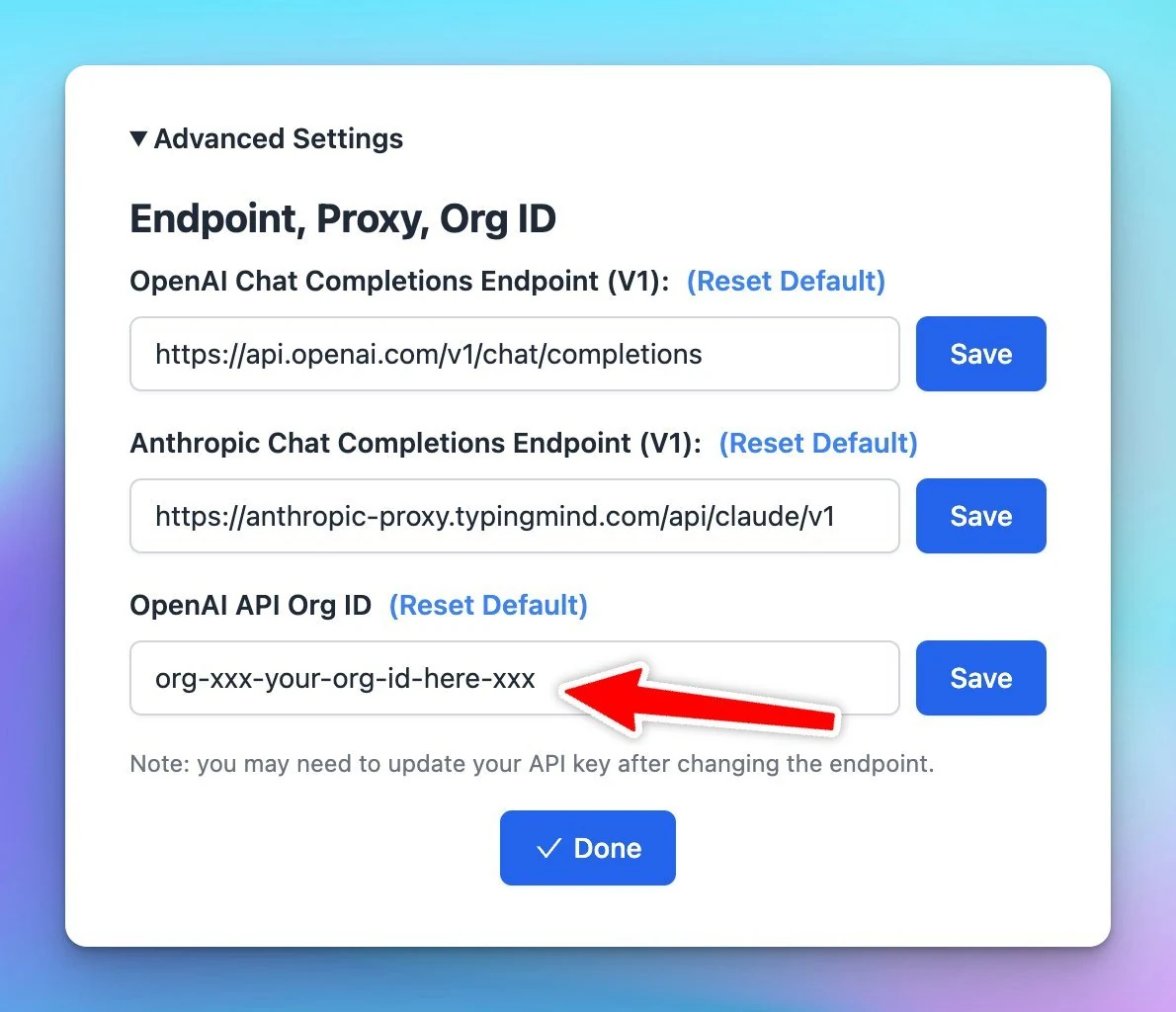
Use OpenAI API Org ID.

If your OpenAI API key is tied to an organization, you can configure TypingMind to use that Org ID. Go to Setting (the gear ⚙️ icon) → Advanced Settings → OpenAI API Org ID. See the announcement on X

If your OpenAI API key is tied to an organization, you can configure TypingMind to use that Org ID.

Go to Setting (the gear ⚙️ icon) → Advanced Settings → OpenAI API Org ID.

Use OpenAI API Org ID.

See the announcement on X

Voice input has been rebuilt!

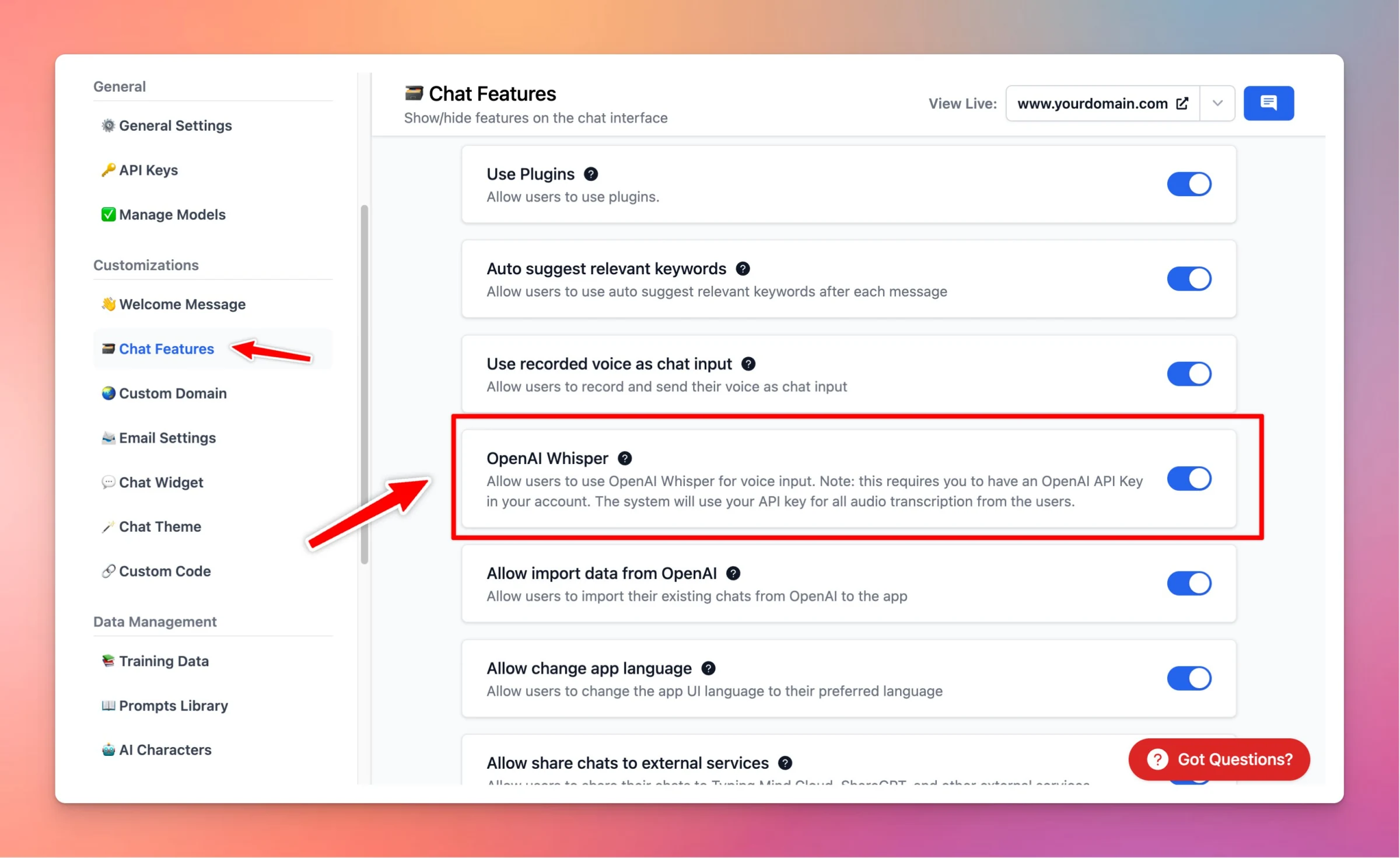
The Voice Input feature on typingmind.com has been completely rebuilt! ✅ Support OpenAI Whisper (with your API key) ✅ Built-in Text-to-Speech API (free 🤑) ✅ Improve control: no more getting cut off while you're speaking ✅ Work on the PWA version! 🤯 See the…

The Voice Input feature on typingmind.com has been completely rebuilt!

✅ Support OpenAI Whisper (with your API key)
✅ Built-in Text-to-Speech API (free 🤑)
✅ Improve control: no more getting cut off while you're speaking
✅ Work on the PWA version! 🤯

See the announcement on X

Web search plugin has been rebuilt!

The Web Search plugin has been rebuilt to use the latest Function feature of OpenAI API: ✅ Works well with GPT-3.5 (everyone has access!) ✅ Consume fewer tokens ✅ ...and really, really FAST! See the announcement on X

The Web Search plugin has been rebuilt to use the latest Function feature of OpenAI API:

✅ Works well with GPT-3.5 (everyone has access!)
✅ Consume fewer tokens
✅ ...and really, really FAST!

See the announcement on X

Chat with PDF!

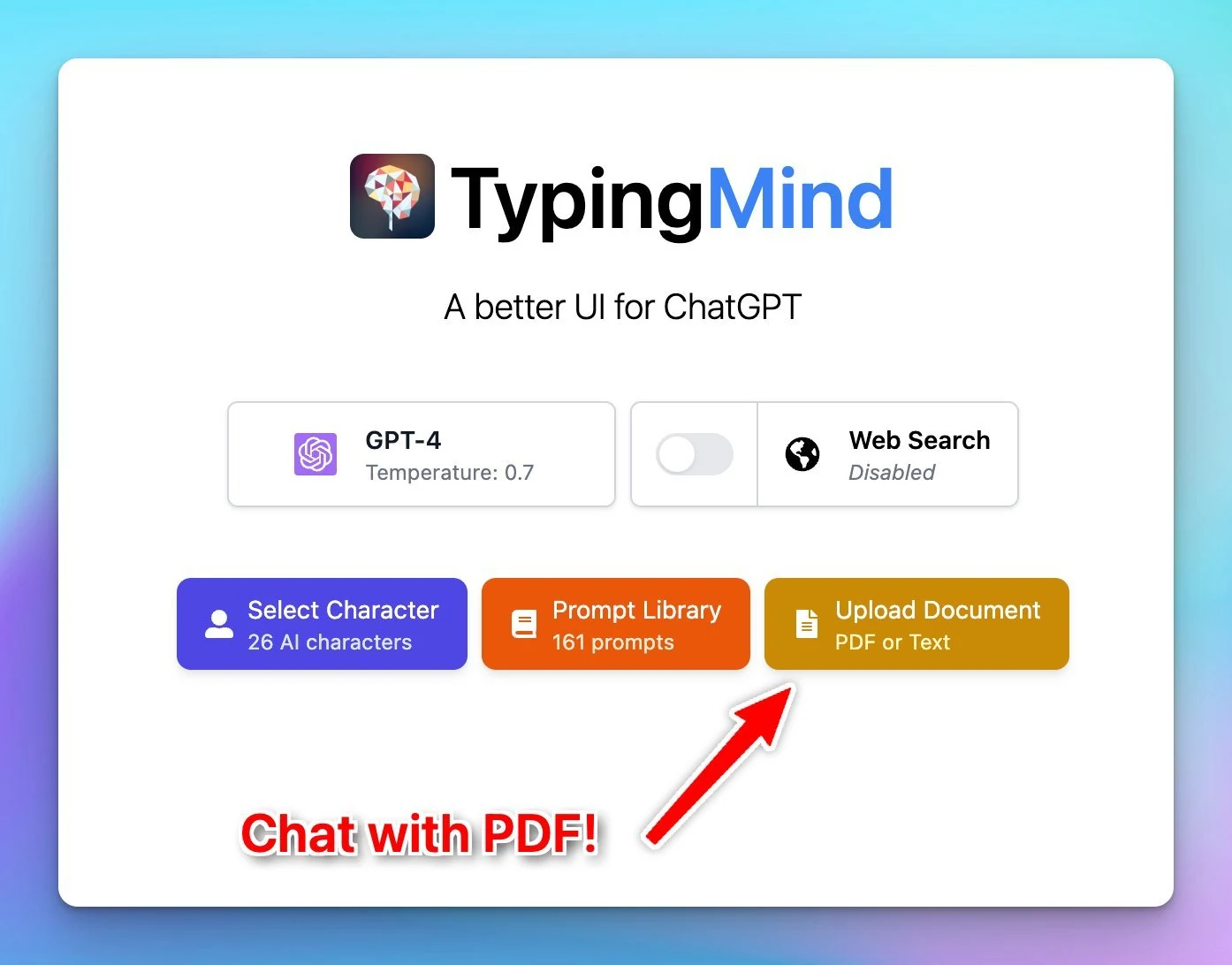
Here comes the most requested feature in typingmind.com: Chat with PDF 🎉 Now you can directly upload the file and ask any questions! See the announcement on X

Here comes the most requested feature in typingmind.com: Chat with PDF 🎉
Now you can directly upload the file and ask any questions!

Chat with PDF!

See the announcement on X

Edit the AI messages

Edit the AI message (and system message) to "train" the chat models so that it can give better results! See the announcement on X

Edit the AI message (and system message) to "train" the chat models so that it can give better results!

See the announcement on X

Changelog to 🚀

Added a little rocket icon 🚀 to show the changelog. Did you notice that our entire changelog is just a timeline of tweets? 👀 See the announcement on X

Added a little rocket icon 🚀 to show the changelog.

Did you notice that our entire changelog is just a timeline of tweets? 👀

See the announcement on X

Azure OpenAI support

Azure OpenAI support! 🎉 TypingMind is now the first app that supports 3 different AI model providers: OpenAI Anthropic Claude Azure OpenAI See our full guide here: https://docs.typingmind.com/chat-models-settings/use-azure-openai See the announcement on X

Azure OpenAI support!

🎉 TypingMind is now the first app that supports 3 different AI model providers:

  • OpenAI
  • Anthropic Claude
  • Azure OpenAI

See our full guide here: https://docs.typingmind.com/chat-models-settings/use-azure-openai

Azure OpenAI support

See the announcement on X

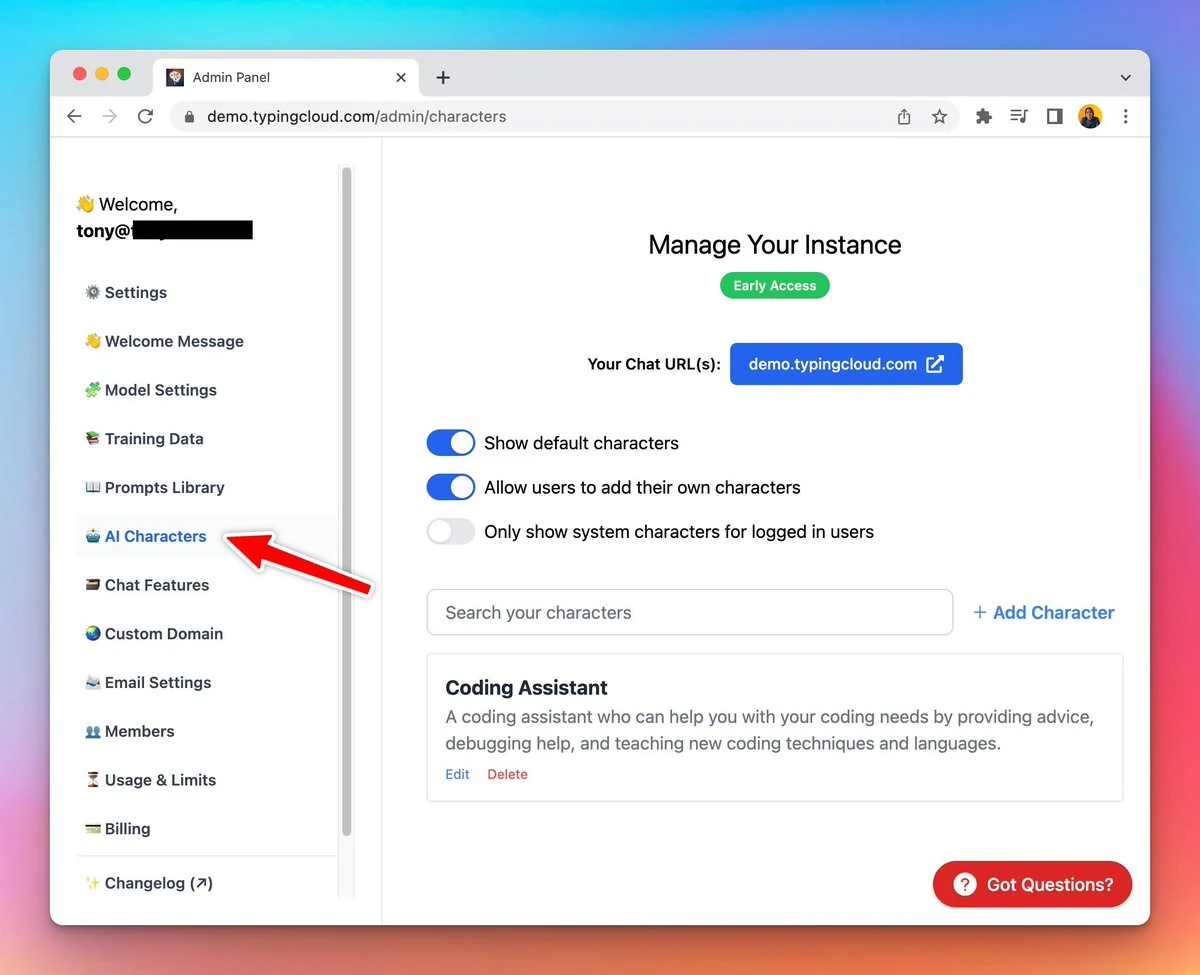
Added custom characters

Huge upgrade for Custom Deployment users: Add custom AI Characters for your users Only show custom AI Characters for logged-in users See the announcement on X

Huge upgrade for Custom Deployment users:

  • Add custom AI Characters for your users
  • Only show custom AI Characters for logged-in users
Added custom characters

See the announcement on X

May 2023

Added Model settings toggle

🟢 Added the Model Settings toggle for Custom Deployment! Admins now have the ability to enable or disable users from configuring model settings for chat conversations. See the announcement on X

🟢 Added the Model Settings toggle for Custom Deployment!

Admins now have the ability to enable or disable users from configuring model settings for chat conversations.

See the announcement on X

New help center!

Introducing our Help Center! 👉 docs.typingmind.com This compiles all things related to TypingMind. Let’s find answers to all your questions and learn how to make the most of TypingMind with ease! See the announcement on X

Introducing our Help Center! 👉 docs.typingmind.com

This compiles all things related to TypingMind. Let’s find answers to all your questions and learn how to make the most of TypingMind with ease!

New help center!

See the announcement on X

TypingMind now supports Claude!

🎉 HUGE UPDATE: Typing Mind now supports Claude! 🥳 Support up to 100K tokens! Note: Let’s use Claude with your own API Key to enjoy the new model See the announcement on X

🎉 HUGE UPDATE: Typing Mind now supports Claude! 🥳

Support up to 100K tokens!

Note: Let’s use Claude with your own API Key to enjoy the new model

See the announcement on X

Added a “Toggle text area” button

➡️⬅️ Added a "Toggle Text Area" button to typingmind.com Now you can easily switch between a narrow view or an extended view to ensure that your text doesn't override the conversation. See the announcement on X

➡️⬅️ Added a "Toggle Text Area" button to typingmind.com

Now you can easily switch between a narrow view or an extended view to ensure that your text doesn't override the conversation.

See the announcement on X

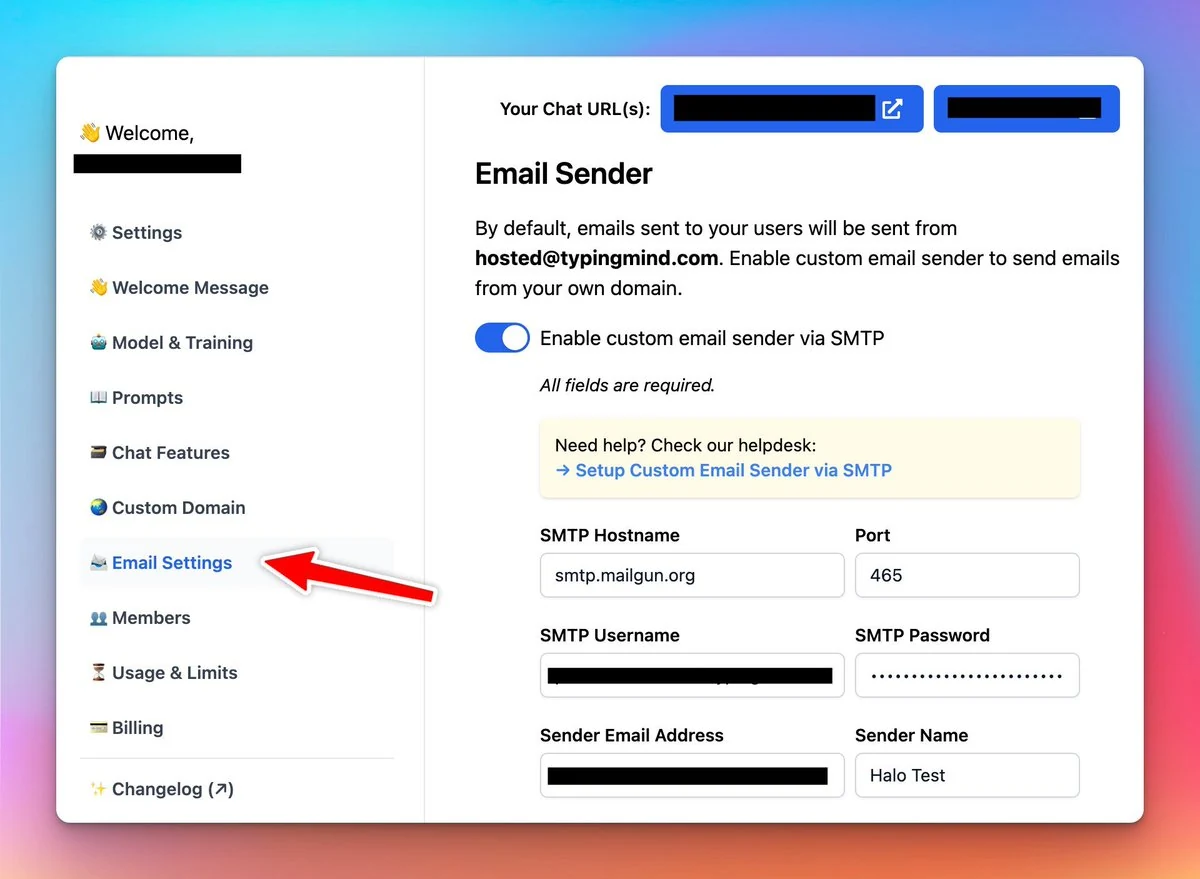
Sending emails using your own SMTP config

Custom Deployment now supports sending emails using your own SMTP config 😄 This will help create a better branded experience for the users. See the announcement on X

Custom Deployment now supports sending emails using your own SMTP config 😄

This will help create a better branded experience for the users.

Sending emails using your own SMTP config

See the announcement on X

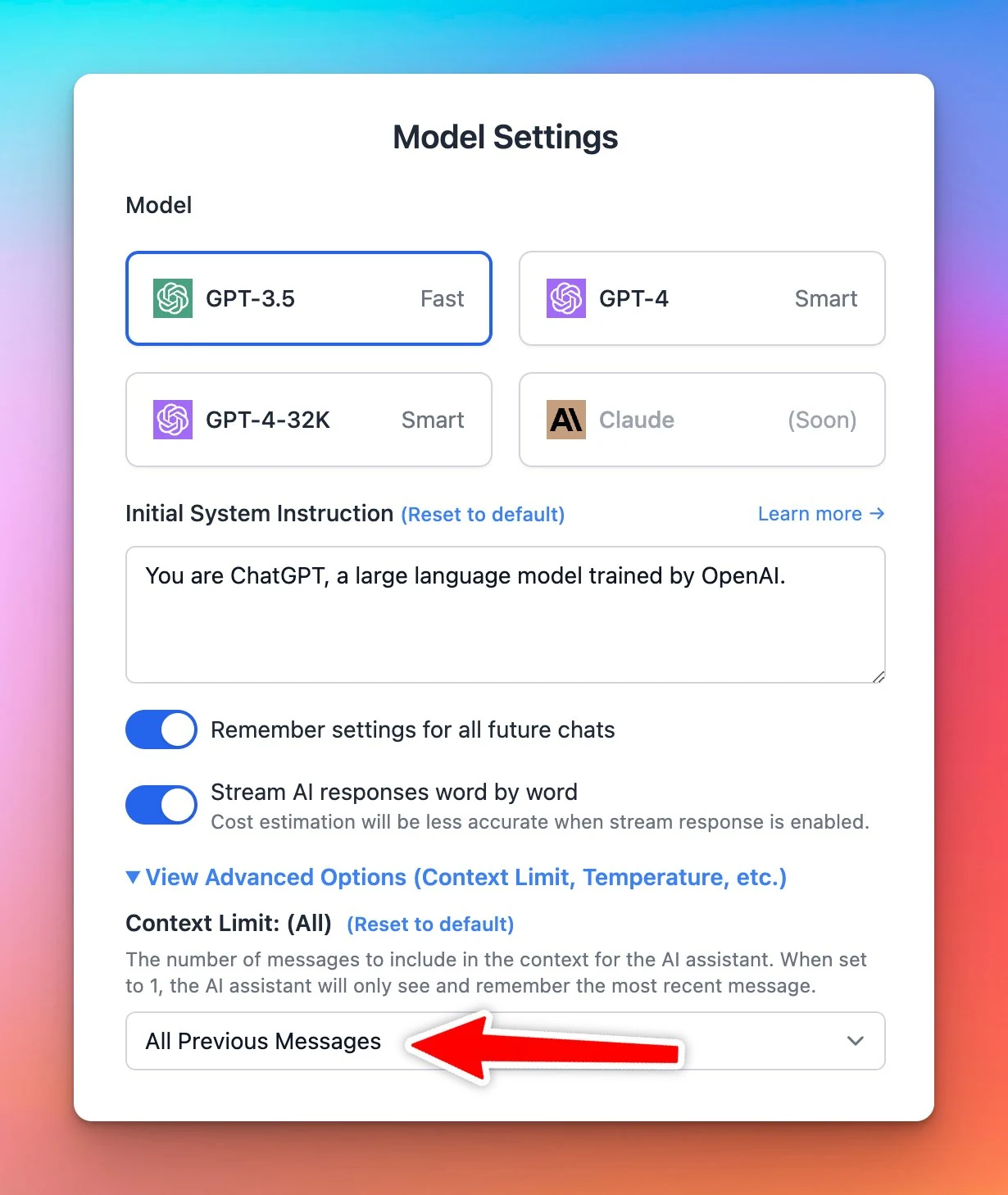
Added context limit

Added "Context Limit" to typingmind.com. This will be helpful if you want to limit the amount of tokens usage. Also helpful if you want the assistant to be a "one-off question/answer machine" instead of having long conversations. See the announcement on X

Added "Context Limit" to typingmind.com. This will be helpful if you want to limit the amount of tokens usage.

Also helpful if you want the assistant to be a "one-off question/answer machine" instead of having long conversations.

Added context limit

See the announcement on X

Add tags to prompts!

Now you can add specific tags to your prompts 🏷️ This helps you search & filter your prompts easier and quicker! See the announcement on X

Now you can add specific tags to your prompts 🏷️

This helps you search & filter your prompts easier and quicker!

See the announcement on X

Move chats to folder in bulk

❌ You don't need to move chat to folder ONE-BY-ONE... ✅ It's possible to move multiple chats to your favorite folder all at once now! Quick action - more effective! See the announcement on X

❌ You don't need to move chat to folder ONE-BY-ONE...

✅ It's possible to move multiple chats to your favorite folder all at once now!

Quick action - more effective!

See the announcement on X

Storage update

Storage update for TypingMind.com: You can now store unlimited chats on your local device (as long as you have enough disk space). Powered by IndexedDB. Additional cloud storage for Backup & Sync is now available to purchase. Starting from $10/month. See the…

Storage update for TypingMind.com:

  • You can now store unlimited chats on your local device (as long as you have enough disk space). Powered by IndexedDB.
  • Additional cloud storage for Backup & Sync is now available to purchase. Starting from $10/month.

See the announcement on X

More output formats added!

Added 35 output formats to TypingMind.com so you can easily configure the AI assistant output🤩 👇 Essay Report Summary Table FAQ Listicle Interview Review News Opinion Tutorial Case Study Profile Blog Poem Script Whitepaper eBook Press Release Infographic…

Added 35 output formats to TypingMind.com so you can easily configure the AI assistant output🤩

👇

  • Essay
  • Report
  • Summary
  • Table
  • FAQ
  • Listicle
  • Interview
  • Review
  • News
  • Opinion
  • Tutorial
  • Case Study
  • Profile
  • Blog
  • Poem
  • Script
  • Whitepaper
  • eBook
  • Press Release
  • Infographic
  • Webinar

See the announcement on X

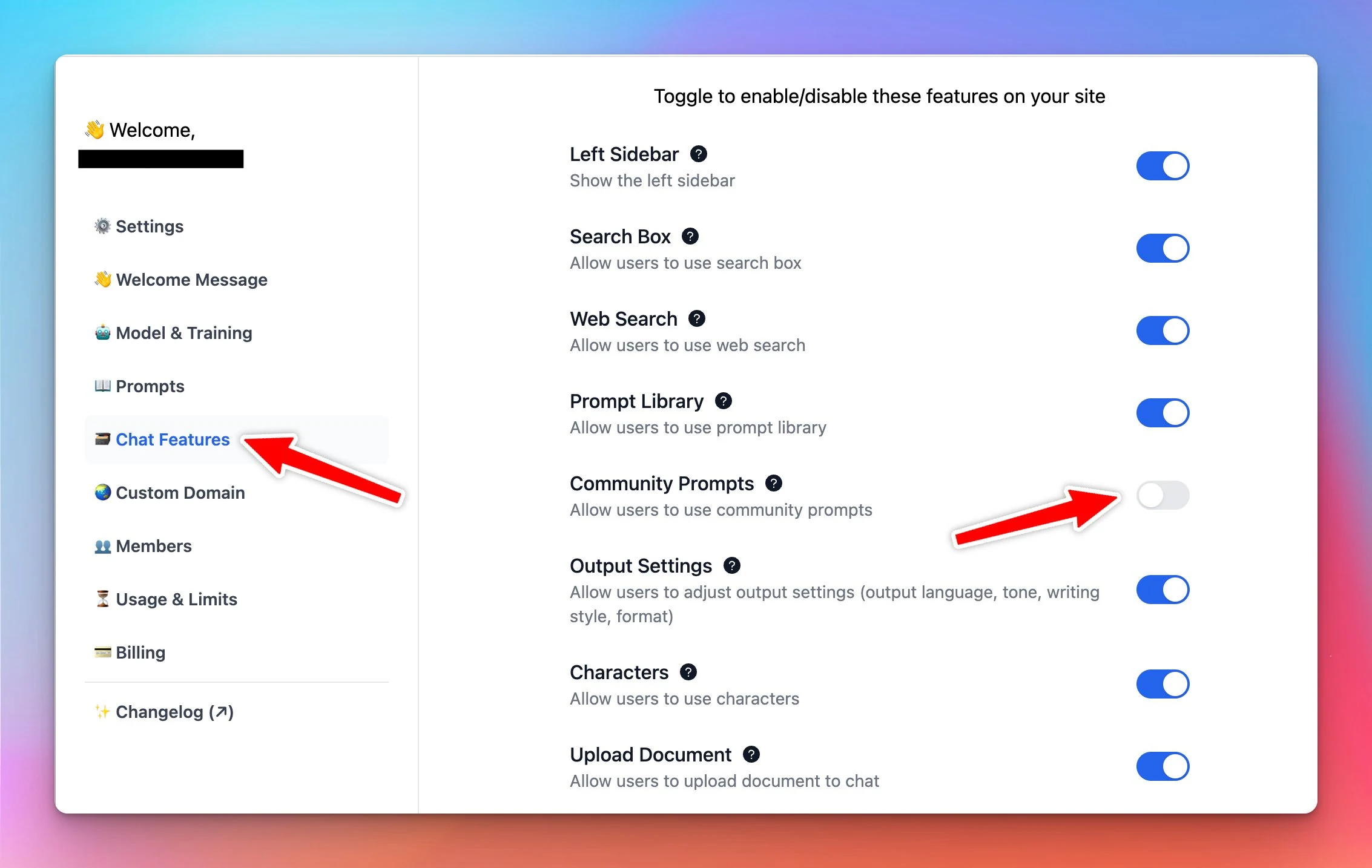
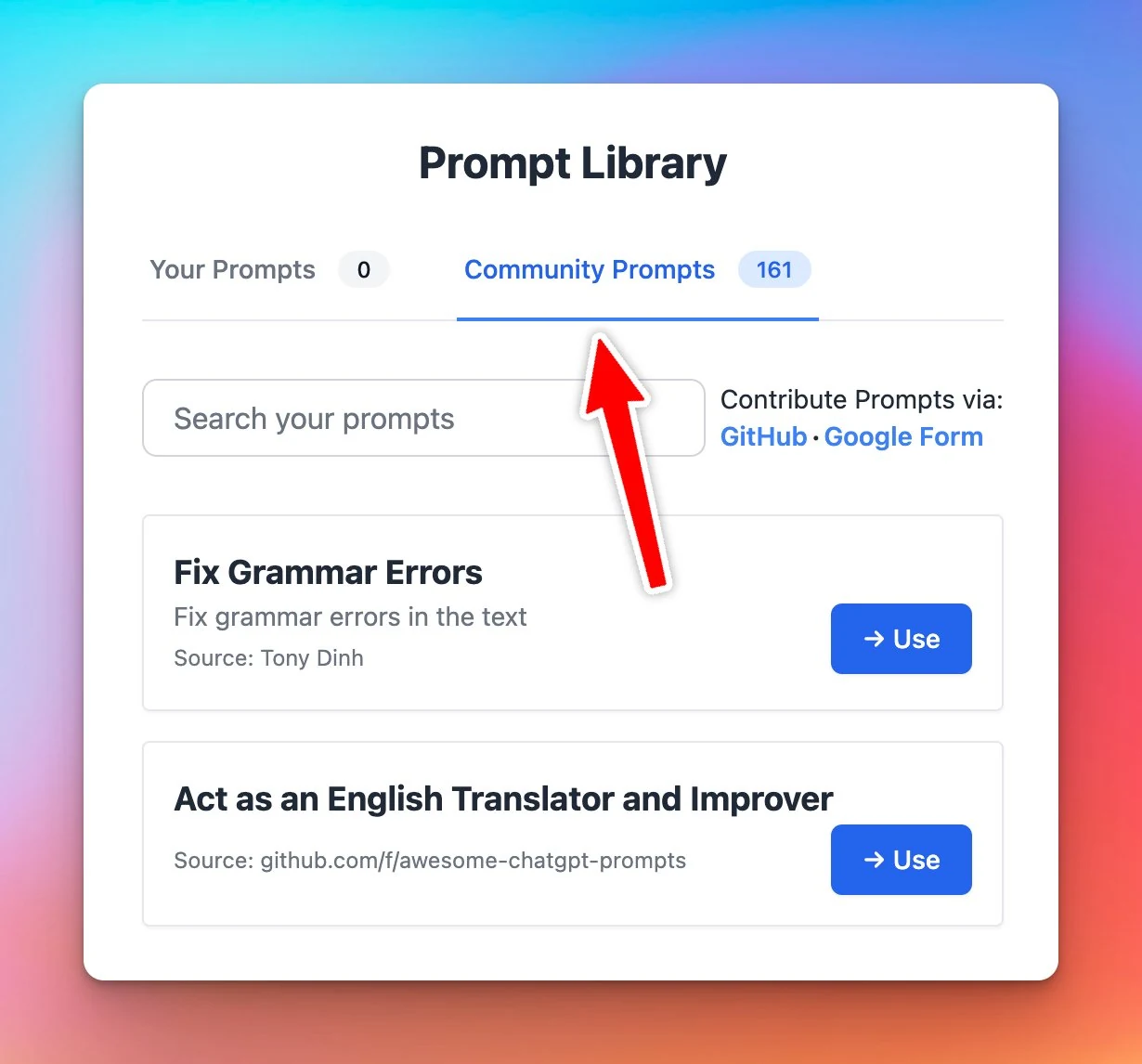
Turn off Community Prompt

Added an option to turn off Community Prompts for Custom Deployment (http://typingmind.com/custom) This allows you to customize your AI chat interface to be more "on brand" 😄 See the announcement on X

Added an option to turn off Community Prompts for Custom Deployment (http://typingmind.com/custom)

This allows you to customize your AI chat interface to be more "on brand" 😄

Turn off Community Prompt (screenshot 1 of 2)
Turn off Community Prompt (screenshot 2 of 2)

See the announcement on X

Train AI with your data + Welcome message

Updates to the Custom Deployment on Typingmind: Train the AI with your data. Add a welcome message for your users. Here is how to use it to build an FAQs bot: 👇 See the announcement on X

Updates to the Custom Deployment on Typingmind:

  • Train the AI with your data.
  • Add a welcome message for your users.

Here is how to use it to build an FAQs bot: 👇

See the announcement on X

April 2023

Web Speech API is available!

Added Web Speech API to typingmind.com to make ChatGPT talks Note: All voices available on your browsers are usable. This one doesn't need any API key! See the announcement on X

Added Web Speech API to typingmind.com to make ChatGPT talks

Note: All voices available on your browsers are usable. This one doesn't need any API key!

See the announcement on X

Multiple conversations in parallel

You can now have multiple conversations with ChatGPT in parallel! No more wasting time waiting for the answer! TypingMind.com is the only app that can do this on the market 💪 See the announcement on X

You can now have multiple conversations with ChatGPT in parallel!

No more wasting time waiting for the answer!

TypingMind.com is the only app that can do this on the market 💪

See the announcement on X

Export chats, prompts, characters

You can now export chats, prompts, and characters separately on typingmind.com Sharing your prompts/characters with friends just becomes much more easier! 😄 See the announcement on X

You can now export chats, prompts, and characters separately on typingmind.com

Sharing your prompts/characters with friends just becomes much more easier! 😄

See the announcement on X

Context length improvement

Just improved the context length issue on TypingMind.com You can now keep chatting with the model for a very, very long time. Note: keep in mind it will start to forget the earlier messages when the context length limit is reached. (GPT-4 has 8K tokens…

Just improved the context length issue on TypingMind.com

You can now keep chatting with the model for a very, very long time.

Note: keep in mind it will start to forget the earlier messages when the context length limit is reached.

(GPT-4 has 8K tokens context length)

See the announcement on X

Customer support FAQ bot

Added a Customer Support FAQ bot to typingmind.com Powered by GPT-4, trained on FAQs, terms of service, and privacy policy. → You can ask it anything related to Typing Mind See the announcement on X

Added a Customer Support FAQ bot to typingmind.com

Powered by GPT-4, trained on FAQs, terms of service, and privacy policy.

→ You can ask it anything related to Typing Mind

See the announcement on X

Custom endpoints

TypingMind.com now supports custom endpoints. You can now use your own OpenAI proxy or a custom model just by changing the endpoint to your server! See the announcement on X

TypingMind.com now supports custom endpoints.

You can now use your own OpenAI proxy or a custom model just by changing the endpoint to your server!

See the announcement on X

API Key encryption

Added API Key encryption to typingmind.com. It’s safer!!! If you're really concerned about leaking your API key, you can set a password and encrypt your key when it's stored on your local device. Note: you'll have to enter the password every time you…

Added API Key encryption to typingmind.com. It’s safer!!!

If you're really concerned about leaking your API key, you can set a password and encrypt your key when it's stored on your local device.

Note: you'll have to enter the password every time you open/refresh the app

See the announcement on X

March 2023

Temperature setting

We’ve added temperature setting on typingmind.com. It’s still ChatGPT, but you can control the response to be more creative or more precise! See the announcement on X

We’ve added temperature setting on typingmind.com. It’s still ChatGPT, but you can control the response to be more creative or more precise!

See the announcement on X

Web search is enabled!

New plugin available: Web search Typingmind.com now support searching on the internet so you can lookup if necessary 😄 Support Google & DuckDuckGo. See the announcement on X

New plugin available: Web search

Typingmind.com now support searching on the internet so you can lookup if necessary 😄

Support Google & DuckDuckGo.

See the announcement on X

Edit & “fork” a chat message

You can now edit and "fork" a chat message on typingmind.com 😄 This feature makes it super easy to start a new ChatGPT conversation with the current context. See the announcement on X

You can now edit and "fork" a chat message on typingmind.com 😄

This feature makes it super easy to start a new ChatGPT conversation with the current context.

See the announcement on X

Change ChatGPT model in the middle of a chat

You can now also change the ChatGPT model in the middle of a chat on typingmind.com! This increases the flexibility of TypingMind and easily helps you compare between other models! See the announcement on X

You can now also change the ChatGPT model in the middle of a chat on typingmind.com!

This increases the flexibility of TypingMind and easily helps you compare between other models!

See the announcement on X

Organize your chats into folders

🧩 New Gemini Models are now available on TypingMind! Introducing basic folders support to organize your ChatGPT history into folders! You now can easily organize the chats for quick finding! See the announcement on X

🧩 New Gemini Models are now available on TypingMind!

Introducing basic folders support to organize your ChatGPT history into folders!

You now can easily organize the chats for quick finding!

See the announcement on X

Add “Continue this chat” to a shared link

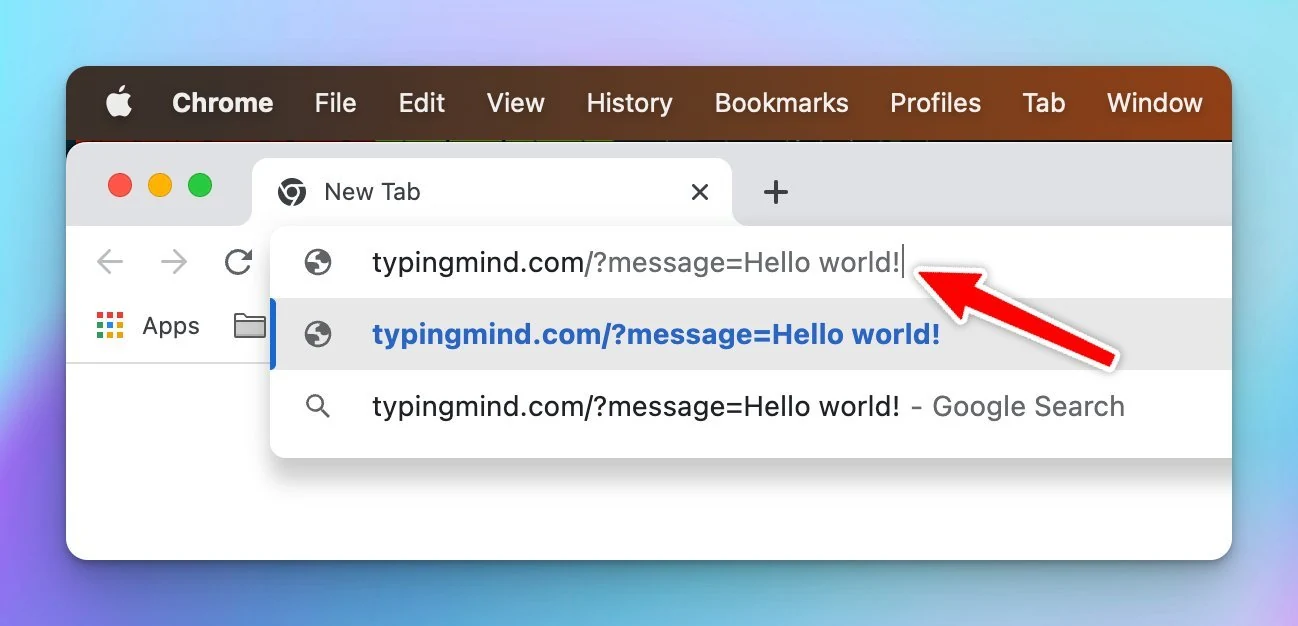
Just added a "Continue this chat" button to a shared link. This will open TypingMind with a prefilled prompt! For example, this is a very cool prompt that turns ChatGPT into an idea evaluation machine:…

Just added a "Continue this chat" button to a shared link.

This will open TypingMind with a prefilled prompt!

Add “Continue this chat” to a shared link

For example, this is a very cool prompt that turns ChatGPT into an idea evaluation machine:

https://www.typingmind.com/share/c8a2790a-5b4c-4288-9874-4940bac30b9f

See the announcement on X

Form not loading? Open it in a new tab