Delete all cloud data by type
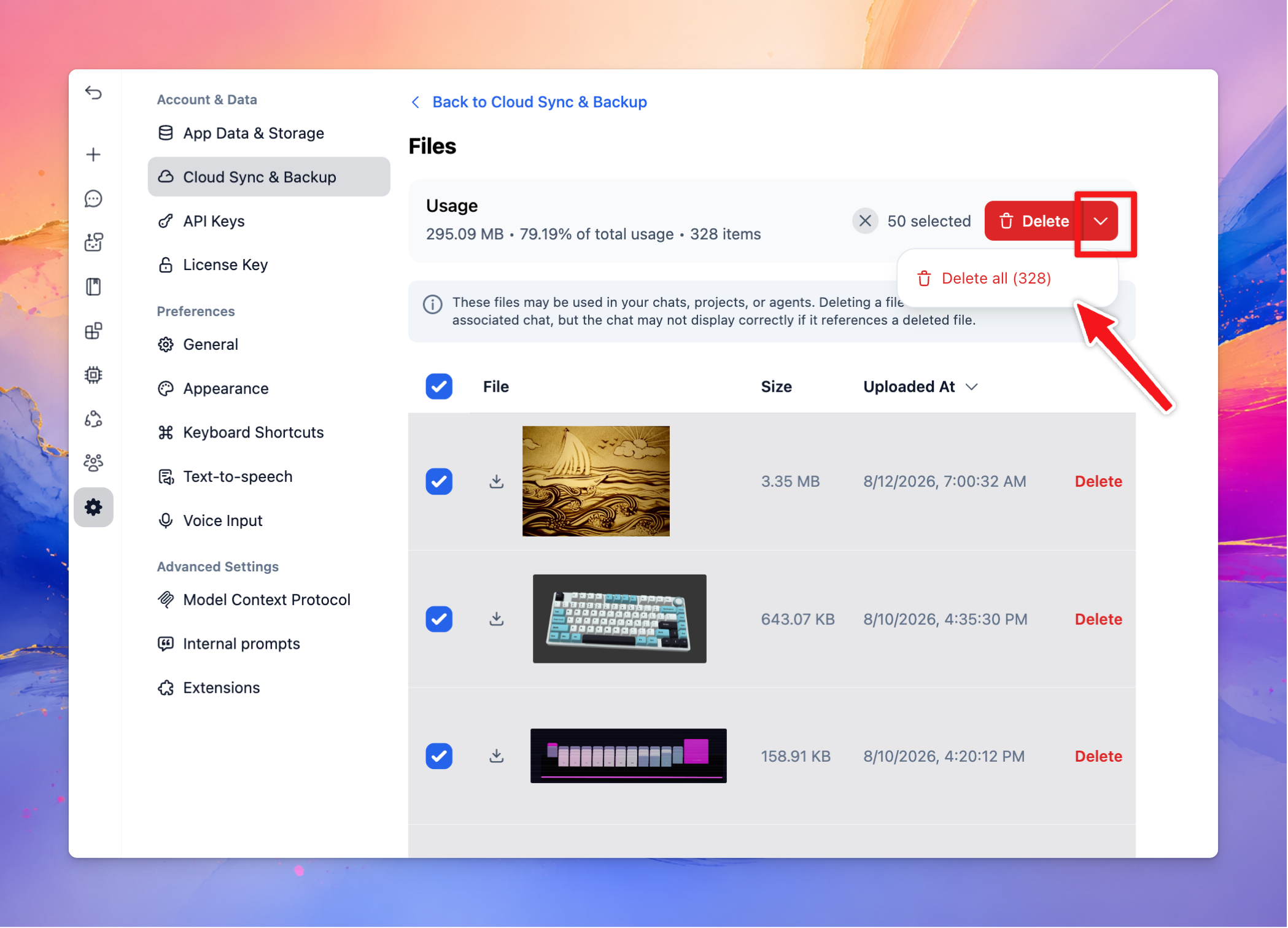
It’s now easier to delete all cloud data within a specific data type, such as Files, Chats, Prompts, Agents, and more.
Follow new updates and improvements to TypingMind.
It’s now easier to delete all cloud data within a specific data type, such as Files, Chats, Prompts, Agents, and more.
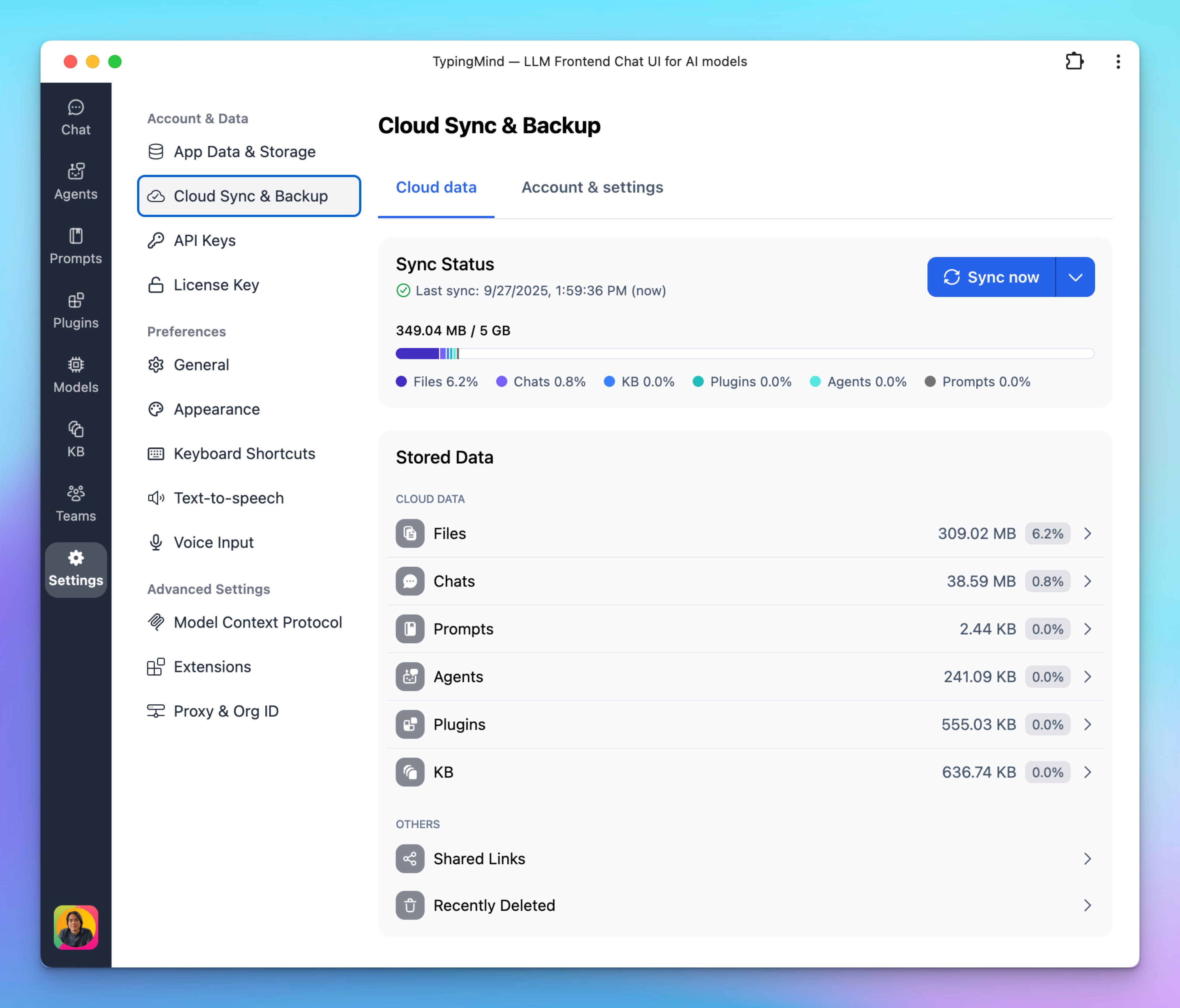
We’ve redesigned the Cloud Sync & Backup interface to make it more transparent and easier to manage your data.
Two clear tabs:
Cloud Data – View detailed storage usage by category (Files, Chats, Prompts, Agents, Plugins, KB, and more).
Account & Settings – Manage your cloud account, subscription, storage plan, and advanced options all in one place.
Detailed storage breakdown – See exactly how much space each type of data takes up, with clickable entries for more insights.
Improved progress bar – Color-coded by data type for instant visibility.
Cleaner design – A modern layout for a smoother experience.
We’ve added a safety net to make managing your chats even easier!
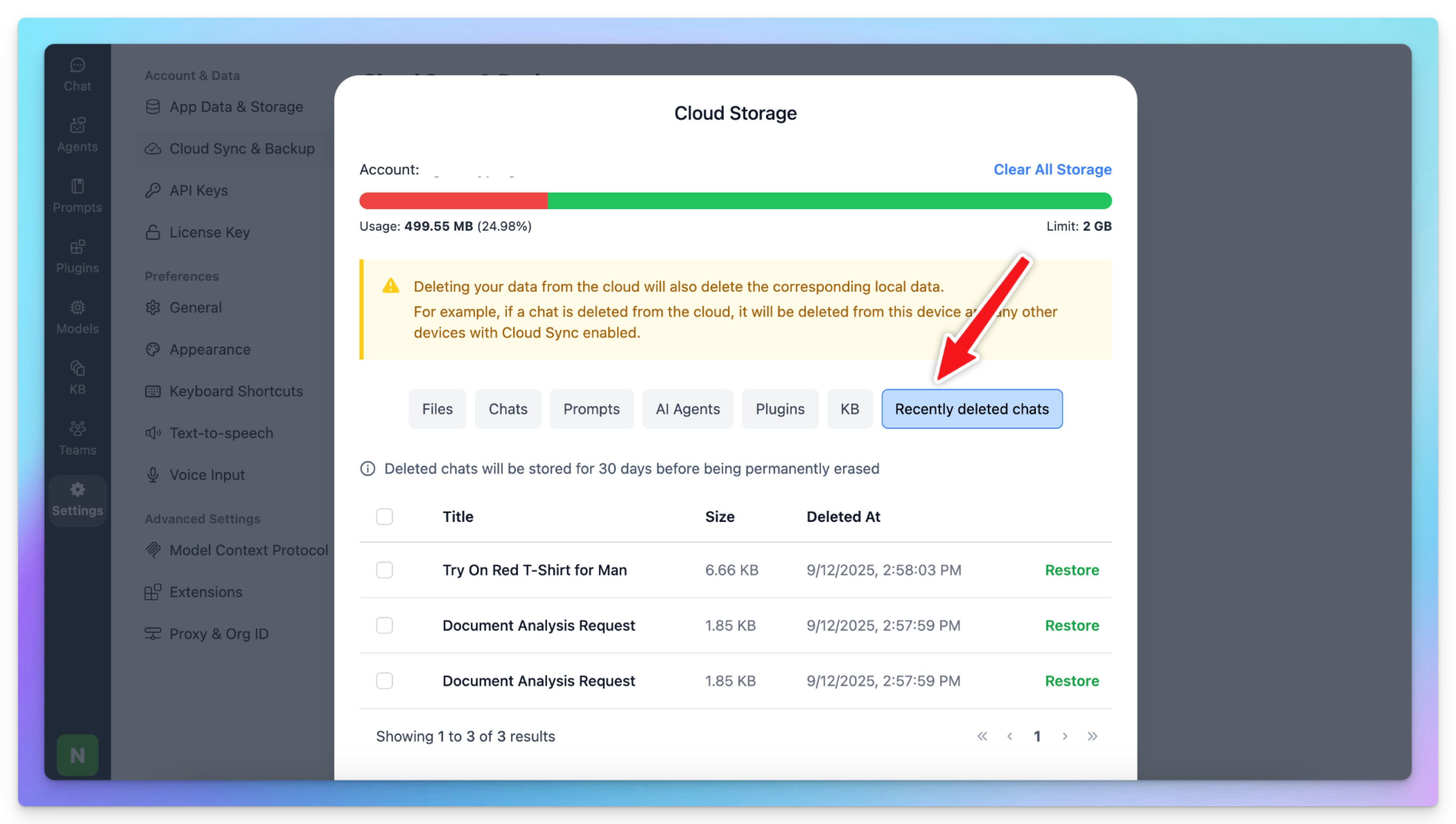
Now, when you delete a chat, it won’t disappear right away. Instead, it will move to a new “Recently Deleted Chats” section in Cloud Storage and stay there for 30 days before being permanently erased.
During this period, you can go to Manage Cloud Data to restore those chats.