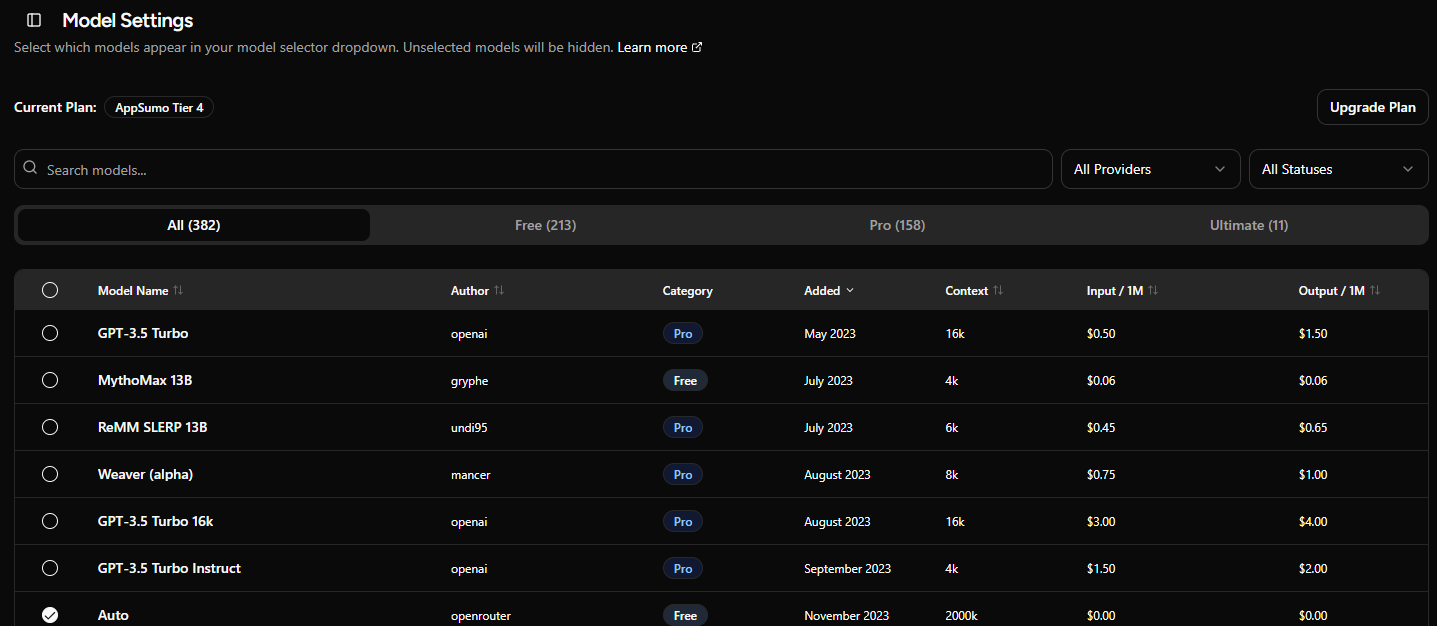
I'd like to see a table view on the provider model name screen that shows model details (release date, pricing, etc) with the ability to sort by any column.
To see this information today, I have to select each model individually.
To accommodate that view, I'd redo this block. It takes up way too much space currently:
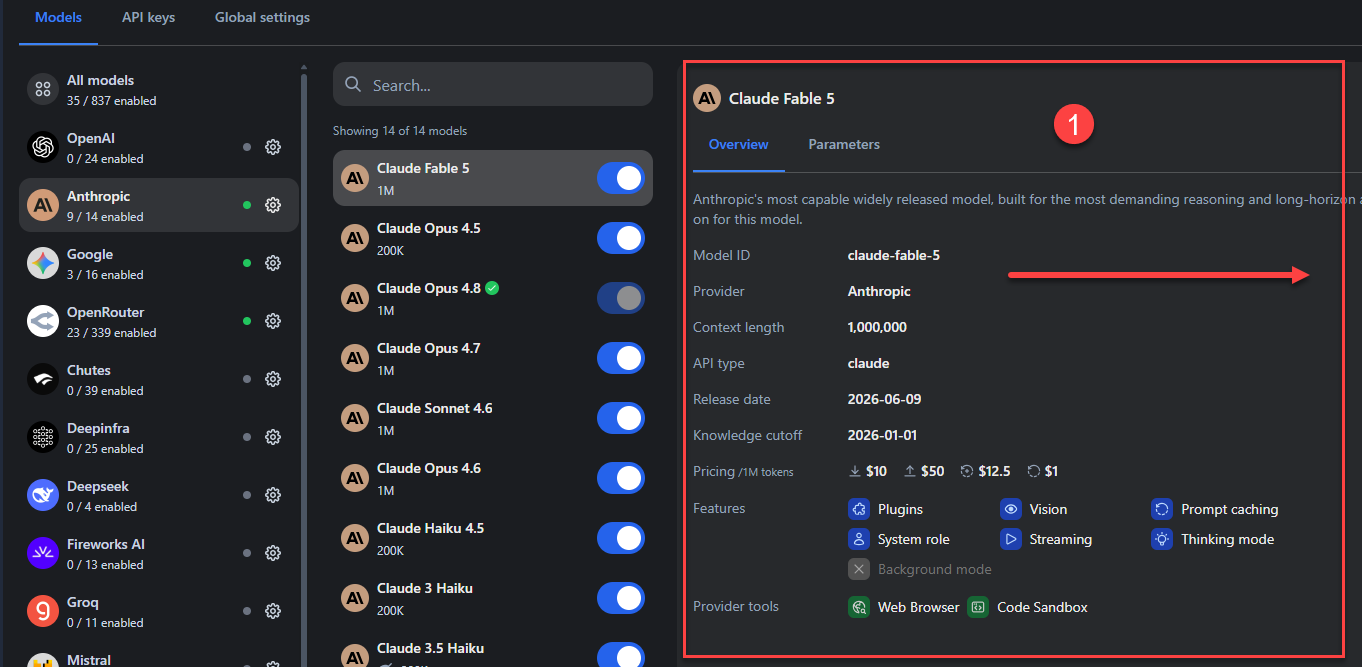
I'd suggest you move this cntent block into a 'Model Details' tab and put it next to the models | api keys | global settings navigation above the model list, and use this space for a sortable table. Or just shift it further over to the right. it's using up a lot of space currently. It's useful, but uses more space then necessary.
writingmate.ai does a really good job at this; see screenshot below. This is what I’d like to see when I select a model provider; a table-based layout of all the models therein along w/ relevant information on each LLM the provider offers:
I can sort by model, author, date dated, context, input and output, and i can enable/disable models directly from this screen.
Since so many models are added each week, giving me the flexibility to sort > enable/disbable based on needs makes it faster, quicker and easier to choose a model based on credit usage.
Sometimes I want the cheapest model, sometimes middle of the pack, sometimes high-tiered ones. but right now, I have to choose the provider, select the model, look in that right pane to see token cost, etc. Maybe this table view is where the 'more model details' shows up? add a 'view details' link next to the model name? If i select that, a modal slides in from the right with the model overview/parameters shown?
This would streamline things greatly!