TypingMind Changelog
All updates

NVIDIA API support

  • New
  • Integrations

You can now add models from NVIDIA's hosted API as custom models.

  • Set up: In Models → Add custom model, choose OpenAI Chat Completions API, set the endpoint to https://integrate.api.nvidia.com/v1/chat/completions, and add your NVIDIA API key as the Authorization header.
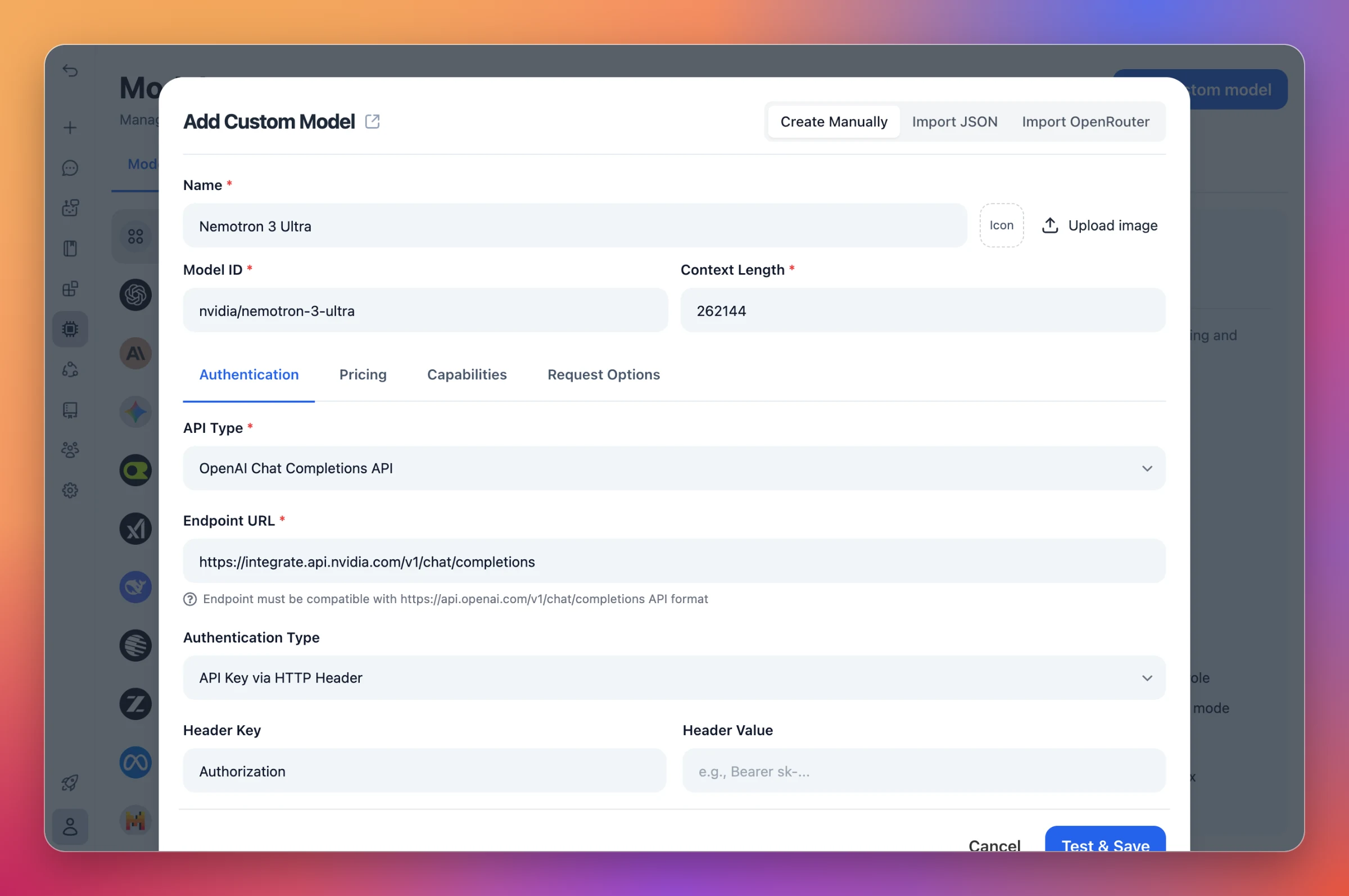
Add Custom Model form with OpenAI Chat Completions API, the NVIDIA endpoint URL, and API key authentication via the Authorization header
Point a custom model at NVIDIA's endpoint and add your API key.
  • Route via TypingMind Cloud: Turn on Route requests via TypingMind Cloud in Request Options. NVIDIA's API only works with this option on.
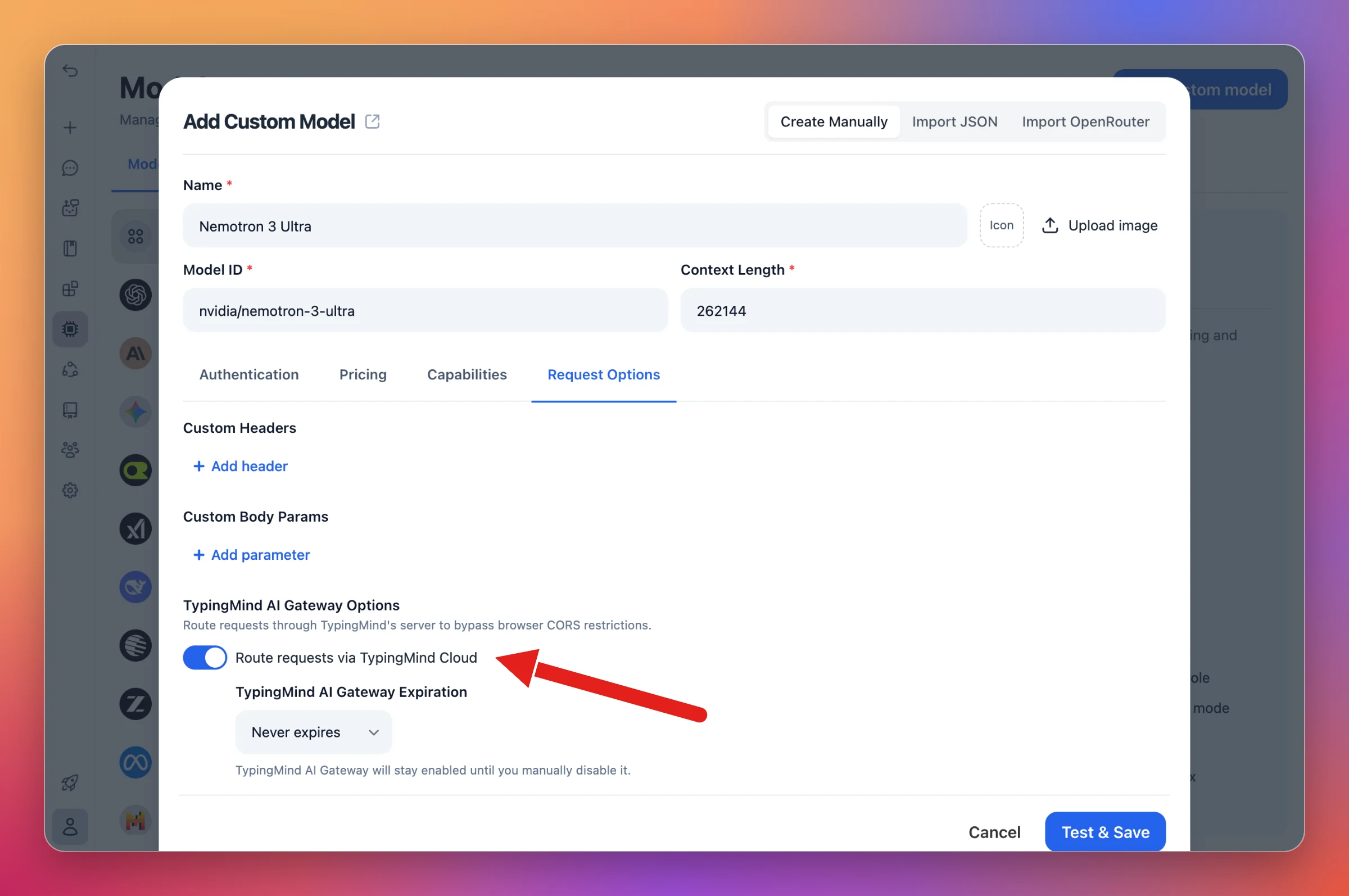
Request Options tab of the Add Custom Model form, with Route requests via TypingMind Cloud turned on. A red arrow points at the toggle.
Turn on Route requests via TypingMind Cloud to call NVIDIA's API.

Form not loading? Open it in a new tab