TypingMind Changelog
All updates

Redesigned admin pages: Usage Limits, Chat Logs and Chat Features

  • Improved
  • Team Version

Three admin pages in TypingMind Teams have a new design.

  • Usage Limits: A searchable, filterable, sortable list of limits, grouped by what they apply to (whole workspace, models, AI agents, plugins, users). Limit types and who each limit targets are clearer. Use reusable rulesets or custom rules, and add several rules of the same type and period.
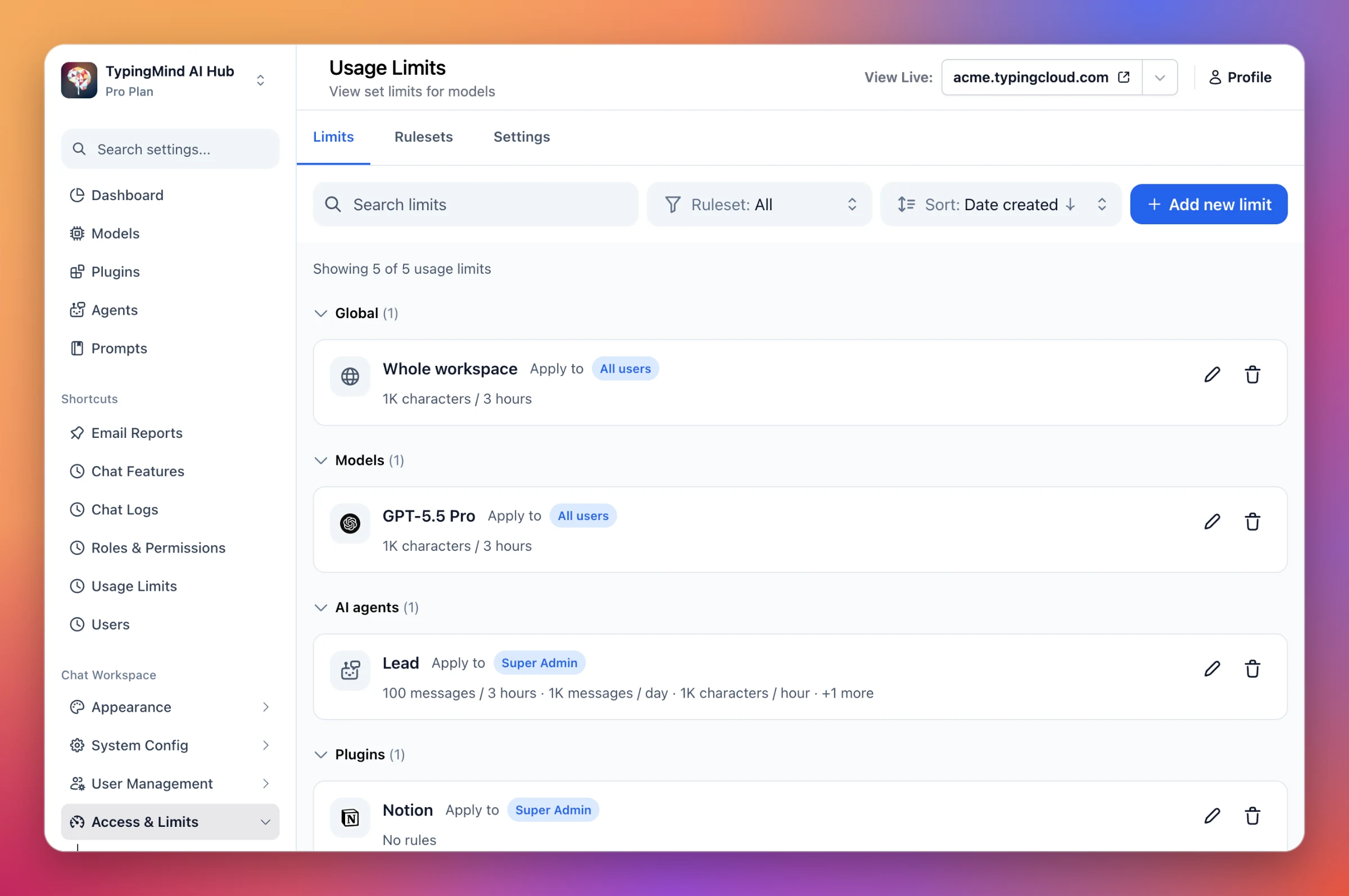
Usage Limits admin page with Limits, Rulesets and Settings tabs, a search box, ruleset filter, sort menu, and limits grouped into Global, Models, AI agents and Plugins
Find any limit fast: search, filter by ruleset, and sort, with every limit's rules and targets shown at a glance.
  • Chat Logs: Now split into Chats and Settings tabs. Chat Logs settings (recording and retention) moved from a popup to the Settings tab.
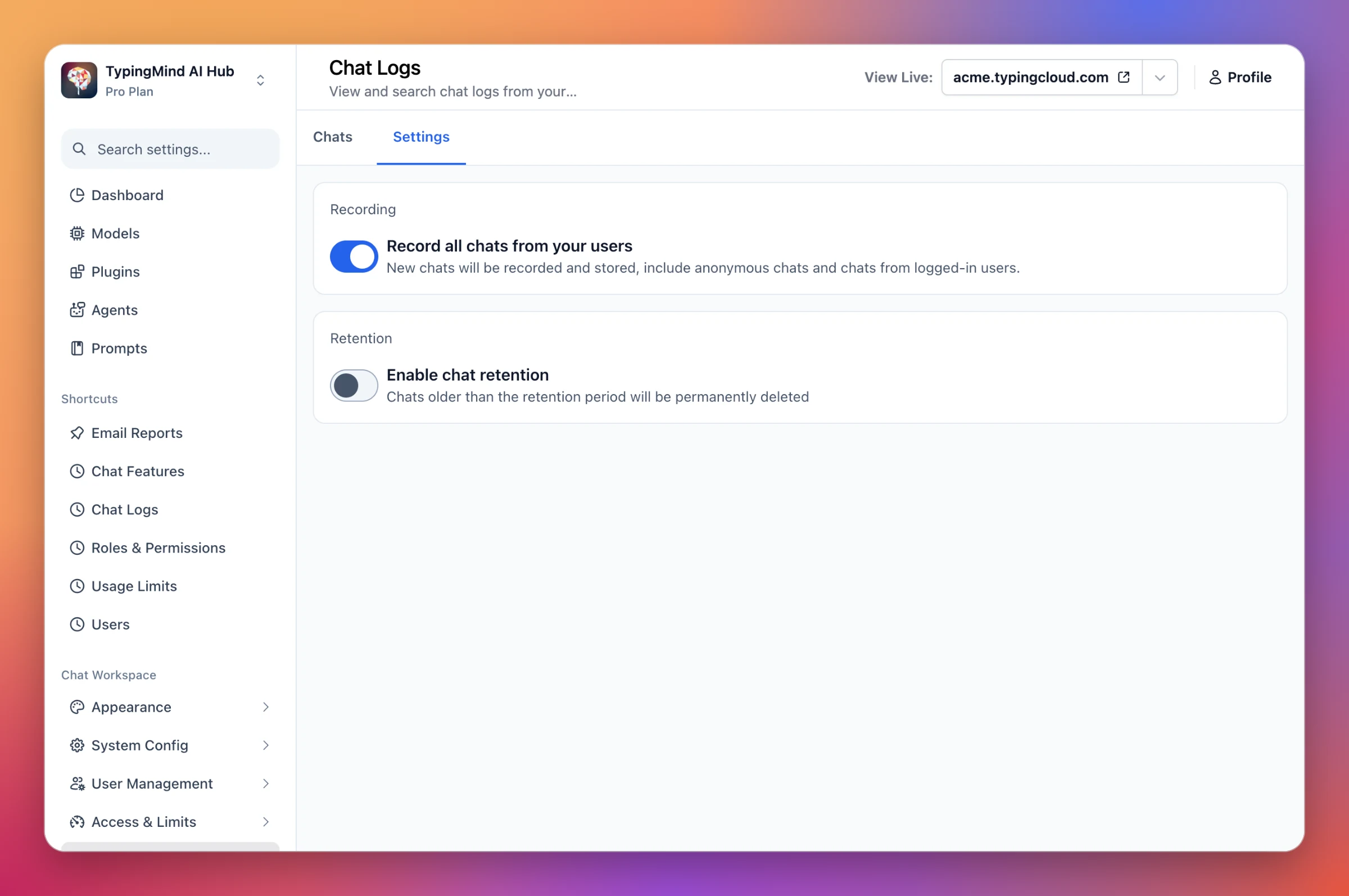
Chat Logs admin page on the Settings tab, with Record all chats from your users turned on and Enable chat retention turned off
Turn chat recording and retention on or off right in the Settings tab, with no popup.
  • Chat Features: Options are grouped into clear sections (Layout, Chat input, Models, Text to speech and Voice input), with a cleaner look that matches the rest of the admin dashboard.
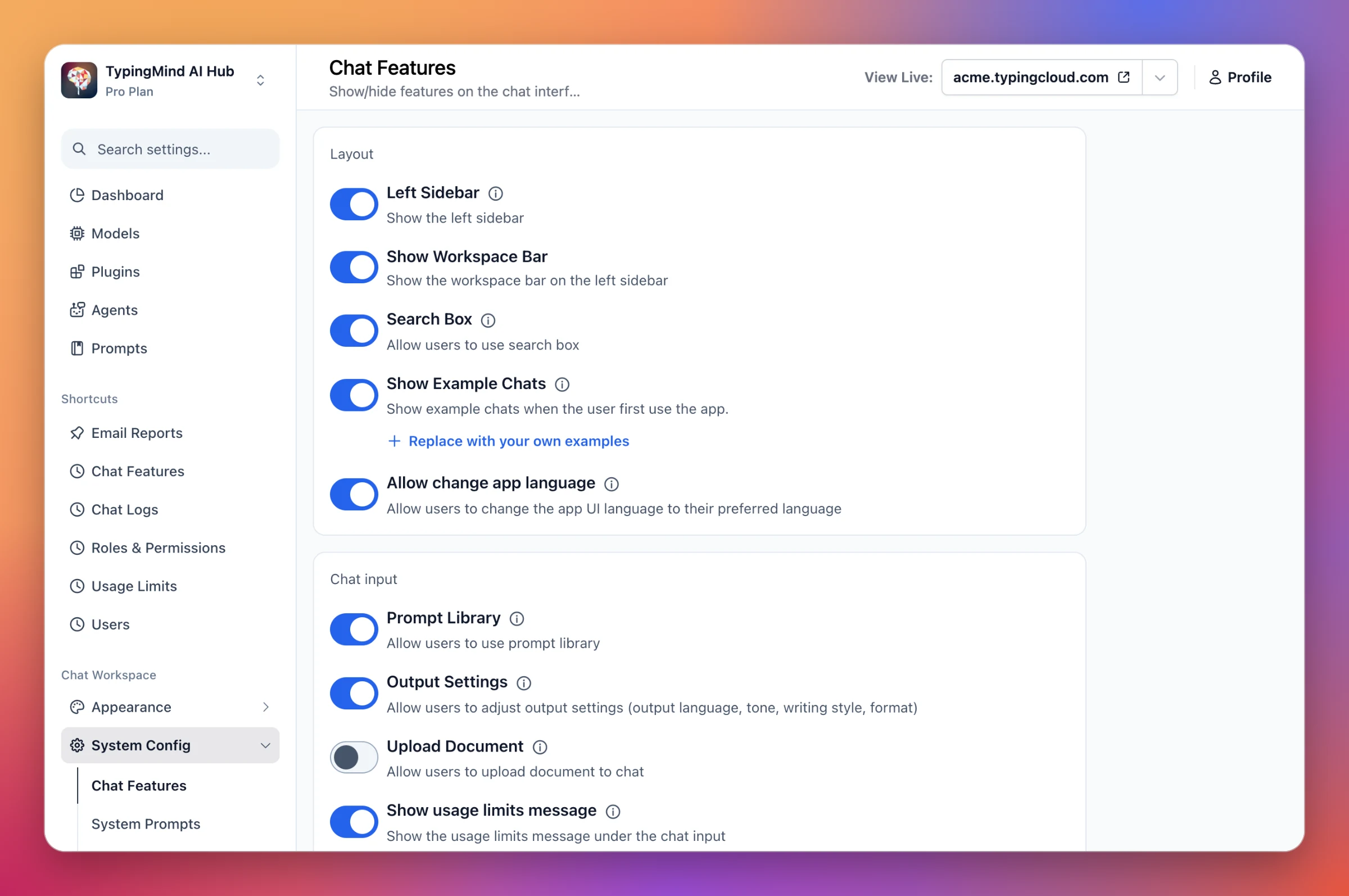
Chat Features admin page with toggles grouped into Layout and Chat input sections
Show or hide chat features by section, so each option is easy to find.

Form not loading? Open it in a new tab