
Agent Skills Support on TypingMind
Agent Skills are now supported on TypingMind!
TypingMind now supports Agent Skills — bundled procedural knowledge that helps AI perform specific tasks more effectively, such as SEO audits, copywriting, code reviews, brainstorming, and more.
Each Skill is packaged around a SKILL.md file, which contains task-specific instructions and optional reference files, following the open Agent Skills standard.
How to install Skills on TypingMind:
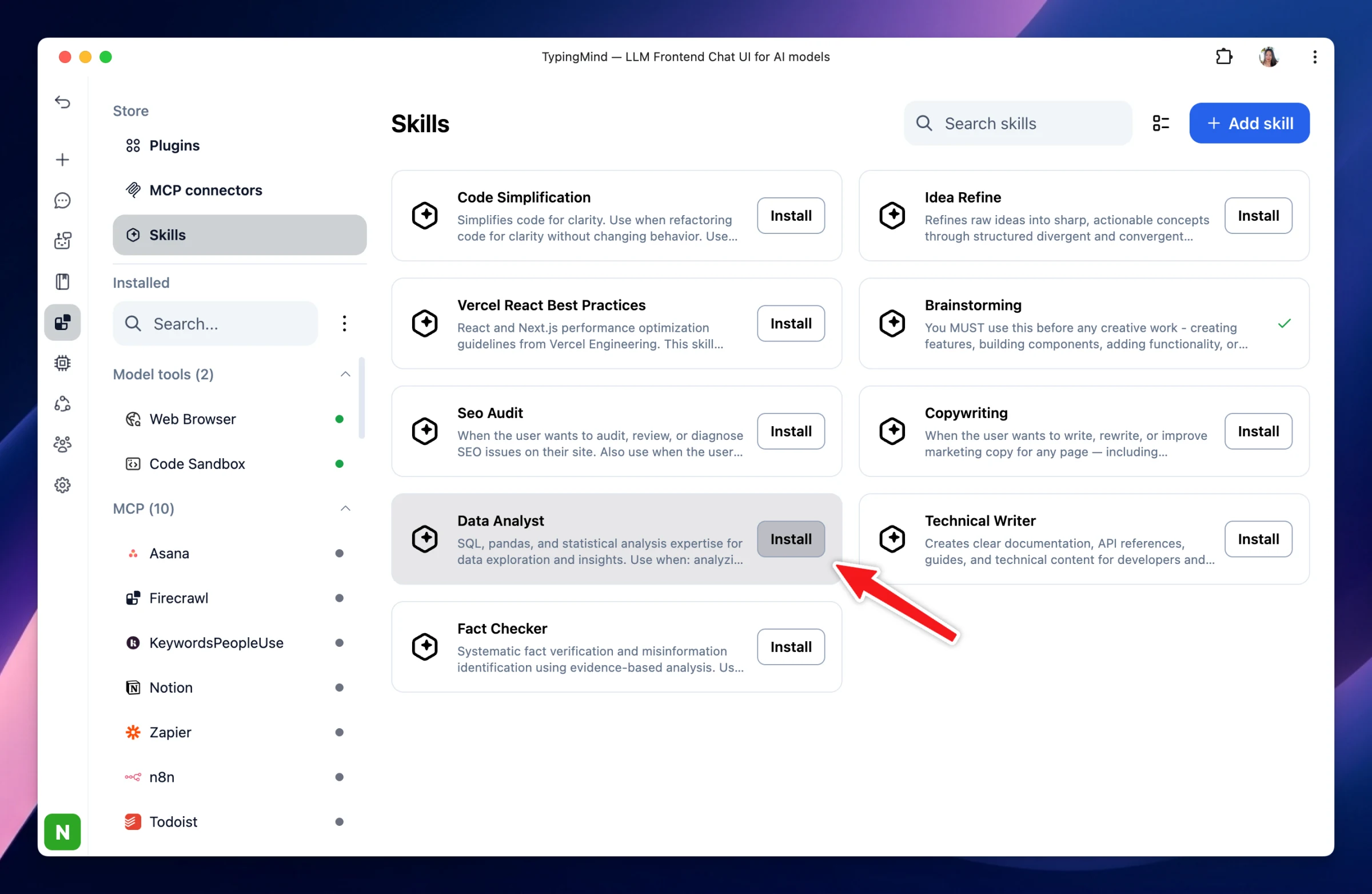
Go to Plugins.
Under the Store section, select Skills.
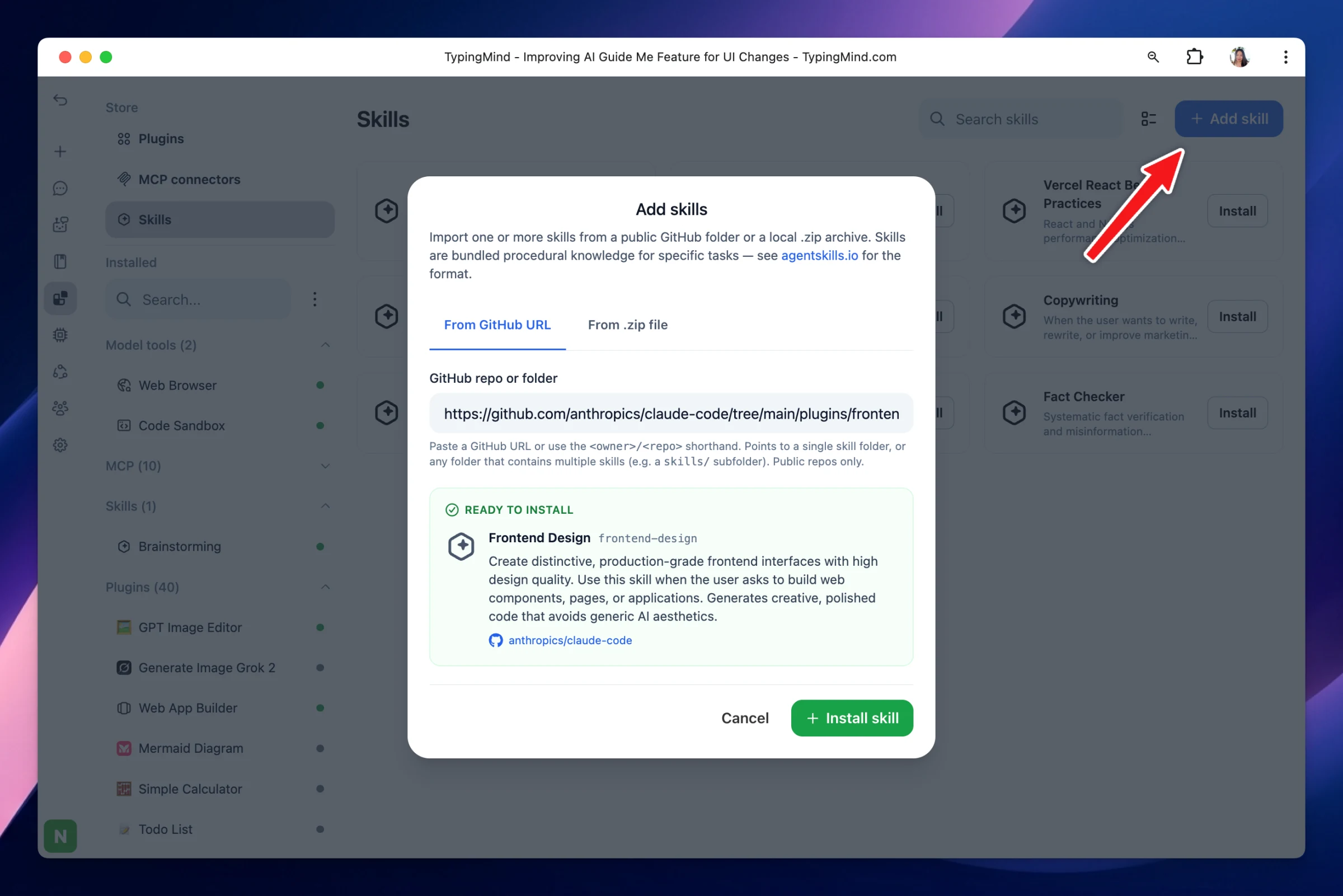
Install available Skills from the Store, or import your own Skill using a GitHub URL or ZIP file.
How to use Skills on TypingMind:
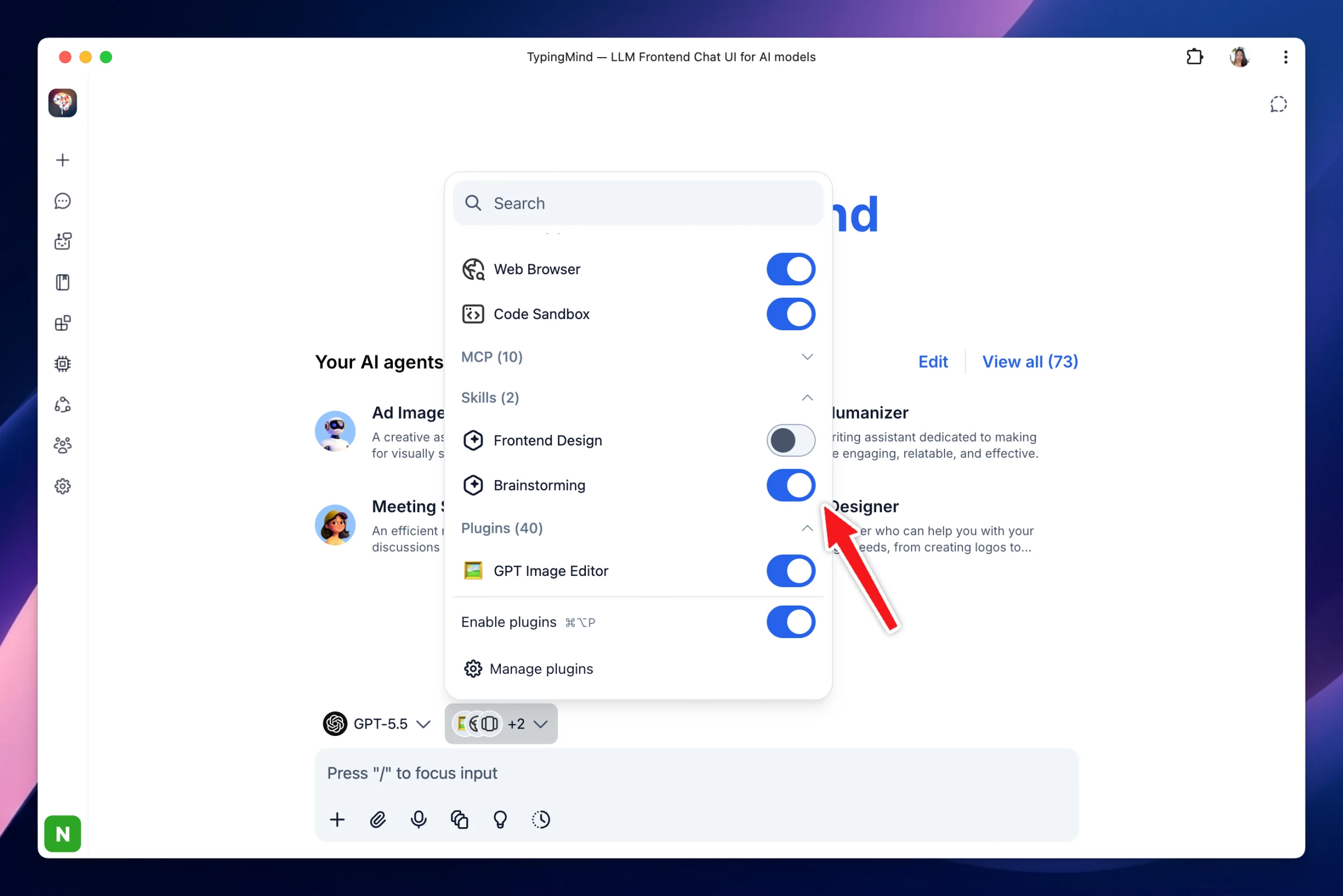
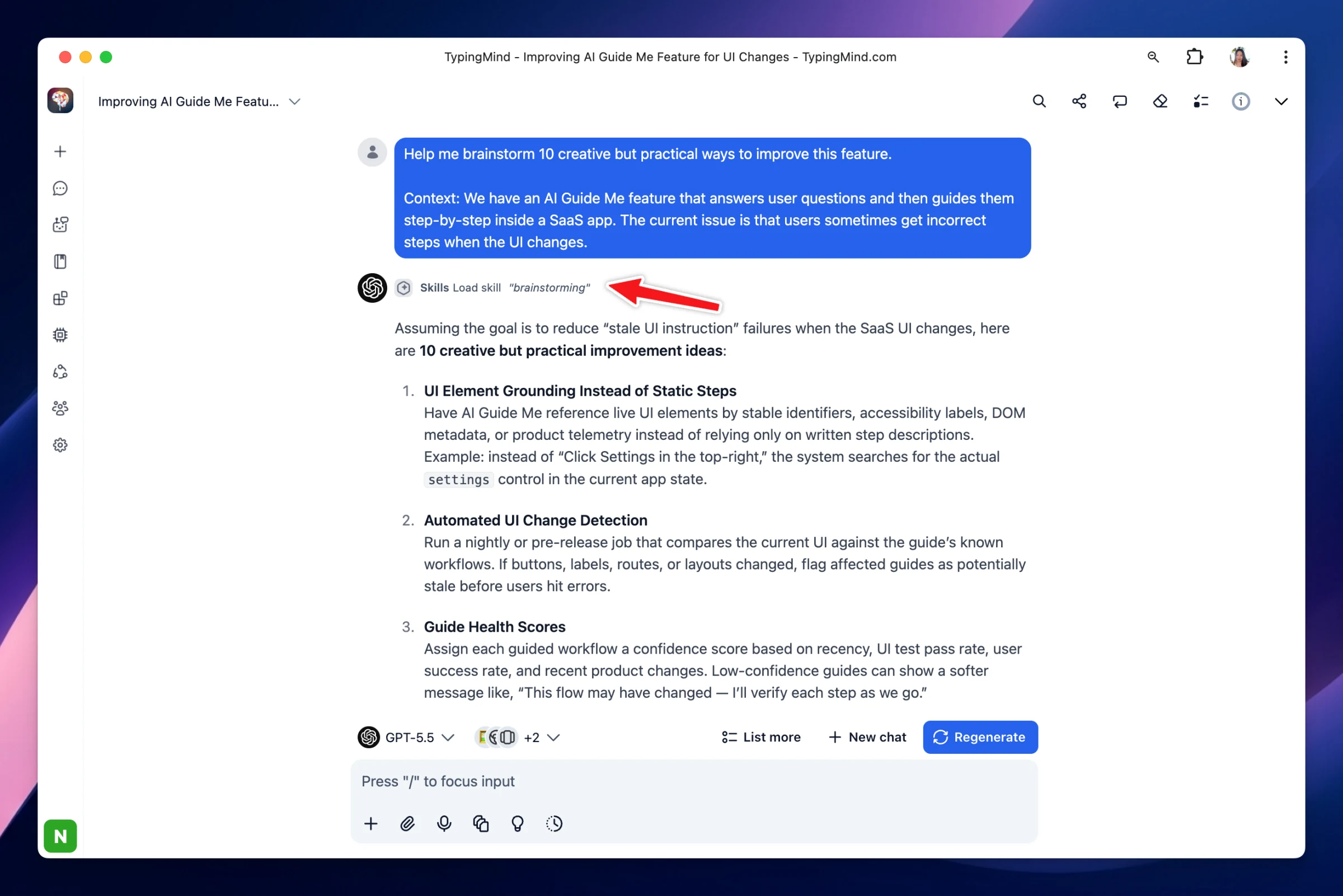
Enable the Skills you want to use, then start chatting. TypingMind will use the selected Skills to provide more specialized and task-focused responses.
Learn more about Skills: https://docs.typingmind.com/skills
Note: Skills are now available on TypingMind.com (Personal version). Support for TypingMind Teams coming soon.