Control memory on admin, plugins page and sidebar redesign
Updates for TypingMind Teams admins.
Redesign
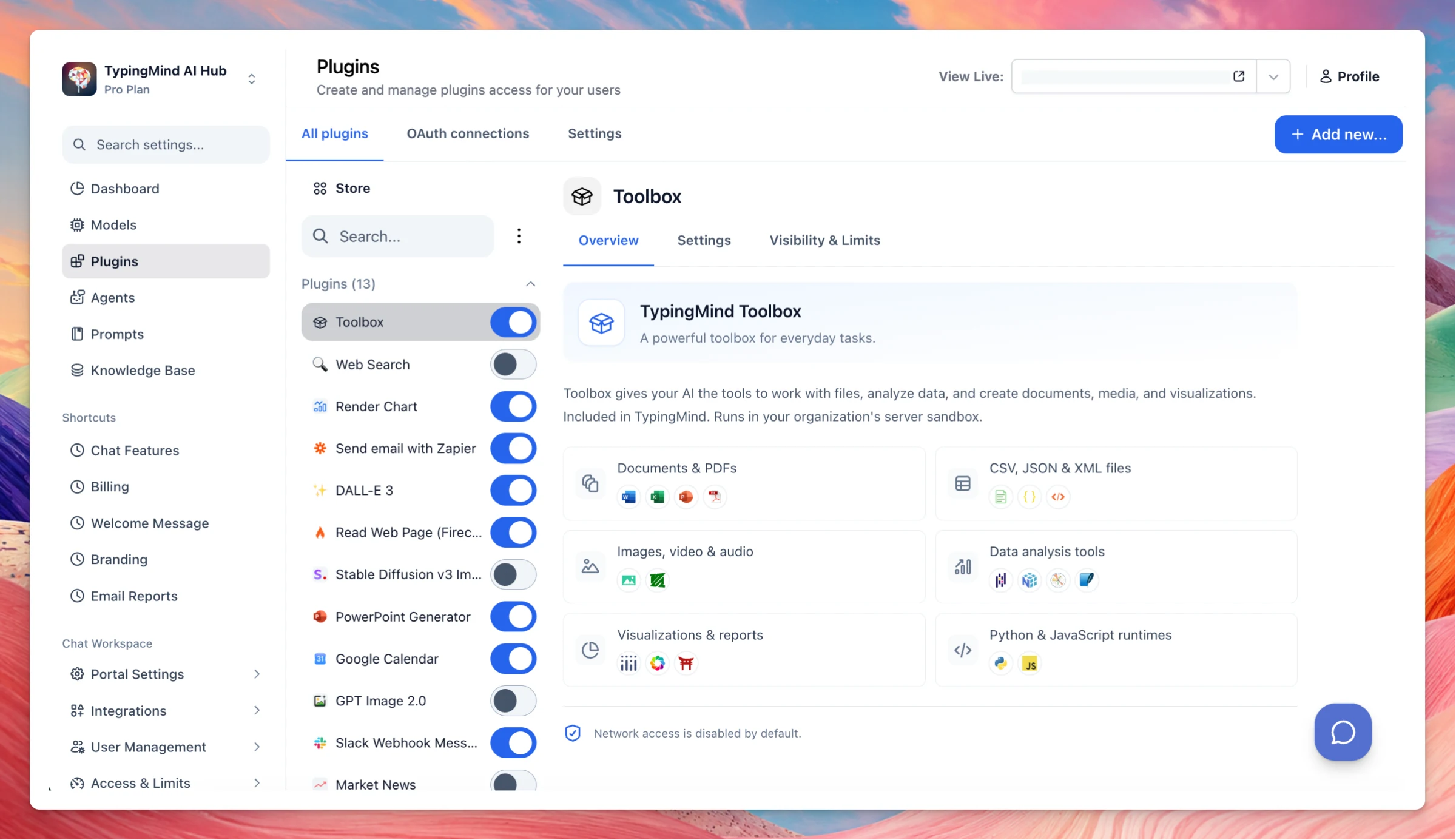
Admin plugins page redesign: The admin plugins page has a cleaner layout that is easier to scan and manage. Admins can now install multiple MCP servers at once, instead of adding them one by one.
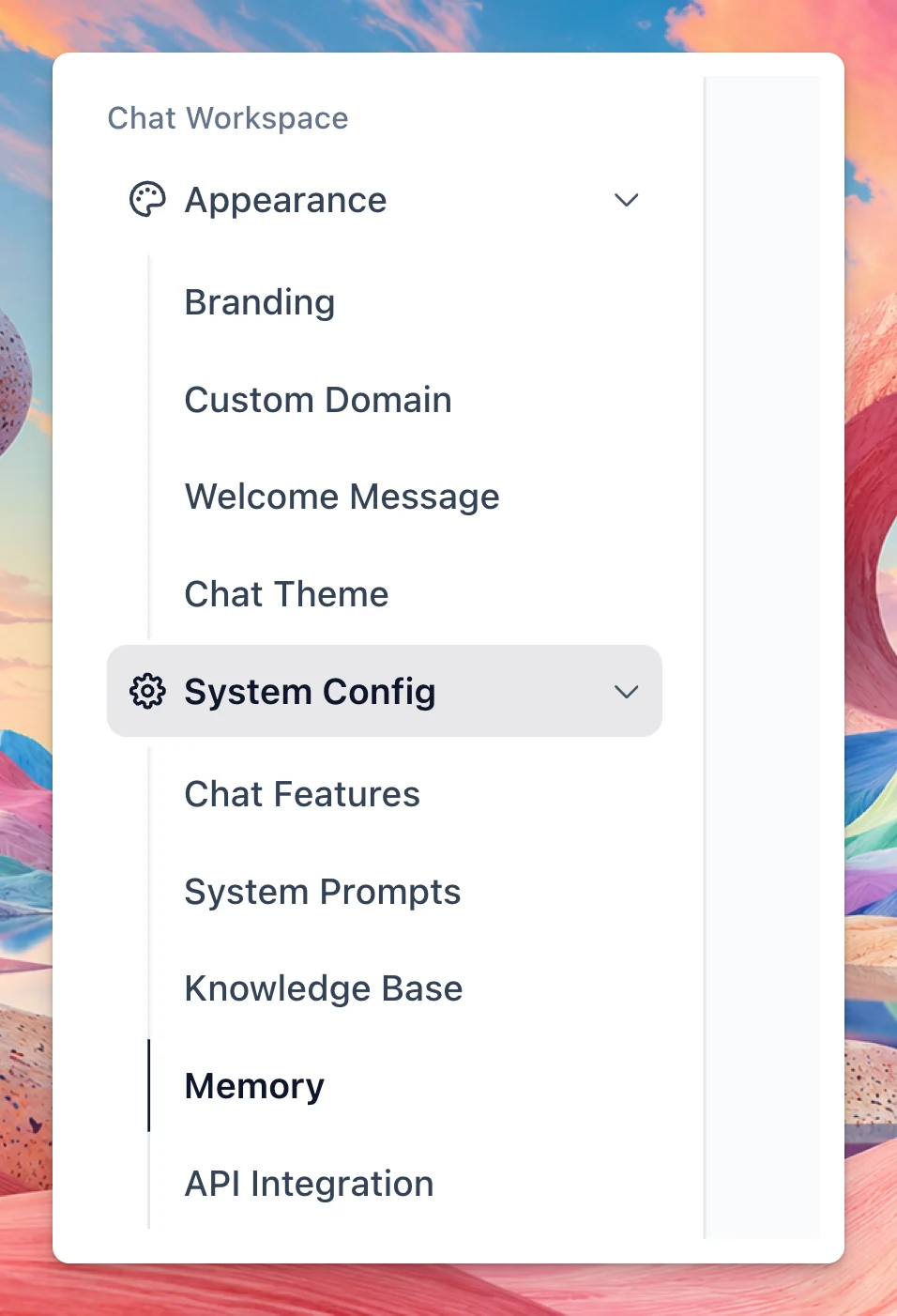
Sidebar menu: Admin navigation is reorganized into Appearance and System Config. Knowledge Base now lives under System Config instead of the top-level menu and pinned shortcuts.
Appearance includes Branding, Custom Domain, Welcome Message, and Chat Theme.
System Config includes Chat Features, System Prompts, Knowledge Base, Memory, API Integration, and Emails.
Changes
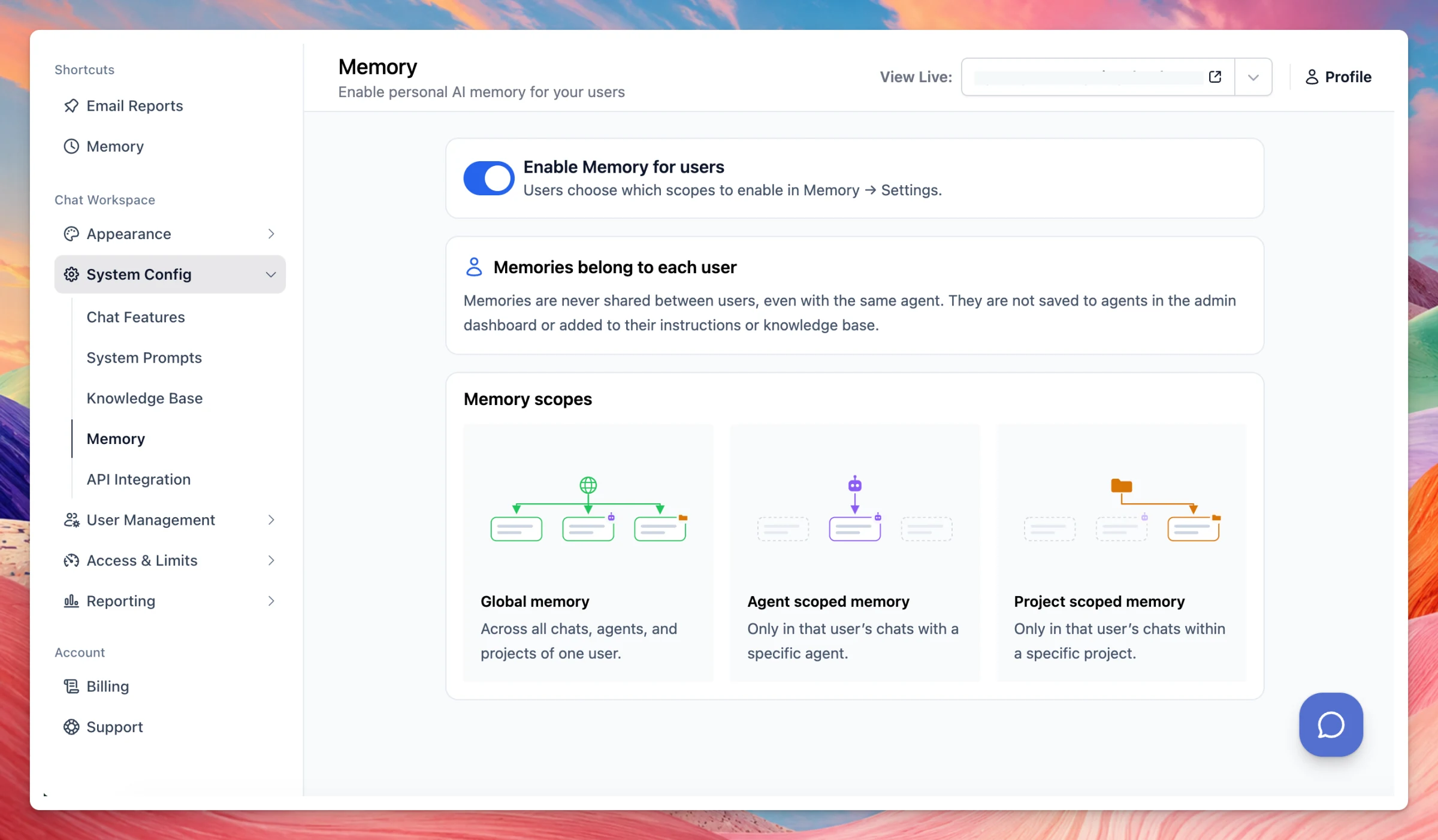
Control memory on admin: Added a new admin Memory page. Admins can enable Memory for users, who choose which scopes to turn on in Memory → Settings. Memories belong to each user and are never shared between users, even with the same agent. They are not saved to agents in the admin dashboard or added to their instructions or knowledge base.
Global memory applies across all chats, agents, and projects of one user.
Agent scoped memory applies only in that user’s chats with a specific agent.
Project scoped memory applies only in that user’s chats within a specific project.
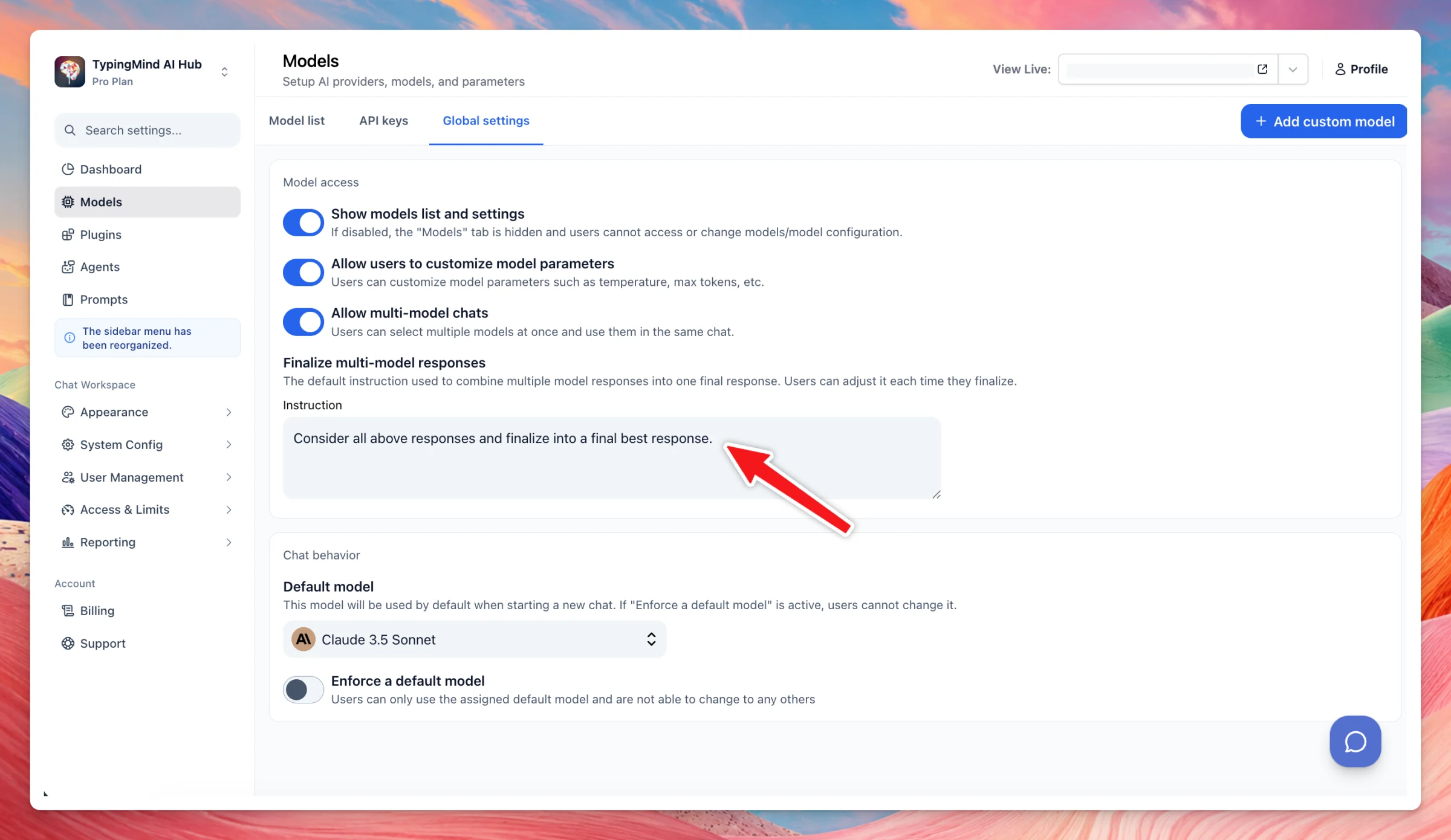
Multi-model response finalization: Org admins can now set default finalization settings for multi-model responses, which users can still customize per response.